기능(Feature) #1964
closed개선(improvement) #739: * LOG IN PROCESS RENEW
[FE] Add a Email Verification Process in My Page
100%
Description
Add a email verification function on My page.
*Storyboard: page 22-1 ~ 22-4
https://www.figma.com/design/vOGs1fRewULwCFidZcWR69/Login---Sign-up-process?node-id=2353-8371&t=56d8pi54EBRynxcD-1
Files
Related issues
Updated by Lexi Kim 5 months ago
- Copied from 기능(Feature) #1947: [Plan] Add a Email Verification Process in My Page added
Updated by ziniy Kang 5 months ago
- Related to 기능(Feature) #1967: [Plan] Email templete for Email Verification Process in My Page added
Updated by ziniy Kang 5 months ago
- Related to 기능(Feature) #1947: [Plan] Add a Email Verification Process in My Page added
Updated by harry harry 5 months ago
- Assignee changed from harry harry to John Lee
Updated by ziniy Kang 5 months ago
- Priority changed from 보통(Normal) to 높음(High)
Updated by ziniy Kang 5 months ago
- Related to 개선(improvement) #2005: [Email Verification] Add manual email verification flow & expiration condition for auto-sent email added
Updated by ziniy Kang 5 months ago
- Due date set to 10/22/2025
- Start date set to 10/22/2025
Updated by Tracy Truong 5 months ago
- File Ohmyhotel - Google Chrome 2025-10-23 08-29-45.mp4 Ohmyhotel - Google Chrome 2025-10-23 08-29-45.mp4 added
- File Ohmyhotel and 11 more pages - Work 2 - Microsoft Edge 2025-10-23 08-47-43.mp4 Ohmyhotel and 11 more pages - Work 2 - Microsoft Edge 2025-10-23 08-47-43.mp4 added
- File Issue 4 - verify pop up.mp4 Issue 4 - verify pop up.mp4 added
- File Verify email completed - UI.mp4 Verify email completed - UI.mp4 added
- File picture514-1.png picture514-1.png added
- File picture514-2.png picture514-2.png added
- File picture514-3.png picture514-3.png added
- File picture514-4.png picture514-4.png added
- File picture514-5.png picture514-5.png added
- File picture514-6.png picture514-6.png added
- File picture514-7.png picture514-7.png added
- Status changed from QA test to 완료실패(Failed)
- Assignee changed from Tracy Truong to John Lee
Test on PC / MO web - STG
About the issue, please fix to both device
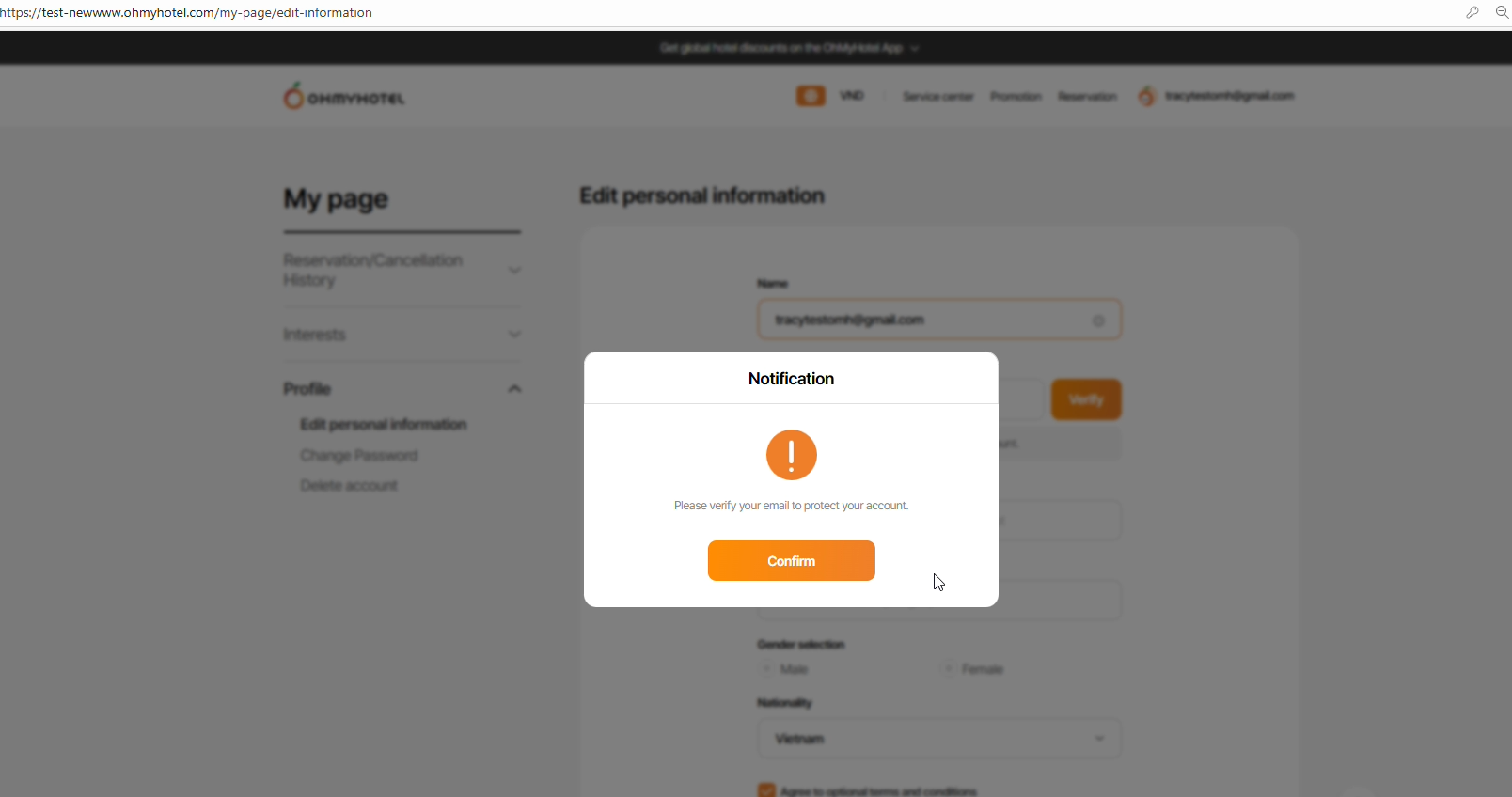
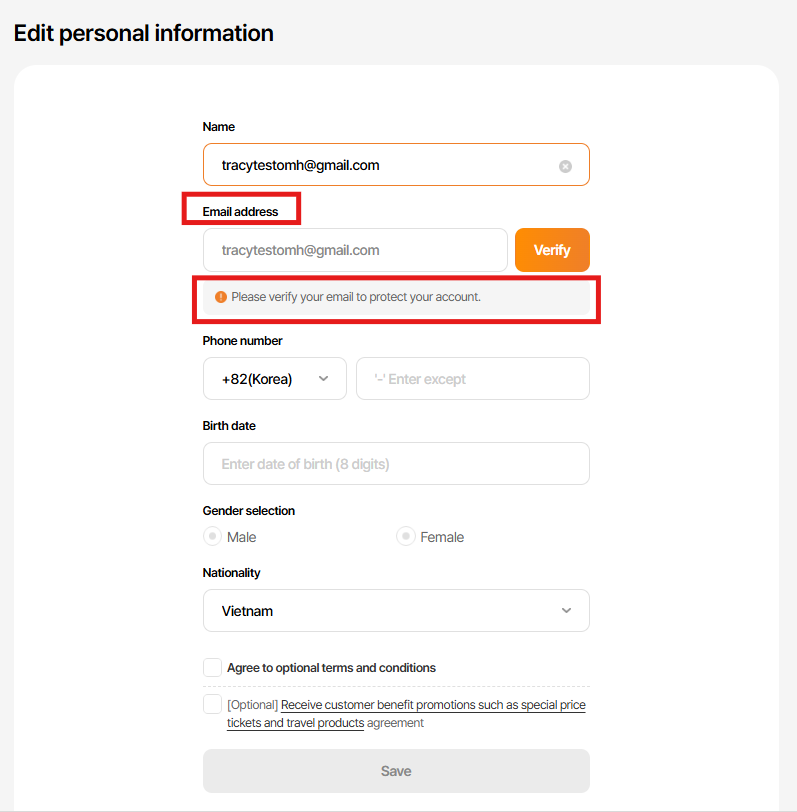
Page 22-1: https://www.figma.com/design/vOGs1fRewULwCFidZcWR69/Login---Sign-up-process?node-id=2353-8371&t=FDuQo9bGuvN21U7C-1
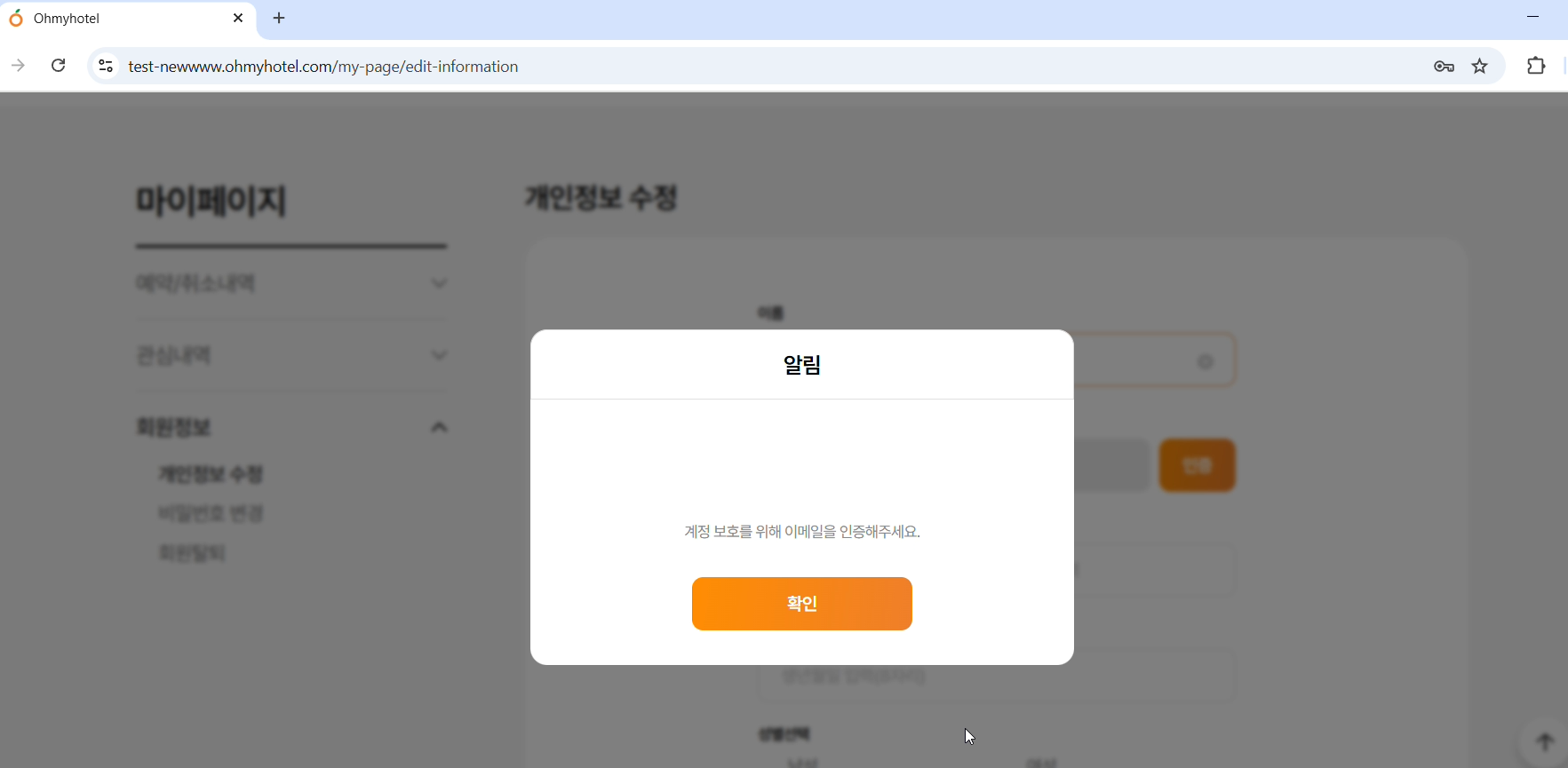
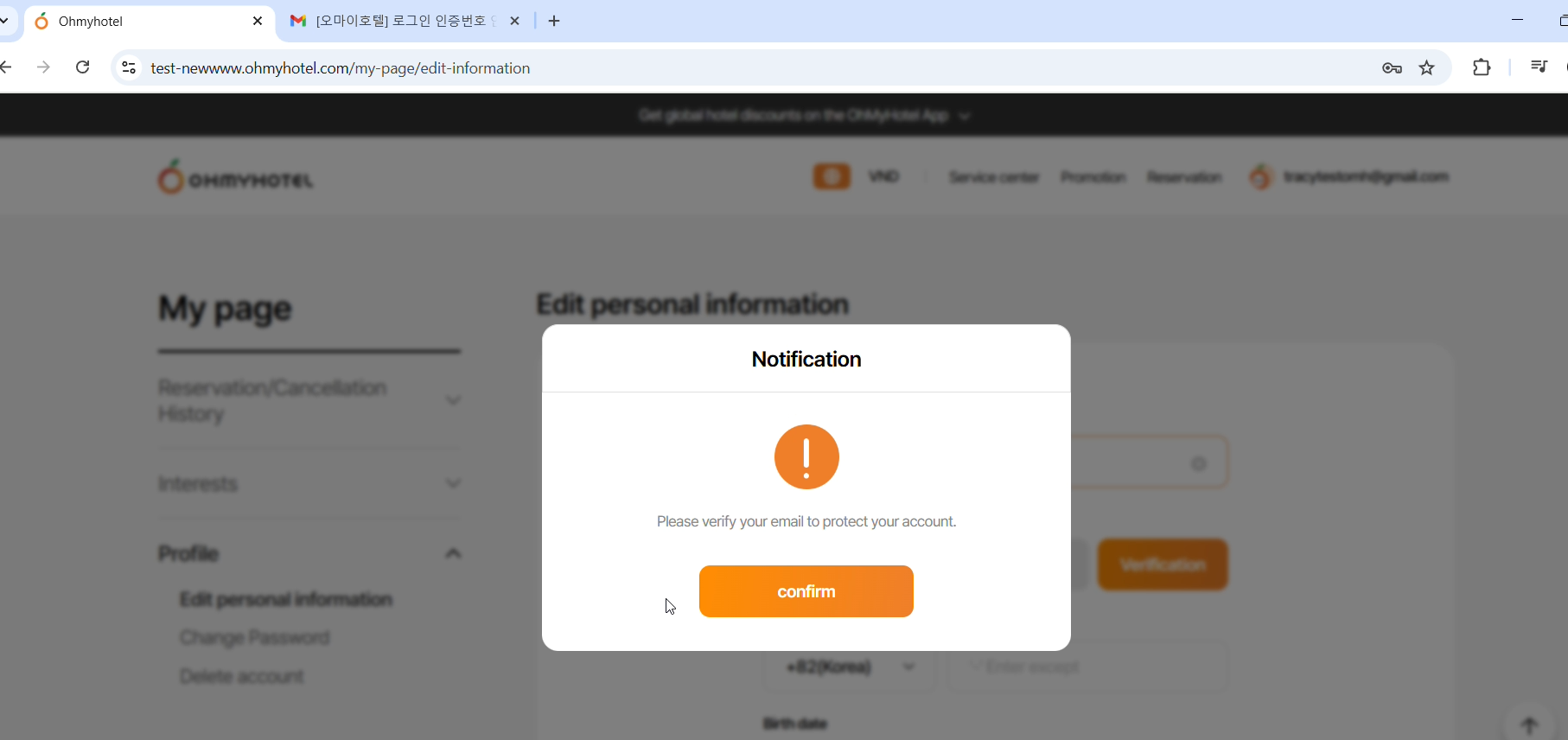
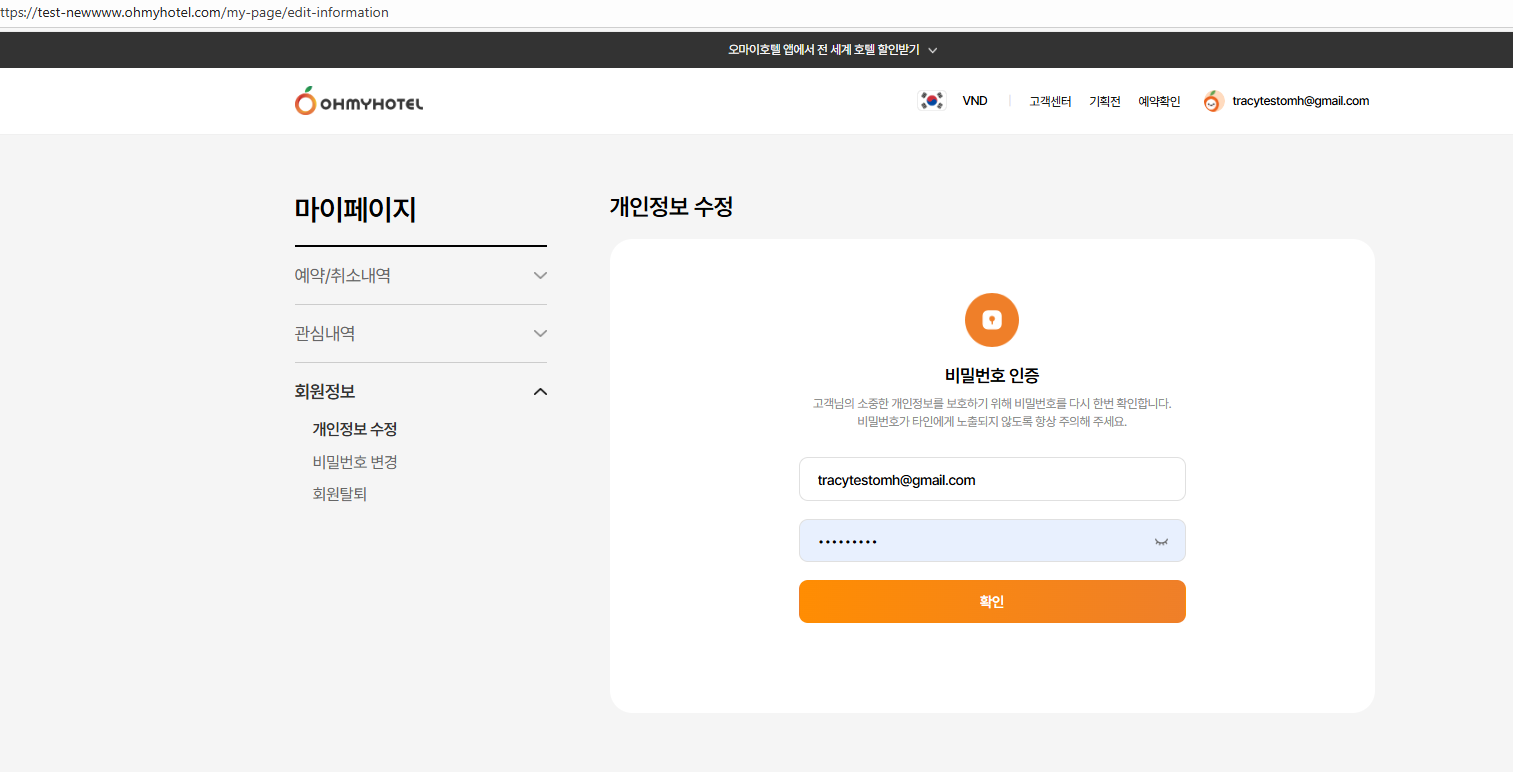
Log in > Entered My Page > Profile > Edit Personal Info > Alert appears => ok
It is exposed only to users who have not completed email verification. It is not exposed to users who have completed email verification. => ok
This method applies only to users who have signed up with the 'email address', and members who sign up with SNS accounts are considered to have completed email verification. => ok
Issue 1:
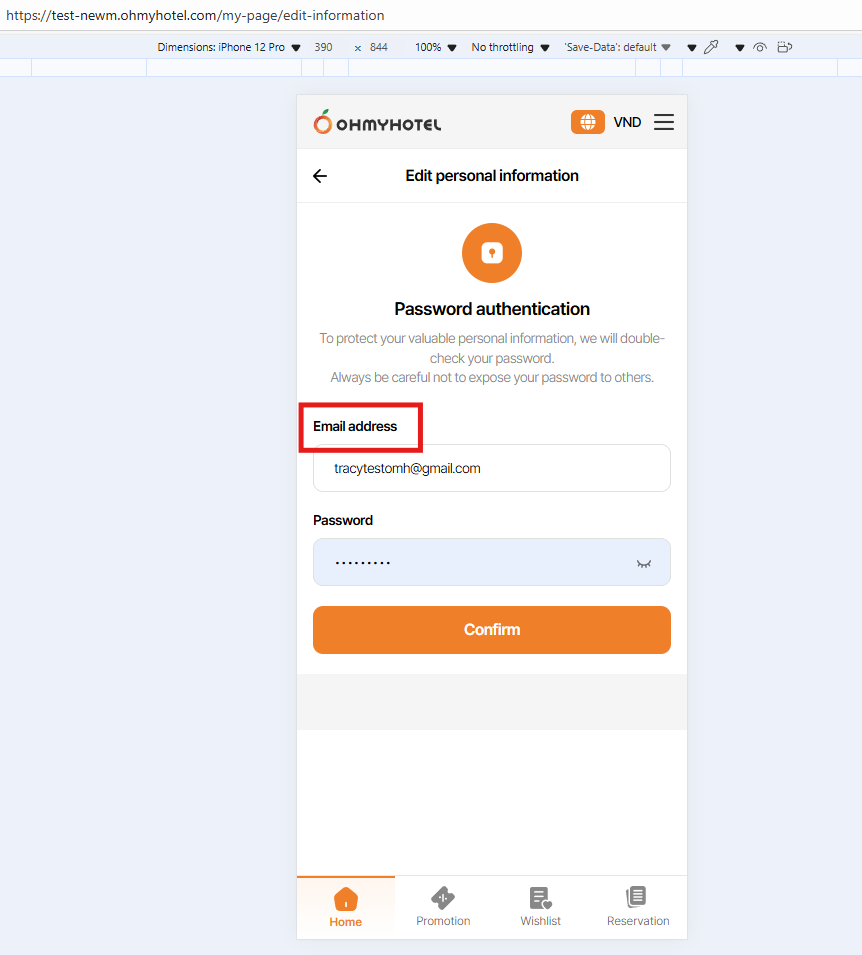
Button Text (EN): Change text in Confirm btn:
As is: confirm
Figma: Confirm
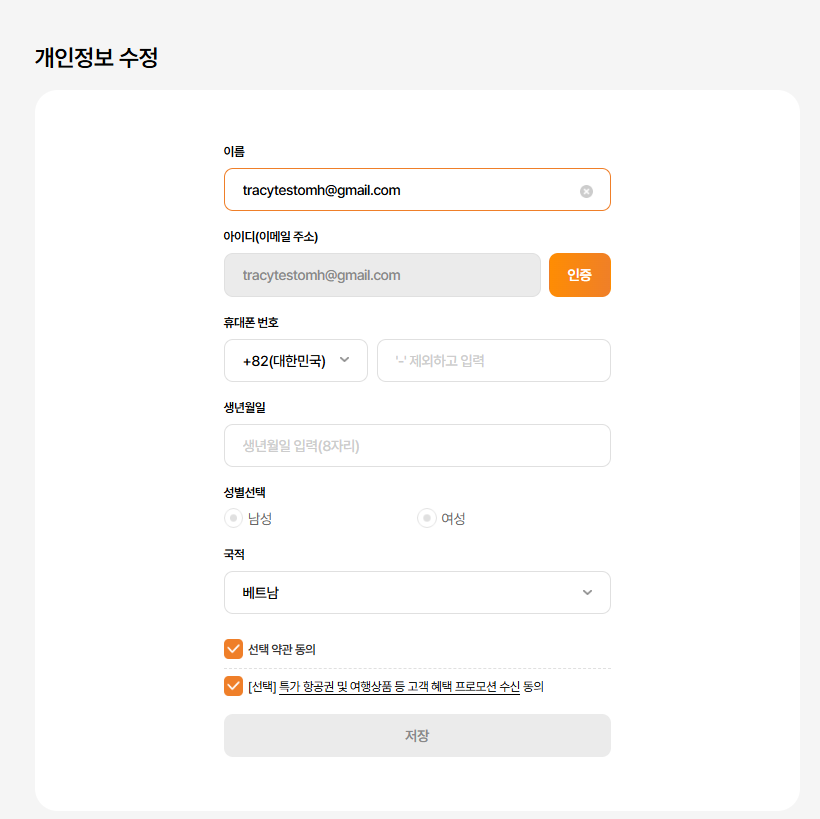
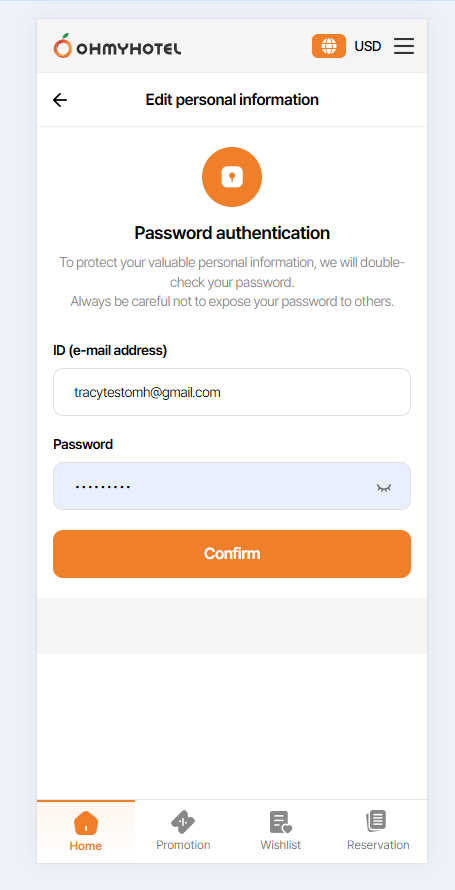
Page 22-2: https://www.figma.com/design/vOGs1fRewULwCFidZcWR69/Login---Sign-up-process?node-id=2354-8438&t=FDuQo9bGuvN21U7C-1
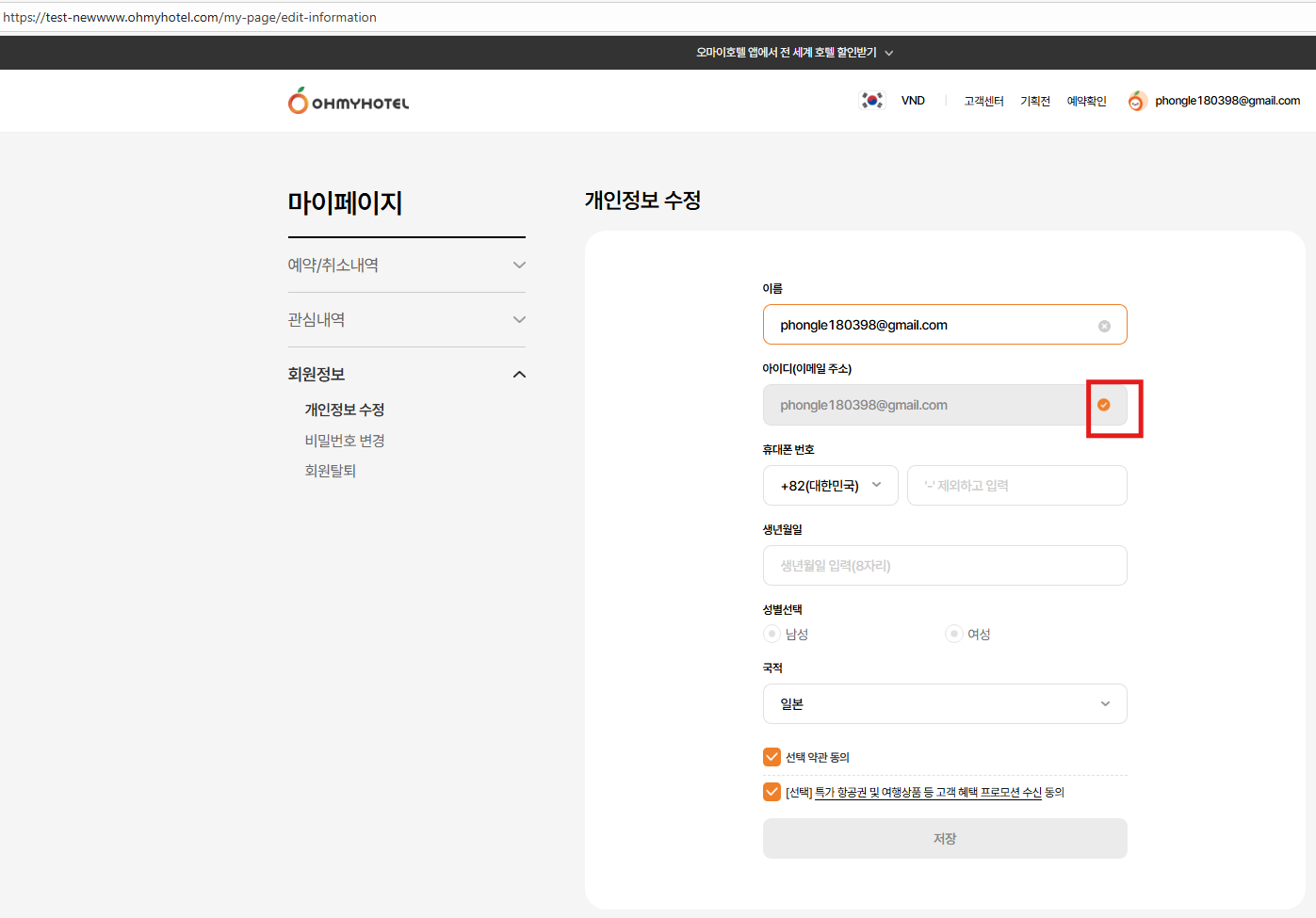
Input Box
The email address entered by the user when signing up is displayed. => ok
User can’t edit the email address directly. => ok
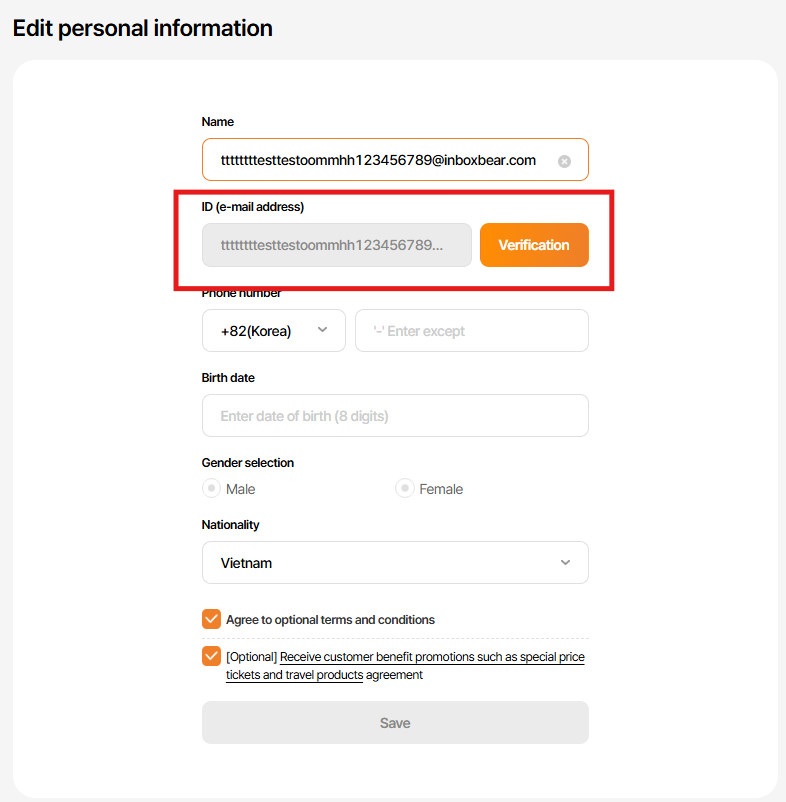
If the e-mail address is long, it is displayed (...) so that it does not overlap with the button. => ok
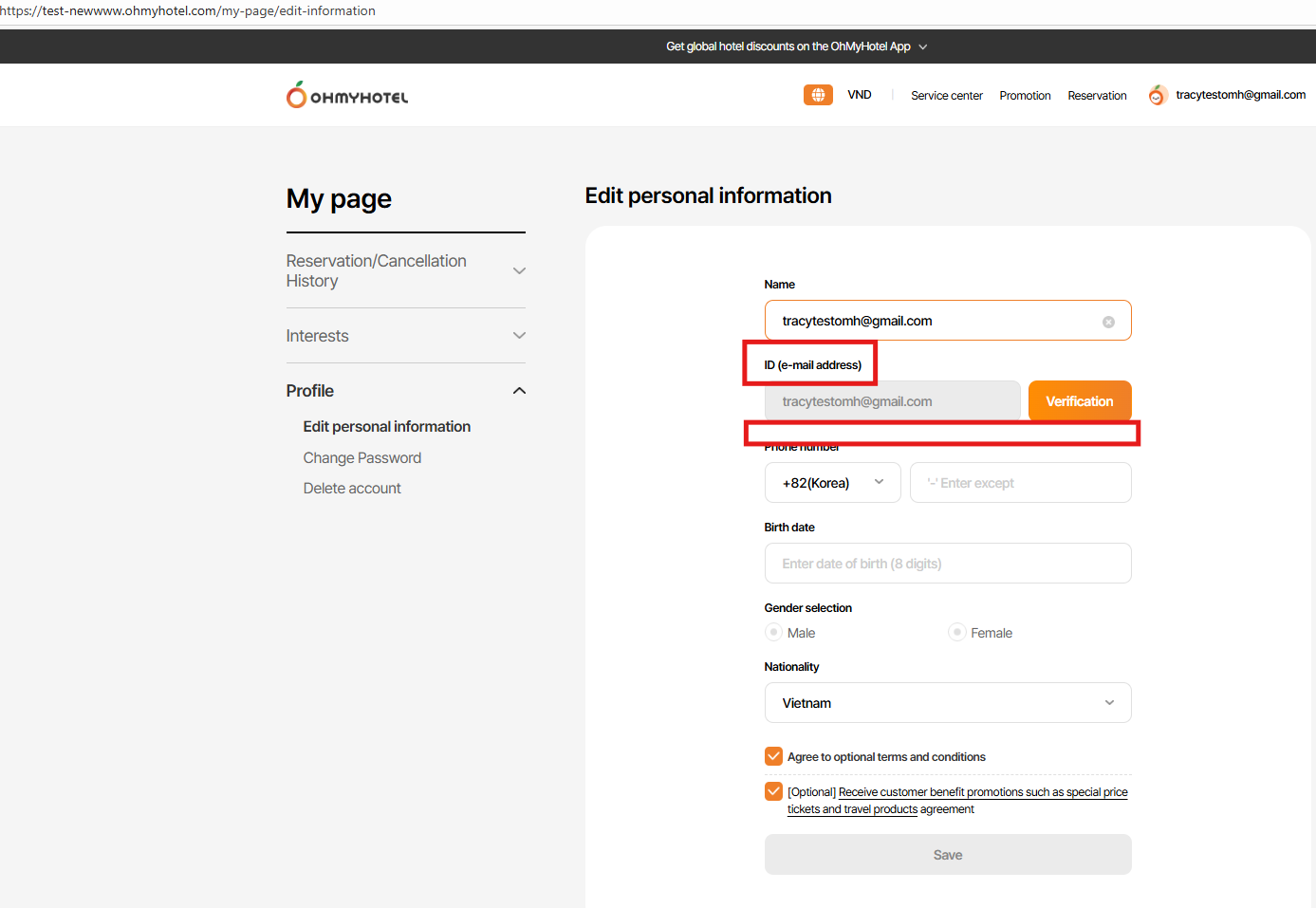
Issue 2:
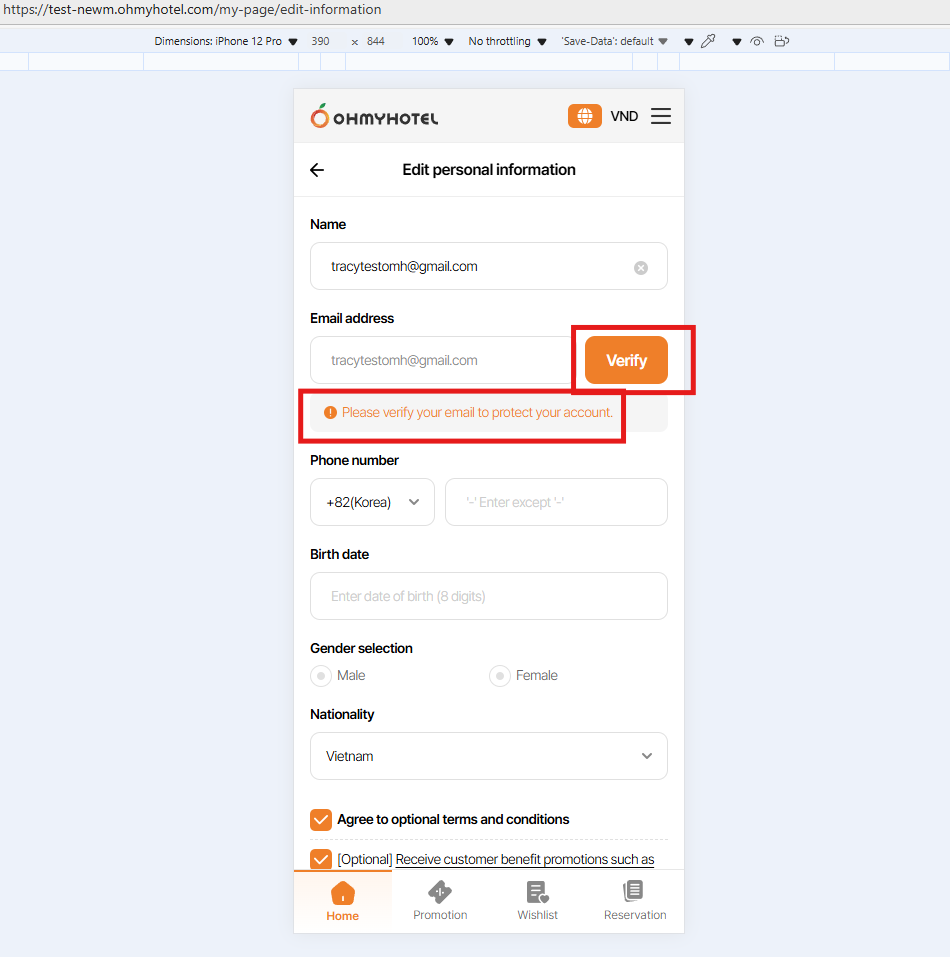
Change text:
As is: ID (e-mail address)
Figma: Email Address
Change Btn text in ENG ver:
As is: Verification
Figma: Verify
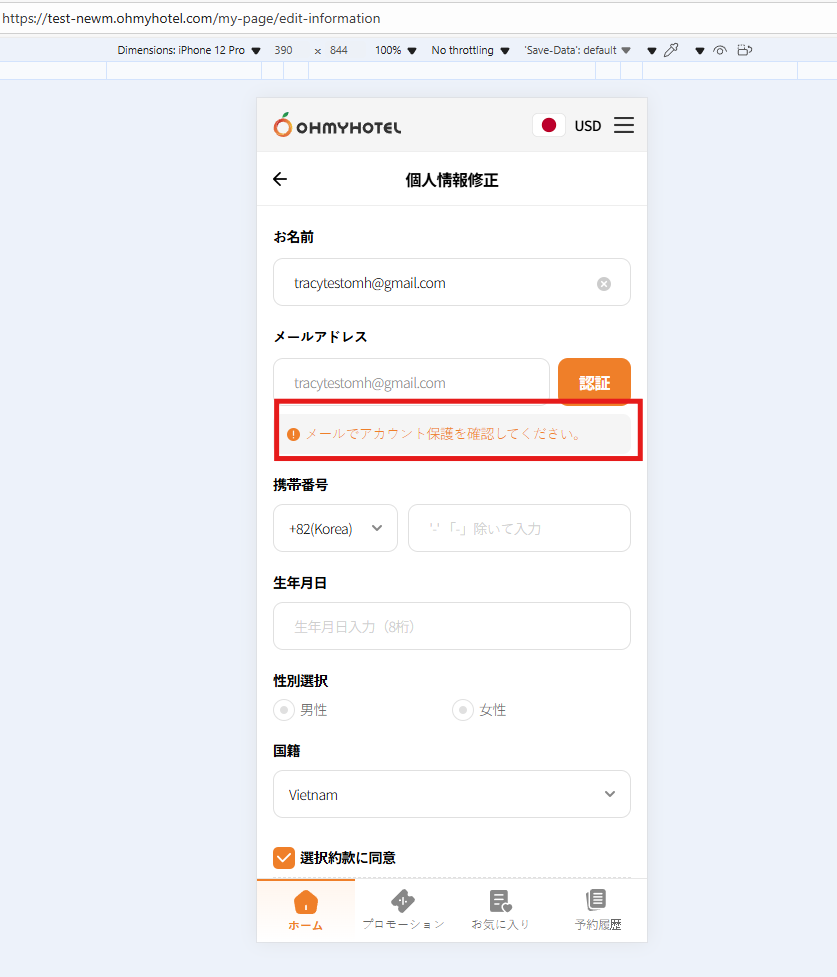
Issue 3: Lack off message below email input field (All language)
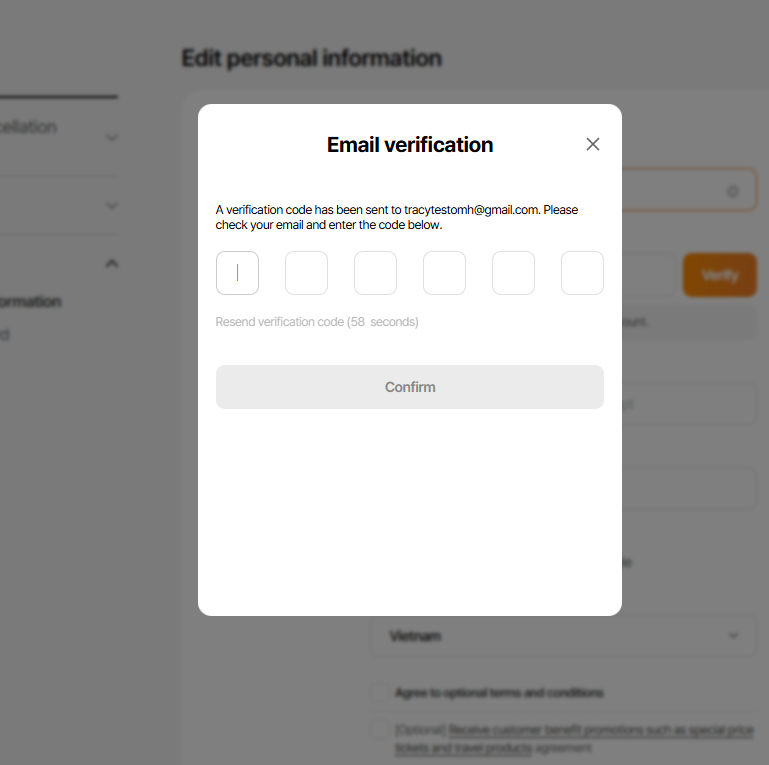
Page 22-3: https://www.figma.com/design/vOGs1fRewULwCFidZcWR69/Login---Sign-up-process?node-id=2354-8544&t=FDuQo9bGuvN21U7C-1
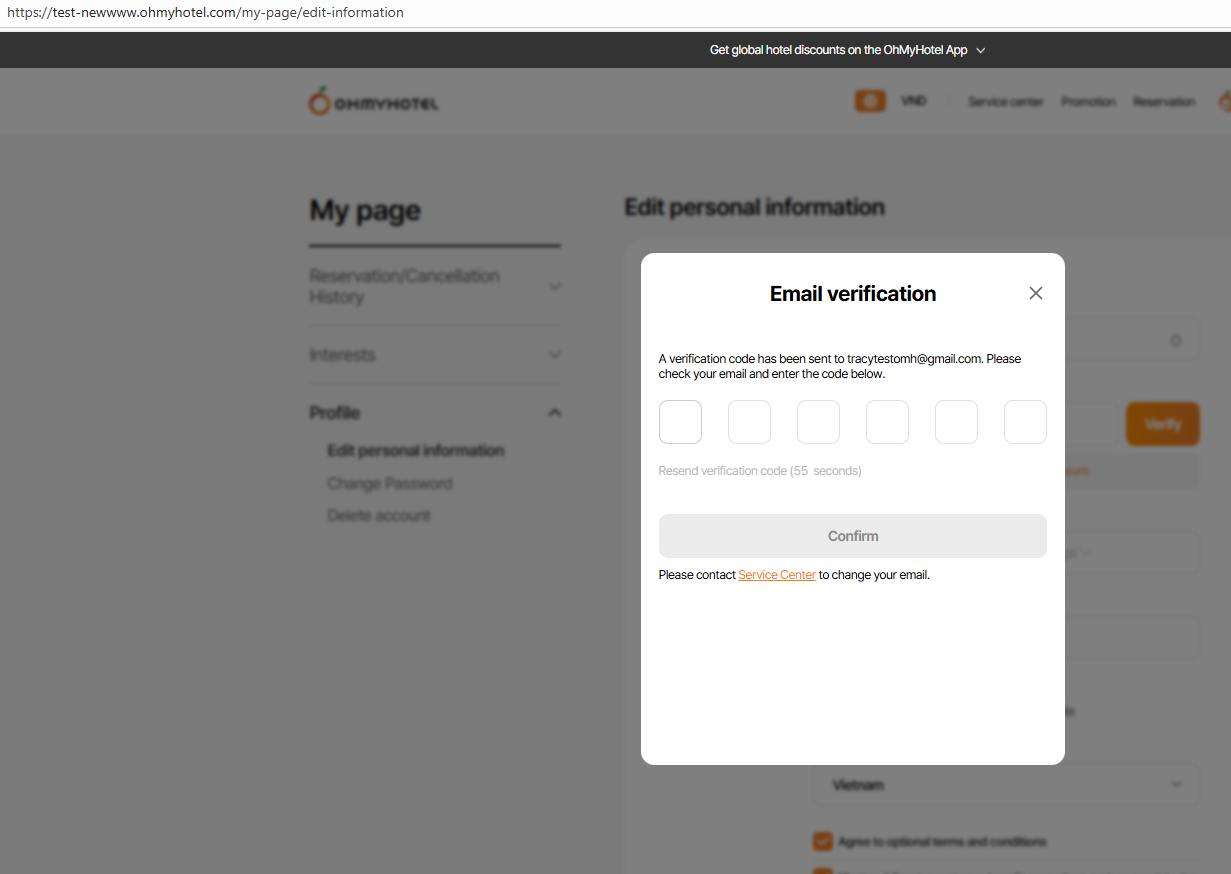
Issue 4 - input verify code incorrect over 5 times & click resend email verify code.
Entered new code but error message input incorrect over 5 times still appears & can not confirm
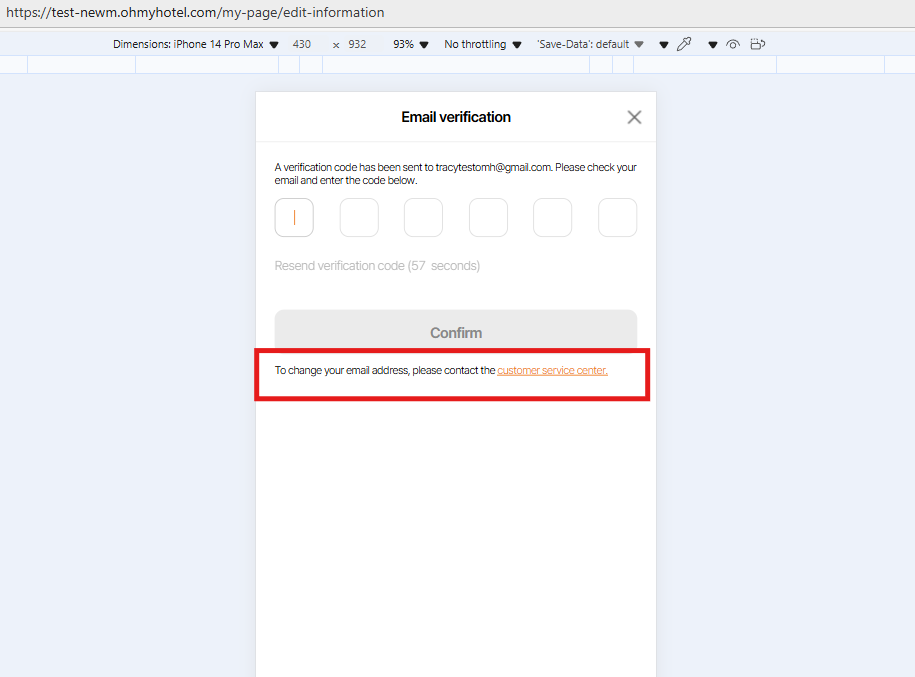
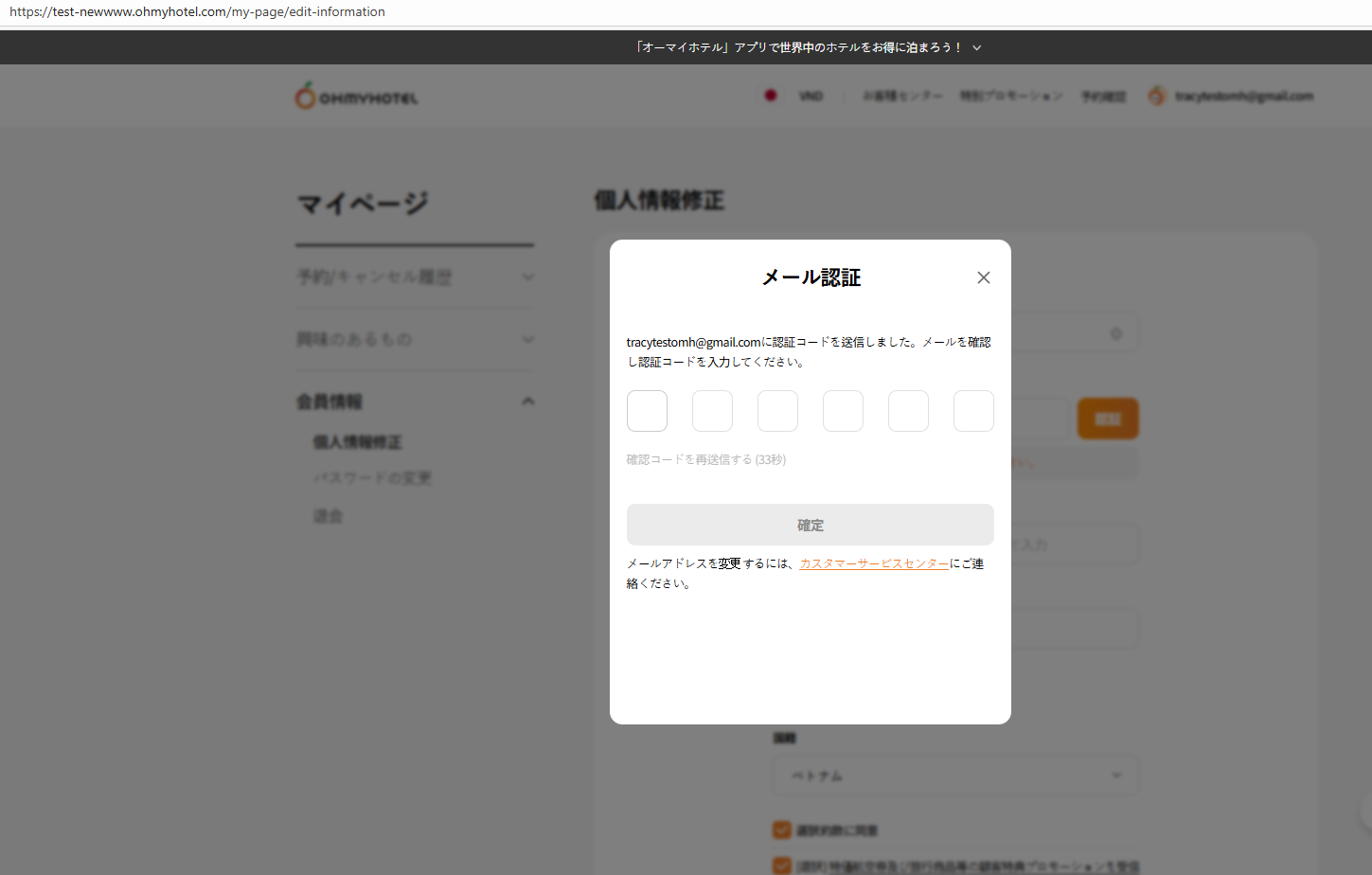
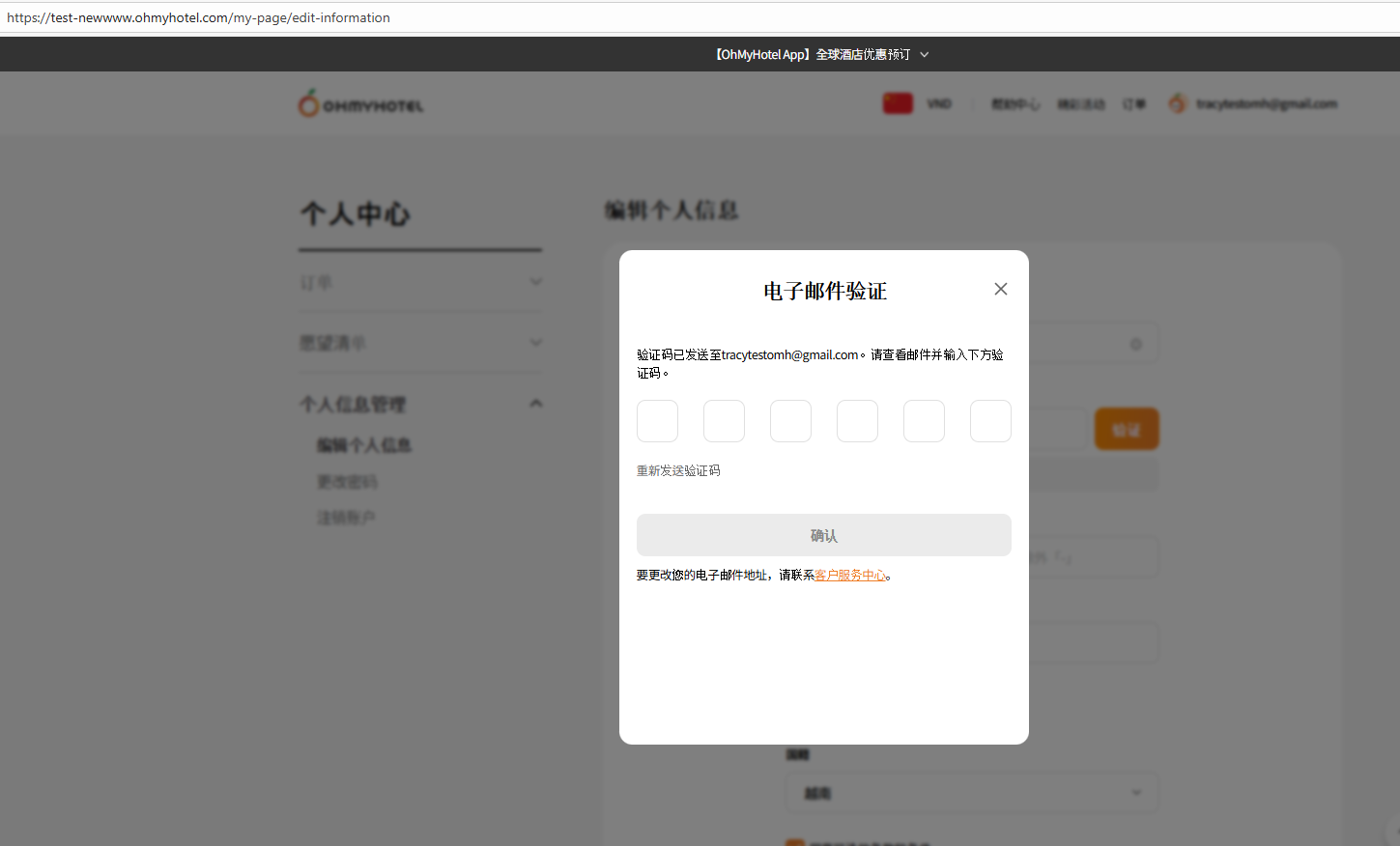
Issue 5 Lack off Notice text below confirm btn in Verify code pop up - All language
Dear Lexi Kim, I have 1 question, please advise us.
After the verification is completed, a pop-up will appear and when click the confirmation button, the UI will switch to the completed email verification interface like Page 22-4 or still show as the UI on Page 22-2, and after we switch to another tab - back to the Edit Personal Information page, the new interface changes?
More infomation you can sê in attached video (Verify email completed- UI). Thank you
Updated by Lexi Kim 5 months ago
Dear Tracy Truong,
If you click on the 'confirm' button of 'Completion Alert' and the alert is closed,
the My Page should be auto-refreshed immediately and the page 22-4 UI should be displayed.
You don't have to switch to another tab and come back.
Updated by Tracy Truong 5 months ago
- File Ohmyhotel and 7 more pages - Work 2 - Microsoft Edge 2025-10-24 15-08-13.mp4 Ohmyhotel and 7 more pages - Work 2 - Microsoft Edge 2025-10-24 15-08-13.mp4 added
- File picture916-1.png picture916-1.png added
- File picture916-2.png picture916-2.png added
- File picture916-3.png picture916-3.png added
- File picture916-4.png picture916-4.png added
- File picture916-5.png picture916-5.png added
- Status changed from QA test to 완료실패(Failed)
- Assignee changed from Tracy Truong to John Lee
Issue 1: ok
Issue 2: still failed on MO
Issue 3: ok, but need to change content to orange
Issue 4: ok
Issue 5: failed => still did not notice
Lexi Kim wrote in #note-20:
Dear Tracy Truong,
If you click on the 'confirm' button of 'Completion Alert' and the alert is closed,
the My Page should be auto-refreshed immediately and the page 22-4 UI should be displayed.
You don't have to switch to another tab and come back.
=> verify completed, page reload => ok
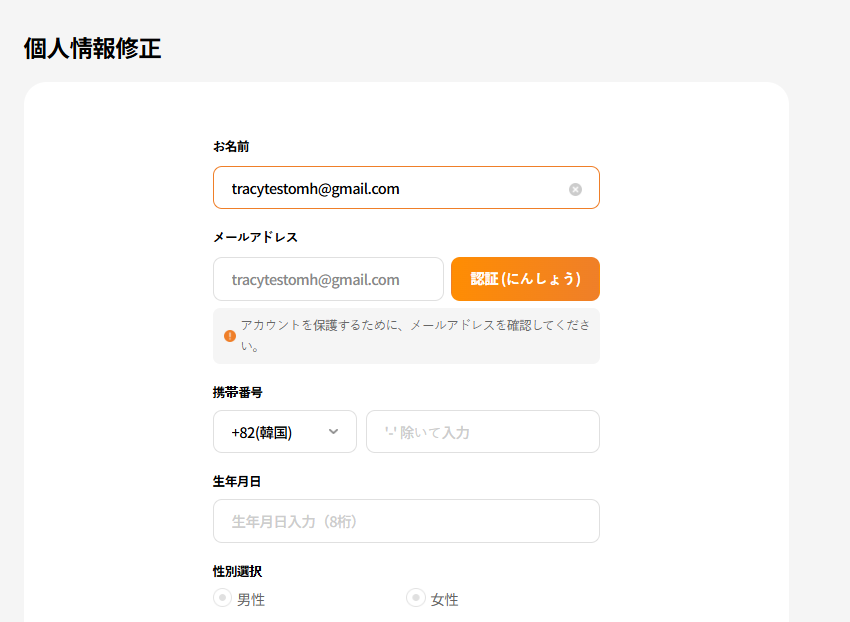
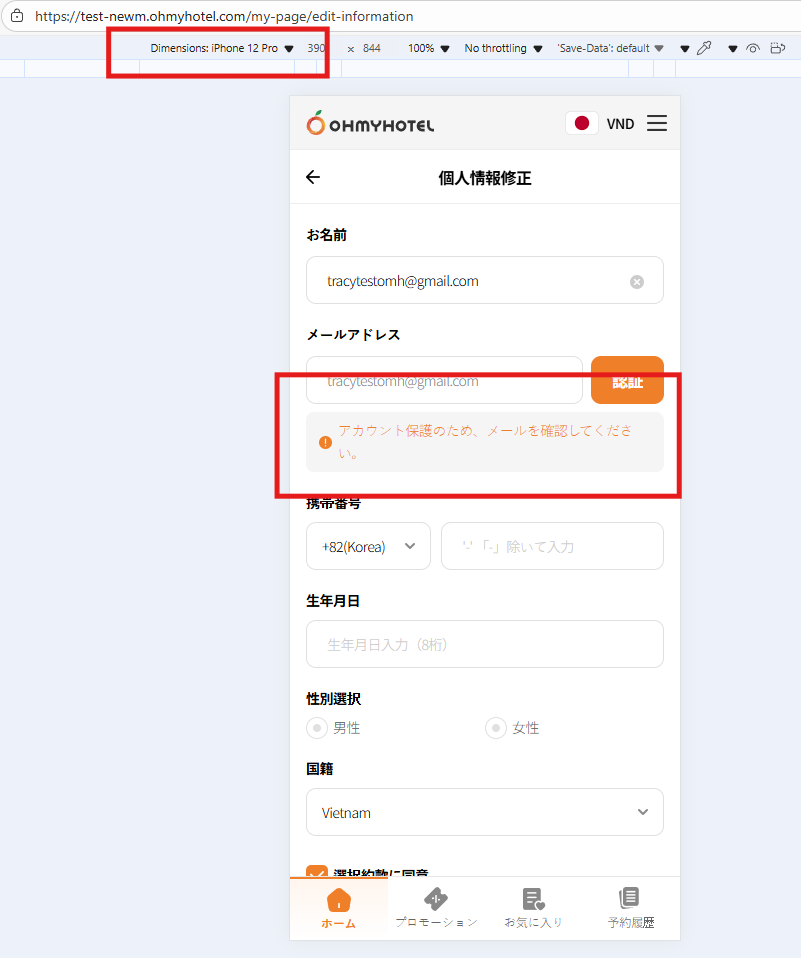
New issue: In JP ver, change content on verify btn from 認証 (にんしょう) to 認証 & adjust message below input email field to it is wrote by 1 line
Updated by Tracy Truong 4 months ago
- File Ohmyhotel and 10 more pages - Work 2 - Microsoft Edge 2025-10-27 10-48-00.mp4 Ohmyhotel and 10 more pages - Work 2 - Microsoft Edge 2025-10-27 10-48-00.mp4 added
- File picture988-1.png picture988-1.png added
- File picture988-2.png picture988-2.png added
- File picture988-3.png picture988-3.png added
- File picture988-4.png picture988-4.png added
- Status changed from QA test to 완료실패(Failed)
- Assignee changed from Tracy Truong to John Lee
Issue 1: ok
Issue 2: ok
Issue 3: ok
Issue 4: ok
Issue 5: the text is different with Figma (please re-check with other languag except KR)
As is: To change your email address, please contact the customer service center
Figma: Please contact Service Center to change your emmail
And on MO, when click the hyperlink under customer service center, go to the 1:1 inquiry ok but there is gray screen displayed (as video)
New issue: In JP ver, change content on verify btn from 認証 (にんしょう) to 認証 & adjust message below input email field to it is wrote by 1 line
=> Text on btn changed, but when use IOS with small screen like IP 12 & older, text still wrote by 2 line. Can we fix it?
Updated by Tracy Truong 4 months ago
- File Ohmyhotel and 6 more pages - Work 2 - Microsoft Edge 2025-10-27 16-56-35.mp4 Ohmyhotel and 6 more pages - Work 2 - Microsoft Edge 2025-10-27 16-56-35.mp4 added
- File picture678-1.png picture678-1.png added
- File picture678-2.png picture678-2.png added
- File picture678-3.png picture678-3.png added
- File picture678-4.png picture678-4.png added
Checked on STAG, ok
Updated by Tracy Truong 4 months ago
- Status changed from QA test to 완료(Done)
- Assignee changed from Tracy Truong to John Lee
Updated by ziniy Kang 4 months ago
- Status changed from QA test to 완료(Done)
- Assignee changed from Tracy Truong to John Lee
Updated by ziniy Kang 4 months ago
- Status changed from 완료(Done) to 확인(Confirmed)
Updated by ziniy Kang 4 months ago
- Status changed from 확인(Confirmed) to QA test
- Assignee changed from John Lee to Tracy Tran