VOC support #3072
closedRE: 部屋タイプ/プランの取り込みについて【オーマイホテルより】
0%
Description
Dear Team,
We hope this message finds you well.
We have received an inquiry from [561102 – Okayama Washington Hotel Plaza] regarding the reservation details shown in the attached file, specifically concerning how the information is imported into the hotel’s system.
The issues reported are as follows:
1. The room type is not being imported as “Single Non Smoking.”
2. The plan name is not being displayed.
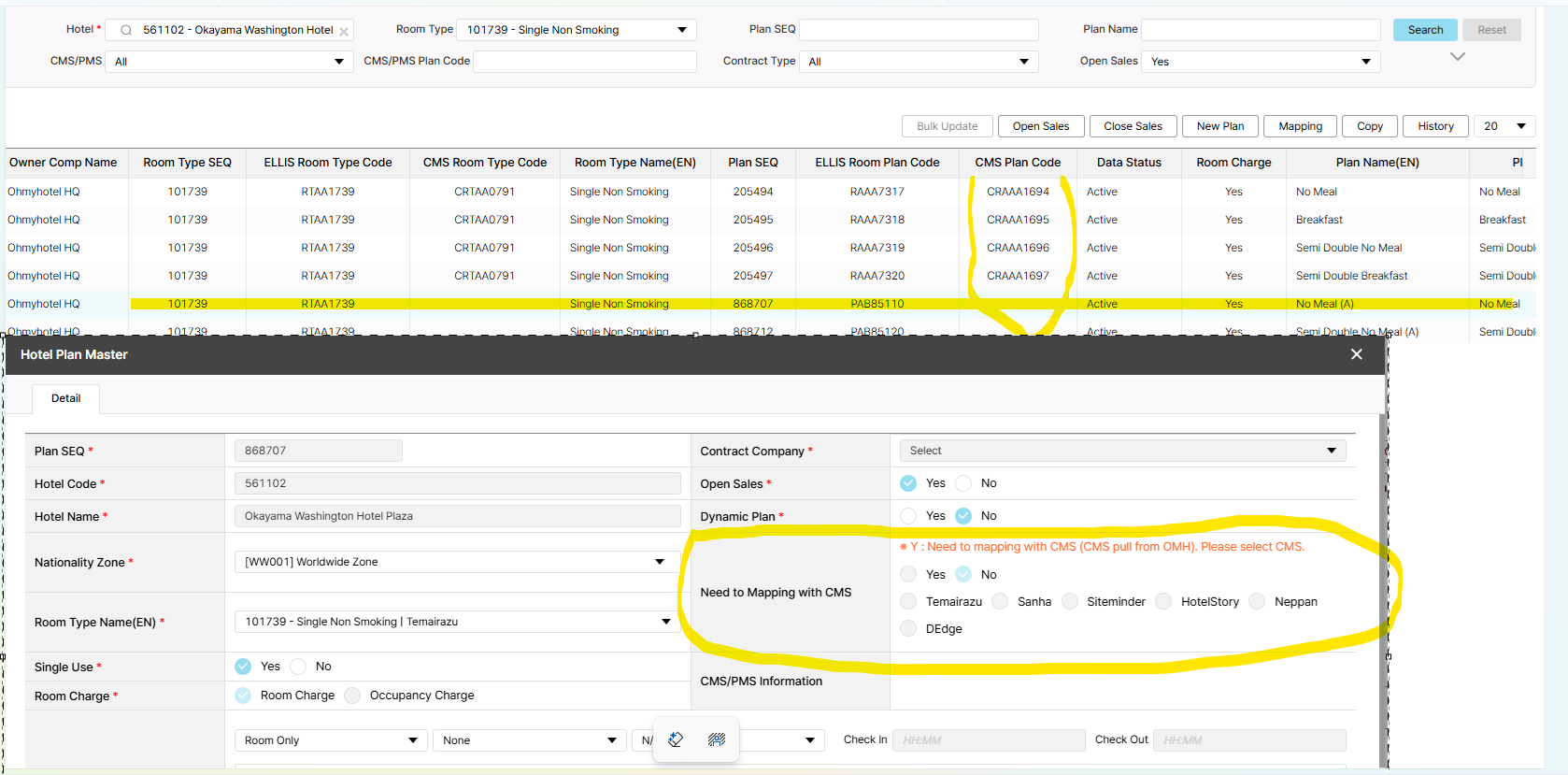
Regarding this matter, we contacted the TEMAIRAZU customer support team, and they advised that the settings on OMHside may need to be adjusted so that the room and plan information is properly notified to TEMAIRAZU.
Could you please kindly check this issue on our end?
Please check the attached file for the booking related.
Here is the email from Temairazu
This is the Temairazu Customer Support Center.
Thank you for your inquiry.
We would like to share the results of our investigation.
After checking the reservation information in the attached file:
The room code in the reservation data was notified as “RTAA1739”.
However, since there is no matching room registered in Temairazu with this code, the room/plan name was left blank, and the reservation data was generated that way.
We also attempted to retrieve the latest room and plan information from your system in our development environment, but even now, the room information for the above code is still not being sent from your side.
We kindly ask you to:
Correct the settings on your side so that the room/plan information is properly sent to Temairazu, and
After that, instruct the property to perform the operation on the Temairazu screen to retrieve the latest room/plan information.
Please note that for reservation data already received in Temairazu, it is not possible to add room/plan information afterward.
Additionally, although we cannot be certain since there is no room named “Double Room” on the Temairazu screen, the reservation in question is currently linked to Room Master “121” in Temairazu.
Because the setting [Settings > Basic Settings > Inventory Management Settings > Automatic Allocation for Room Mismatch] is configured to “121”, reservations where the room information cannot be identified are automatically assigned to Room Master “121” as in this case.
Files