결함(Bug) #2917
closed
[FE] Remove Gender Field from Guest Information on My Page
Added by ziniy Kang about 2 months ago.
Updated about 2 months ago.
Description
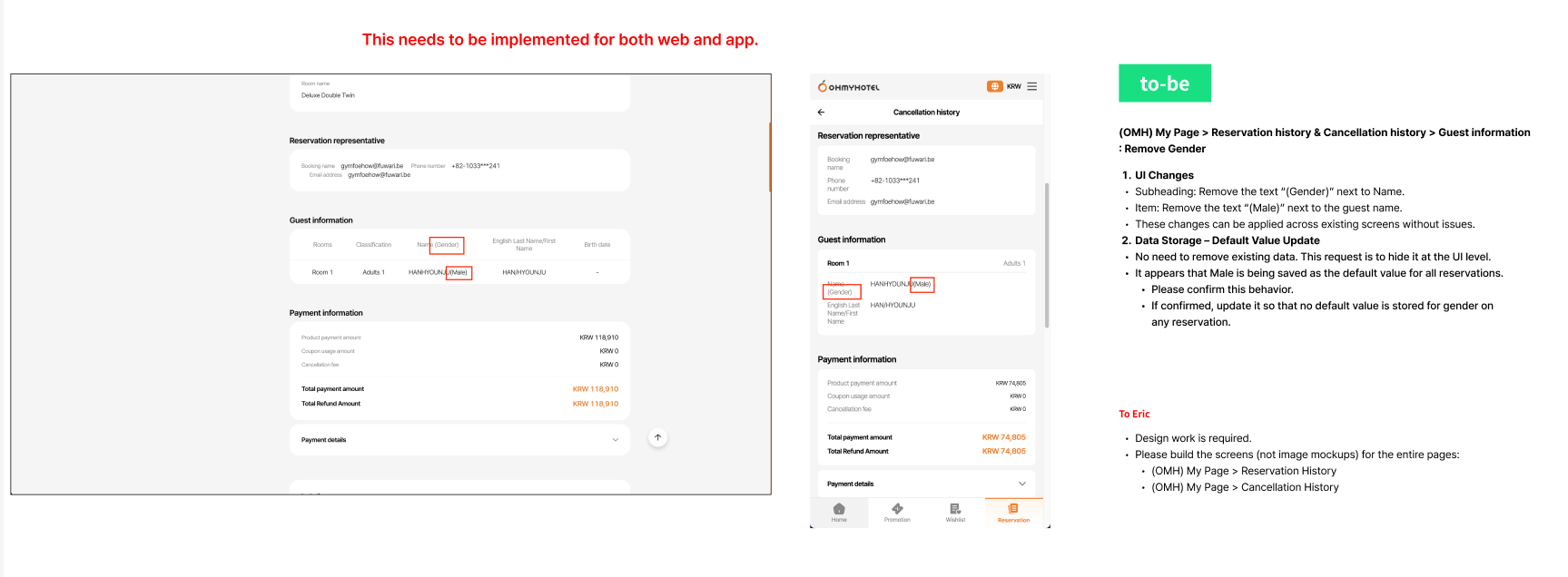
1. UI Changes
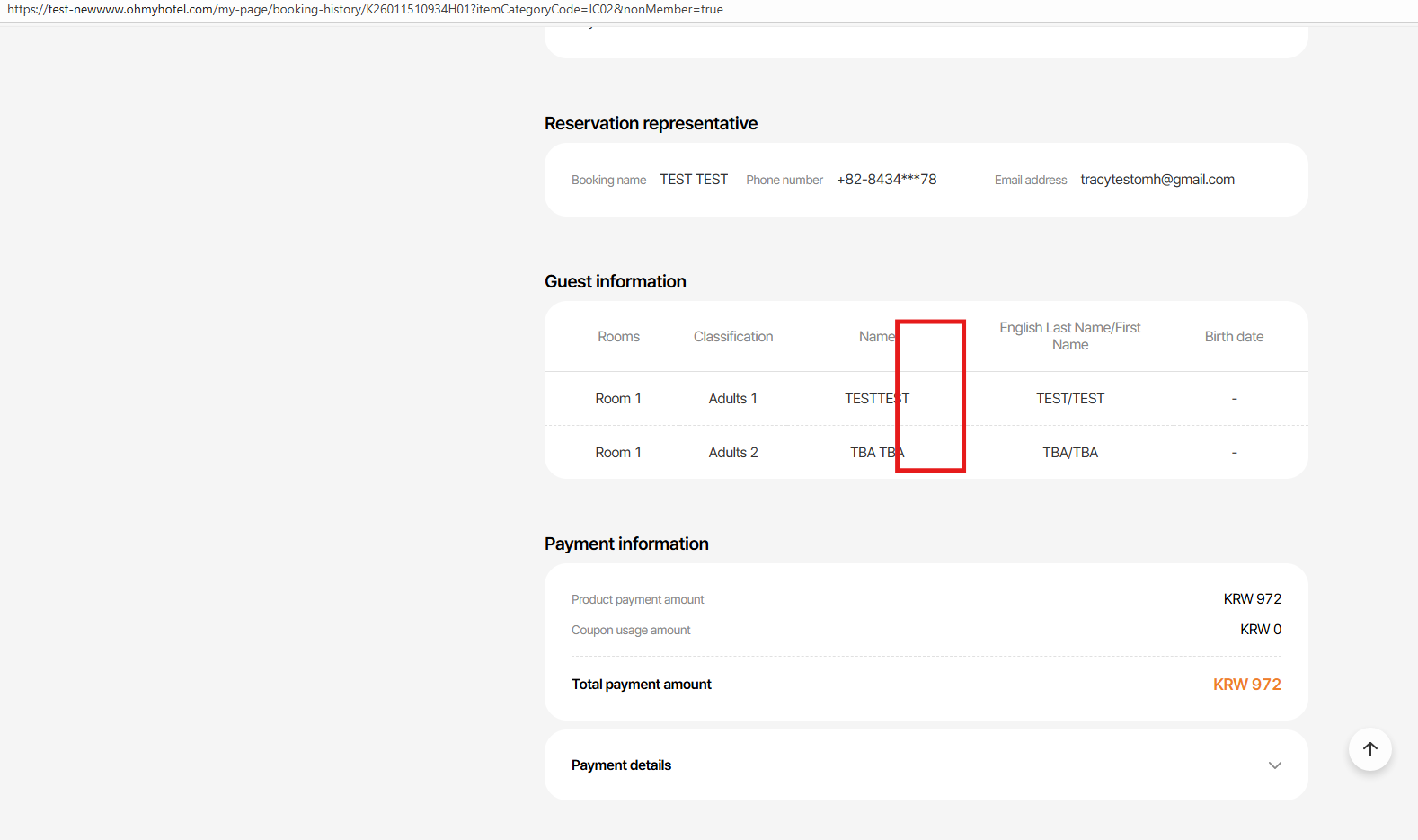
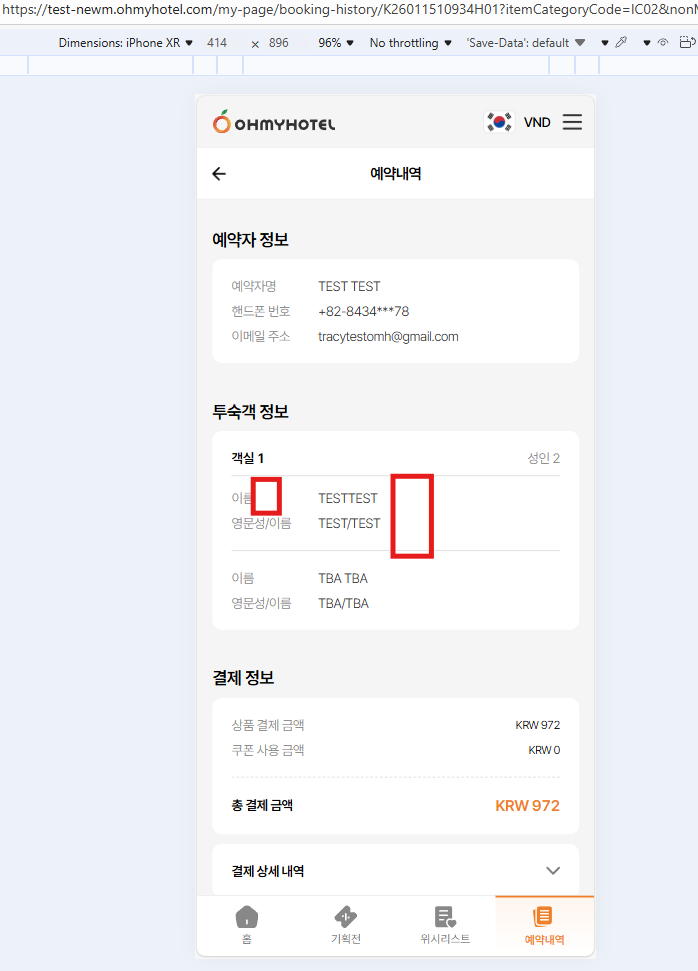
- Subheading: Remove the text “(Gender)” next to Name.
- Item: Remove the text “(Male)” next to the guest name.
- These changes can be applied across existing screens without issues.
2. Data Storage – Default Value Update
- No need to remove existing data. This request is to hide it at the UI level.
- It appears that Male is being saved as the default value for all reservations. Please confirm this behavior.
- If confirmed, update it so that no default value is stored for gender on any reservation.
Figma Storyboard : https://www.figma.com/design/cpkikT3UpCW8aYIvBdT4tL/-SB--Mypage-Gender?node-id=1-46&t=nWWgwJoqYjyvKY35-0
Files
- Related to 결함(Bug) #2855: [Plan] Remove Gender Field from Guest Information on My Page added
- Due date set to 01/16/2026
- Priority changed from 보통(Normal) to 긴급(Emergency)
- Assignee changed from ziniy Kang to harry harry
- Assignee changed from harry harry to John Lee
- Status changed from 신규(New) to 진행(Doing)
- Status changed from 진행(Doing) to QA test
- Assignee changed from John Lee to Tracy Truong
- % Done changed from 0 to 100
- Build env. set to Staging
Please help me check on staging OMH PC/MO
And about regarding these 2 line below:
- It appears that Male is being saved as the default value for all reservations. Please confirm this behavior.
- If confirmed, update it so that no default value is stored for gender on any reservation.
Please help me create a new separate task to resolve these 2 line, because this issue affects the booking flow and will take time to test.
- Related to 결함(Bug) #2922: [Reservation] Gender Default Value Handling added
John Lee wrote in #note-7:
Please help me check on staging OMH PC/MO
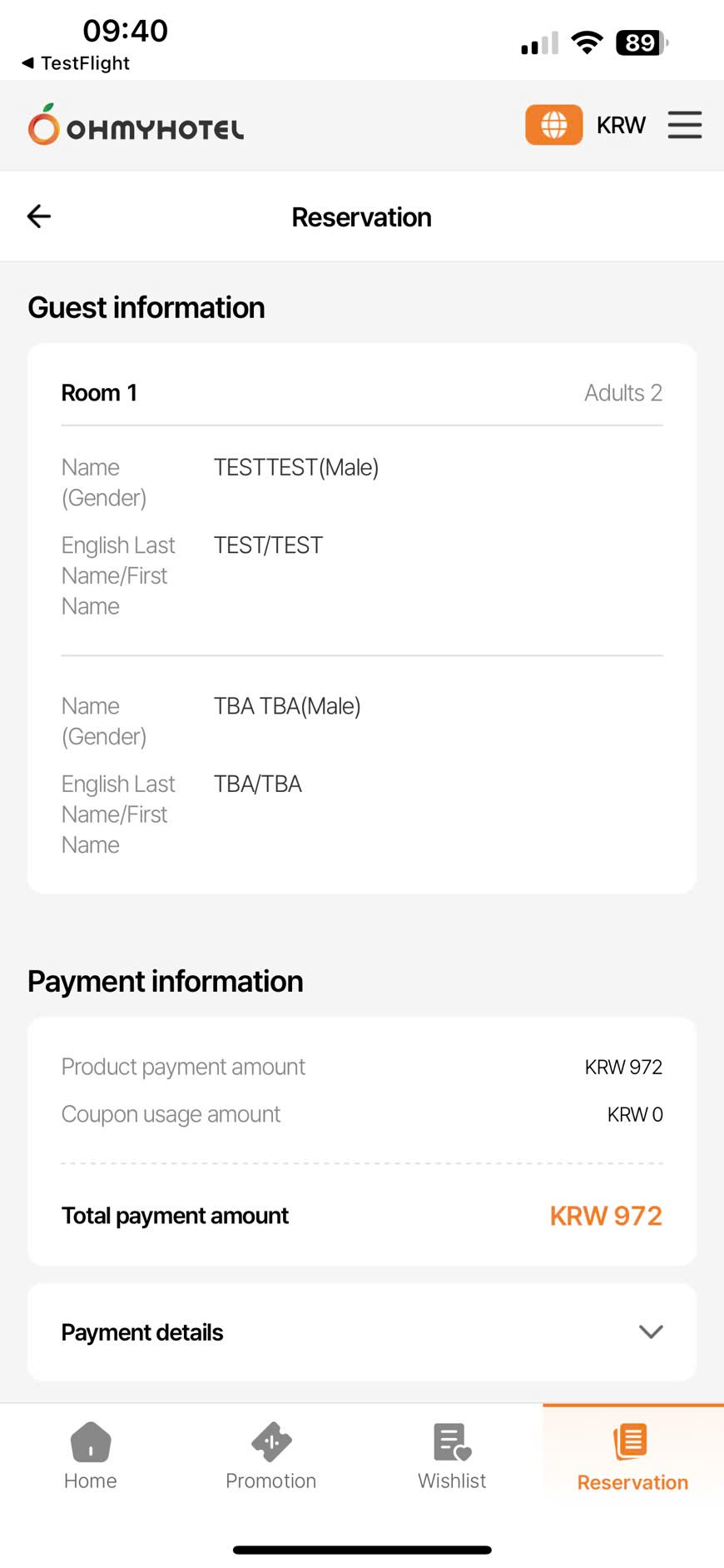
Gender already deleted on PC/Moweb, ok but MO app still failed, please recheck
And about regarding these 2 line below:
- It appears that Male is being saved as the default value for all reservations. Please confirm this behavior.
- If confirmed, update it so that no default value is stored for gender on any reservation.
Please help me create a new separate task to resolve these 2 line, because this issue affects the booking flow and will take time to test.
=> will test as DEV comment & create new task for this if any issue
- Start date set to 01/14/2026
- Status changed from 완료실패(Failed) to 확인(Confirmed)
hi Tracy Truong, "Gender already deleted on PC/Moweb, ok but MO app still failed, please recheck"
Dont need to check on MO app, we will check app when deploy prod because as current, testflight is point to prod env. So that if there is not any issue, please help me change status to confirmed to proceed deploy prod. Thank you
- Status changed from 확인(Confirmed) to QA test
- Assignee changed from John Lee to Tracy Truong
- Status changed from QA test to 완료(Done)
- Assignee changed from Tracy Truong to John Lee
John Lee wrote in #note-11:
hi Tracy Truong, "Gender already deleted on PC/Moweb, ok but MO app still failed, please recheck"
Dont need to check on MO app, we will check app when deploy prod because as current, testflight is point to prod env. So that if there is not any issue, please help me change status to confirmed to proceed deploy prod. Thank you
Well noted, I will recheck this point on PROD
- Status changed from 완료(Done) to QA test
- Assignee changed from John Lee to Tracy Truong
- Assignee changed from Tracy Truong to Zia Han
- Build env. changed from Staging to Prod
Please help me recheck on prod
Also available in: Atom
PDF