Actions
QA #2874
closedQA #1843: [STAG] New Cancellation - QA Test cases
Start date:
01/09/2026
Due date:
01/09/2026
% Done:
100%
Estimated time:
1.00 h
Build env.:
Dev
Description
Pre-condition:
- Navigate to the Cancellation tab
Steps:
1. Search for a hotel
2. Click New/Add/Modify button
3. Select any Room/Rate Type
4. Enter a Title longer than 100 characters
5. Enter other required fields
6. Click Save
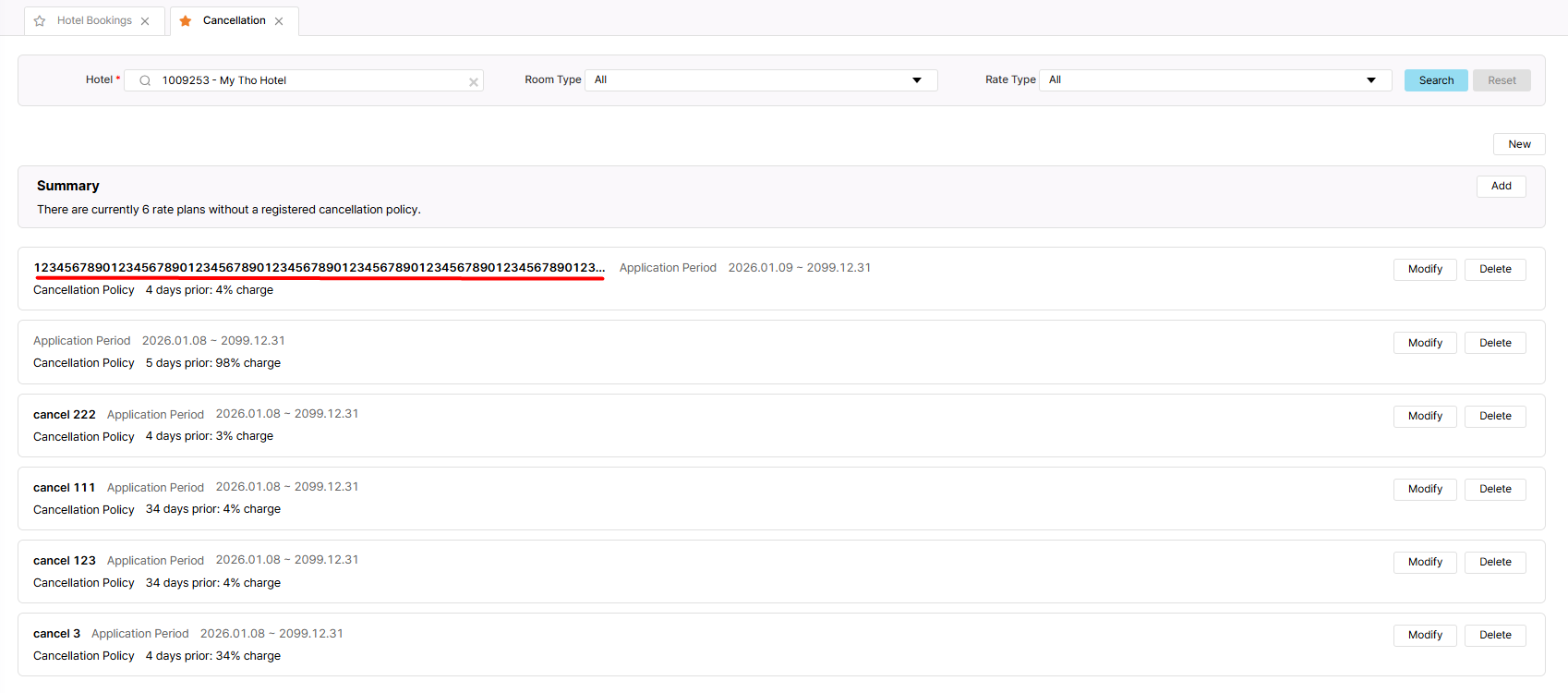
Actual result: Only display 73 characters in Cancellation Policy list
Expected result: Title is limited to 100 characters with “...” if over 100 characters
Files
| picture080-1.png (135 KB) picture080-1.png | Actual result | ||
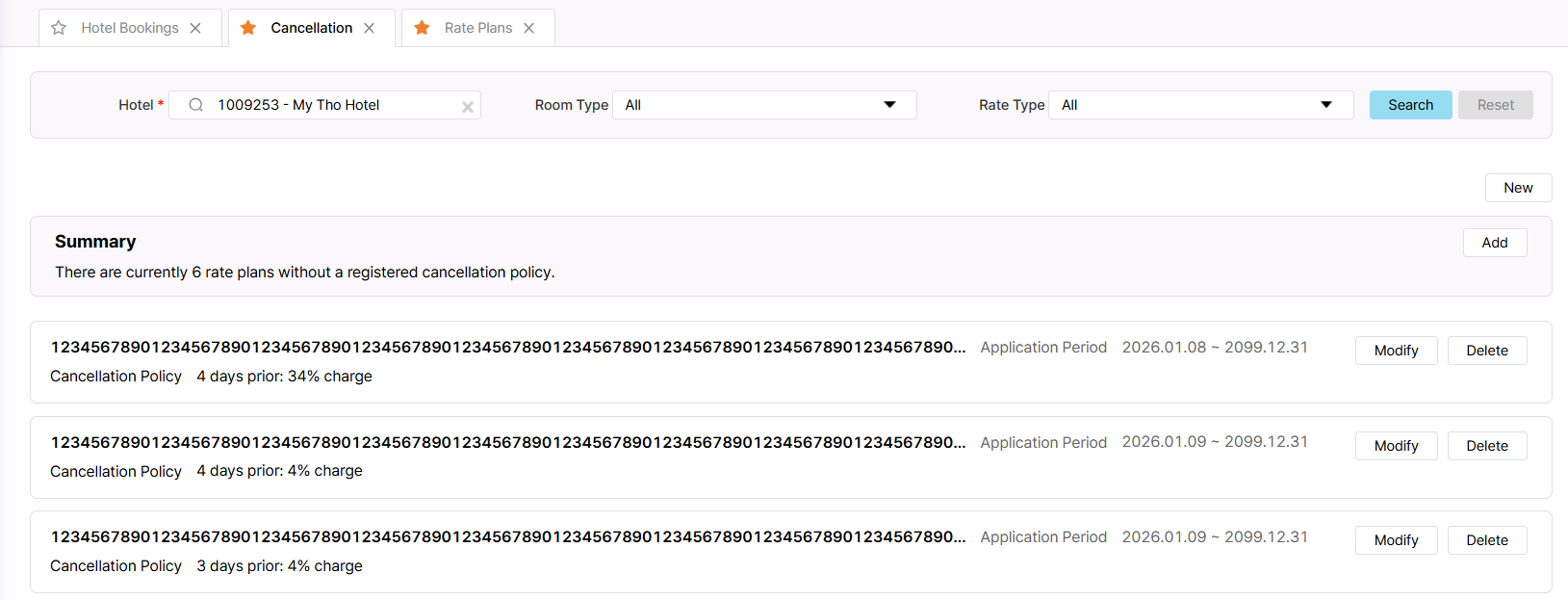
| picture738-2.png (130 KB) picture738-2.png | New/Add/Modify |
Updated by Daniel Do about 2 months ago
- Due date set to 01/09/2026
- Status changed from 진행(Doing) to QA test
- Assignee changed from Daniel Do to Holden Dang
- Start date set to 01/09/2026
- % Done changed from 0 to 100
- Estimated time set to 1.00 h
Updated by Holden Dang about 2 months ago
- Status changed from QA test to 완료실패(Failed)
- Assignee changed from Holden Dang to Daniel Do
After the fix, the Application Period and start/end dates displays 2 rows
Expect now: Display the longest possible title and ensure that the title, Application Period and start/end dates are all displayed on a single line. (References can be up to 90 characters long)
Updated by Daniel Do about 2 months ago
- Status changed from 완료실패(Failed) to QA test
- Assignee changed from Daniel Do to Holden Dang
Updated by Holden Dang about 2 months ago
- File picture738-2.png picture738-2.png added
- Status changed from QA test to 완료(Done)
- Assignee changed from Holden Dang to Daniel Do
Tested Dev env => Passed
Updated by ziniy Kang about 2 months ago
- Status changed from 완료(Done) to 확인(Confirmed)
- Build env. set to Dev
Actions