QA #2787
closedQA #1843: [STAG] New Cancellation - QA Test cases
100%
Description
Precondition:
- Admin is logged in
- Hotel and Rate Type data exist in the system
- Navigate to the Cancellation tab
Steps:
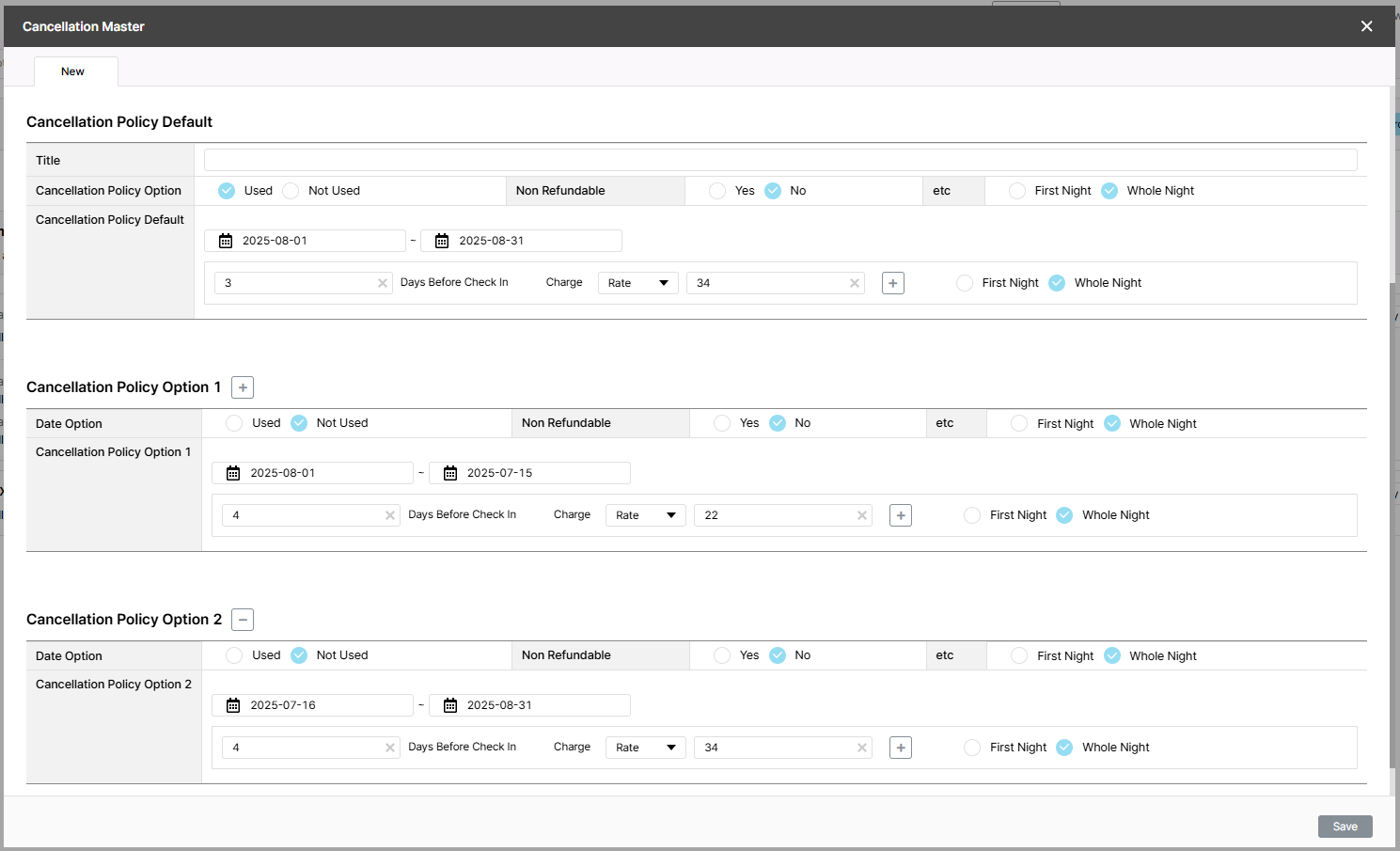
1. Search for a hotel
2. Click New button
3. Select Room/Rate type
4. Select Used radio button
5. Enter Default: 25-08-01~25-08-31
6. Enter all required fields
7. Enter Option 1: 25-08-01~25-07-15
8. Enter all required fields
9. Click +
10. Enter Option 2: 25-07-16~25-08-31
11. Enter all required fields
12. Click Save
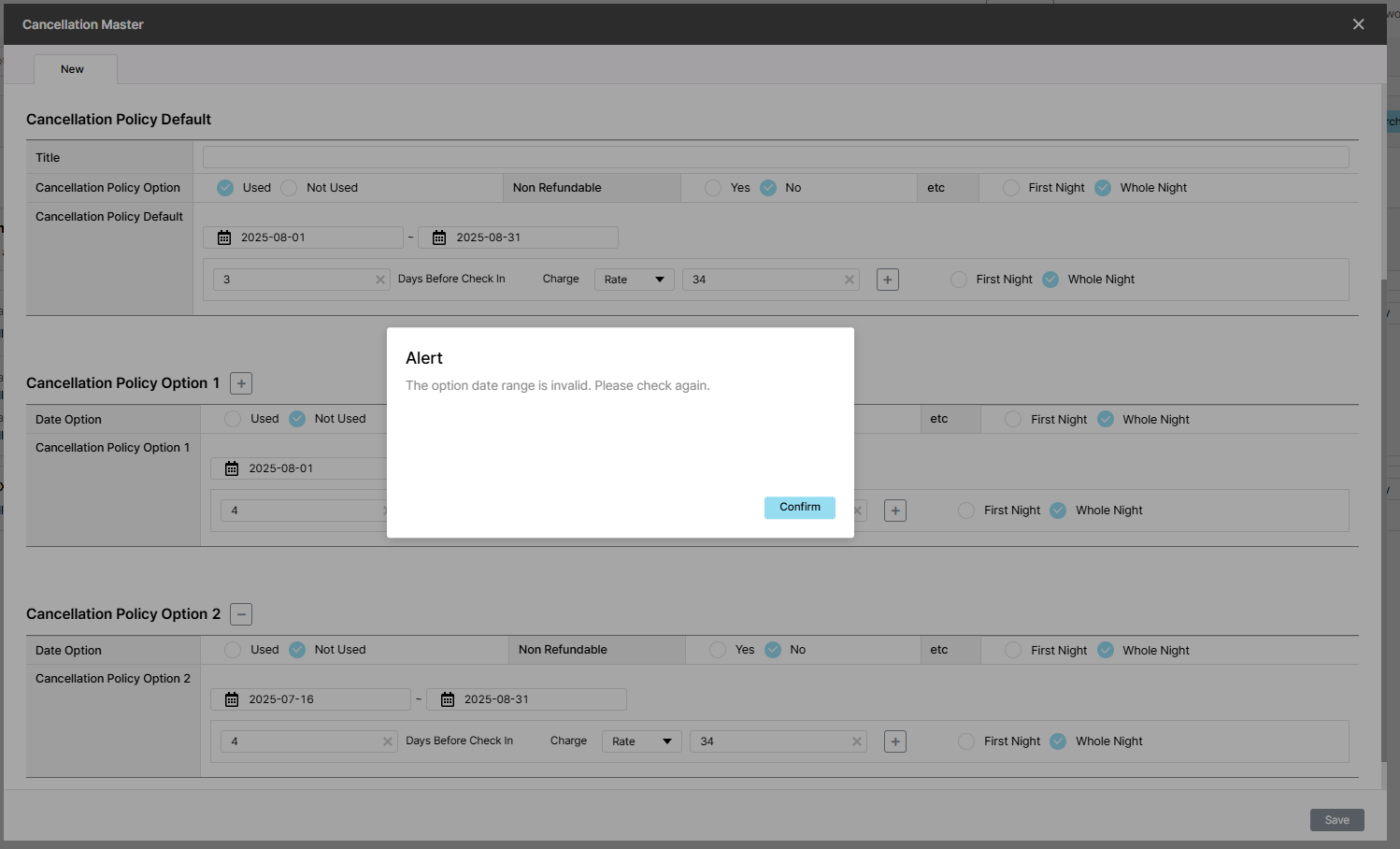
Actual result: Alert "The option date range is invalid. Please check again."
Expected result: Alert "Default and option periods exactly match, registration not possible."
Files
| picture892-1.png (118 KB) picture892-1.png | Steps to reproduce | ||
| picture892-2.png (118 KB) picture892-2.png | Show Alert message | ||
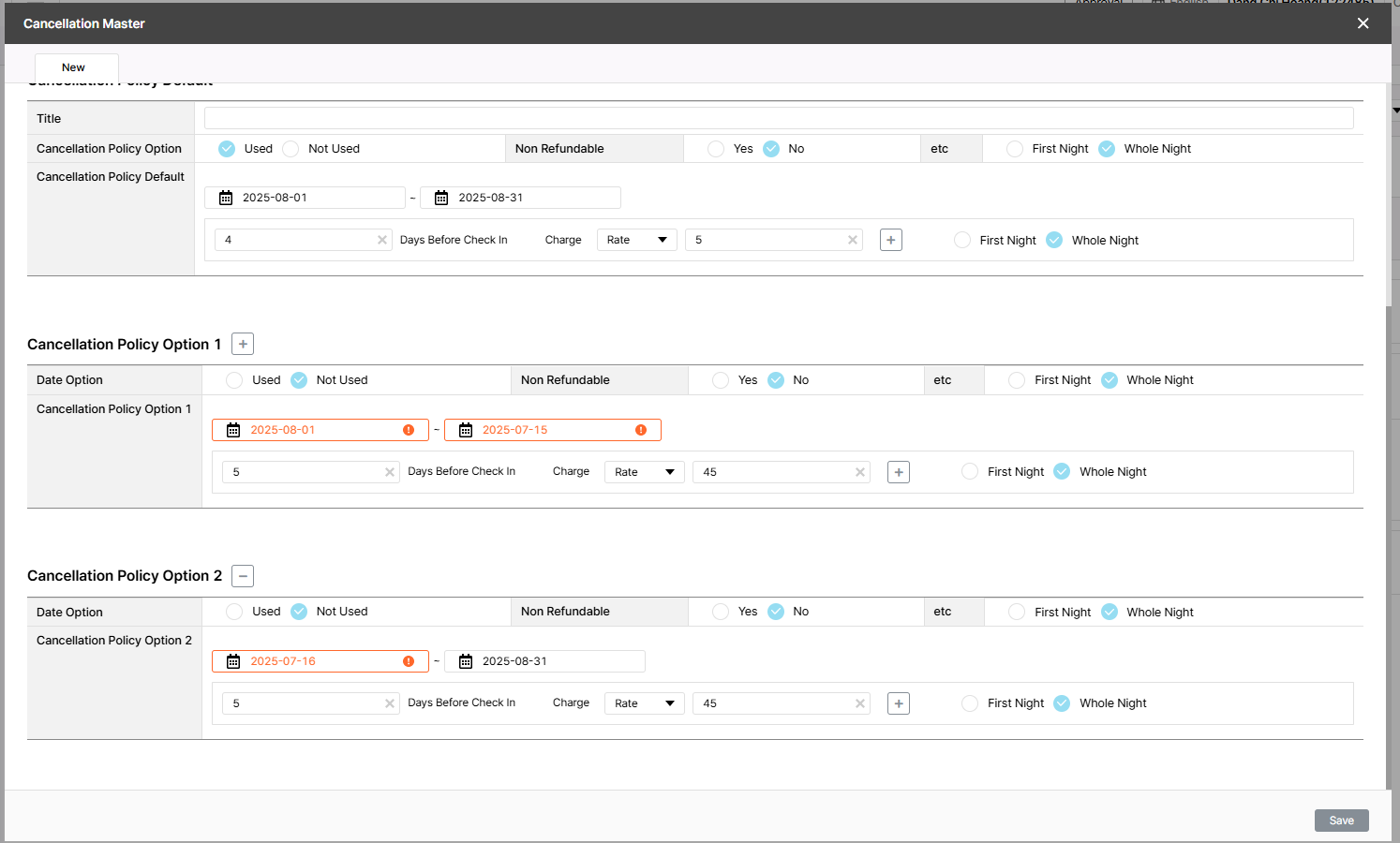
| picture710-1.png (118 KB) picture710-1.png | Actual result |
Updated by Holden Dang 2 months ago
- Assignee changed from Holden Dang to ziniy Kang
Hi Mr. @HYUNAH KANG (ZINIY),
This case is a simulation and not part of the plan, so please review and confirm whether the alert should match the actual result or the expected result. If it aligns with the actual result, you may close this ticket. Thank you!
Updated by ziniy Kang 2 months ago
- Status changed from 피드백(Feedback) to 중단 (Stop)
Updated by ziniy Kang about 2 months ago
- Status changed from 중단 (Stop) to 피드백(Feedback)
- Assignee changed from ziniy Kang to Daniel Do
Pls change text: Alert "Default and option periods exactly match, registration not possible."
Updated by Daniel Do about 2 months ago
- Status changed from 피드백(Feedback) to QA test
- Assignee changed from Daniel Do to Holden Dang
Updated by Holden Dang about 2 months ago
- File picture710-1.png picture710-1.png added
- Status changed from QA test to 완료실패(Failed)
- Assignee changed from Holden Dang to Daniel Do
Failed. Please check again, thank you!
Actual result: Show a red border in Option 1 and the Start Date field in Option 2
Updated by ziniy Kang about 2 months ago
Actual result: Show a red border in Option 1 and the Start Date field in Option 2
Updated by ziniy Kang about 2 months ago
- Status changed from 완료실패(Failed) to 확인(Confirmed)