QA #2715
closed100%
Description
Pre-condition:
- Admin is logged in
- Hotel and Rate Type data exist in the system
- Navigate to the Cancellation tab
Steps:
1. Search for a hotel
2. Click New button
3. Select Room/Rate type
4. Select Used radio button
5. Enter Default: 25-07-01~99-08-31
6. Enter all required fields
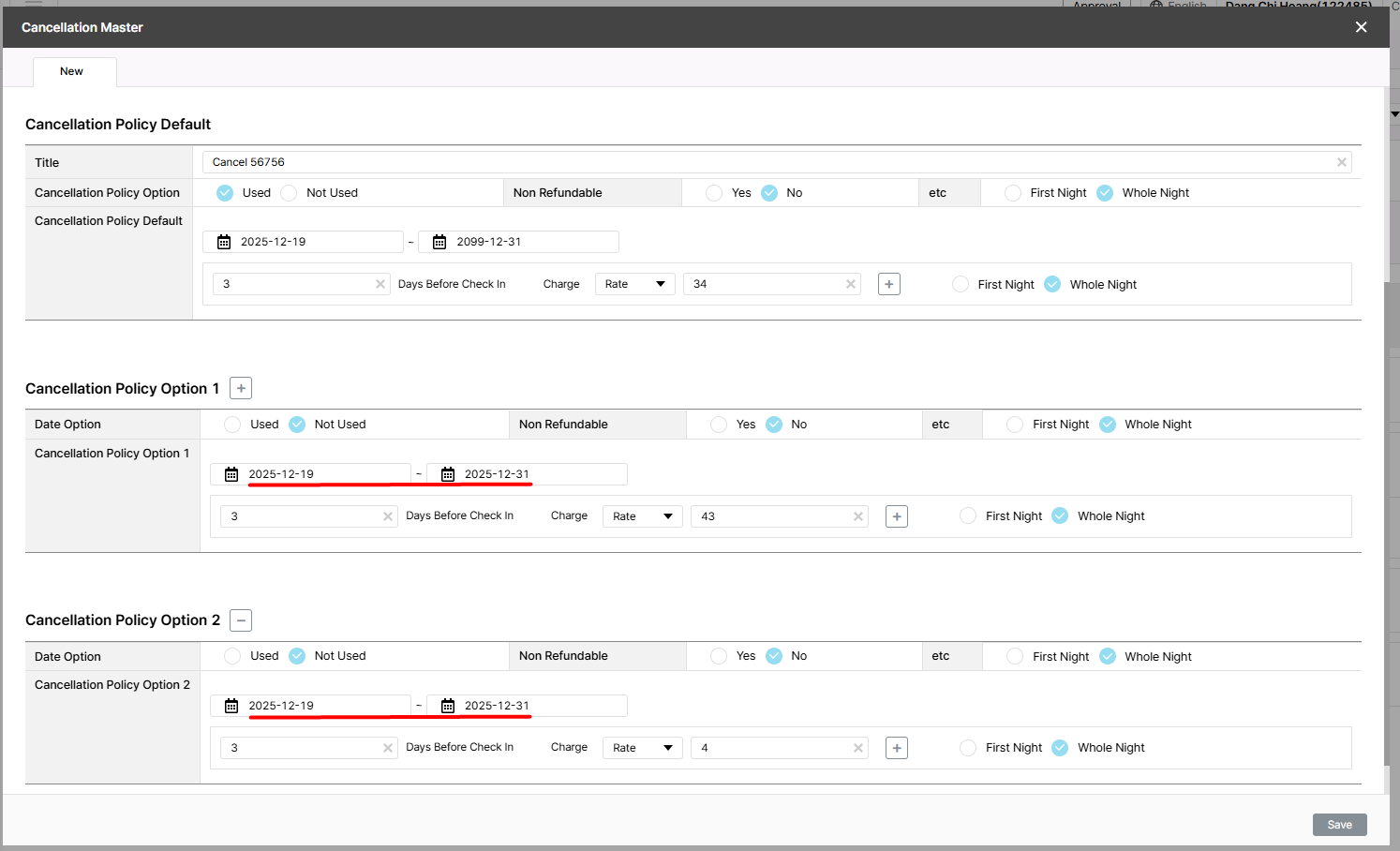
7. Enter Option 1: 25-07-01~25-07-31 (day of week: Fri& Sat)
8. Enter all required fields
9. Enter Option 2: 25-07-01~25-07-31 (day of week: Sat & Sun)
10. Enter all required fields
11. Click Save
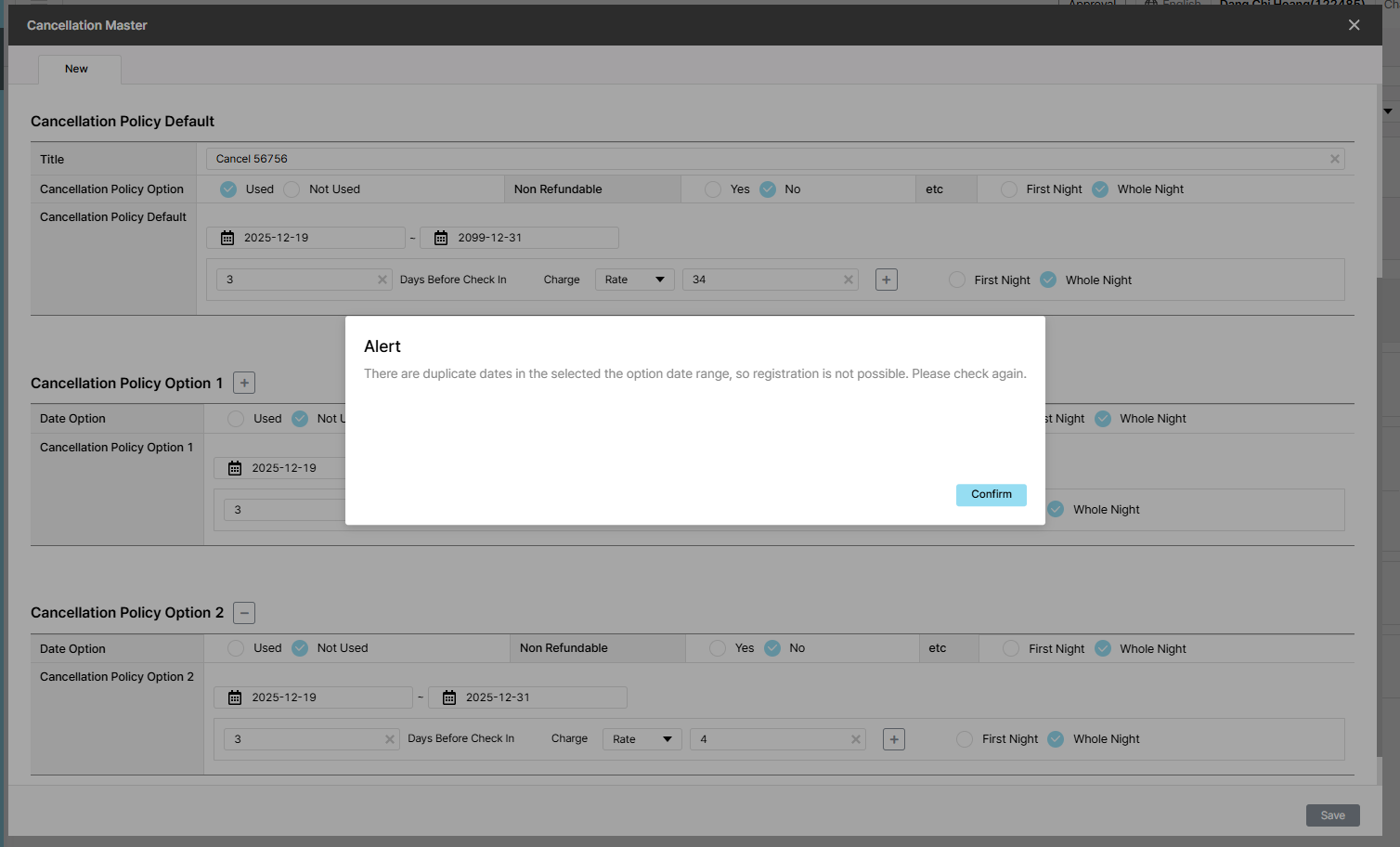
Actual result: Alert: There are duplicate dates in the selected the option date range, so registration is not possible. Please check again.
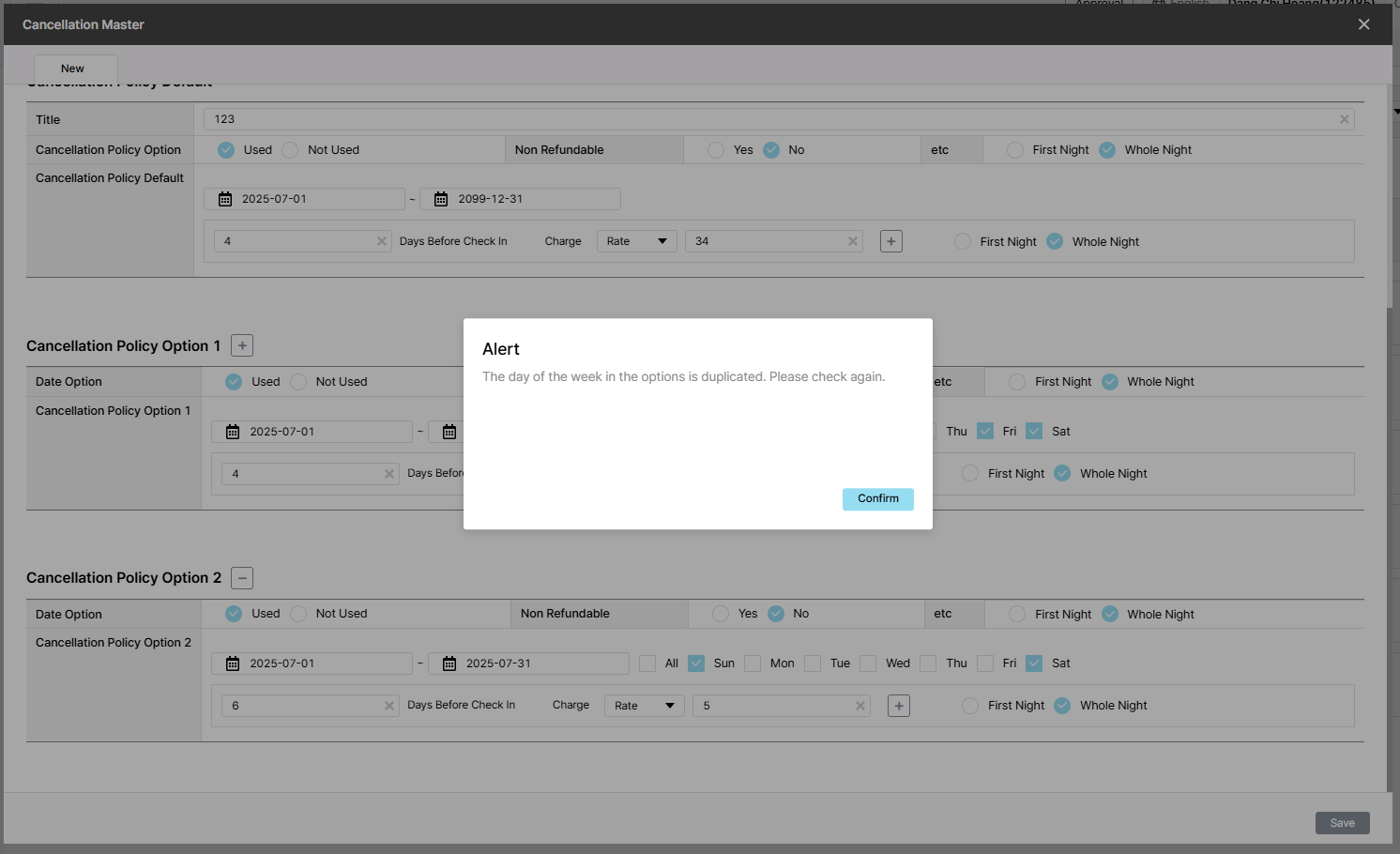
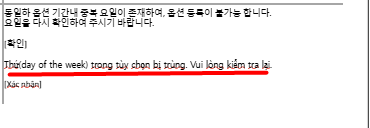
Expected result: There is duplicate period & day of week => alert : "The of the week in the option is duplicated. Please check again."
Files
| picture367-1.png (124 KB) picture367-1.png | |||
| picture367-2.png (123 KB) picture367-2.png | |||
| picture884-1.png (124 KB) picture884-1.png | Actual result | ||
| picture884-2.png (11.9 KB) picture884-2.png | Plan/Expected |