QA #2715
closed100%
Description
Pre-condition:
- Admin is logged in
- Hotel and Rate Type data exist in the system
- Navigate to the Cancellation tab
Steps:
1. Search for a hotel
2. Click New button
3. Select Room/Rate type
4. Select Used radio button
5. Enter Default: 25-07-01~99-08-31
6. Enter all required fields
7. Enter Option 1: 25-07-01~25-07-31 (day of week: Fri& Sat)
8. Enter all required fields
9. Enter Option 2: 25-07-01~25-07-31 (day of week: Sat & Sun)
10. Enter all required fields
11. Click Save
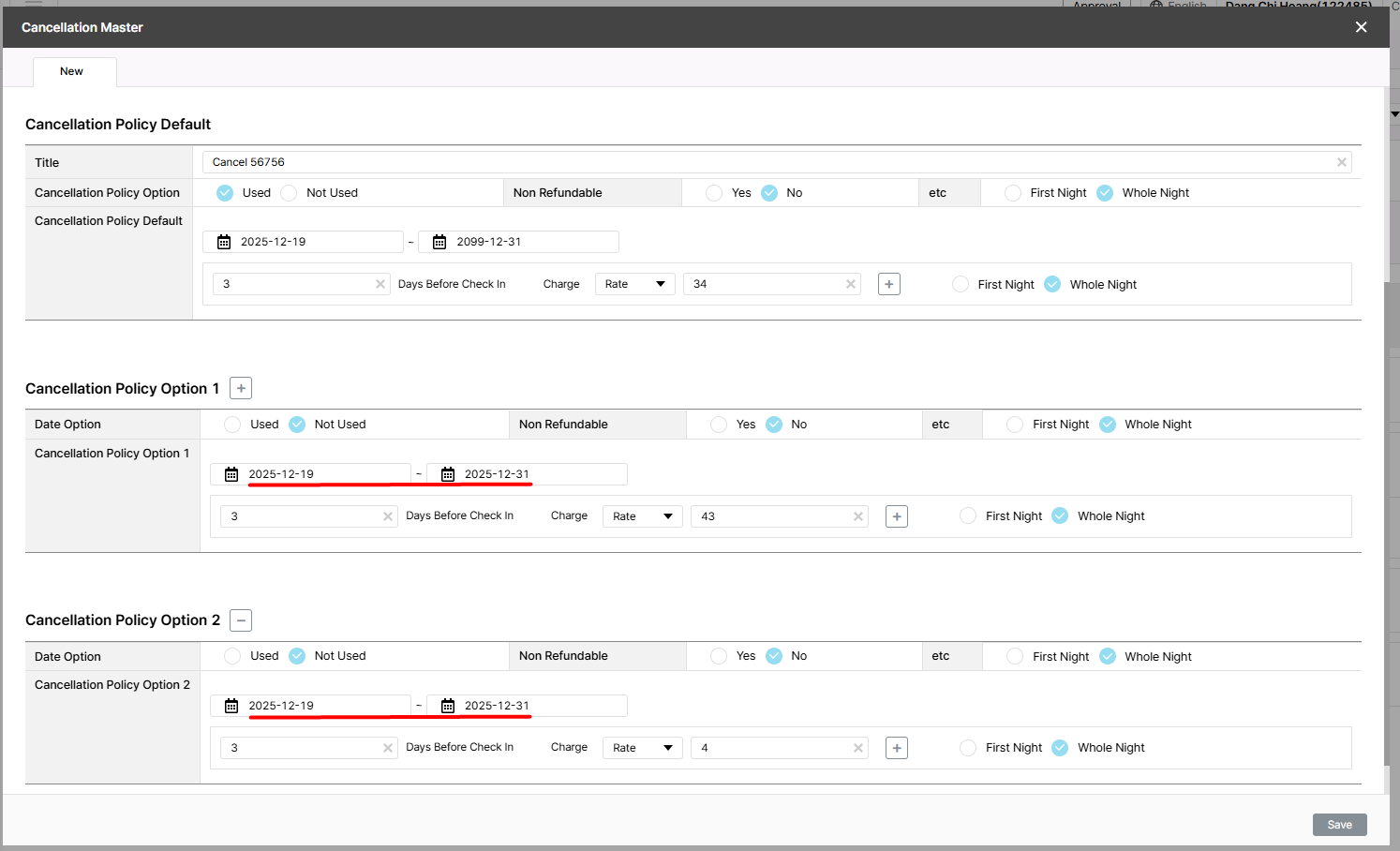
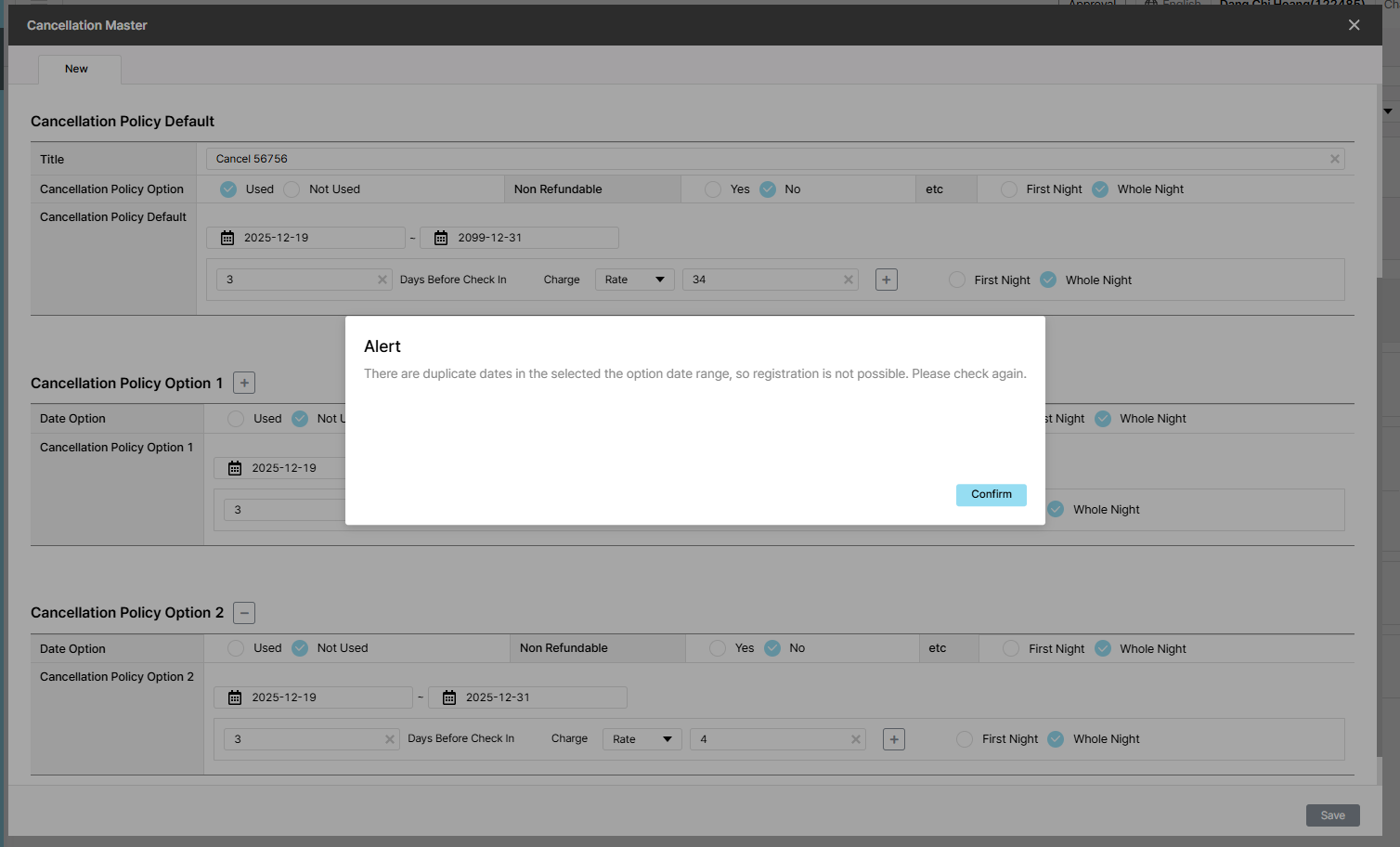
Actual result: Alert: There are duplicate dates in the selected the option date range, so registration is not possible. Please check again.
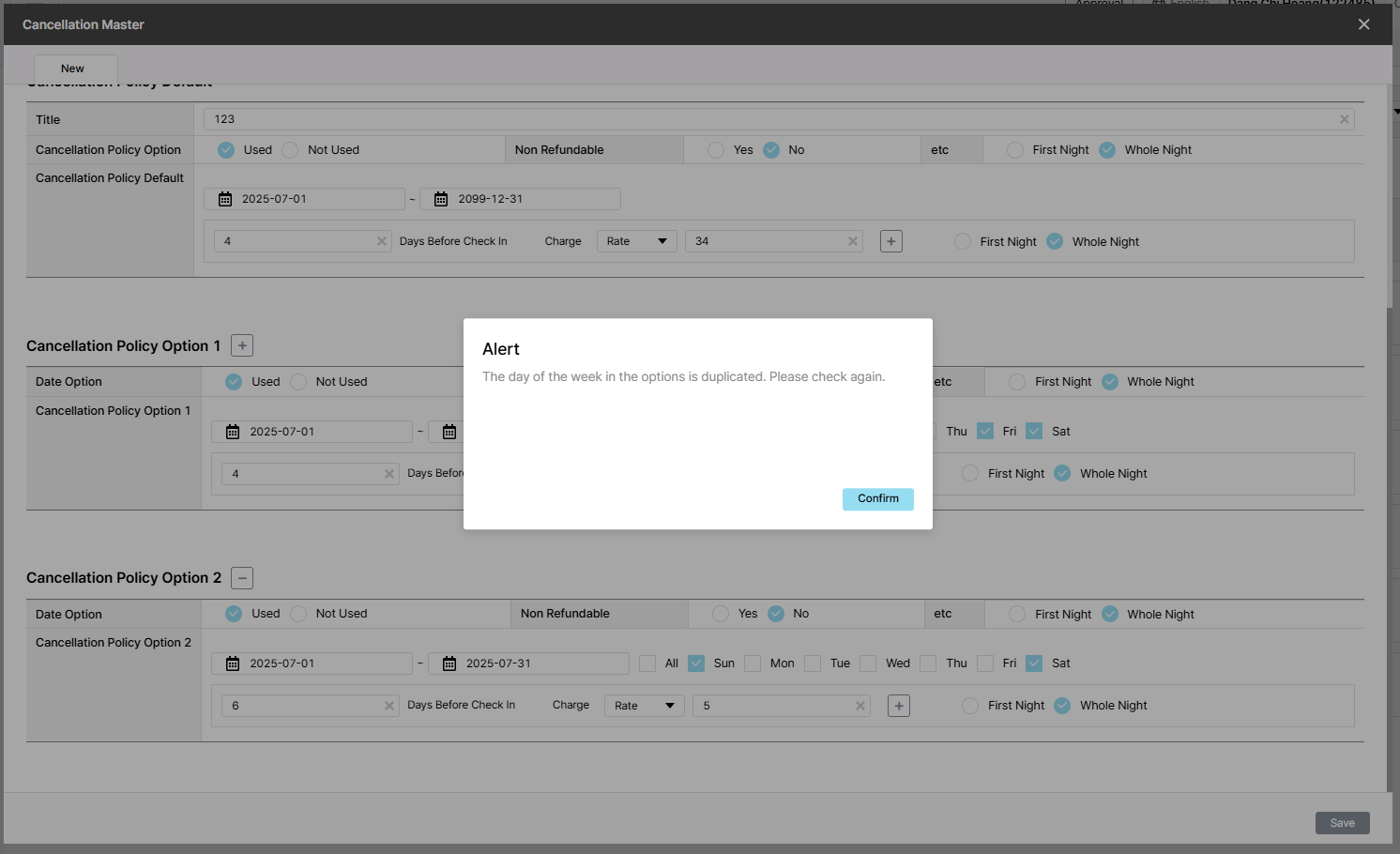
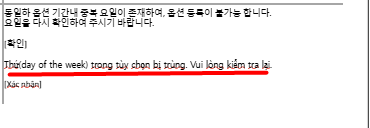
Expected result: There is duplicate period & day of week => alert : "The of the week in the option is duplicated. Please check again."
Files
| picture367-1.png (124 KB) picture367-1.png | |||
| picture367-2.png (123 KB) picture367-2.png | |||
| picture884-1.png (124 KB) picture884-1.png | Actual result | ||
| picture884-2.png (11.9 KB) picture884-2.png | Plan/Expected |
Updated by Holden Dang 2 months ago
- File picture884-1.png picture884-1.png added
- File picture884-2.png picture884-2.png added
- Status changed from QA test to 완료(Done)
- Assignee changed from Holden Dang to Tan Jang
The expected result and the actual result shown in the image are different. However, after rechecking, the actual alert matches the plan.
Tested Dev env => Passed
Updated by ziniy Kang 2 months ago
- Status changed from 완료(Done) to 확인(Confirmed)