Actions
QA #2713
closedStart date:
01/06/2026
Due date:
01/06/2026
% Done:
100%
Estimated time:
1.00 h
Build env.:
Dev
Description
Pre-condition:
- Admin is logged in
- Hotel and Rate Type data exist in the system
- Cancellation policy created successfully
- Navigate to the Cancellation tab
Steps:
1. Search for a hotel
2. Click Modify
3. Edit any field
4. Click Save
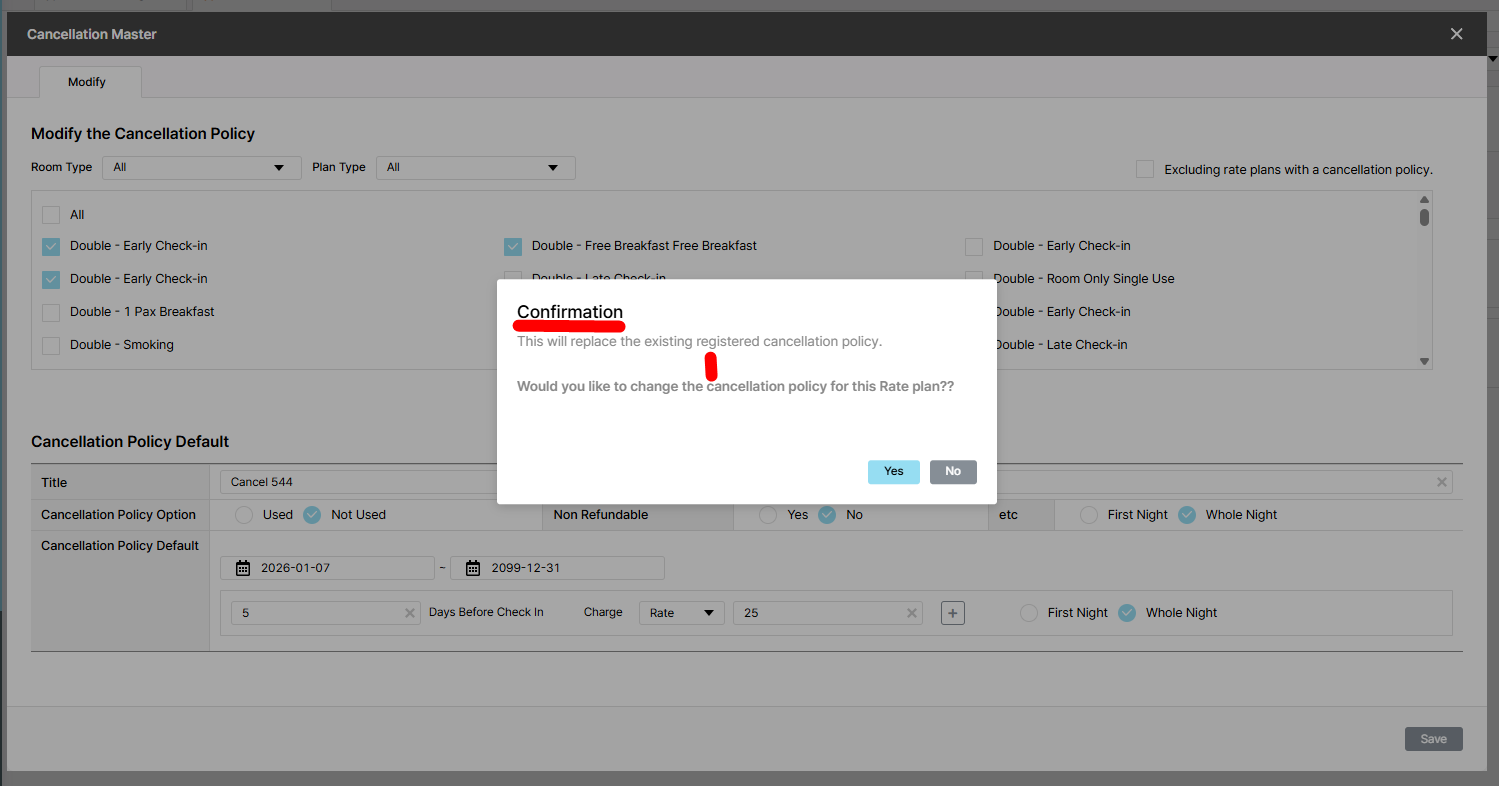
Actual result: The confirmation message 'This will replace the existing policy. Change?' is not shown
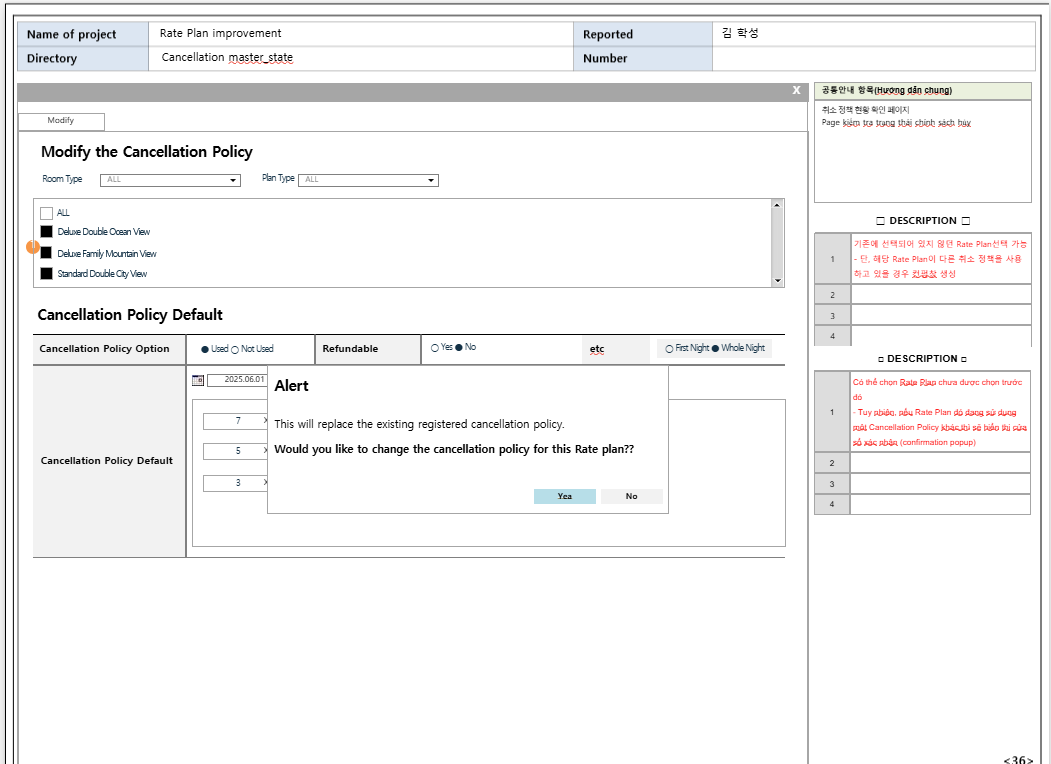
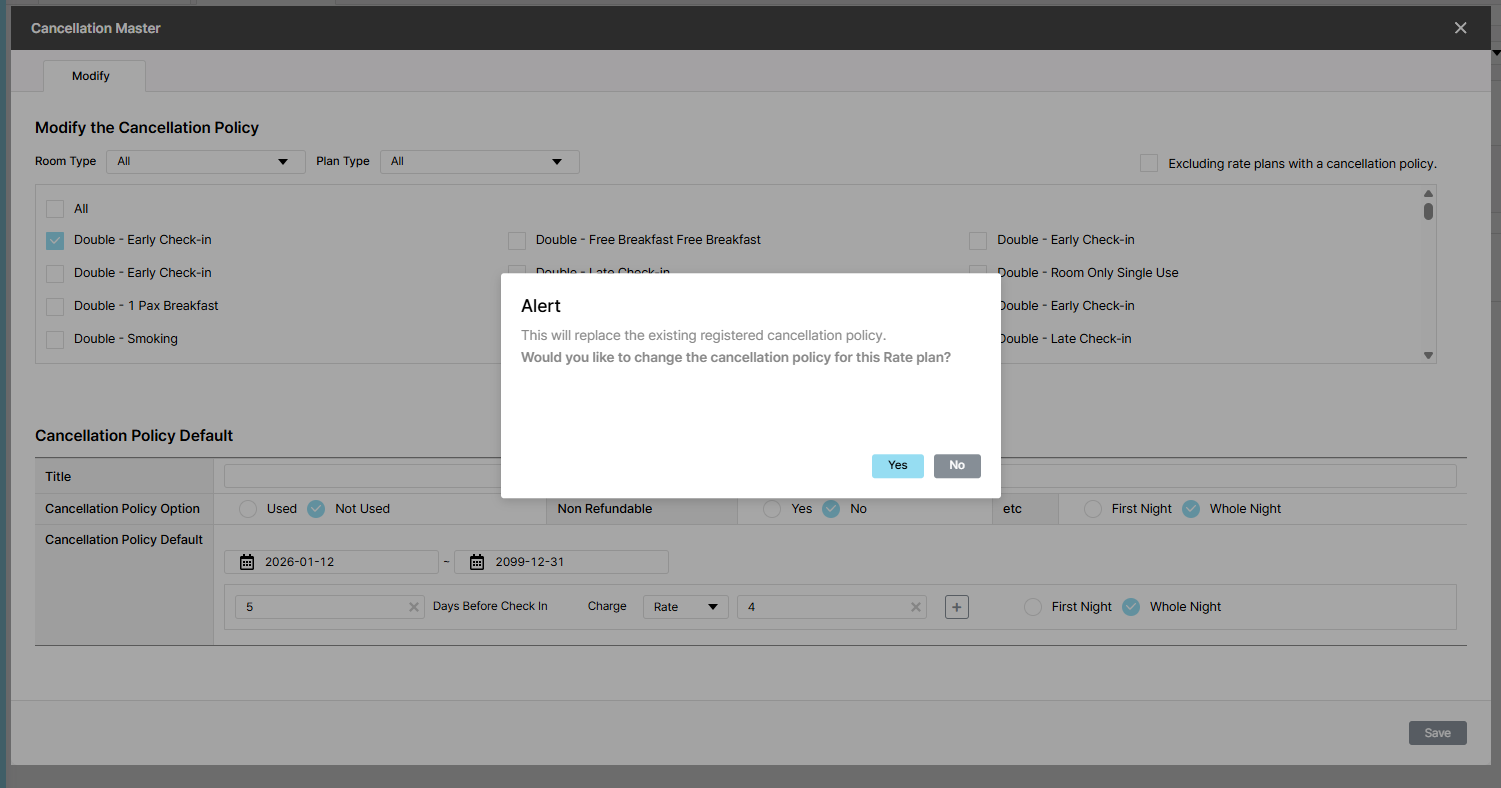
Expected result: Show Alert popup:
- Description: This will replace the existing policy. Change?
- Buttons: Yes and No
If click Yes button, show message "Your save is complete" and checkboxes for Room/Plan type and display plan have been selected
If click No button, selection cancelled and existing state maintained
Files
| Ohmy Admin - Google Chrome 2025-12-19 13-49-12.mp4 (14.8 MB) Ohmy Admin - Google Chrome 2025-12-19 13-49-12.mp4 | |||
| picture555-1.png (84.3 KB) picture555-1.png | |||
| picture034-1.png (118 KB) picture034-1.png | Actual result | ||
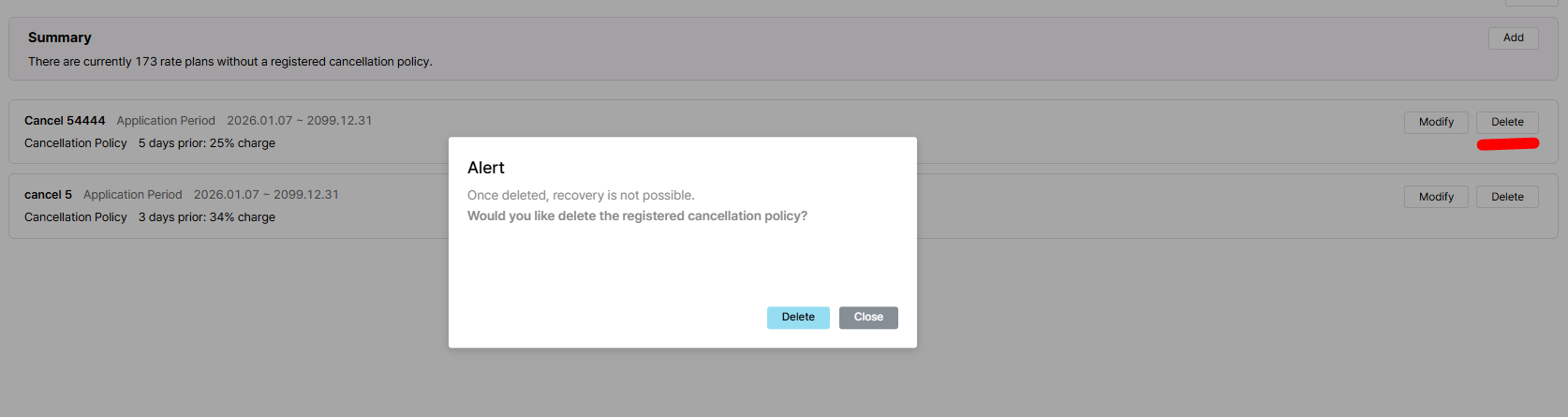
| picture034-2.png (65.6 KB) picture034-2.png | Delete popup | ||
| picture549-1.png (114 KB) picture549-1.png | Expected result |
Actions