QA #2713
closed100%
Description
Pre-condition:
- Admin is logged in
- Hotel and Rate Type data exist in the system
- Cancellation policy created successfully
- Navigate to the Cancellation tab
Steps:
1. Search for a hotel
2. Click Modify
3. Edit any field
4. Click Save
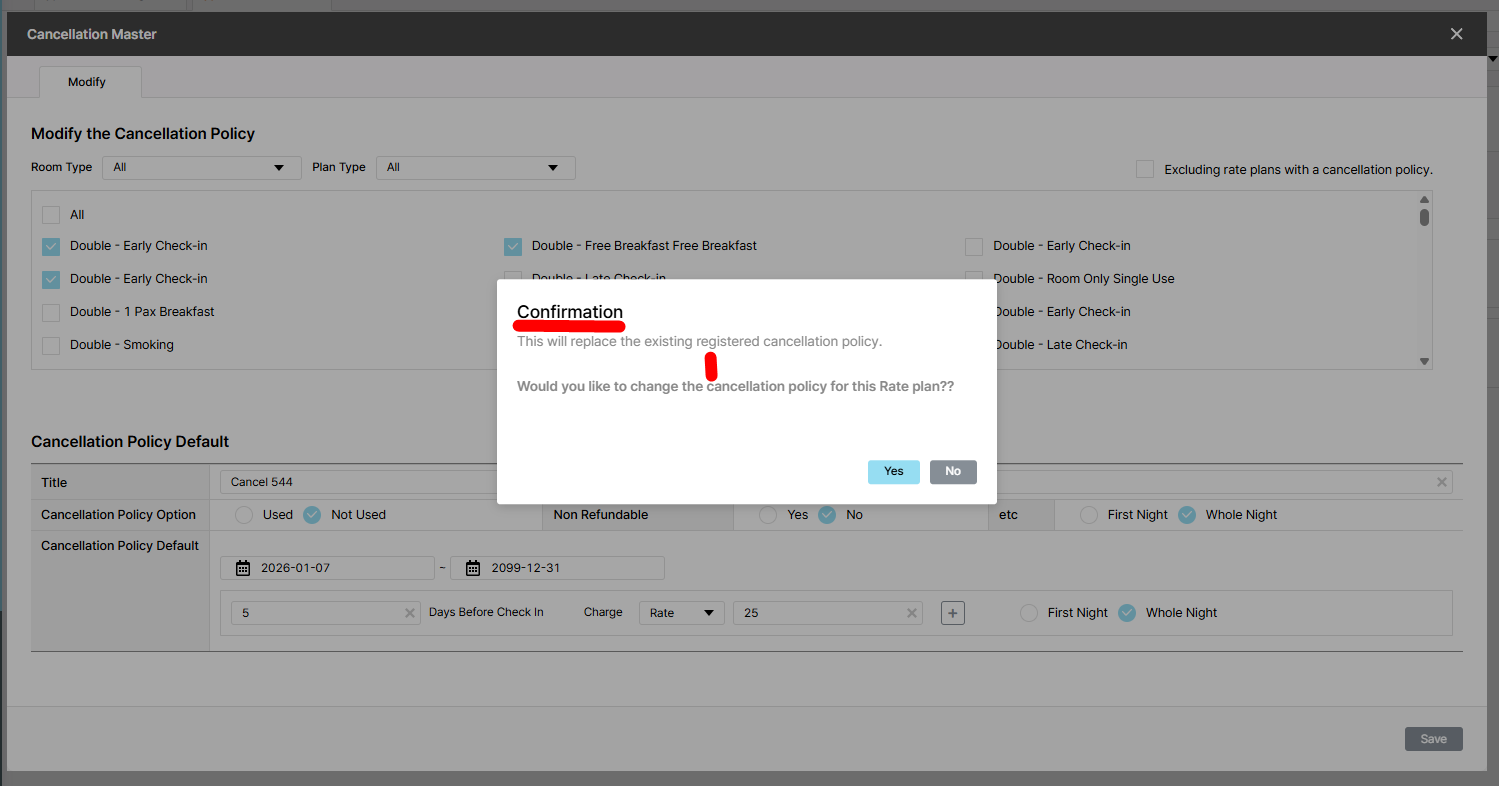
Actual result: The confirmation message 'This will replace the existing policy. Change?' is not shown
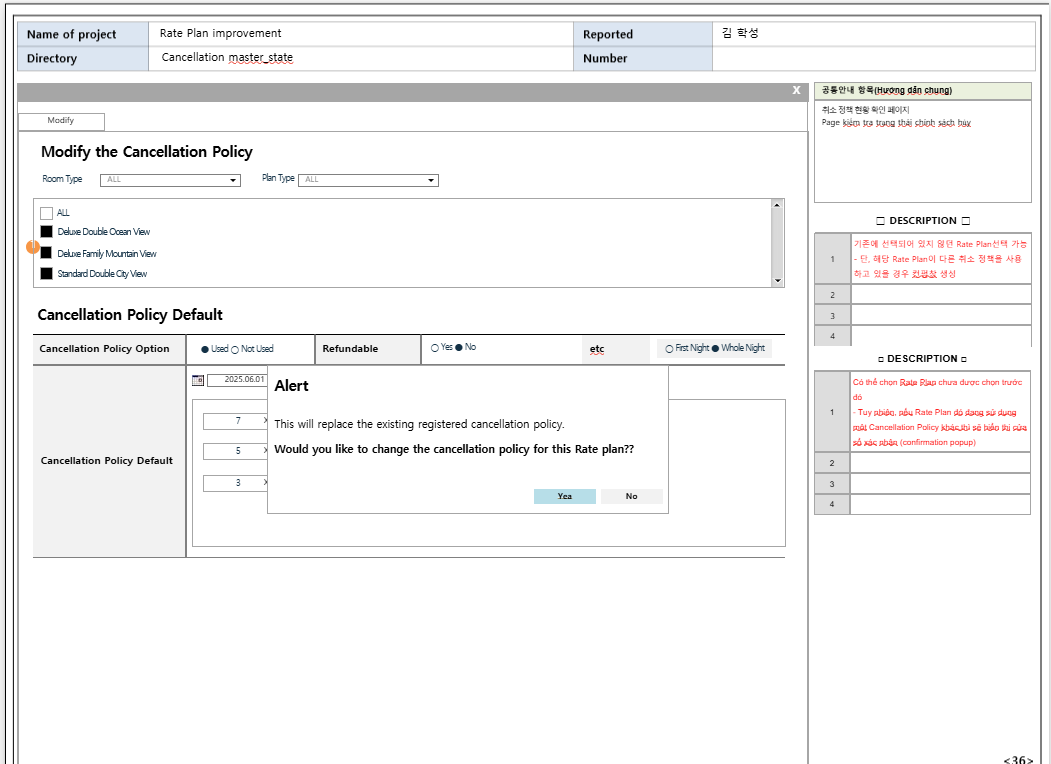
Expected result: Show Alert popup:
- Description: This will replace the existing policy. Change?
- Buttons: Yes and No
If click Yes button, show message "Your save is complete" and checkboxes for Room/Plan type and display plan have been selected
If click No button, selection cancelled and existing state maintained
Files
| Ohmy Admin - Google Chrome 2025-12-19 13-49-12.mp4 (14.8 MB) Ohmy Admin - Google Chrome 2025-12-19 13-49-12.mp4 | |||
| picture555-1.png (84.3 KB) picture555-1.png | |||
| picture034-1.png (118 KB) picture034-1.png | Actual result | ||
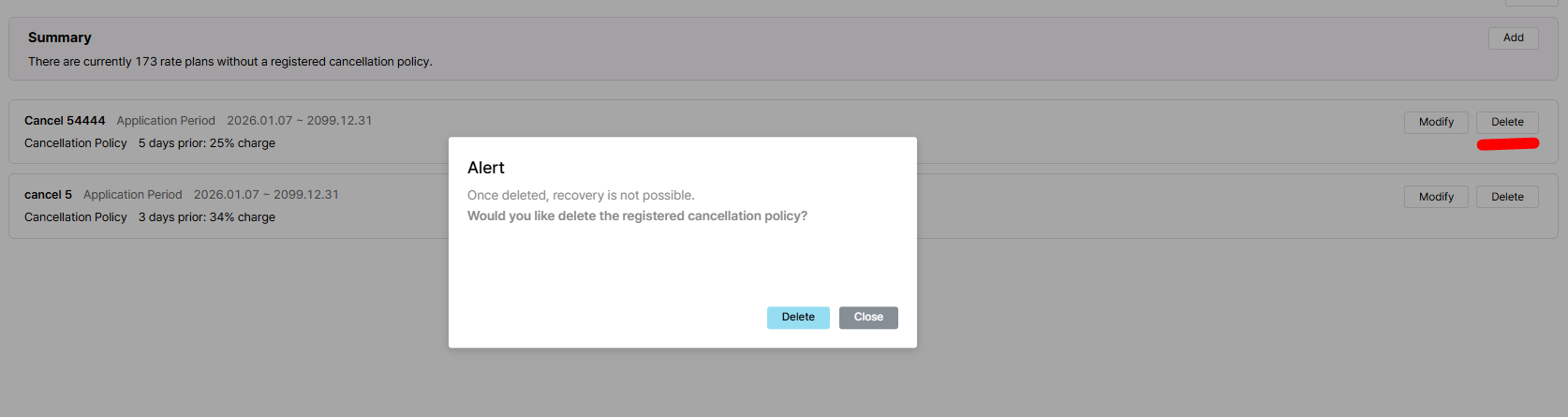
| picture034-2.png (65.6 KB) picture034-2.png | Delete popup | ||
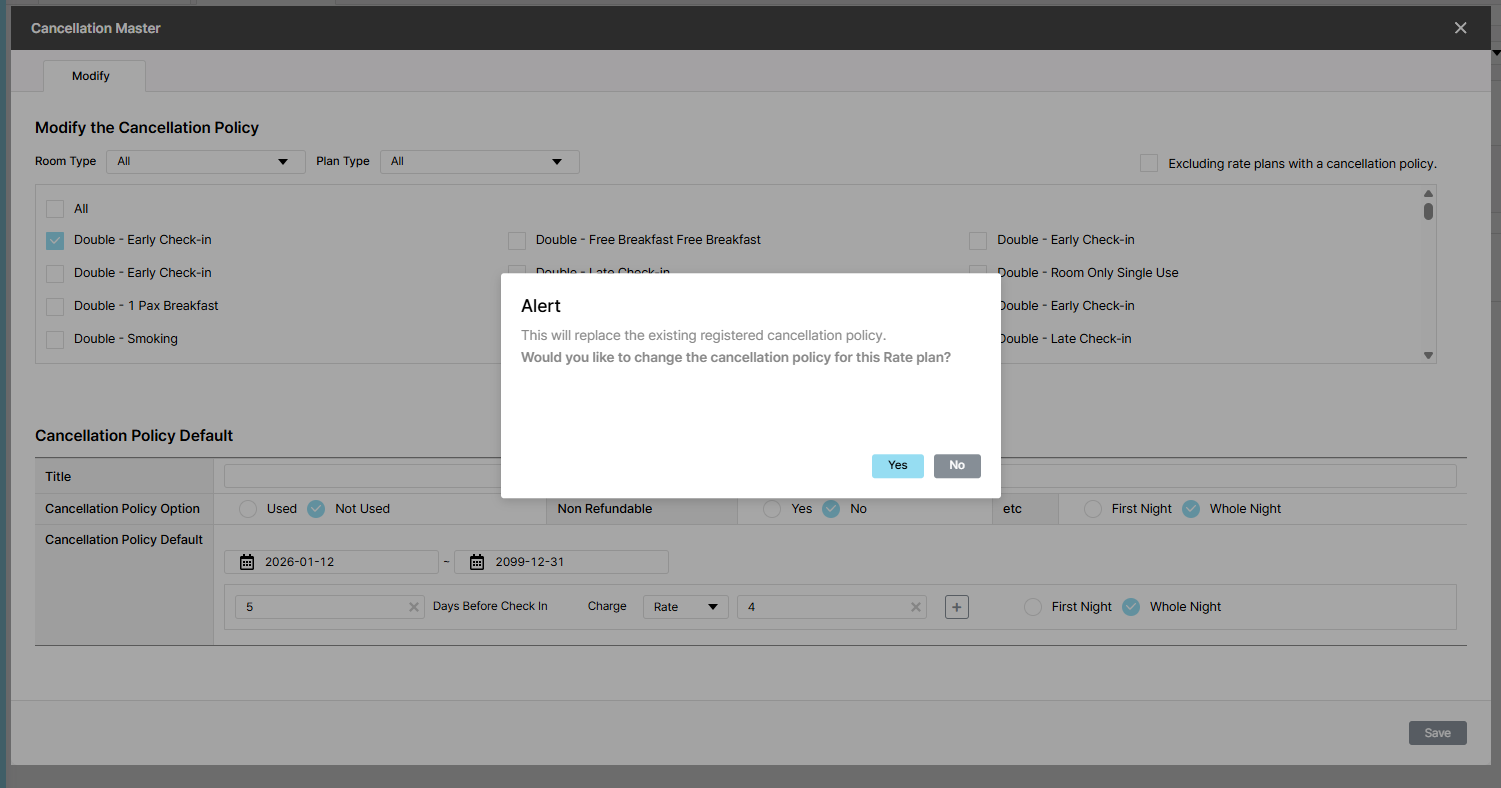
| picture549-1.png (114 KB) picture549-1.png | Expected result |
Updated by Holden Dang 3 months ago
- File picture555-1.png picture555-1.png added
Expected result: Alert
This will replace the existing registered cancellation policy.
Would you like to change the cancellation policy for this Rate plan??
Yes and No
Updated by Holden Dang 2 months ago
- File picture034-1.png picture034-1.png added
- File picture034-2.png picture034-2.png added
- Status changed from QA test to 완료실패(Failed)
- Assignee changed from Holden Dang to Tan Jang
Failed. Please fix it again. Thank you for your help.
- Expected:
+ Show Alert instead of Confirmation
+ Please delete ?* as there are 2 *?
+ There's a rather large space in the middle of the description. Please refer to Delete popup
Updated by Tan Jang about 2 months ago
- Status changed from 완료실패(Failed) to QA test
- Assignee changed from Tan Jang to Holden Dang
Updated by Holden Dang about 2 months ago
- File picture549-1.png picture549-1.png added
Tested Dev env => Passed
Updated by Holden Dang about 2 months ago
- Status changed from QA test to 완료(Done)
- Assignee changed from Holden Dang to Tan Jang
Updated by ziniy Kang about 2 months ago
- Status changed from 완료(Done) to 확인(Confirmed)