Actions
VOC support #2434
closed【Regarding Plan Creation】886450 - Oyado Uraku
Start date:
11/24/2025
Due date:
11/24/2025
% Done:
100%
Estimated time:
Part:
Build env.:
Description
Hi Team,
I’m trying to create a plan in our system, but I’m getting a popup message and the plan cannot be saved. (Please see the attached screenshot.)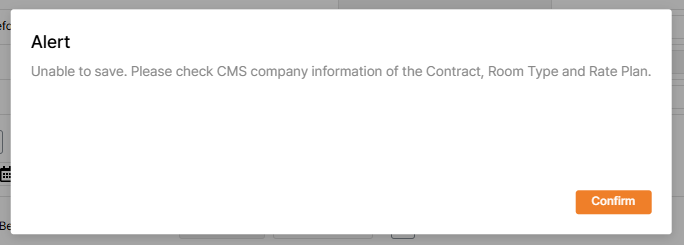
Could you advise what steps I should take to resolve this?
For reference, we want to use this contract information to create the plan.
Thank you for your support!
Sangeun
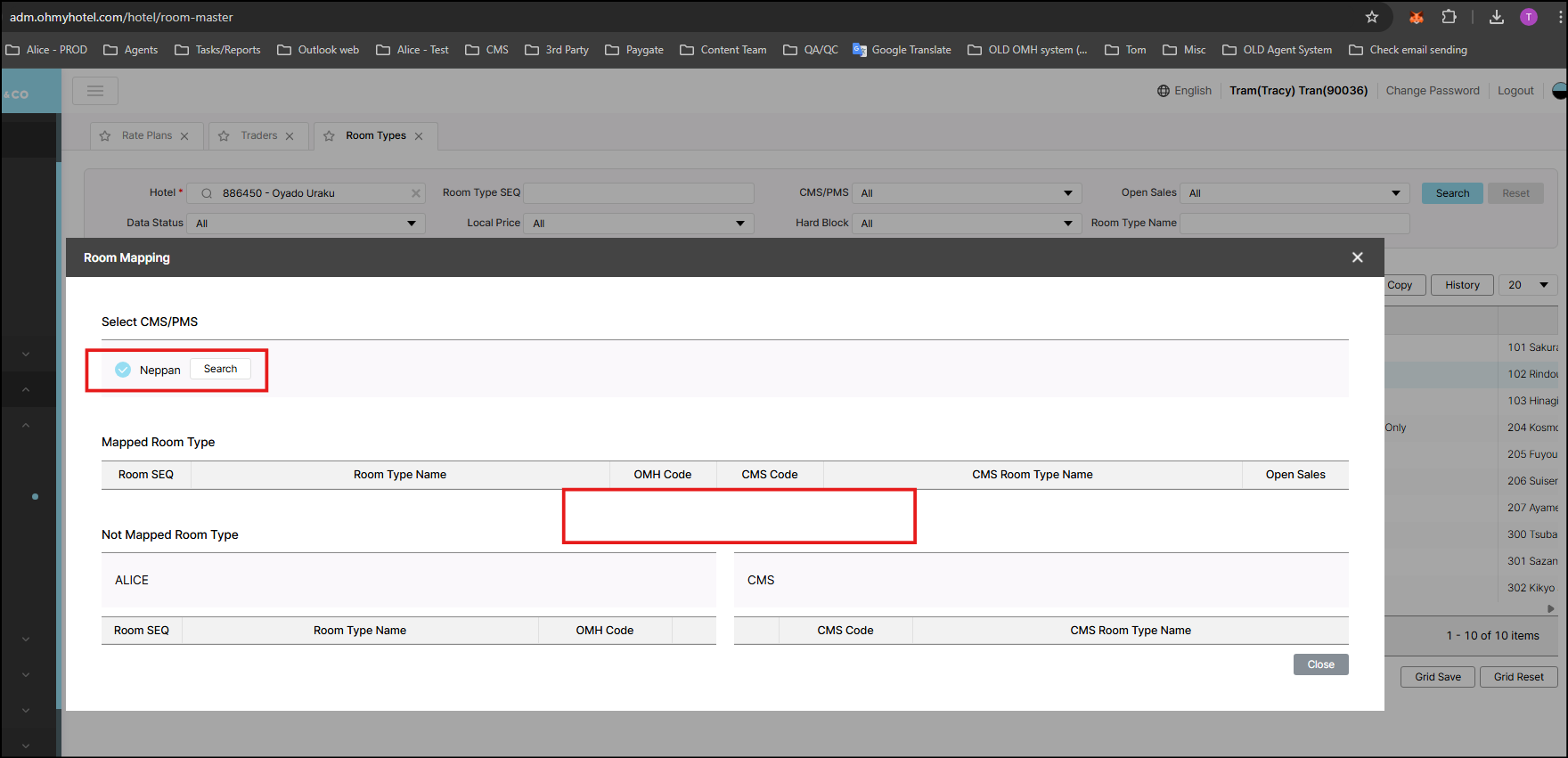
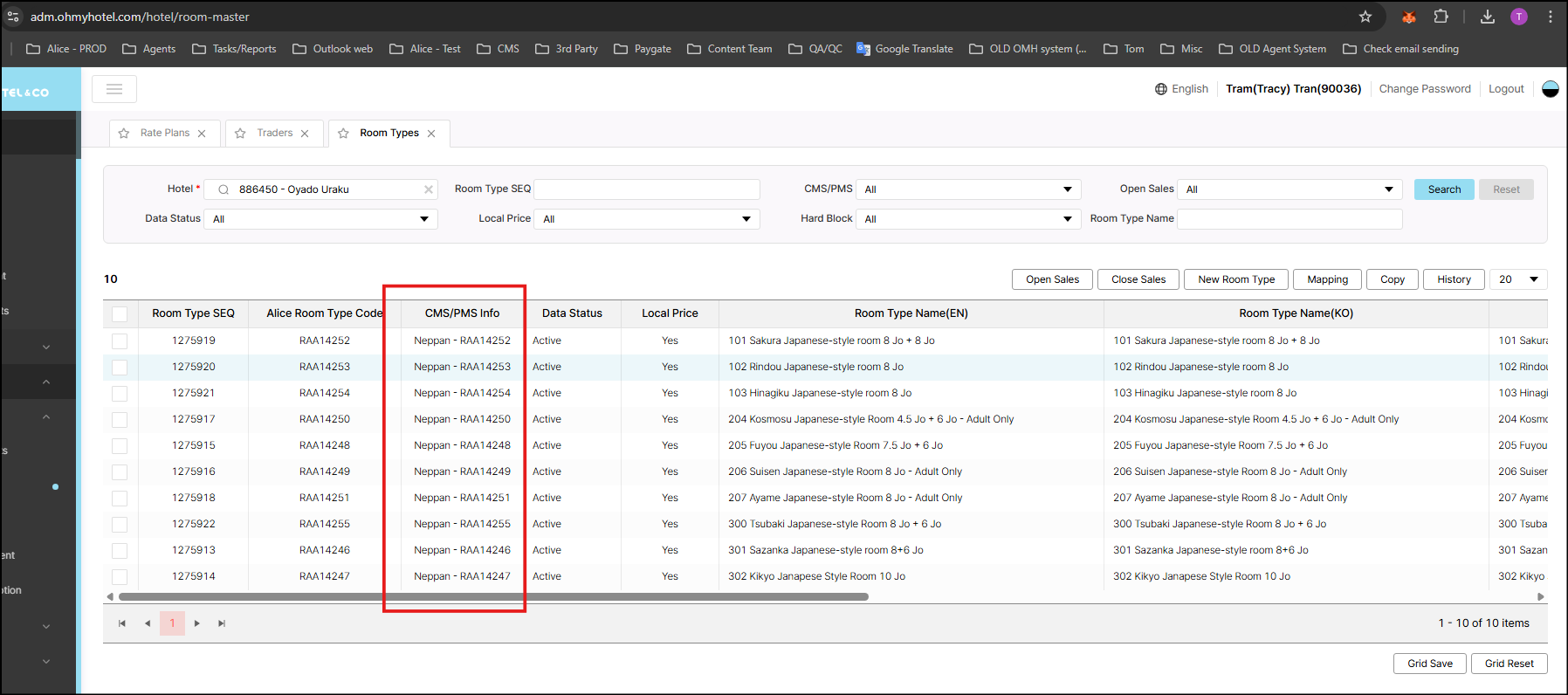
VOC checked on Alice, room mapping does not display anything.
Files
| image.png (14.2 KB) image.png | |||
| feedfwer.png (6.61 KB) feedfwer.png | |||
| Screenshot 2025-11-24 115238.png (97.7 KB) Screenshot 2025-11-24 115238.png | |||
| Screenshot 2025-11-24 115216.png (141 KB) Screenshot 2025-11-24 115216.png | |||
| picture406-1.png (113 KB) picture406-1.png |
Updated by Dan Hoang 4 months ago
- File picture406-1.png picture406-1.png added
- Due date set to 11/24/2025
- Status changed from 진행(Doing) to 완료(Done)
The issue due to CMS_HOTEL_CODE in RoomType mapping contains a space character, it may be related to contract creation that user entered wrong value for CMS/PMS Hotel Code.
We have corrected RoomType mapping data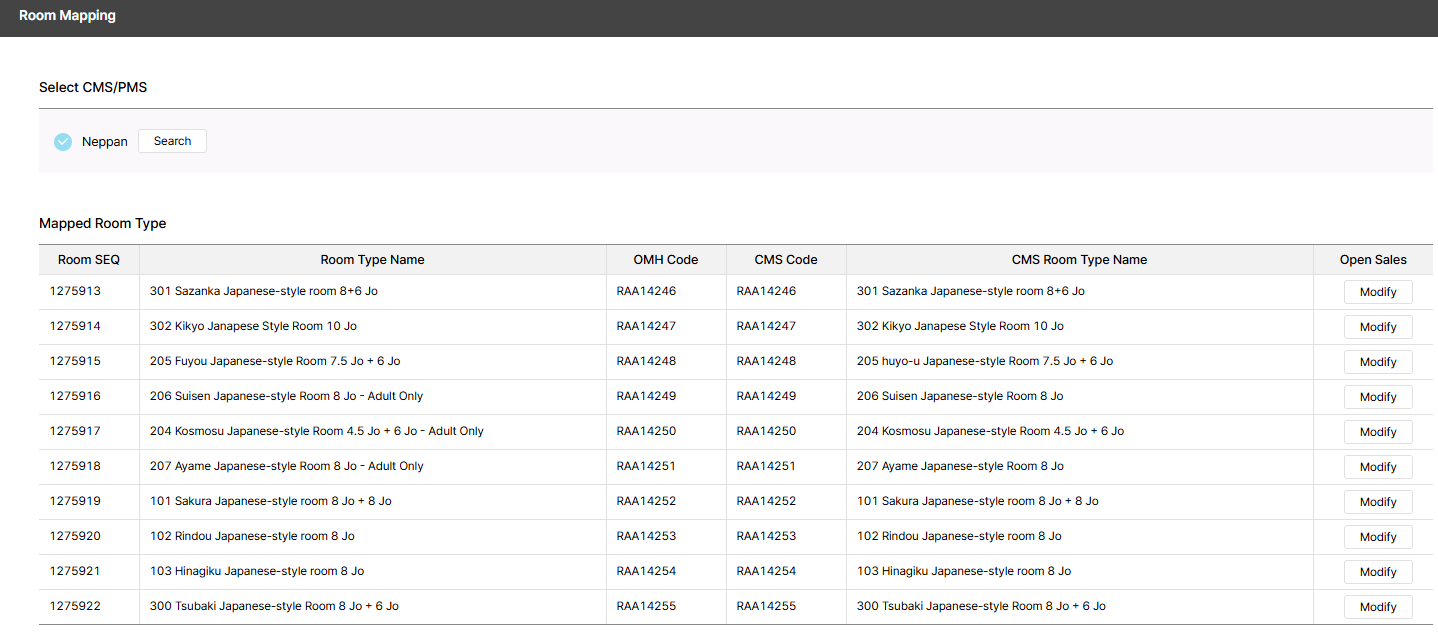
Updated by Tracy Tran 4 months ago
- Status changed from 완료(Done) to 완료성공(Resolve)
- Assignee changed from Tracy Tran to Dan Hoang
Informed JP team
Actions