개선(improvement) #1115
openSeller Invoice - Improving Add Compensation function
0%
Description
1. Display remark request
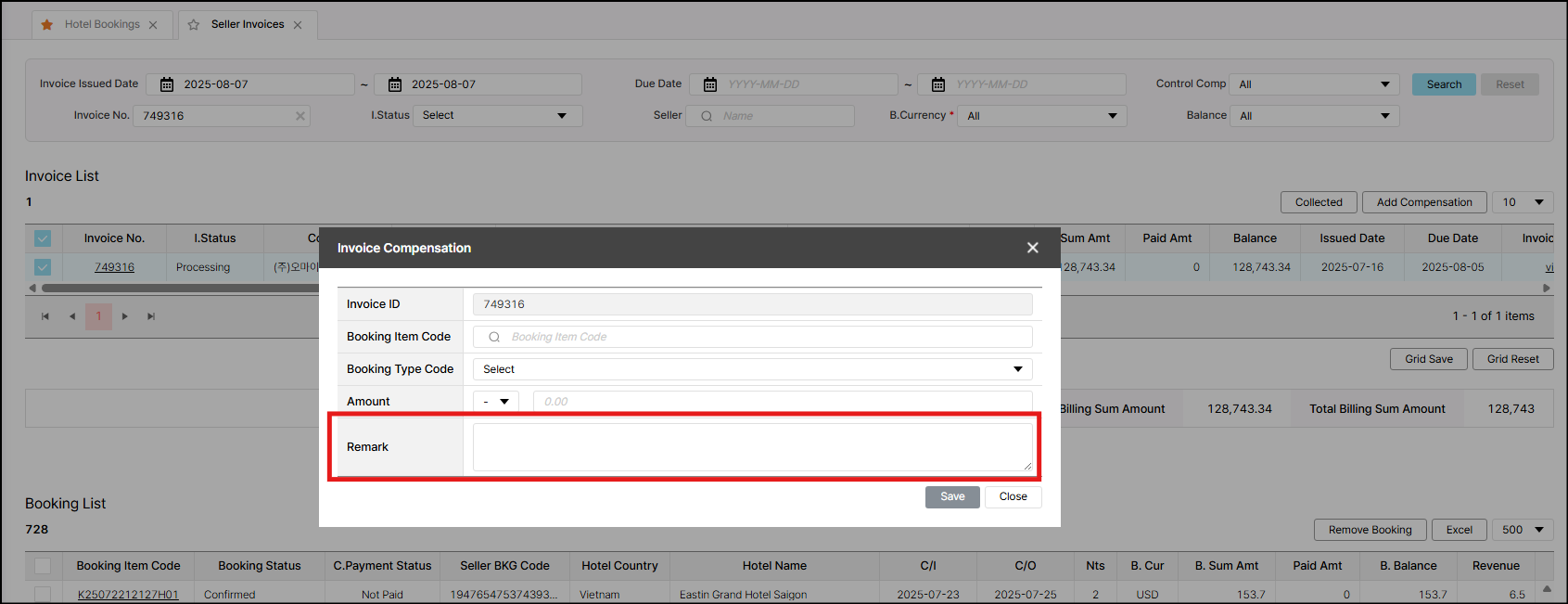
Settlement > Settlement > Seller Invoice > Add compensation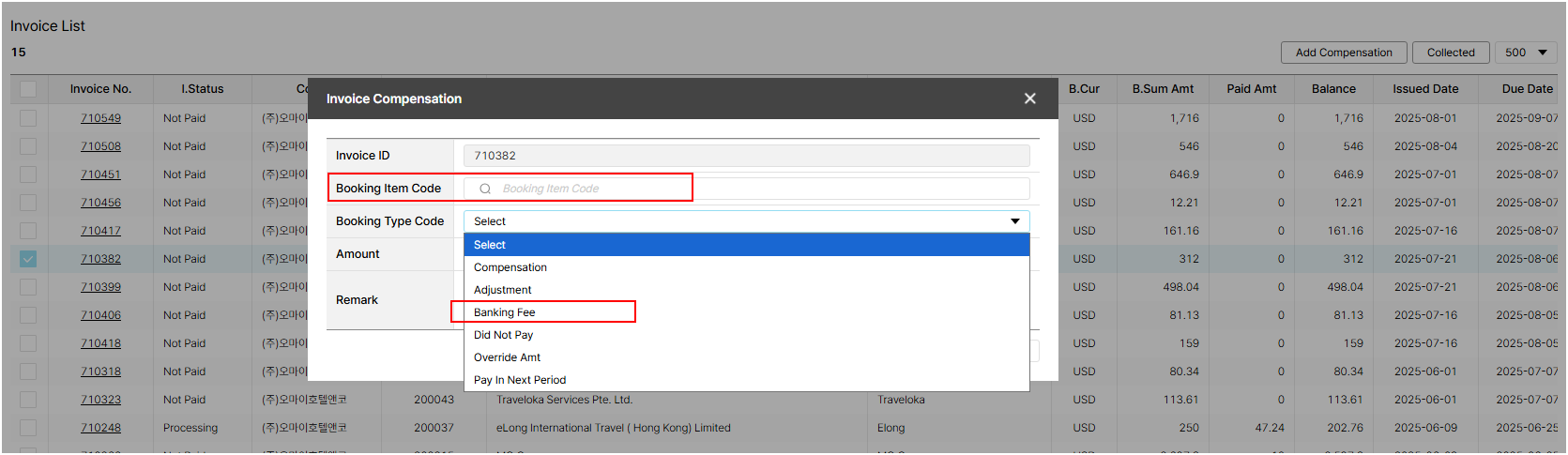
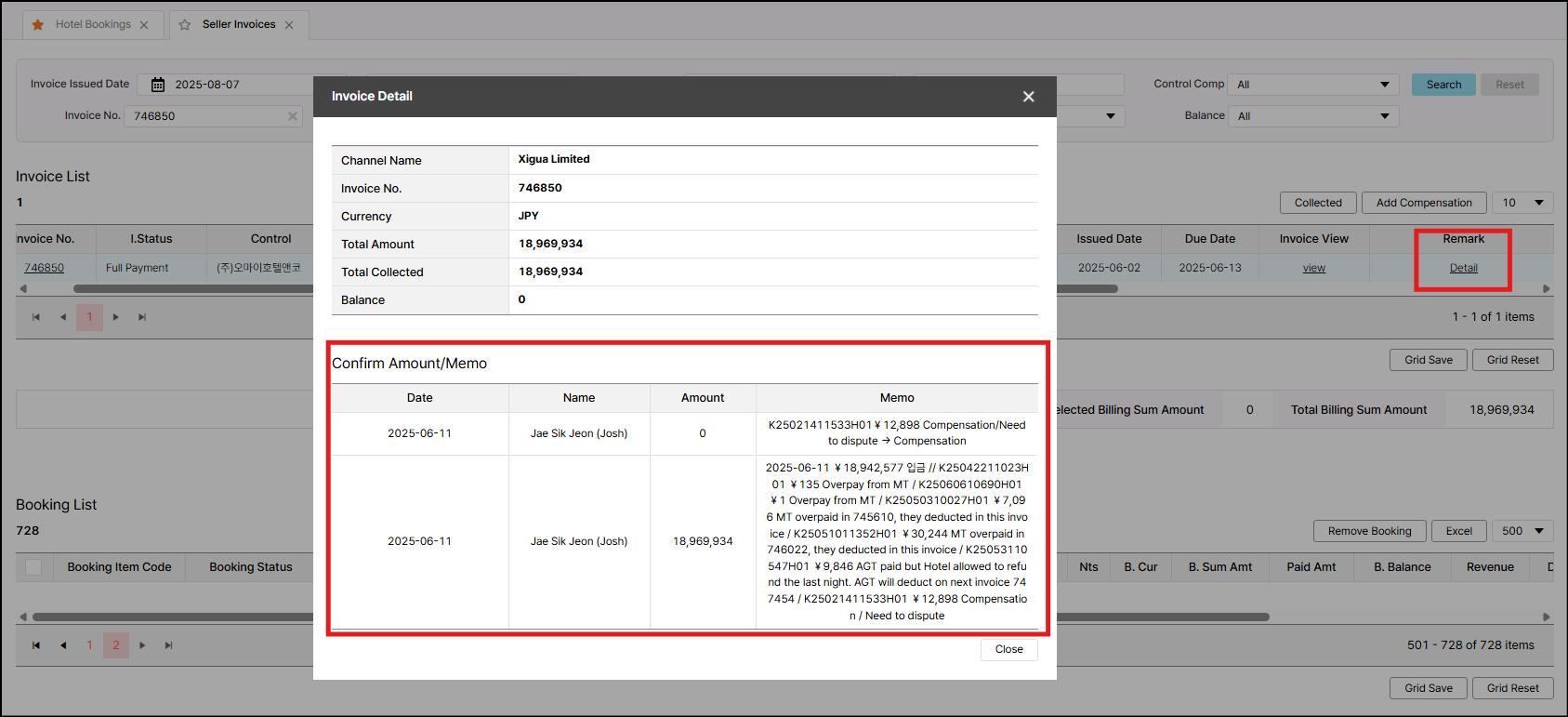
When user use function "Add Compensation", they will take note in remark field as above image. AC team would like to check this remark in the same place of invoice remark.
Therefore, please display it.
2. Hiding option
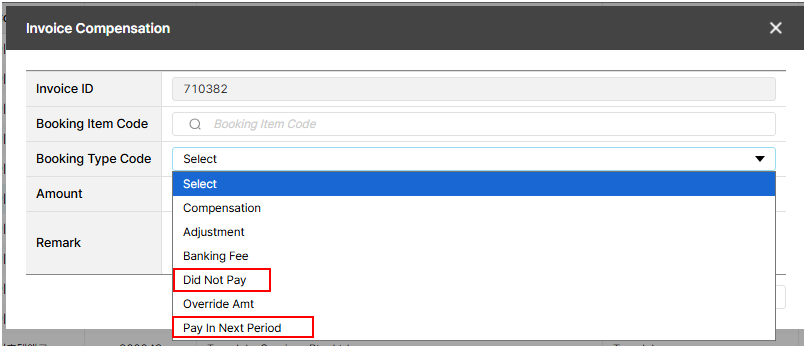
Ac team informed that they would like hide these option in UI as they have not use it at this moment. Please hide it until further notice
*Did Not Pay
*Pay In Next Period
3. "Banking fee" option
AC team need to add this banking fee amount into invoice but this fee belong to whole invoice, not belong to any booking. So, they would like to have an exception when adding amount under this option that do not require the booking number.
It mean once they select the booking type code as Banking Fee, the booking item code will be disable - no need to fill booking number.
Files