기능(Feature) #8
closed기능(Feature) #14: UI Hana card travel bucket
My Reservation Screen (2) (MY 예약 화면(2))
100%
Description
Files
| picture057-1.png (10.1 KB) picture057-1.png | |||
| picture080-1.png (202 KB) picture080-1.png |
Updated by ziniy Kang 11 months ago
- Tracker changed from 결함(Bug) to 개선(improvement)
Updated by ziniy Kang 11 months ago
- Tracker changed from 개선(improvement) to 기능(Feature)
Updated by UserName LastName 11 months ago
- Status changed from 신규(New) to 진행(Doing)
Updated by harry harry 11 months ago
- Due date set to 04/25/2025
- Status changed from 진행(Doing) to 완료(Done)
- Target version set to v1.0.0
- Start date changed from 04/24/2025 to 04/25/2025
- % Done changed from 0 to 100
- Build env. set to Dev
Updated by Kelly Nguyen 11 months ago
Hi anh, hiện tại em đang test phần này, sau khi booking thành công->chọn My page vào [My Reservation] nhưng không hiện ra thông tin booking.
Updated by ziniy Kang 10 months ago
- Status changed from 완료(Done) to 피드백(Feedback)
Updated by ziniy Kang 10 months ago
Add info task
Notion: https://www.notion.so/Hana-Card-Task-5-My-Reservation-Screen-2-MY-2-1ce0df1854a1800aa0d7c62c8a601996
Design: https://www.figma.com/design/MuTLTYXTCOHPcOvAxCREiG/Hana-card-travel-bucket?node-id=1-2&t=Vo1eWCX4ZoqZdr9B-1
[Screens that needs to be developed]
- My Reservation Button > Button area in upper side (My 예약 화면 > 상단 예약 관련 처리)
- Inquiry
- alert: Cancellation
- Invoice
- Voucher
Updated by harry harry 10 months ago
Hi kelly
em cần giả lập đúng router của hana để có userId booking.
khi vào trang hana. em cần link url đúng format như này
https://test-hana.ohmyhotel.com/?cno=654123987&ts=test&reqChannel=WEB/APP
cno: số user Id của hana. khi em booking thì sẽ có list booking của user này
ts: authen theo thời gian thực của hana. vì mình test nên em để là (ts=test, tham số này chỉ hoạt động trên môi trường test).
Updated by ziniy Kang 10 months ago
- Assignee changed from harry harry to Kelly Nguyen
please retest.
Updated by ziniy Kang 10 months ago
- Assignee changed from Kelly Nguyen to Joo dev
Updated by ziniy Kang 10 months ago
- Assignee changed from Joo dev to Kelly Nguyen
Updated by ziniy Kang 10 months ago
- Due date changed from 04/25/2025 to 05/20/2025
Updated by ziniy Kang 10 months ago
- File picture080-1.png picture080-1.png added
- Assignee changed from Kelly Nguyen to harry harry
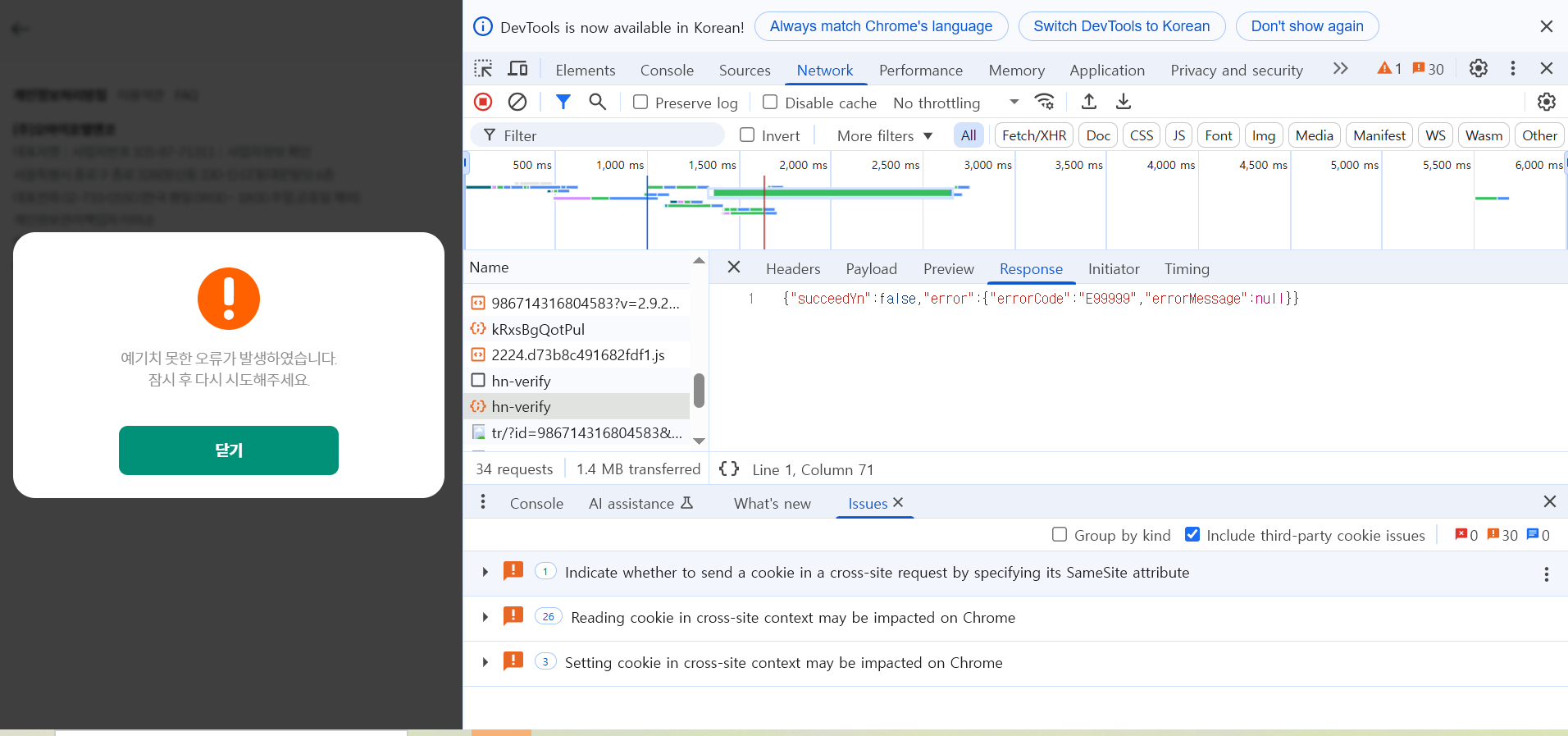
Please check issue.
Updated by ziniy Kang 10 months ago
- Status changed from 피드백(Feedback) to 진행(Doing)
Updated by ziniy Kang 10 months ago
- Status changed from 완료(Done) to 완료성공(Resolve)
Updated by ziniy Kang 10 months ago
- Status changed from 완료성공(Resolve) to 완료(Done)
Updated by ziniy Kang 10 months ago
- Status changed from 완료(Done) to 완료성공(Resolve)

