개선(improvement) #806
closed개선(improvement) #739: * LOG IN PROCESS RENEW
개선(improvement) #813: PC (Các task dành cho PC)
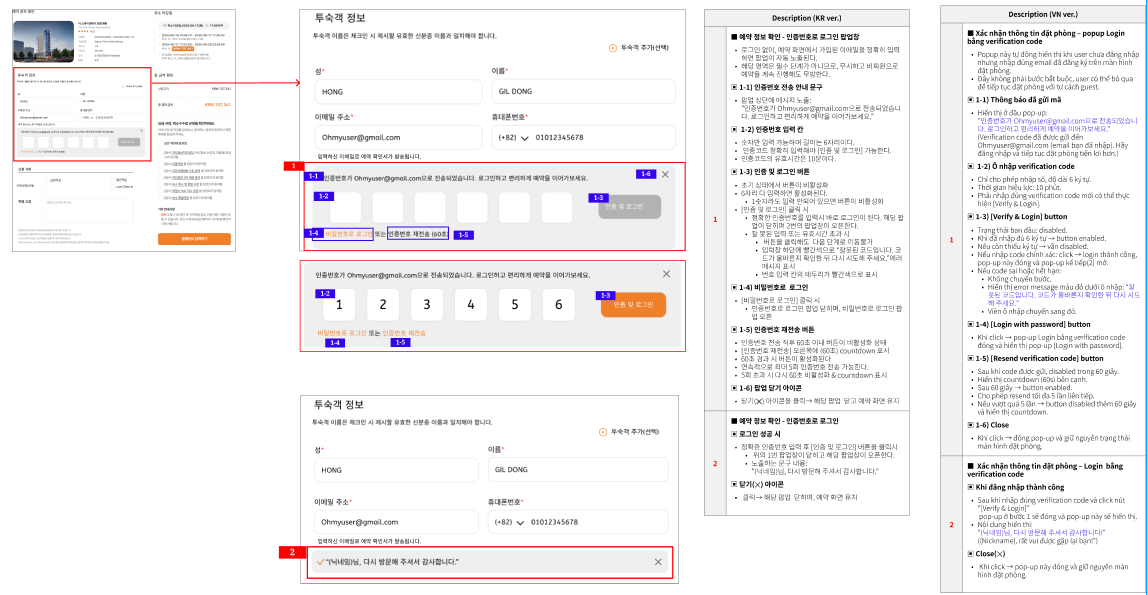
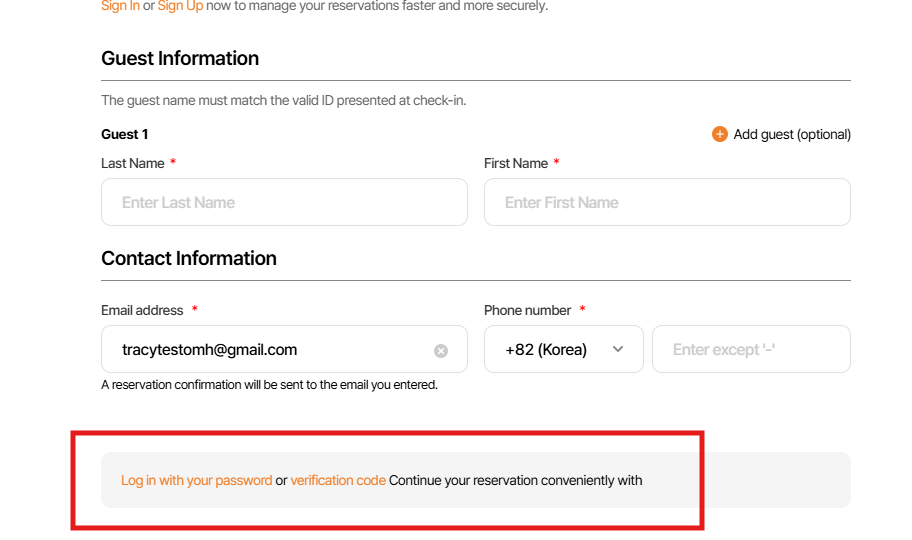
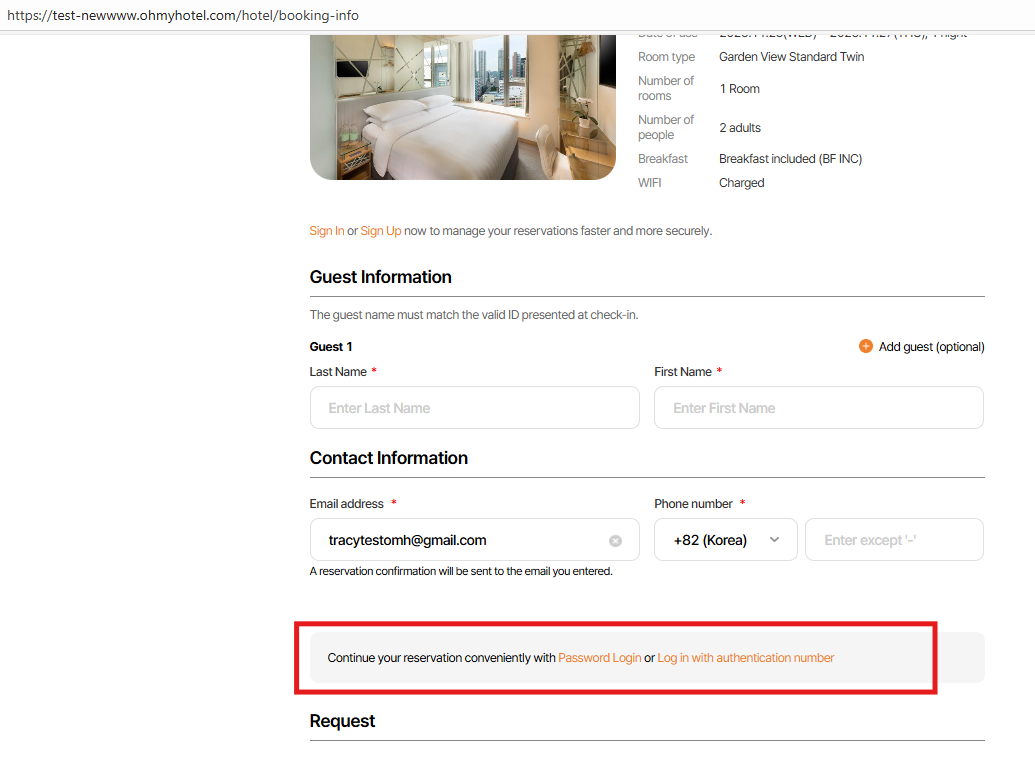
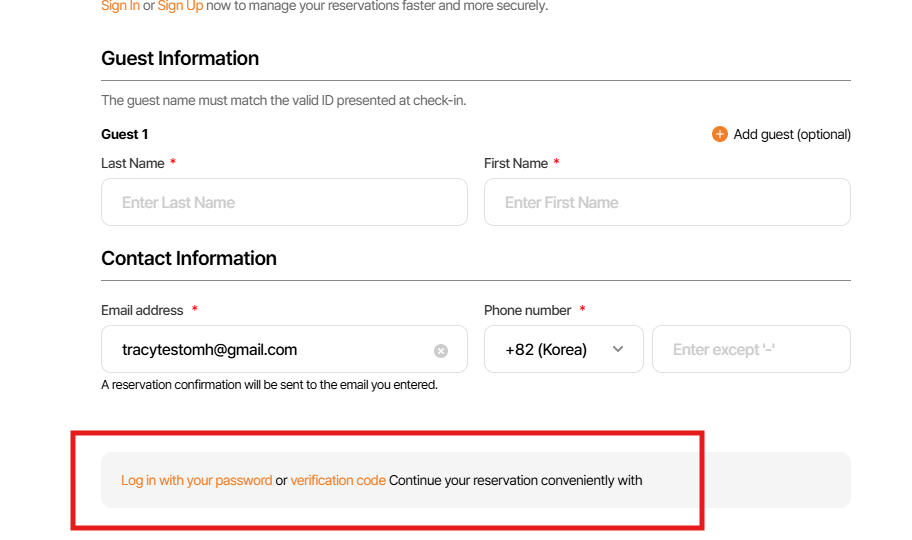
12_ Pop up Login with verify code
100%
Description
Files
Related issues
Updated by harry harry 8 months ago
- Status changed from 신규(New) to 진행(Doing)
- Start date set to 07/18/2025
Updated by ziniy Kang 8 months ago
- Due date changed from 07/29/2025 to 08/06/2025
Updated by harry harry 7 months ago
- Status changed from 신규(New) to 진행(Doing)
- Start date changed from 07/18/2025 to 07/29/2025
Updated by harry harry 7 months ago
- Status changed from 진행(Doing) to 완료(Done)
- % Done changed from 0 to 100
- Estimated time set to 8.00 h
Updated by harry harry 6 months ago
- Status changed from 완료(Done) to QA test
- Assignee changed from harry harry to Tracy Tran
Updated by Tracy Tran 5 months ago
- Assignee changed from Tracy Tran to Tracy Truong
Updated by Tracy Truong 5 months ago
- File picture588-1.png picture588-1.png added
- File picture588-2.png picture588-2.png added
- Status changed from QA test to 완료실패(Failed)
- Assignee changed from Tracy Truong to harry harry
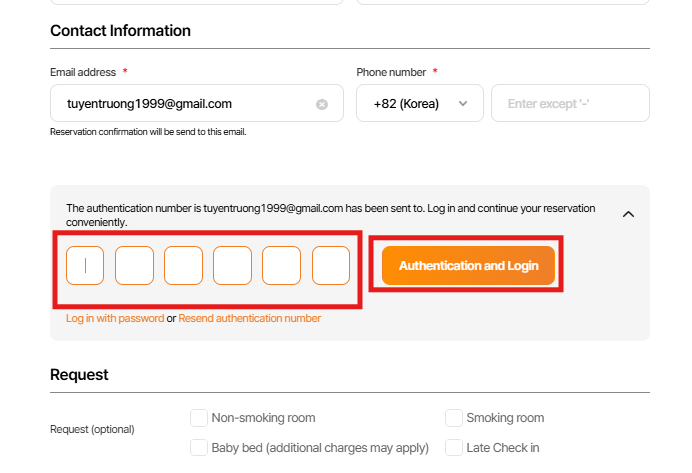
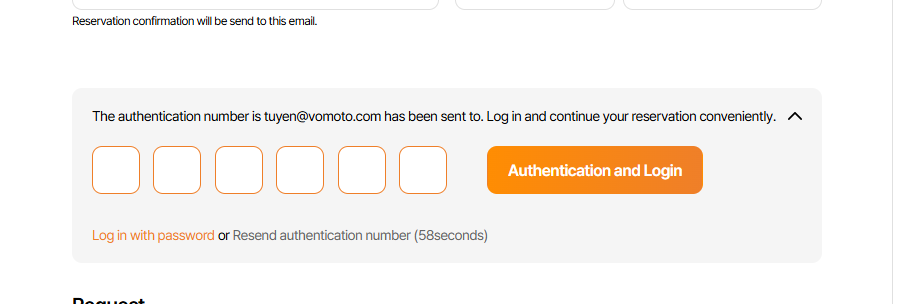
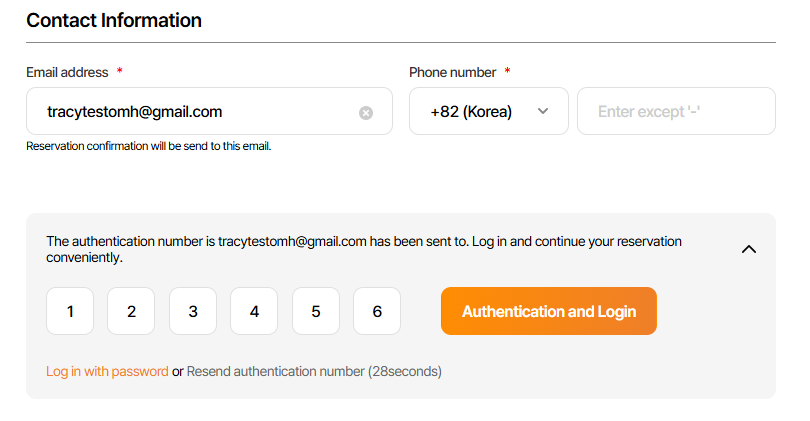
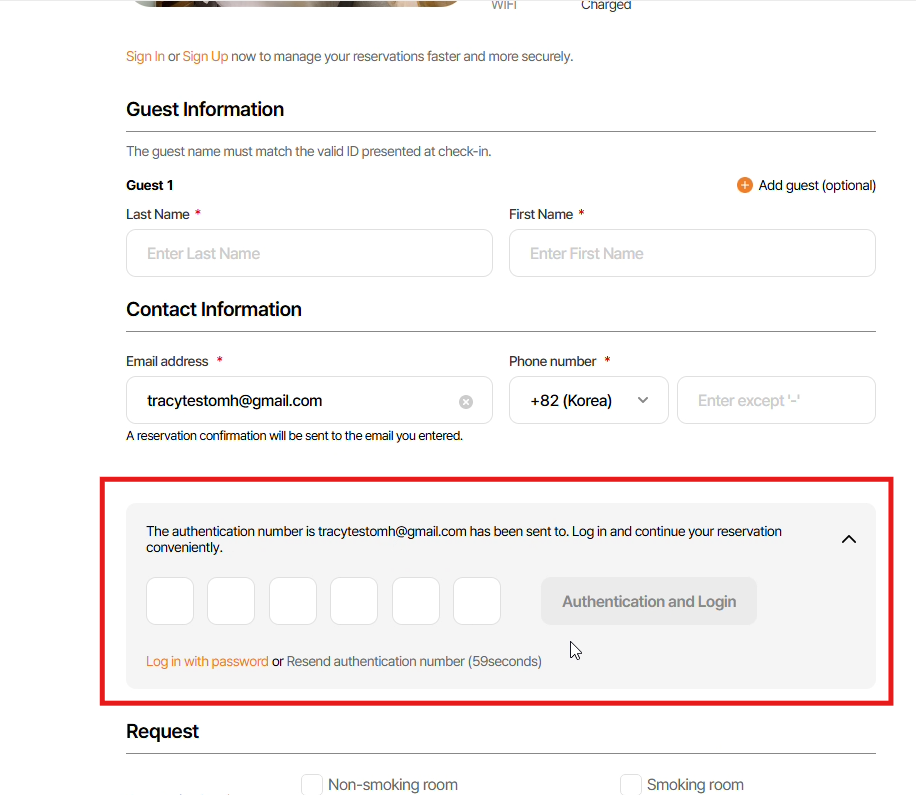
1. Log in btn need to disable when user do not input or input less 6 digits of verification code
2. Delete orange border in input field from beginning, when user did not input. Border just changed to orange when user input wrong veryfication code & click log in btn
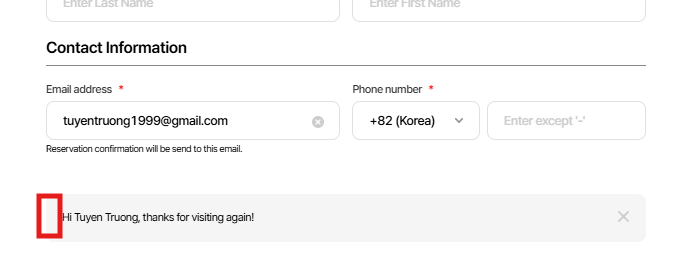
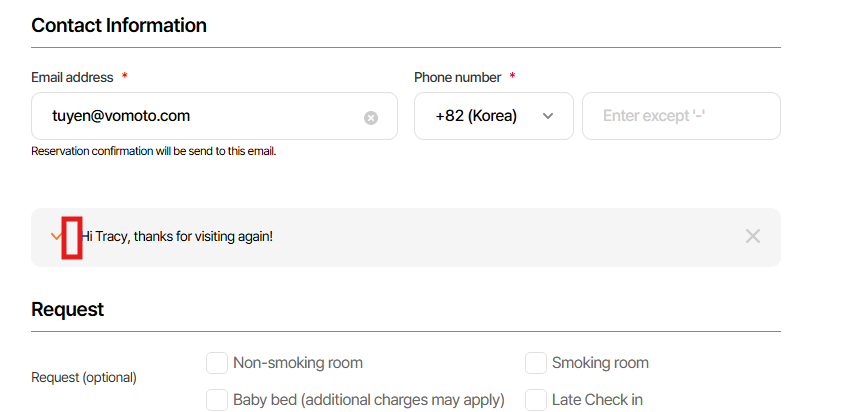
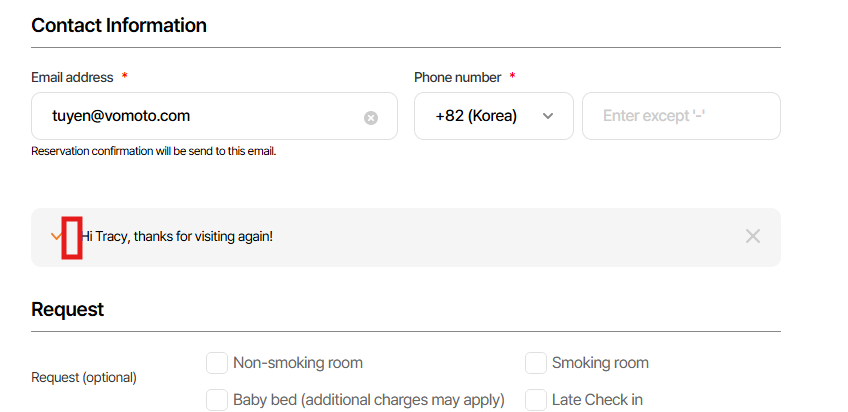
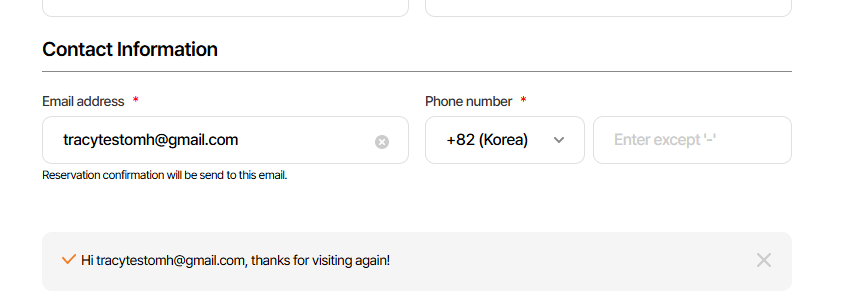
3. Lack off check stick icon
Figma: https://www.figma.com/design/vOGs1fRewULwCFidZcWR69/Login---Sign-up-process?node-id=145-11509&t=hdk3TJMK7fn1Br8r-1
Updated by harry harry 5 months ago
- Status changed from 완료실패(Failed) to 신규(New)
- Assignee changed from harry harry to John Lee
Updated by ziniy Kang 5 months ago
- Status changed from 완료(Done) to 완료실패(Failed)
Updated by John Lee 5 months ago
- Status changed from 진행(Doing) to QA test
- Assignee changed from John Lee to Tracy Truong
- Build env. set to Staging
hi Tracy Truong, please help me check again in staging. Thank you
Updated by Tracy Truong 5 months ago
- File image.png image.png added
- File picture644-1.png picture644-1.png added
- File picture644-2.png picture644-2.png added
- Status changed from QA test to 완료실패(Failed)
- Assignee changed from Tracy Truong to John Lee
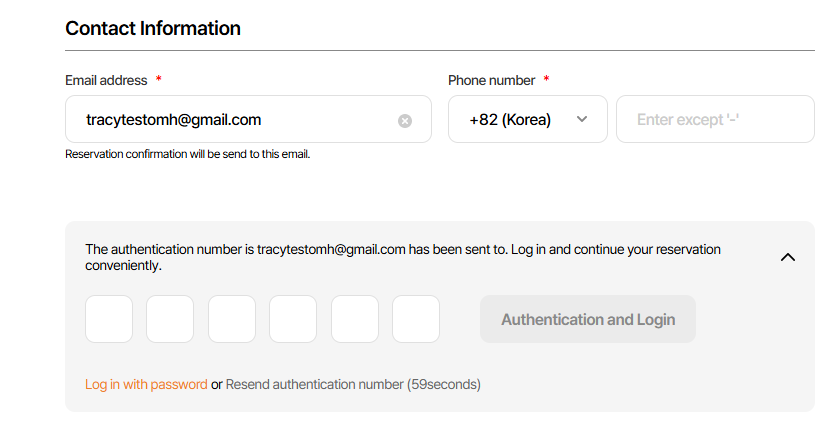
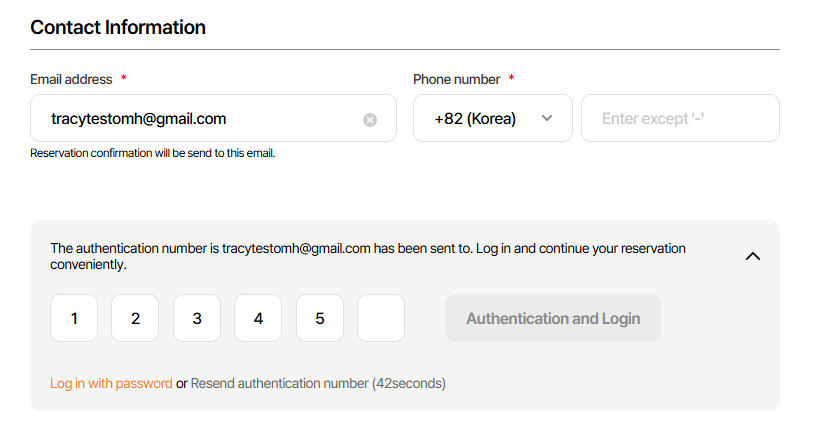
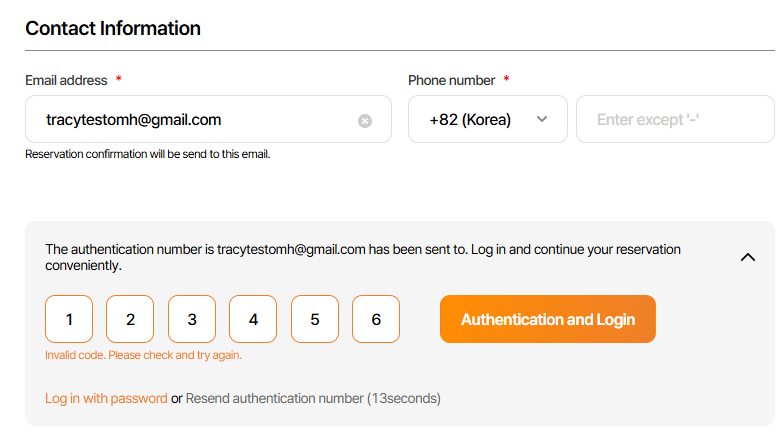
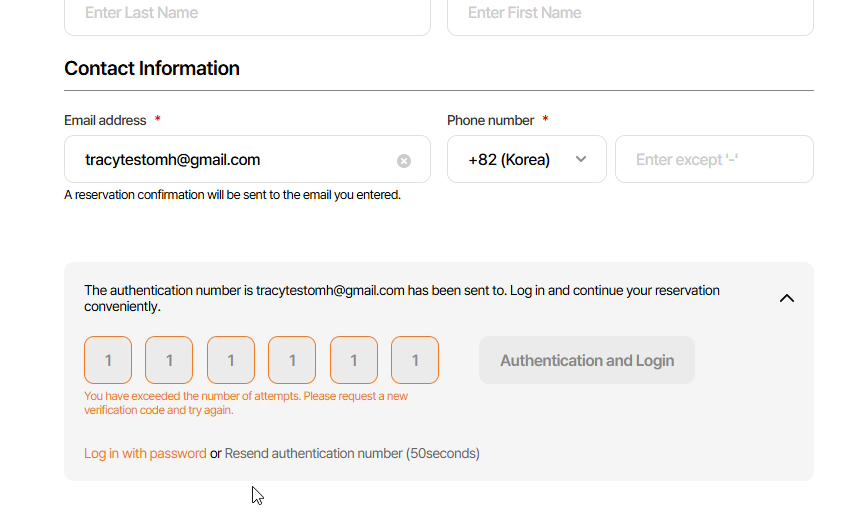
1. Log in btn need to disable when user do not input or input less 6 digits of verification code => failed
2. Delete orange border in input field from beginning, when user did not input. Border just changed to orange when user input wrong veryfication code & click log in btn => failed
3. Lack off check stick icon
=> Please decrease distance between Icon & text
Figma: https://www.figma.com/design/vOGs1fRewULwCFidZcWR69/Login---Sign-up-process?node-id=145-11509&t=hdk3TJMK7fn1Br8r-1
Updated by Tracy Truong 5 months ago
- File picture957-1.png picture957-1.png added
- File picture957-2.png picture957-2.png added
- File picture957-3.png picture957-3.png added
- File picture957-4.png picture957-4.png added
- File picture957-5.png picture957-5.png added
- Status changed from QA test to 완료(Done)
- Assignee changed from Tracy Truong to John Lee
Rechecked, ok
Updated by ziniy Kang 5 months ago
- Status changed from 완료(Done) to 확인(Confirmed)
Updated by ziniy Kang 4 months ago
- Status changed from 확인(Confirmed) to QA test
- Assignee changed from John Lee to Tracy Tran
- Build env. changed from Staging to Prod
Updated by Tracy Truong 4 months ago
- File image.png image.png added
- File Log in with verify code during make booking - Work 2 - Microsoft Edge 2025-10-30 14-40-07.mp4 Log in with verify code during make booking - Work 2 - Microsoft Edge 2025-10-30 14-40-07.mp4 added
- File picture489-1.png picture489-1.png added
- File picture489-2.png picture489-2.png added
- File picture489-3.png picture489-3.png added
- Status changed from QA test to 완료실패(Failed)
- Assignee changed from Tracy Tran to John Lee
Requirement:
- Khi tìm đặt phòng qua email, chỉ được nhập verification code tối đa 5 lần( trong trường hợp nhập sai)
- Khi vượt quá 5 lần nhập, verification code hiện tại sẽ hết hạn và bạn phải resend verification code mới rồi mới được nhập lại.
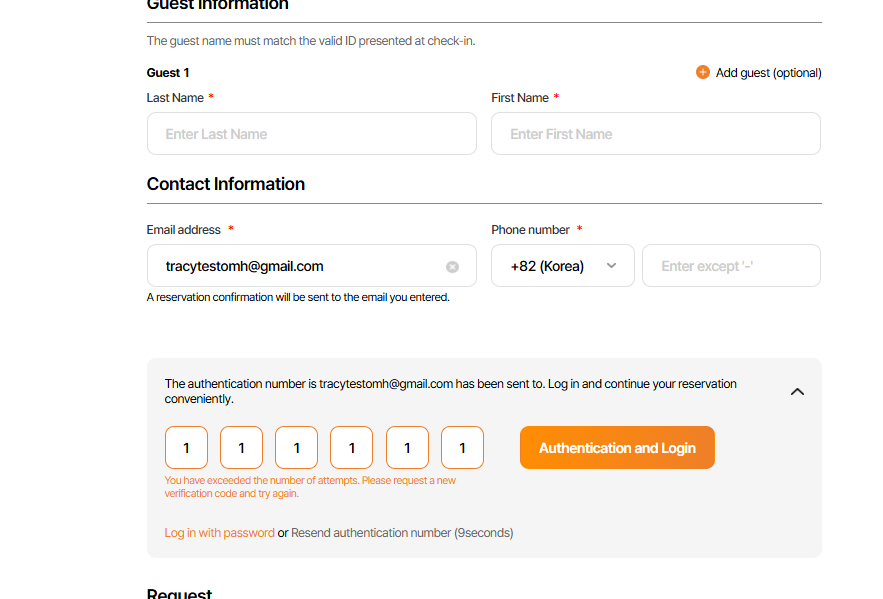
- Hiển thị error message dưới ô nhập code : “인증번호 입력 횟수를 초과했습니다. 새 인증번호 요청 후 재시도해주세요.” (Bạn đã vượt quá số lần nhập mã xác thực. Vui lòng yêu cầu mã mới và thử lại.)
- Sau khi user nhập sai tới lần thứ 6 mà đang còn countdown thì sẽ nút [Resend] sẽ disable cho đến khi countdown về 0; ngay khi countdown về 0, btn sẽ chuyển sang enable. Các ô VerificationCode thì vẫn luôn enable, chỉ là khi nhập sai thì viền field sẽ chuyển qua màu cam ạ.
- Button [Search] vẫn luôn ở trạng thái enable.
Issue:
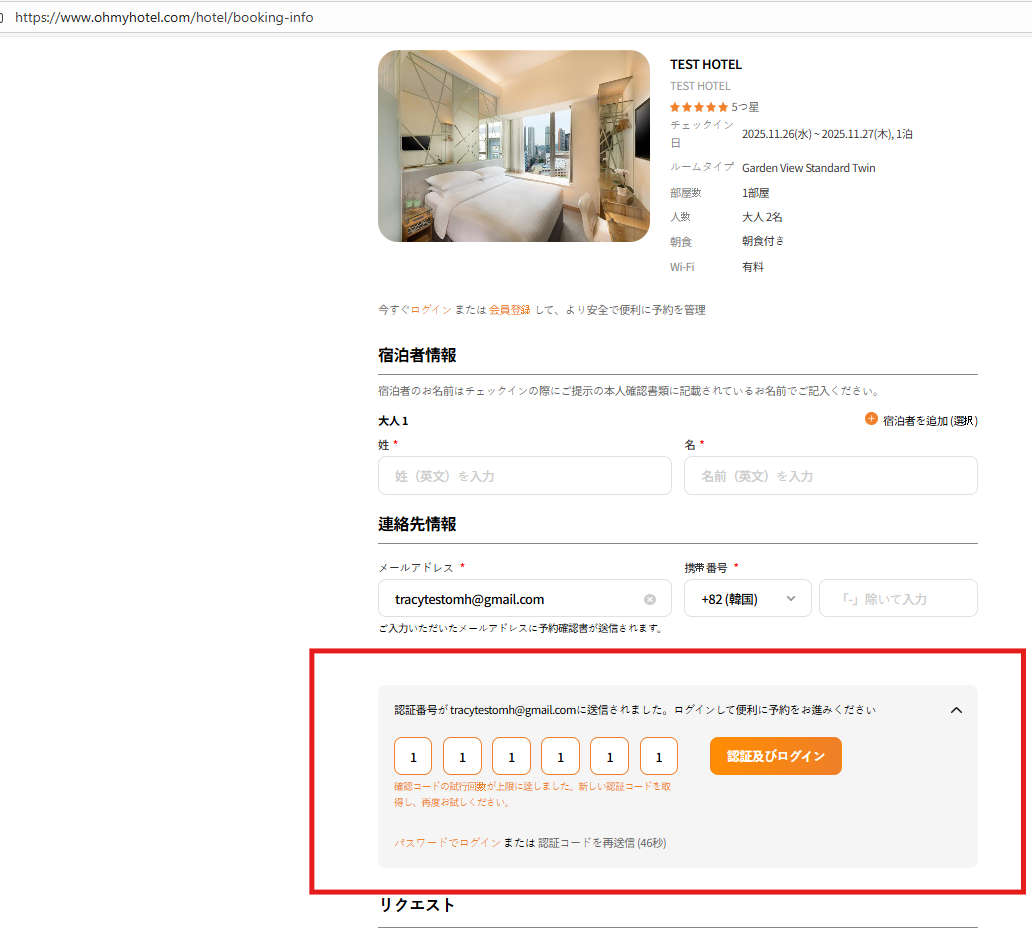
when input inccorrect over 5 times, Verification Code field & Authentication btn is disabled => need to make it enable
When input incorrect over 5 times, verify code will be expired & need to resend new code to log in. But if I change to log in with PW, after that back to log in with verify & input expired code, this code still active to log in
Updated by Tracy Truong 4 months ago
- Related to QA #2182: [PROD -PC/ MO] Wrong text in Log in by Verify popup (ENG/VI) added
Updated by ziniy Kang 4 months ago
- Status changed from 완료(Done) to QA test
- Assignee changed from John Lee to Tracy Tran
Updated by Tracy Truong 4 months ago
- File picture927-1.png picture927-1.png added
- File picture927-2.png picture927-2.png added
- File picture927-3.png picture927-3.png added
- Status changed from QA test to 피드백(Feedback)
- Assignee changed from Tracy Truong to John Lee
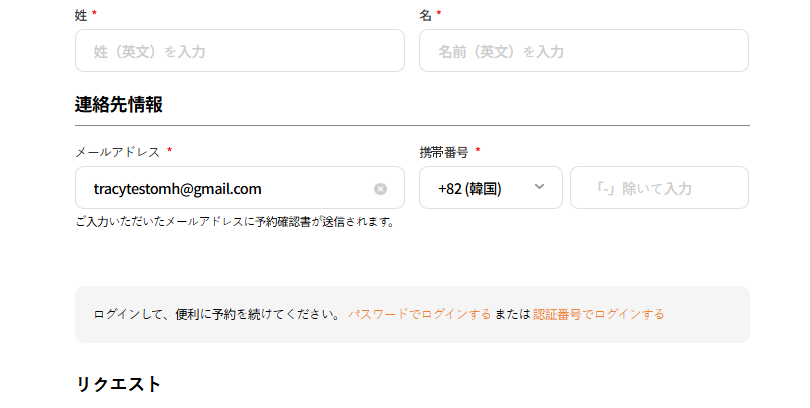
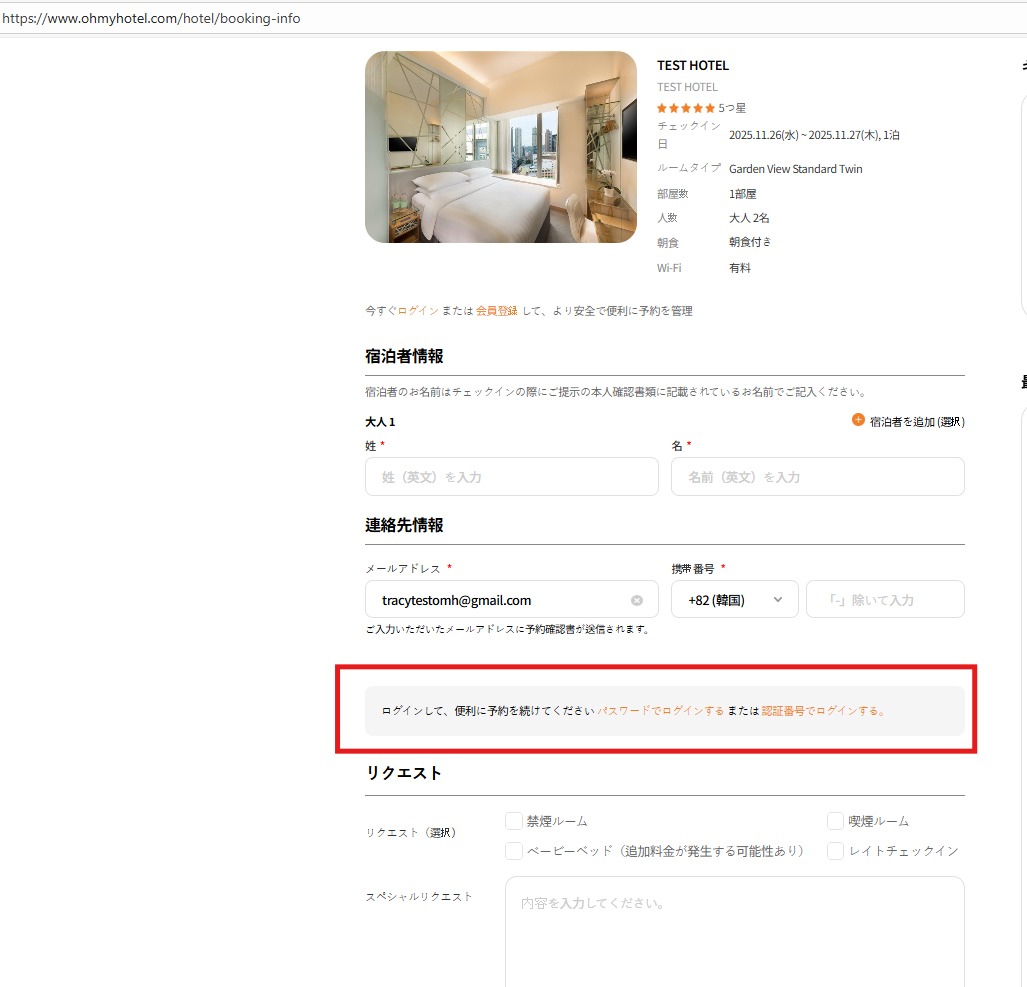
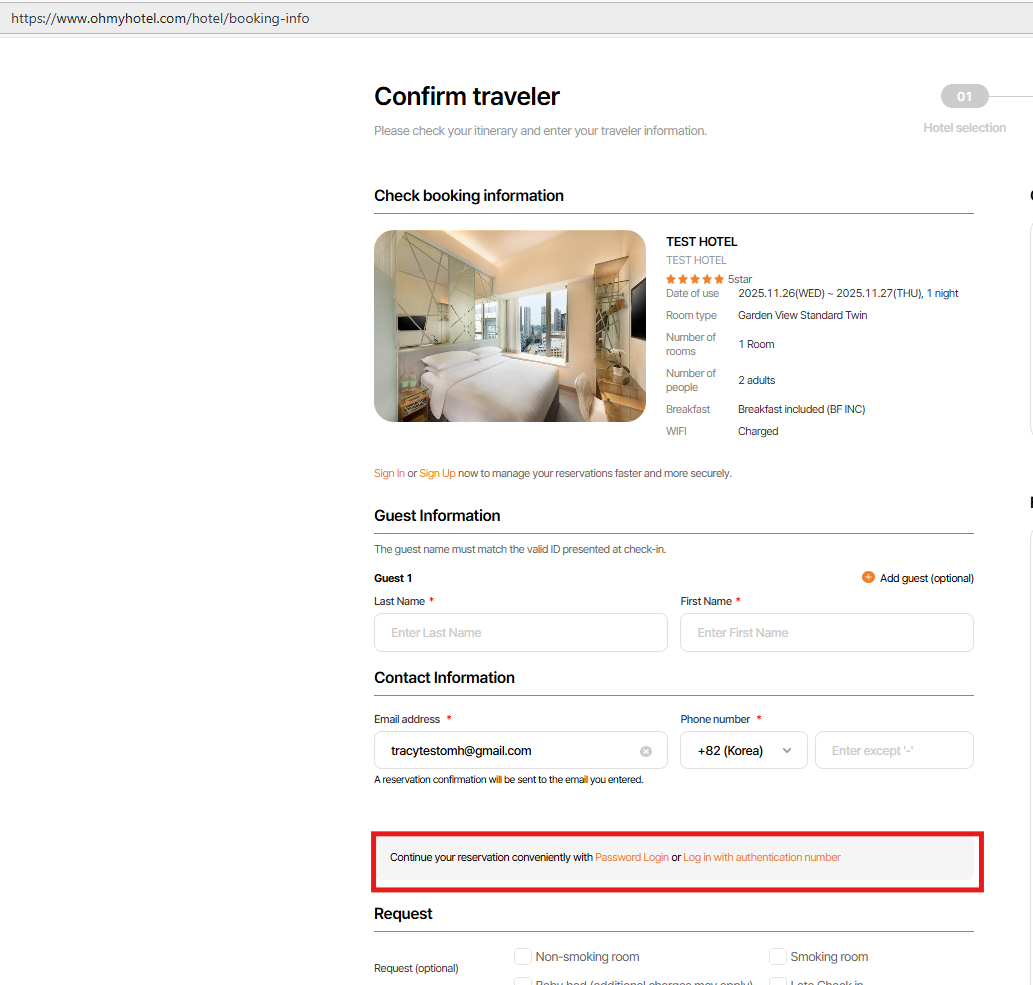
Checked on STG
=> Please change text on JP ver
Updated by Tracy Truong 4 months ago
- File picture429-1.png picture429-1.png added
- File picture429-2.png picture429-2.png added
- File picture429-3.png picture429-3.png added
- Status changed from QA test to 완료성공(Resolve)
- Assignee changed from Tracy Truong to John Lee
Checked on Prod, ok