개선(improvement) #455
closed개선(improvement) #389: OMT 개선/버그 v1.0.0
개선(improvement) #507: OMT 개선
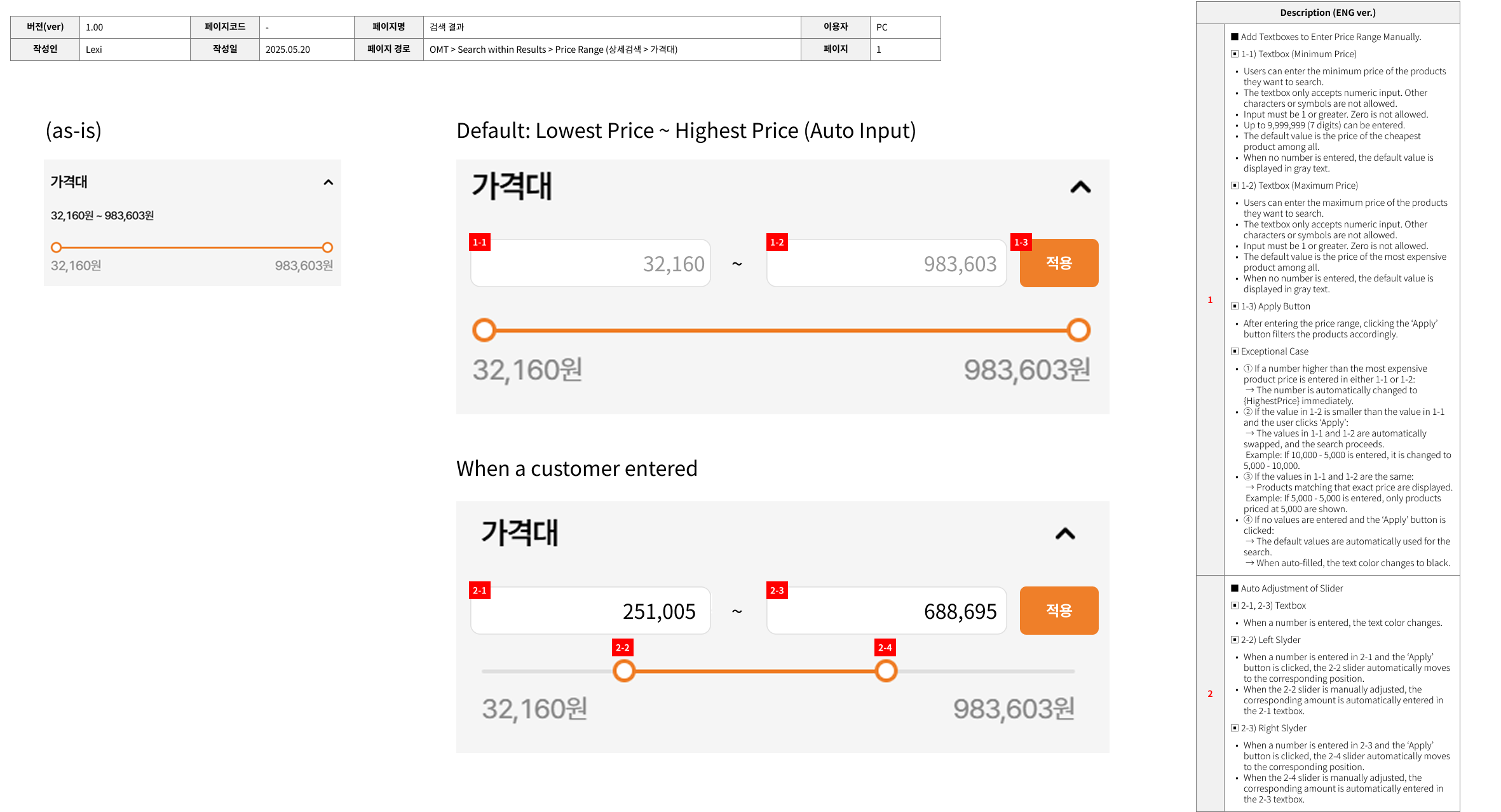
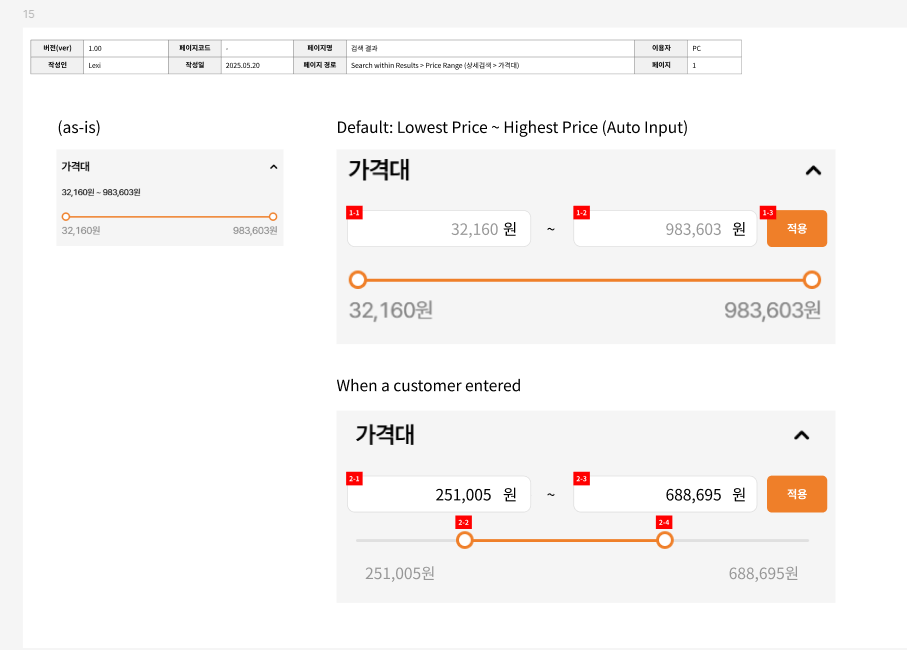
[PC] Search within Results > Price Range (상세검색 > 가격대) (15)
100%
Description
Files
| picture291-1.png (55.2 KB) picture291-1.png | |||
| image.png (15.7 KB) image.png | |||
| #455.png (250 KB) #455.png | |||
| price_range_digits.png (104 KB) price_range_digits.png | |||
| 455_devtest.mp4 (559 KB) 455_devtest.mp4 | |||
| 23July_additional_request.png (90 KB) 23July_additional_request.png |
Related issues
Updated by ziniy Kang 9 months ago
- Assignee changed from ziniy Kang to Joseph Vo
Updated by ziniy Kang 9 months ago
- File picture291-1.png picture291-1.png added
- Description updated (diff)
Updated by ziniy Kang 9 months ago
Updated by ziniy Kang 9 months ago
- Status changed from 완료(Done) to 피드백(Feedback)
Updated by ziniy Kang 9 months ago
- Subject changed from [PC/MO] Search within Results > Price Range (상세검색 > 가격대) (15) to [PC] Search within Results > Price Range (상세검색 > 가격대) (15)
Updated by ziniy Kang 9 months ago
- Copied to 개선(improvement) #674: [MO] Search within Results > Price Range (상세검색 > 가격대) (15) added
Updated by Lexi Kim 9 months ago
https://www.figma.com/design/9GqC7ejQy7R9OyFkIPBtdd/OMT?node-id=23-127&t=vfCxAQk1uRyd5fCA-1
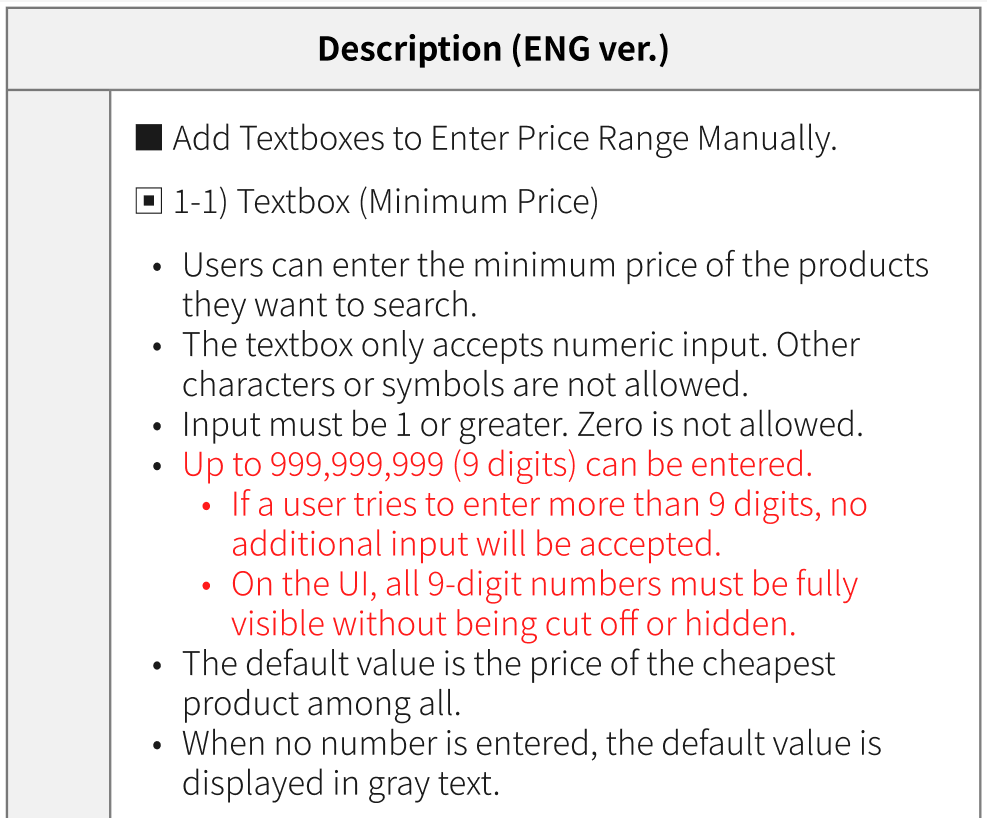
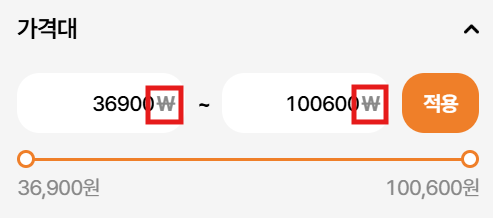
SB has changed. Please check the red-colored text in the Figma link or the attached file(price_range_digits.png). Thank you.
Updated by ziniy Kang 8 months ago
- Assignee changed from Joo dev to harry harry
Updated by harry harry 8 months ago
- Assignee changed from harry harry to Dante Le
Updated by Lexi Kim 8 months ago
- File 455_devtest.mp4 455_devtest.mp4 added
(dev)
1. When the user clicks the ‘Apply’ button without entering values, the default values should be auto-filled. Currently, lowestprice is correctly auto-filled, but there’s a bug where the highestprice field displays the lowestprice value instead. (Please refer to Exceptional Case 4 in the storyboard.)
2. After entering values, clicking the Reset button should automatically change the input box values back to their default. Currently, the entered values remain in the fields instead of resetting.
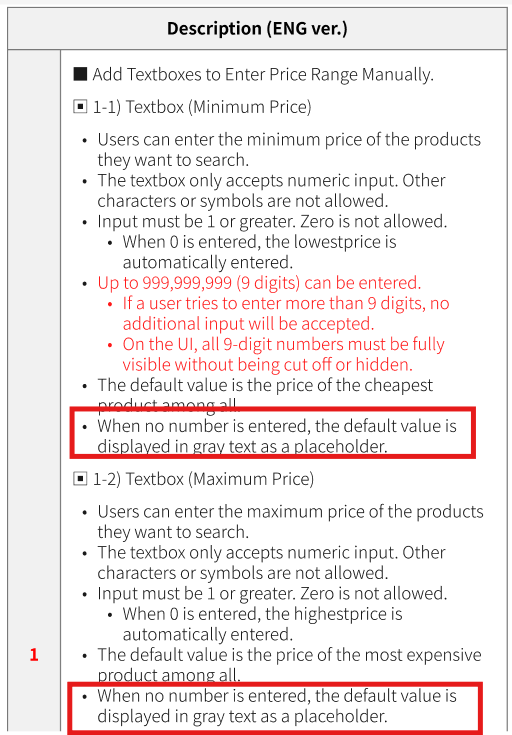
3. When no number is entered, the default value is displayed in gray text.
4. Please make sure all Exceptional Cases in the storyboard are properly applied.
Updated by Lexi Kim 8 months ago
dev test 18 July Common
1. When no number is entered, the default value should be displayed in gray text. On the initial screen and when the “Reset” button is clicked, the numbers should appear in gray. (However, if the default value is automatically filled based on user actions, the text color should be black.)
Updated by Lexi Kim 8 months ago
23 July Additional Request
(as-is) When the user clicks the input box, the default value overlaps with the user’s input. To enter a new number, the user must first delete all of the default value. (Please check the video I sent.)
(to-be) When the user clicks the input box, the default value should disappear, and the user’s input should be entered directly. The default values {lowestprice} and {highestprice} should only serve as placeholders and appear in gray text. I attached reference video.
Updated by ziniy Kang 5 months ago
- Status changed from 완료(Done) to 완료실패(Failed)
Updated by ziniy Kang 3 months ago
- Status changed from 확인(Confirmed) to QA test
- Assignee changed from Dante Le to Lexi Kim
- Build env. changed from Staging to Prod