QA #3126
closedQA #3084: [DEV] Promotion_QA test cases
[DEV] View Promotion - 'Share Rate' and 'Specific room types' are auto‑selected on edit Instead of preserving saved settings
100%
Description
Pre-condition:
- Extranet Account:
+ Email: tracytestomh@gmail.com
+ Password: 1234@Abcd
- Hotel: Mina's Test Hotel
Steps:
1. Click Create New in Early Bird section
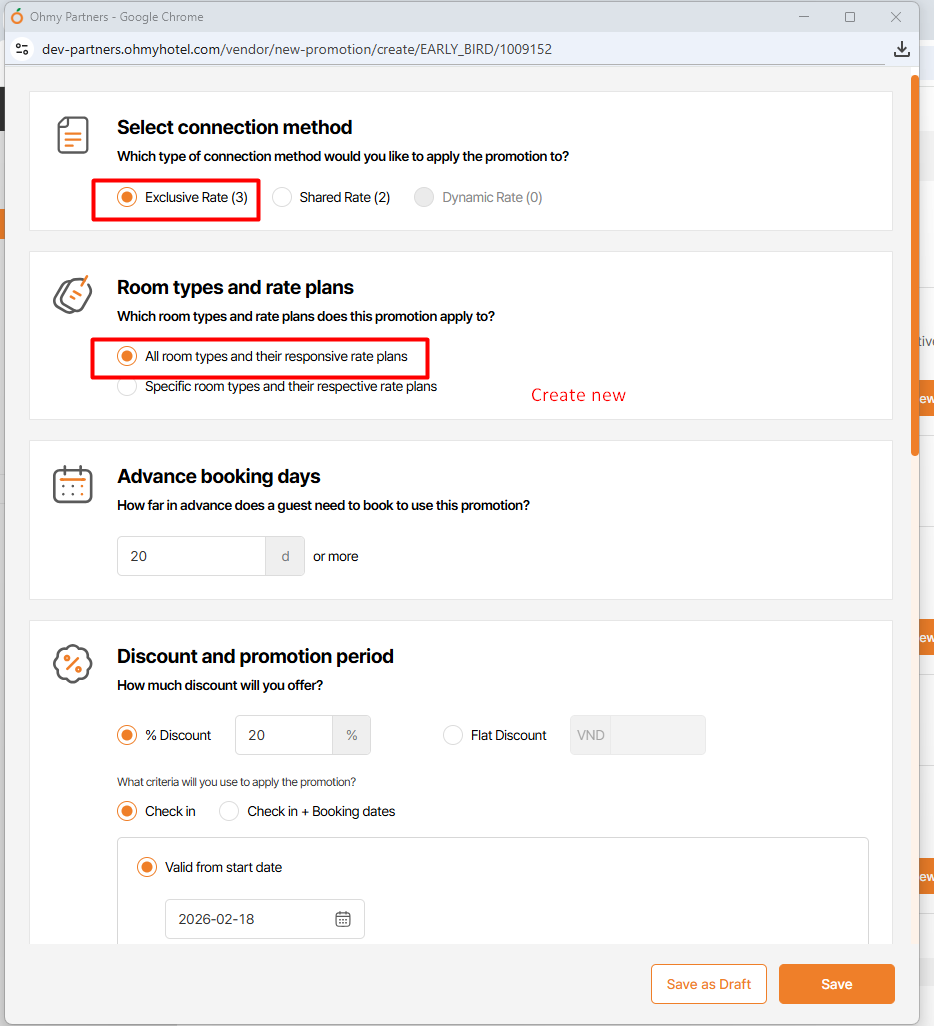
2. Enter % Discount = 20 in Discount and promotion period section
3. Select start date
4. Click Save and click Save & Close and click Confirm
5. Click on the Details of the promotion you just created
6. Click Edit
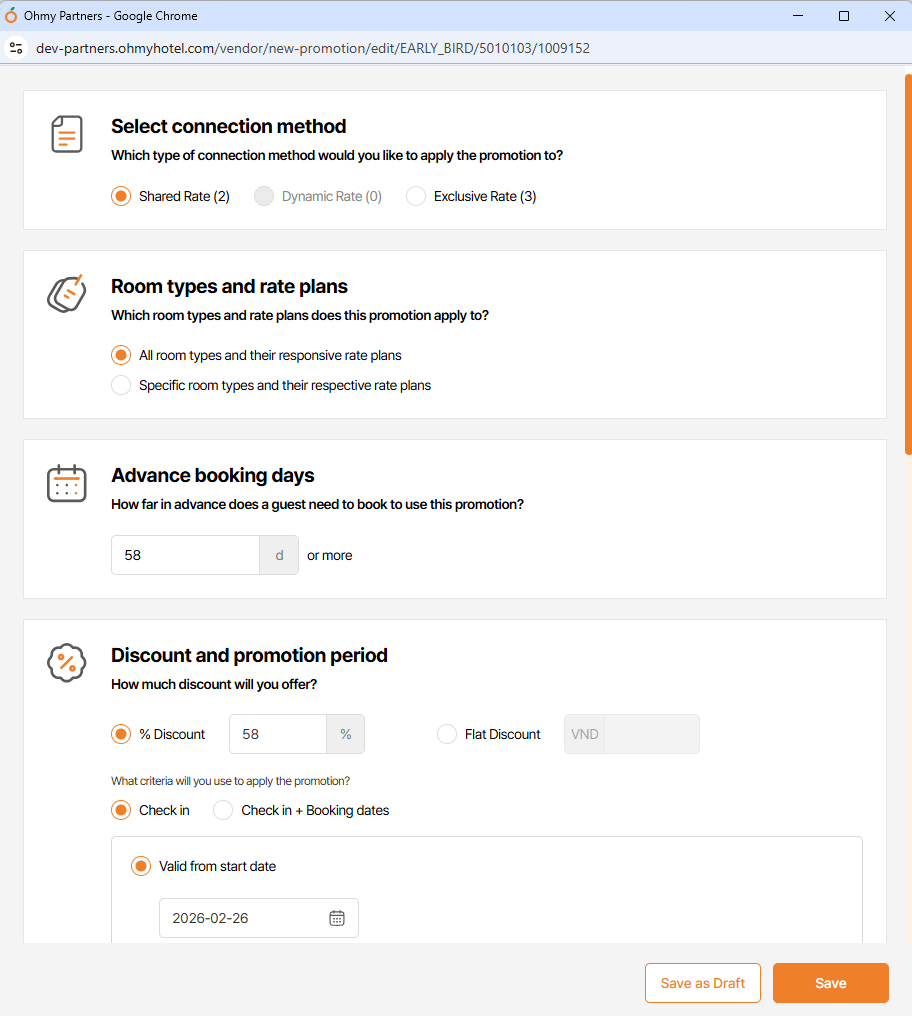
7. Observe 'Select connection method' and Room types and rate plans' sections
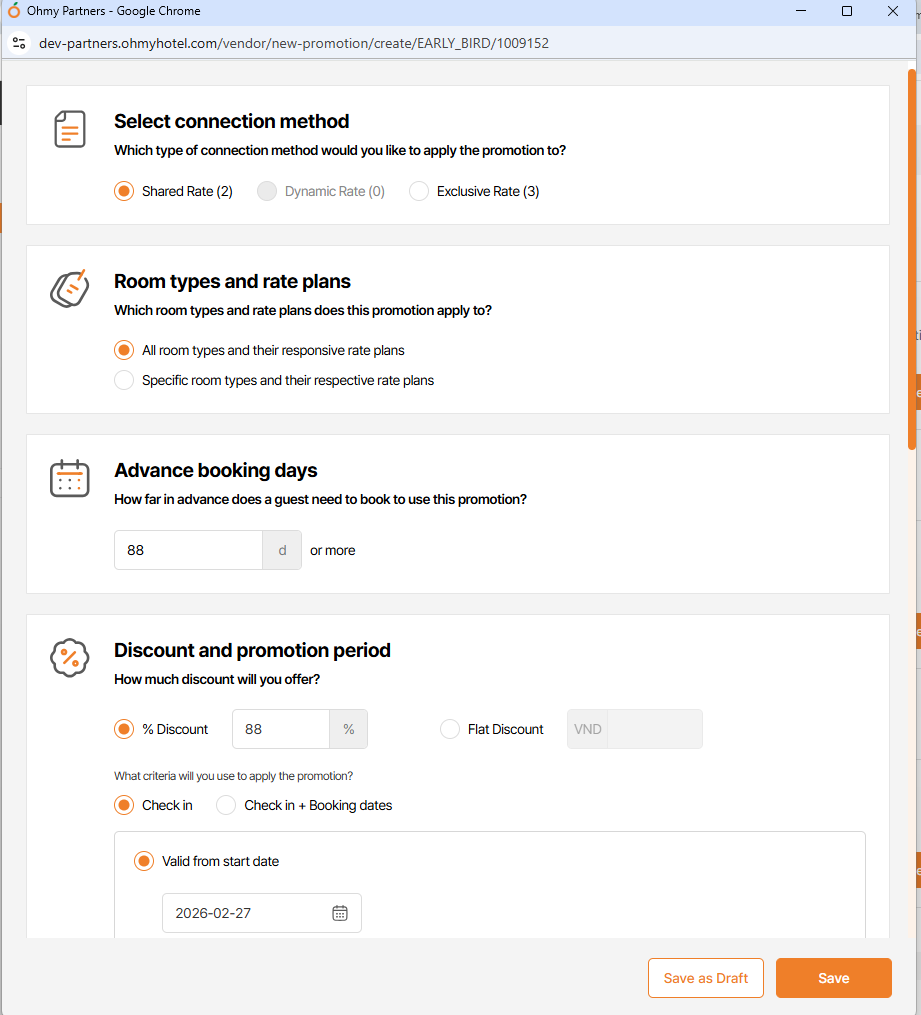
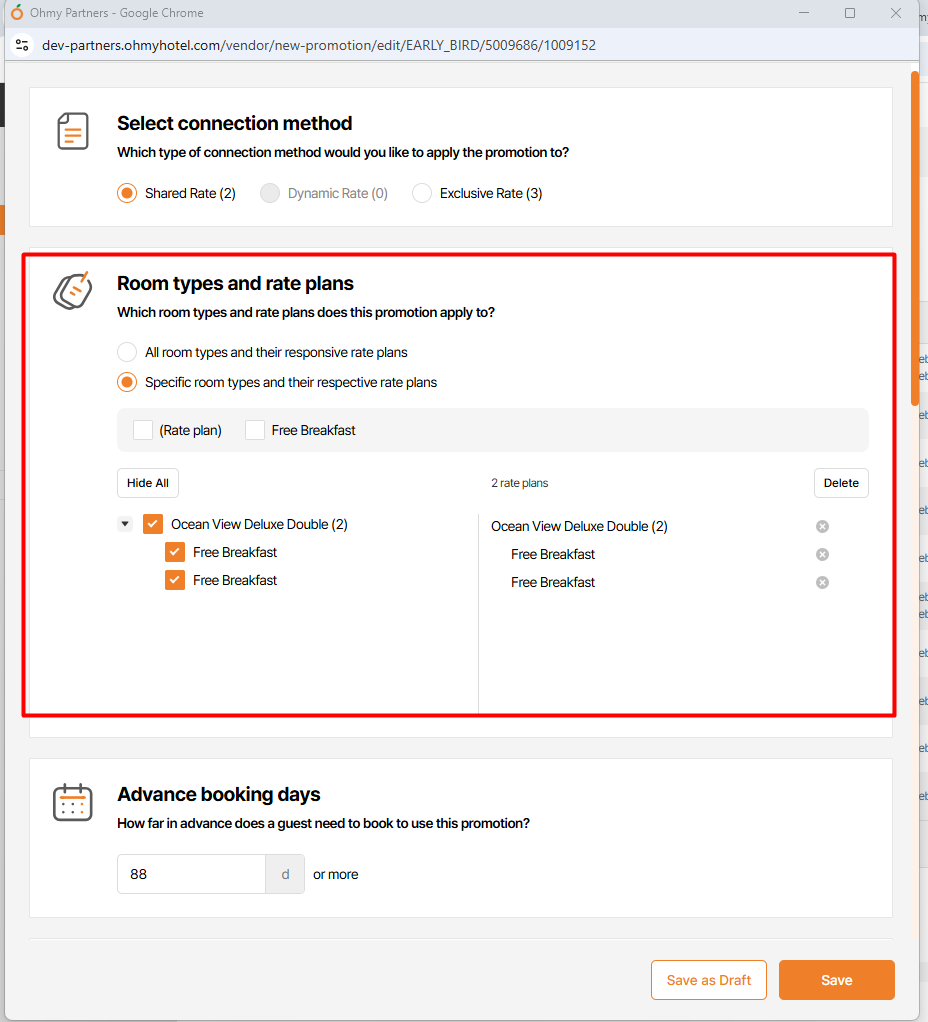
Actual: Auto-selected 'Share Rate' and 'Specific room types...' options
Expected: Keep those options the same
Files
| b03fd3a3-c3f5-4a4e-bda8-0a3573058d5b.mp4 (21.3 MB) b03fd3a3-c3f5-4a4e-bda8-0a3573058d5b.mp4 | |||
| picture008-1.png (135 KB) picture008-1.png | Actual => New Promotion | ||
| picture008-2.png (124 KB) picture008-2.png | Actual => Edit Promotion | ||
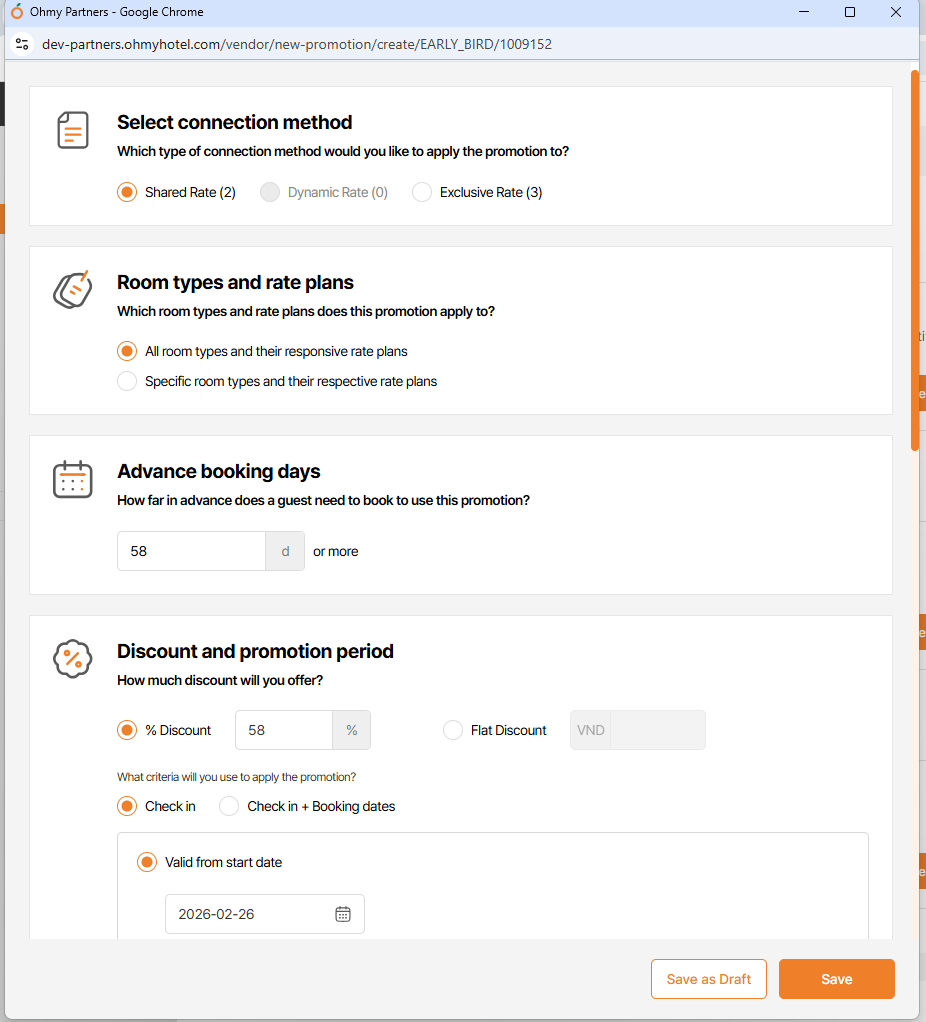
| picture655-1.png (126 KB) picture655-1.png | Actual => New Promotion | ||
| picture655-2.png (122 KB) picture655-2.png | Actual => Edit Promotion | ||
| picture199-1.png (128 KB) picture199-1.png | |||
| picture199-2.png (125 KB) picture199-2.png |
Updated by Holden Dang 27 days ago
- Subject changed from [DEV] View Promotion - to [DEV] View Promotion - 'Share Rate' and 'Specific room types' are auto‑selected on edit Instead of preserving saved settings
Updated by Holden Dang 15 days ago
- File picture655-1.png picture655-1.png added
- File picture655-2.png picture655-2.png added
- Status changed from 완료(Done) to 완료실패(Failed)
- Assignee changed from Holden Dang to Tan Jang
Actual: Auto-selected 'Specific room types and their respective rate plans' option and rate/room plan
Expected: Keep those options the same
Updated by Holden Dang 12 days ago
- File picture199-1.png picture199-1.png added
- File picture199-2.png picture199-2.png added
- Status changed from QA test to 완료(Done)
- Assignee changed from Holden Dang to Tan Jang
Tested on Dev env => Passed