QA #3123
closedQA #3084: [DEV] Promotion_QA test cases
[DEV] Discount and promotion period section - Issue related to text/quick option/day of week/add button
100%
Description
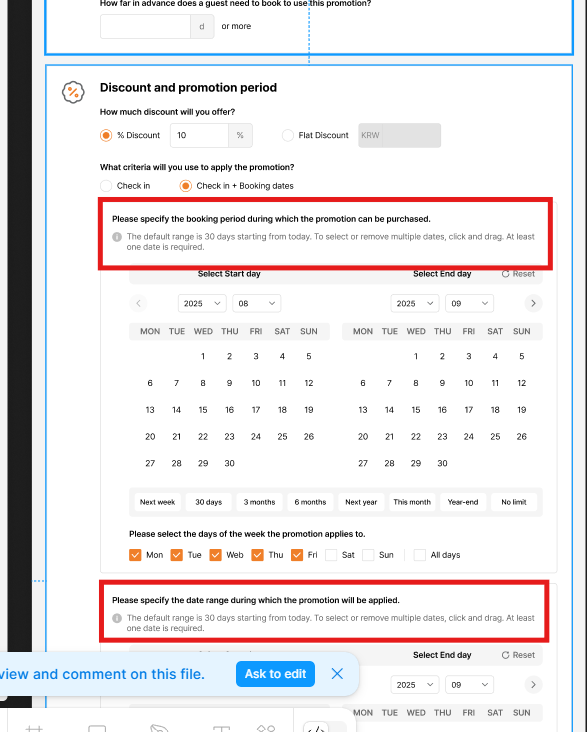
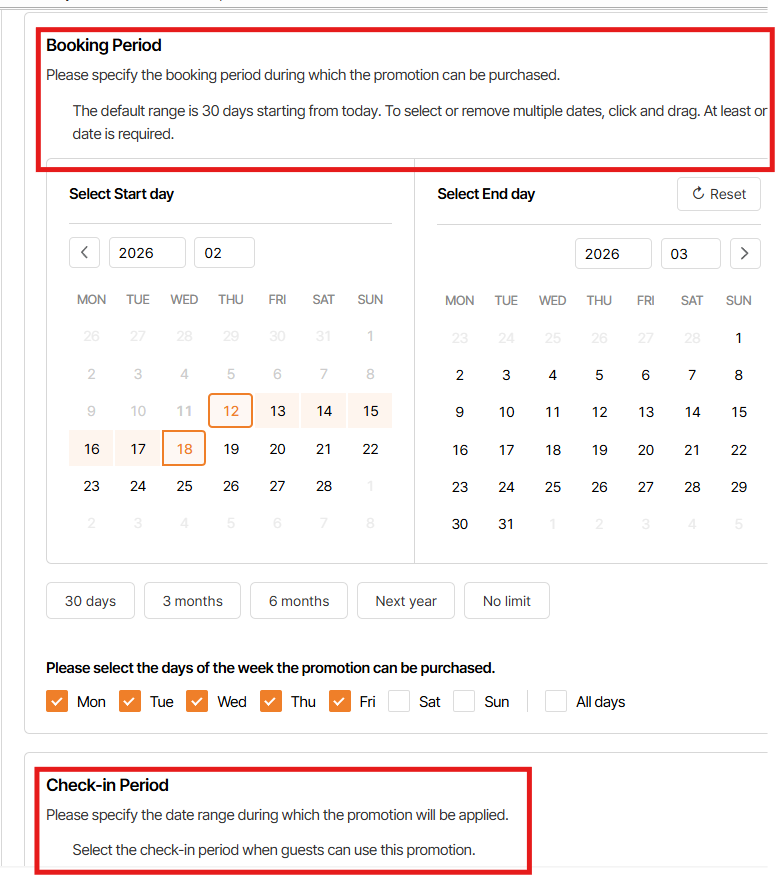
1. Wrong text design
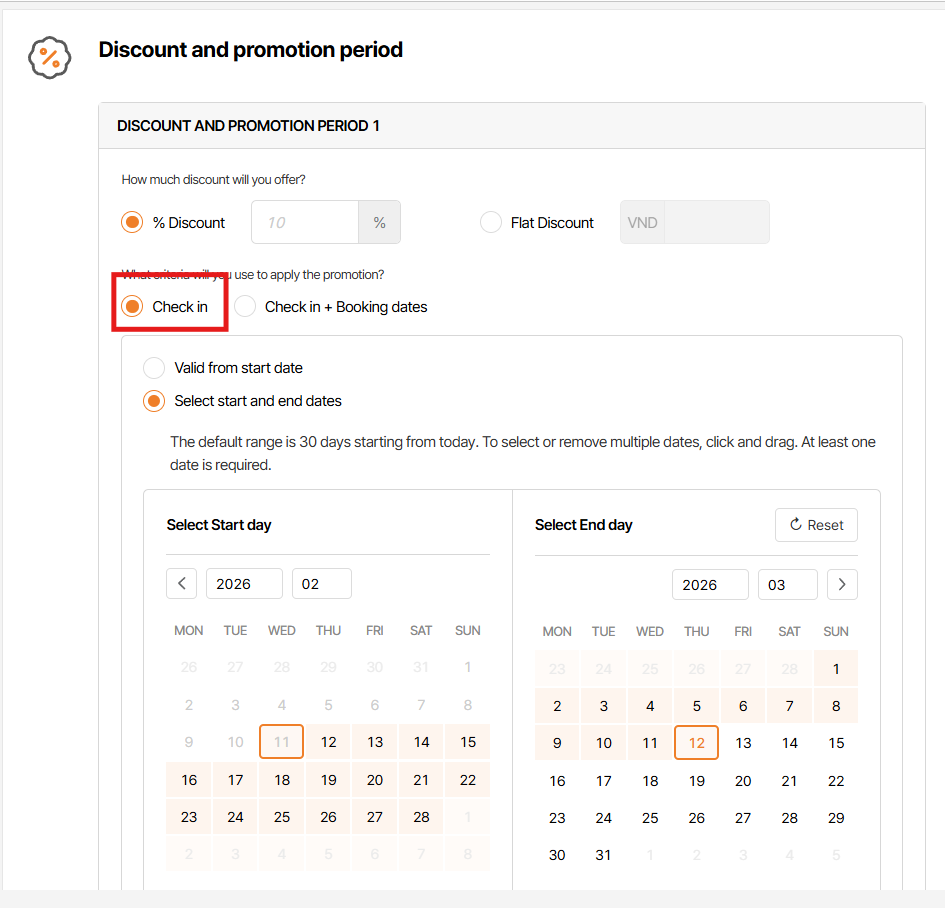
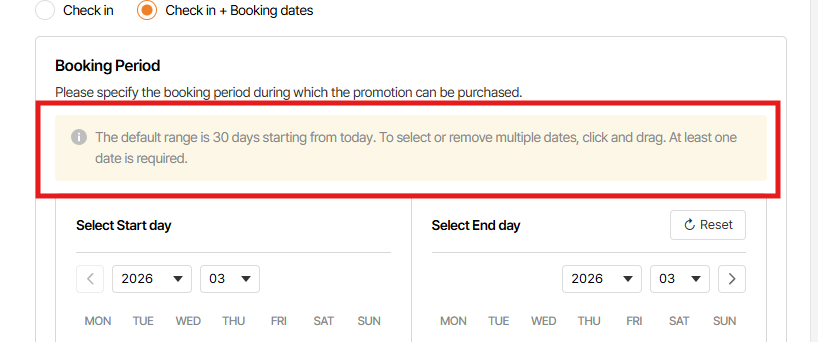
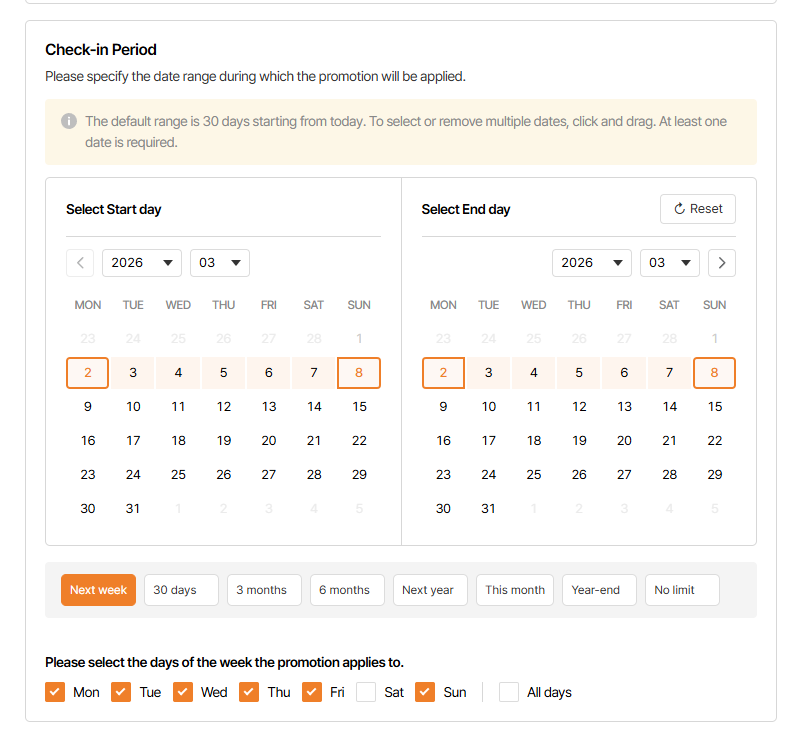
Missing (!) icon before text "The default range is 30 days starting from today...."
Text color of "The default range is 30 days starting from today...." is gray, not black
"Please specify the booking period during which the promotion can be purchased." & "Please specify the date range during which the promotion will be applied." need to be bold
Wrong text in Check-in period
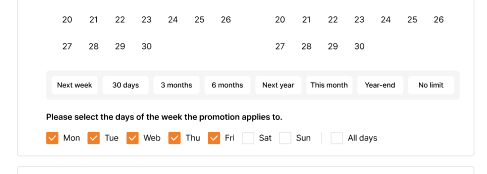
2. Missing gray background under quick button
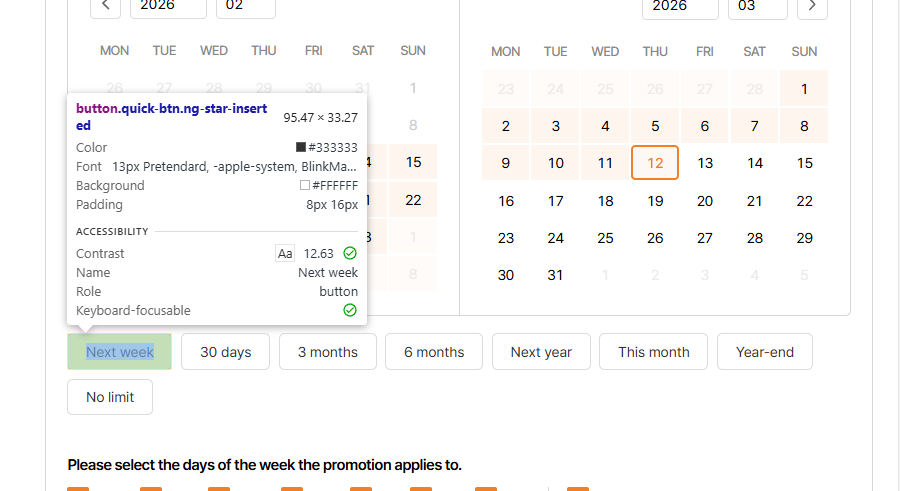
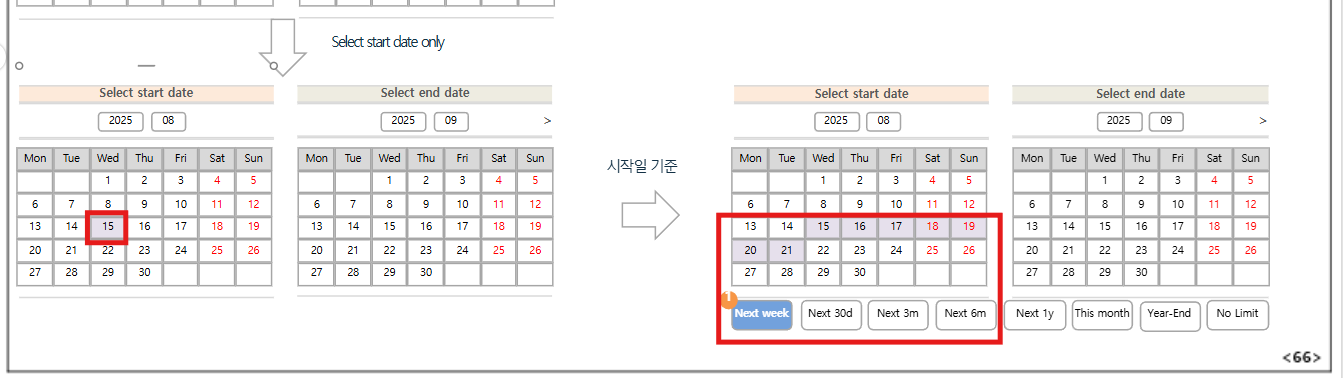
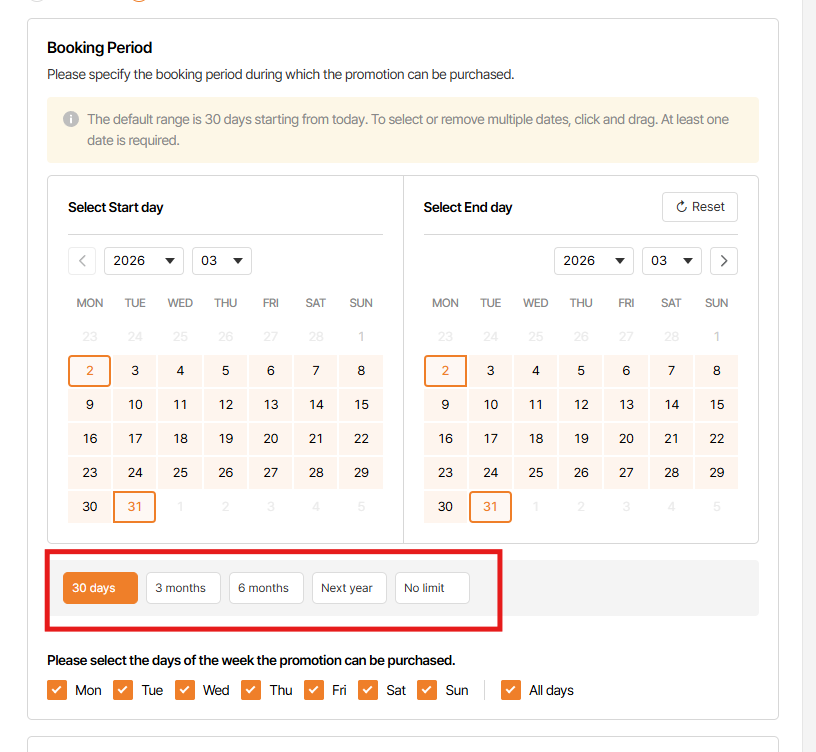
3. Quick button list on Booking period set up is incorrect
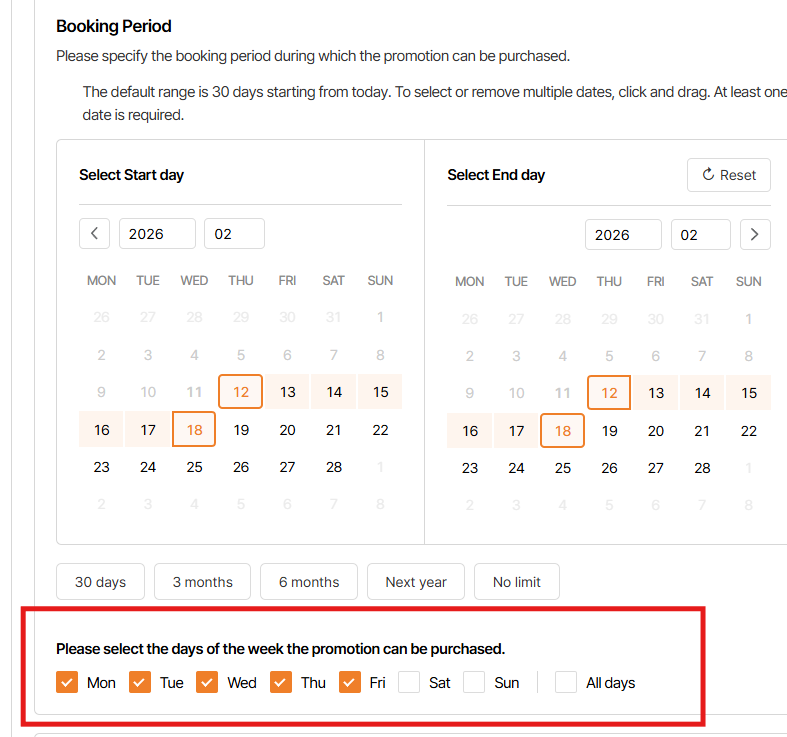
4. Day of week selected all as default, but on Booking period set up is incorrect (current deselect Sat/Sun)
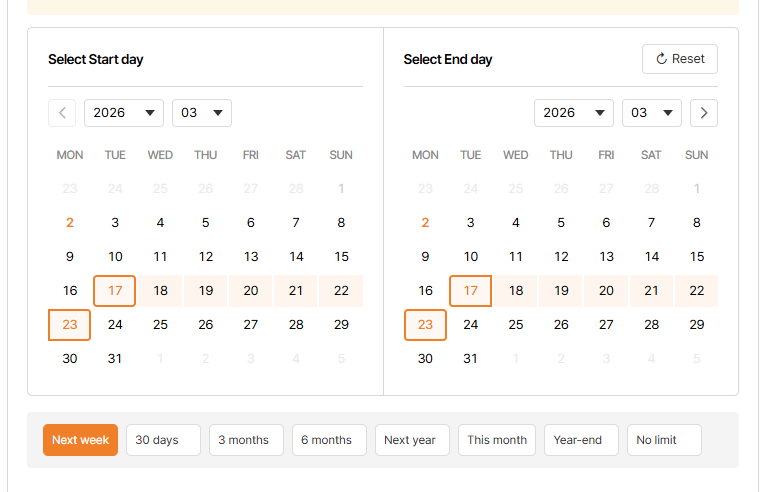
5. Logic of quick button when user reset & select specific date is incorrect
Requirement: End date will be automatically selected more days based on selected start date
Current: regardless specific start date that user is selected, when click quick button, End date still automatically selected more days based on current date
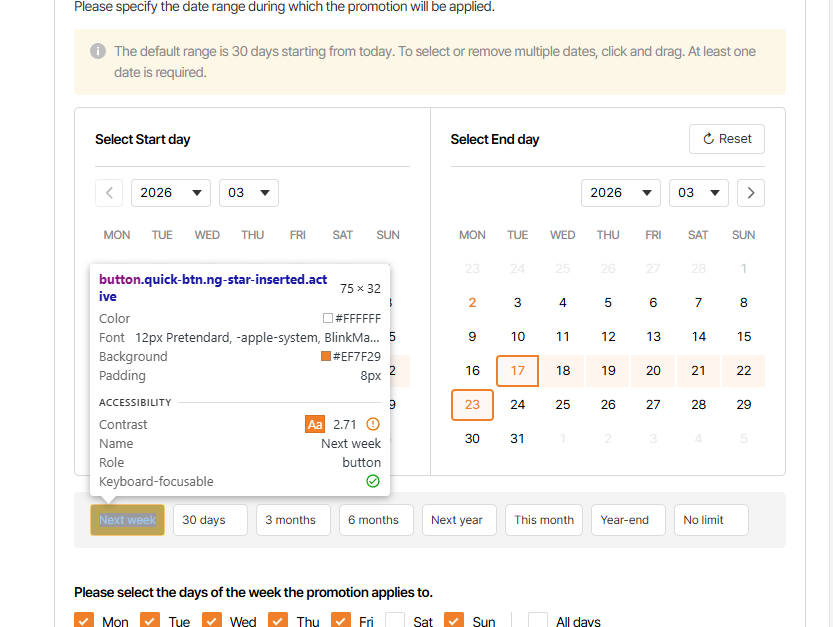
6. As design, quick option text sz is 12px & all option display on 1 line
7. Next week option incorrect
as requirement, End date will be automatically selected more 6 days based on start date
current, system select the next week of current week
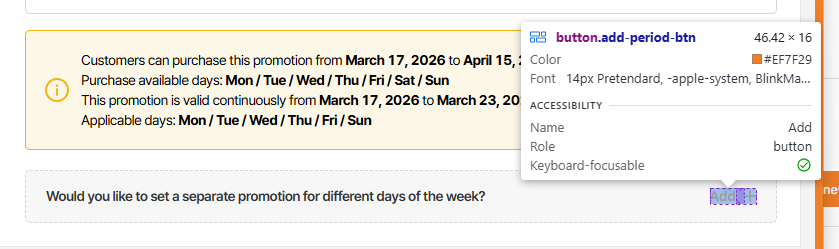
8. Design of Add period field incorrect
"Add +" button :as design: text sz is 14px, style semibold, text color is orange (#EF7F29)
Background need to change to light orange (#FFF4EC) & orange border (#EF7F29)
Text "Would you like to set a separate promotion for different days of the week?" font weight need to change to 500
9. Selected day of week on Period 1 & all button must be disable on Period 2
10. Begin select Check in + Booking dates on Period 1 > click add button > delete added period >change to select Check in option > Click add button > on Period 2, Check in + Booking dates is selected as default
=> Option on period 2 need to be selected base on Period 1 that is selected when user click add button
11. When click add period & after that delete all added period, title DISCOUNT AND PROMOTION PERIOD 1 need to be hidden
Files