QA #3122
closedQA #3084: [DEV] Promotion_QA test cases
[DEV] Discount and promotion period section - Issue related to Calendar
100%
Description
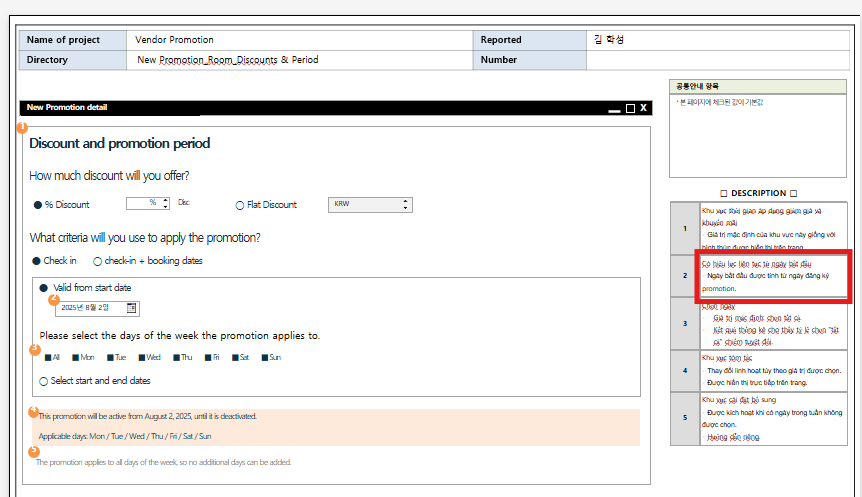
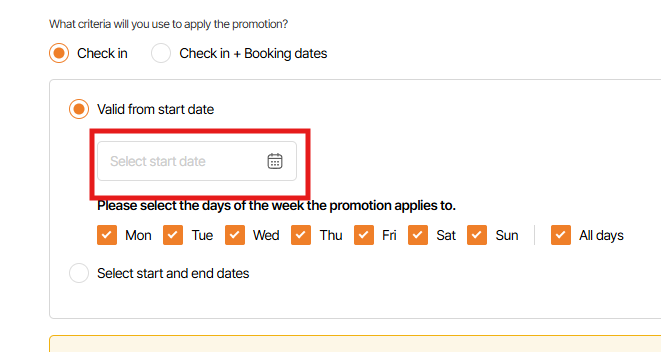
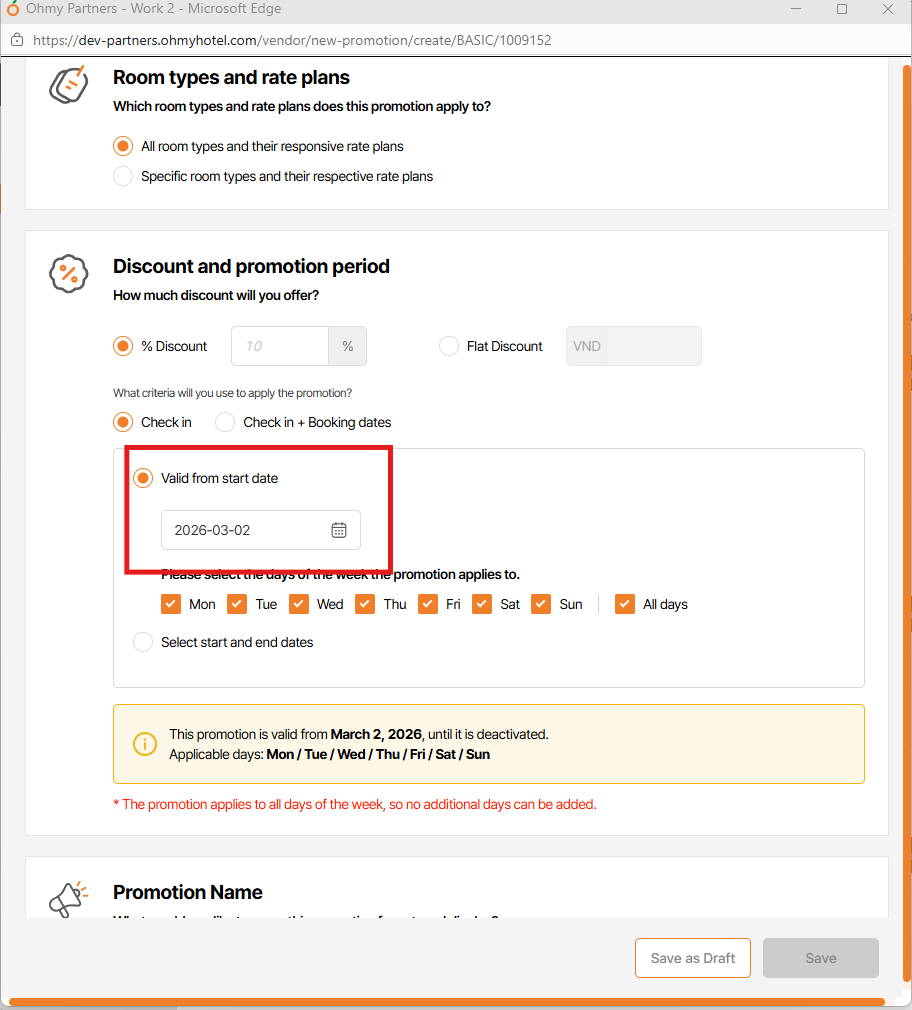
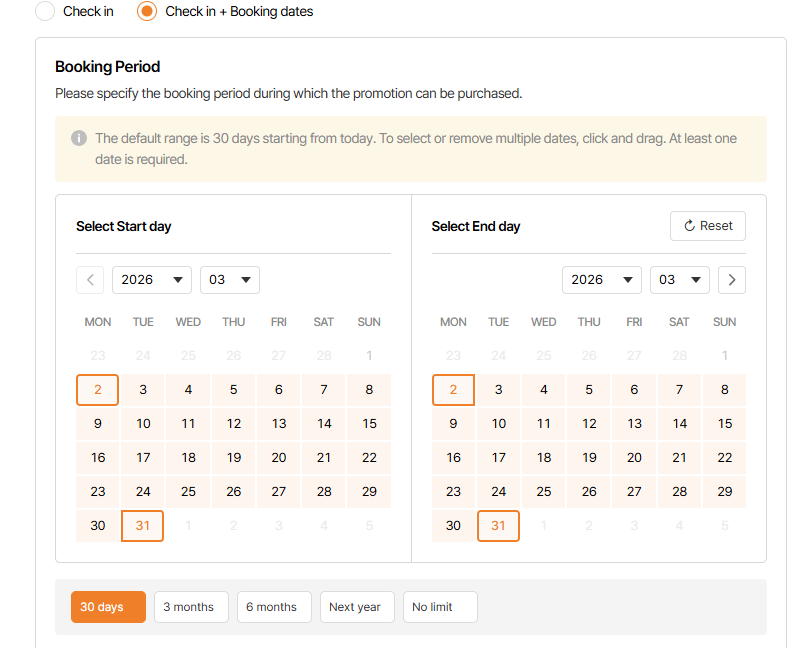
1. Date field is not auto input create promotion date
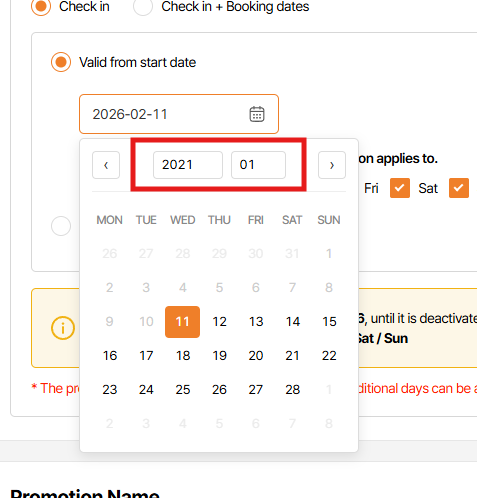
=> Set default is create promotion date & user can change date on calendar
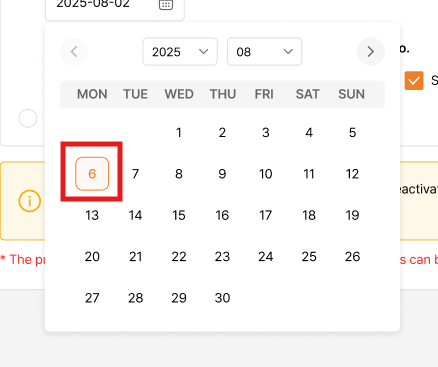
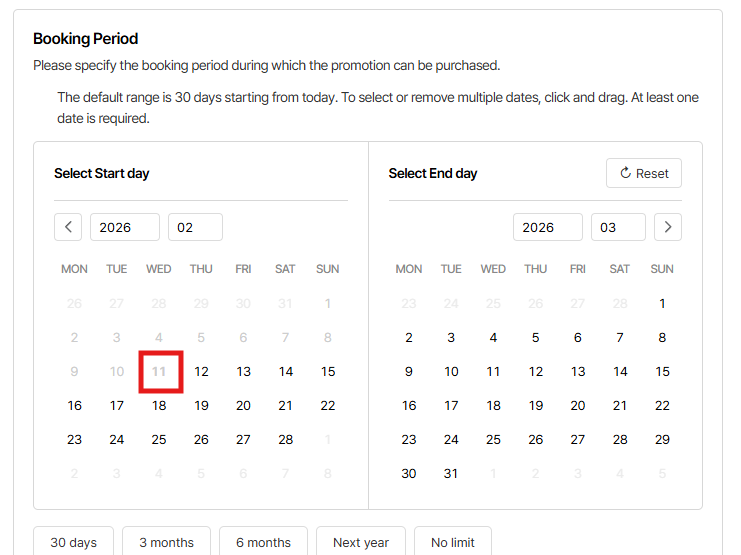
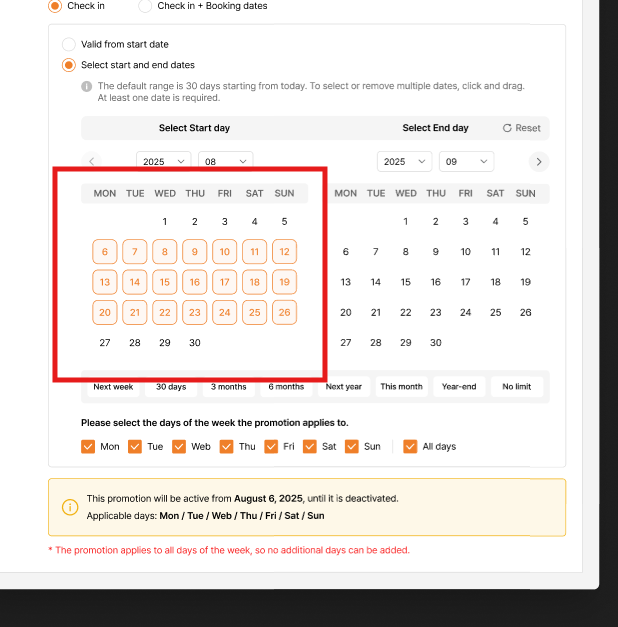
2. Selected day design incorrect
=> change as design
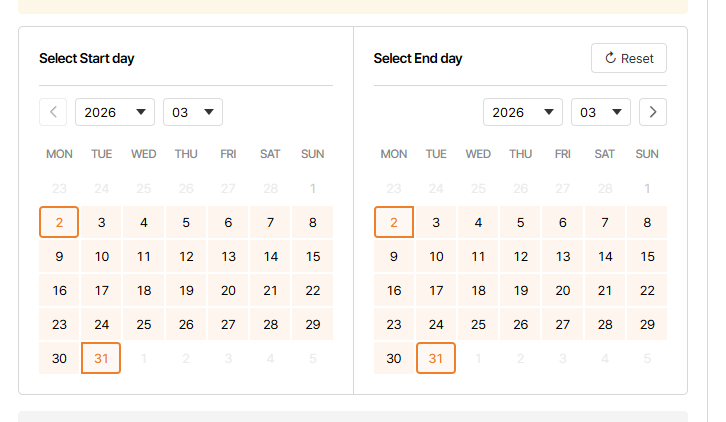
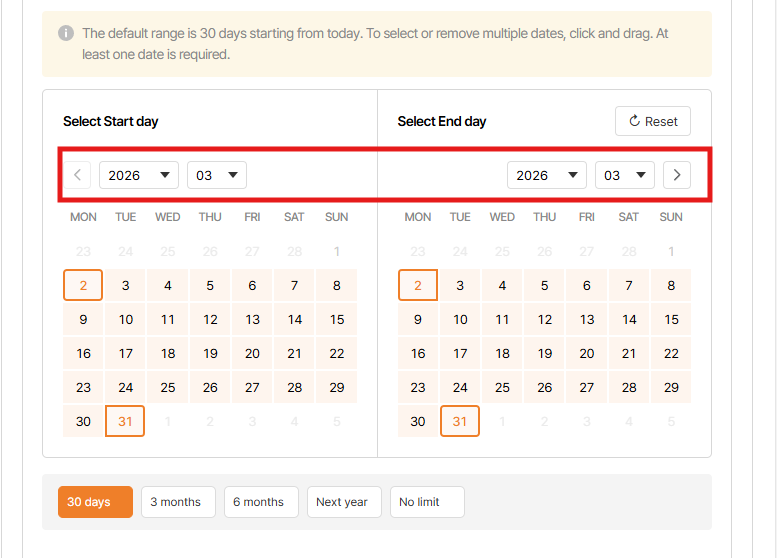
3. When stay at current month, back button on calendar will be disable or hidden . Currently, this button still activate
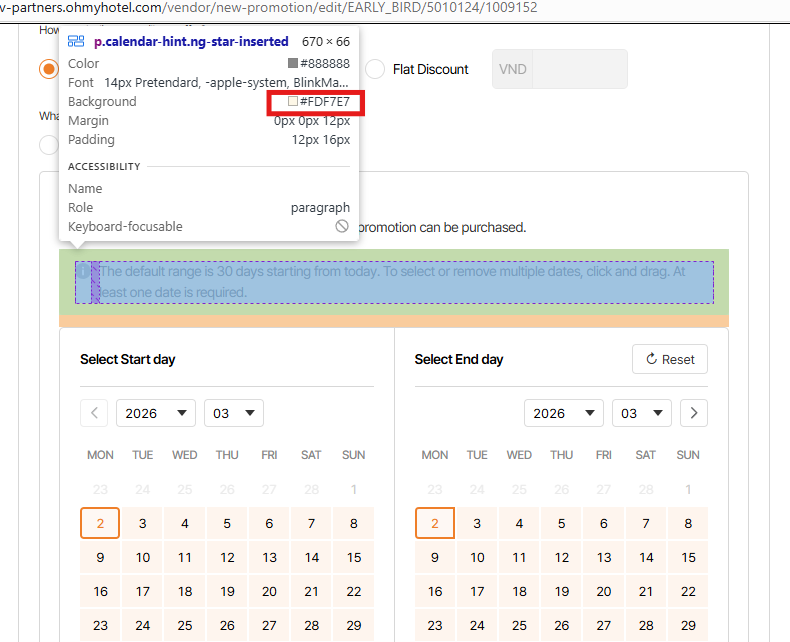
4. Wrong color in Summary field
design is #F1B212
as is #FDF7E7
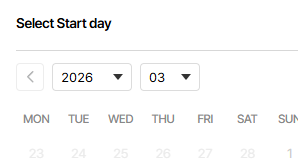
5. Misisng arrow on Year/MOnth dropdown box
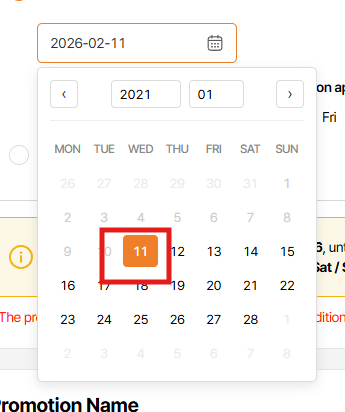
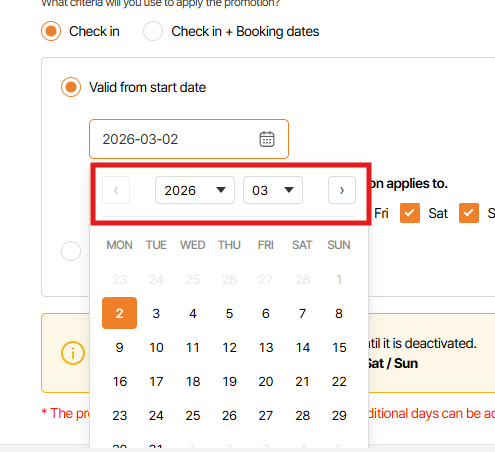
6. Year/Month dropdown box on calendar not display current year & month (when select Valid from start date option)
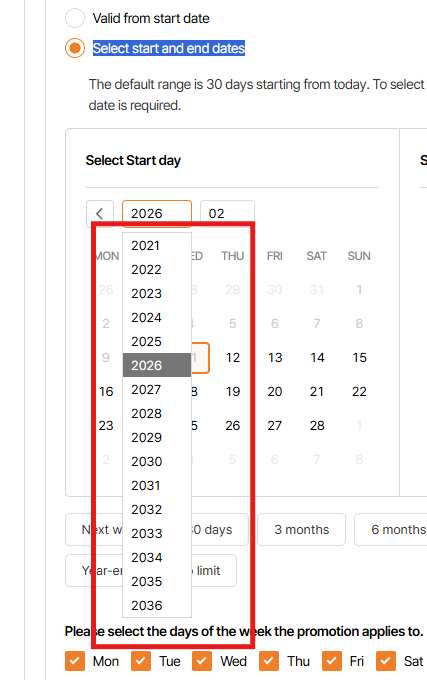
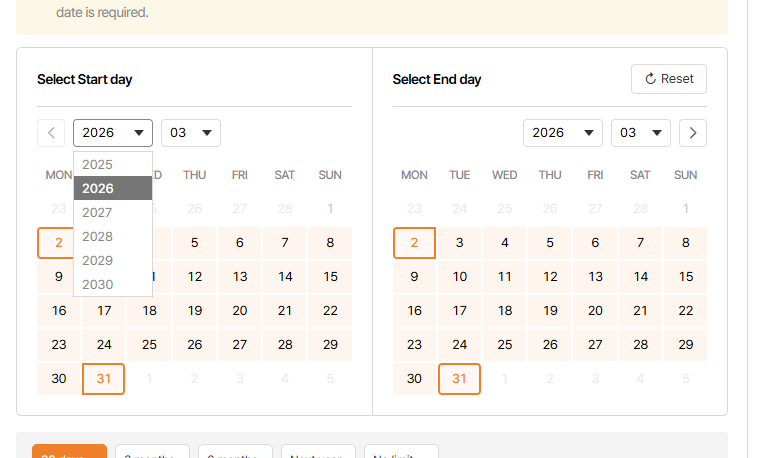
7. Year dropdown display incorrect
Year dropdown display 1 years before current year - current year - 4 year after current year => total 6 years displays
E.g current year is 2026, dropdown need to display 2025,2026,2027,2028,2029,2030
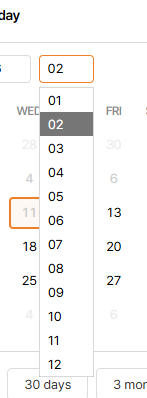
8. Month dropdown display incorrect
On Select start date field: Month dropdown display 1 month before current month - current month - 4 month after current month => total 6 months displays
On Select end date field: Month dropdown display current month - 5 month after current month => total 6 months displays
E.g: current month is 02,
start date dropdown need to display 01,02,03,04,05,06
end date dropdown need to display 02,03,04,05,06,07
9. Selected Year/Month on dropdown list is incorrect
As requirement, Only selected year/month is black, other month/year is gray
10. When Check in + Booking dates is selected, on Booking Period, can not select start date is current date
11. Can not deselect date on calendar
Files
| picture229-1.png (80.1 KB) picture229-1.png | |||
| picture229-2.png (34.7 KB) picture229-2.png | |||
| picture229-3.png (30.7 KB) picture229-3.png | Design | ||
| picture229-4.png (30.4 KB) picture229-4.png | As is | ||
| picture229-5.png (46 KB) picture229-5.png | |||
| picture229-6.png (63.7 KB) picture229-6.png | |||
| picture229-7.png (13.7 KB) picture229-7.png | |||
| picture229-8.png (66.8 KB) picture229-8.png | |||
| picture712-1.png (127 KB) picture712-1.png | |||
| picture712-2.png (89.3 KB) picture712-2.png | design | ||
| picture712-3.png (43.1 KB) picture712-3.png | system | ||
| picture712-4.png (10.3 KB) picture712-4.png | |||
| picture712-5.png (90.5 KB) picture712-5.png | |||
| picture712-6.png (63 KB) picture712-6.png | |||
| picture712-7.png (47 KB) picture712-7.png | |||
| picture712-8.png (50.9 KB) picture712-8.png | |||
| picture712-9.png (77.8 KB) picture712-9.png |