Actions
QA #3091
closedQA #3084: [DEV] Promotion_QA test cases
[DEV] Edit button work incorrectly
Start date:
02/12/2026
Due date:
02/12/2026
% Done:
100%
Estimated time:
4.00 h
Build env.:
Dev
Description
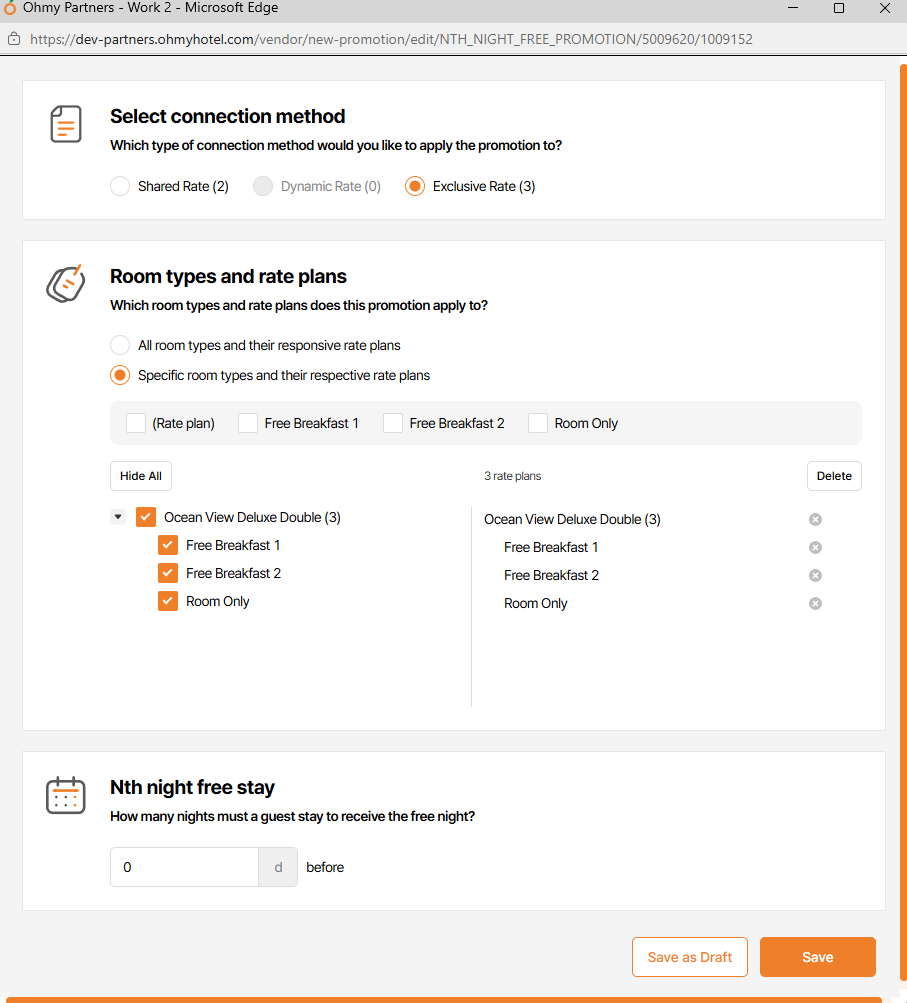
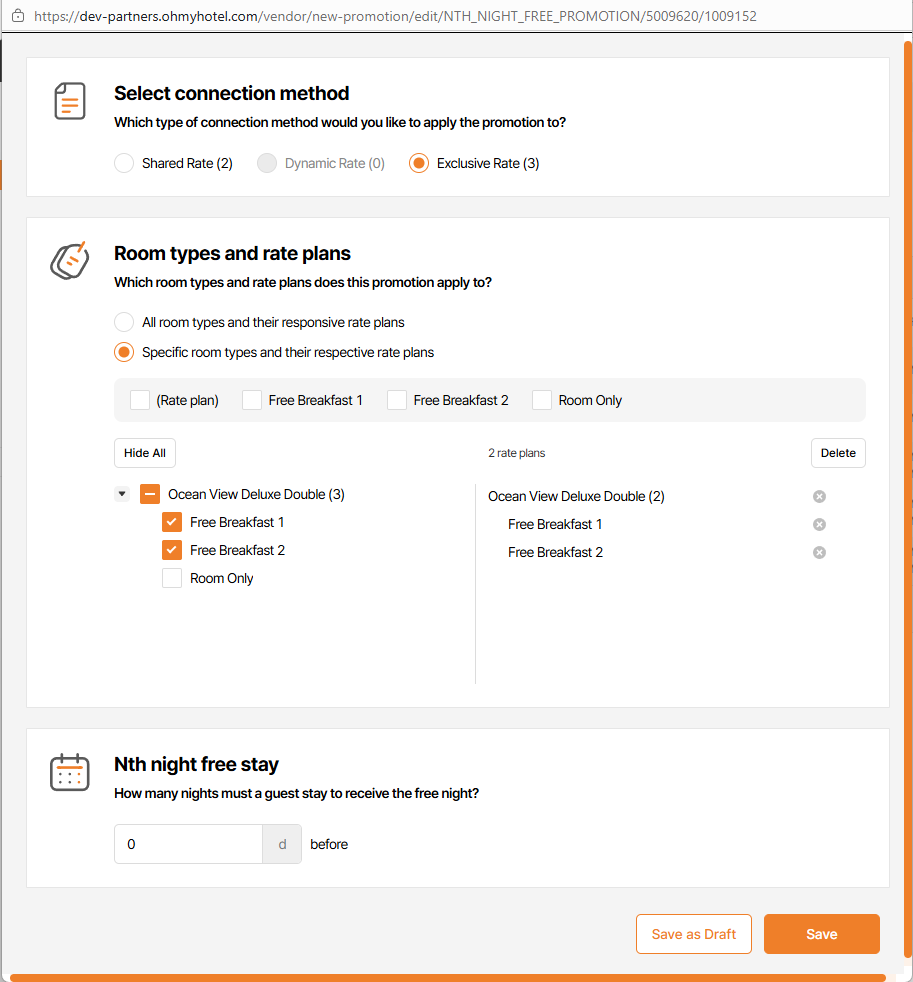
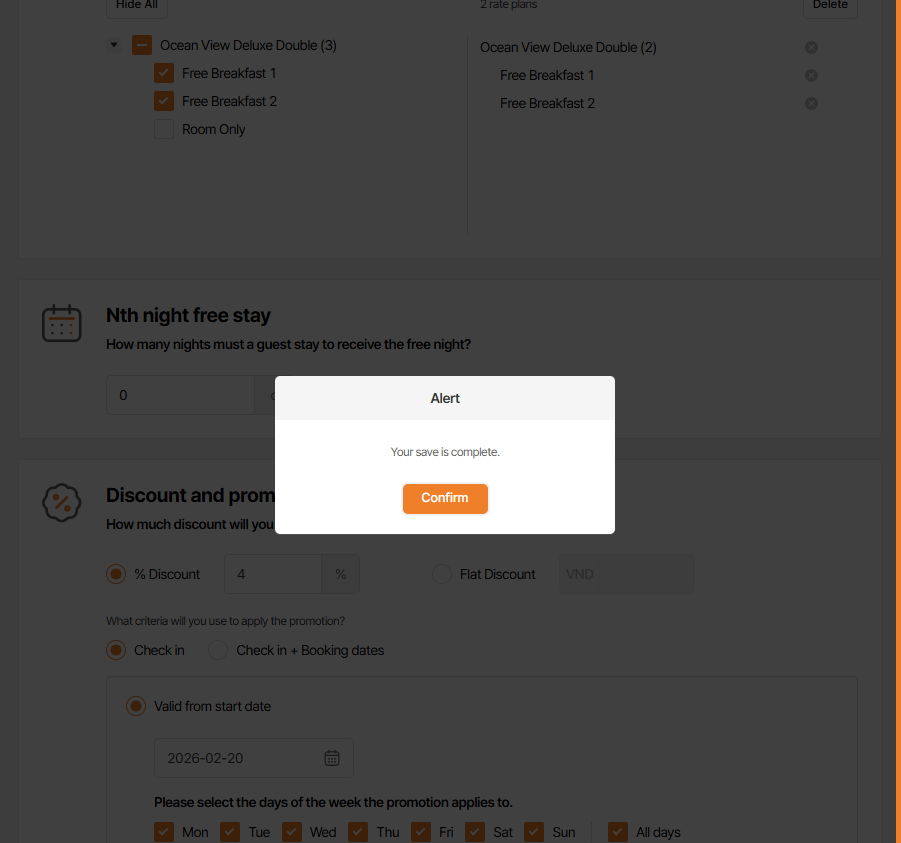
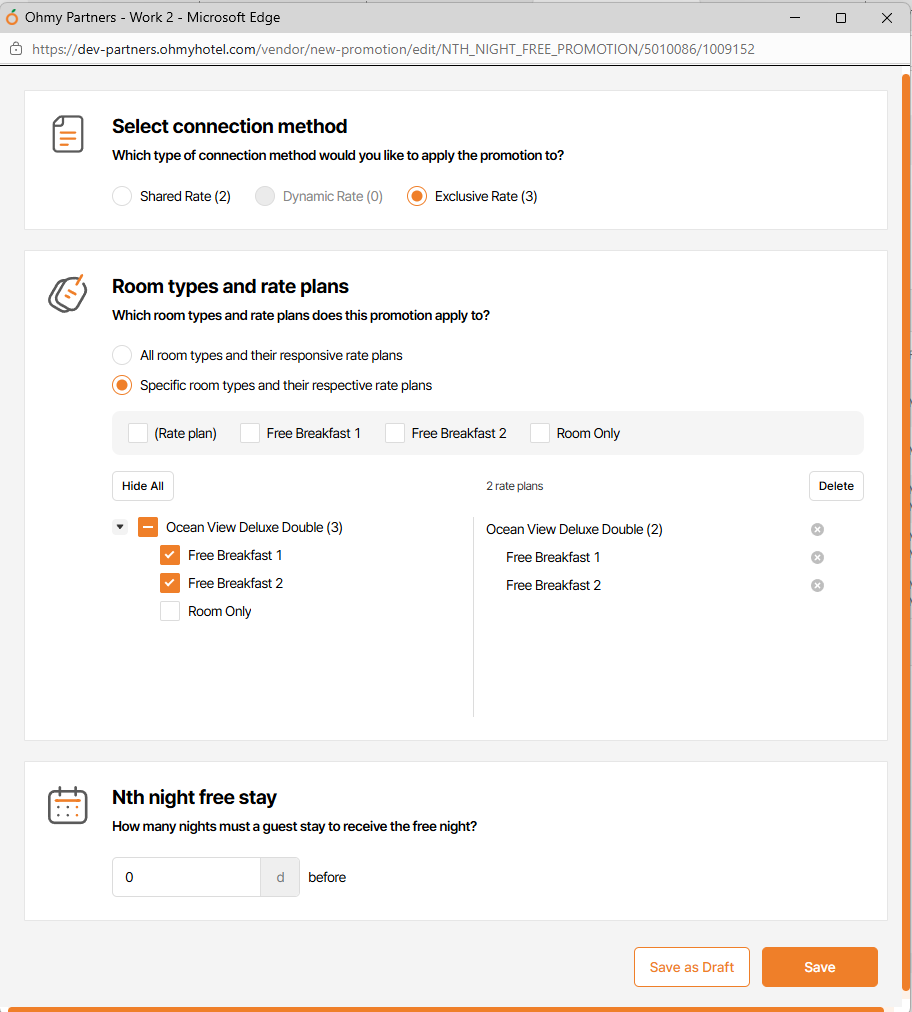
1. Unselected 1 Room Types and Rate Plans > save > alert save success but room type & rate plan keep as current
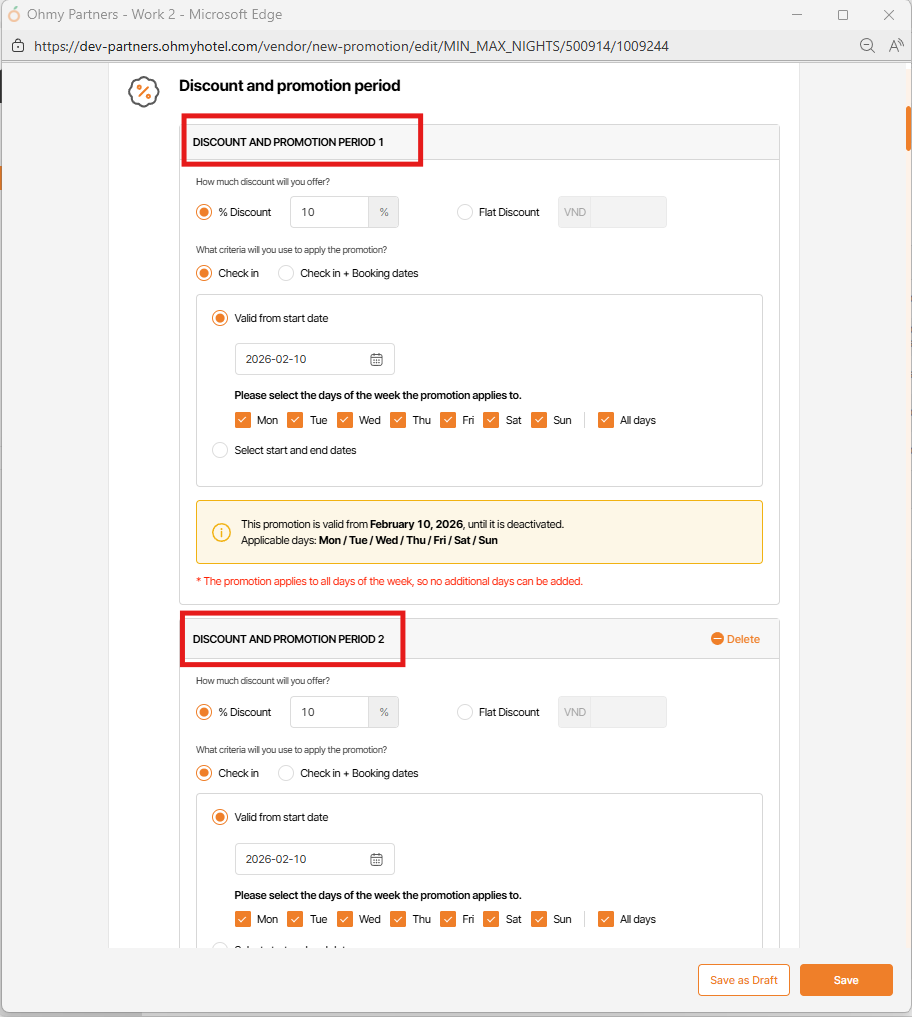
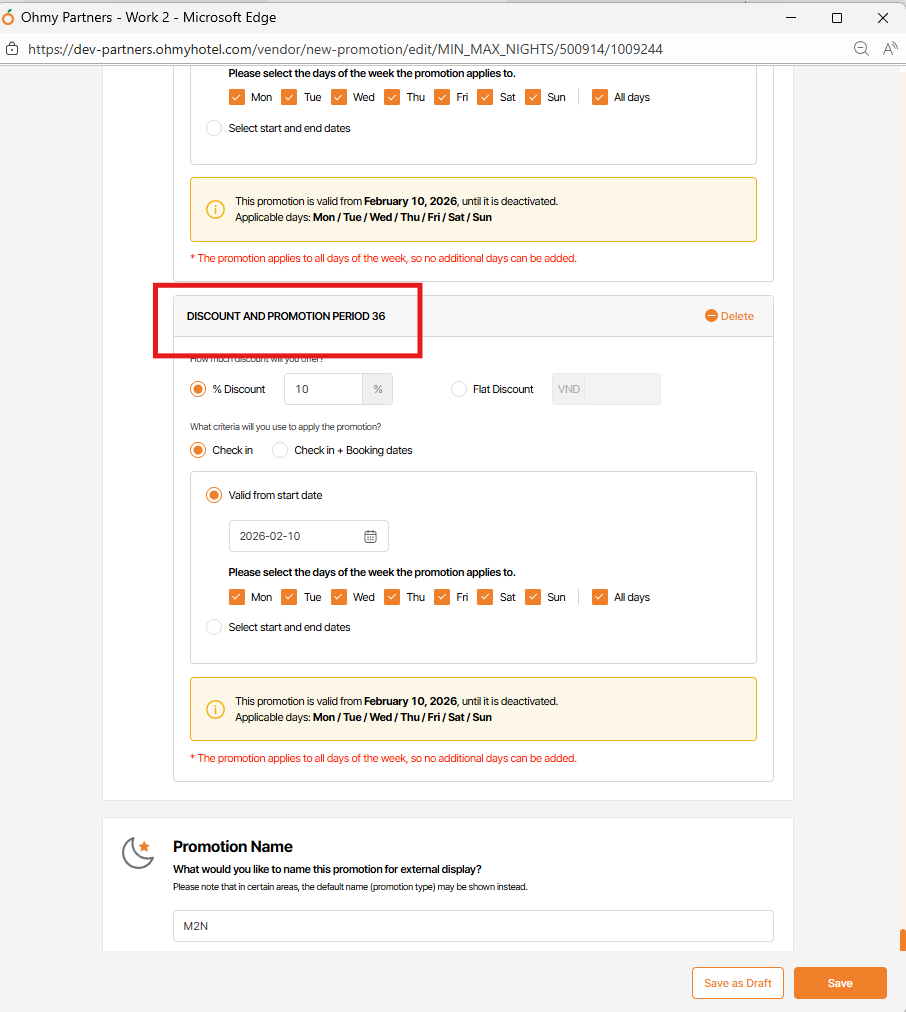
2. Per "Edit button" is click & Save, it's add more DISCOUNT AND PROMOTION PERIOD section with same date information (this issue happen when select at least 2 rate plans)
Files
| Ohmy Partners and 5 more pages - Work 2 - Microsoft Edge 2026-02-09 15-21-35.mp4 (47.2 MB) Ohmy Partners and 5 more pages - Work 2 - Microsoft Edge 2026-02-09 15-21-35.mp4 | |||
| 0ac38aef-982b-422c-b224-8260cde04016.webm (3.84 MB) 0ac38aef-982b-422c-b224-8260cde04016.webm | Unselected 1 Room Types and Rate Plans > save > alert save success but room type & rate plan keep as current | ||
| picture964-1.png (114 KB) picture964-1.png | |||
| picture964-2.png (121 KB) picture964-2.png | |||
| picture279-1.png (112 KB) picture279-1.png | default state | ||
| picture279-2.png (109 KB) picture279-2.png | |||
| picture279-3.png (84.1 KB) picture279-3.png | |||
| picture279-4.png (113 KB) picture279-4.png | updated |
Actions