QA #2716
closed
QA #1843: [STAG] New Cancellation - QA Test cases
QA #1844: ADMIN
QA #1846: Hotel Plan Master
QA #2240: [Cancellation tab] Hotel, List, Summary, New/Modify/Add/Delete btn, Confirm popup
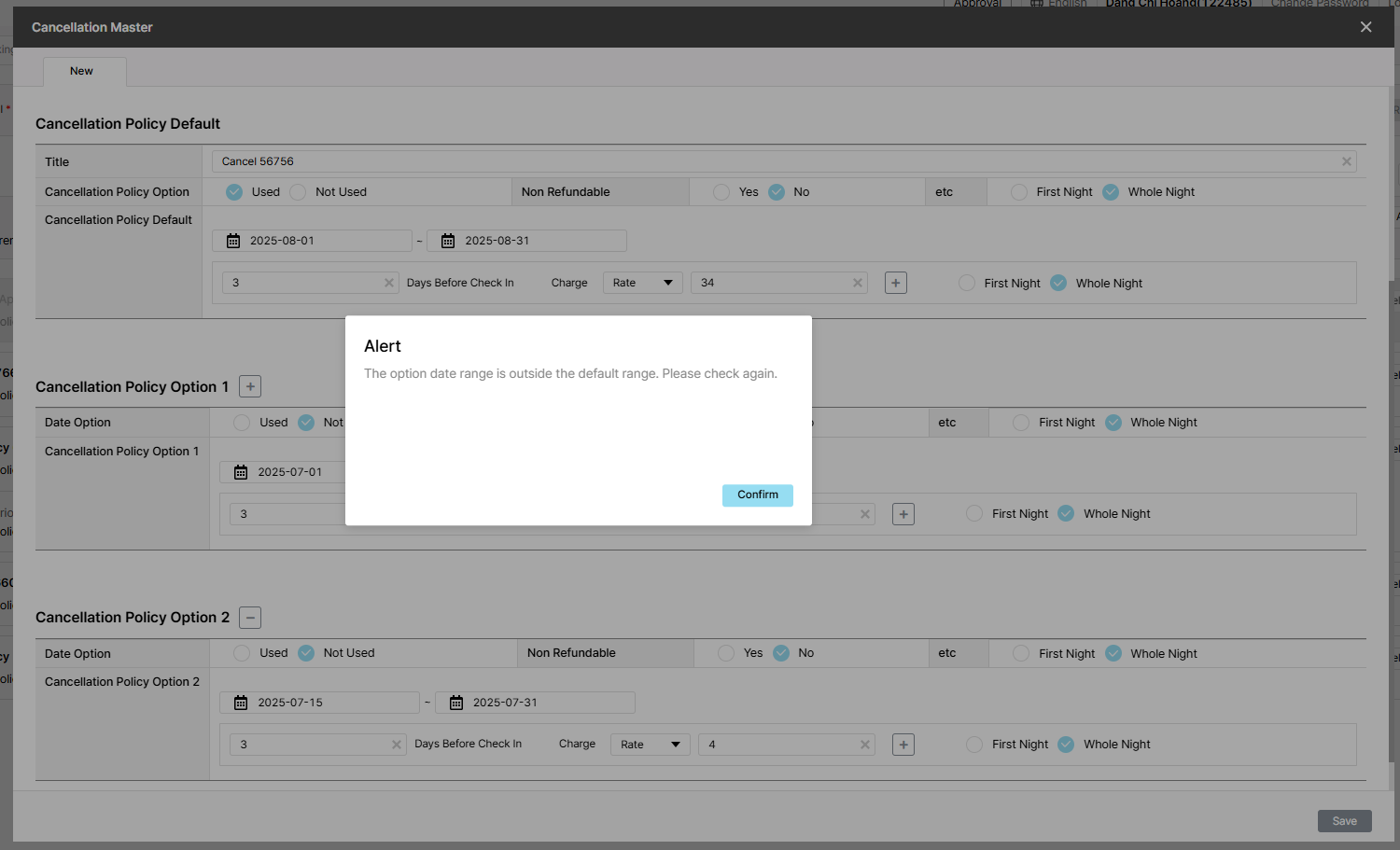
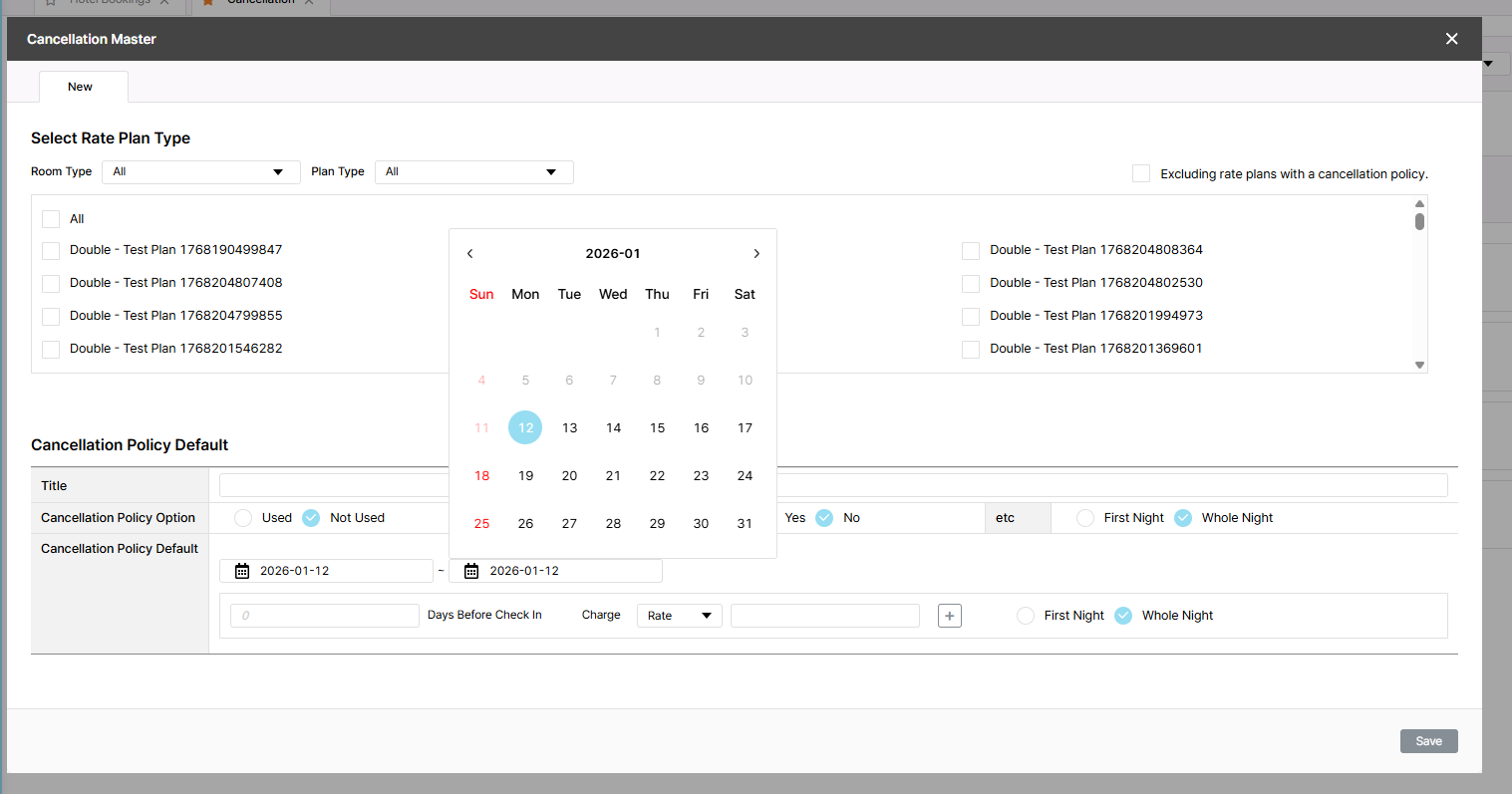
[Cancellation - New] Incorrectly message is displayed when period options overlap
Added by Holden Dang 3 months ago.
Updated about 2 months ago.
Description
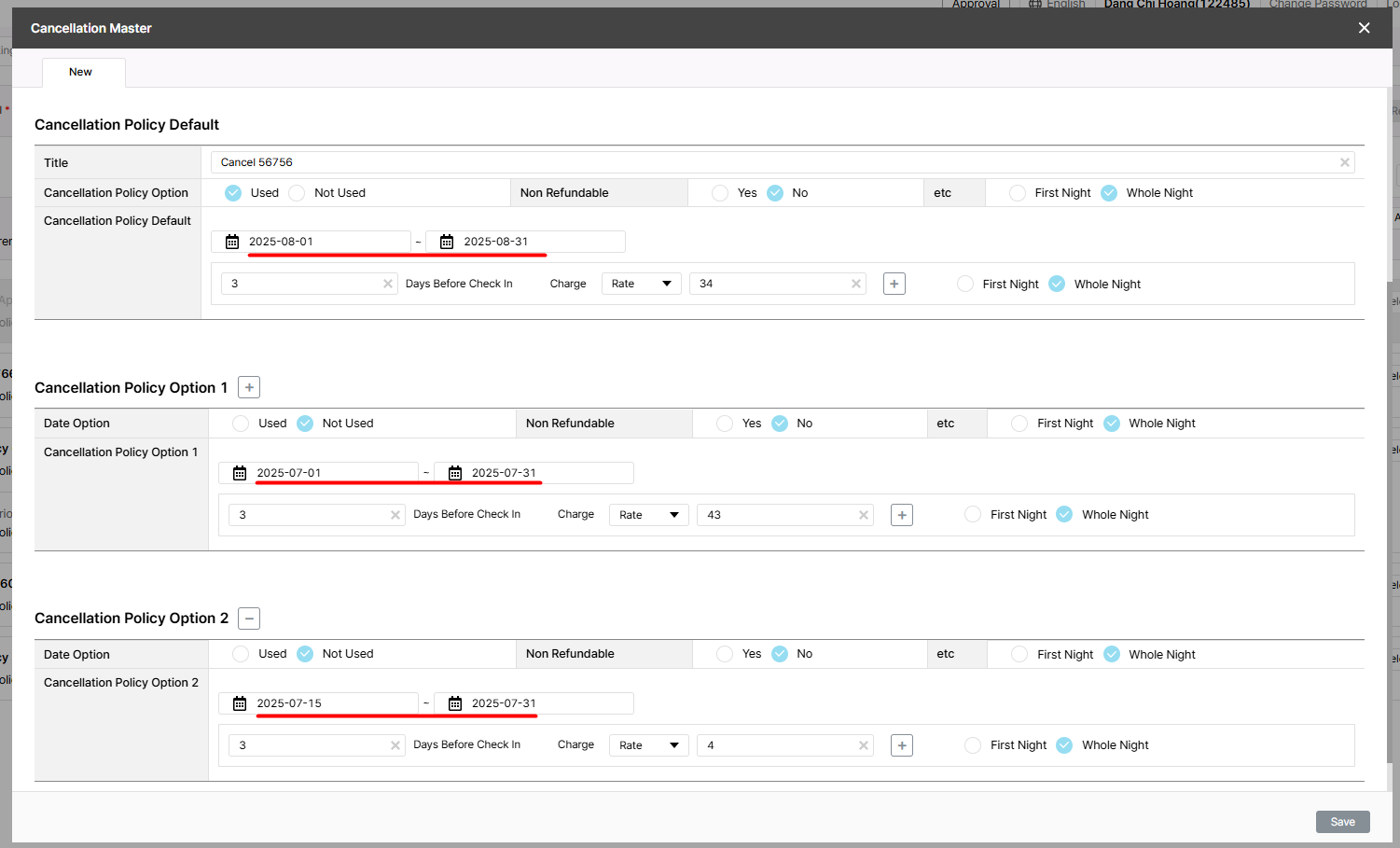
Pre=condition:
- Admin is logged in
- Hotel and Rate Type data exist in the system
- Navigate to the Cancellation tab
Steps:
1. Search for a hotel
2. Click New button
3. Select Room/Rate type
4. Select Used radio button
5. Enter Default: 25-08-01~25-08-31
6. Enter all required fields
7. Enter Option 1: 25-07-01~25-07-31
8. Enter all required fields
9. Enter Option 1: 25-07-15~25-07-31
10.Enter all required fields
11. Click Save
Actual result: Alert "The option date range is outside the default range. Please check again."
Expected result: Alert 'Duplicate dates exist within option period. Please check again.'
Files
Expected result: Alert: "Duplicate dates exist within option period. Registration not possible. Please check again."
- Assignee changed from Joseph Vo to Dan Hoang
- Assignee changed from Dan Hoang to Tan Jang
- Status changed from 신규(New) to 피드백(Feedback)
- Assignee changed from Tan Jang to Holden Dang
case này Default: 25-08-01 mà Option 1: 25-07-01 thì báo outside là đúng rồi.
- Assignee changed from Holden Dang to ziniy Kang
Hi Mr. @HYUNAH KANG (ZINIY),
In this case, I created this task based on a previous test case, so there is no alert in the requirement/document. Please review the alert to understand the team’s plan. Thanks.
- Status changed from 피드백(Feedback) to 진행(Doing)
- Assignee changed from ziniy Kang to Tan Jang
Pls change text: 'Duplicate dates exist within option period. Please check again.'
- Due date set to 01/07/2026
- Status changed from 진행(Doing) to 완료(Done)
- Start date set to 01/07/2026
- % Done changed from 0 to 100
- Estimated time set to 1.00 h
- Status changed from 완료(Done) to QA test
- Assignee changed from Tan Jang to Holden Dang
- Build env. set to Dev
Failed. Please fix it again. Thank you for your help.
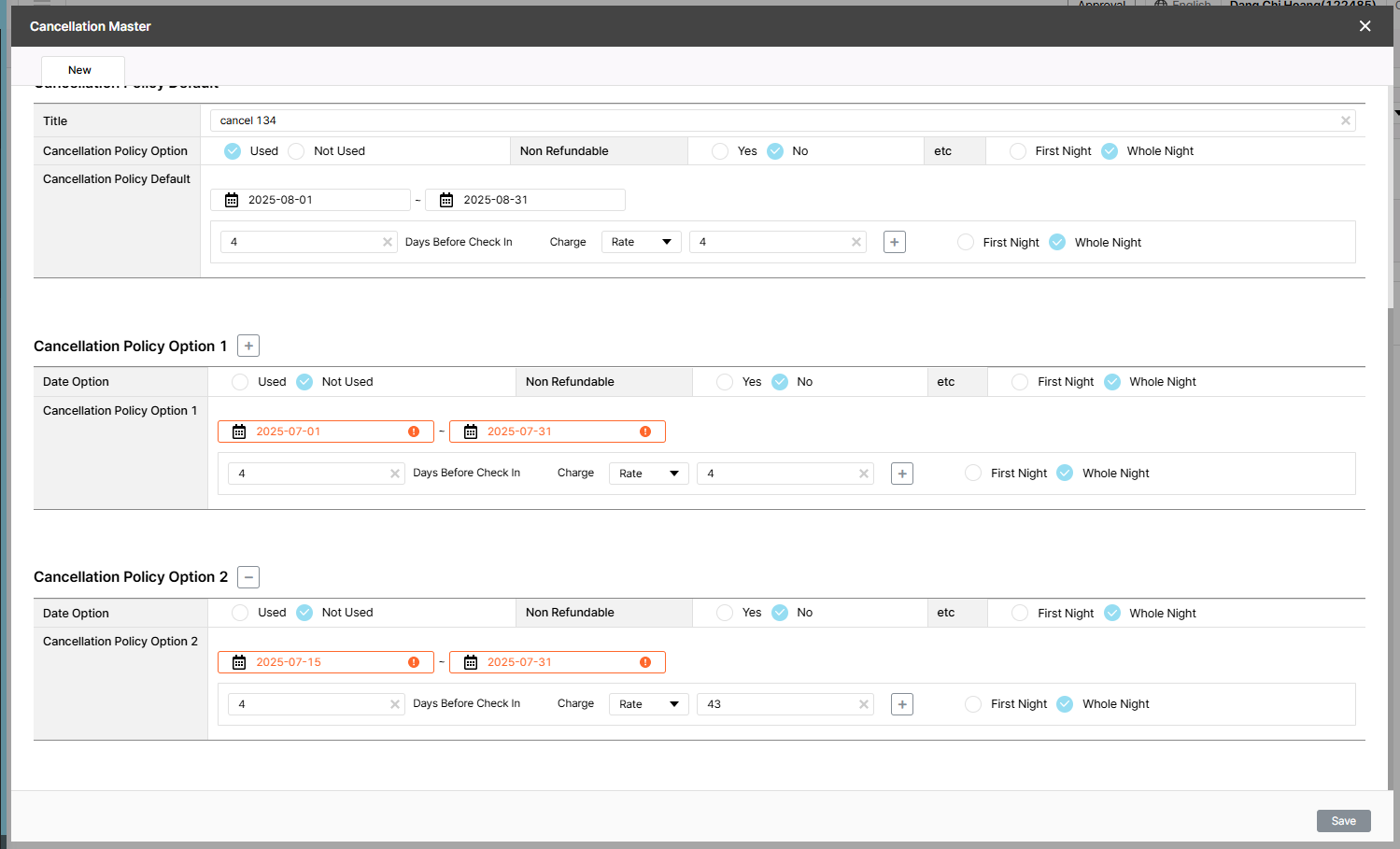
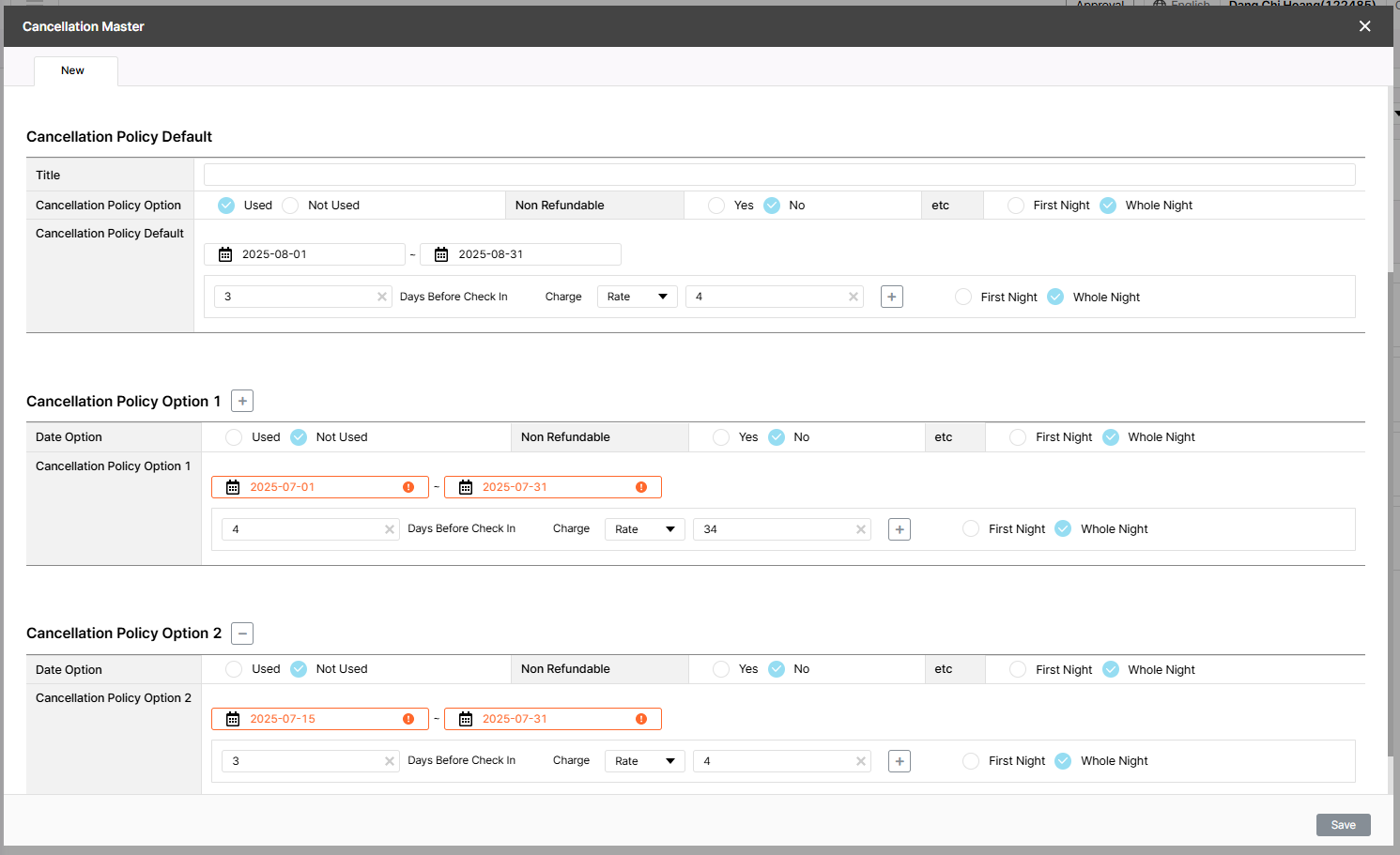
Actual result: Show red border in Option 1 and option 2 during the selected period
- Status changed from 완료실패(Failed) to 피드백(Feedback)
- Assignee changed from Tan Jang to Holden Dang
này validate ở backend nên chỉ có thể trả về message, không tô màu UI được nha Holden.
- Assignee changed from Holden Dang to Tan Jang
Expected result: Only display the message 'Duplicate dates exist within option period. Please check again.'
- Status changed from 피드백(Feedback) to QA test
- Assignee changed from Tan Jang to Holden Dang
- Status changed from QA test to 피드백(Feedback)
- Assignee changed from Holden Dang to ziniy Kang
Hi Mr. @HYUNAH KANG (ZINIY),
Please review and confirm whether the actual result or the expected result. Thank you!
Actual result: Show red border in Option 1 and Option 2 during the selected period
Expected result: Alert 'Duplicate dates exist within option period. Please check again.'
Pls change text: 'Duplicate dates exist within option period. Please check again.'
- Assignee changed from ziniy Kang to Tan Jang
- File image.png image.png added
- Status changed from 피드백(Feedback) to QA test
- Assignee changed from Tan Jang to Holden Dang
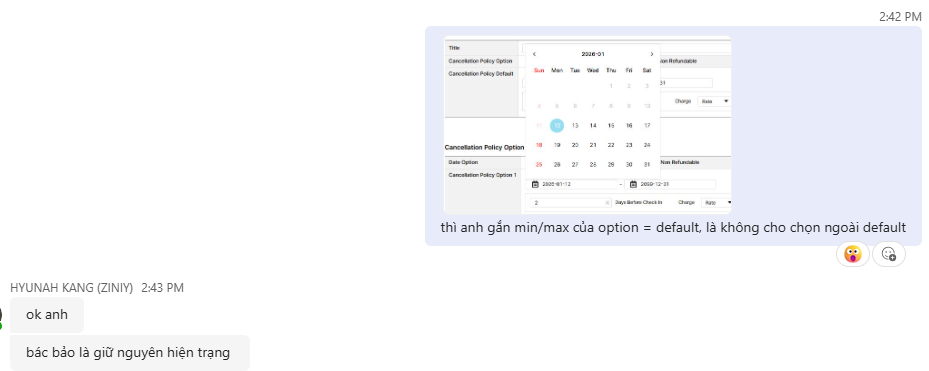
Chốt lại không cho chọn option ngoài default trên UI.
Expected result:
- Show red border in Option 1 and Option 2 during the selected period
- Cannot select past date
Tested Dev env => Passed
- Status changed from 완료(Done) to 확인(Confirmed)
Also available in: Atom
PDF