QA #2714
closed
QA #1843: [STAG] New Cancellation - QA Test cases
QA #1844: ADMIN
QA #1846: Hotel Plan Master
QA #2240: [Cancellation tab] Hotel, List, Summary, New/Modify/Add/Delete btn, Confirm popup
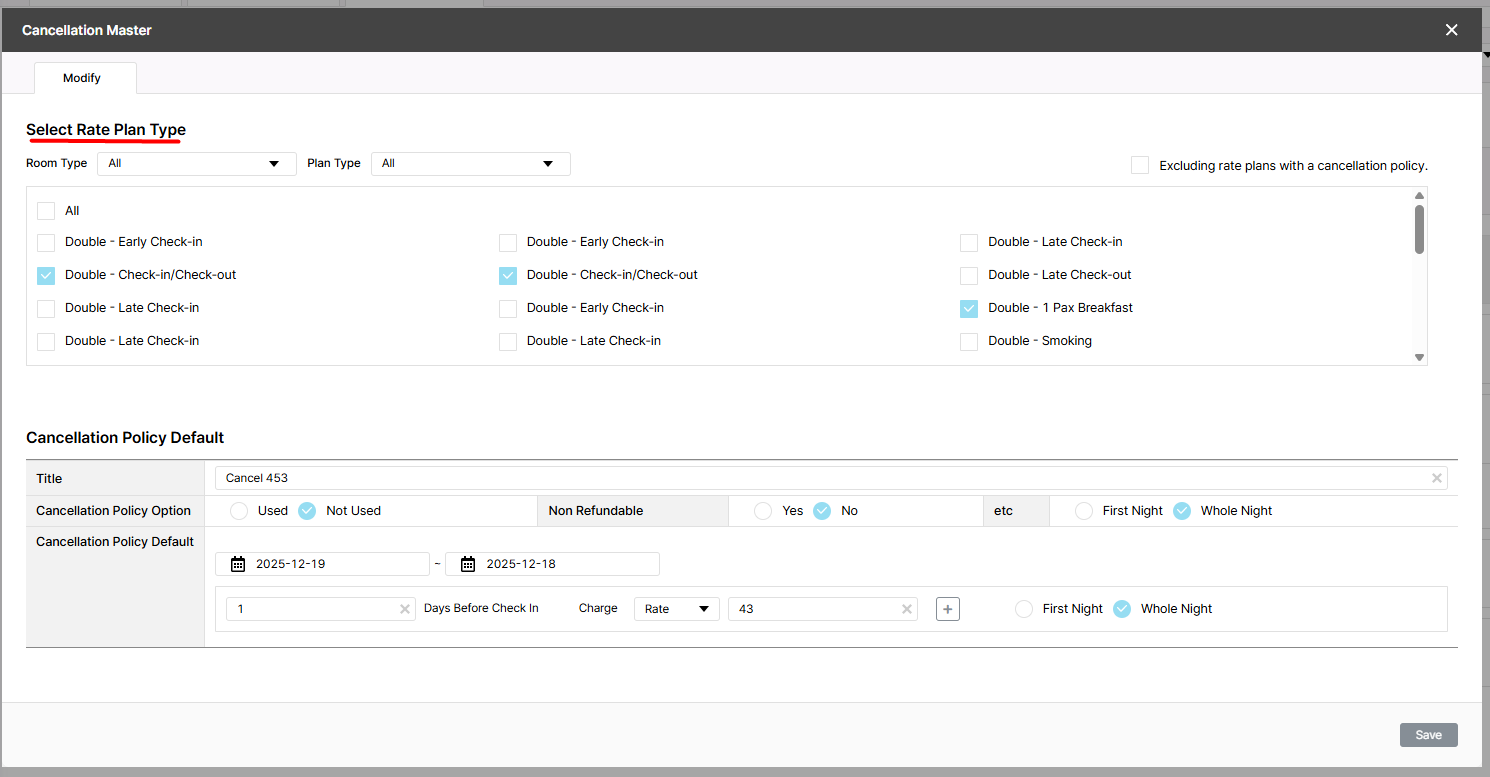
[Cancellation - Modify] Modify cancellation pop up displays an incorrect title
Added by Holden Dang 3 months ago.
Updated 2 months ago.
Description
Pre-condition:
- Admin is logged in
- Hotel and Rate Type data exist in the system
- Cancellation policy created successfully
- Navigate to the Cancellation tab
Steps:
1. Search for a hotel
2. Click the Modify button
Actual: Modify popup opens with title "Select Rate Plan Type"
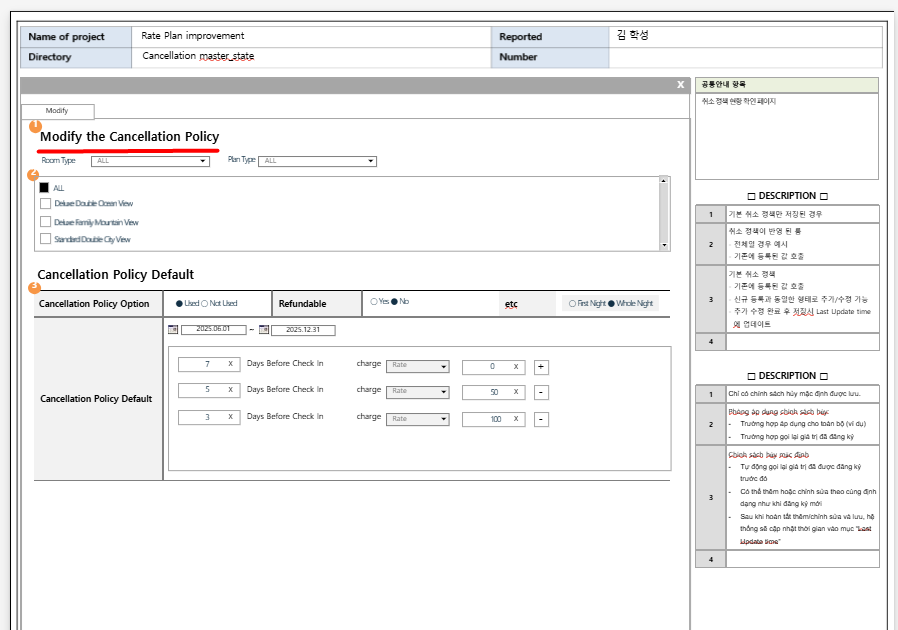
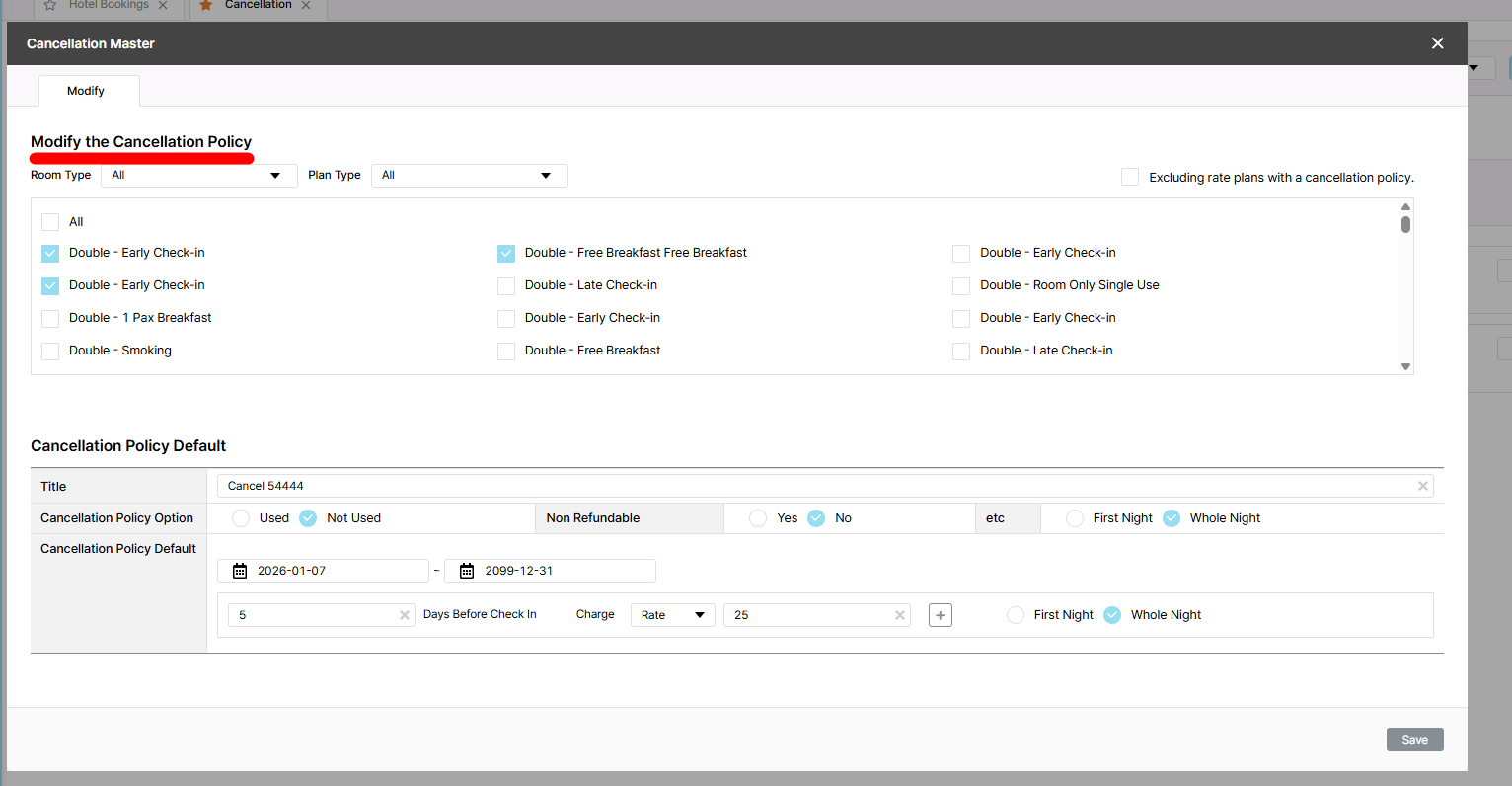
Expected Result: Modify popup opens with title "Modify the Cancellation policy"
Files
- Assignee changed from Joseph Vo to Dan Hoang
- Assignee changed from Dan Hoang to Tan Jang
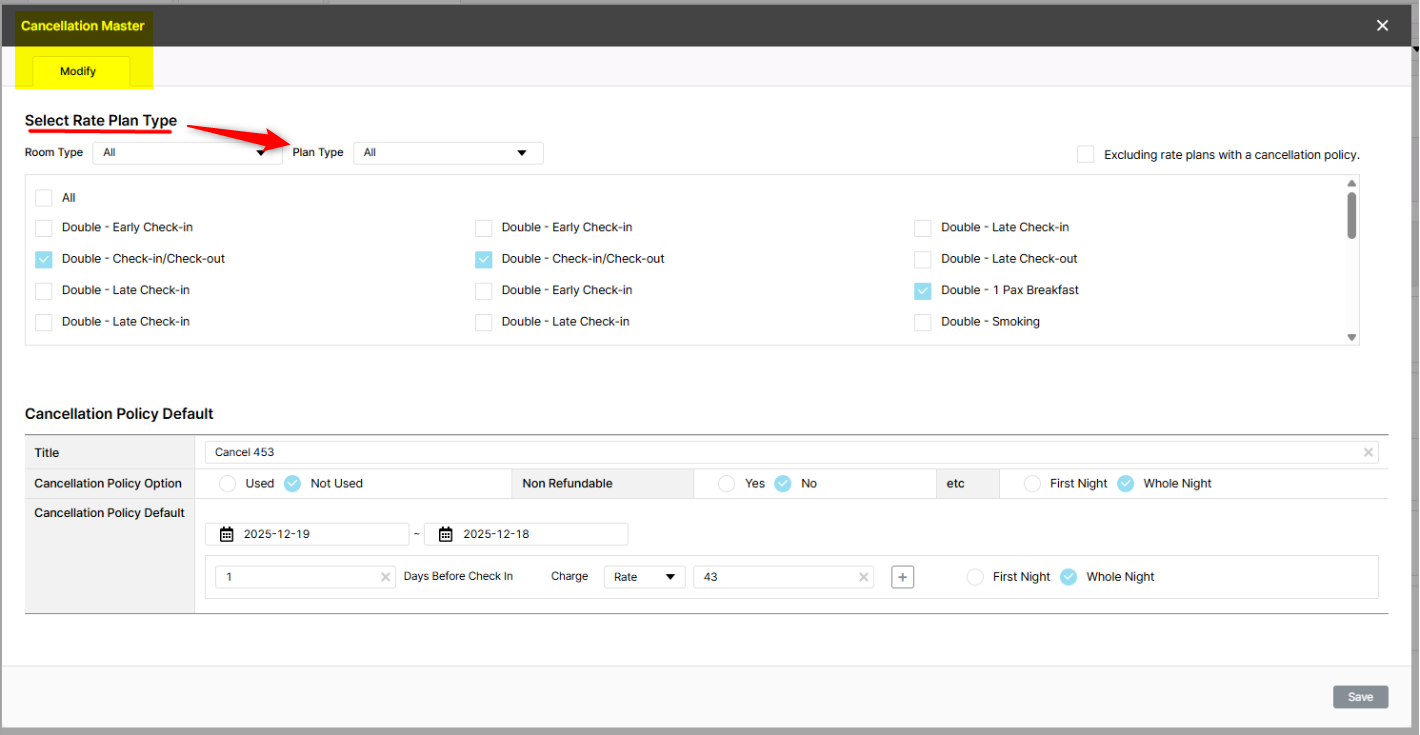
Select Rate Plan Type là action chứ không phải title
Title là Cancellation Master
Mode: Modify
I just used a title to make it easier to recognize, but the text is actually incorrect. You can see the image to verify that the text is displayed correctly.
- Assignee changed from Holden Dang to Tan Jang
- Due date set to 01/06/2026
- Status changed from 피드백(Feedback) to 완료(Done)
- Start date set to 01/06/2026
- % Done changed from 0 to 100
- Estimated time set to 1.00 h
- Status changed from 완료(Done) to QA test
- Assignee changed from Tan Jang to Holden Dang
- Build env. set to Dev
- Status changed from QA test to 완료(Done)
- Assignee changed from Holden Dang to Tan Jang
- Status changed from 완료(Done) to 확인(Confirmed)
Also available in: Atom
PDF