Actions
QA #2697
closedStart date:
01/06/2026
Due date:
01/08/2026
% Done:
100%
Estimated time:
Build env.:
Description
Pre-condition:
- Admin is logged in
- Hotel and Rate Type data exist in the system
- Navigate to the Cancellation tab
Steps:
1. Search for a hotel
2. Click New
3. Select Room/Plan type
4. Enter all required fields
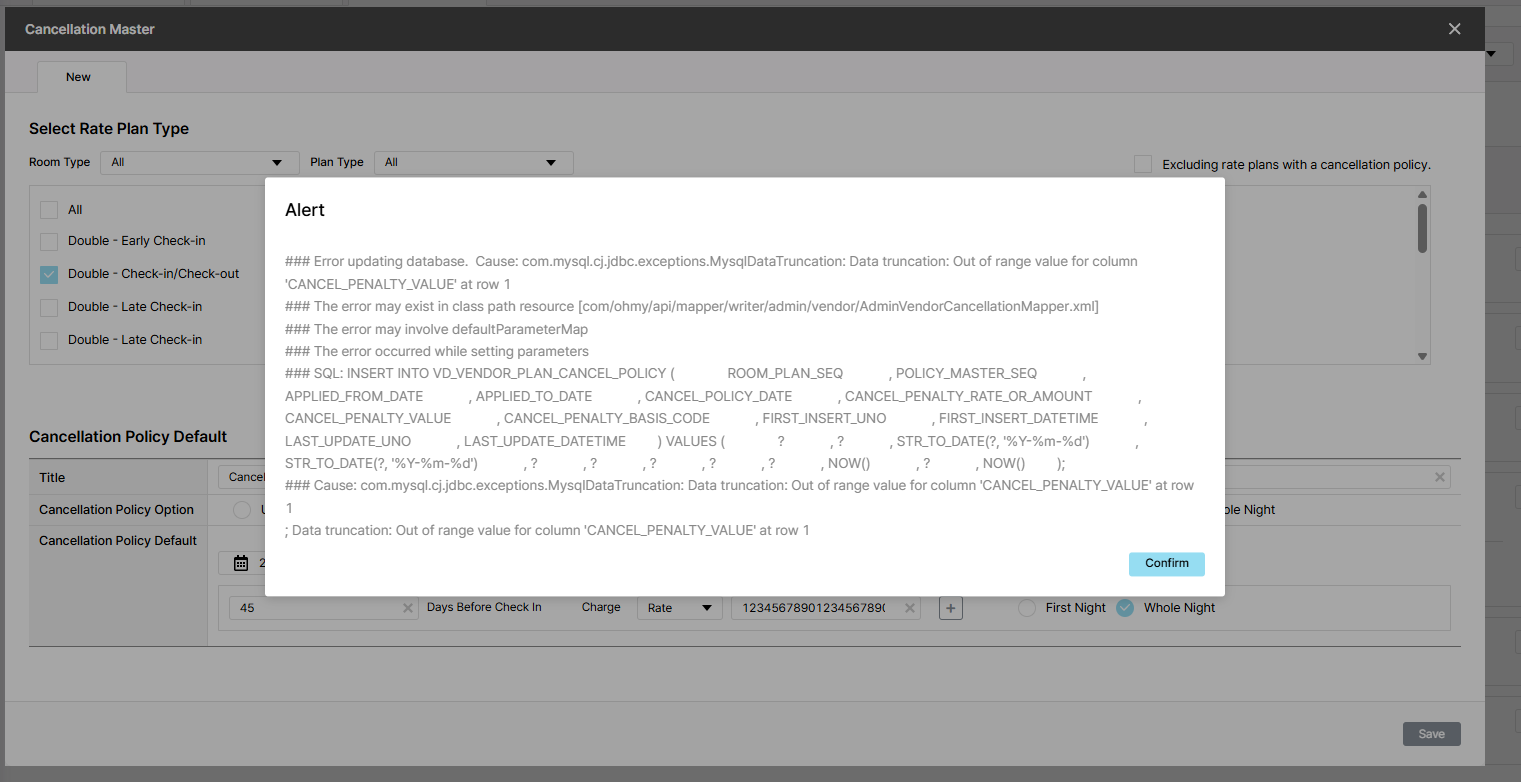
5. Enter charge > 100 numbers
6. Click Save
Actual Result: Displaying data in an unfriendly manner
Expected Result: Show error message "Invalid Request" and 400 code
Files
| picture205-1.png (163 KB) picture205-1.png | |||
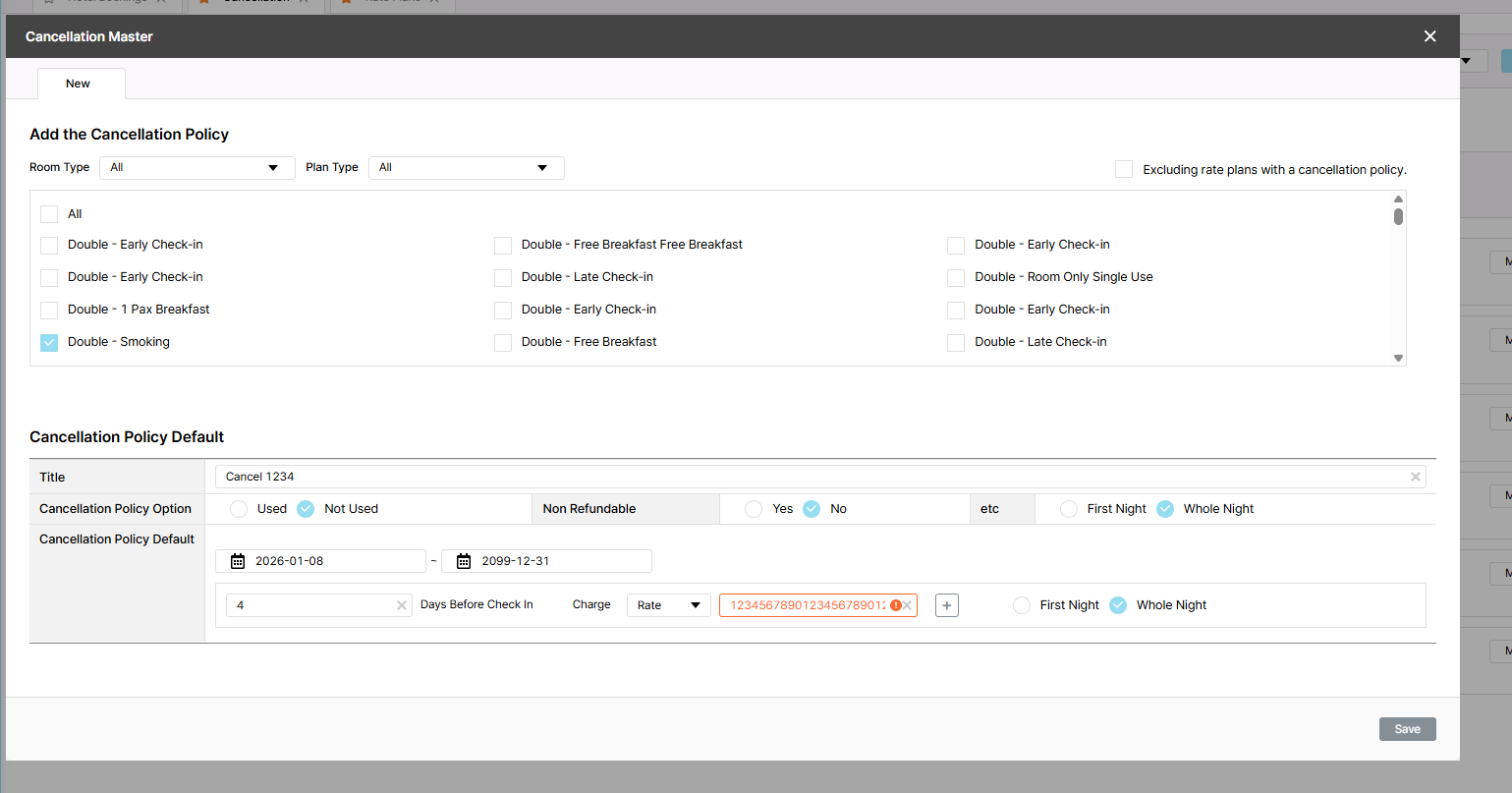
| picture135-1.png (110 KB) picture135-1.png |
Updated by Holden Dang 2 months ago
- File picture135-1.png picture135-1.png added
- Status changed from QA test to 완료(Done)
- Assignee changed from Holden Dang to Daniel Do
Tested Dev env => Passed
Solution: Show red border in Charge field instead of show alert "Invalid Request" => Passed
Updated by ziniy Kang 2 months ago
- Due date set to 01/08/2026
- Status changed from 완료(Done) to 확인(Confirmed)
- % Done changed from 0 to 100
Actions