QA #2695
closed
QA #1843: [STAG] New Cancellation - QA Test cases
QA #1844: ADMIN
QA #1846: Hotel Plan Master
QA #2240: [Cancellation tab] Hotel, List, Summary, New/Modify/Add/Delete btn, Confirm popup
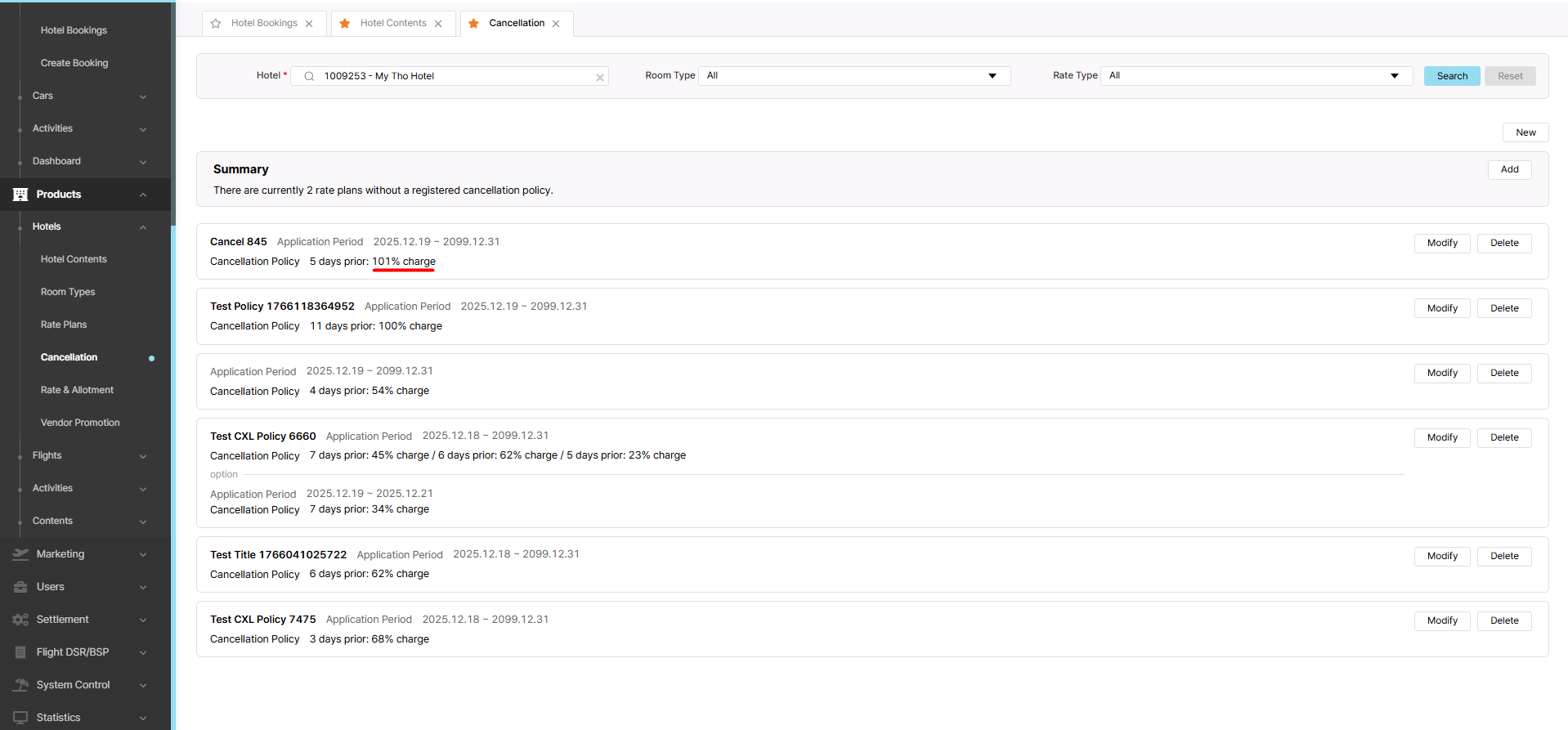
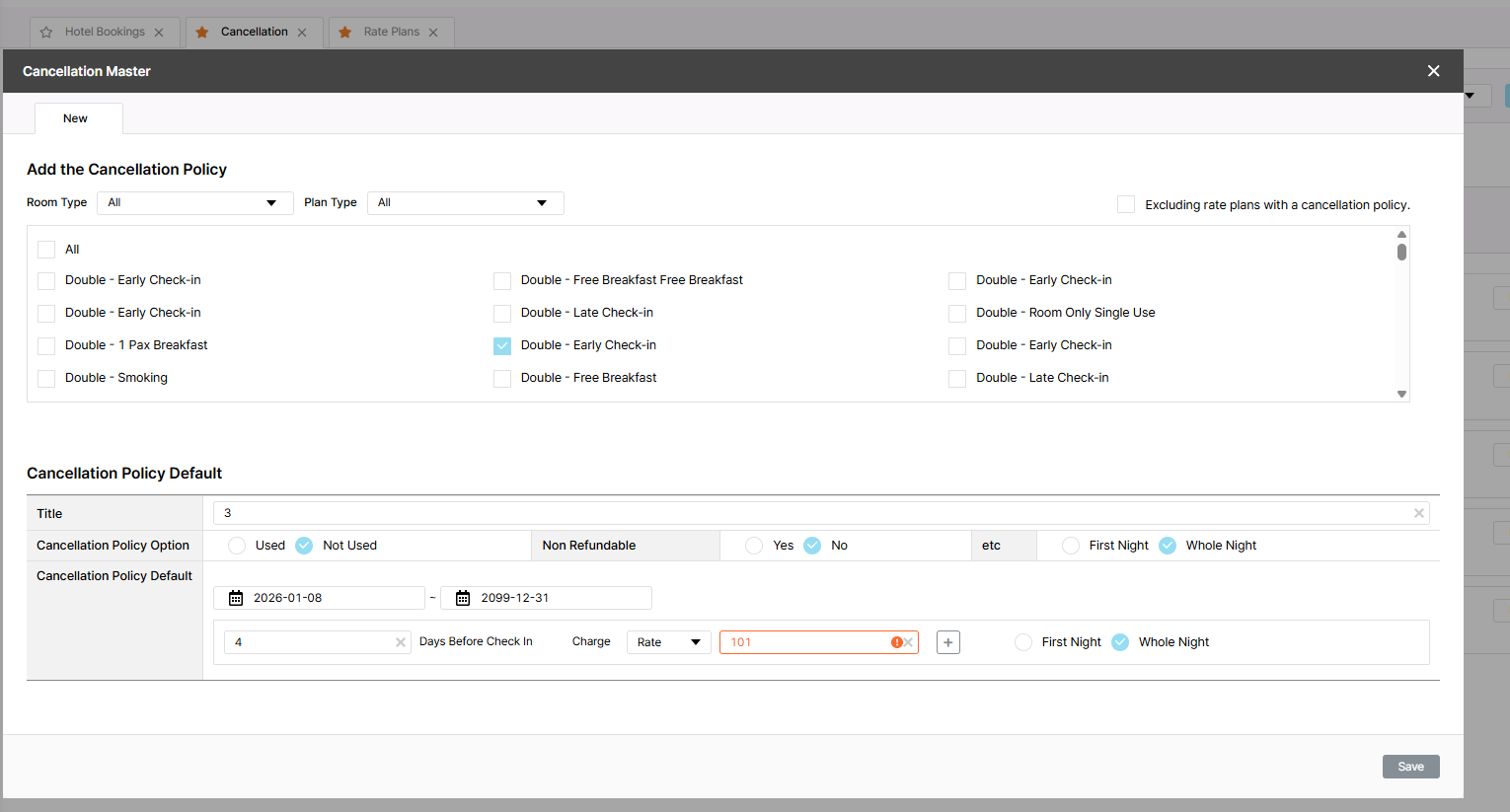
[Cancellation - New] New policy can be created when entering rate charge > 100
Added by Holden Dang 3 months ago.
Updated 2 months ago.
Description
Pre-condition:
- Admin is logged in
- Hotel and Rate Type data exist in the system
- Navigate to the Cancellation tab
Steps:
1. Search for a hotel
2. Click New
3. Select Room/Plan type
4. Enter all required fields
5. Enter rate charge > 100
6. Click Save"
Files
Actual Result: The new policy was successfully saved
Expected Result: Cannot be saved and displays a red border
- Assignee changed from Joseph Vo to Dan Hoang
- Assignee changed from Dan Hoang to Daniel Do
- Status changed from 신규(New) to 진행(Doing)
- Start date set to 01/07/2026
- Due date set to 01/08/2026
- Status changed from 진행(Doing) to QA test
- Assignee changed from Daniel Do to Holden Dang
- Start date changed from 01/07/2026 to 01/08/2026
- Estimated time set to 1.00 h
- % Done changed from 0 to 100
- Status changed from 완료(Done) to 확인(Confirmed)
- Build env. set to Dev
Also available in: Atom
PDF