Actions
VOC support #2522
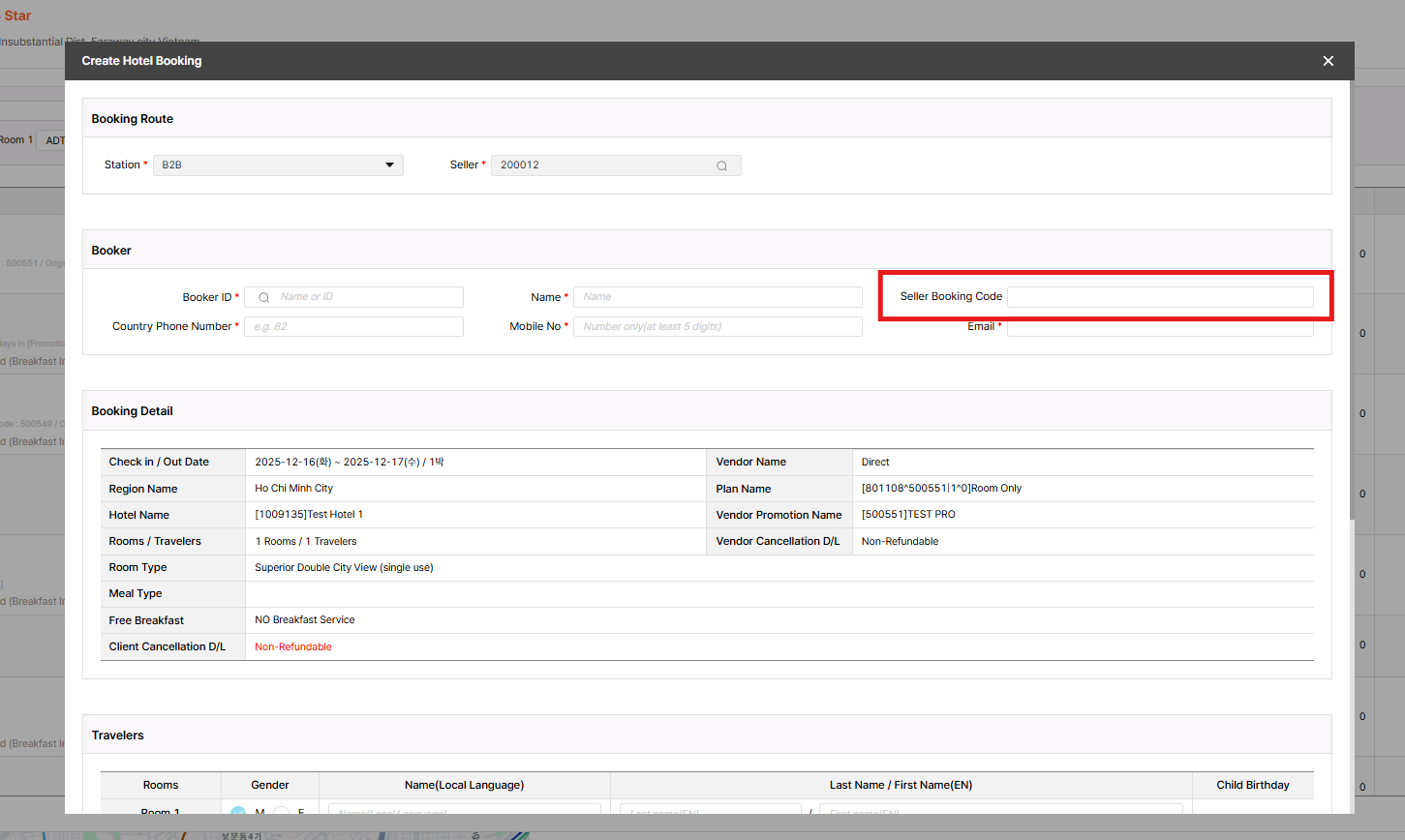
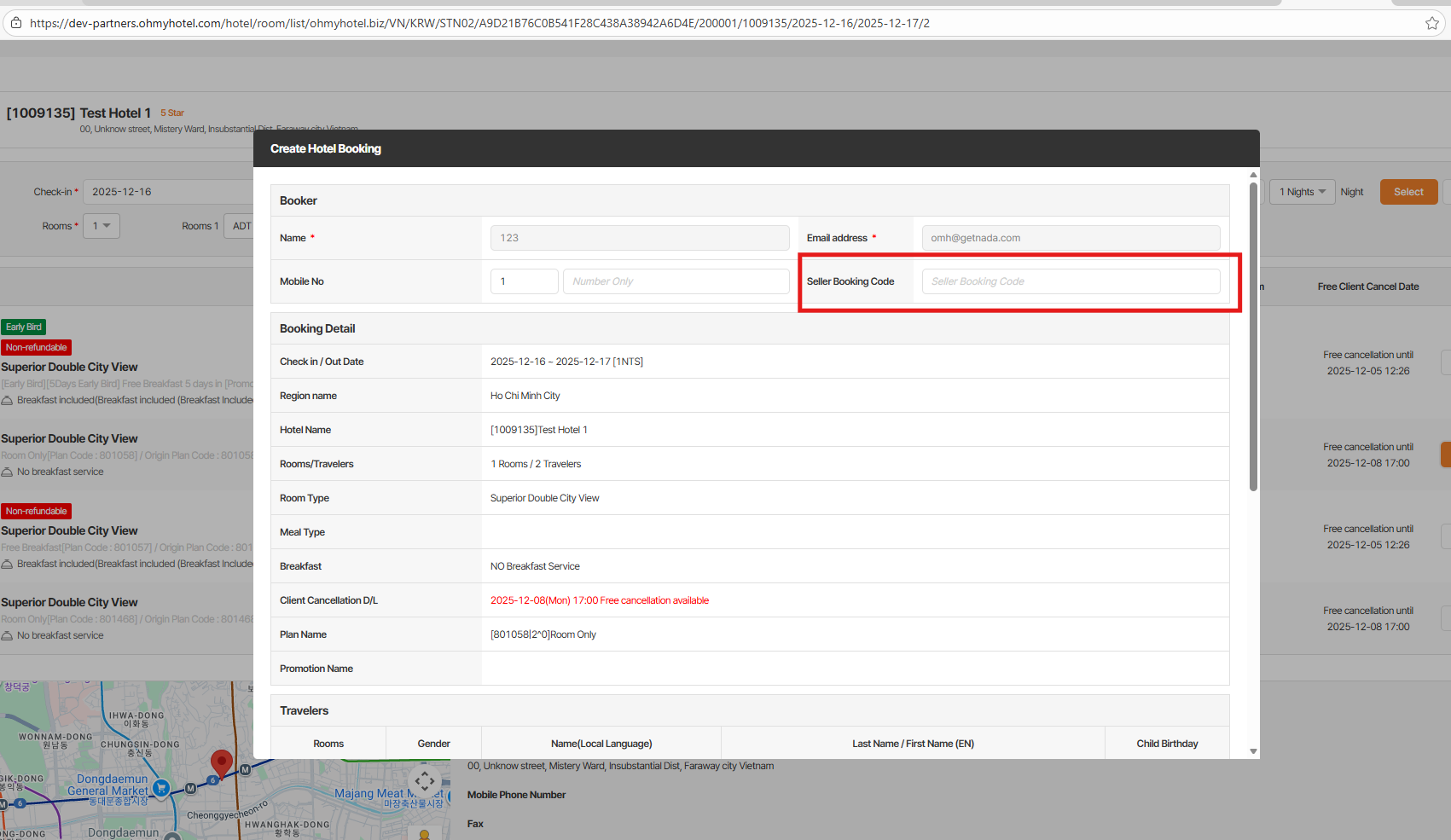
closedIn the Alice/Dotbiz create-booking page – Need a field to enter the seller booking code
Start date:
12/03/2025
Due date:
12/04/2025
% Done:
100%
Estimated time:
Part:
Build env.:
Prod
Description
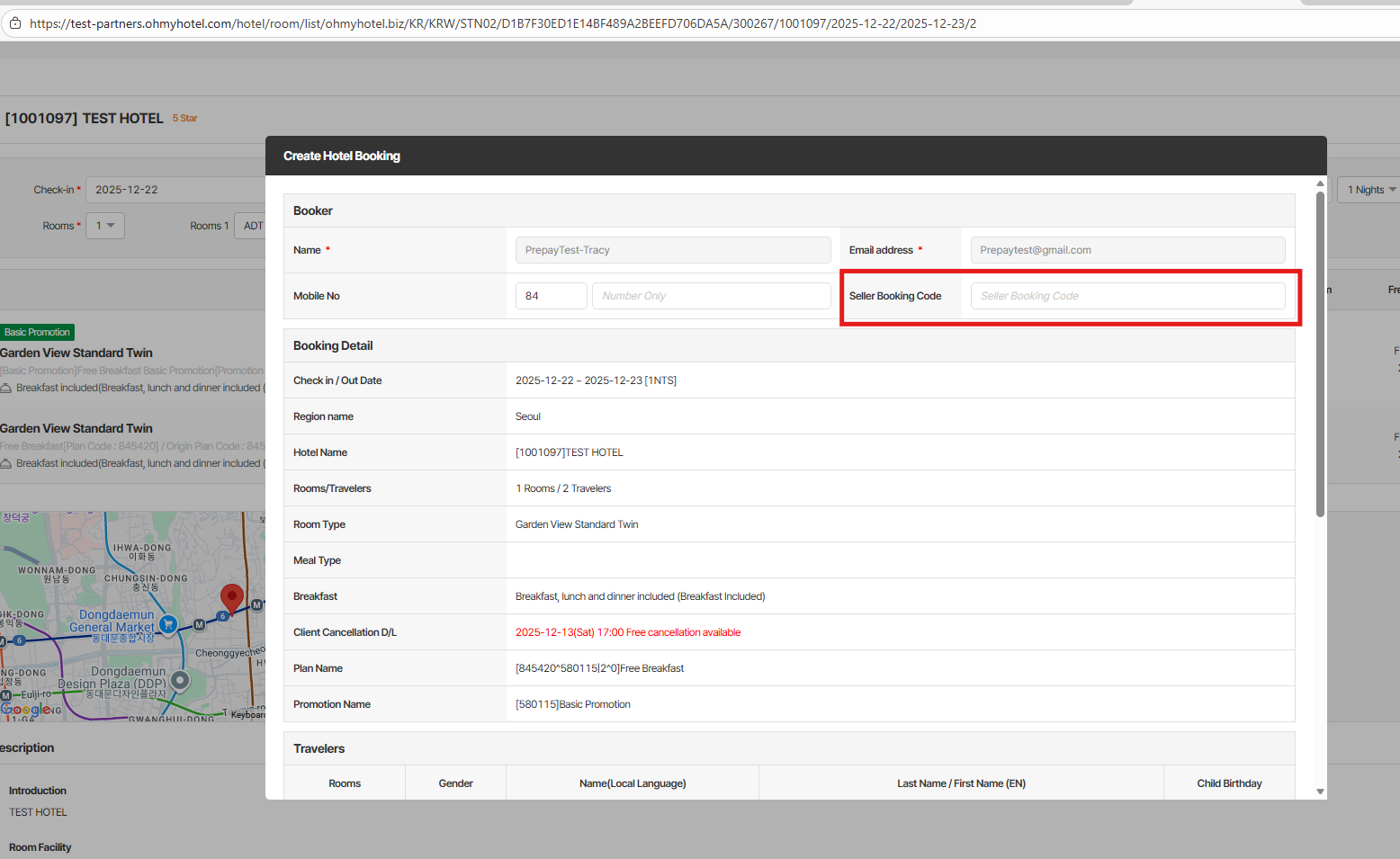
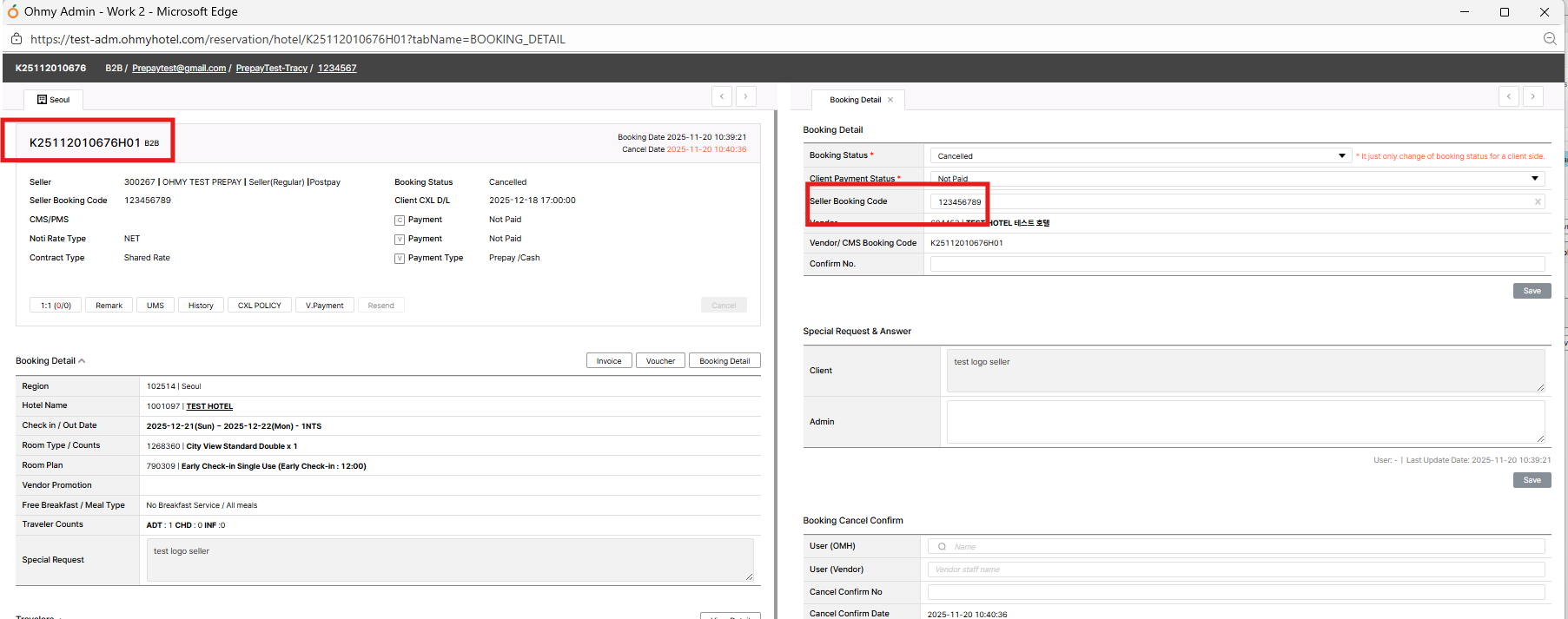
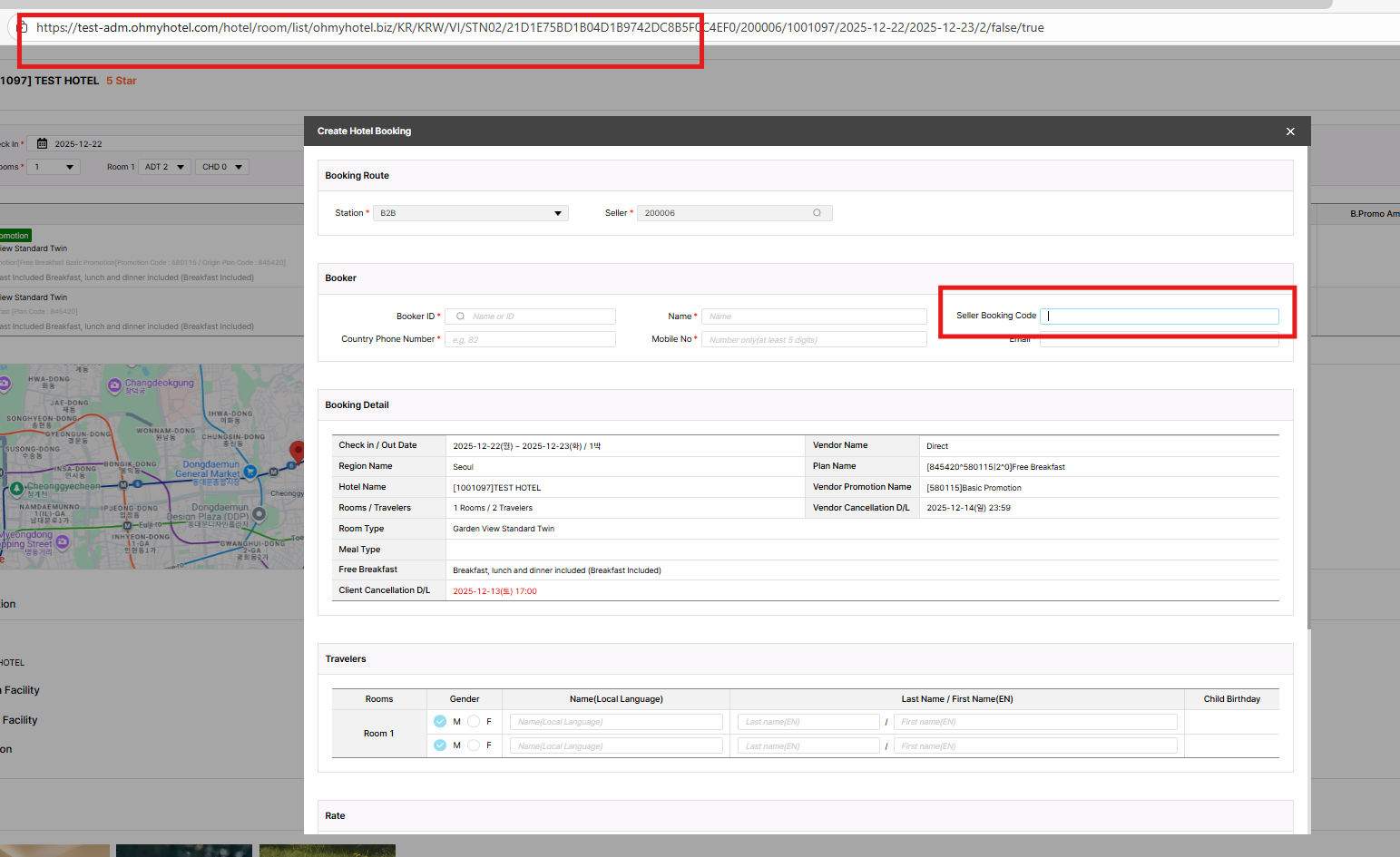
1. Trong trang create booking của Alice – Add thêm ô 'seller booking code'.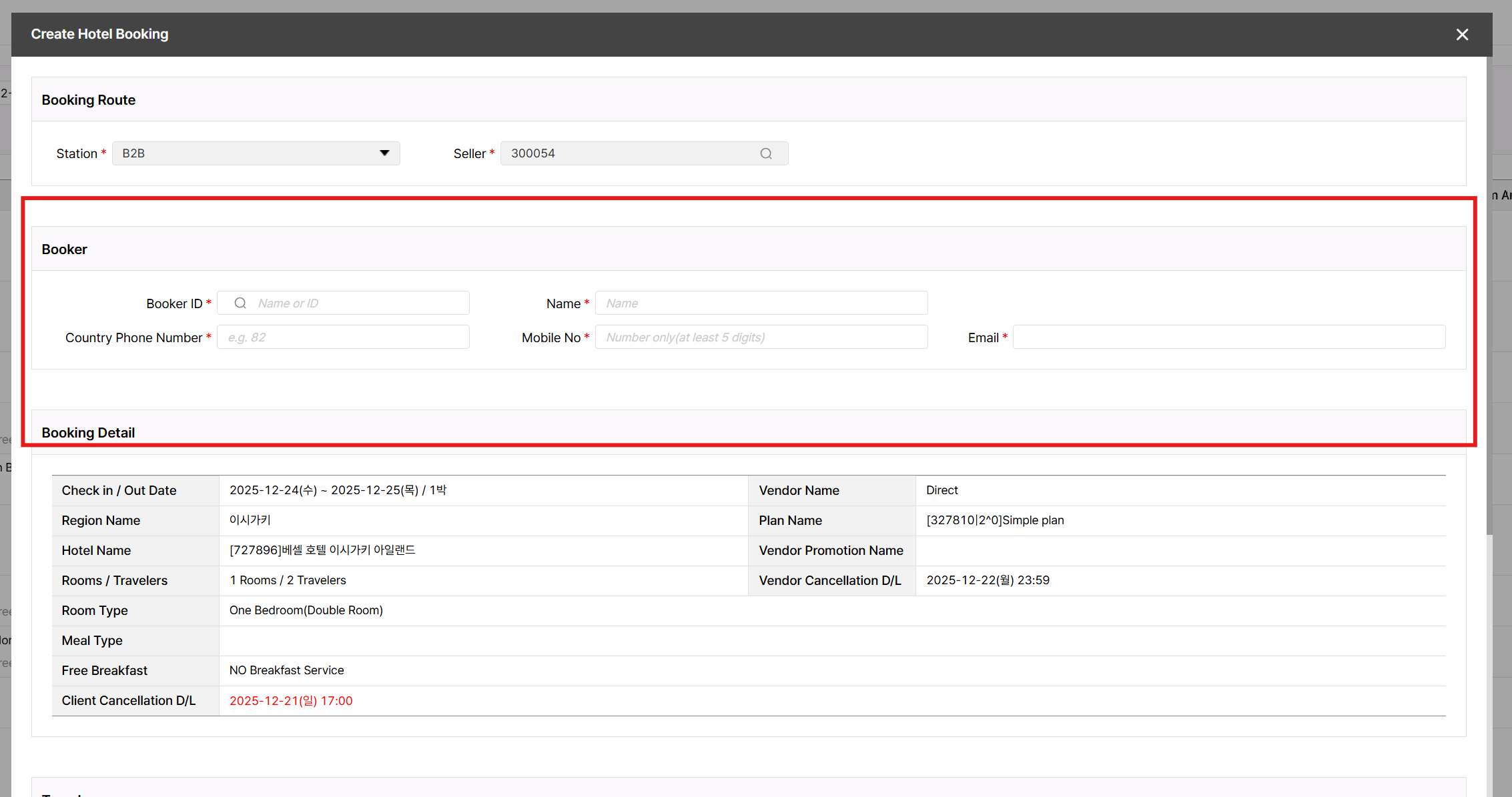
2. Trong trang create booking của dotbiz - Add thêm ô 'seller booking code'.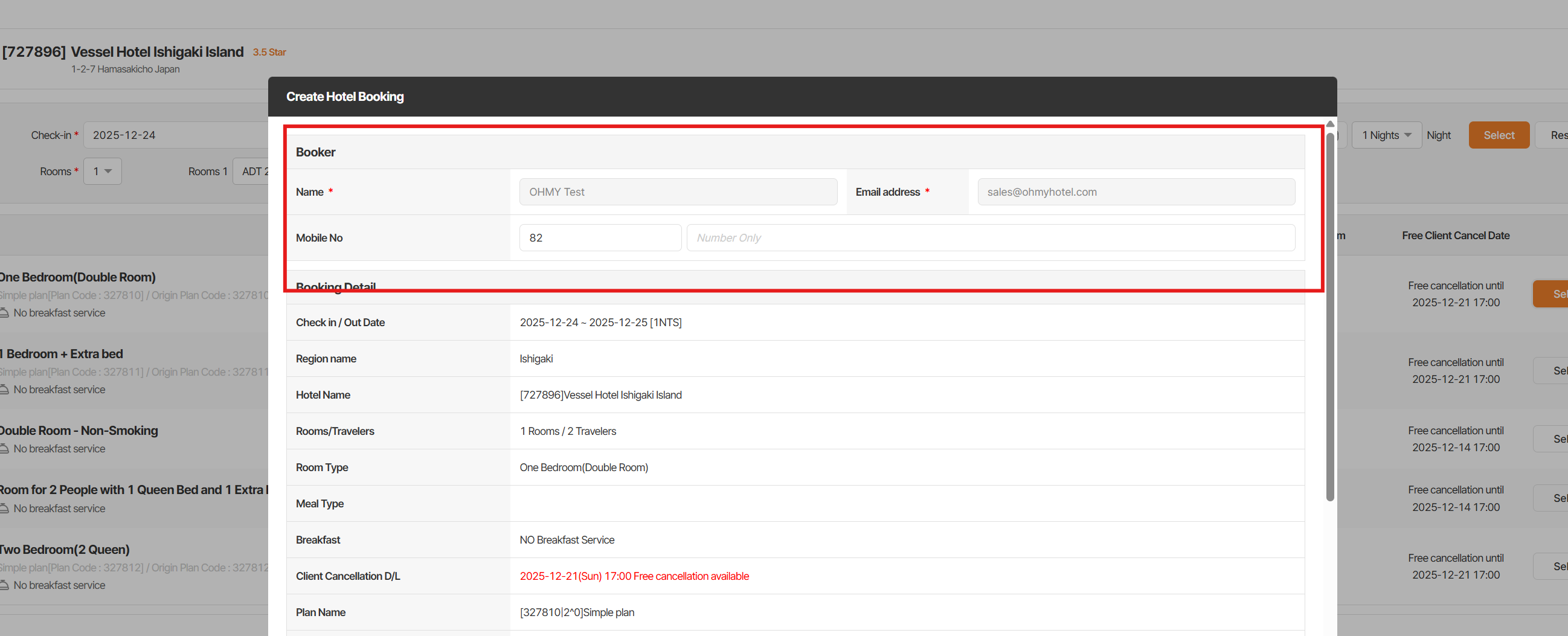
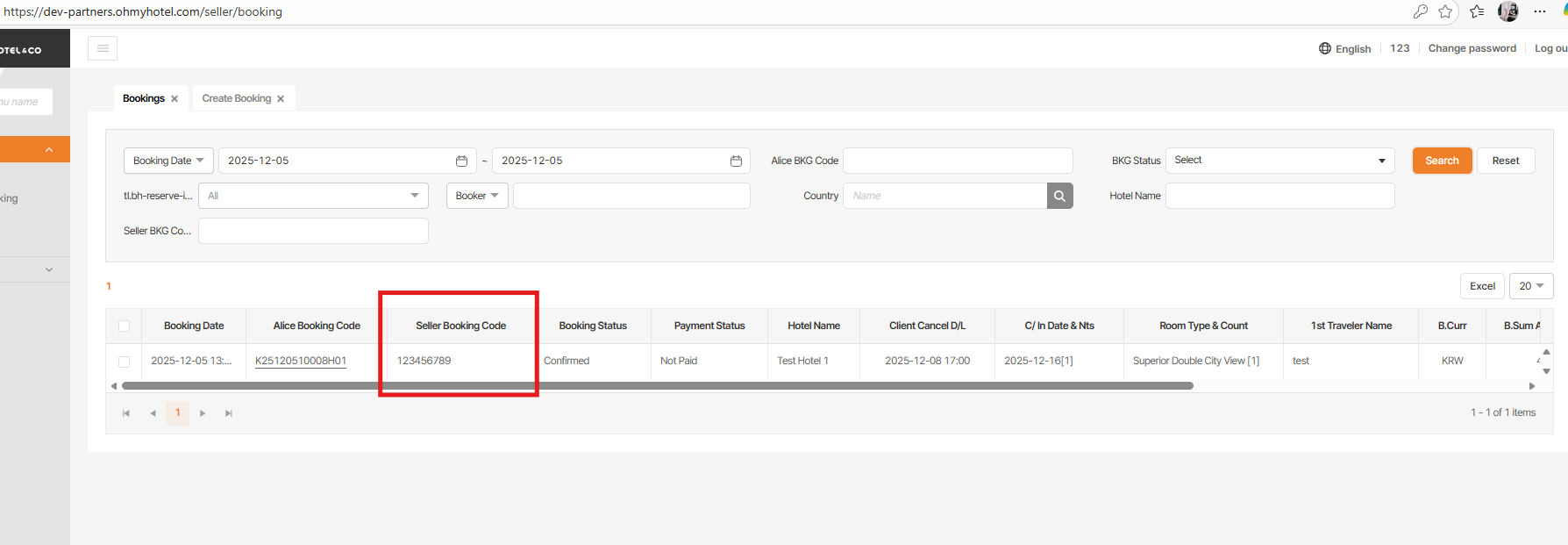
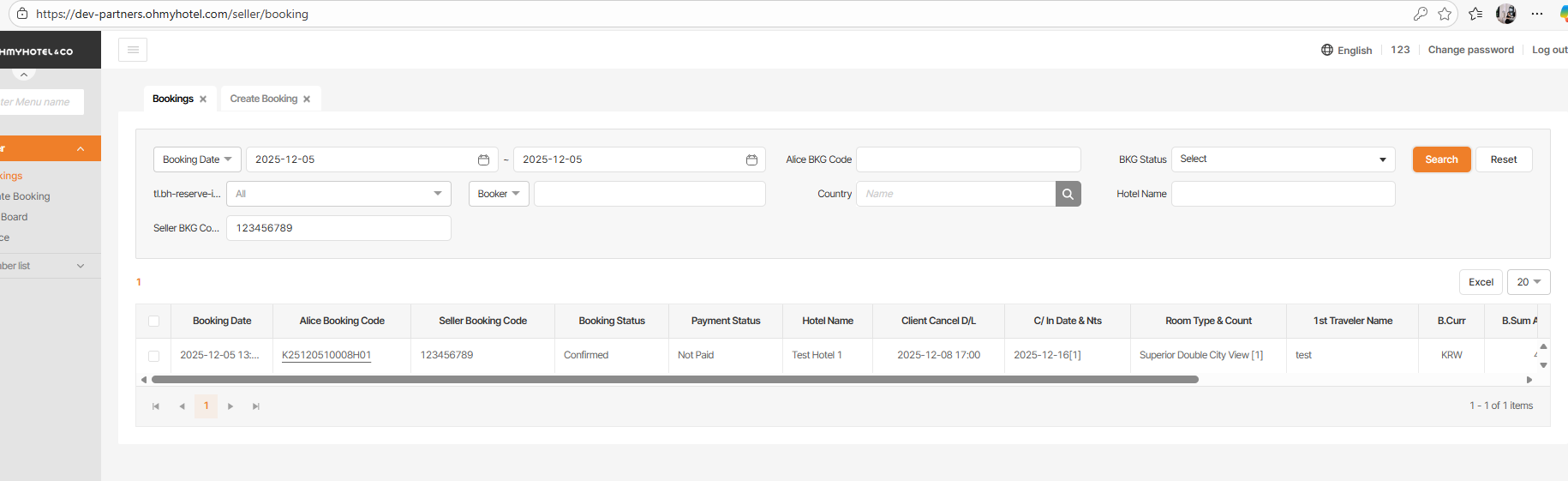
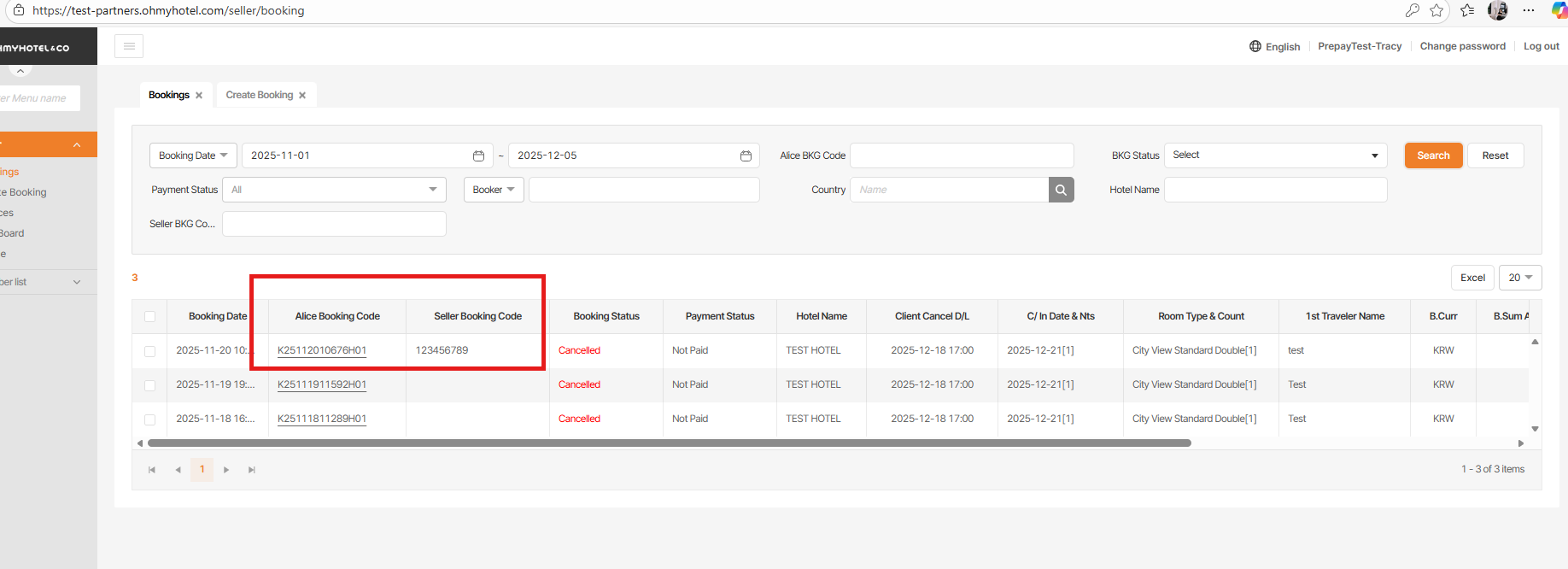
3. Trong booking list của DotBiz – hiện tại chỉ có thể tìm kiếm seller booking code > cần hiển thị mã booking của seller ngay trong danh sách như Alice
Vị trí: 
Files
| picture080-1.png (173 KB) picture080-1.png | |||
| picture080-2.png (277 KB) picture080-2.png | |||
| picture080-3.png (35.4 KB) picture080-3.png | |||
| picture203-1.png (127 KB) picture203-1.png | |||
| picture203-2.png (308 KB) picture203-2.png | |||
| picture203-3.png (93.9 KB) picture203-3.png | |||
| picture203-4.png (99.1 KB) picture203-4.png | |||
| picture627-1.png (252 KB) picture627-1.png | |||
| picture627-3.png (126 KB) picture627-3.png | |||
| picture627-4.png (154 KB) picture627-4.png | |||
| picture627-5.png (298 KB) picture627-5.png |
Related issues
Updated by Tracy Truong 3 months ago
- File picture203-1.png picture203-1.png added
- File picture203-2.png picture203-2.png added
- File picture203-3.png picture203-3.png added
- File picture203-4.png picture203-4.png added
- Status changed from QA test to 완료(Done)
- Assignee changed from Tracy Tran to Daniel Do
Checked on DEV, ok
Updated by ziniy Kang 3 months ago
- Status changed from 완료(Done) to 확인(Confirmed)
Updated by Tracy Truong 3 months ago
- File picture627-1.png picture627-1.png added
- File picture627-3.png picture627-3.png added
- File picture627-4.png picture627-4.png added
- File picture627-5.png picture627-5.png added
- Status changed from QA test to 완료(Done)
- Assignee changed from Tracy Tran to Daniel Do
Checked on STG, ok
Updated by ziniy Kang 3 months ago
- Status changed from 완료(Done) to 확인(Confirmed)
Updated by ziniy Kang 3 months ago
- Related to 개선(improvement) #2579: Add “Seller Booking Code” Field Under Tel (Booker) in Booking Detail (Dotbiz Agency) added
Updated by ziniy Kang 3 months ago
- Status changed from 확인(Confirmed) to 완료성공(Resolve)
- Build env. changed from Staging to Prod
Actions