결함(Bug) #2398
closed[issue] precheck with cutoff day issue
100%
Description
Precheck passed even checkInDate not match Plan cutoff day
Files
Related issues
Updated by Dan Hoang 4 months ago
- Related to VOC support #2308: System Log Check – Cut Off Date Setting for 186055 - Toyoko Inn JR Kobe Station Kita added
Updated by Daniel Do 3 months ago
Test case:
1. Test booking B2C, Admin site/ Partner
Step 1: Search booking
Search for the booking on the Admin/Partner site and keep the booking screen open.
Step 2: Update cut-off
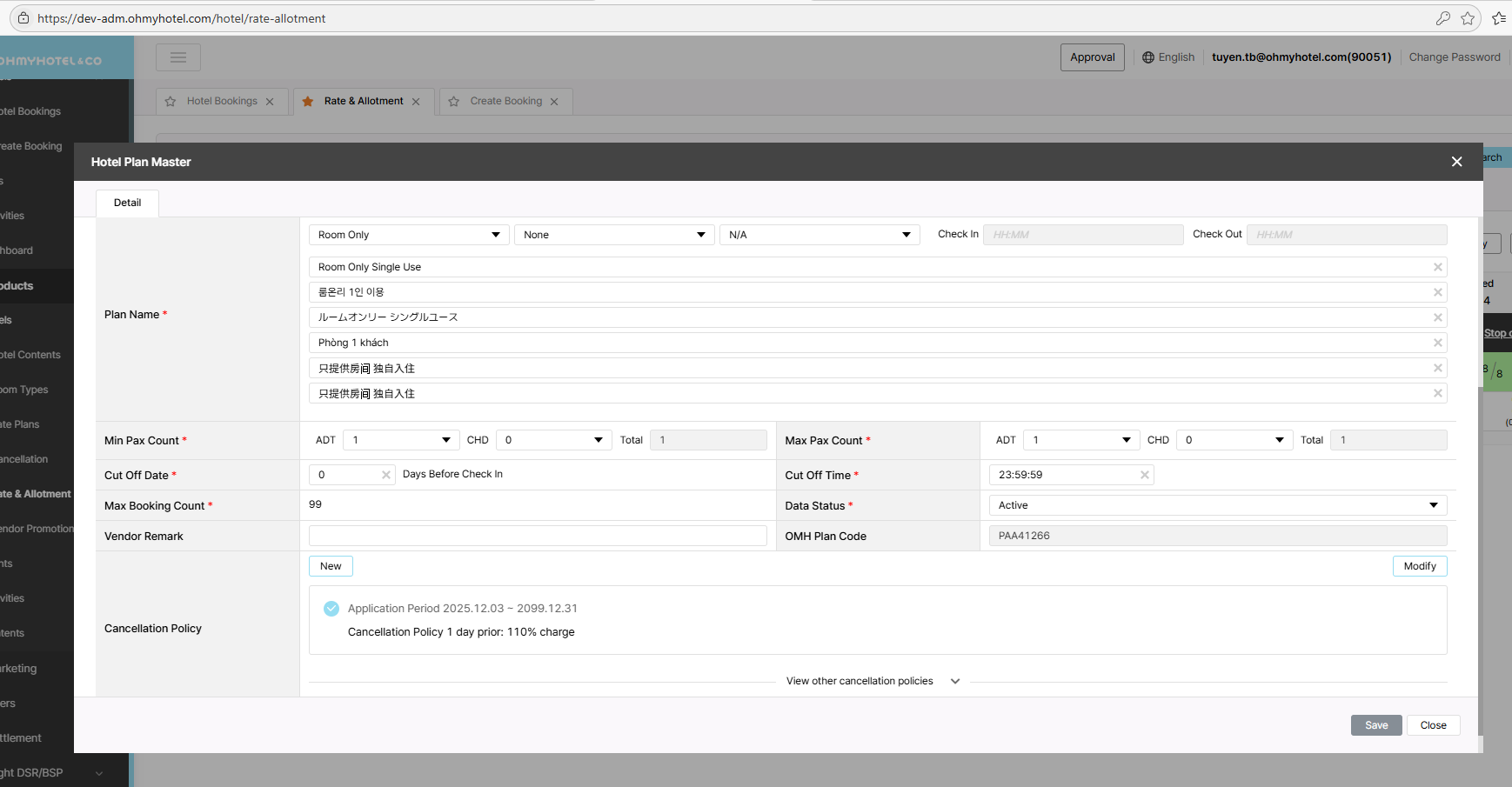
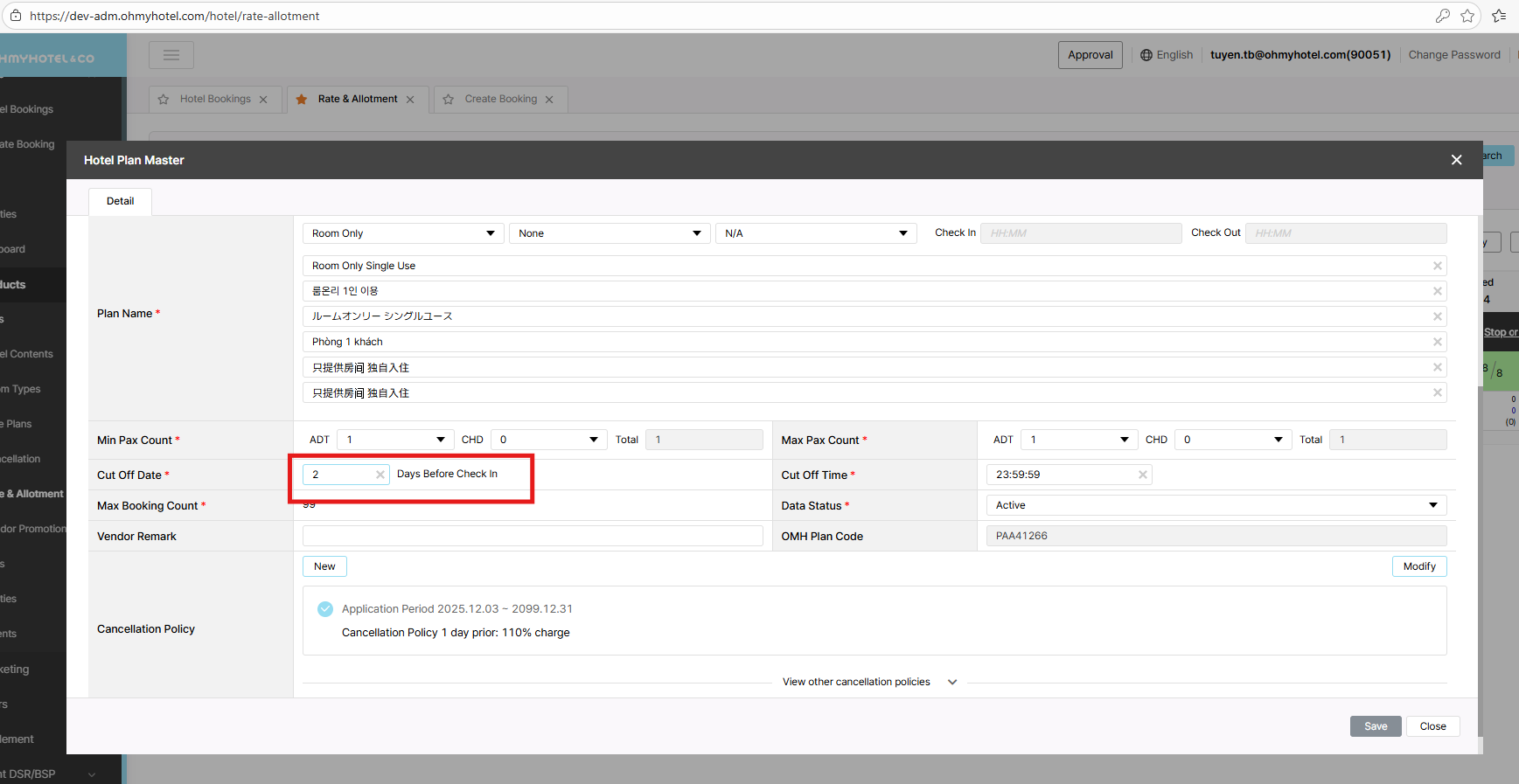
Open the Rate Plans page and change the cut-off day/time on the Admin site.
Step 3: Validate booking failure
Attempt the booking action continue.
Expected: Booing returns failed
2. Test API Precheck
POST: /channel/ota/v2.0/reservation/precheck
Step 1: Search and prepare request
Perform a search and use the returned data to build the pre-check request.
Expected: Request is correctly populated.
Step 2: Pre-check success
Send the pre-check request with the current cut-off settings.
Expected: Pre-check returns success.
Step 3: Update cut-off
Update the cut-off day/time on the Admin site to a value that makes the booking exceed the limit.
Expected: Cut-off is updated successfully.
Step 4: Pre-check failure
Send the same pre-check request again after the update.
Expected: Pre-check returns failed
3. Test API Booking
POST: /channel/ota/v2.0/reservation/book
Step 1: Search and prepare request
Perform a search and use the result data to build the booking request
Step 2: Validate booking success
Send the request with the current cut-off settings and confirm it succeeds.
Expected: Booking return success
Step 3: Update cut-off
Change the cut-off day/time on the Admin site so the booking becomes out of range.
Step 4: Validate booking failure
Send the same request again
Expected: Booking returns failed
Updated by Tracy Truong 3 months ago
- File Ohmy Partners and 7 more pages - Work 2 - Microsoft Edge 2025-12-12 11-23-06.mp4 Ohmy Partners and 7 more pages - Work 2 - Microsoft Edge 2025-12-12 11-23-06.mp4 added
- File Ohmy Partners and 6 more pages - Work 2 - Microsoft Edge 2025-12-12 11-21-56.mp4 Ohmy Partners and 6 more pages - Work 2 - Microsoft Edge 2025-12-12 11-21-56.mp4 added
- File Ohmy Admin and 6 more pages - Work 2 - Microsoft Edge 2025-12-12 11-20-56.mp4 Ohmy Admin and 6 more pages - Work 2 - Microsoft Edge 2025-12-12 11-20-56.mp4 added
- File Ohmyhotel and 8 more pages - Work 2 - Microsoft Edge 2025-12-12 11-31-58.mp4 Ohmyhotel and 8 more pages - Work 2 - Microsoft Edge 2025-12-12 11-31-58.mp4 added
- File picture448-1.png picture448-1.png added
- File picture448-2.png picture448-2.png added
- File picture448-3.png picture448-3.png added
- File picture448-4.png picture448-4.png added
- File picture448-5.png picture448-5.png added
- File picture448-6.png picture448-6.png added
- File picture448-7.png picture448-7.png added
- Status changed from QA test to 완료실패(Failed)
- Assignee changed from Tracy Tran to Daniel Do
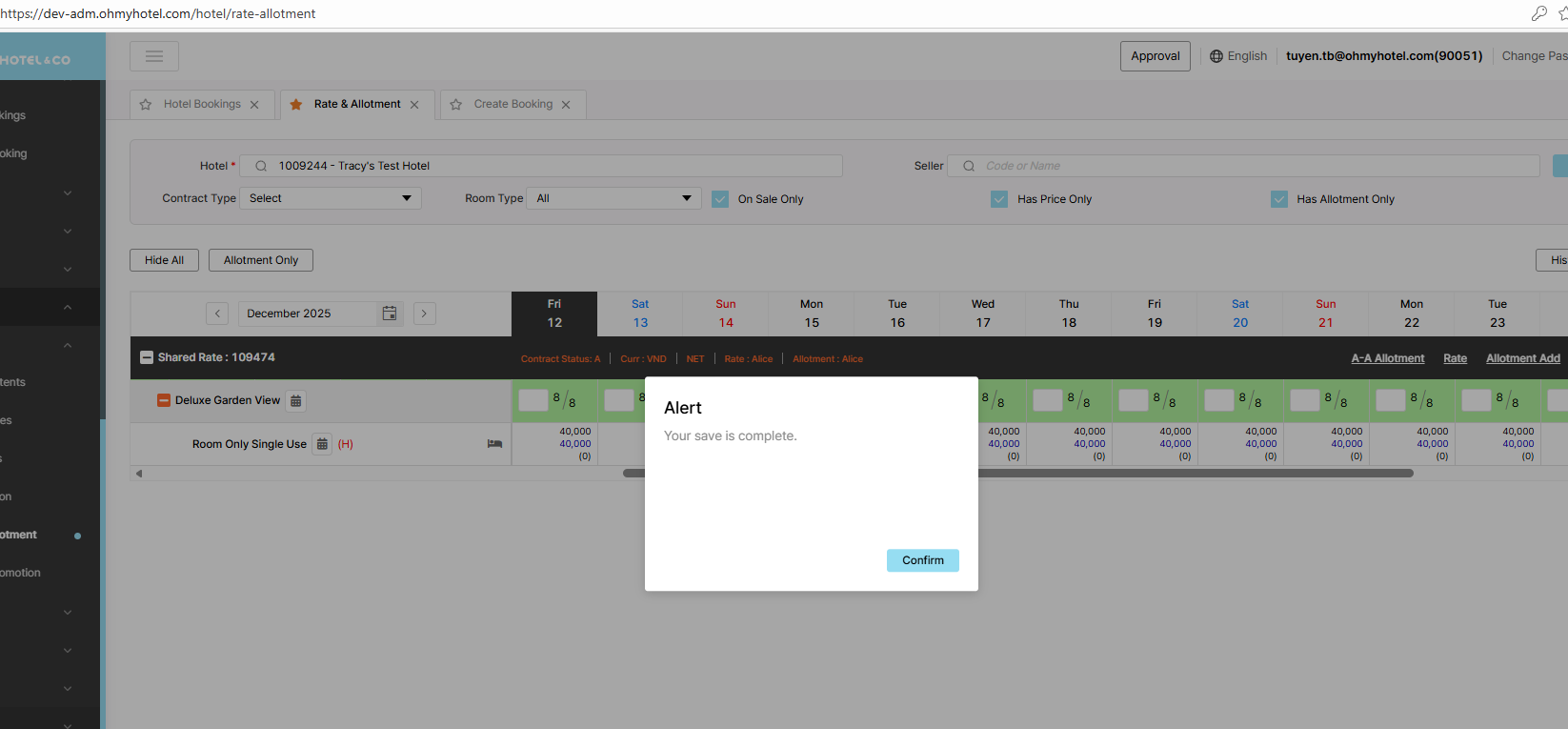
1. Test booking B2C, Admin site/ Partner
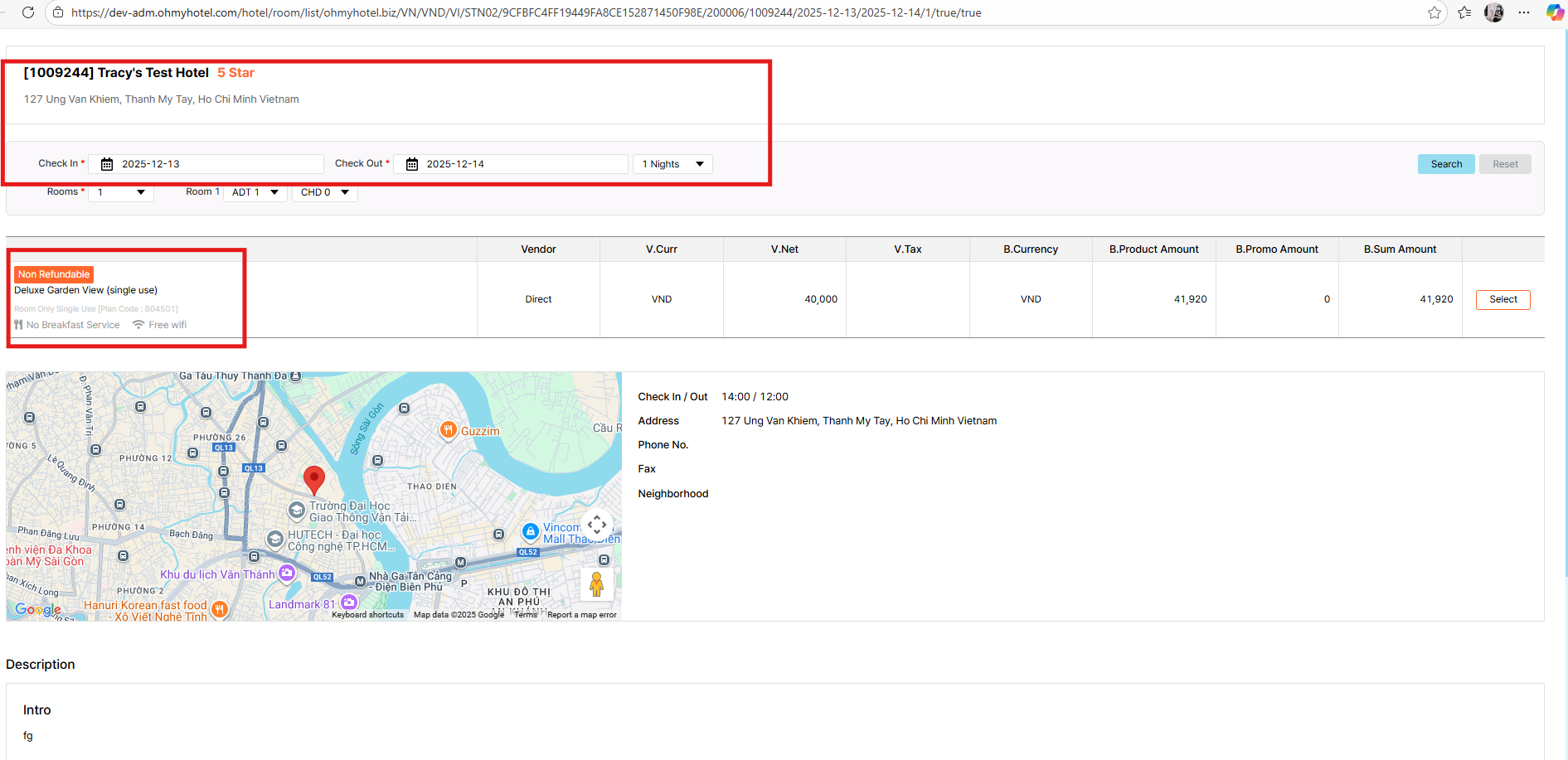
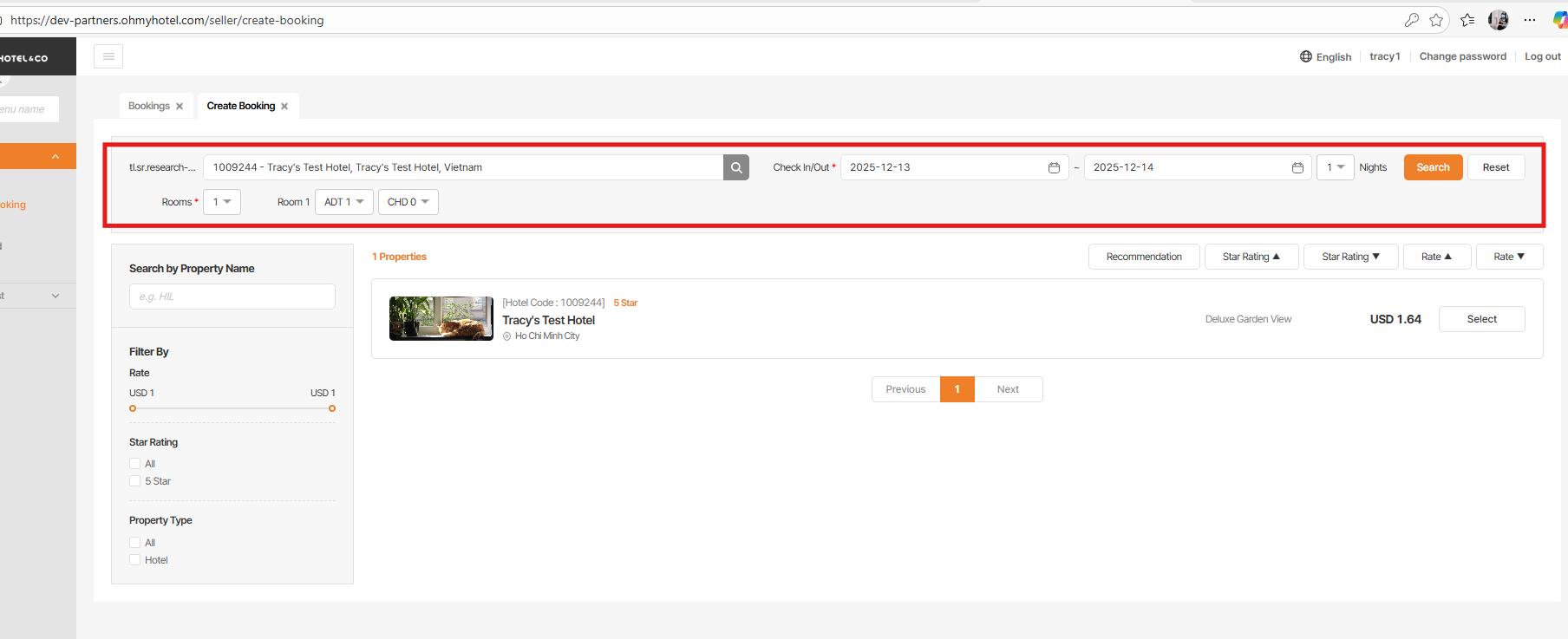
Test hotel: Tracy's Test Hotel - 1009244
Room type: Deluxe Garden View - 25286122
Plan SEQ: 804501
- Default COD: 0
- Make BK: CI 13 Dec 2025 - CO: 14 Dec 2025
- Change COD to 2 days
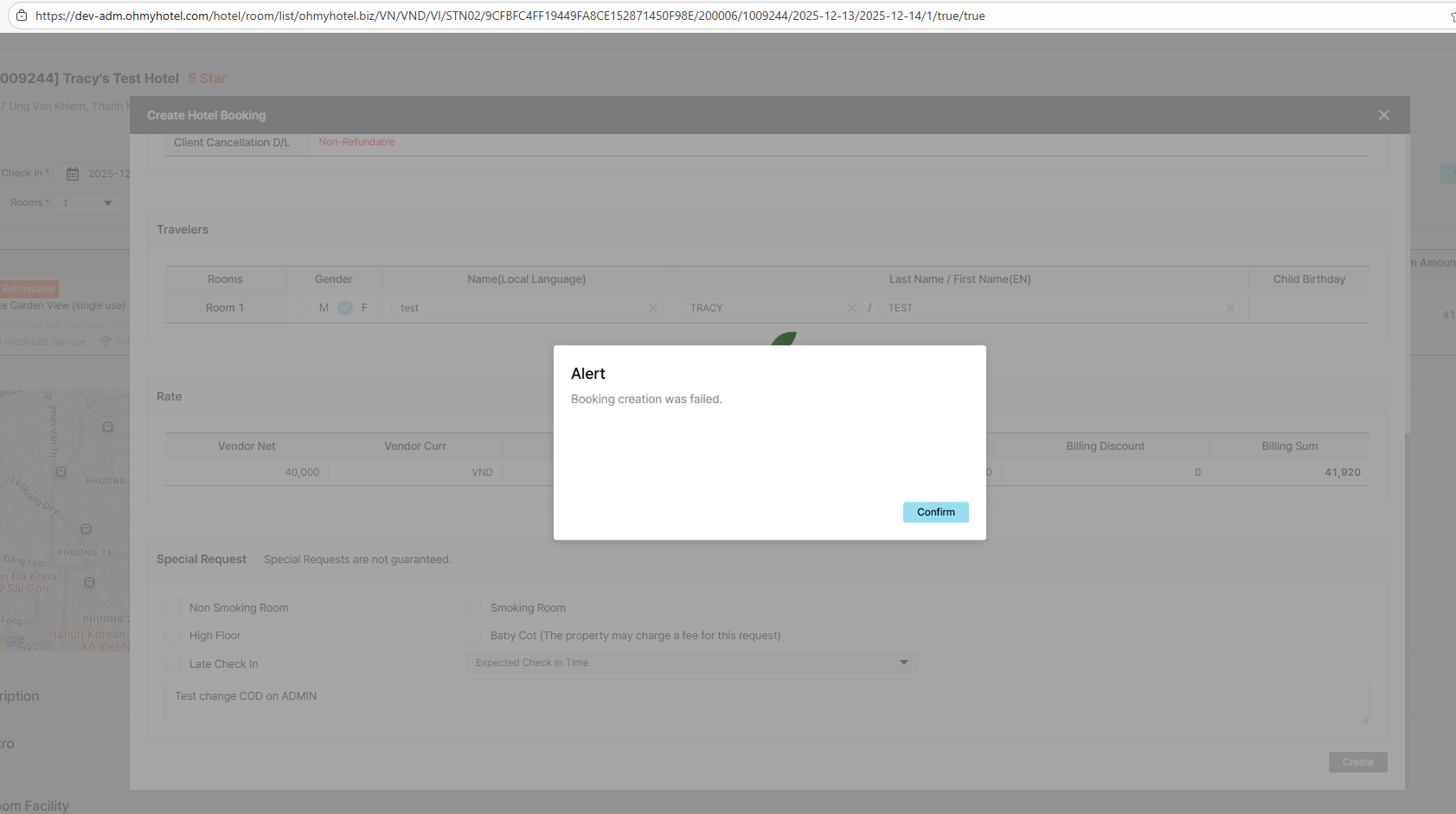
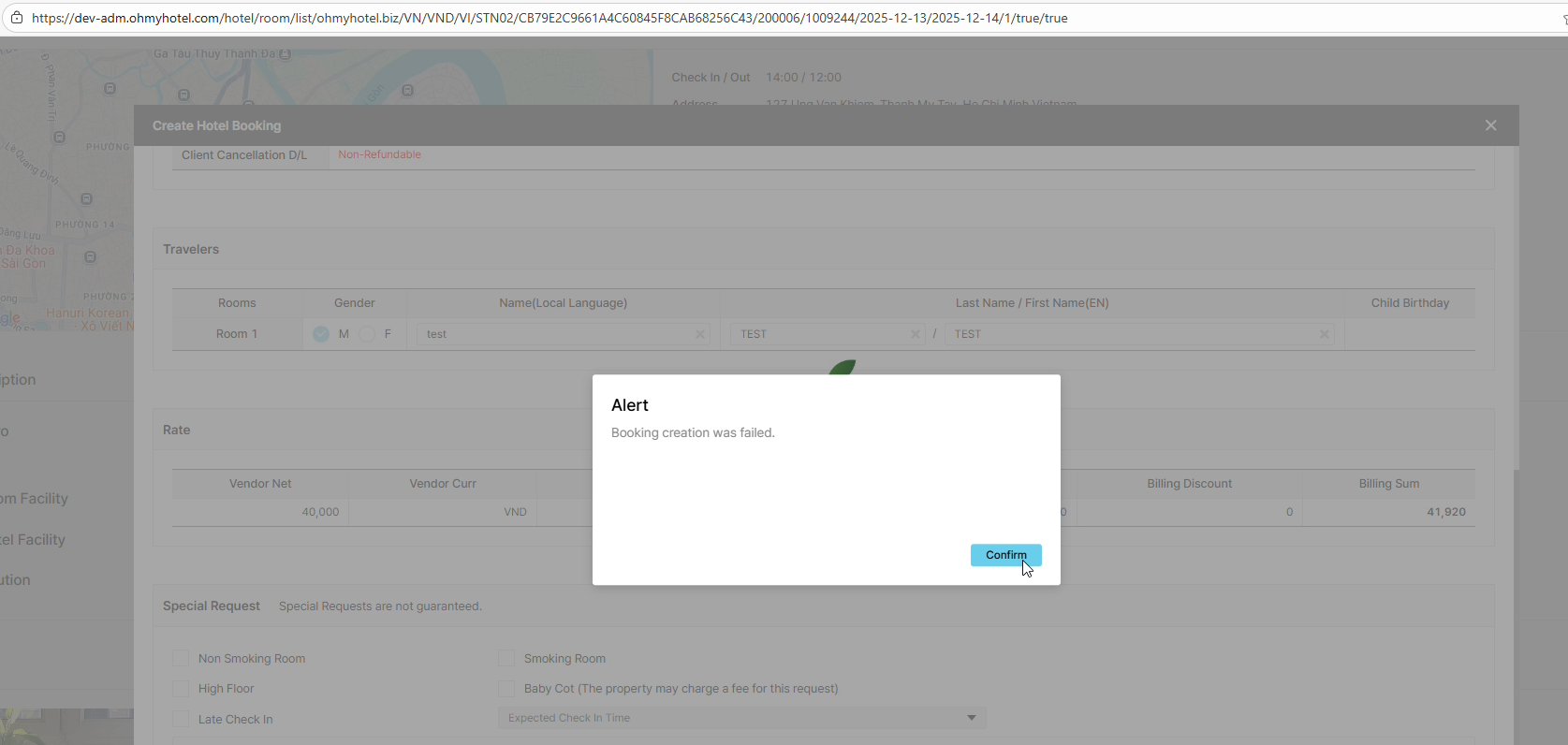
- Click create BK:
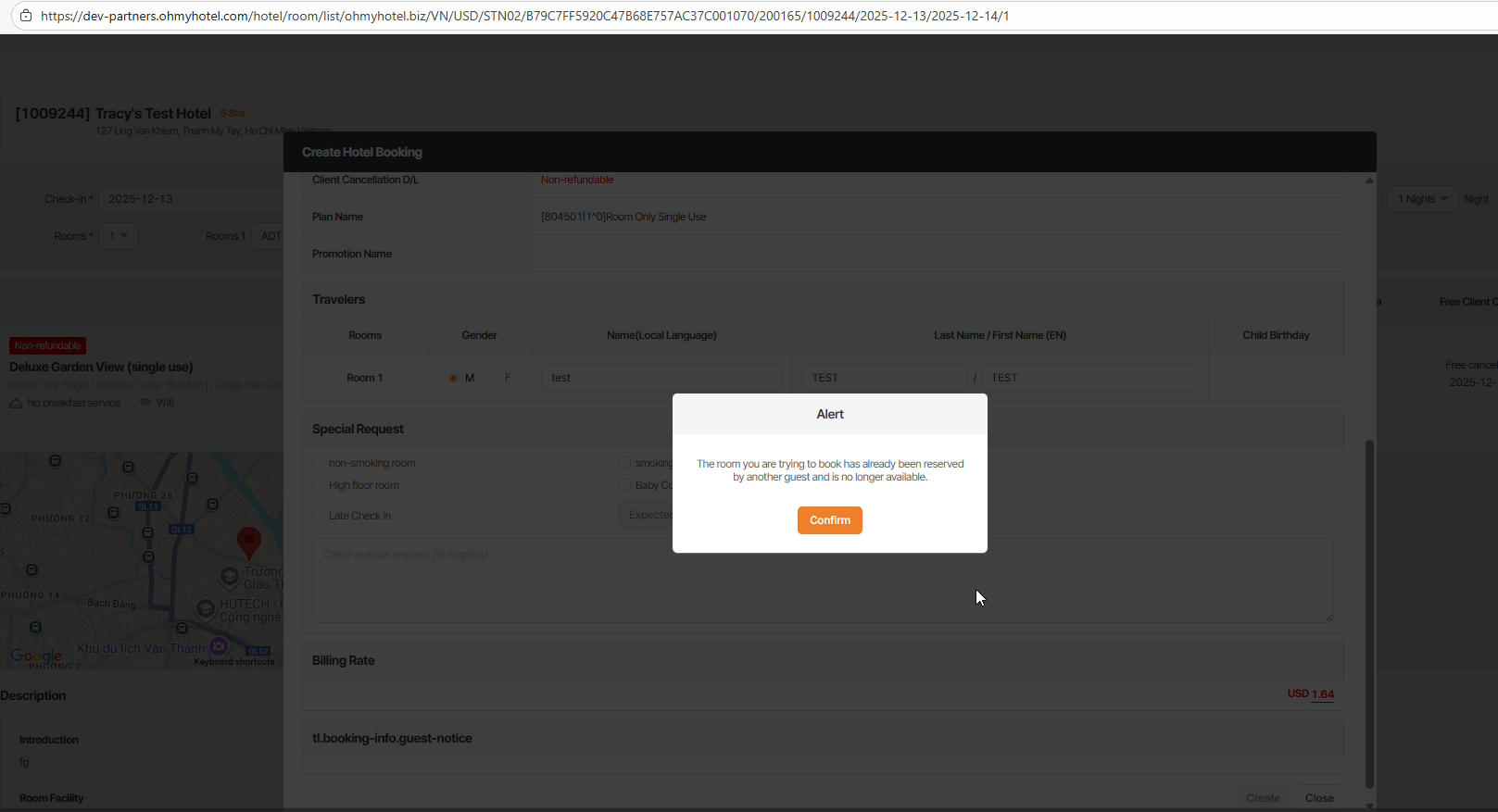
Admin : BK create failed => ok
Seller : we have 2 cases:
1: Open pop up to input information to make Bk > Change COD on Admin > click create Bk on Partner site > BK created success => failed
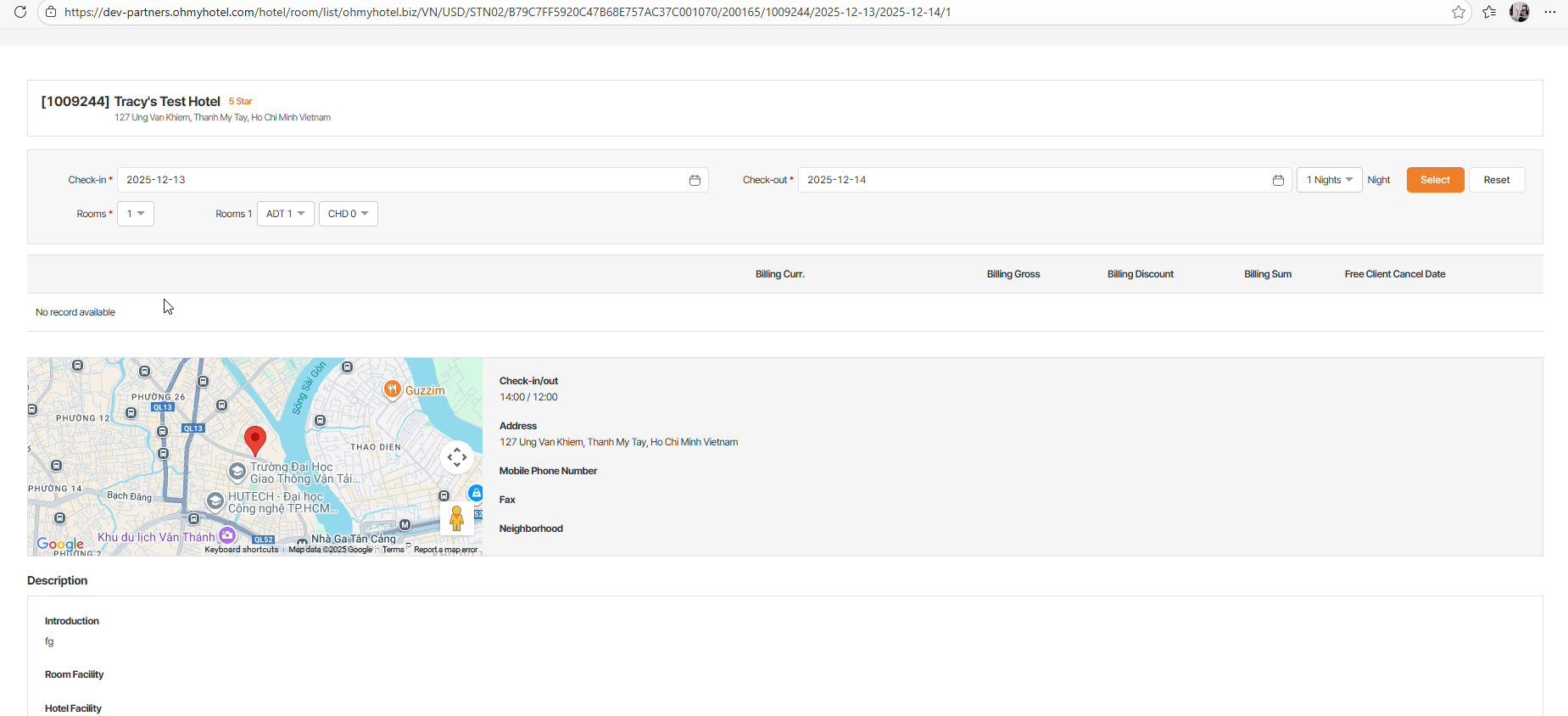
2: Just stay at Create boooking page > change COD on Admin > click select on Partner site > no rate recode to make BK => ok
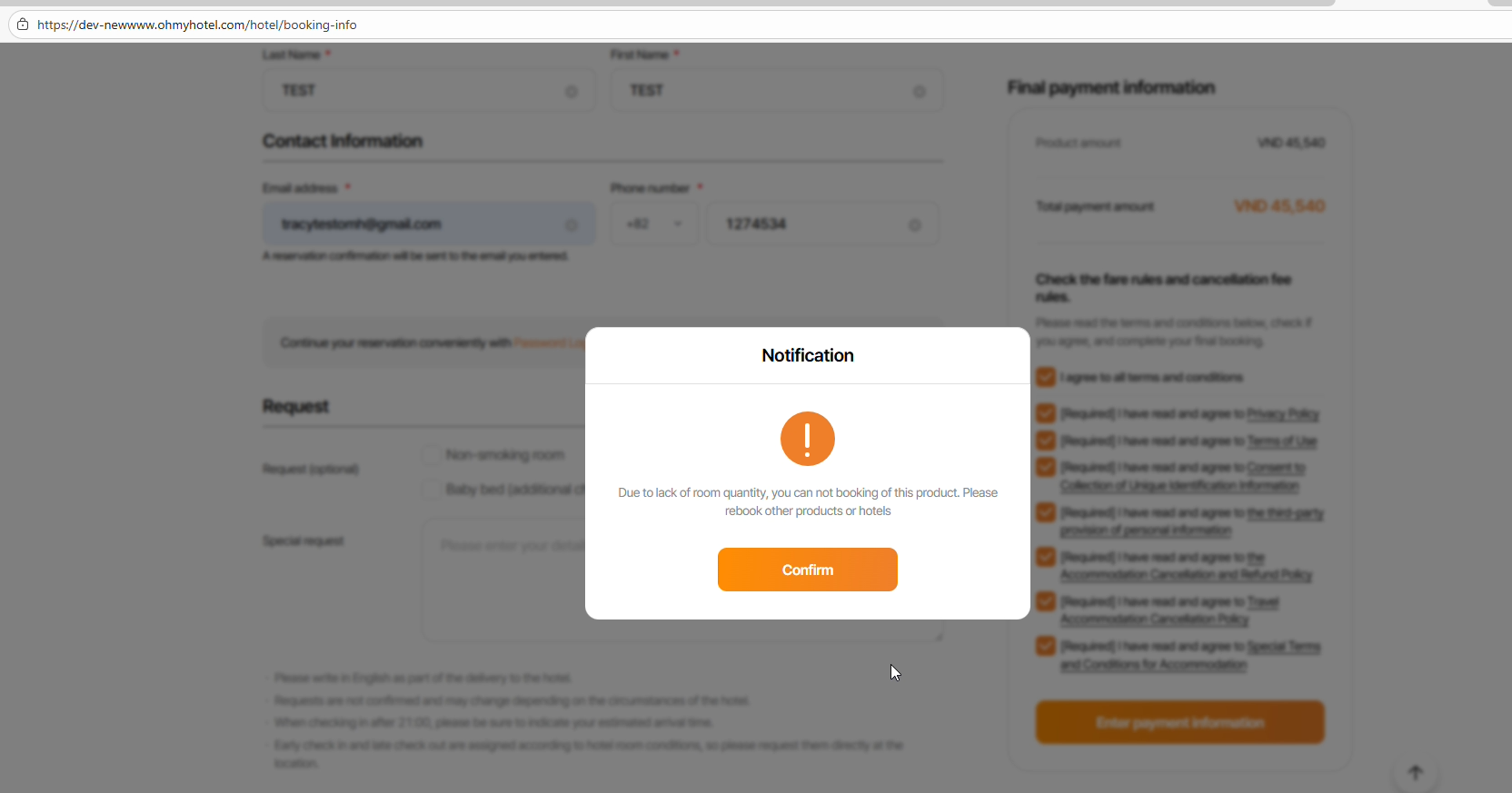
B2C : Open pop up to input information to make Bk > Change COD on Admin > Click payment btn on B2C site > BK created success => failed
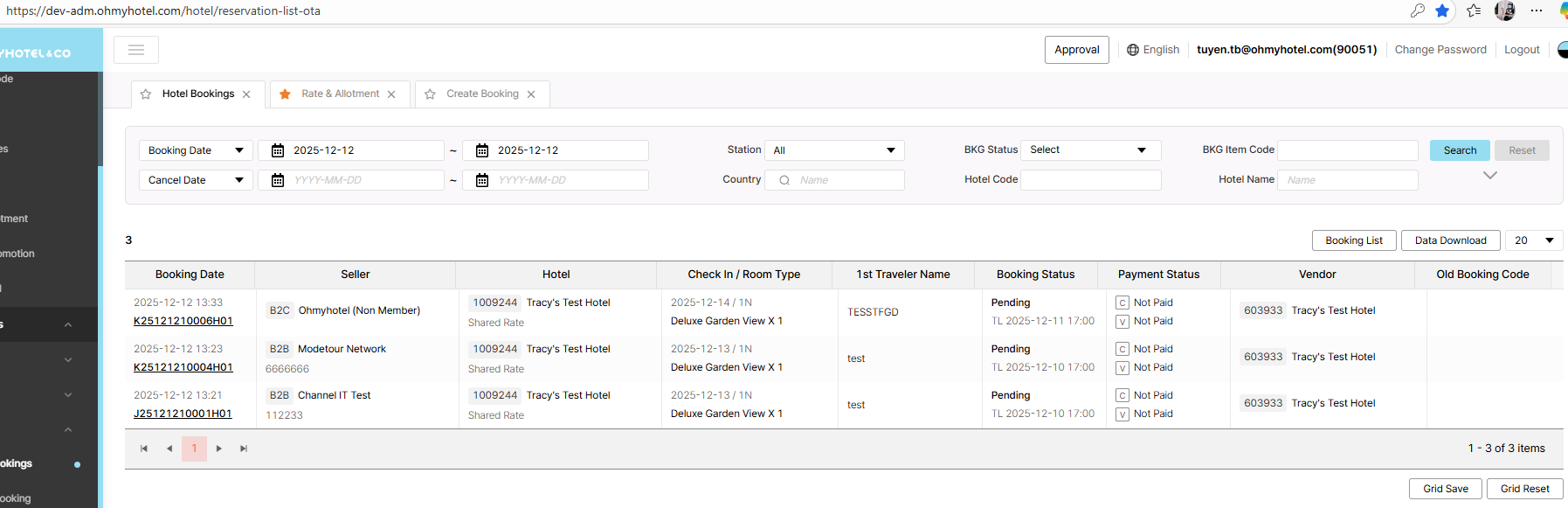
All BK status is Pending on ADMIN - Hotels Booking
BK API: please support to check by IT team. Thank you
Updated by Tracy Truong 3 months ago
- File Ohmy Admin and 8 more pages - Work 2 - Microsoft Edge 2025-12-12 16-32-50.mp4 Ohmy Admin and 8 more pages - Work 2 - Microsoft Edge 2025-12-12 16-32-50.mp4 added
- File Ohmy Partners and 8 more pages - Work 2 - Microsoft Edge 2025-12-12 16-33-59.mp4 Ohmy Partners and 8 more pages - Work 2 - Microsoft Edge 2025-12-12 16-33-59.mp4 added
- File Ohmy Admin and 9 more pages - Work 2 - Microsoft Edge 2025-12-12 16-34-56.mp4 Ohmy Admin and 9 more pages - Work 2 - Microsoft Edge 2025-12-12 16-34-56.mp4 added
- File picture680-1.png picture680-1.png added
- File picture680-2.png picture680-2.png added
- File picture680-3.png picture680-3.png added
- File picture680-4.png picture680-4.png added
- Status changed from QA test to 완료(Done)
- Assignee changed from Tracy Truong to Daniel Do
Rechecked, ok