QA #1779
closedQA #1518: New Log-in / Sign up process - QA test cases
[FE] Update Issue Focus Input OTP New Login On Mobile
100%
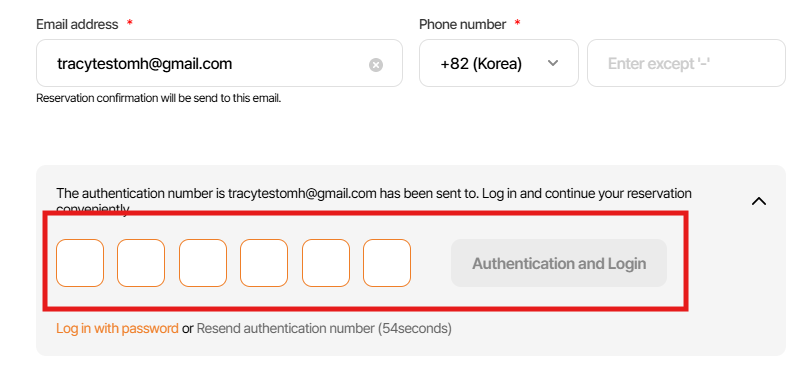
Description
[FE] Update Issue Focus Input OTP New Login On Mobile
Files
| Cas5 5.mp4 (284 KB) Cas5 5.mp4 | |||
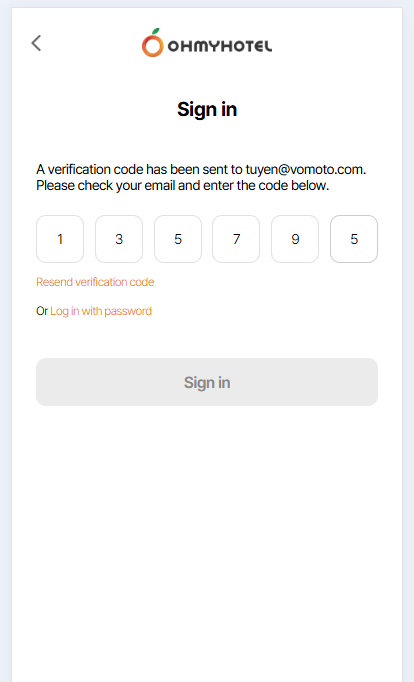
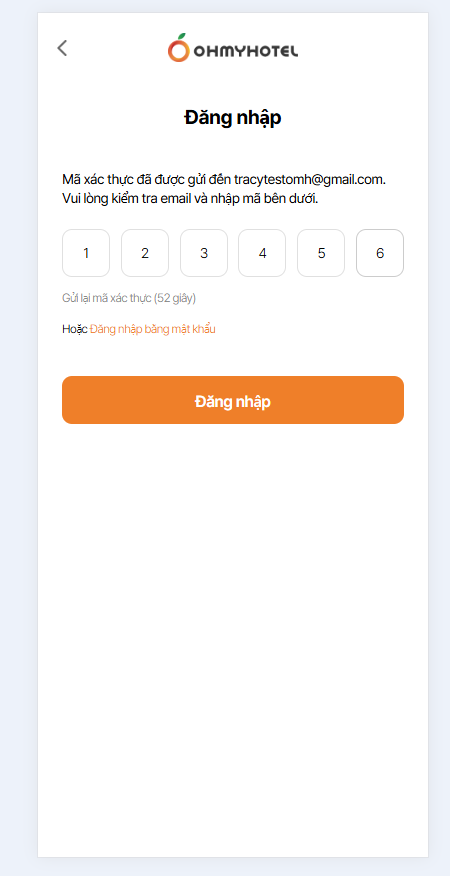
| picture854-1.png (33.5 KB) picture854-1.png | Case 1 | ||
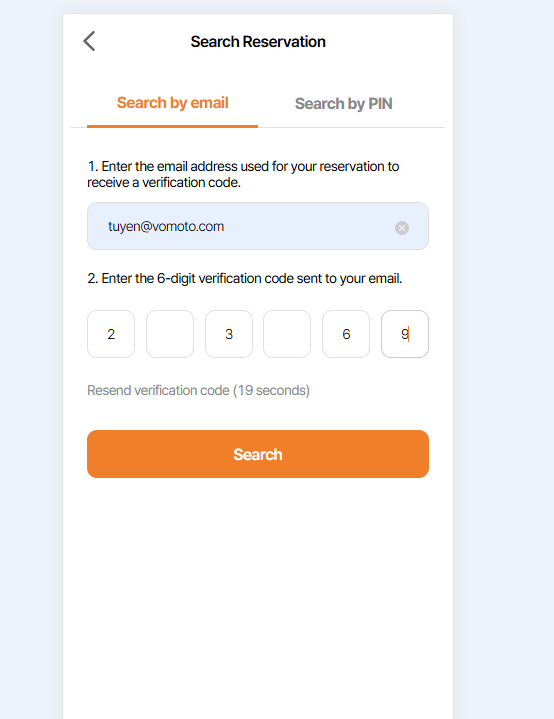
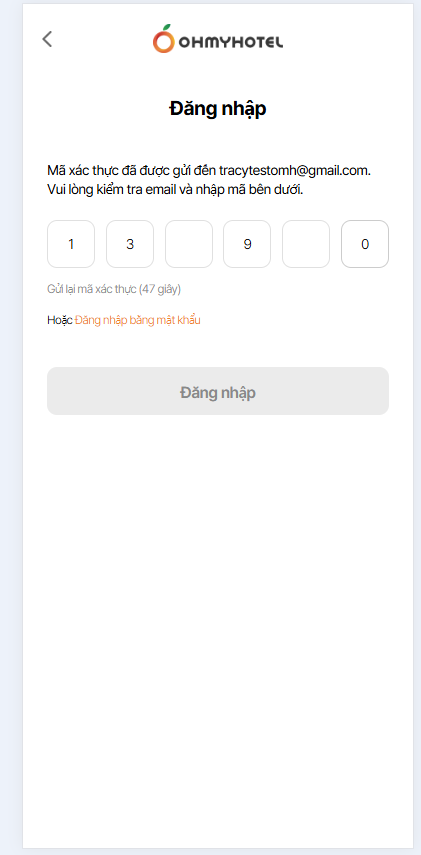
| picture854-2.png (45.7 KB) picture854-2.png | Case 3 | ||
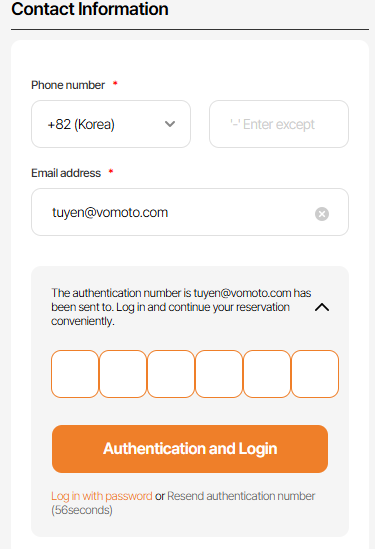
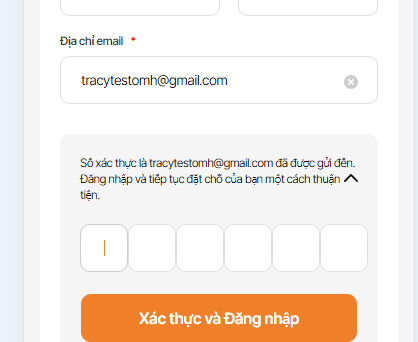
| picture854-3.png (38 KB) picture854-3.png | case 4 | ||
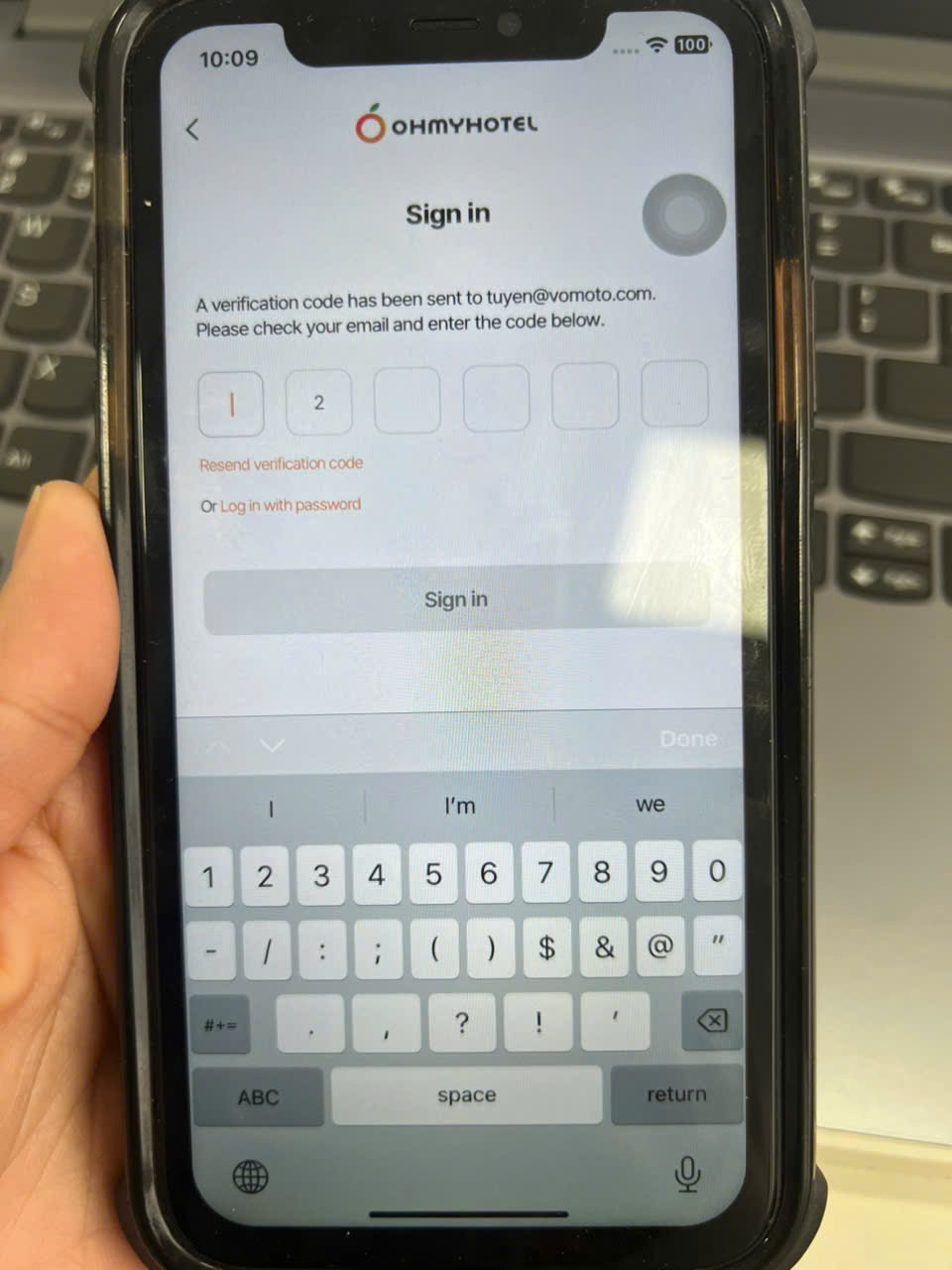
| picture854-4.png (1020 KB) picture854-4.png | |||
| Ohmyhotel and 6 more pages - Work 2 - Microsoft Edge 2025-10-03 10-28-06.mp4 (11.3 MB) Ohmyhotel and 6 more pages - Work 2 - Microsoft Edge 2025-10-03 10-28-06.mp4 | Case 2,3 | ||
| picture952-1.png (42.7 KB) picture952-1.png | Case 1 | ||
| picture952-2.png (40.1 KB) picture952-2.png | Case 3 | ||
| picture952-3.png (25.2 KB) picture952-3.png | case 4 | ||
| picture952-4.png (33.4 KB) picture952-4.png | case 6 | ||
| picture226-1.png (41.7 KB) picture226-1.png | |||
| picture607-1.png (746 KB) picture607-1.png |
Related issues
Updated by John Lee 5 months ago
- Due date set to 10/01/2025
- Status changed from 신규(New) to QA test
- Assignee changed from John Lee to Tracy Truong
- Start date set to 10/01/2025
- % Done changed from 0 to 100
hi Tracy Truong, please help me check input otp in web mobibe / app mobile. Thank you
Updated by Tracy Truong 5 months ago
- File Cas5 5.mp4 Cas5 5.mp4 added
- File picture854-1.png picture854-1.png added
- File picture854-2.png picture854-2.png added
- File picture854-3.png picture854-3.png added
- File picture854-4.png picture854-4.png added
- Status changed from QA test to 완료실패(Failed)
- Assignee changed from Tracy Truong to John Lee
- Build env. deleted (
Dev)
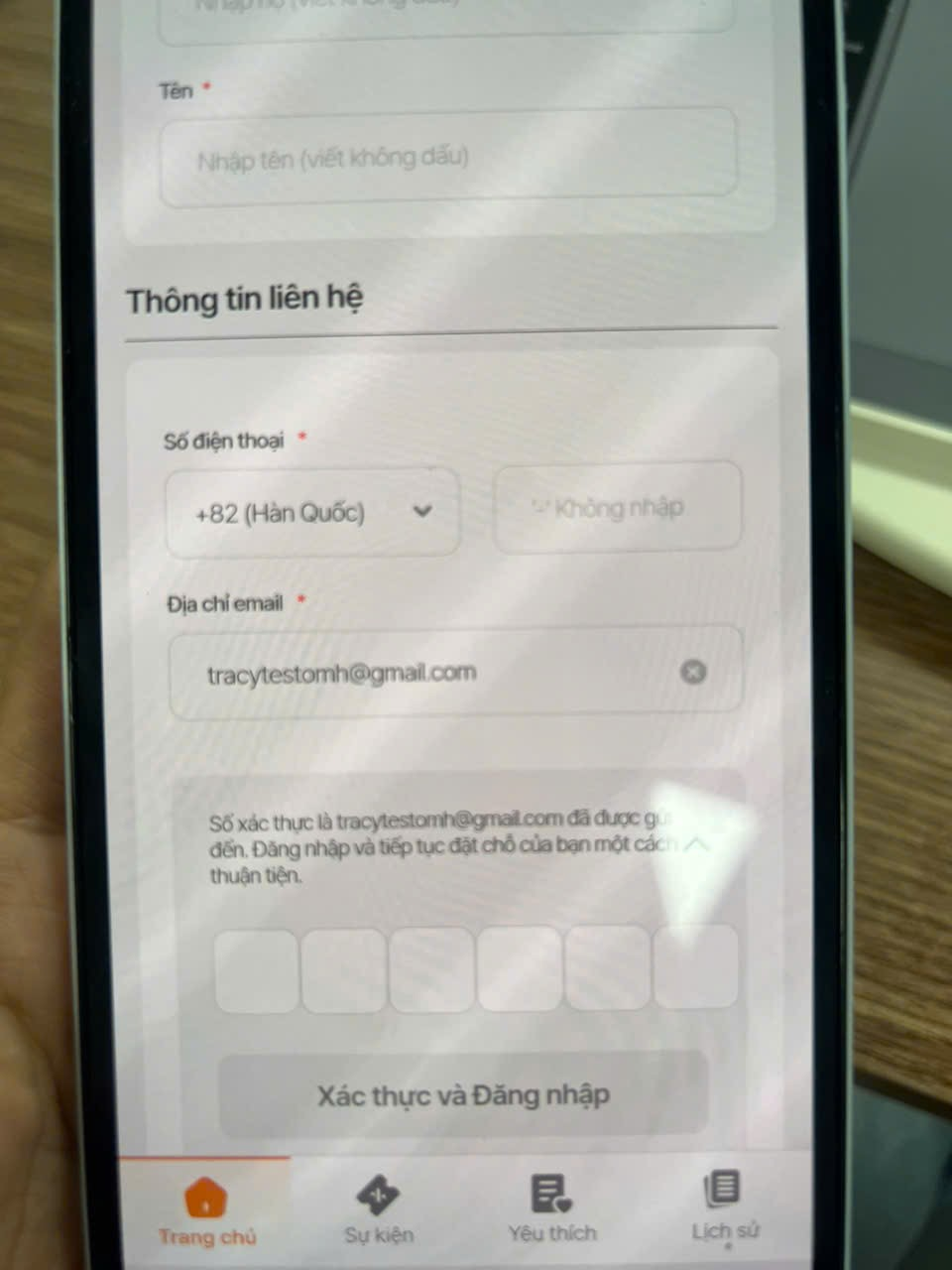
Case 1: Input 6 digits OTP > log in btn not enable (MoWeb / App)
Case 2: In last digits, if user input signs, number will disappear
Case 3: On laptop keyboard, user input number, after that enter signs like "+ / -", number will disappear & input fill empty
=>Suggest for case 2 & 3: Adjust to allow input number only (apply for all pop up fill verify code/ Device: PC/MO)
Case 4: Delete orange border in veerification pop up during make booking(jusst display when user input wrong verification code & click login)
Case 5: Delete but number still displayed (as video)
Updated by John Lee 5 months ago
- Status changed from 진행(Doing) to QA test
- Assignee changed from John Lee to Tracy Truong
- Build env. set to Staging
hi Tracy Truong, please help me check again input otp in web mobile/ app mobile in staging. Thank you
Updated by Tracy Truong 5 months ago
- File Ohmyhotel and 6 more pages - Work 2 - Microsoft Edge 2025-10-03 10-28-06.mp4 Ohmyhotel and 6 more pages - Work 2 - Microsoft Edge 2025-10-03 10-28-06.mp4 added
- File picture952-1.png picture952-1.png added
- File picture952-2.png picture952-2.png added
- File picture952-3.png picture952-3.png added
- File picture952-4.png picture952-4.png added
- Status changed from QA test to 완료실패(Failed)
- Assignee changed from Tracy Truong to John Lee
Case 1: Input 6 digits OTP > log in btn not enable (MoWeb / App) => ok
Case 2: In last digits, if user input signs, number will disappear => failed
Case 3: On laptop keyboard, user input number, after that enter signs like "+ / -", number will disappear & input fill empty => failed
=>Suggest for case 2 & 3: Adjust to allow input number only (apply for all pop up fill verify code/ Device: PC/MO)
Case 4: Delete orange border in veerification pop up during make booking(just display when user input wrong verification code & click login) => ok
Case 5: Delete but number still displayed (as video) => ok
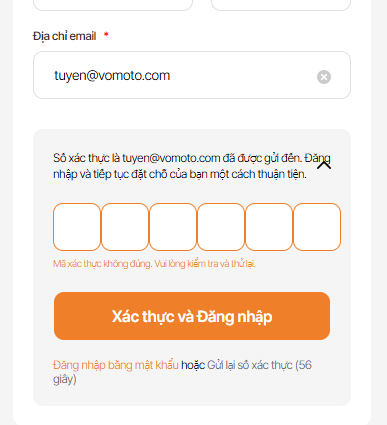
Case 6 (New case in verification pop up during make booking): Input email tracytestomh@gmail.com > verification code sent > input wwrong> error message dissplay
After that, change to new email tuyen@vomoto.com & click sign in with verification code. Pop up still displayed error message (as capture below)
=> Please fix it to do not show error message & orange border when user change email & click sign in wwith verrification code again
Updated by Tracy Truong 5 months ago
- File picture226-1.png picture226-1.png added
- Status changed from QA test to 완료실패(Failed)
- Assignee changed from Tracy Truong to John Lee
Case 6: please delete orange border also
Updated by Tracy Truong 5 months ago
- File picture607-1.png picture607-1.png added
- Status changed from QA test to 완료(Done)
- Assignee changed from Tracy Truong to John Lee
Rechecked, ok
Updated by ziniy Kang 5 months ago
- Status changed from 완료(Done) to 확인(Confirmed)
Updated by Tracy Truong 4 months ago
- Status changed from QA test to 완료성공(Resolve)
- Assignee changed from Tracy Truong to John Lee
Tracy Truong wrote in #note-8:
Case 1: Input 6 digits OTP > log in btn not enable (MoWeb / App) => ok
Case 2: In last digits, if user input signs, number will disappear => failed
Case 3: On laptop keyboard, user input number, after that enter signs like "+ / -", number will disappear & input fill empty => failed
=>Suggest for case 2 & 3: Adjust to allow input number only (apply for all pop up fill verify code/ Device: PC/MO)
Case 4: Delete orange border in veerification pop up during make booking(just display when user input wrong verification code & click login) => ok
Case 5: Delete but number still displayed (as video) => ok
Case 6 (New case in verification pop up during make booking): Input email tracytestomh@gmail.com > verification code sent > input wwrong> error message dissplay
After that, change to new email tuyen@vomoto.com & click sign in with verification code. Pop up still displayed error message (as capture below)
=> Please fix it to do not show error message & orange border when user change email & click sign in wwith verrification code again
Case 2 & 4: Failed: will make other task to fix
Updated by Tracy Truong 4 months ago
- Related to QA #2202: [PROD -MO] Verify pop up issue added