개선(improvement) #1597
closed[Plan] Apply email validation
100%
Description
Request: Apply email validation
- Validation conditions
1) Automatic Trim of Spaces
- If there are spaces before or after the input value, they must be automatically removed on submission.
- Do not validate with spaces included. First apply to trim, then follow the email validation process like `user@domain.com`.
2) Basic Format Conditions
- Must contain the `@' character
- After `@` there must be a '.'(dot).
- This ensures that the email address at least follows the `local@domain.tld` format.
3) Length Restrictions (based on RFC)
- Total length: Up to 254 characters — following the RFC maximum length of 254.
- Local part (before "@"): Up to 64 characters — based on the standard specification.
- Domain part: Generally up to 255 characters, but restricted to 254 in total length. Each domain label can be up to 63 characters.
- Path
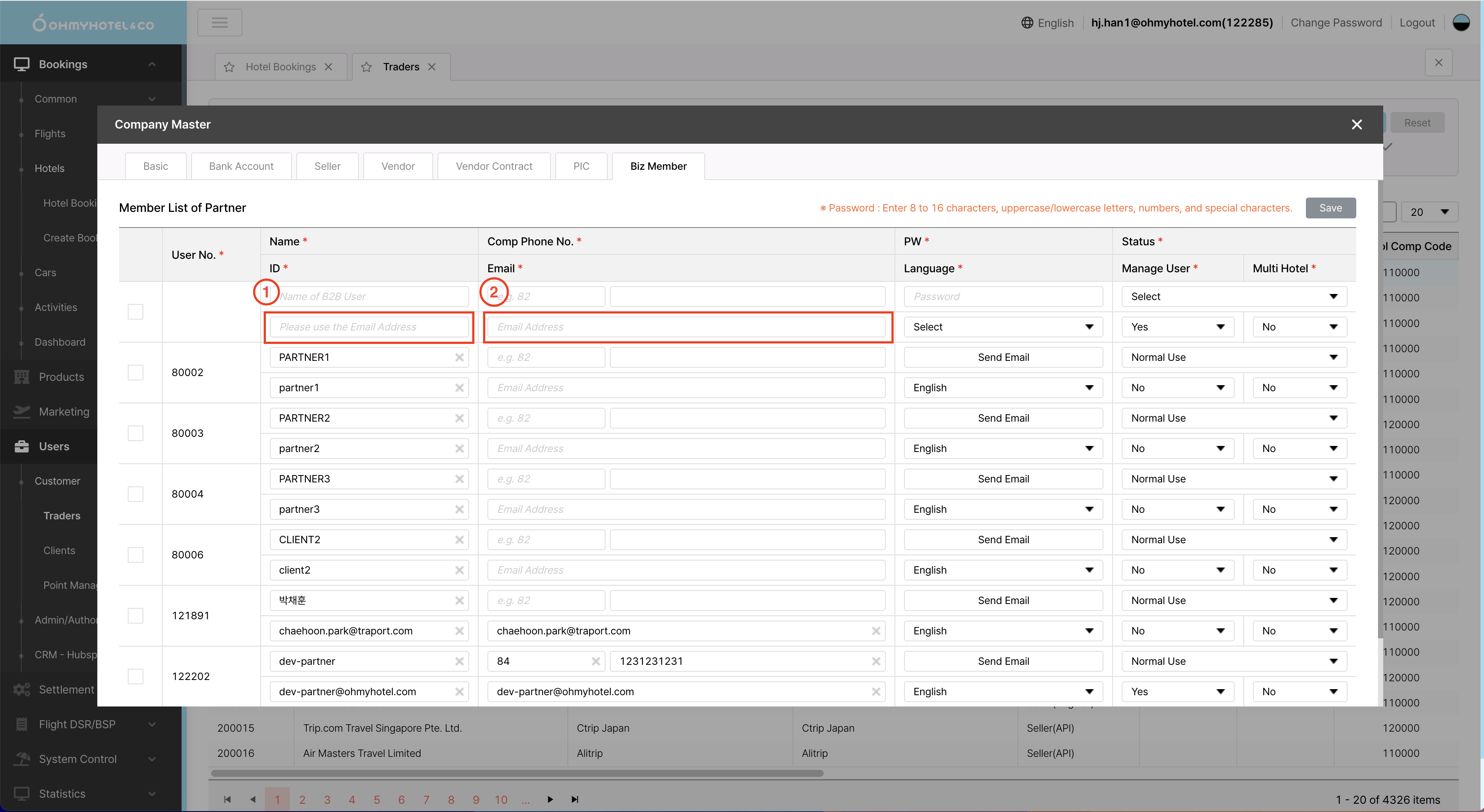
1. Users > Customer > Traders > [New] modal ‘Company Master’ > Biz Member
2. Users > Customer > Traders > (Comp detail) modal ‘Company Master’ > Biz Member
- input : ID, Email
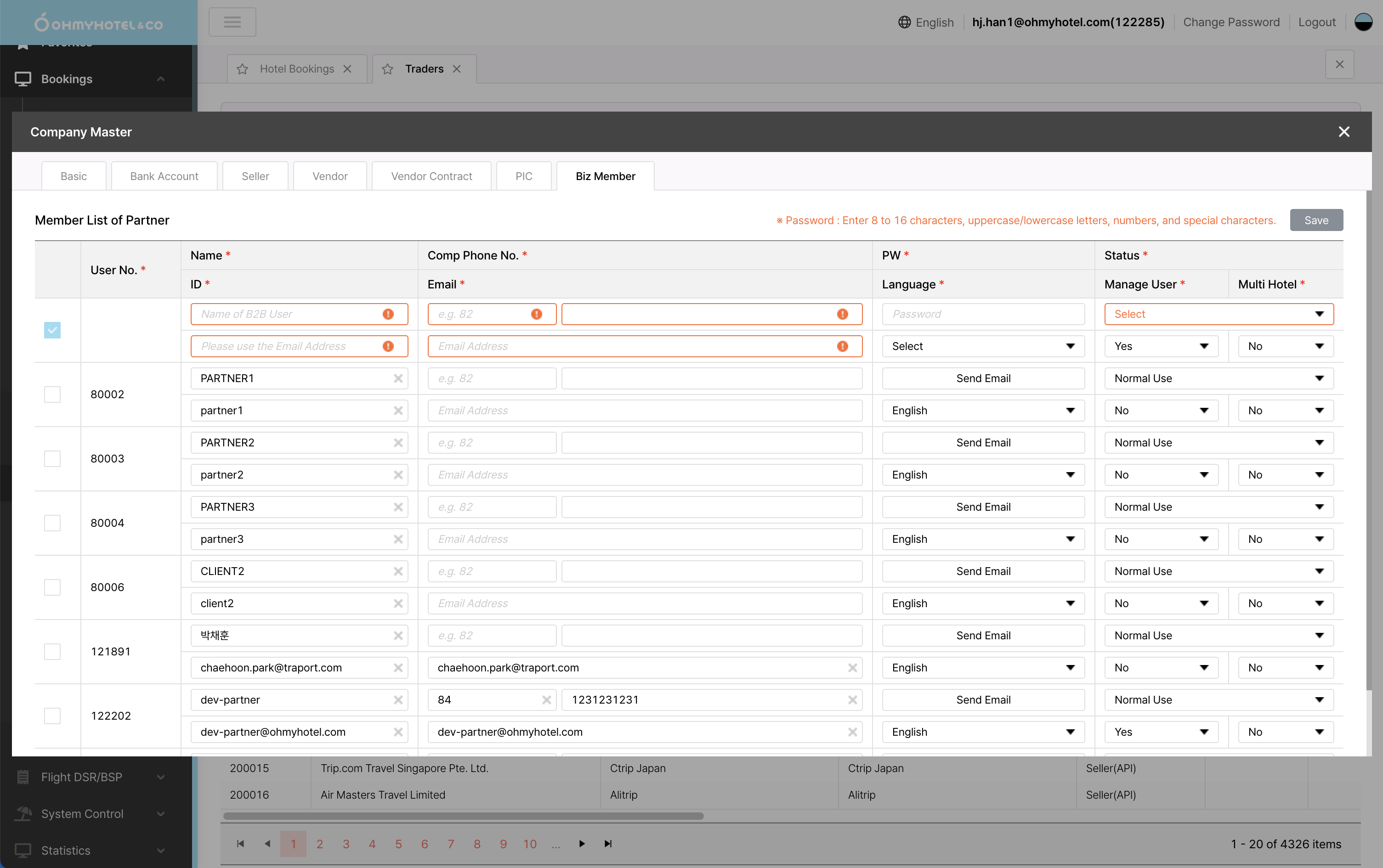
- Validation error screen: When the user clicks [Save] without meeting the validation conditions, show orange color on the input stroke (same as existing implementation — see attached screenshot).
Files
| [250916]_email-validation path 1.png (532 KB) [250916]_email-validation path 1.png | |||
| [250916]_Admin-text input validation.png (491 KB) [250916]_Admin-text input validation.png |
Related issues

