QA #1572
closedQA #1518: New Log-in / Sign up process - QA test cases
Adjust text in Select hotel & Confirm traveller field (ENG ver)
100%
Description
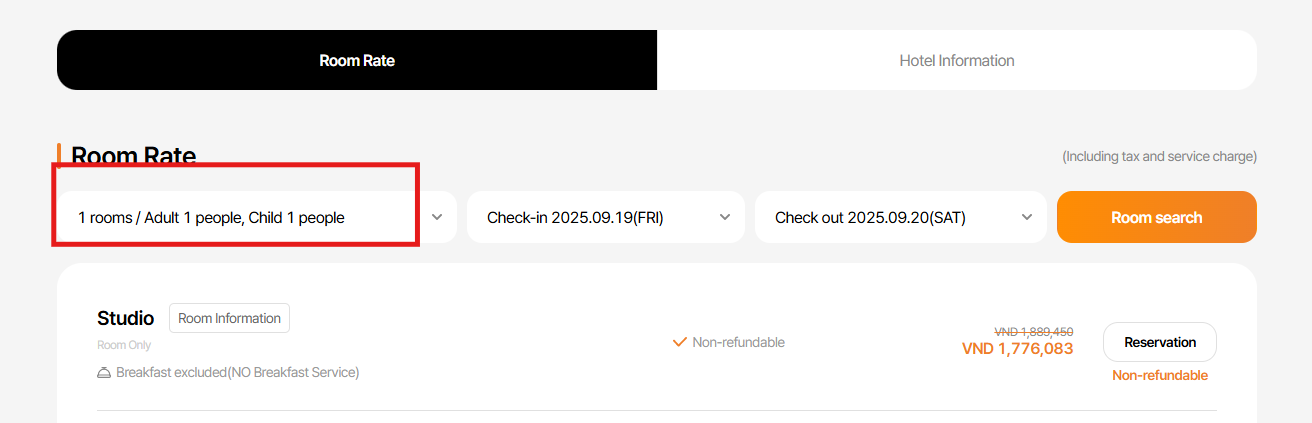
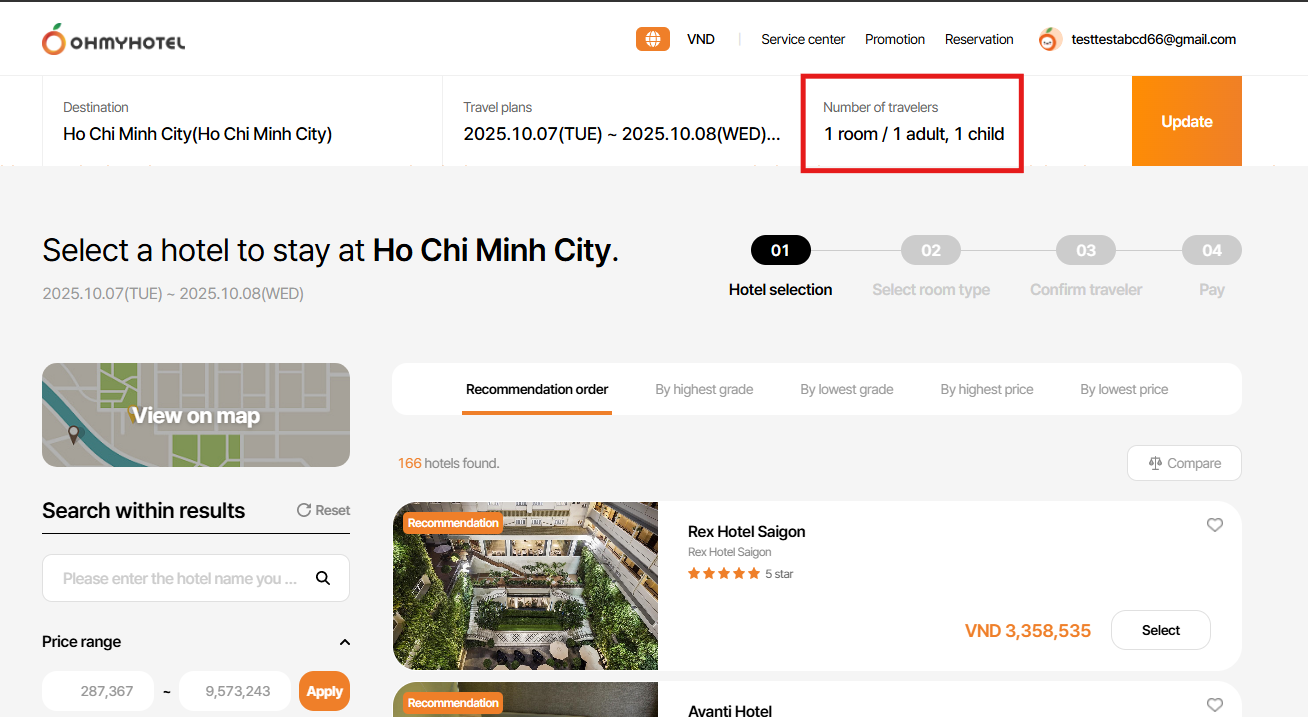
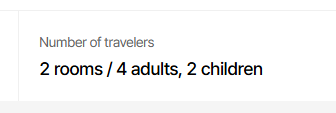
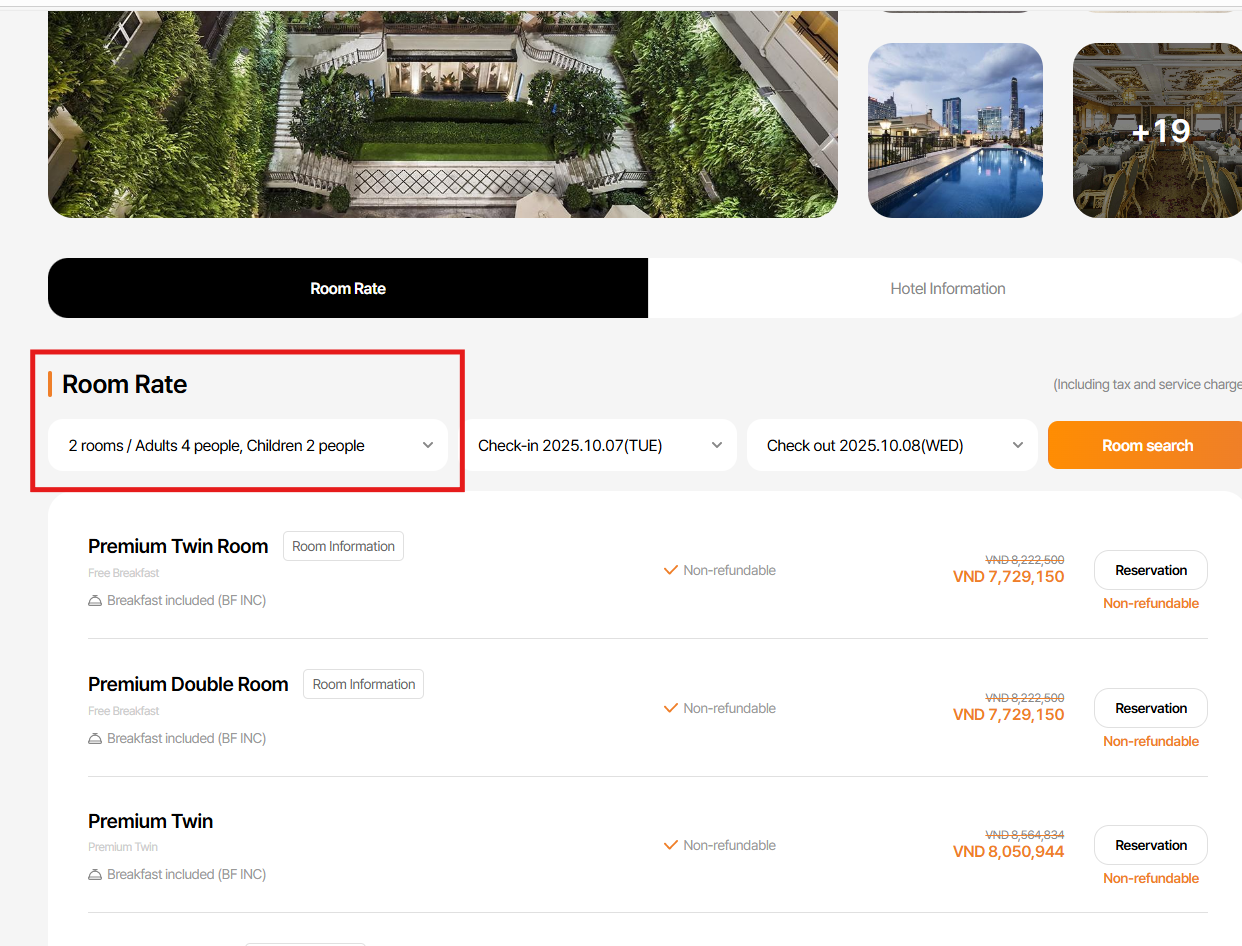
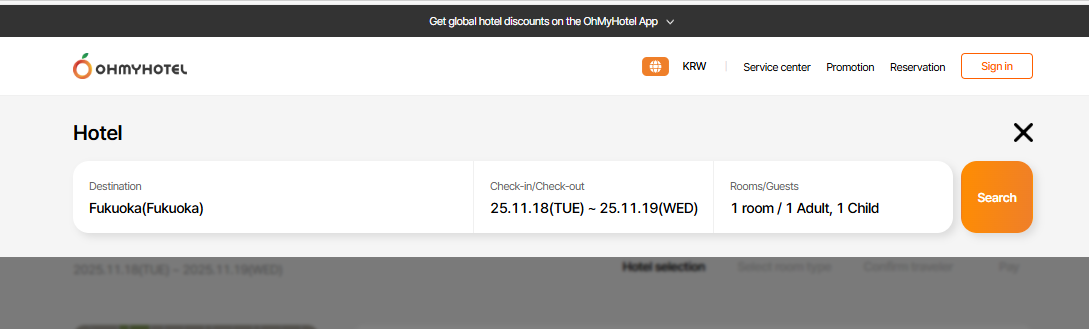
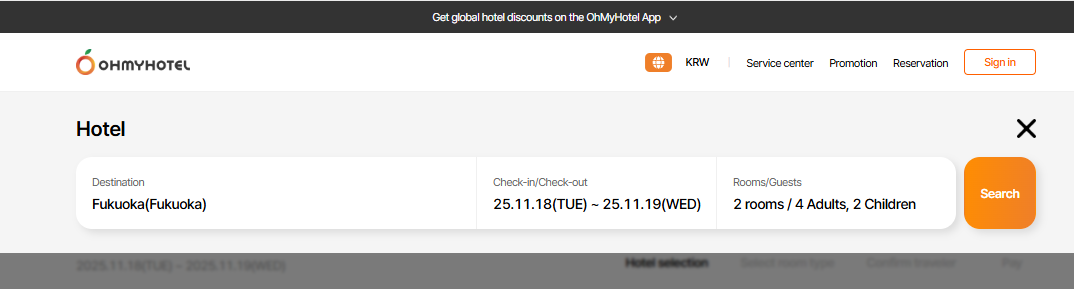
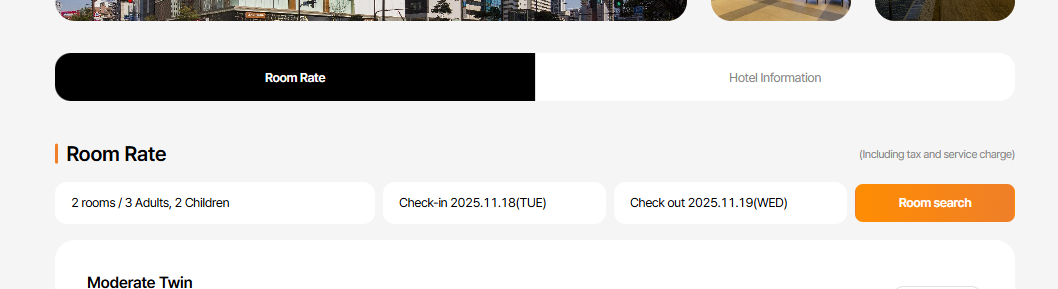
1.Select hotel > Number of travellers
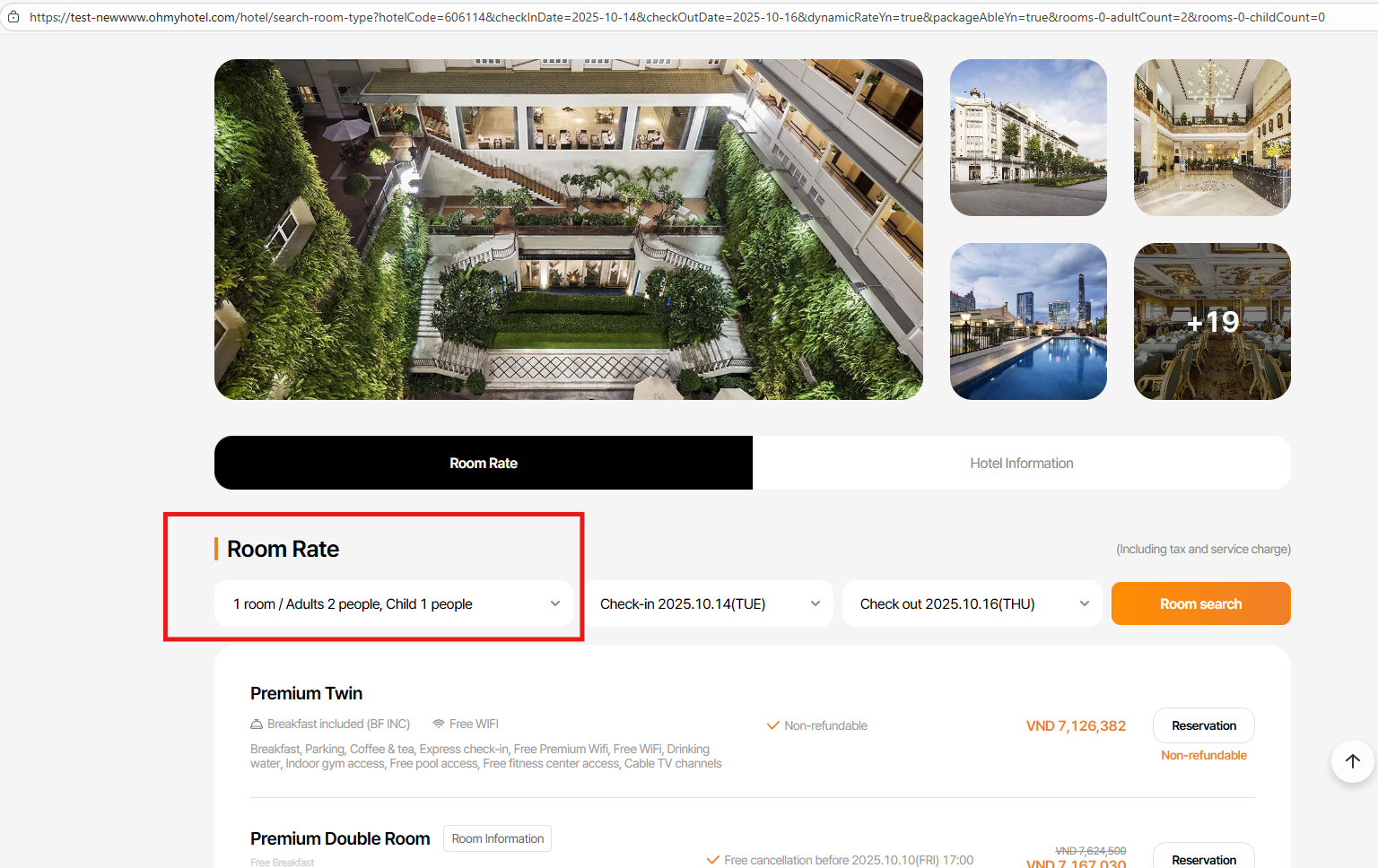
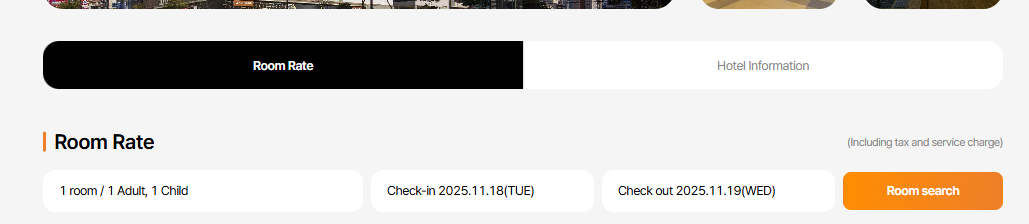
1 rooms / 1 adults => 1 room / 1 adult (delete "s")
2 rooms/ 2 adults or more: display 2 rooms / 2 adults
Children:1 Child
2 or more: display 2 children/ 3 children
2. Room rate field; change text as suggest in case 1
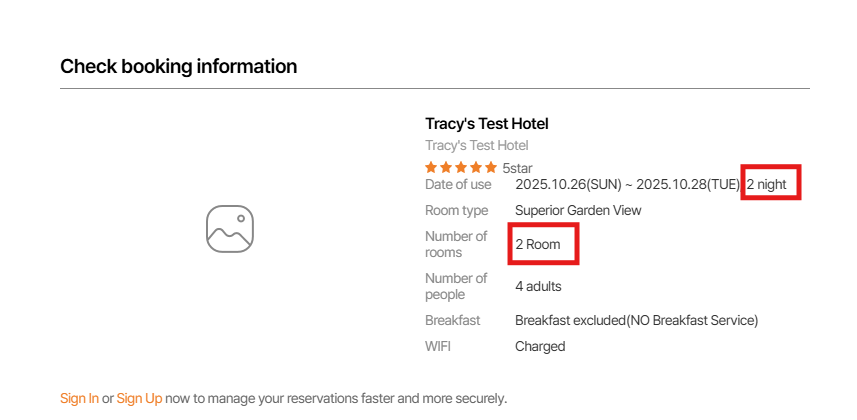
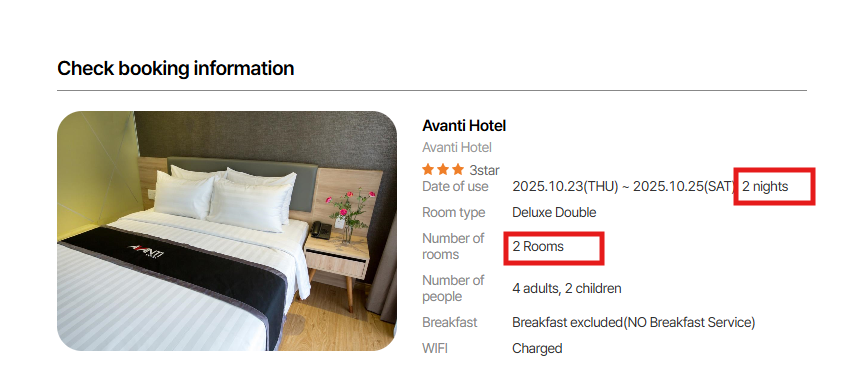
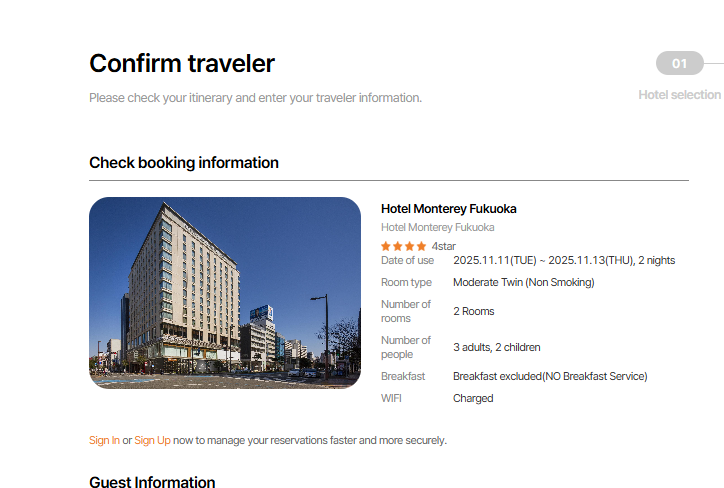
3. Confirm traveller field > Check booking information
As -is: 2 room/ 2 night
2 rooms/ nights or more: change to 2 rooms / 2 nights
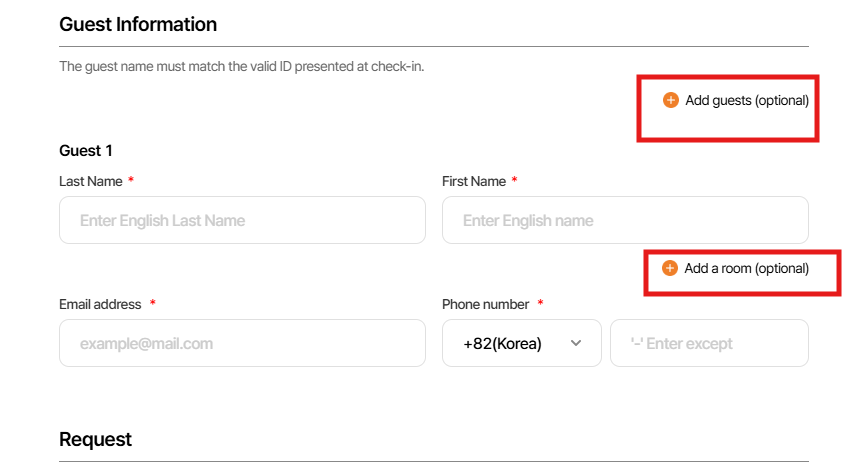
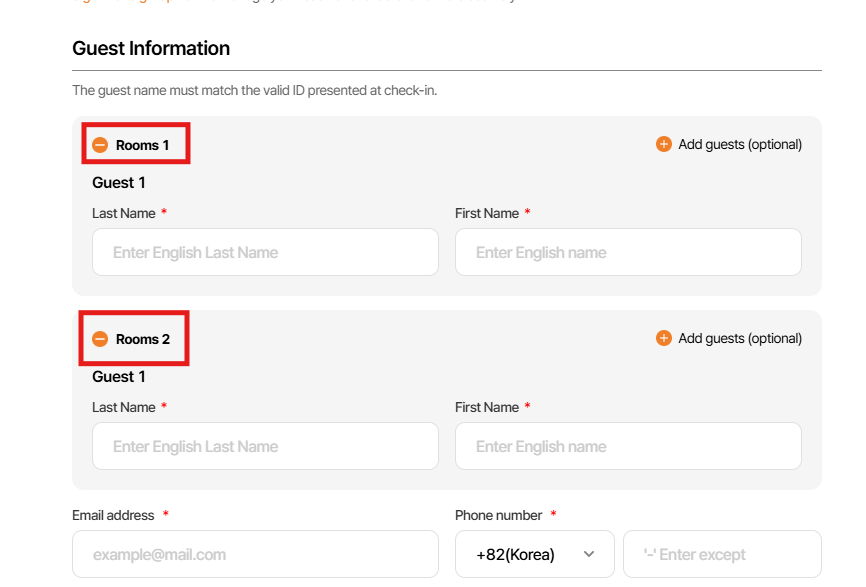
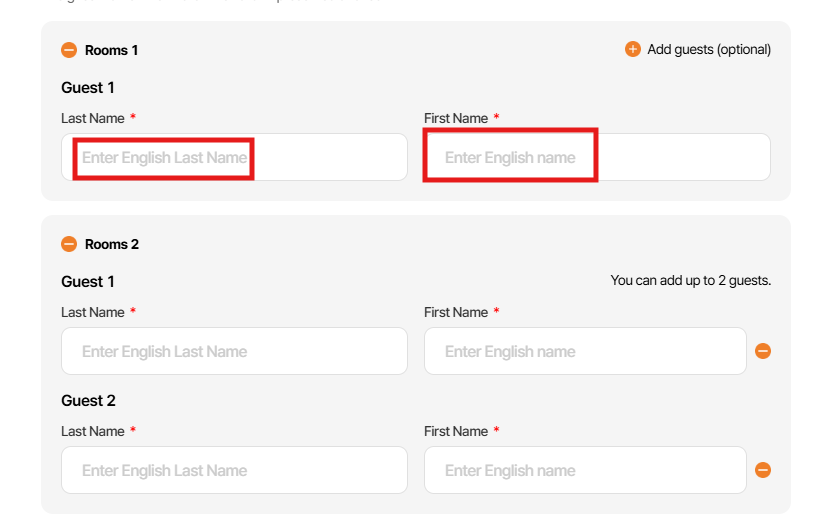
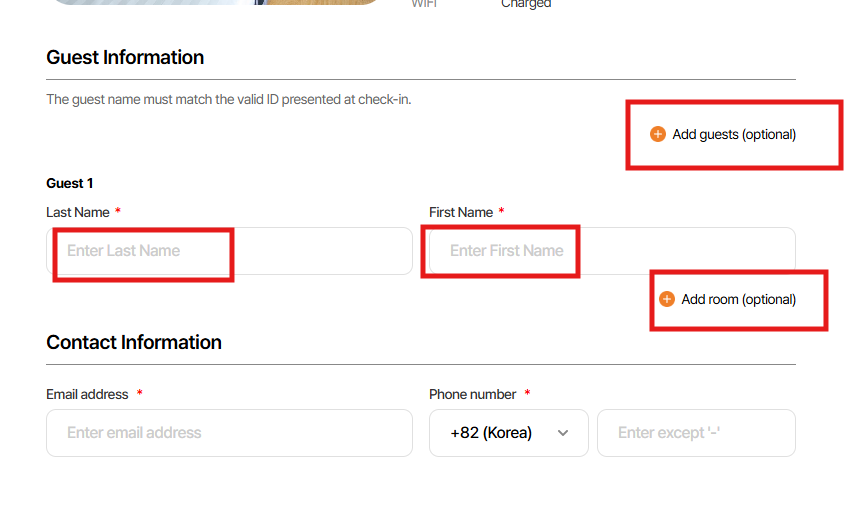
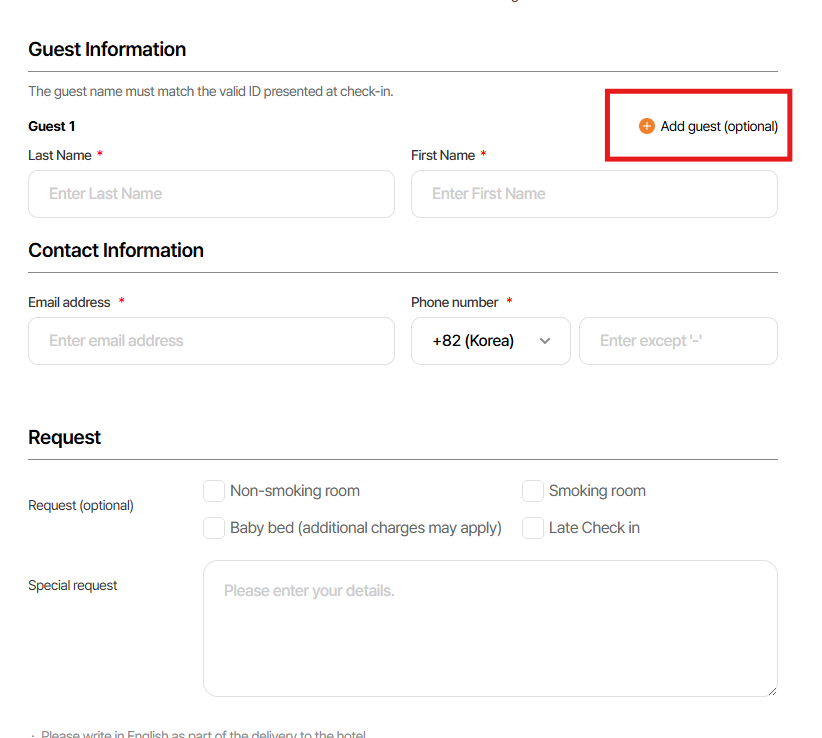
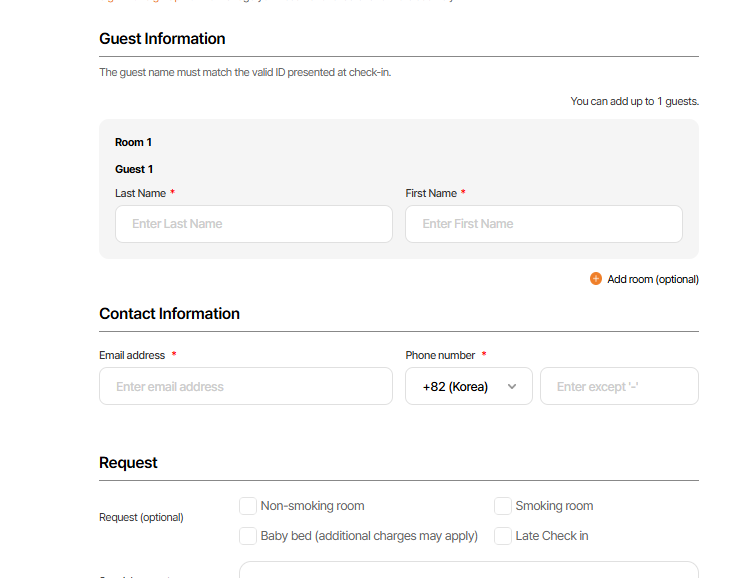
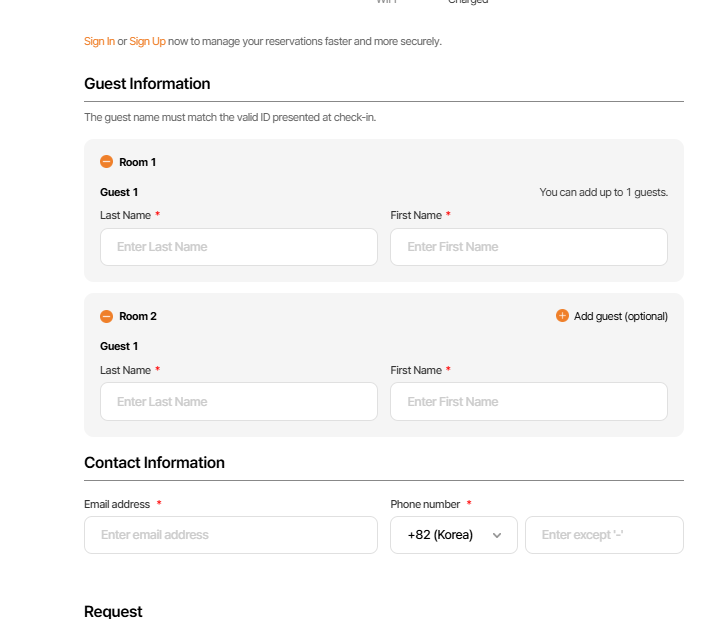
4. Confirm traveller field > Guest information
Rooms 1,2,3,... => Room 1,2,3...: Delete "s"
Add guests => Add guest
Add a room => Add room
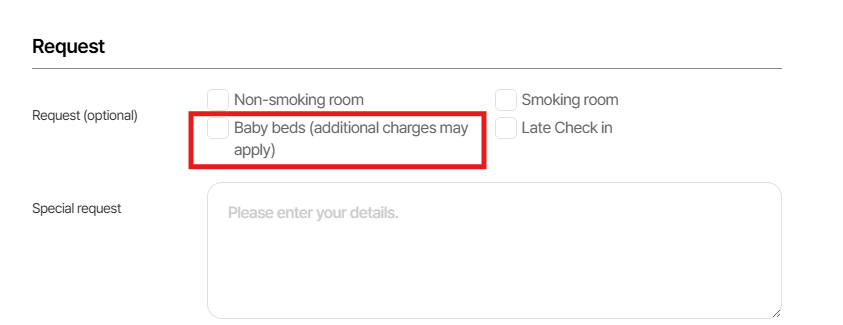
5.Confirm traveller field > Request
As-is: Baby beds (additional charges may apply)
Change to: Baby bed (additional charge may apply)
6.Confirm traveller field > Guest information > Place Holder
As-is: Enter English Last name / Enter English name
Change to: Enter Last name / Enter First name
Files
Updated by Tri Thien (Edward) Mai 6 months ago
- Due date set to 09/23/2025
- Status changed from 신규(New) to 진행(Doing)
- Estimated time set to 4.00 h
Updated by Tri Thien (Edward) Mai 6 months ago
The keys has been modified for EN:
| Key | as-is | to-be |
|---|---|---|
| tl.booking-info.btn-add-more-adult | Add guests (optional) | Add guest (optional) |
| tl.booking-info.btn-add-more-room | Add a room (optional) | Add room (optional) |
| tl.booking-info.guest-room | Rooms | Room |
| tl.booking-info.guest-last-name-placeholder | Enter English Last Name | Enter Last Name |
| tl.booking-info.guest-first-name-placeholder | Enter English name | Enter First Name |
| tl.booking-info.guest-request-baby-bed | Baby beds (additional charges may apply) | Baby bed (additional charges may apply) |
| tl.bh-pay-info.request-baby-bed | Baby beds (additional charges may apply) | Baby bed (additional charges may apply) |
| tl.search-result-header.adult | Adults {{adultCount}} | Adult {{adultCount}} |
add new keys for EN:
| Key | Value |
|---|---|
| tl.booking-info.room-count-num.plural | {{roomCount}} Rooms |
| tl.booking-info.guest-count-text-adult.singular | {{adultCount}} adult |
| tl.booking-info.guest-count-text-child.singular | {{childCount}} child |
| tl.booking-info.check-out-date.plural | {{checkOutDate}} nights |
| tl.search-result-header.nights | Nights |
| tl.search-result-header.rooms | Rooms {{room}} |
| tl.search-result-header.adult | Adult {{adultCount}} |
| tl.search-result-header.adults | Adults {{adultCount}} |
| tl.search-result-header.children | Children {{childCount}} |
| tl.srt.room-length.singular | {{roomLength}} room |
Hi ziniy Kang, Please double check for the above language keys and translate it if needed.
Thank you!
Updated by Tri Thien (Edward) Mai 6 months ago
- Status changed from 진행(Doing) to 완료(Done)
- % Done changed from 0 to 100
Updated by harry harry 6 months ago
- Assignee changed from Tri Thien (Edward) Mai to Mon Nguyen
Updated by Mon Nguyen 5 months ago
- Assignee changed from Mon Nguyen to harry harry
Dear harry harry
Please help me follow up this task on the next step
Thank you
Updated by harry harry 5 months ago
- Status changed from 완료(Done) to QA test
- Assignee changed from harry harry to Tracy Truong
- Build env. set to Staging
Updated by Tracy Truong 5 months ago
- File picture825-1.png picture825-1.png added
- File picture825-2.png picture825-2.png added
- File picture825-3.png picture825-3.png added
- File picture825-4.png picture825-4.png added
- File picture825-5.png picture825-5.png added
- Status changed from QA test to 완료실패(Failed)
- Assignee changed from Tracy Truong to harry harry
Tracy Truong wrote:
1.Select hotel > Number of travellers
1 rooms / 1 adults => 1 room / 1 adult (delete "s")
2 rooms/ 2 adults or more: display 2 rooms / 2 adults
Children:1 Child
2 or more: display 2 children/ 3 children2. Room rate field; change text as suggest in case 1
3. Confirm traveller field > Check booking information
As -is: 2 room/ 2 night
2 rooms/ nights or more: change to 2 rooms / 2 nights4. Confirm traveller field > Guest information
Rooms 1,2,3,... => Room 1,2,3...: Delete "s"
Add guests => Add guest
Add a room => Add room5.Confirm traveller field > Request
As-is: Baby beds (additional charges may apply)
Change to: Baby bed (additional charge may apply)6.Confirm traveller field > Guest information > Place Holder
As-is: Enter English Last name / Enter English name
Change to: Enter Last name / Enter First name
case 1: Ok
case 2: Failed - still do not changed
case 3: ok
case 4: Failed - change " Add guests" to "Add guest" - delete "s"
case 5: ok
case 6: ok
Updated by harry harry 5 months ago
- Assignee changed from harry harry to Joo dev
Updated by Tracy Truong 5 months ago
- File picture607-1.png picture607-1.png added
- File picture607-2.png picture607-2.png added
- Status changed from QA test to 완료실패(Failed)
- Assignee changed from Tracy Tran to Joo dev
Tracy Truong wrote in #note-10:
Tracy Truong wrote:
1.Select hotel > Number of travellers
1 rooms / 1 adults => 1 room / 1 adult (delete "s")
2 rooms/ 2 adults or more: display 2 rooms / 2 adults
Children:1 Child
2 or more: display 2 children/ 3 children2. Room rate field; change text as suggest in case 1
3. Confirm traveller field > Check booking information
As -is: 2 room/ 2 night
2 rooms/ nights or more: change to 2 rooms / 2 nights4. Confirm traveller field > Guest information
Rooms 1,2,3,... => Room 1,2,3...: Delete "s"
Add guests => Add guest
Add a room => Add room5.Confirm traveller field > Request
As-is: Baby beds (additional charges may apply)
Change to: Baby bed (additional charge may apply)6.Confirm traveller field > Guest information > Place Holder
As-is: Enter English Last name / Enter English name
Change to: Enter Last name / Enter First name
Case 2: failed - please changed as suggest below:
1 rooms / 1 adults => 1 room / 1 adult (delete "s")
2 rooms/ 2 adults or more: display 2 rooms / 2 adults
Children:
1 Child
2 or more: display 2 children/ 3 children
case 4: done
Updated by Tracy Truong 5 months ago
- File picture065-1.png picture065-1.png added
- File picture065-2.png picture065-2.png added
- File picture065-3.png picture065-3.png added
- Status changed from QA test to 완료(Done)
- Assignee changed from Tracy Tran to Joo dev
tested, done
Updated by ziniy Kang 5 months ago
- Status changed from 완료(Done) to 확인(Confirmed)
Updated by ziniy Kang 4 months ago
- Status changed from 완료(Done) to QA test
- Assignee changed from Joo dev to Tracy Truong
Updated by Tracy Truong 4 months ago
- File picture867-1.png picture867-1.png added
- File picture867-2.png picture867-2.png added
- File picture867-3.png picture867-3.png added
- File picture867-4.png picture867-4.png added
- File picture867-5.png picture867-5.png added
- File picture867-6.png picture867-6.png added
- File picture867-7.png picture867-7.png added
- Status changed from QA test to 완료성공(Resolve)
- Assignee changed from Tracy Truong to Joo dev
1.Select hotel > Number of travellers
1 rooms / 1 adults => 1 room / 1 adult (delete "s")
2 rooms/ 2 adults or more: display 2 rooms / 2 adults
Children:
1 Child
2 or more: display 2 children/ 3 children
2. Room rate field; change text as suggest in case 1
3. Confirm traveller field > Check booking information
As -is: 2 room/ 2 night
2 rooms/ nights or more: change to 2 rooms / 2 nights
4. Confirm traveller field > Guest information
Rooms 1,2,3,... => Room 1,2,3...: Delete "s"
Add guests => Add guest
Add a room => Add room
5.Confirm traveller field > Request
As-is: Baby beds (additional charges may apply)
Change to: Baby bed (additional charge may apply)
6.Confirm traveller field > Guest information > Place Holder
As-is: Enter English Last name / Enter English name
Change to: Enter Last name / Enter First name
Check on Prod, ok