기능(Feature) #1094
closed
- Assignee changed from Joseph Vo to Dante Le
- Status changed from 신규(New) to 진행(Doing)
- Start date set to 08/08/2025
- Status changed from 진행(Doing) to 완료(Done)
- Due date set to 08/13/2025
- % Done changed from 0 to 100
- Build env. changed from Dev to Staging
- Build env. changed from Staging to Prod
- Assignee changed from Dante Le to Tracy Tran
- Assignee changed from Tracy Tran to ziniy Kang
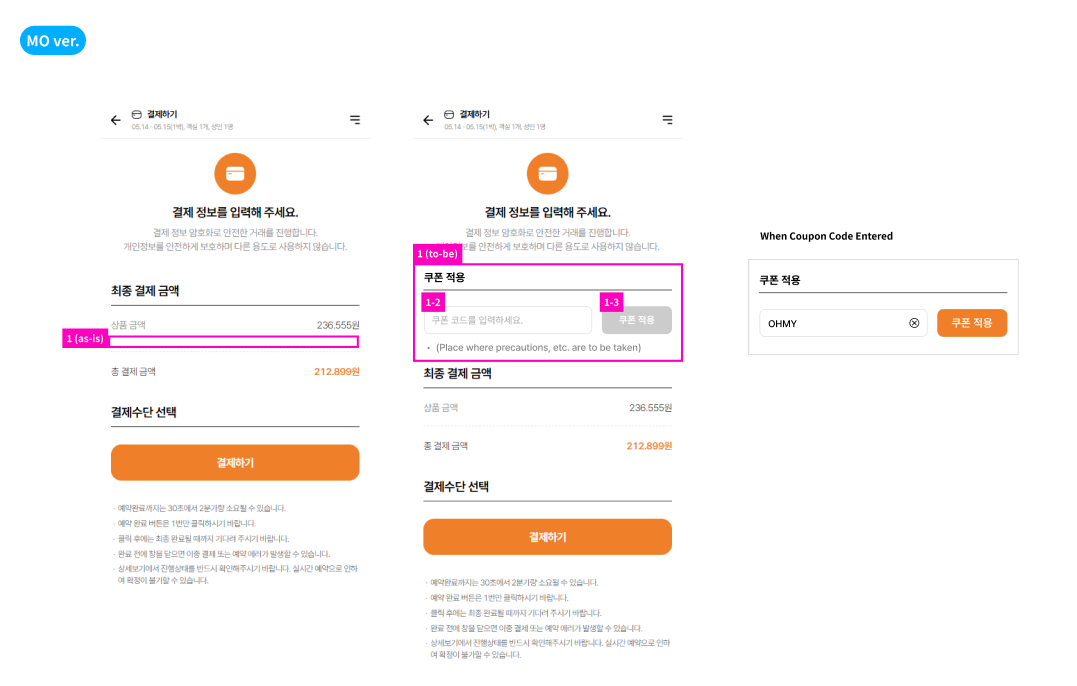
1. Add "Apply Coupon"area > OK
1.1 Title: Need to recheck as same issue with PC
Figma: Apply Coupon
MO-app: Use Coupon
1.2
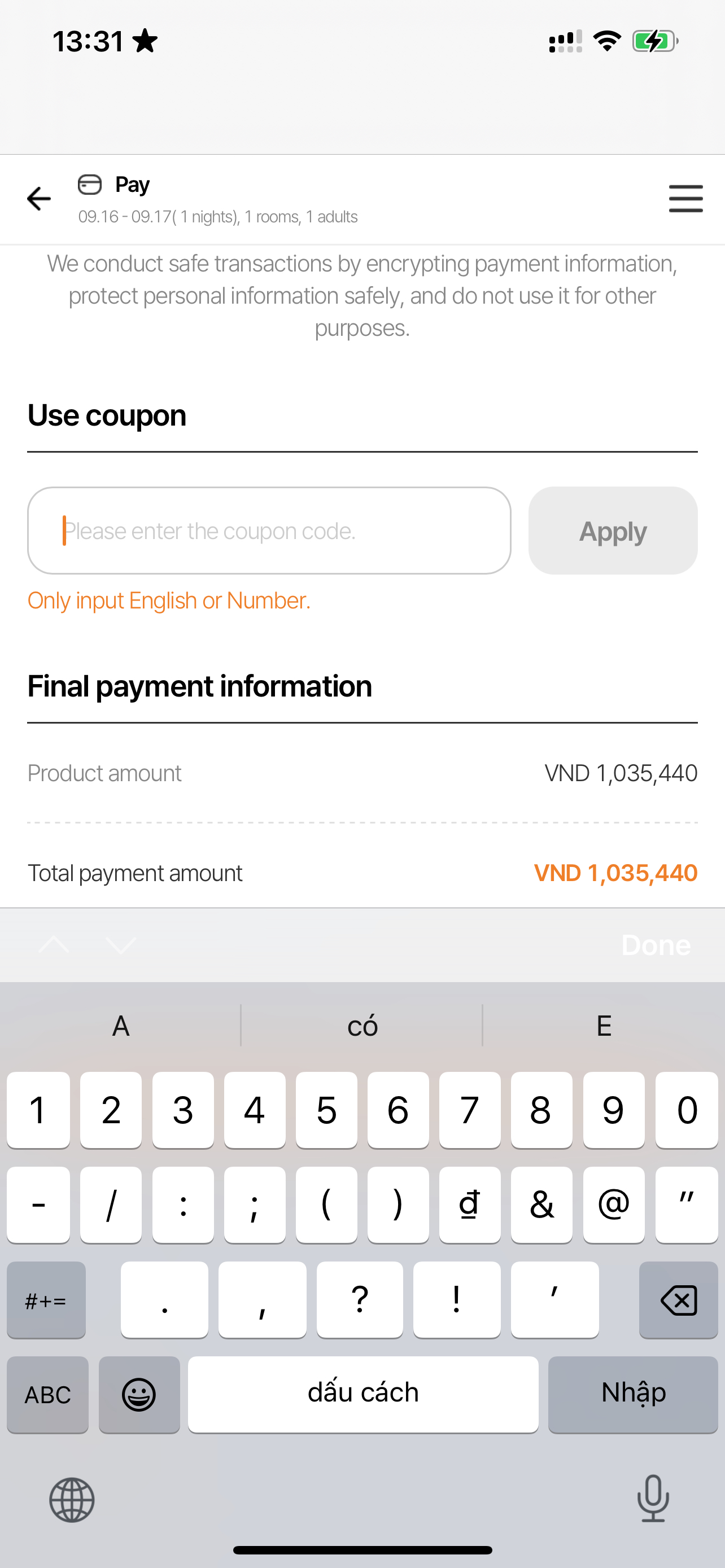
*Input field
Figma: Please enter the coupon code
B2C PROD: Please enter the coupon
> Please recheck and update.
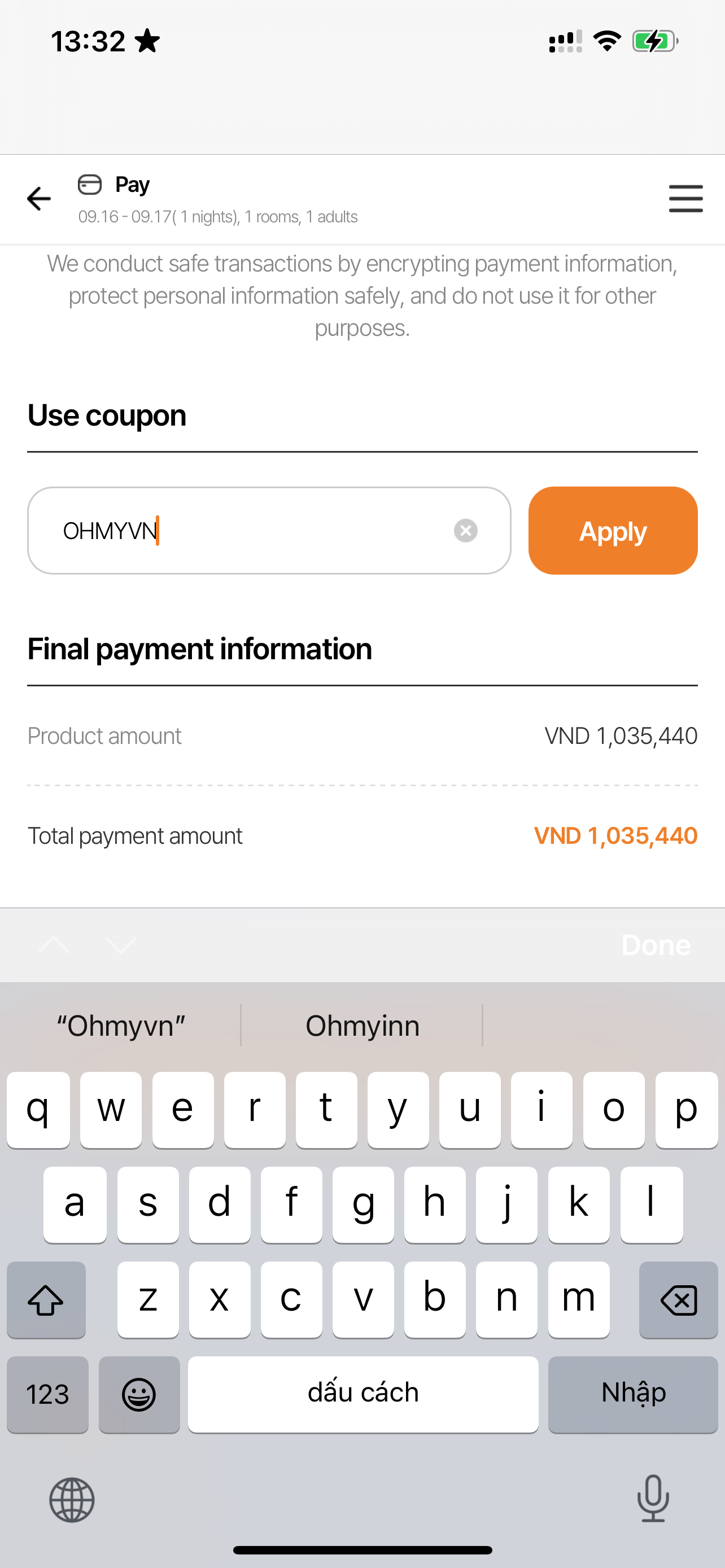
*Only English and numbers can be entered, no other characters are entered. When entering English lowercase letters, it is automatically changed to capital letters and entered.
> OK
1.2.1 If you enter characters other than English/numbers, nothing is entered in the input field. A warning message appears at the bottom. If only English/numbers are entered normally, the warning message disappears.
> OK
1.3 ‘Apply' Button
If there is no input value at 1-2, it is disabled.
If you enter the coupon code, it will switch to active state.
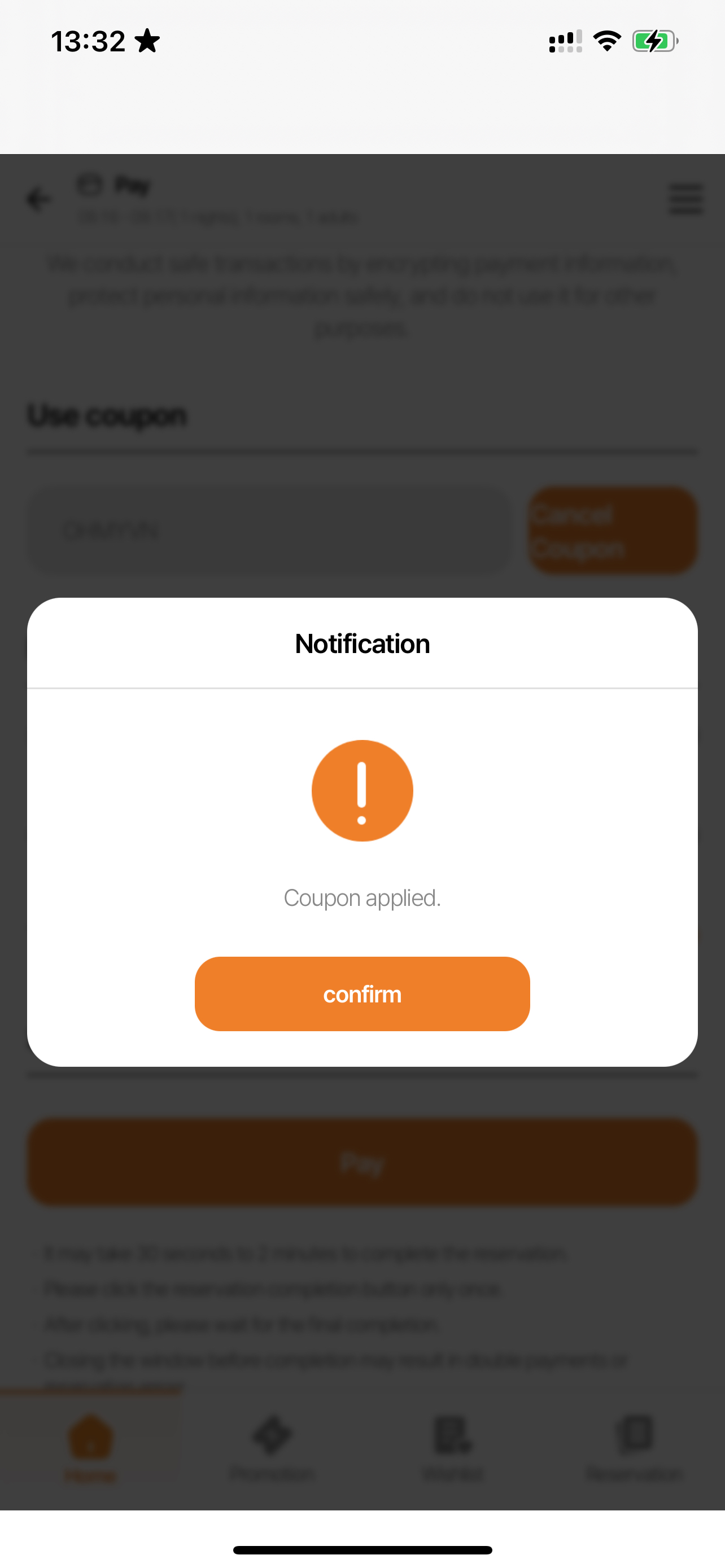
Click Button to validate the coupon.
> OK
1.4 When Coupon Code Entered
When you enter a value in the Input Field, a button appears that allows you to delete the entire input value.
> OK
1. Apply Coupon
2. Enter coupon code.
~ changed.
- Status changed from 완료(Done) to 완료성공(Resolve)
- Assignee changed from ziniy Kang to Mon Nguyen
- Parent task changed from #1088 to #2032
Also available in: Atom
PDF