기능(Feature) #1090
closed기능(Feature) #1040: * OMH COUPON
개선(improvement) #2032: + OMH COUPON (Ho Chi Minh)
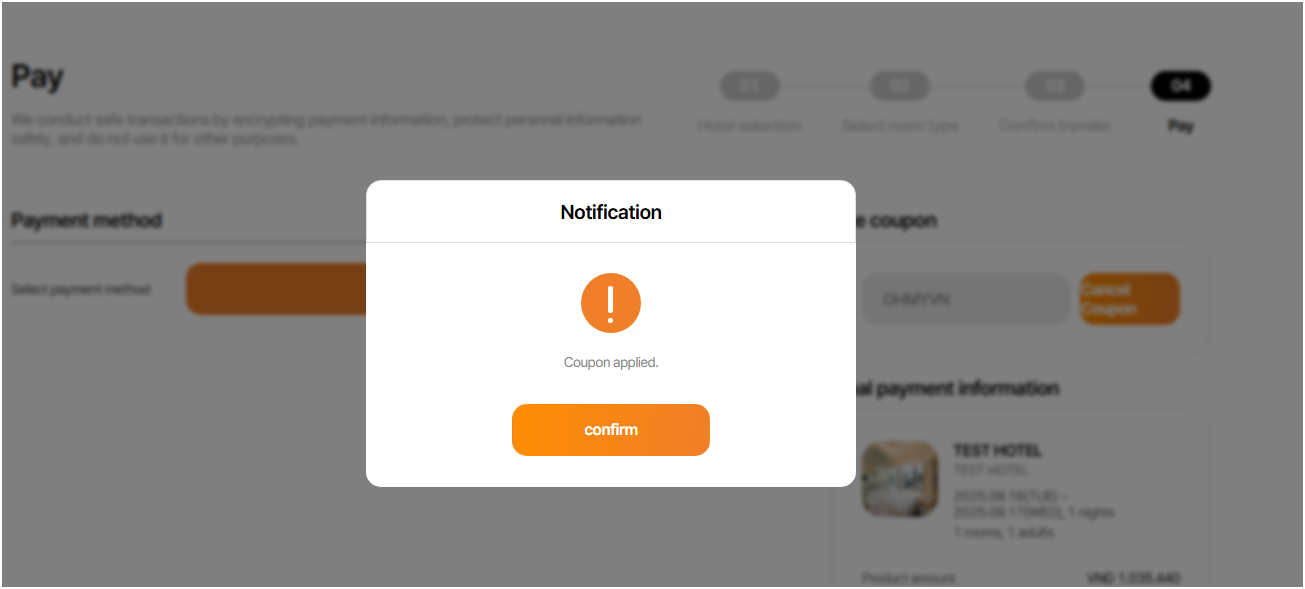
[PC] Add 'Apply Coupon' Section & Update Payment Button Labels
100%
Description
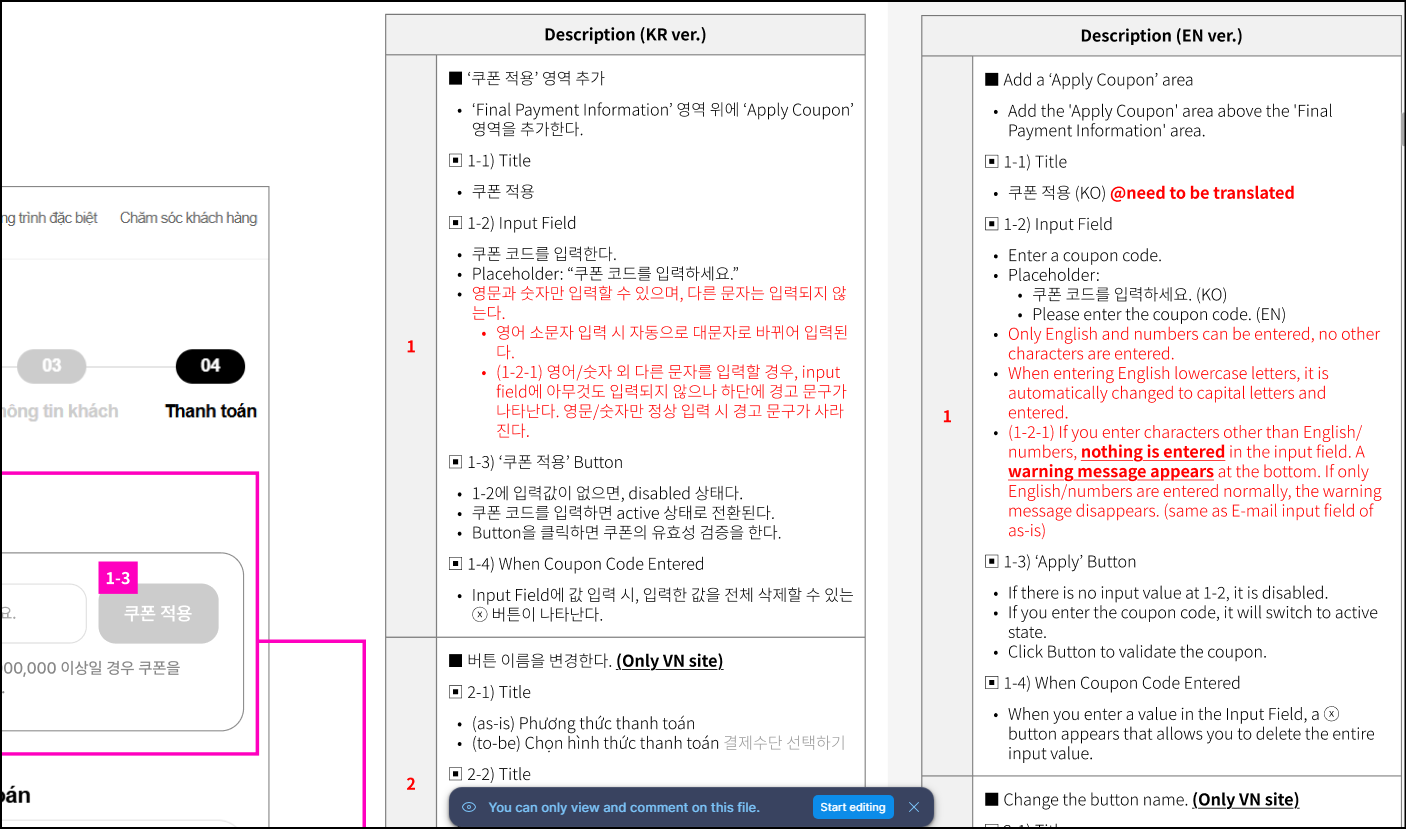
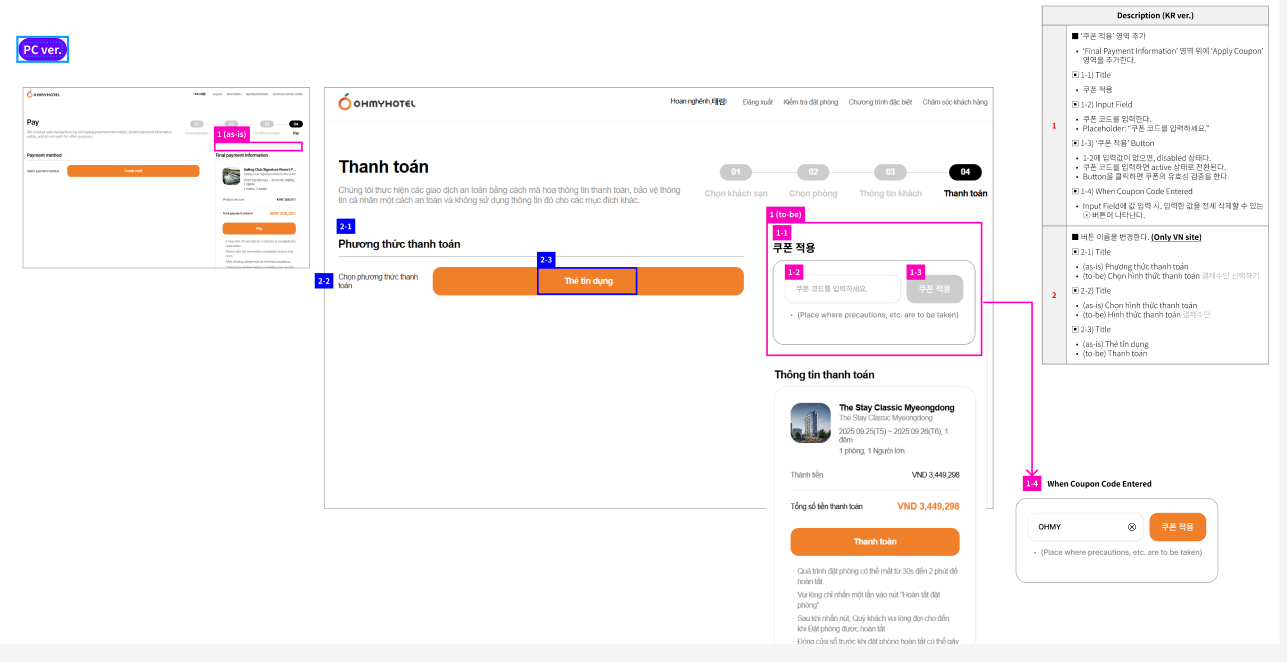
1.Thêm khu vực 'Apply Coupon'
1-1) Tiêu đề
1-2) Trường nhập liệu (Input Field)
1-3) Nút '쿠폰 적용'
Nếu không có giá trị trong Input → Nút ở trạng thái disabled
Khi có mã hợp lệ → Nút chuyển sang trạng thái active
Khi nhấn nút → Thực hiện kiểm tra tính hợp lệ của mã coupon
1-4) Khi đã nhập mã
Hiển thị nút ⓧ để xóa toàn bộ nội dung trong trường nhập
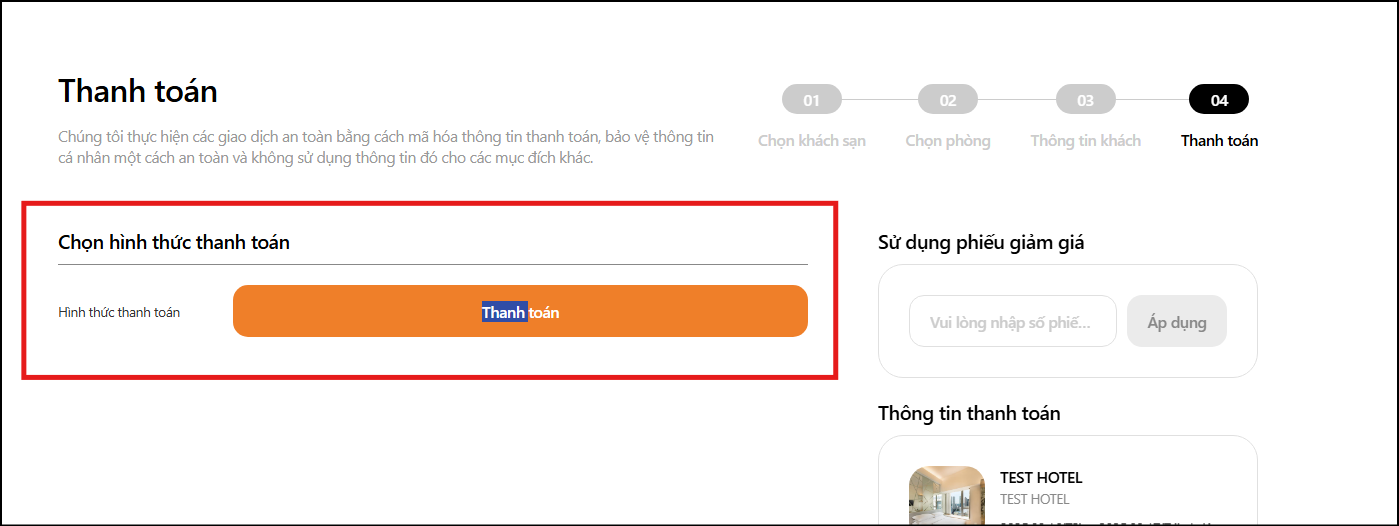
2. [Chỉ sửa text cho tiếng việt] Thay đổi tên nút
2-1)
Chọn hình thức thanh toán
2-2)
Hình thức thanh toán
2-3)
Thanh toán
Files
| picture085-1.png (137 KB) picture085-1.png | |||
| picture768-1.png (216 KB) picture768-1.png | |||
| picture768-2.png (143 KB) picture768-2.png | |||
| picture768-3.png (140 KB) picture768-3.png | |||
| picture768-4.png (126 KB) picture768-4.png | |||
| picture768-5.png (134 KB) picture768-5.png | |||
| picture768-6.png (74.2 KB) picture768-6.png |
Related issues
Updated by ziniy Kang 7 months ago
- Subject changed from Add 'Apply Coupon' Section & Update Payment Button Labels to [PC] Add 'Apply Coupon' Section & Update Payment Button Labels
- Assignee changed from ziniy Kang to Joseph Vo
Updated by harry harry 7 months ago
- Copied to 기능(Feature) #1141: [API] Update Api Booking Apply Coupon OMH added
Updated by ziniy Kang 7 months ago
- Due date set to 08/13/2025
- % Done changed from 0 to 100
Updated by ziniy Kang 6 months ago
- Assignee changed from Dante Le to Tracy Tran
Updated by Tracy Tran 6 months ago
- File picture768-1.png picture768-1.png added
- File picture768-2.png picture768-2.png added
- File picture768-3.png picture768-3.png added
- File picture768-4.png picture768-4.png added
- File picture768-5.png picture768-5.png added
- File picture768-6.png picture768-6.png added
- Assignee changed from Tracy Tran to ziniy Kang
1.Thêm khu vực 'Apply Coupon'
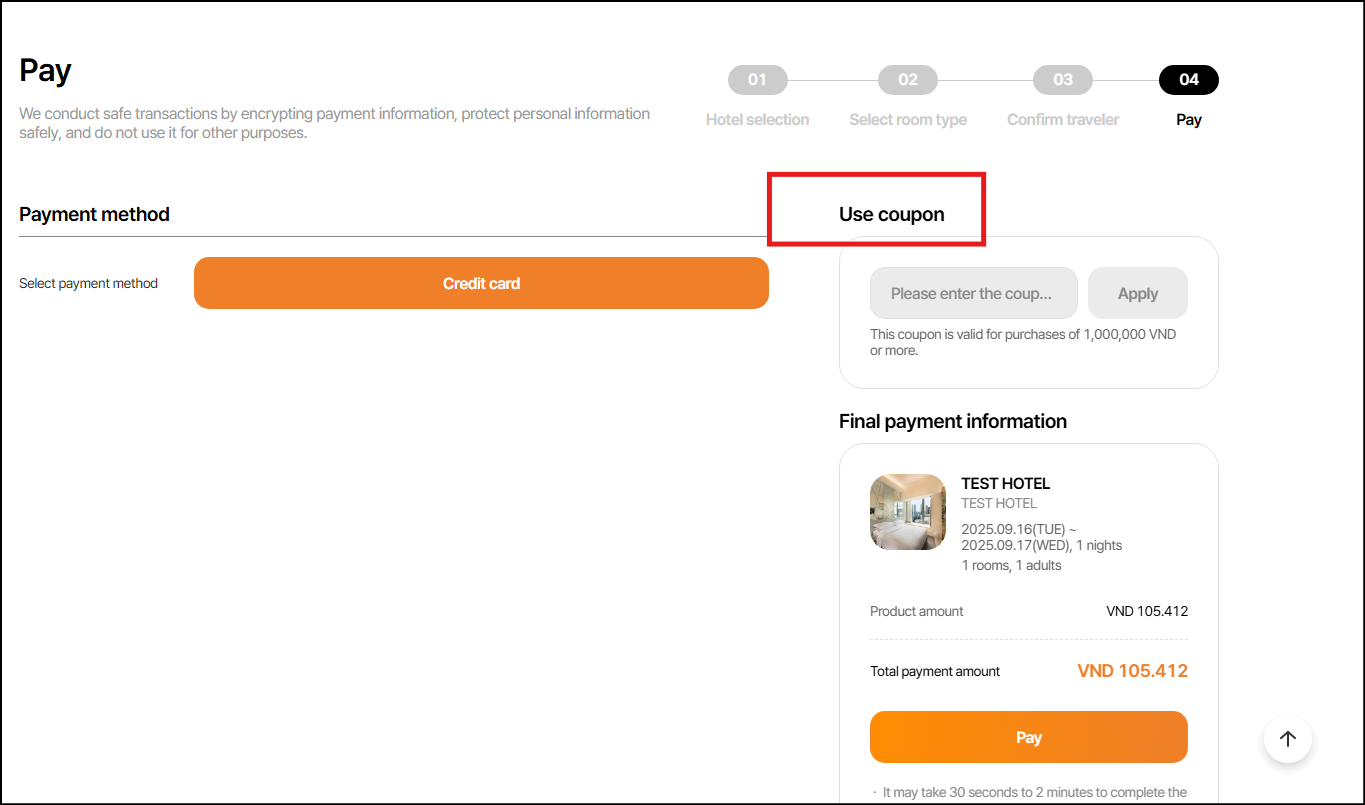
1-1) Tiêu đề ==> different with figma requirement _
Figma ==> Title is [Apply Coupon] _
B2C PROD ==> Use Coupon __
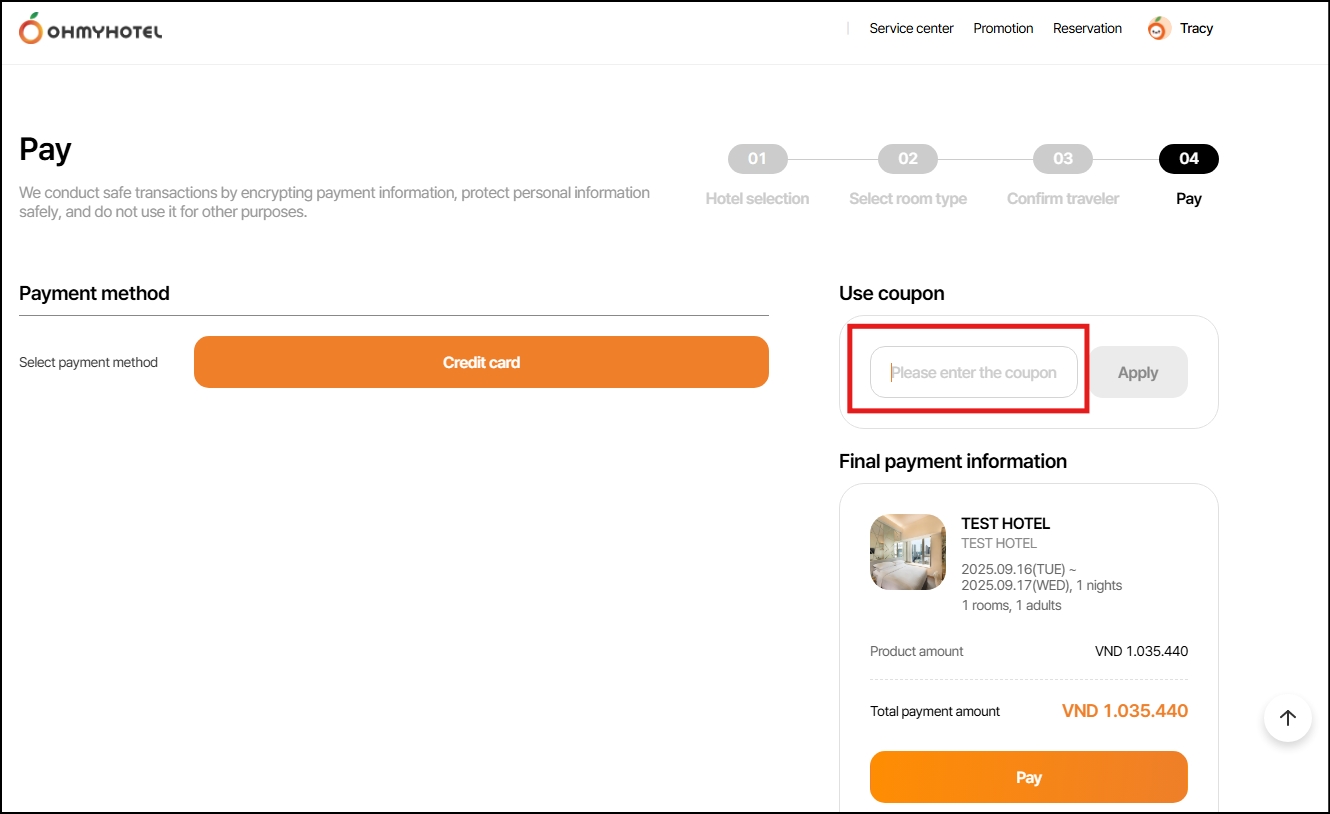
1-2) Trường nhập liệu (Input Field)
Figma: Please enter the coupon code
B2C PROD: Please enter the coupon
> Please recheck and update.
Suggestion: updating the fontsize into smaller to display whole sentences, OR make the sentence shorter to fit the frame. __
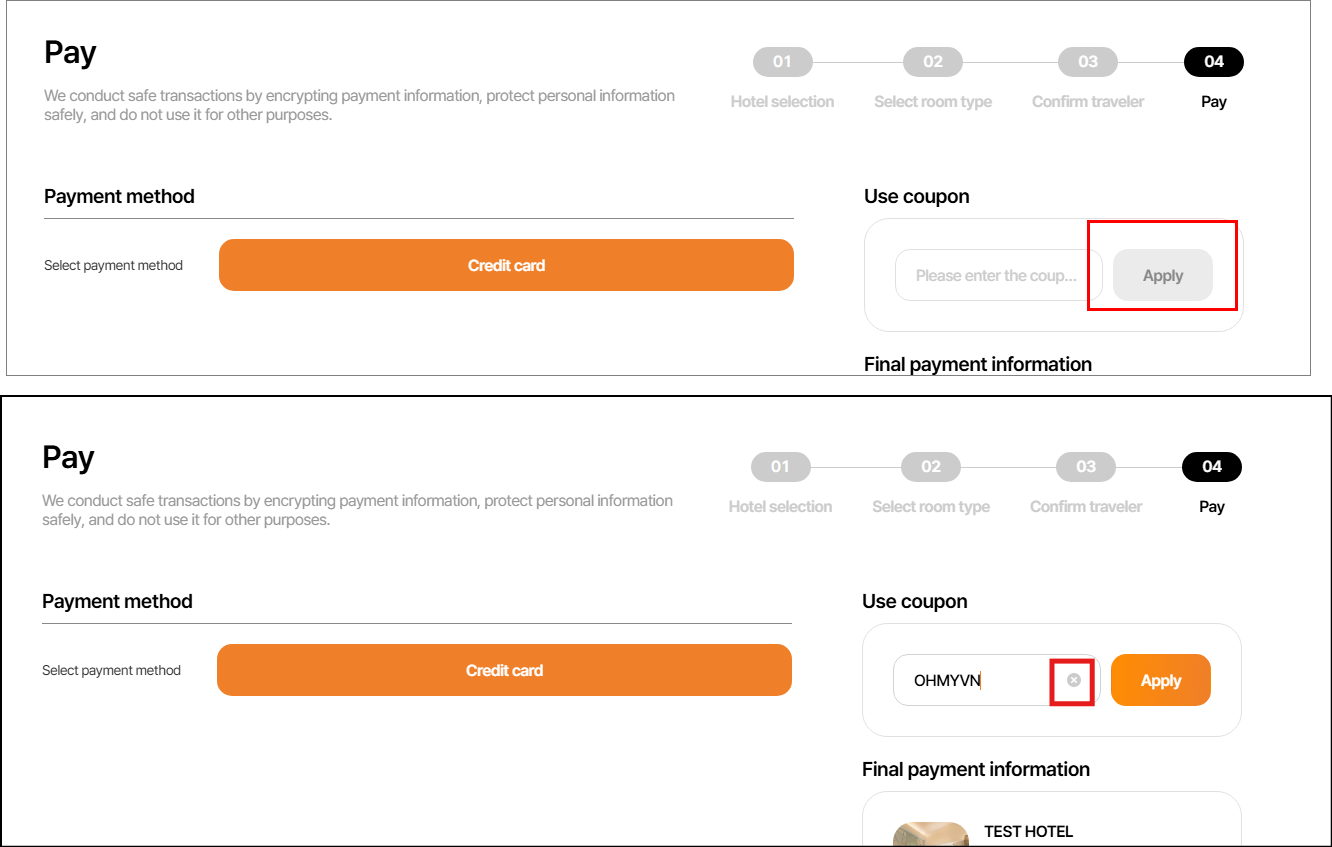
1-3) Nút '쿠폰 적용'
Nếu không có giá trị trong Input → Nút ở trạng thái disabled^
> OK _
Khi có mã hợp lệ → Nút chuyển sang trạng thái active
==> OK _
Khi nhấn nút → Thực hiện kiểm tra tính hợp lệ của mã coupon
==> OK __
1-4) Khi đã nhập mã
Hiển thị nút ⓧ để xóa toàn bộ nội dung trong trường nhập
==> OK __
2. [Chỉ sửa text cho tiếng việt] Thay đổi tên nút
2-1)
Chọn hình thức thanh toán
==> OK _
2-2)
Hình thức thanh toán
==> OK _
2-3)
Thanh toán
==> OK __
Dear ziniy Kang Kang, Lexi Kim Kim
there are some different between figma and B2C PROD related to languages as i mentioned above, if it were changed on purpose, please update the requirment for consistency. If not, please consider to change it same as requirement.
Thank you.
Updated by ziniy Kang 6 months ago
1. Apply Coupon
2. Enter coupon code.
~ changed.
Updated by ziniy Kang 6 months ago
- Status changed from 완료(Done) to 완료성공(Resolve)
- Assignee changed from ziniy Kang to Dante Le