결함(Bug) #390
closed개선(improvement) #389: OMT 개선/버그 v1.0.0
결함(Bug) #508: OMT 버그
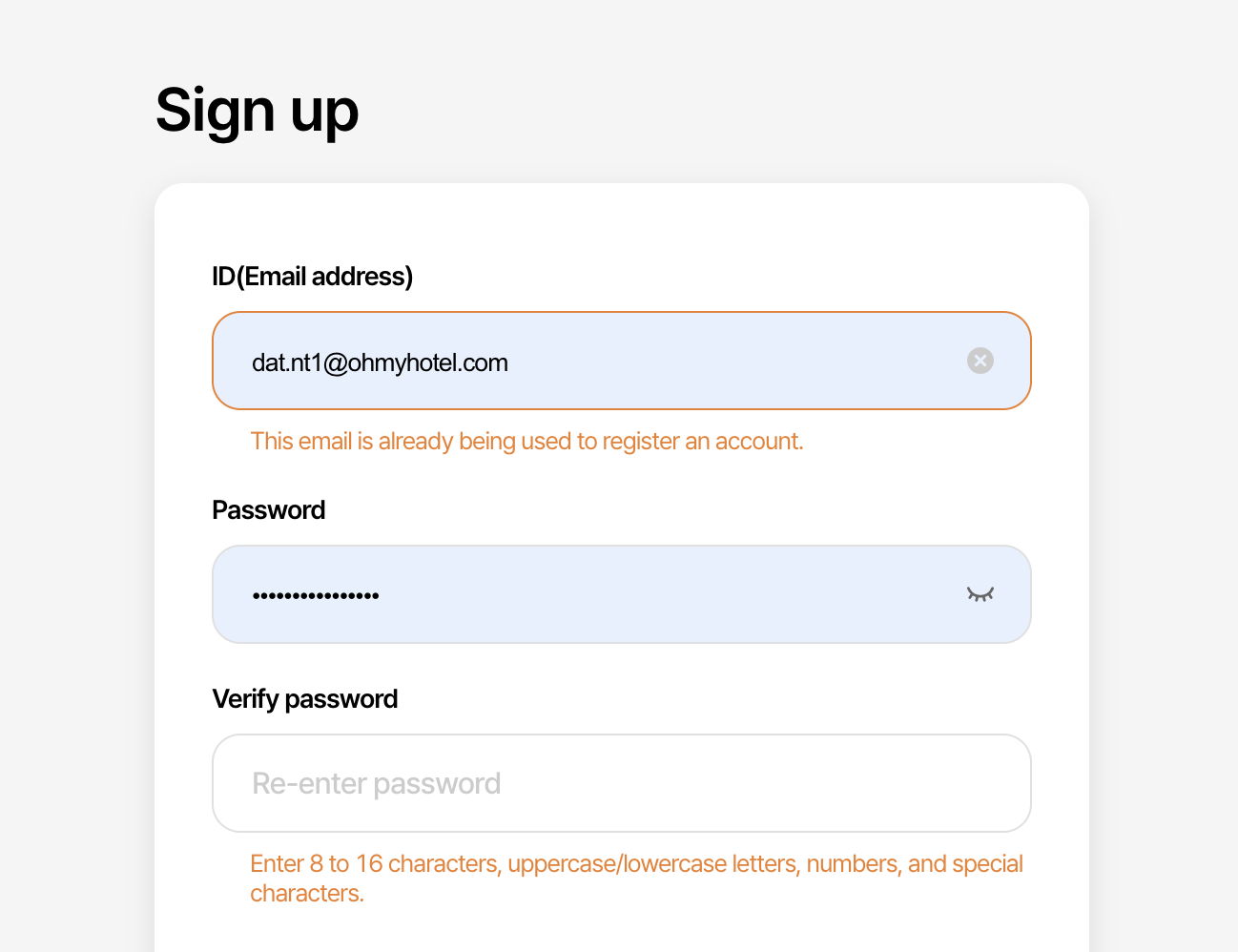
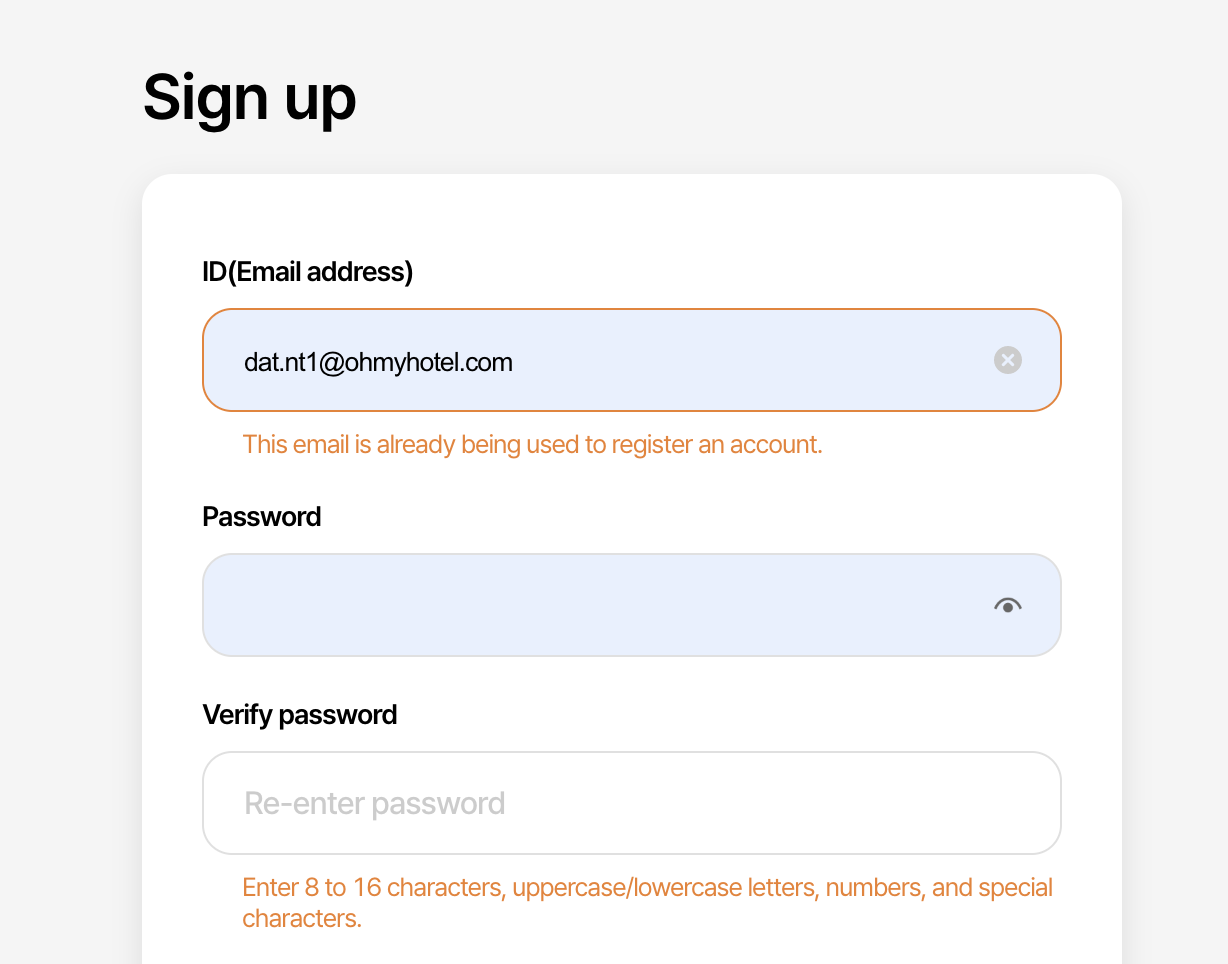
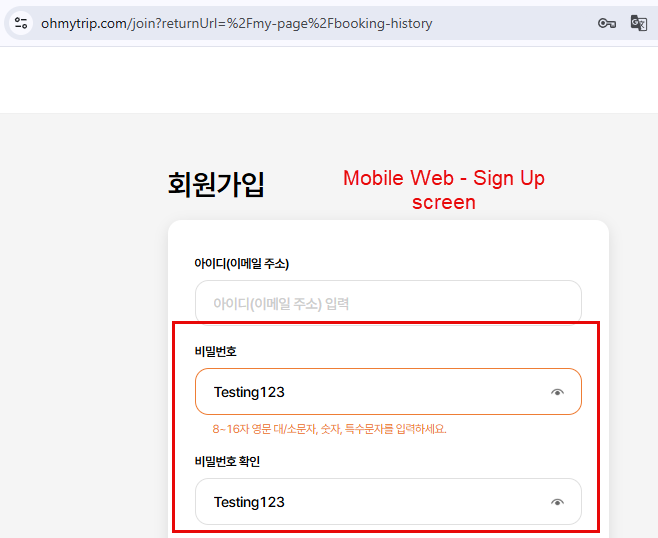
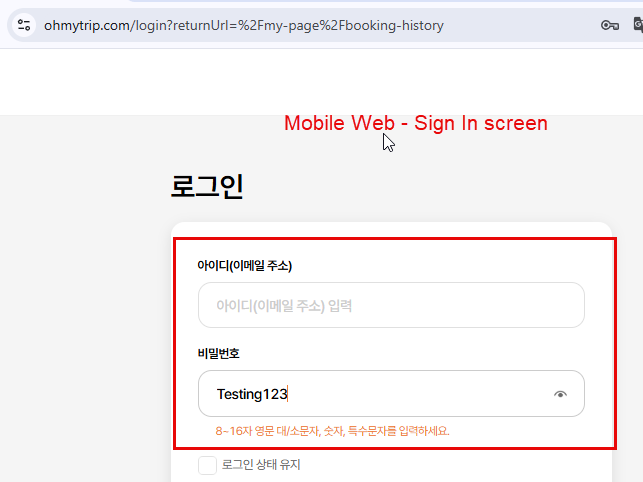
[OMT PC/Mobile] Update the 'eye' icon on the Sign Up / Login / Password Change screens (4)
Description
Add all Sign Up / Login / Password Change screens
Files
Related issues
Updated by ziniy Kang 9 months ago
- Subject changed from [OMT PC/Mobile] Update the 'eye' icon on the Sign Up / Login / Password Change screens to [OMT PC/Mobile] Update the 'eye' icon on the Sign Up / Login / Password Change screens (4)
Updated by ziniy Kang 9 months ago
- Tracker changed from 개선(improvement) to 결함(Bug)
Updated by ziniy Kang 9 months ago
- Copied to 결함(Bug) #499: [Design] Update the 'eye' icon on the Sign Up / Login / Password Change screens (4) added
Updated by ziniy Kang 9 months ago
- Assignee changed from ziniy Kang to Mon Nguyen
Updated by Eric Quach 9 months ago
Updated by Mon Nguyen 9 months ago
- Due date set to 06/05/2025
- Status changed from 신규(New) to 완료(Done)
- Start date set to 06/05/2025
- % Done changed from 0 to 100
- Estimated time set to 3.00 h
Updated by Mon Nguyen 9 months ago
- Assignee changed from Mon Nguyen to Eric Quach
- Build env. set to Dev
Dear Eric Quach
Please help me double check on dev env
Thank you
Updated by Eric Quach 9 months ago
- File Screenshot 2025-06-06 at 08.35.04.png Screenshot 2025-06-06 at 08.35.04.png added
- File Screenshot 2025-06-06 at 08.35.13.png Screenshot 2025-06-06 at 08.35.13.png added
- Assignee changed from Eric Quach to Mon Nguyen
Pls fix bug:
I have the password but when I click icon eye-show to view it, it's empty.
Updated by ziniy Kang 9 months ago
- Status changed from 완료(Done) to 피드백(Feedback)
Updated by Mon Nguyen 9 months ago
- Assignee changed from Mon Nguyen to Eric Quach
- Build env. changed from Dev to Staging
Dear Eric Quach
Please help me double check on STG env
Thank you
Updated by Eric Quach 9 months ago
- Assignee changed from Eric Quach to Mon Nguyen
Updated by Mon Nguyen 9 months ago
- Status changed from 피드백(Feedback) to 완료(Done)
Updated by Mon Nguyen 9 months ago
- Assignee changed from Mon Nguyen to ziniy Kang
- Build env. changed from Staging to Prod
Dear ziniy Kang
Please help me double check on PRD env
Thank you
Updated by Mon Nguyen 9 months ago
Dear ziniy Kang
Please wait for testing Ohmytrip-Mobile on next week, because have some bug around that project must be solve
Ohmytrip-PC ok
Thank you
Updated by ziniy Kang 9 months ago
- Assignee changed from ziniy Kang to Anonymous
Updated by Mon Nguyen 9 months ago
- Assignee changed from Anonymous to Mon Nguyen
Updated by ziniy Kang 9 months ago
- Status changed from 완료(Done) to 피드백(Feedback)
Updated by Anonymous 9 months ago
- File 2025-06-12_10-35-18.PNG 2025-06-12_10-35-18.PNG added
- File 2025-06-12_10-35-49.PNG 2025-06-12_10-35-49.PNG added
- File 2025-06-12_10-39-03.PNG 2025-06-12_10-39-03.PNG added
- Status changed from 피드백(Feedback) to 완료성공(Resolve)
Updated by Anonymous 9 months ago
- File 2025-06-12_10-35-18.PNG 2025-06-12_10-35-18.PNG added
- File 2025-06-12_10-35-49.PNG 2025-06-12_10-35-49.PNG added
- File 2025-06-12_10-39-03.PNG 2025-06-12_10-39-03.PNG added
Hi ziniy Kang, I already performed smoke testing on the improvement in prod for both mobile and web and its working well
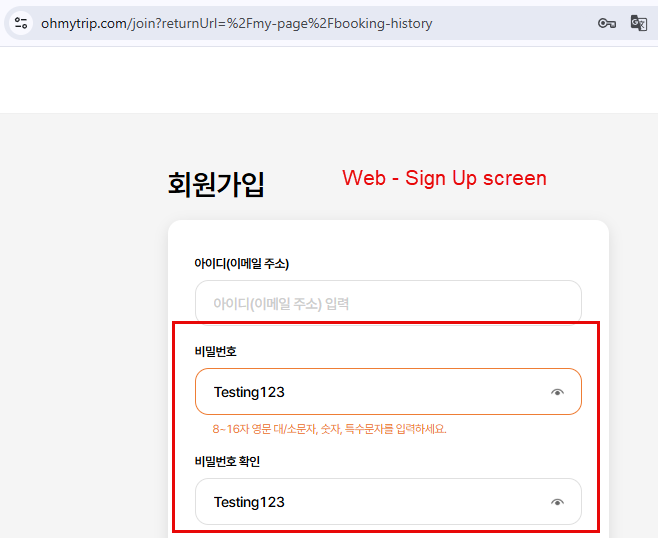
- Check eye icon displayed well in Sign Up screen and user can see their password after click on from web -> Passed
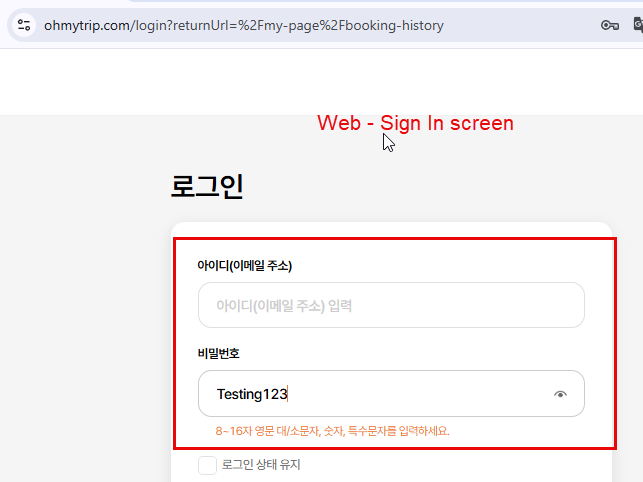
- Check eye icon displayed well in Sign In screen and user can see their password after click on from web -> Passed
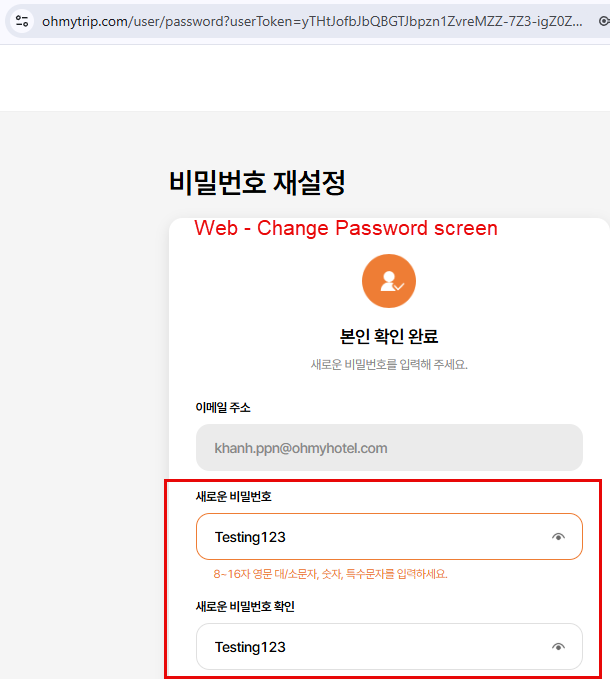
- Check eye icon displayed well in Change Password screen and user can see their password after click on from web -> Passed
- Check eye icon displayed well in Sign Up screen and user can see their password after click on from web mobile similar to Web -> Passed
- Check eye icon displayed well in Sign In screen and user can see their password after click on from web mobile similar to Web -> Passed
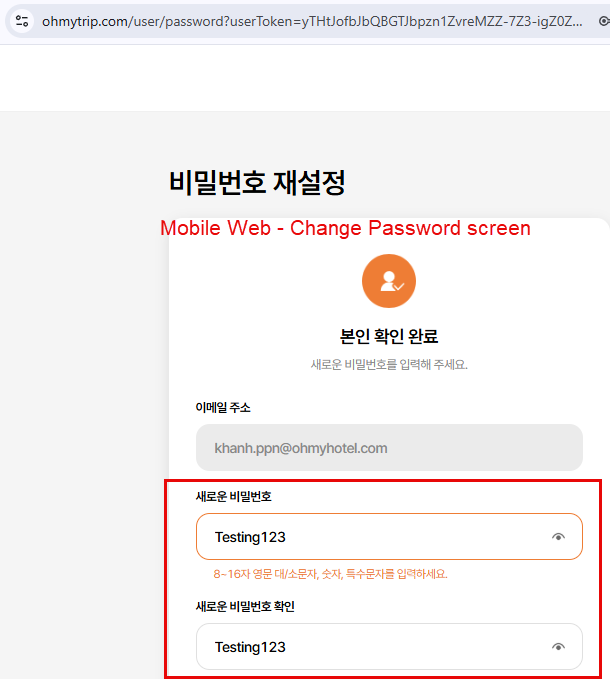
- Check eye icon displayed well in Change Password screen and user can see their password after click on from web mobile similar to Web -> Passed
Thanks !!
Updated by Mon Nguyen 9 months ago
- Assignee changed from Mon Nguyen to ziniy Kang
Dear ziniy Kang
This update for Ohmytrip-mobile version already in PRD
Please help me double check
Thank you
Updated by Anonymous 9 months ago
- File 2025-06-18_14-36-11.PNG 2025-06-18_14-36-11.PNG added
- File 2025-06-18_14-36-40.PNG 2025-06-18_14-36-40.PNG added
- File 2025-06-18_14-38-35.PNG 2025-06-18_14-38-35.PNG added
Hi ziniy Kang, I already performed smoke testing on the improvement in prod for both mobile and web and its working well
- Check eye icon displayed well in Sign In screen and user can see their password after click on from web -> Passed
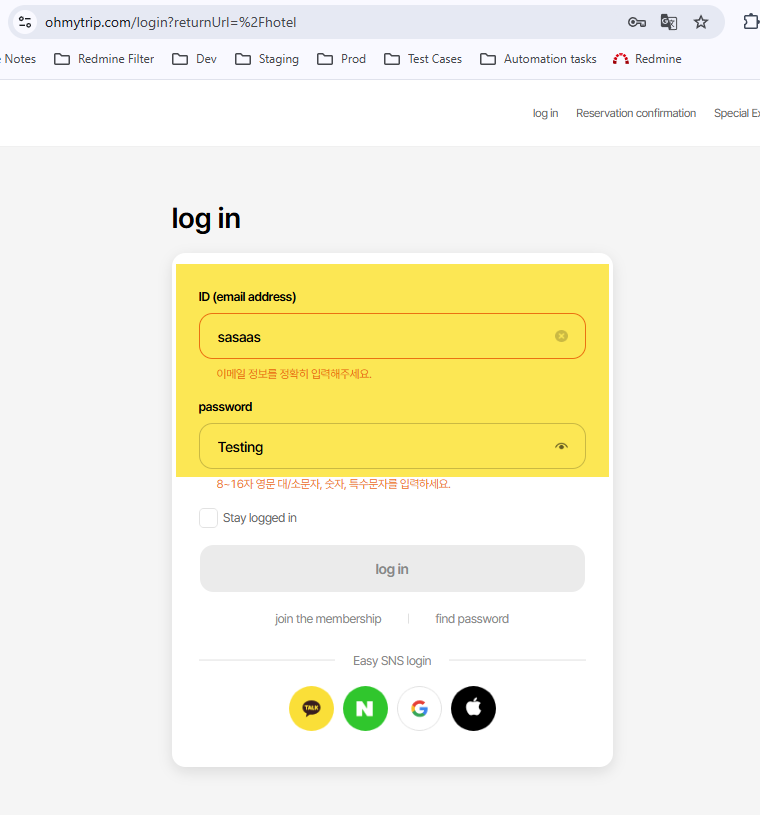
- Check eye icon displayed well in Sign Up screen and user can see their password after click on from web -> Passed
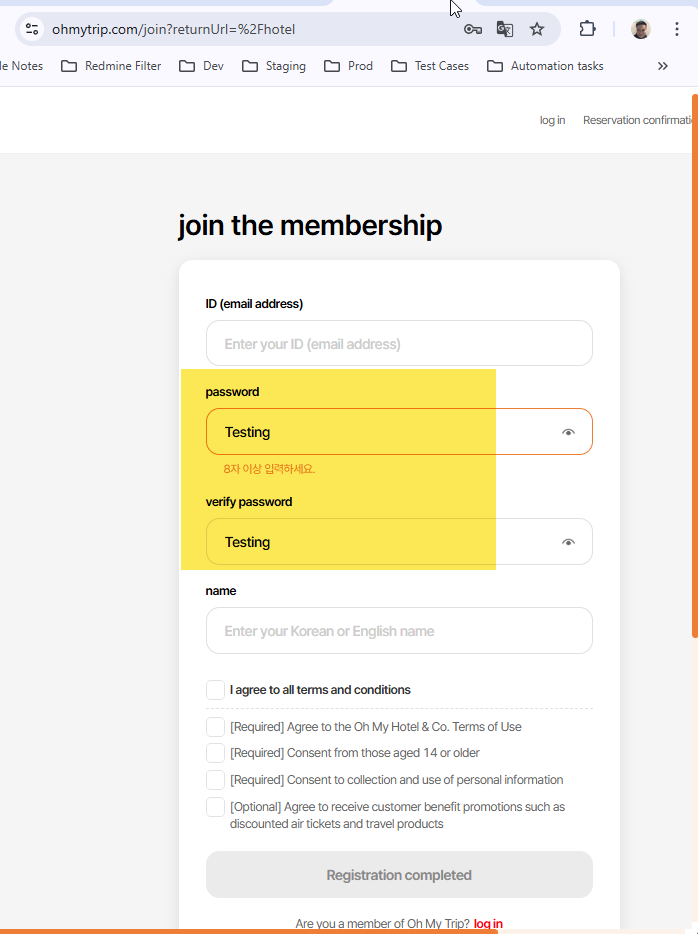
- Check eye icon displayed well in Reset Password screen and user can see their password after click on from web -> Passed
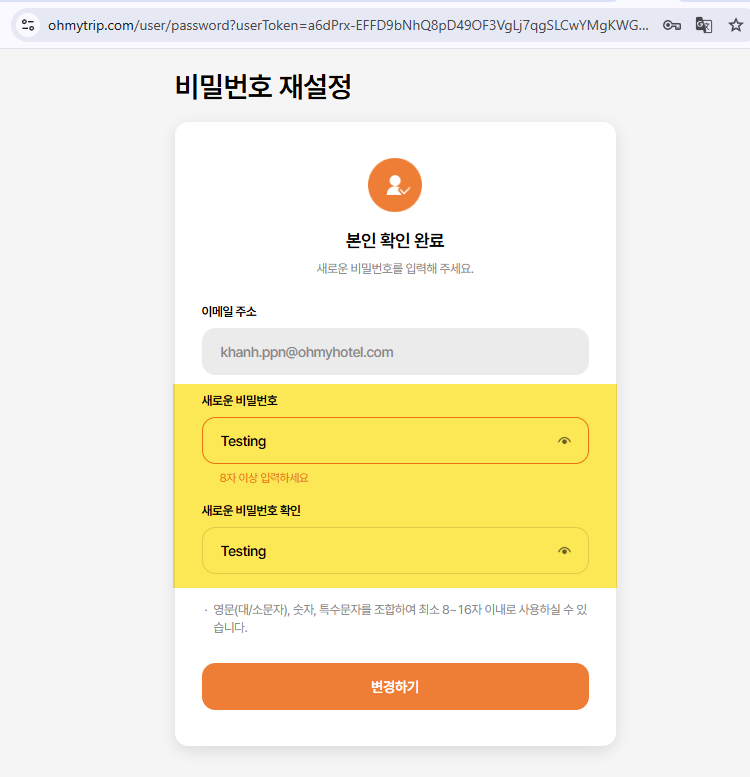
- Check eye icon displayed well in Sign In screen and user can see their password after click on from mobile web > Passed Check eye icon displayed well in Sign In screen and user can see their password after click on from mobile web > Passed Check eye icon displayed well in Reset Password screen and user can see their password after click on from mobile web -> Passed
Updated by ziniy Kang 9 months ago
- Assignee changed from ziniy Kang to Mon Nguyen