기능(Feature) #2759
closed기능(Feature) #2680: ** B2C Online Coupon
기능(Feature) #2792: 10. MO_Coupon Room-Type Hotel Page
10. MO_Coupon Get (selecting room type)
100%
Description
6-1. Select Room Type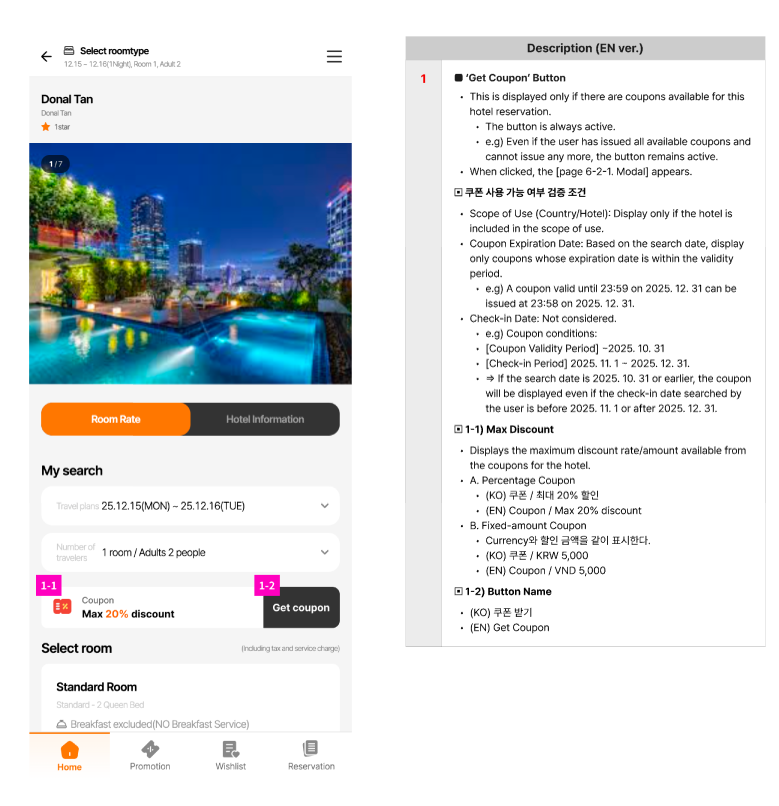
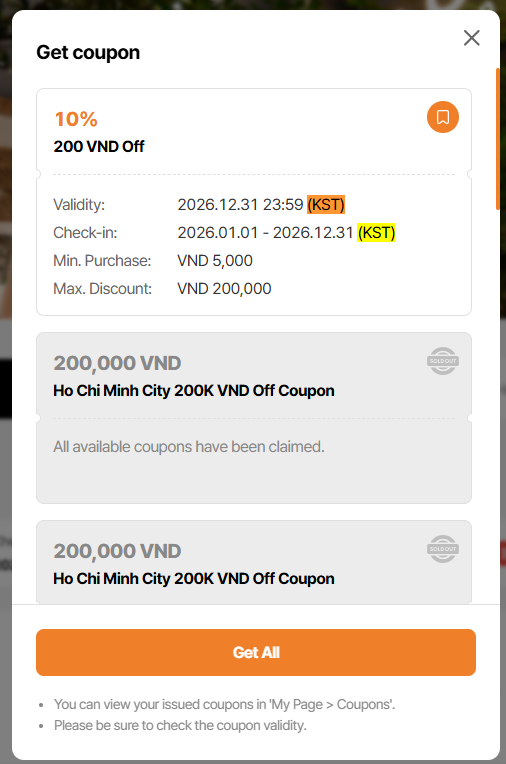
6-2-1. 'Get Coupon' Modal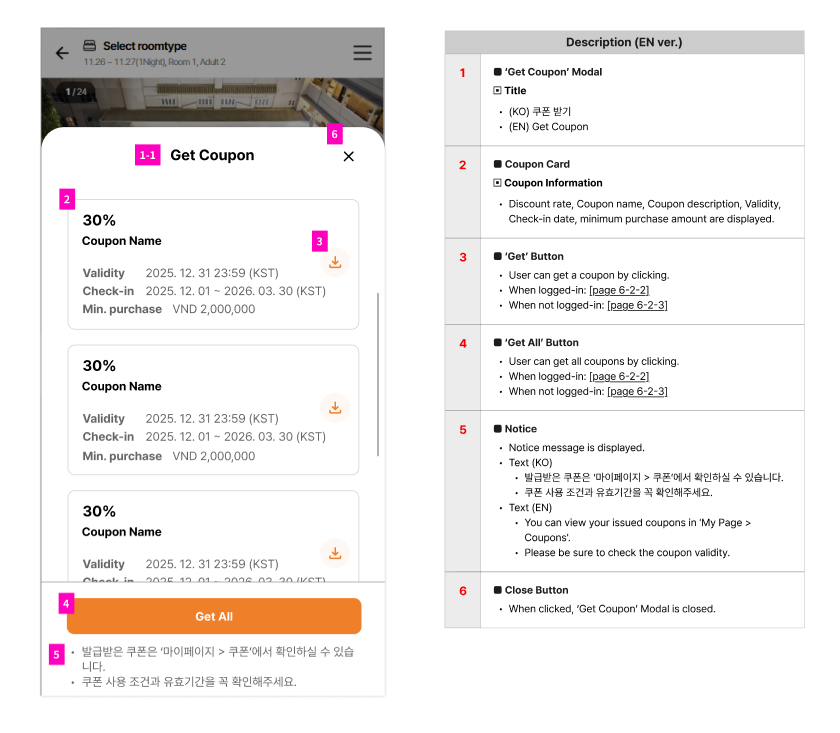
6-2-2. coupon get success alert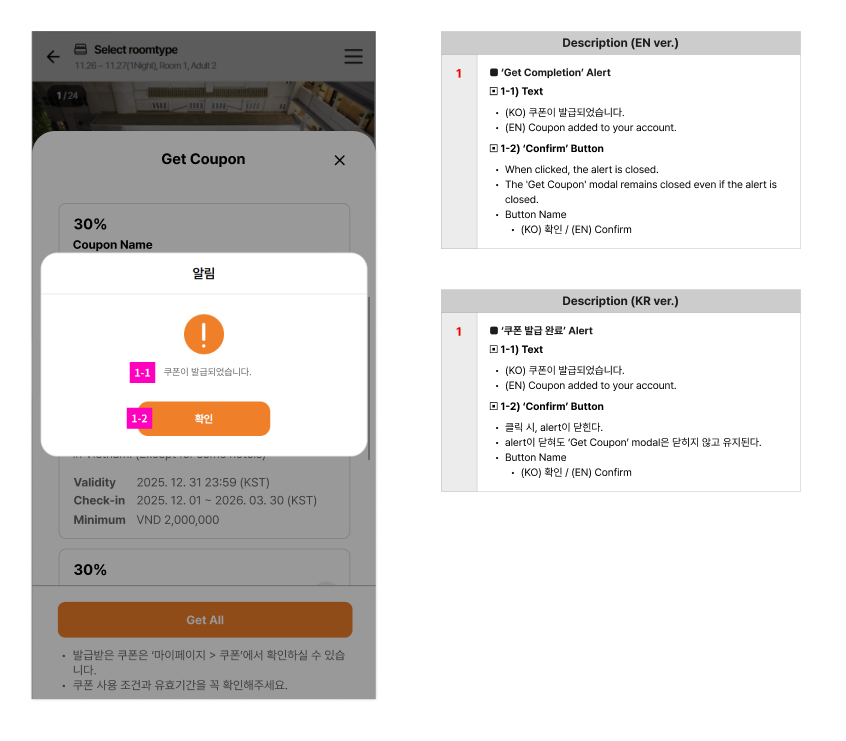
6-2-3. non-member coupon get alert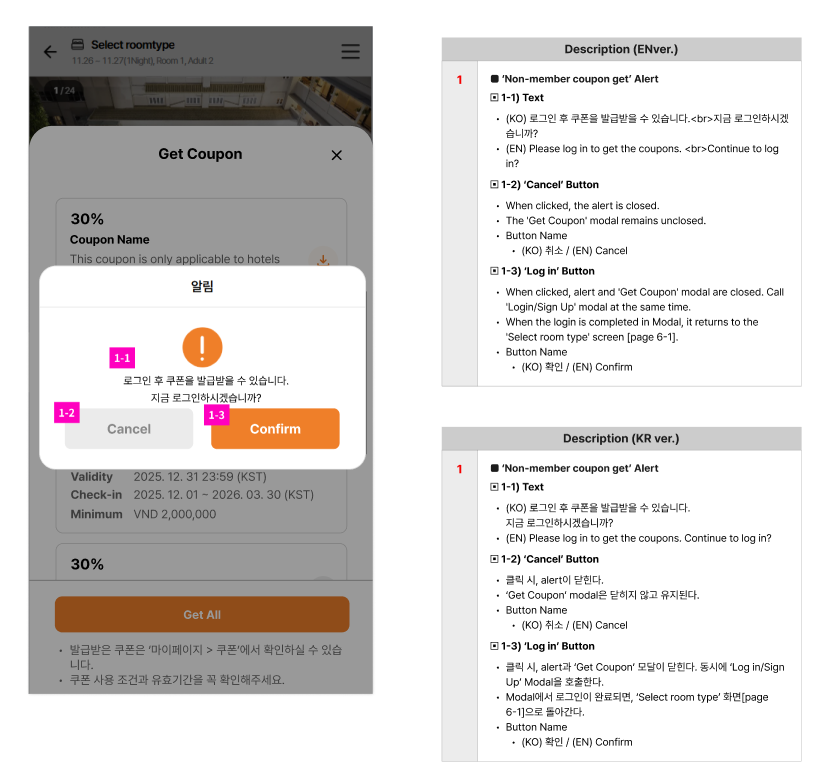
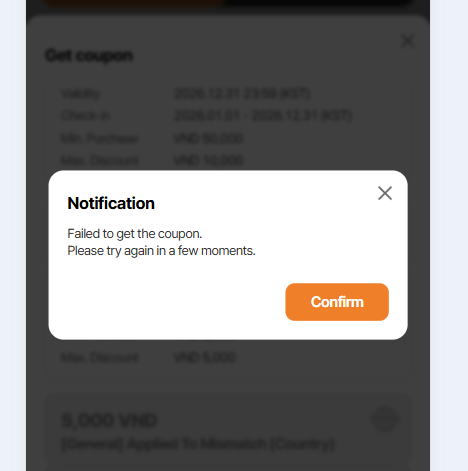
6-2-4. Coupon get fail alert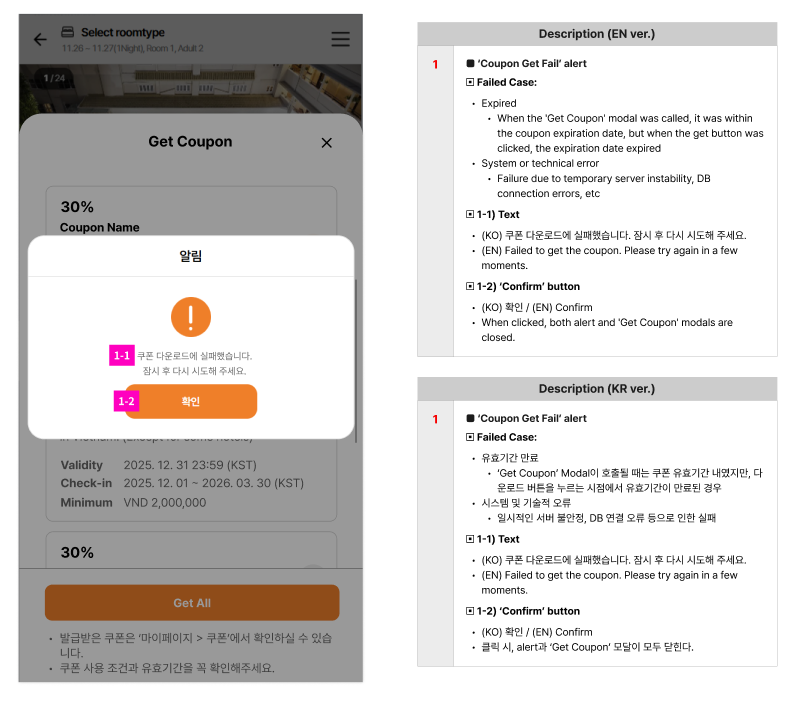
6-2-5. 'Get Coupon' Modal - get completed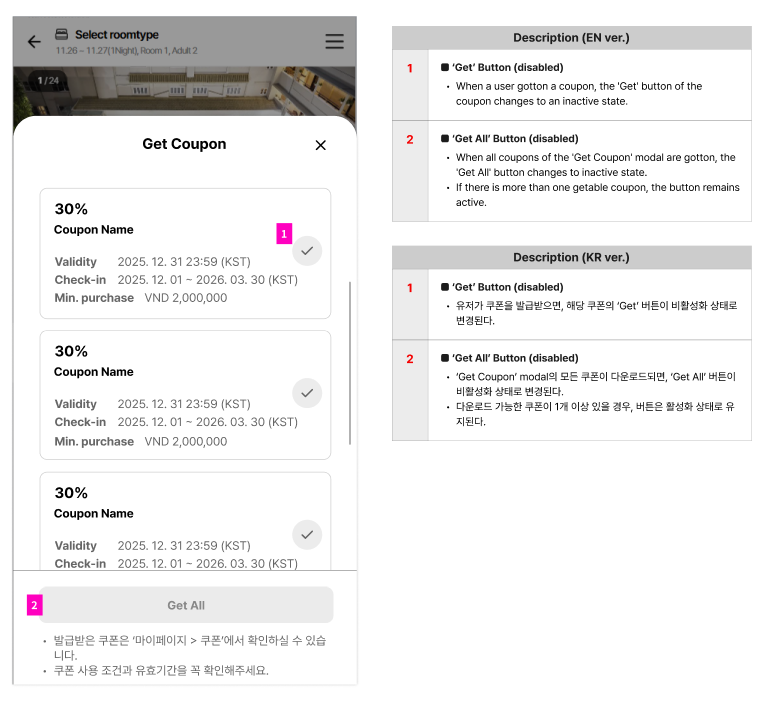
6-2-6. When 'Limited' coupons are exhausted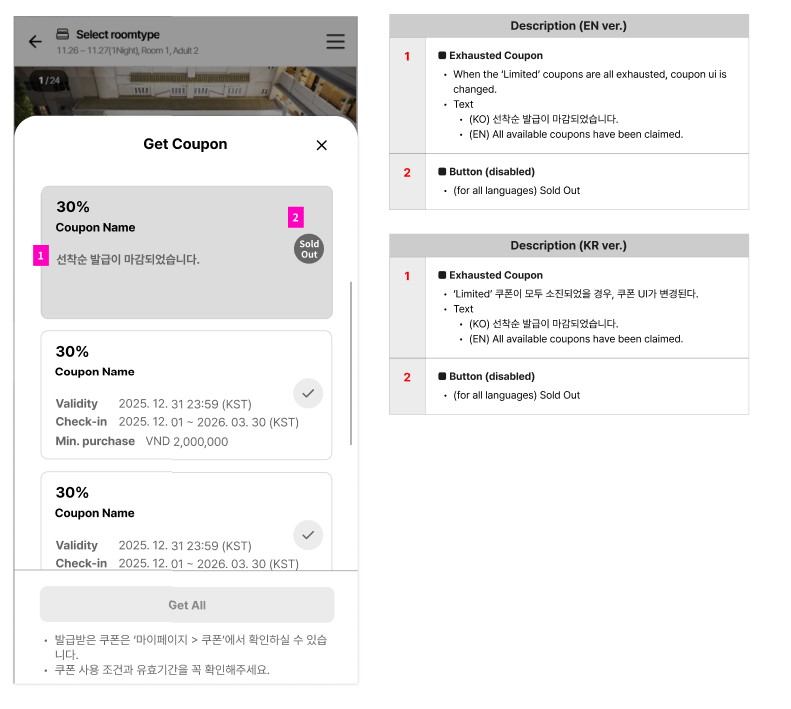
Files
Updated by ziniy Kang 3 months ago
- Subject changed from 10. PC_Coupon Get (selecting room type) to 10. MO_Coupon Get (selecting room type)
- Parent task changed from #2751 to #2755
Updated by ziniy Kang 3 months ago
- Assignee changed from ziniy Kang to Joseph Vo
Updated by harry harry about 2 months ago
- Assignee changed from harry harry to Joo dev
Updated by harry harry about 2 months ago
- Assignee changed from Joo dev to Tom Dong
Updated by Tom Dong about 2 months ago
- Assignee changed from Tom Dong to Dante Le
Updated by Dante Le about 2 months ago
- Assignee changed from Dante Le to Joo dev
Updated by Joo dev about 1 month ago
- Due date set to 01/23/2026
- Status changed from 신규(New) to 완료(Done)
- Start date set to 01/22/2026
- % Done changed from 70 to 100
- Build env. set to Dev
Updated by Joo dev about 1 month ago
- Status changed from 완료(Done) to QA test
- Assignee changed from Joo dev to Tracy Truong
Updated by Tracy Truong about 1 month ago
- Assignee changed from Tracy Truong to Holden Dang
Updated by Holden Dang about 1 month ago
- File picture370-1.png picture370-1.png added
- File picture370-2.png picture370-2.png added
- File picture370-3.png picture370-3.png added
- File picture370-4.png picture370-4.png added
- File picture370-5.png picture370-5.png added
- File picture370-6.png picture370-6.png added
- File picture370-7.png picture370-7.png added
- File picture370-8.png picture370-8.png added
- File picture370-9.png picture370-9.png added
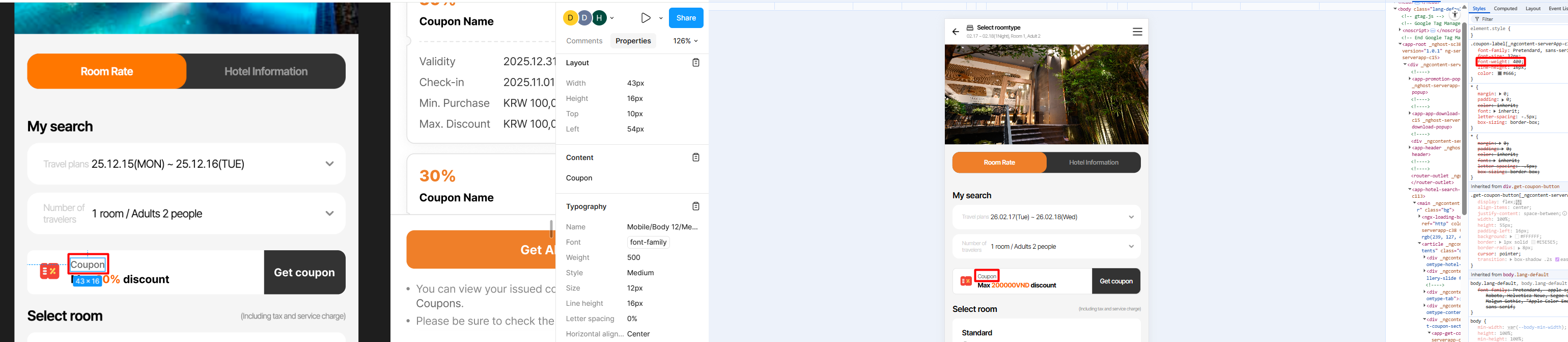
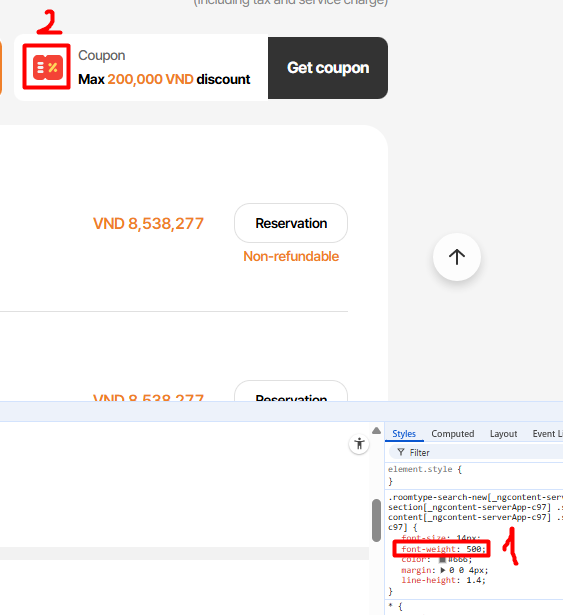
1. Coupon: font-weight: 500
2. Reduce the color intensity of the icon
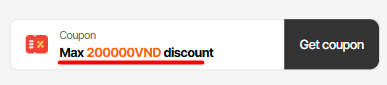
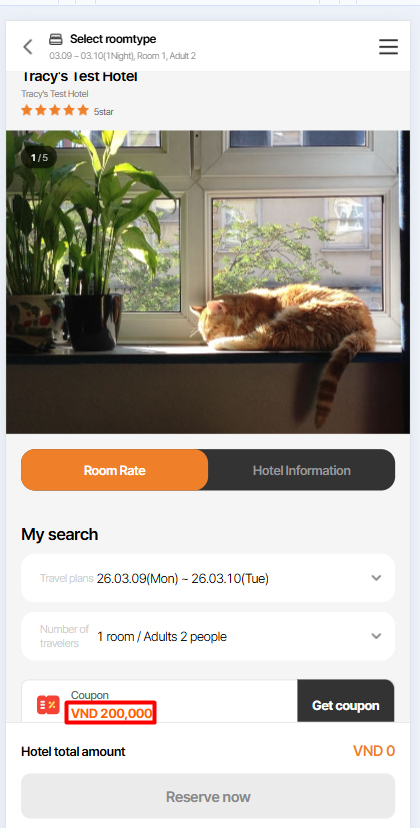
3. Max discount: Should show 200,000 <currency> discount (e,g, 200,000 VND discount) => The discount as 200,000 will be displayed in orange
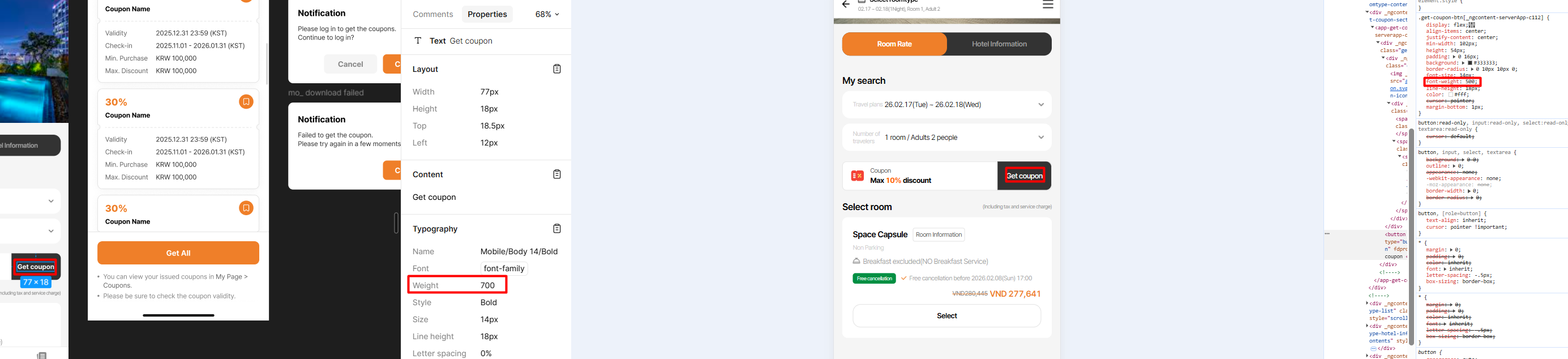
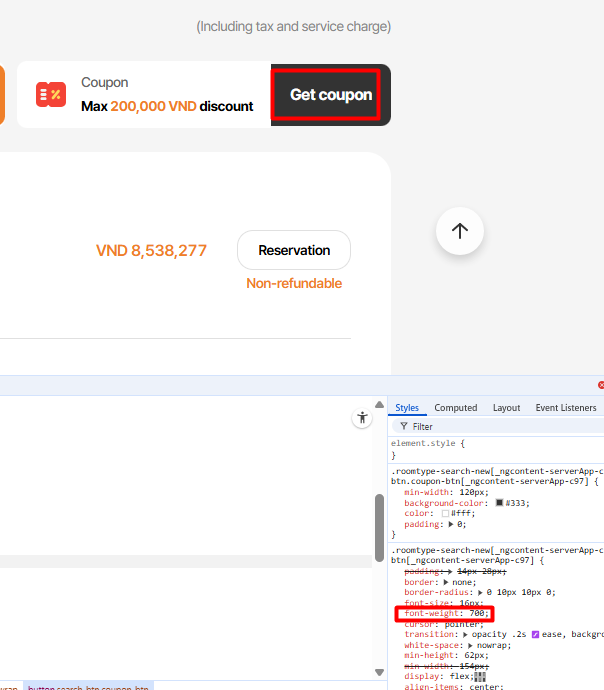
4. Get Coupon: font-weight: 700
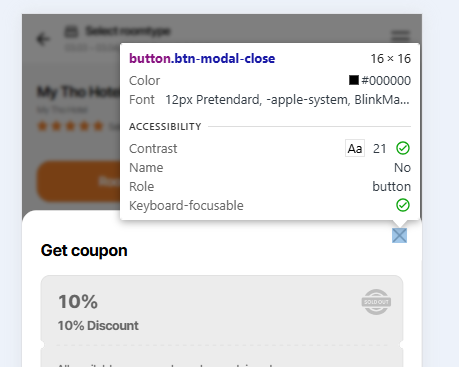
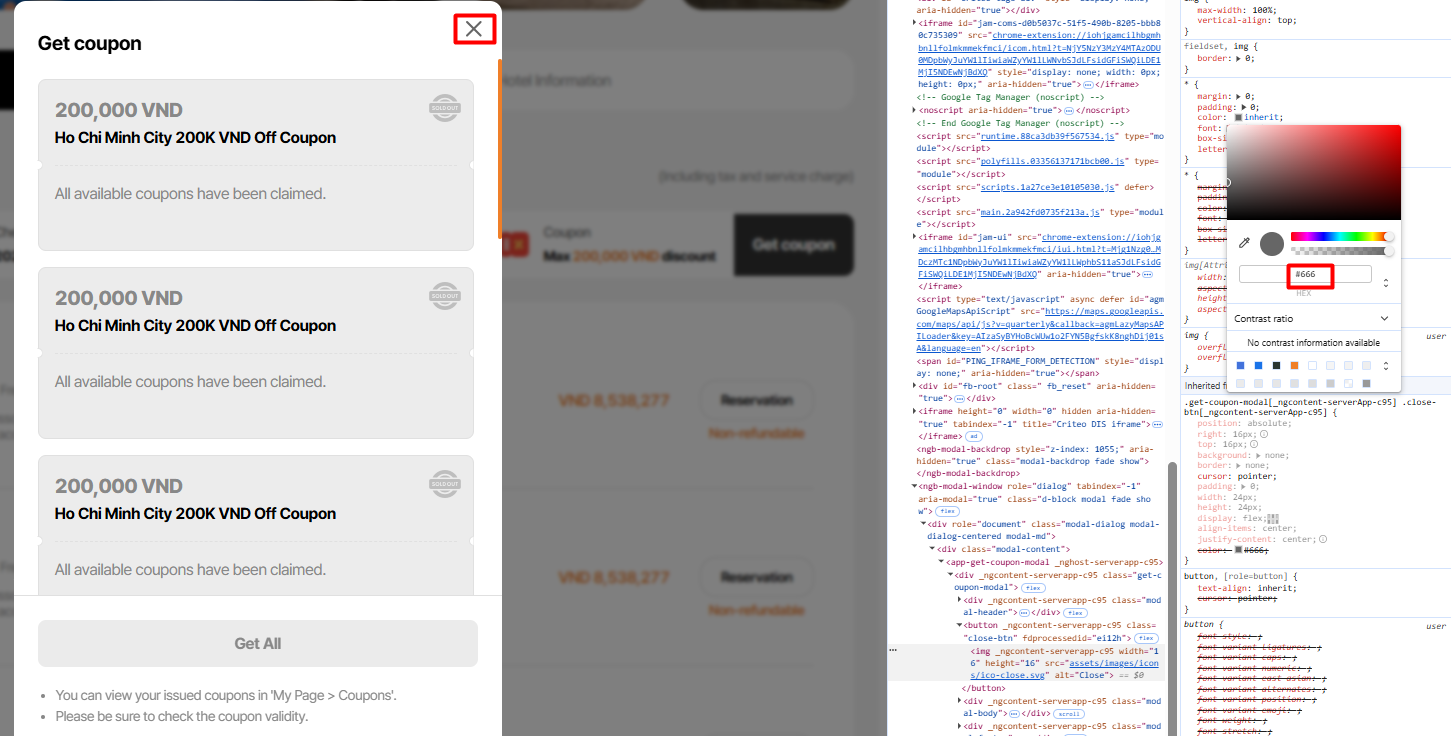
5. 'X' icon: color #666666
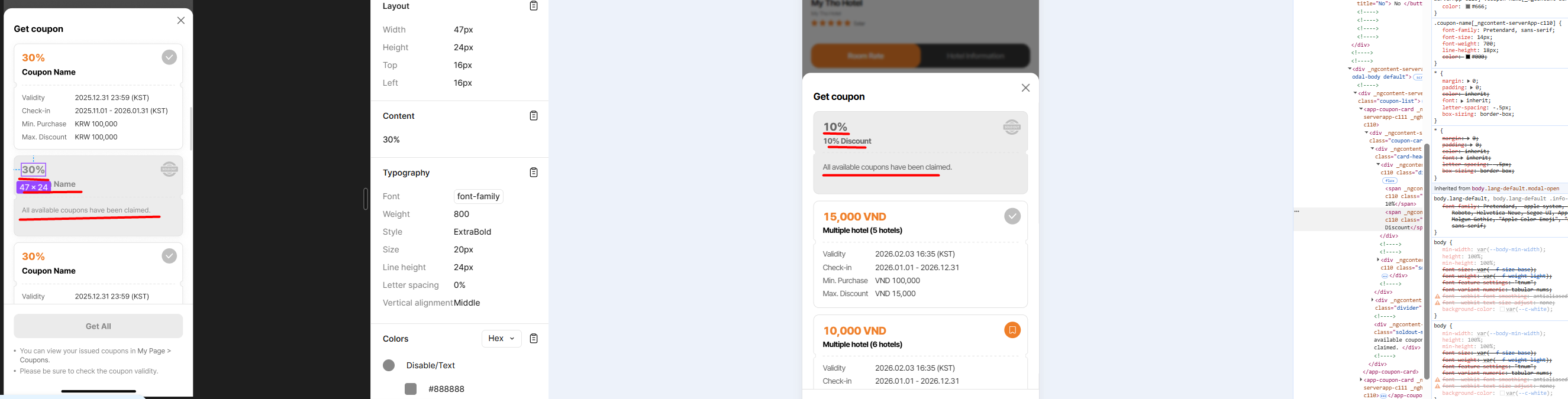
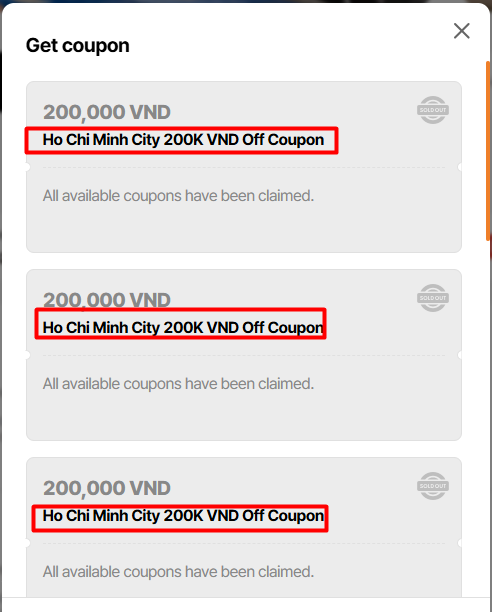
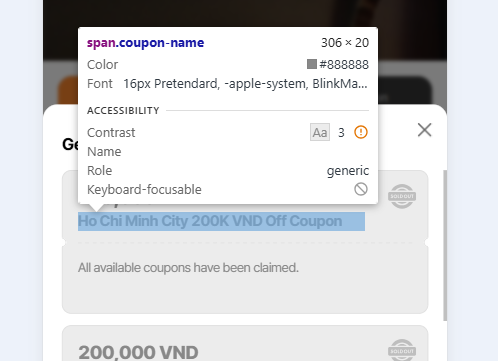
6. Get coupon popup: Sold out status: color #888888 for discount, coupon name, message
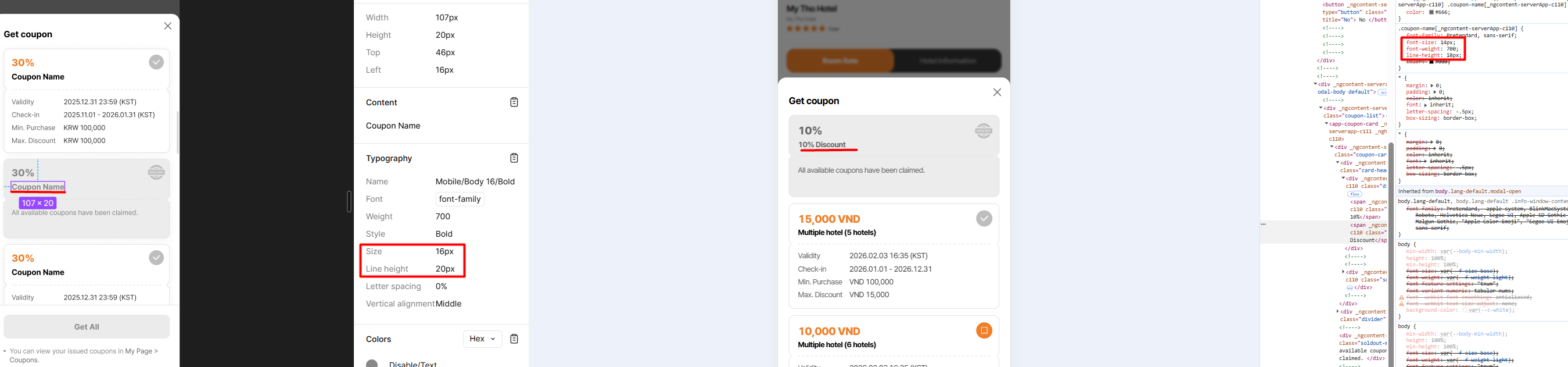
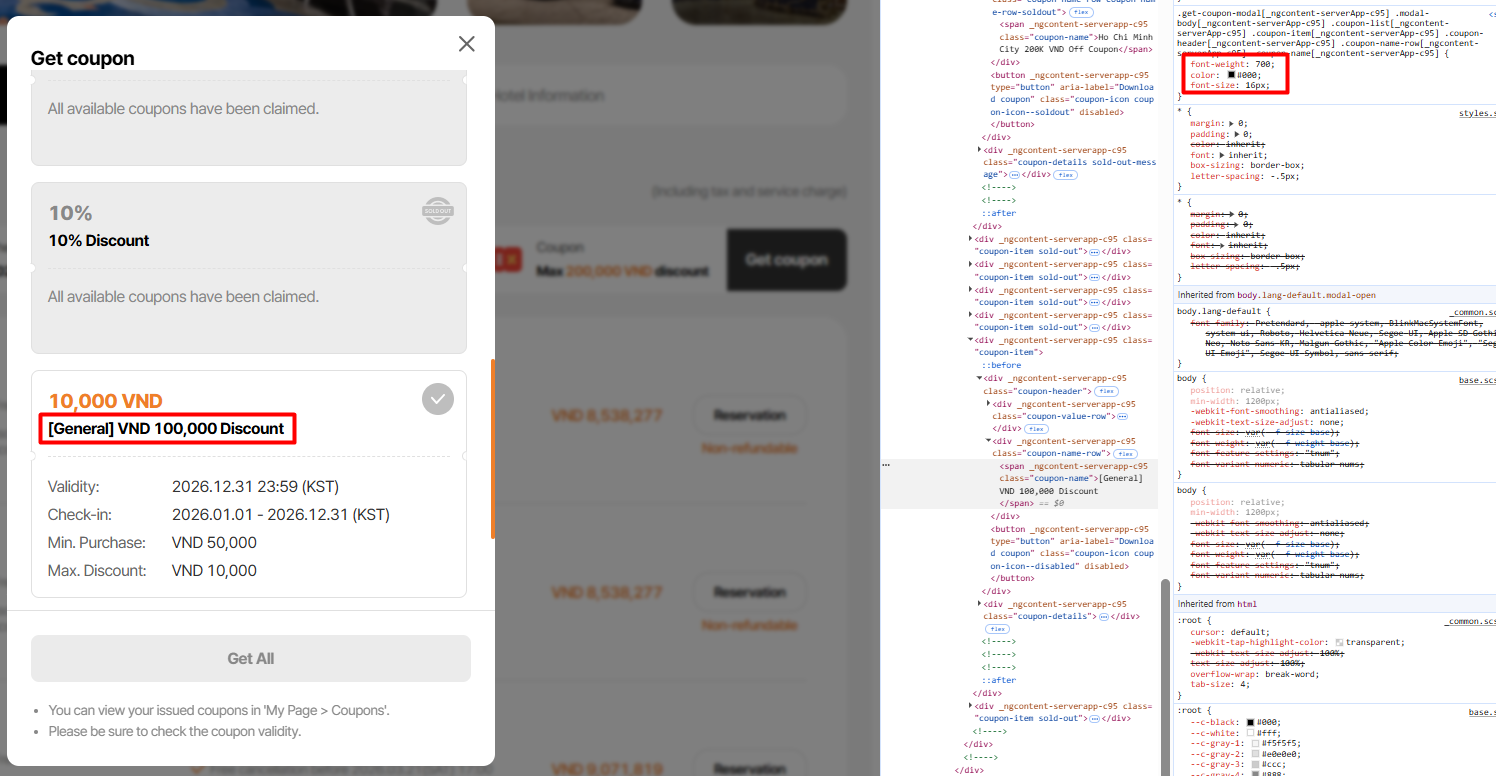
7. Coupon name: font-size: 16px, line-height: 20px
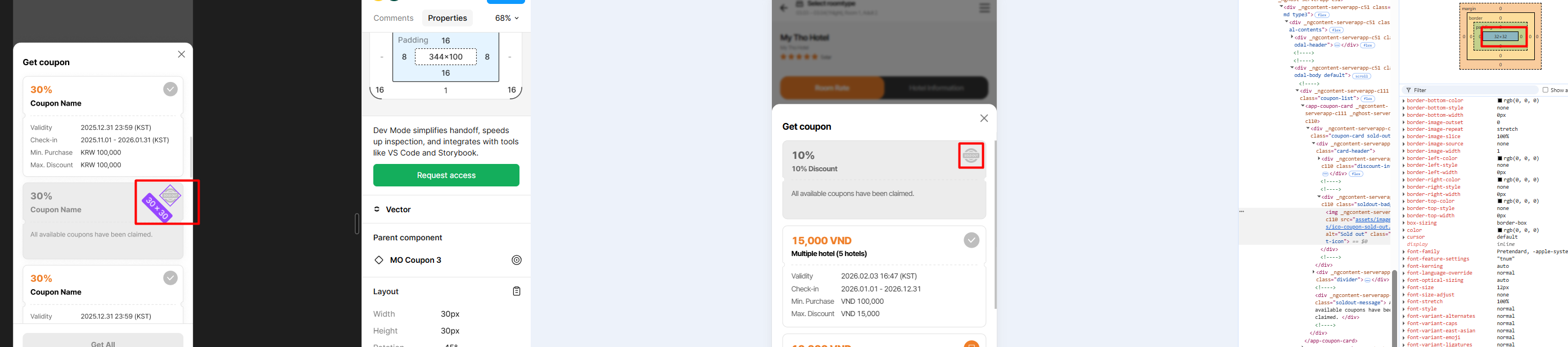
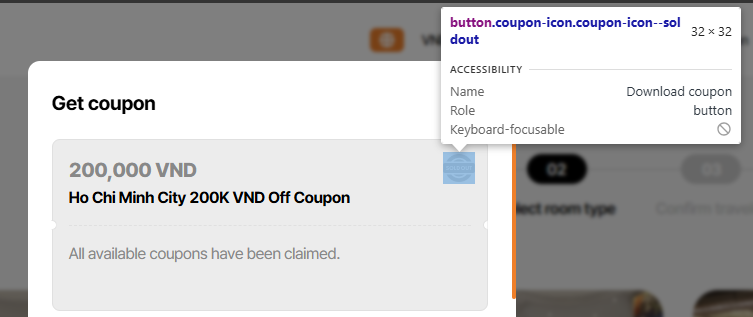
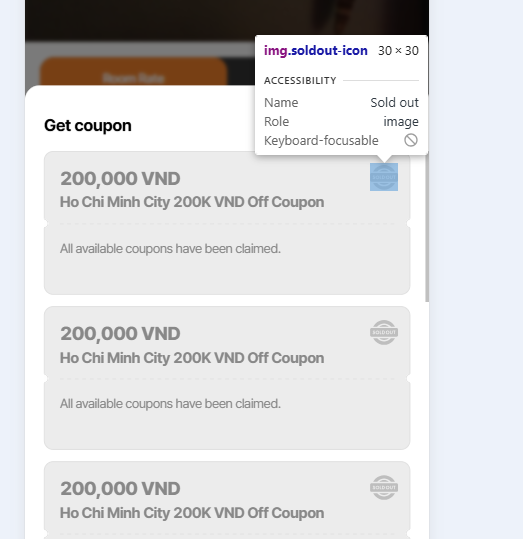
8. SOLD OUT icon will display in a 30x30 size
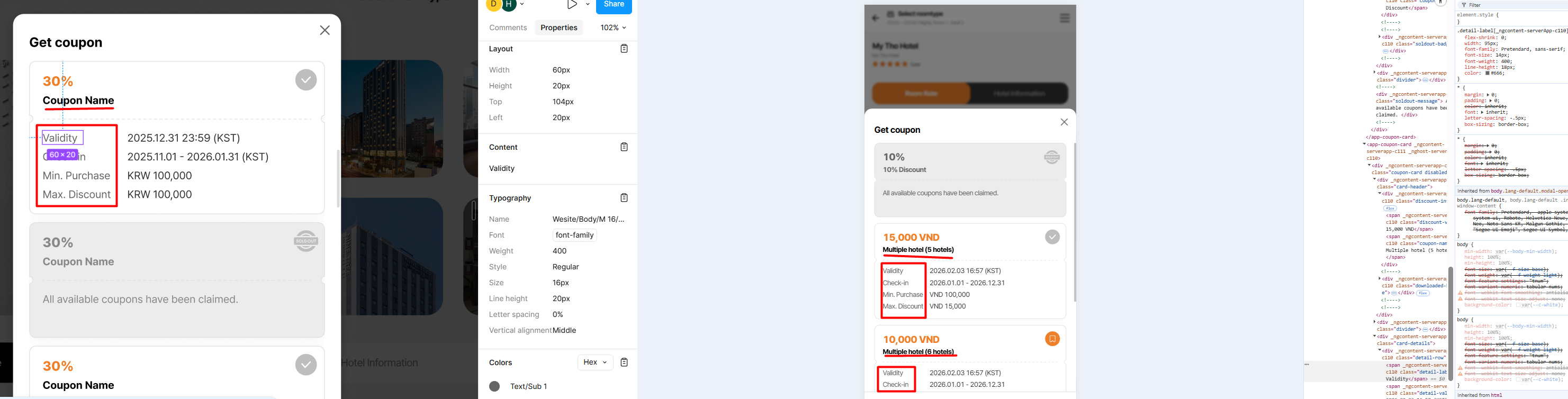
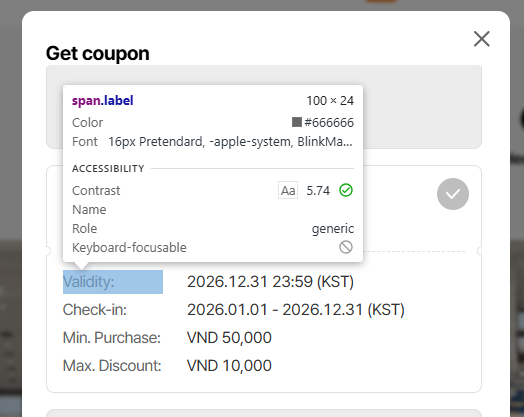
9. Coupon name and detail-label: font-size: 16px, line-height: 20px
10. Detail-value: Should show color: #333333
Updated by Holden Dang about 1 month ago
- File picture660-11-12.png picture660-11-12.png added
- Status changed from QA test to 완료실패(Failed)
- Assignee changed from Holden Dang to Joo dev
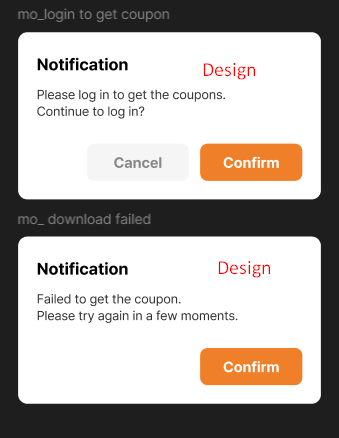
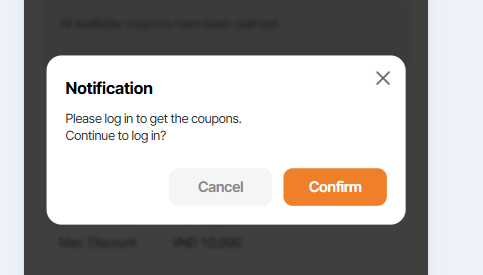
11. Non-member => Click Get coupon => Show Get coupon popup => Click Download icon => Show Notification popup with description 'Please log in to get the coupons.' Continue to log in? Cancel and Confirm buttons => If click Cancel button, popup will close => If click Confirm button, alert and 'Get Coupon' modal are closed. Call 'Login/Sign Up' modal at the same time => When the login is completed in Modal, it returns to the 'Select room type' screen [page 6-1].
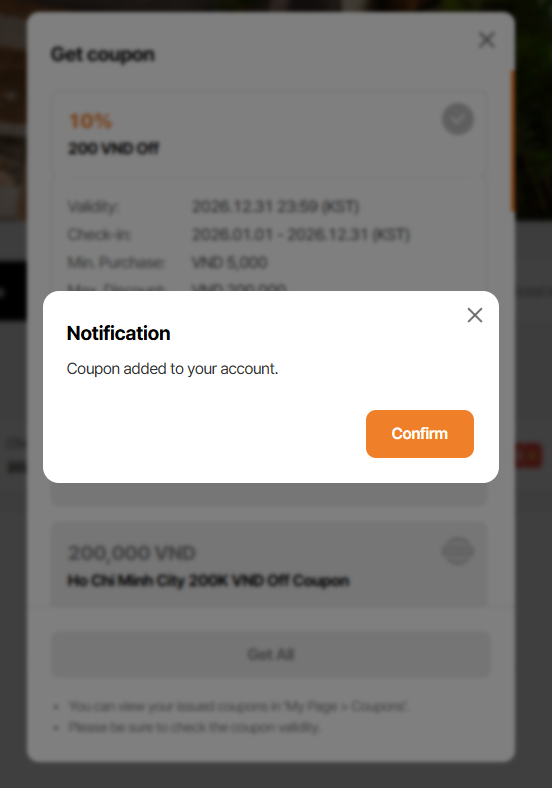
12. Suppose two users both have a discount code that can only be redeemed once and encounter the same pop-up window. If the first user downloads the code, a success message will appear. However, if the second user attempts to download it afterward, a 'download failed' message will be displayed.
=> Actual:Both users see the notification 'Coupon added to your account.' and the 'Get coupon' popup displays SOLD OUT
Updated by Tracy Truong about 1 month ago
- File picture700-1.png picture700-1.png added
- File picture700-2.png picture700-2.png added
- File picture700-3.png picture700-3.png added
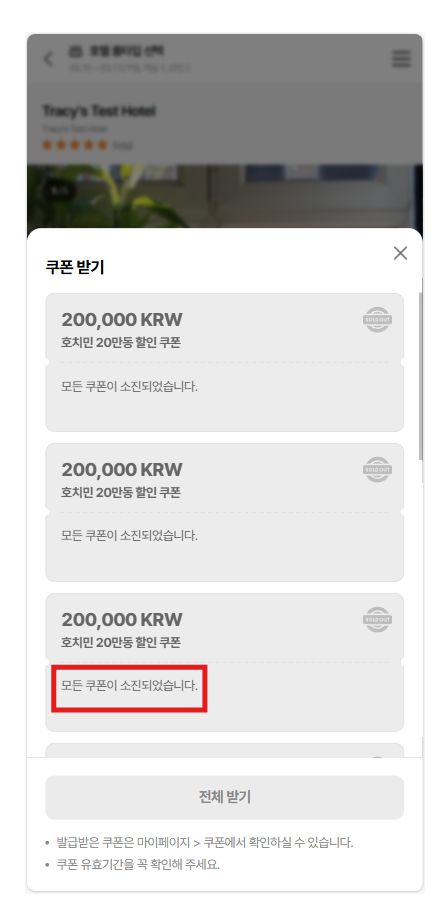
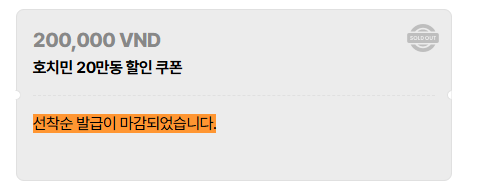
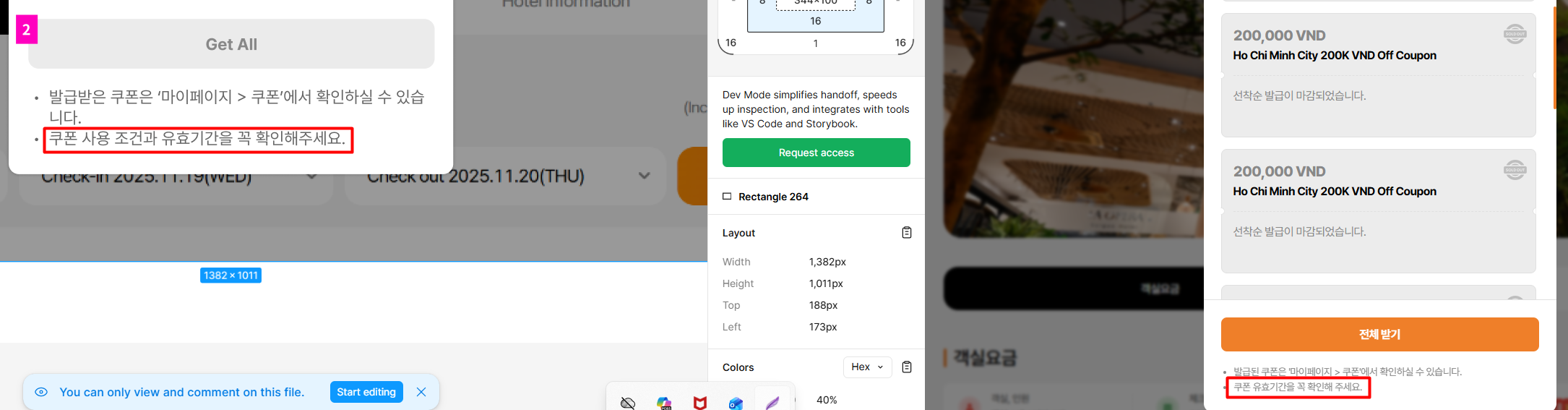
1. KR ver - Wrong text in sold out coupon
requirement: 선착순 발급이 마감되었습니다.
as is: 모든 쿠폰이 소진되었습니다.
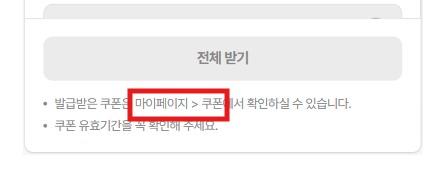
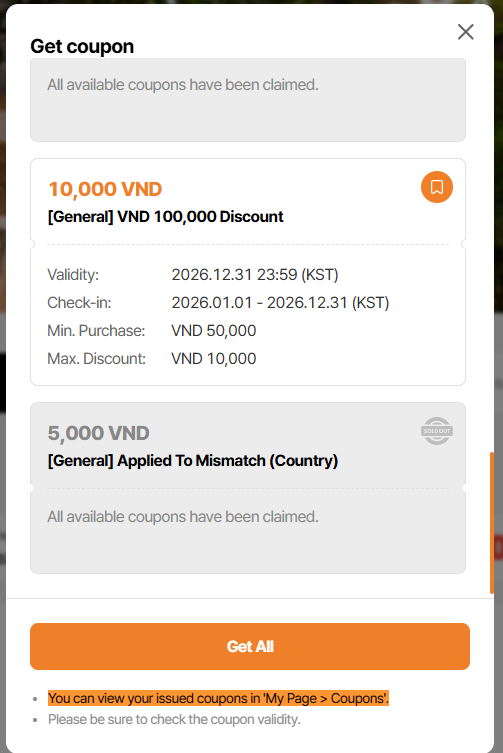
2. Missing ' ' on bottom message
=> need to add ' before & after My page > Coupon text for all languages
E.x:
You can view your issued coupons in 'My Page > Coupons'.
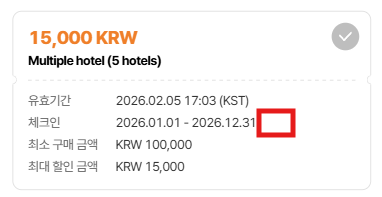
3. Lack of time zone in check in field on coupon card
Updated by Holden Dang 29 days ago
- File Ohmyhotel - Google Chrome 2026-02-06 15-37-04.mp4 Ohmyhotel - Google Chrome 2026-02-06 15-37-04.mp4 added
- File picture274-14.png picture274-14.png added
- File picture274-15.png picture274-15.png added
14. Step to reproduce:
- Click get coupon
- Turn off wifi
- Click Download in popup
- Observe the result
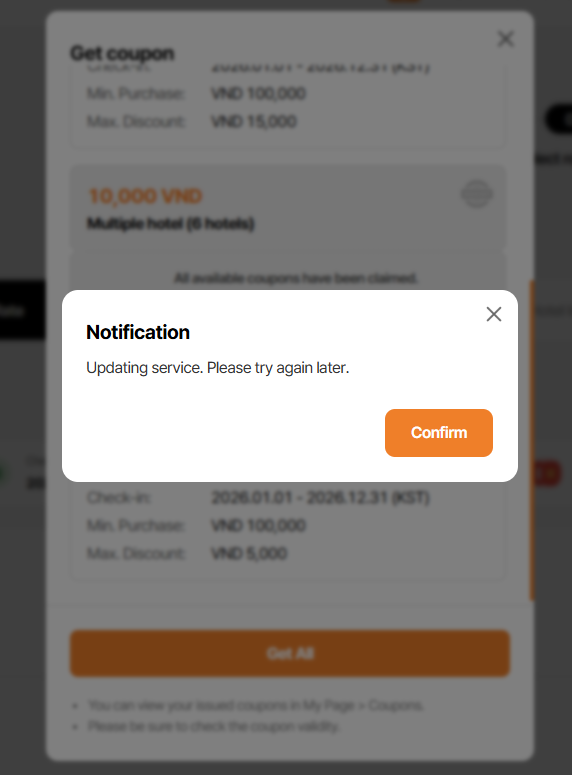
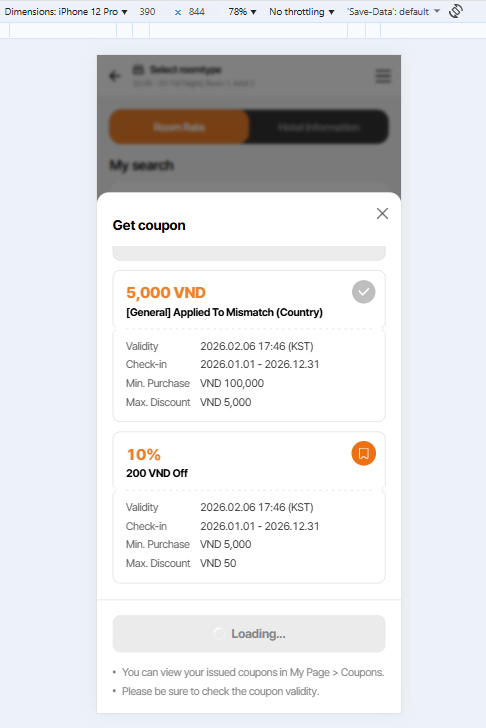
Actual: Endless loading
Expected: Show Notification
- Text: Updating service. Please try again later.
- Button: Confirm, Show 'No internet' when clicked
Note: Can find more information on the website
15. The loading process is continuous when the developer deploys the user interface (FE) or the server (BE).
- Click Get coupon button
- DEV: click deploy FE or BE
- Click Download in popup
- Observe the result
Actual: Endless loading in Get All button
Expected: Show Notification
- Text: Updating service. Please try again later.
- Button: Confirm
Updated by Joo dev 27 days ago
2: icon được export từ design ra
5: icon này là hình ảnh không phải text
9: detail label là 14px
14. Fix common ở 1 ticket khác: http://redmine.ohmytrip.com/issues/3135
15. Fix common ở 1 ticket khác: http://redmine.ohmytrip.com/issues/3135
Updated by Tracy Truong 14 days ago
- Assignee changed from Tracy Truong to Holden Dang
Updated by Holden Dang 12 days ago
- File picture846-1-2.png picture846-1-2.png added
- File picture846-3.png picture846-3.png added
- File picture846-4.png picture846-4.png added
- File picture846-5.png picture846-5.png added
- File picture846-6.png picture846-6.png added
- File picture846-7.png picture846-7.png added
- File picture846-8.png picture846-8.png added
- File picture846-9.png picture846-9.png added
Passed: 1, 2, 4, 5, 7, 9, 10
Failed:
3. Max discount: Should show <currency> 200,000 (e,g, VND 200,000)
6. Get coupon popup: Sold out status: color #888888 for coupon name
8. SOLD OUT icon will display in a 30x30 size
Updated by Holden Dang 12 days ago
- File picture053-11.png picture053-11.png added
- File picture053-12.png picture053-12.png added
- File picture053-1.png picture053-1.png added
- File picture053-2.png picture053-2.png added
- File picture053-3.png picture053-3.png added
- File picture053-16.png picture053-16.png added
- File picture053-17.png picture053-17.png added
- Status changed from QA test to 완료실패(Failed)
- Assignee changed from Holden Dang to Joo dev
Passed:
1. KR ver - Wrong text in sold out coupon. Displays '선착순 발급이 마감되었습니다.'
2. You can view your issued coupons in 'My Page > Coupons'.
3. Lack of time zone in check in field on coupon card
Failed:
11. Show Notification popup with description
- Please log in to get the coupons.
- Continue to log in? => Should go down the line
- Cancel button => Displayed in gray
12. Suppose two users both have a discount code that can only be redeemed once and encounter the same pop-up window. If the first user downloads the code, a success message will appear. However, if the second user attempts to download it afterward, a 'download failed' message will be displayed.
=> Actual: Both users see the notification 'Coupon added to your account.' and the 'Get coupon' popup displays SOLD OUT
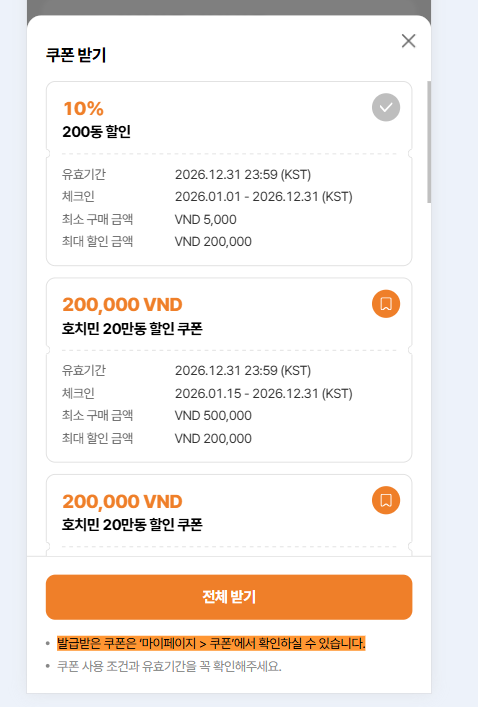
16. Displays '발급받은 쿠폰은 ‘마이페이지 > 쿠폰’에서 확인하실 수 있습니다.'
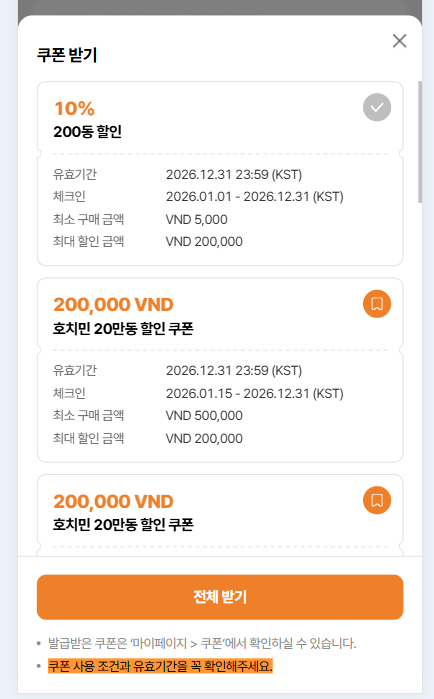
17. Displays '쿠폰 사용 조건과 유효기간을 꼭 확인해주세요.'
Updated by Holden Dang 11 days ago
- File picture826-3.png picture826-3.png added
- File picture826-6.png picture826-6.png added
- File picture826-8.png picture826-8.png added
- File picture826-11.png picture826-11.png added
- File picture826-16.png picture826-16.png added
- File picture826-17.png picture826-17.png added
- Status changed from QA test to 완료실패(Failed)
- Assignee changed from Holden Dang to Joo dev
Passed: 6, 8, 11, 16, 17
Failed:
3. Max discount: The discount as VND 200,000 will be displayed in orange
Issue 12 will be examined later
Updated by Holden Dang 8 days ago
- File picture163-12.png picture163-12.png added
- File picture163-2.png picture163-2.png added
- Status changed from QA test to 완료(Done)
- Assignee changed from Holden Dang to Joo dev
Passed: 12, 3 on Dev env
Updated by Tracy Truong 7 days ago
Note: Note: On get coupon modal, coupon for country/region/all is not display due to DEV is still working for this field. Currently, only coupon apply to that hotel is display
Updated by Tracy Truong 7 days ago
- File picture868-1.png picture868-1.png added
- Status changed from 완료(Done) to 완료실패(Failed)
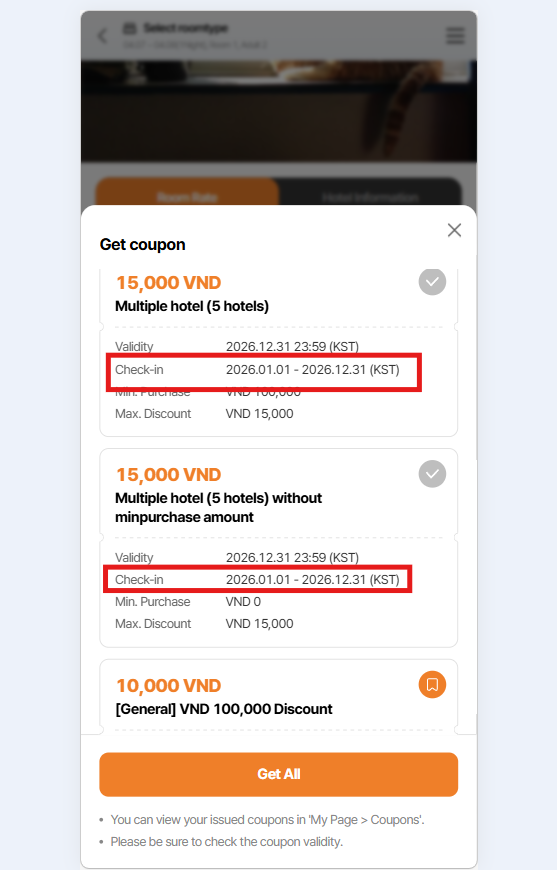
Check in date display incorrect
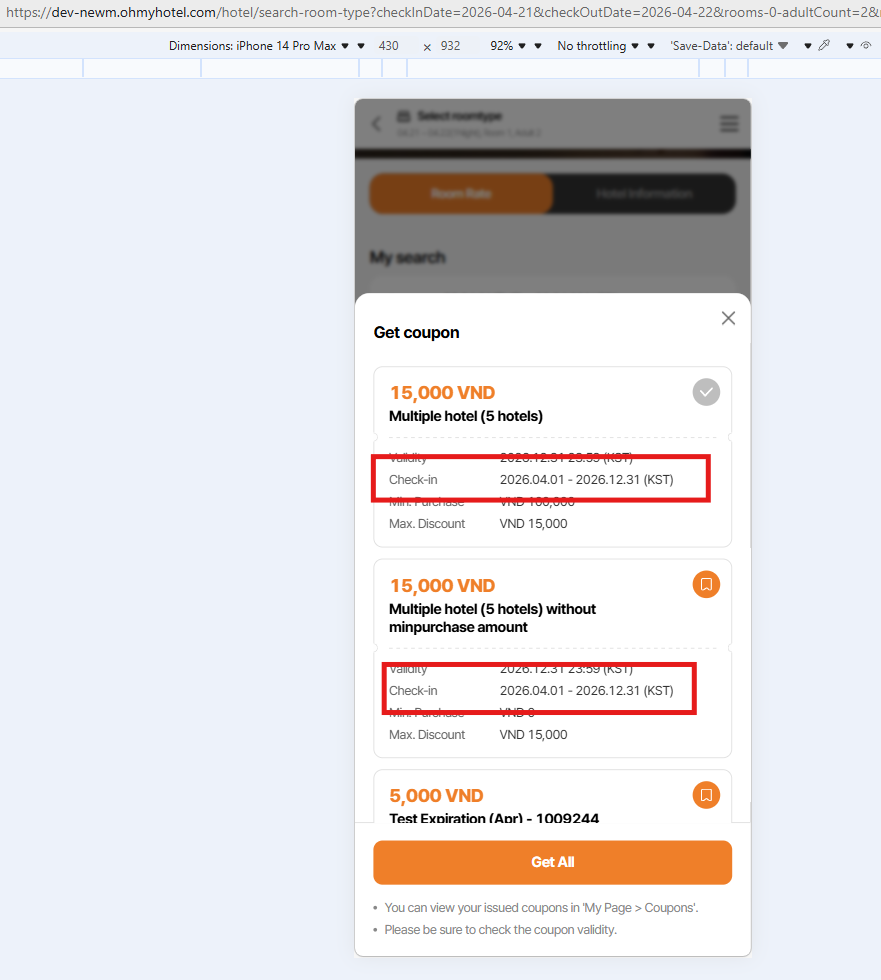
Coupon code: 200052CODE / 200053CODE - check in date is 1 Apr to 31 Dec 2026 but currently display 1 Jan - 31 dec 2026
Updated by Tracy Truong 6 days ago
- File picture390-1.png picture390-1.png added
- Status changed from QA test to 완료(Done)
- Assignee changed from Tracy Truong to Joo dev
Retested, issue is fixed