기능(Feature) #2754
closed기능(Feature) #2680: ** B2C Online Coupon
기능(Feature) #2806: 7. MO_Payment - Page
7. MO_Payment - Apply Coupon_Select Modal
100%
Description
Plan: https://www.figma.com/design/pbZ5AJvKgku2XOwtqg2ffd/OMH-%EC%83%81%ED%92%88-%EB%A6%AC%EC%8A%A4%ED%8A%B8-%ED%99%94%EB%A9%B4-%EA%B0%9C%EC%84%A0?node-id=376-928&t=zuTj6skGbYKXRqte-1
Link design: https://www.figma.com/design/rKpXzV8hRJIgtVK4QtJqi8/B2C--B2B?node-id=17942-236826&t=WsUc4uA4Zik57NM5-0
3-3-1. Select Modal(default)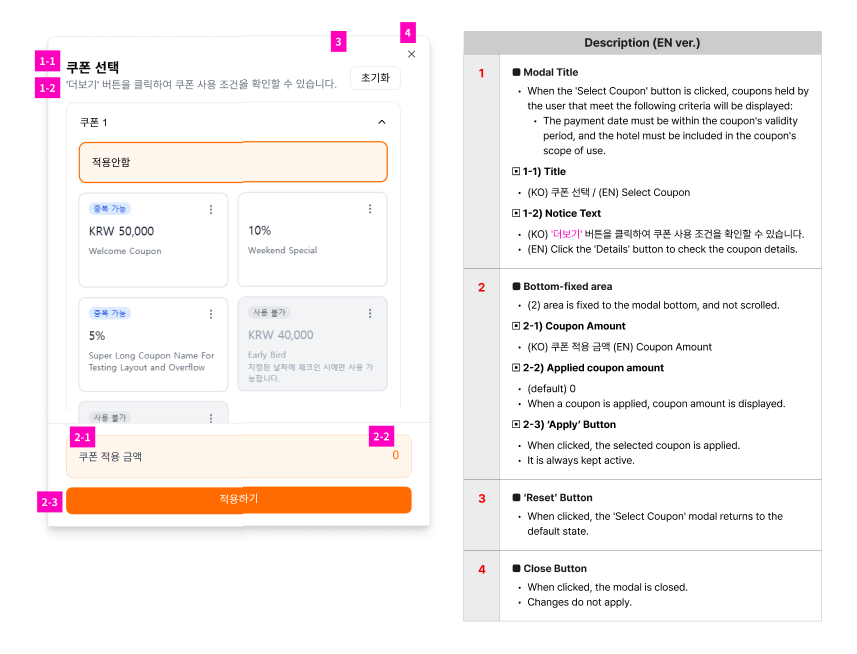
3-3-2. Select Modal - coupon card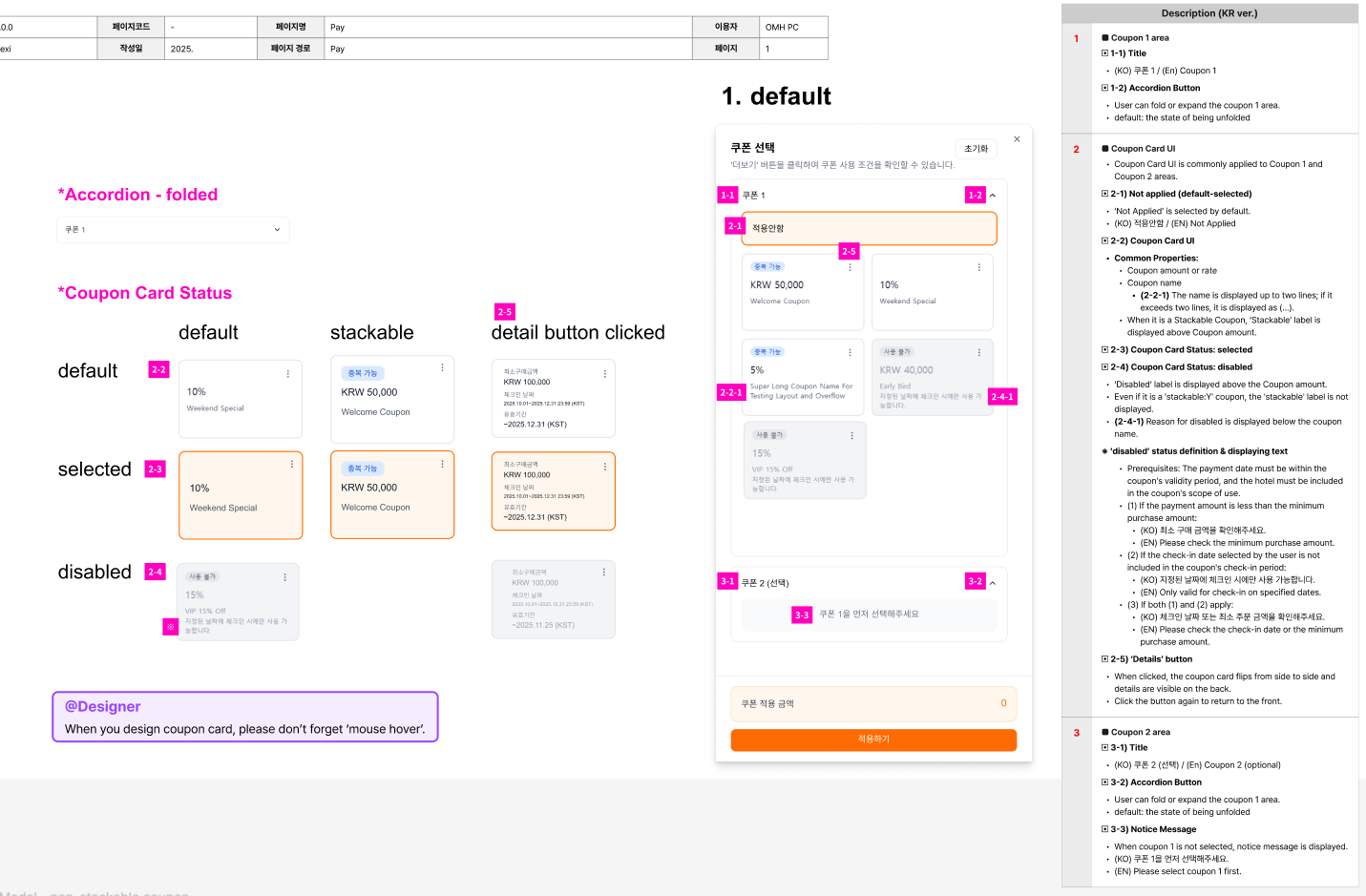
3-3-3. Select Modal - non-stackable coupon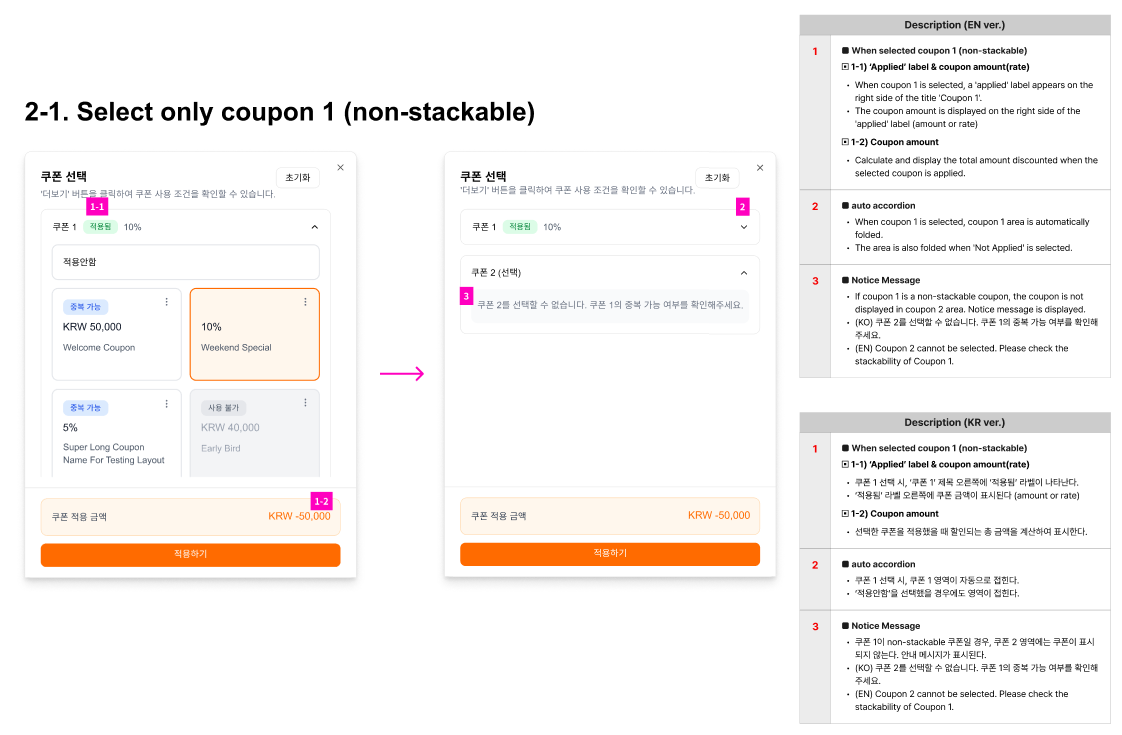
3-3-4. Select Modal - stackable coupon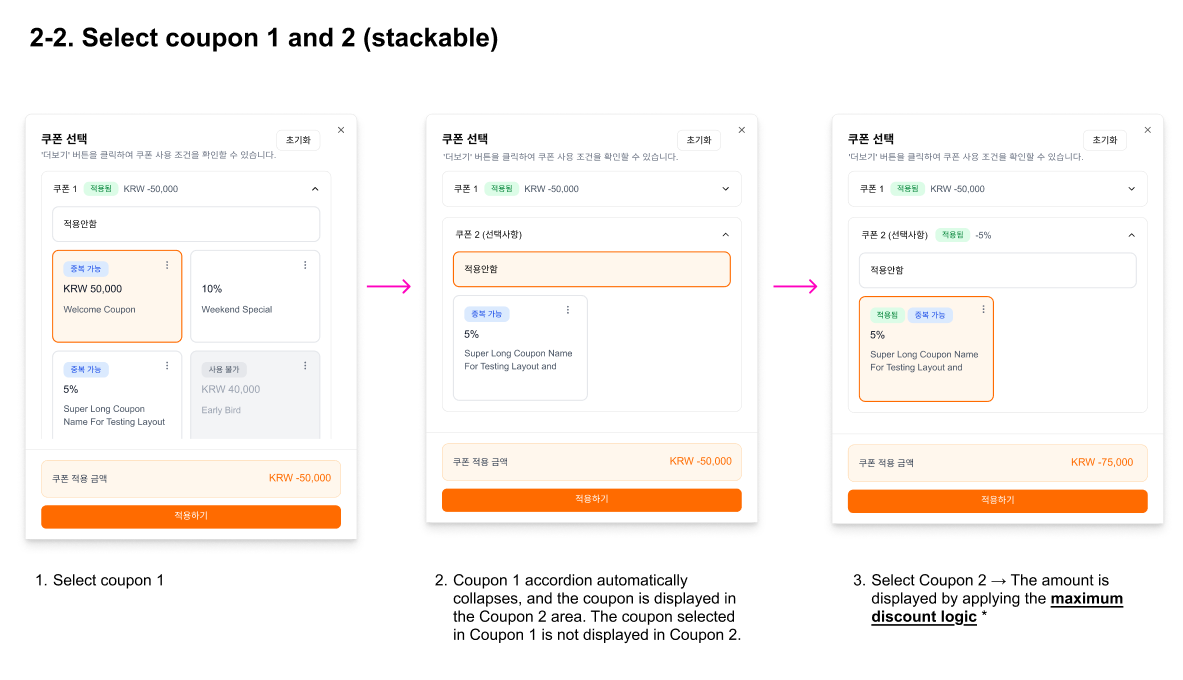
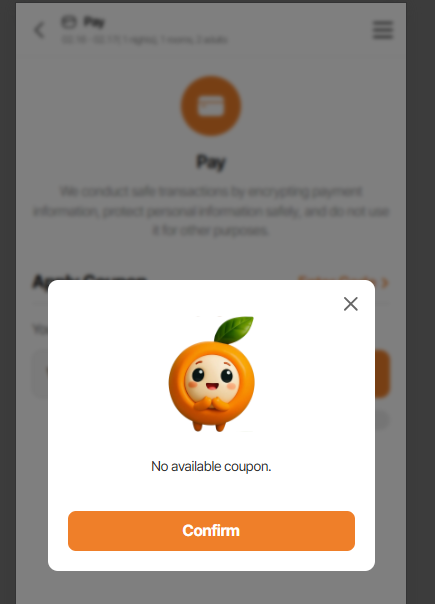
3-3-5. no available coupon for booking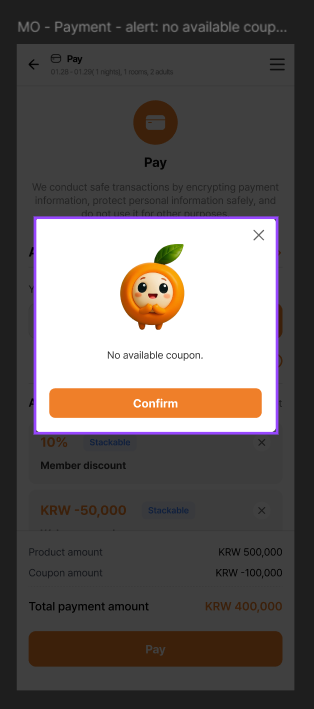
Files
Updated by ziniy Kang 3 months ago
- Assignee changed from ziniy Kang to Joseph Vo
Updated by harry harry 2 months ago
- Assignee changed from harry harry to Dante Le
Updated by Tom Dong about 2 months ago
- Due date set to 01/12/2026
- Status changed from 신규(New) to 진행(Doing)
- Start date set to 01/09/2026
Updated by Tom Dong about 2 months ago
- Due date changed from 01/12/2026 to 01/13/2026
- Status changed from 진행(Doing) to 완료(Done)
Updated by Tom Dong about 2 months ago
- Status changed from 완료(Done) to 진행(Doing)
Updated by Tom Dong about 2 months ago
- Status changed from 진행(Doing) to 완료(Done)
Updated by harry harry about 1 month ago
- Status changed from 완료(Done) to QA test
- Assignee changed from Tom Dong to Tracy Truong
Updated by Tracy Truong about 1 month ago
- Assignee changed from Tracy Truong to Holden Dang
Updated by Holden Dang about 1 month ago
- File Ohmyhotel - Google Chrome 2026-01-30 16-55-14.mp4 Ohmyhotel - Google Chrome 2026-01-30 16-55-14.mp4 added
- File picture809-1.png picture809-1.png added
- File picture809-2.png picture809-2.png added
- File picture809-3.png picture809-3.png added
- File picture809-4.png picture809-4.png added
- File picture809-5.png picture809-5.png added
- Status changed from QA test to 완료실패(Failed)
- Assignee changed from Holden Dang to harry harry
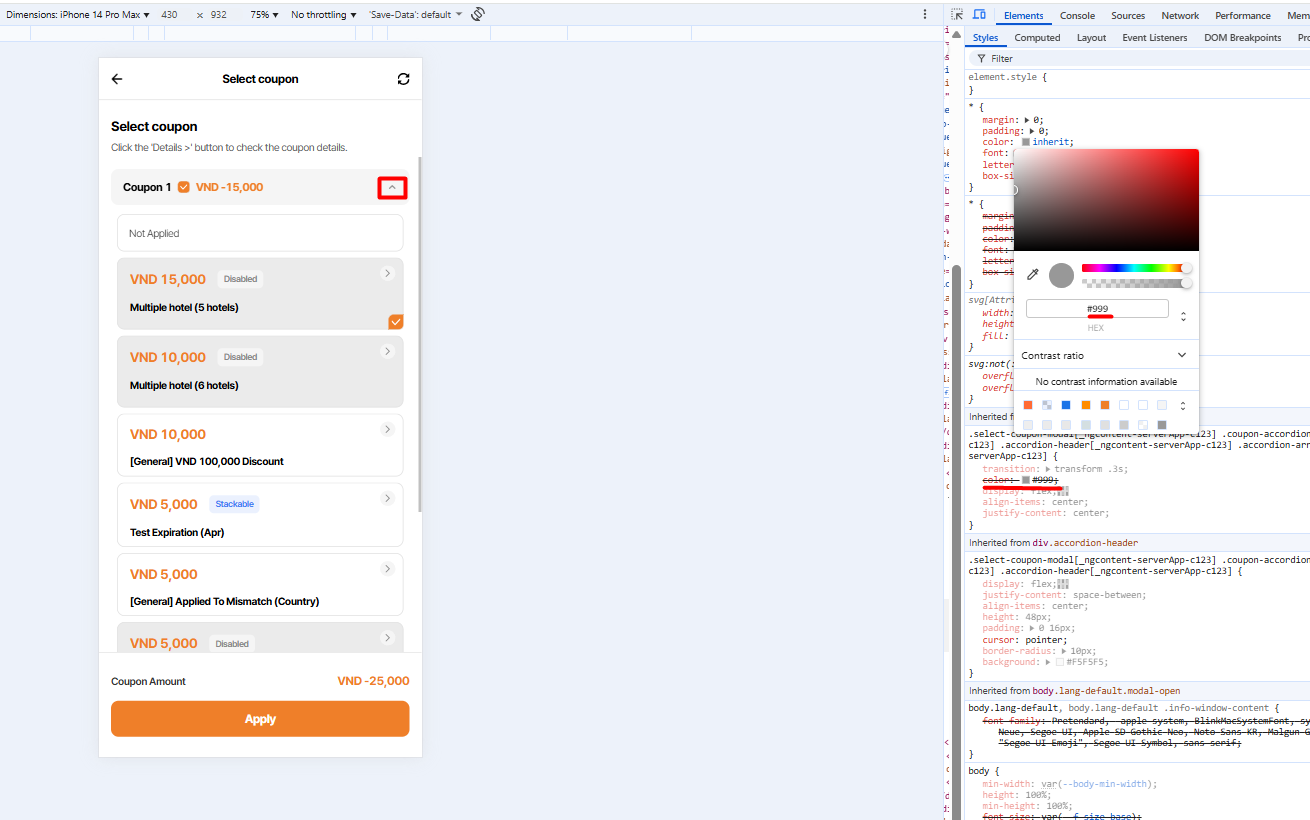
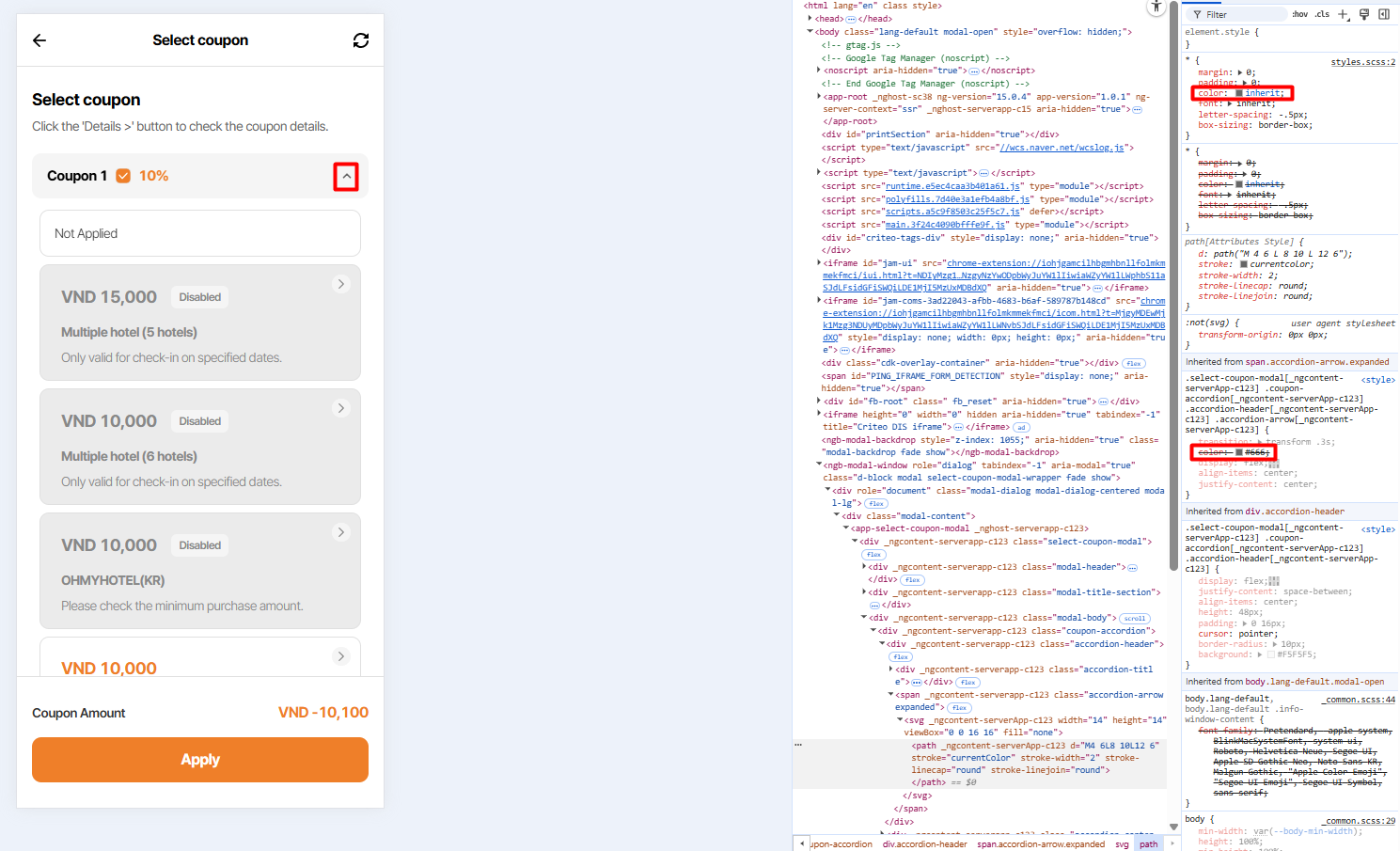
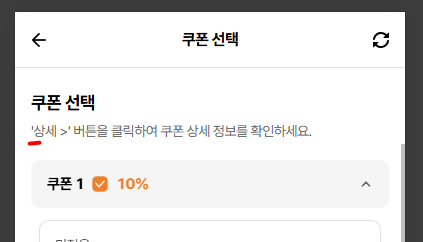
1. '^' icon: Should show #666666
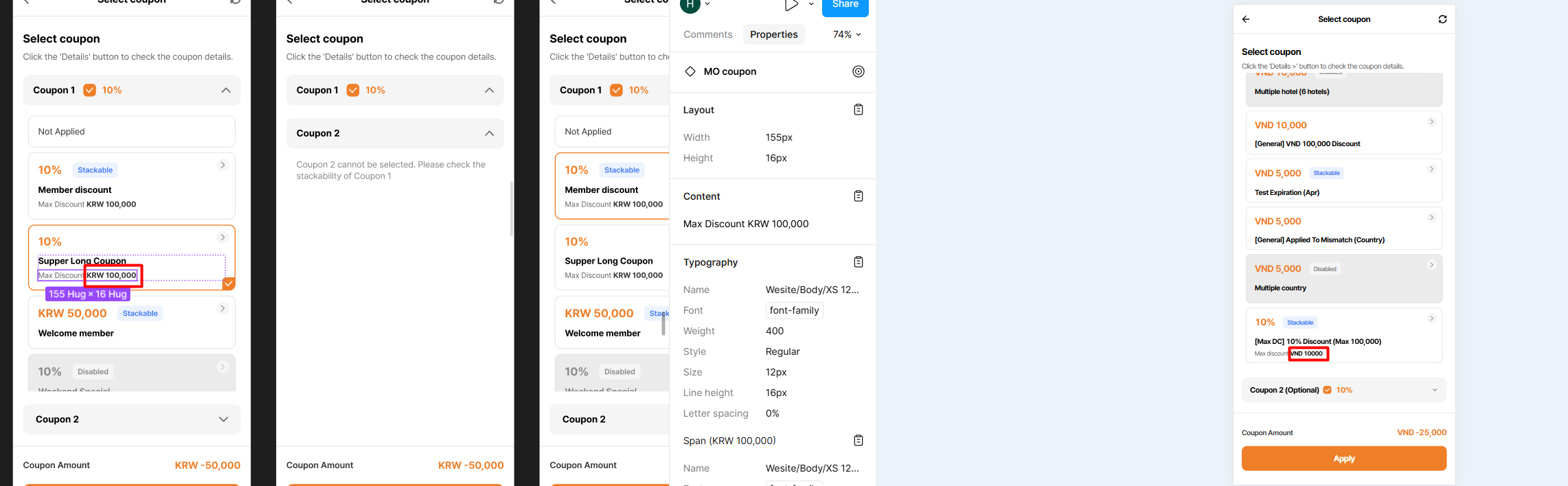
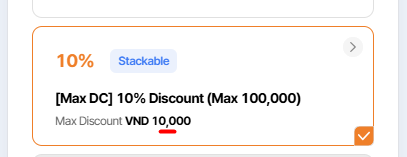
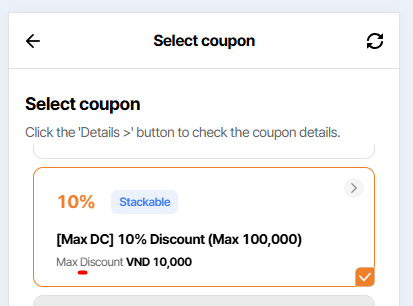
2. Max discount: Add commas ',' according to currency
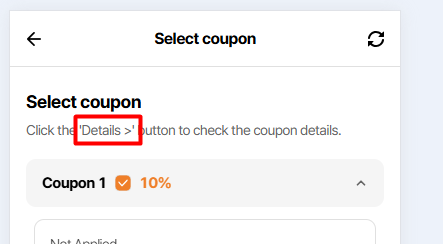
3. Remove '>' in notice text -> Eric Quach: please don't remove, it has exist on mobile version
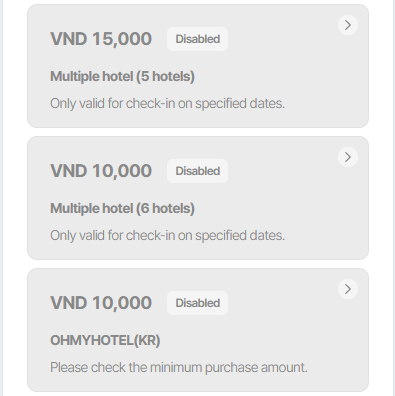
4. %/amount, coupon name and <currency> 10,000: It should be disabled and displayed in the same grey color
5. Additional 'X' icon when clicked, the popup will close.
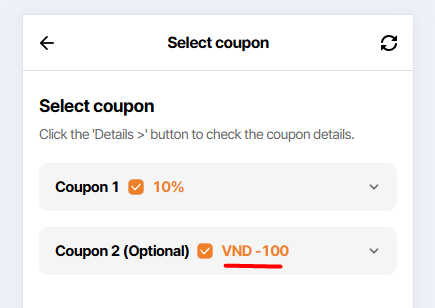
6. Coupons 1 and 2 have swapped positions in the Applied Coupons list when changed in the popup
Updated by Holden Dang about 1 month ago
- File picture953-7.png picture953-7.png added
7. Should show 'Max Discount' instead of 'Max discount' => The text 'D' is capitalized.
Updated by Holden Dang about 1 month ago
- File picture653-8-10.png picture653-8-10.png added
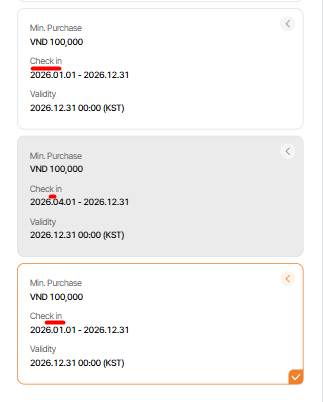
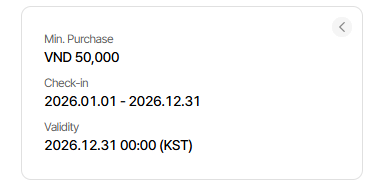
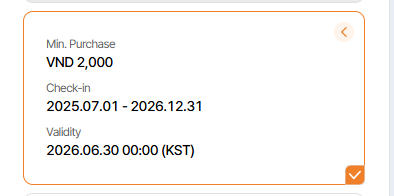
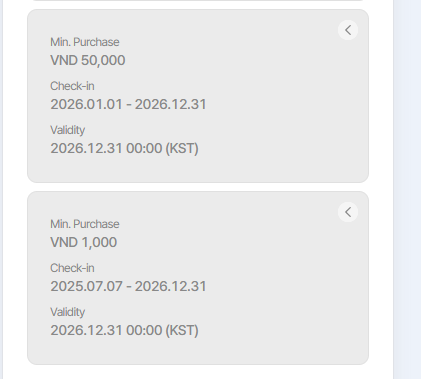
8. Default: Should show 'Check-in' instead of 'Check in' => Add '-'
9. Selected: Should show 'Check-in' instead of 'Check in' => Add '-'
10. Disabled: Should show 'Check-in' instead of 'Check in' => Add '-'
Updated by harry harry about 1 month ago
- Assignee changed from harry harry to Joo dev
Updated by Joo dev about 1 month ago
- Assignee changed from Joo dev to harry harry
Updated by Holden Dang about 1 month ago
- File picture671-11.png picture671-11.png added
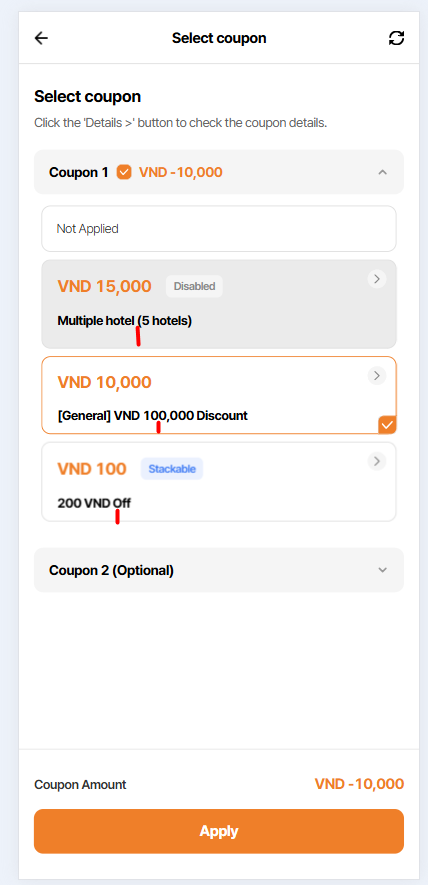
11. Please refer to the disabled items to match the selected/default item
Updated by Tracy Truong about 1 month ago
- File Ohmyhotel and 8 more pages - Work 2 - Microsoft Edge 2026-02-05 14-06-28.mp4 Ohmyhotel and 8 more pages - Work 2 - Microsoft Edge 2026-02-05 14-06-28.mp4 added
- File picture648-1.png picture648-1.png added
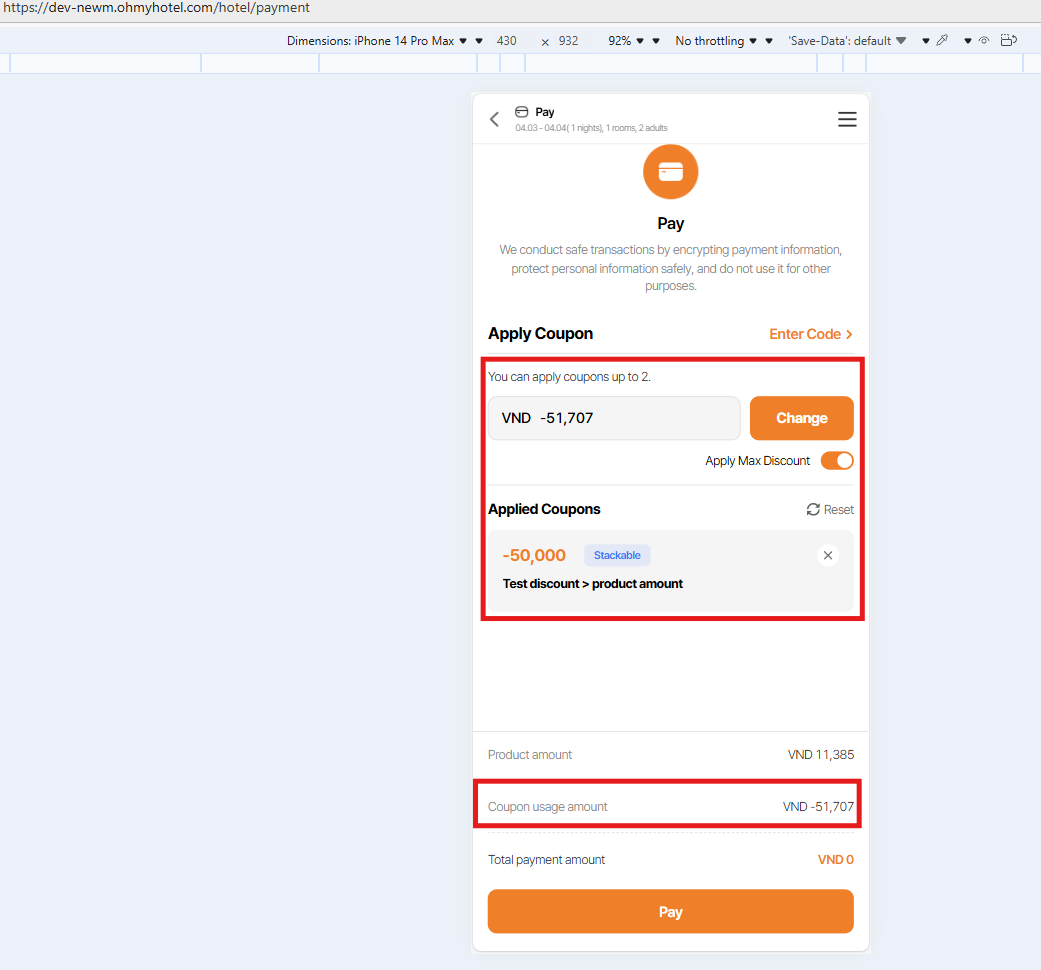
Step:
Navigate to Payment page > max discount coupon is selected
Click Change button > on coupon 2 field, selected not apply option
=> UI dispalyed 1 coupon applied but count amount off both coupon
Expected: When change coupon, coupon usage amount must be counted again
Updated by Holden Dang about 1 month ago
- File picture314-13.png picture314-13.png added
- File picture314-14.png picture314-14.png added
- File picture314-15.png picture314-15.png added
- File picture314-16.png picture314-16.png added
- File picture314-17.png picture314-17.png added
- File picture314-18.png picture314-18.png added
- File picture314-19.png picture314-19.png added
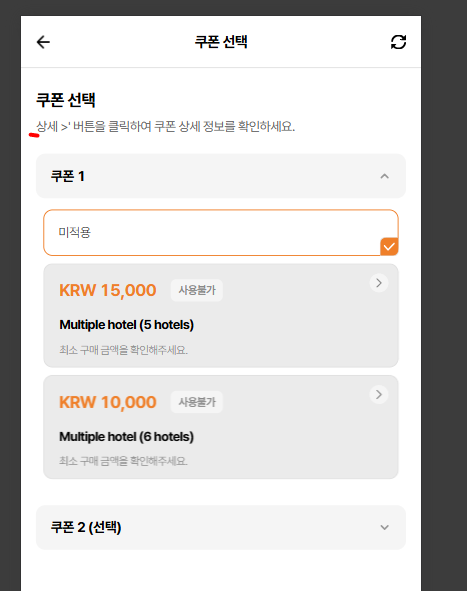
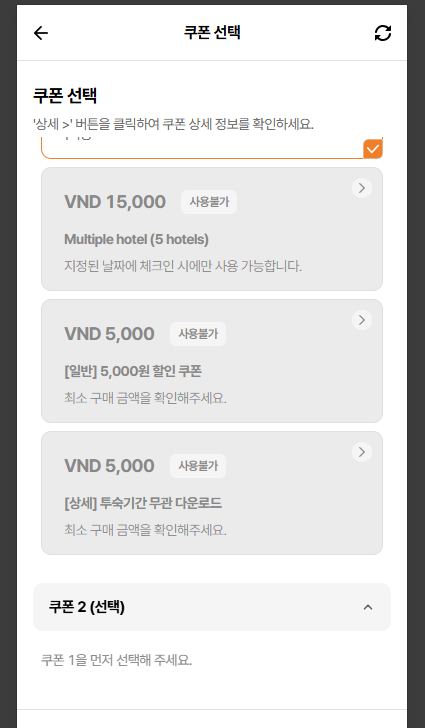
13. Language KO: Missing symbol ' at the beginning of the sentence
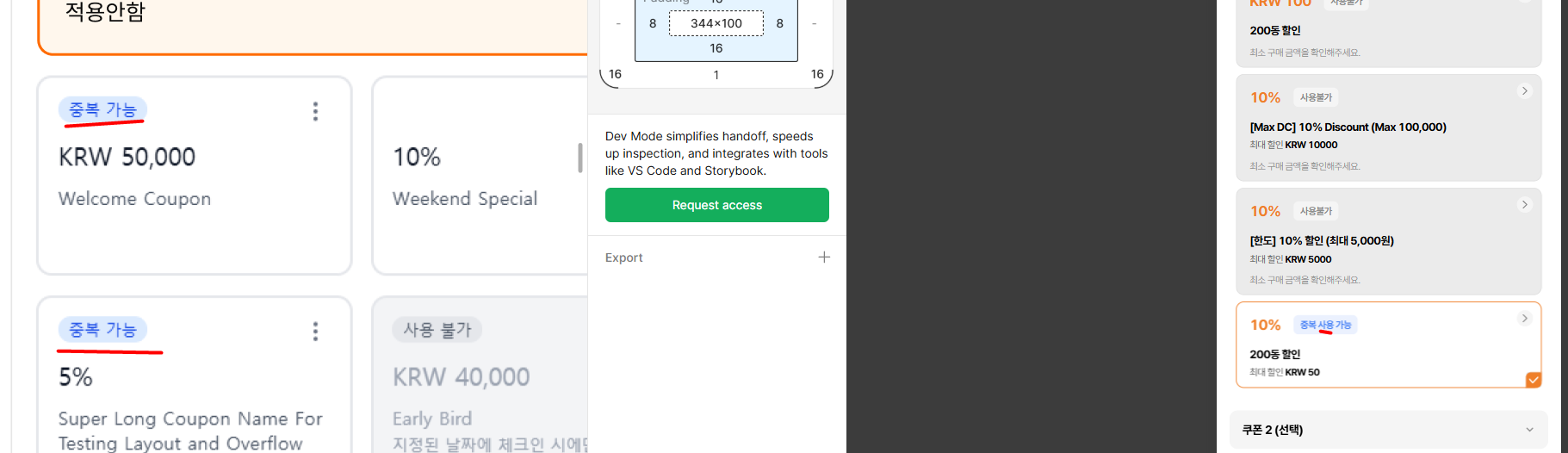
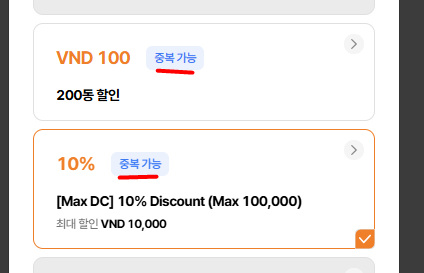
14. Should show '중복 가능' insted of show '중복 사용 가능'
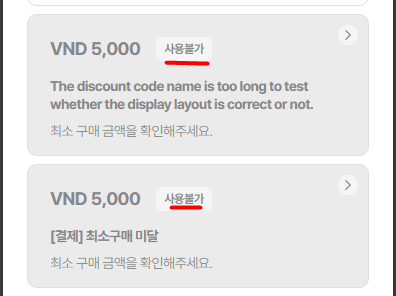
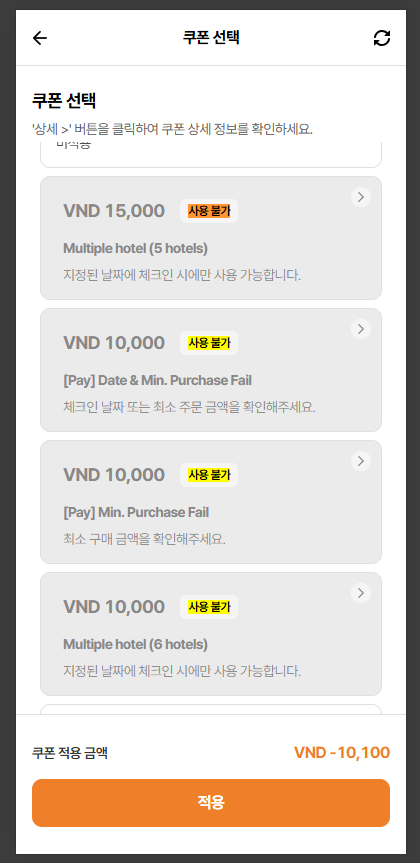
15. Show '사용 불가' => Missing space of Disabled text
16. Step to reproduce:
- Search Tracy's Test Hotel and select Mar and navigate to Pay page
- Enter Code: 200046CODE
- Click 'Select/Change' button
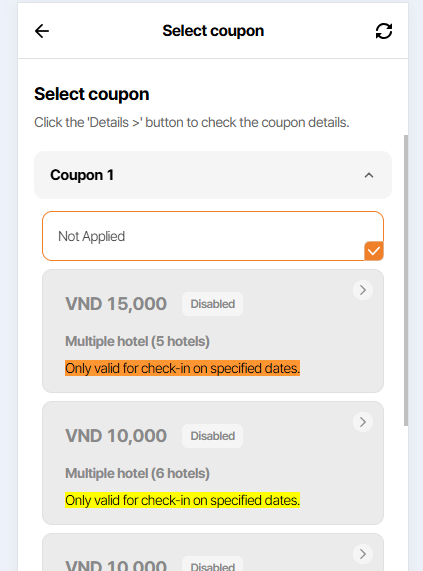
Actual: ENG ver: no show alert on coupon card
Expected: Show 'Only valid for check-in on specified dates.' in English language
Note: Only display messages in Korean
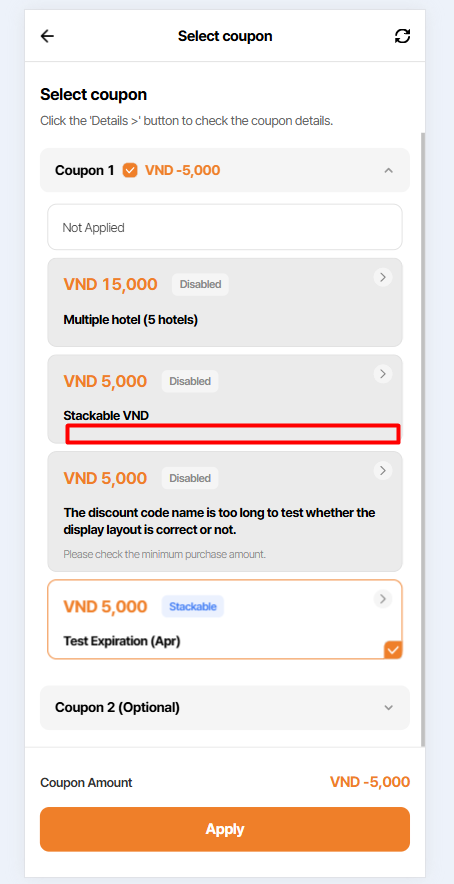
17. Step to reproduce:
- Search Tracy's Test Hotel and select Apr 3 and navigate to Pay page
- Enter Code: 200045CODE
- Click 'Select/Change' button
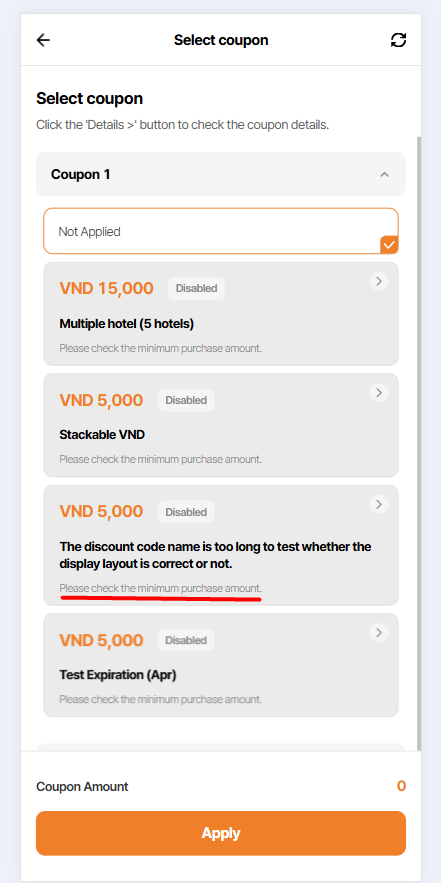
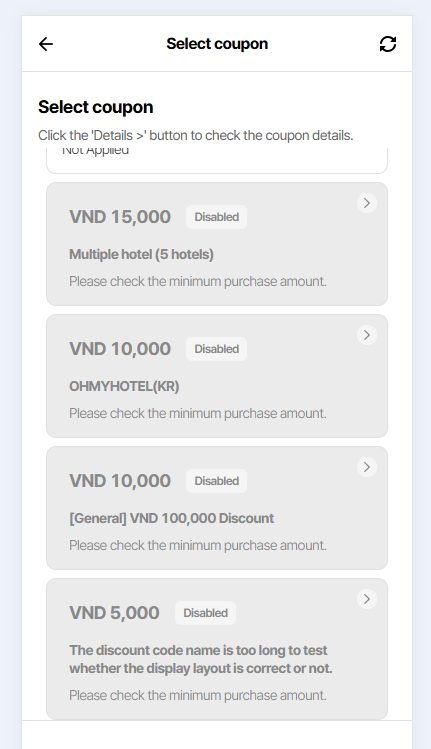
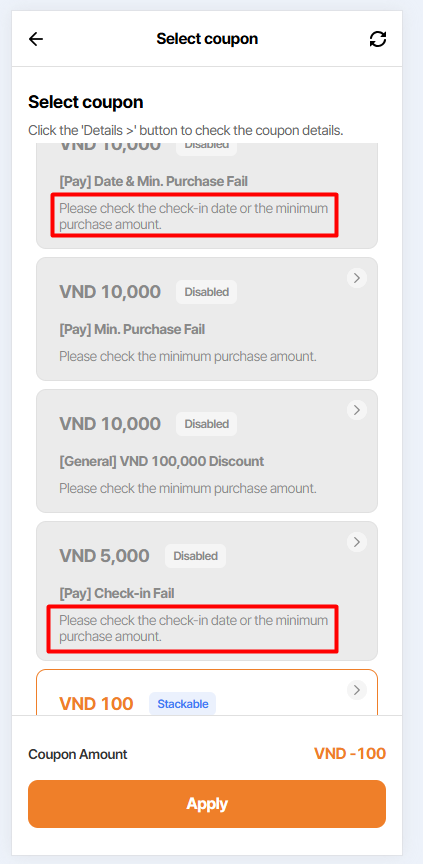
Actual: Show "Please check the minimum purchase amount." only
Expected: Coupon shows 'Disabled' with "Please check the check-in date or the minimum purchase amount."
18. Account: 08y00m5fvr@spymail.one => Search Tracy's Test Hotel and select 4 days > KRW 50,000 => Enter code: 200011CODE
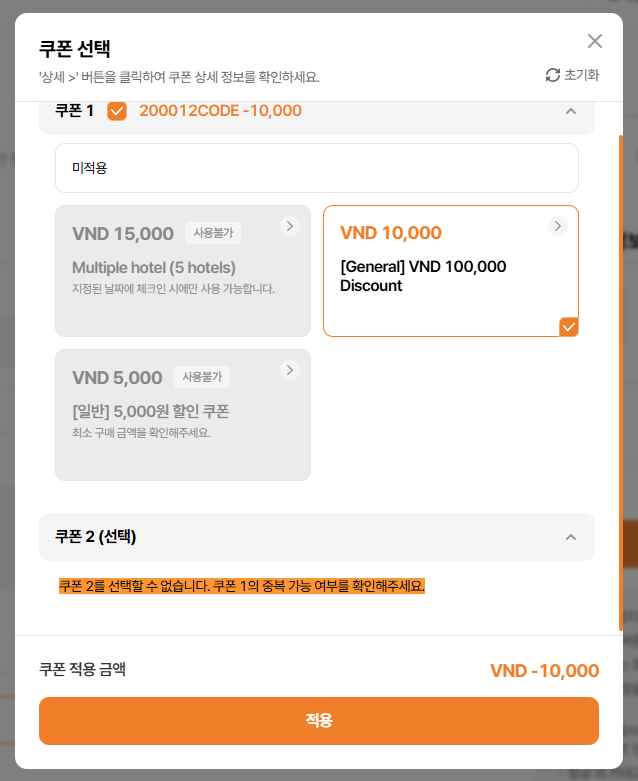
Current show: 쿠폰 2를 선택할 수 없습니다. 쿠폰 1의 중복 할인 가능 여부를 확인해 주세요.
Expected: KR: 쿠폰 2를 선택할 수 없습니다. 쿠폰 1의 중복 가능 여부를 확인해주세요.
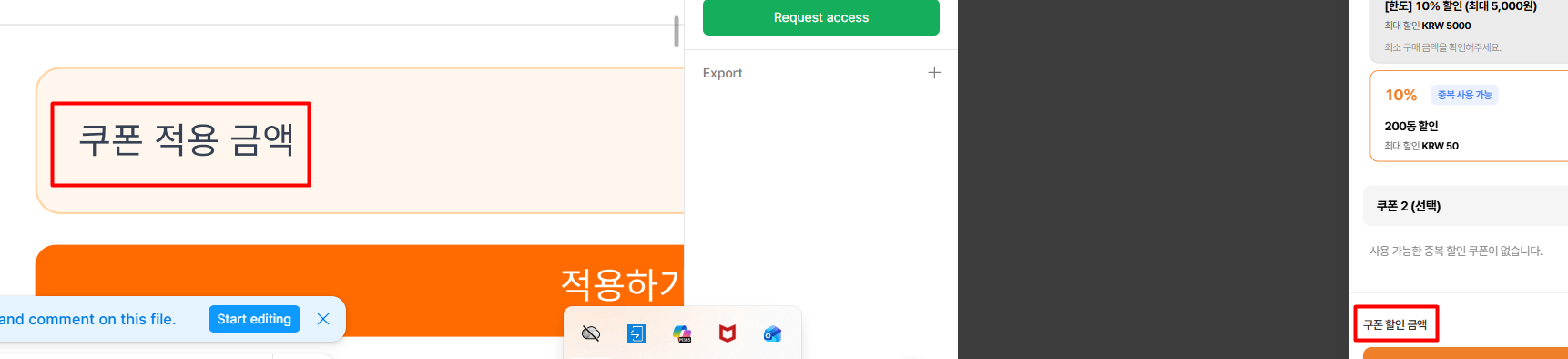
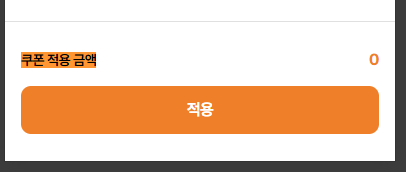
19. Coupon Amount:
Expected: Show '쿠폰 적용 금액'
Actual: Show '쿠폰 할인 금액'
Updated by Holden Dang about 1 month ago
- File Ohmyhotel - Google Chrome 2026-02-06 15-37-04.mp4 Ohmyhotel - Google Chrome 2026-02-06 15-37-04.mp4 added
- File picture489-1.png picture489-1.png added
20. Step to reproduce:
- Click get coupon
- Turn off wifi
- Click Download in popup
- Observe the result
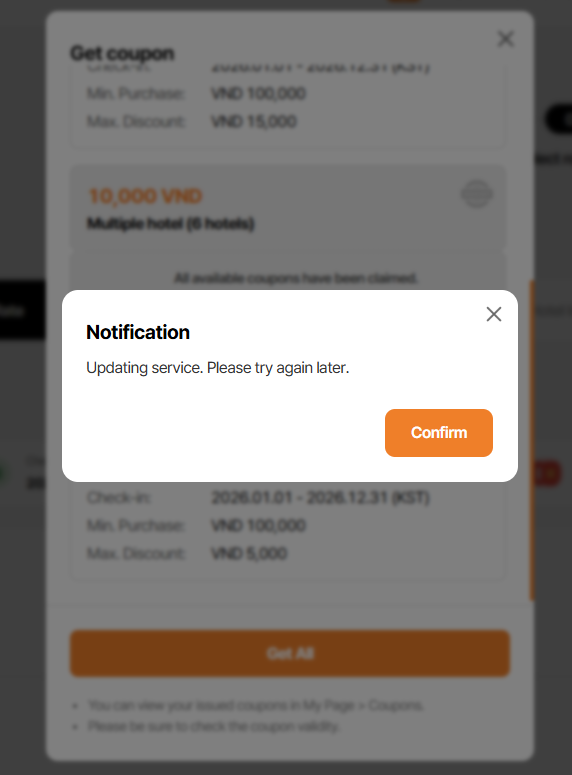
Actual: Endless loading
Expected: Show Notification
- Text: Updating service. Please try again later.
- Button: Confirm, Show 'No internet' when clicked
Note: Can find more information on the website
Updated by Holden Dang about 1 month ago
- File picture014-21.png picture014-21.png added
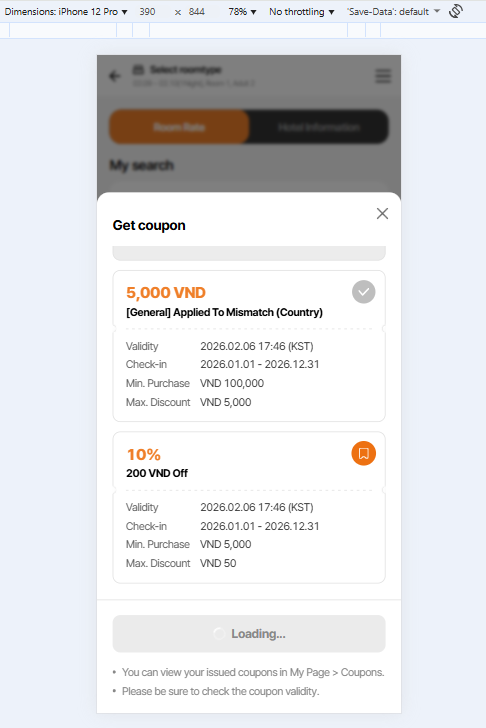
21. The loading process is continuous when the developer deploys the user interface (FE) or the server (BE).
- Click Get coupon button
- DEV: click deploy FE or BE
- Click Download in popup
- Observe the result
Actual: Endless loading in Get All button
Expected: Show Notification
- Text: Updating service. Please try again later.
- Button: Confirm
Updated by Holden Dang 29 days ago
Please ignore issues 20 and 21 as I have already logged them in another task.
Updated by Holden Dang 28 days ago
- File Ohmyhotel - Google Chrome 2026-02-10 16-47-23.mp4 Ohmyhotel - Google Chrome 2026-02-10 16-47-23.mp4 added
- File Ohmyhotel - Google Chrome 2026-02-10 16-56-34.mp4 Ohmyhotel - Google Chrome 2026-02-10 16-56-34.mp4 added
- File picture059-1.png picture059-1.png added
- File picture059-2.png picture059-2.png added
- File picture059-3.png picture059-3.png added
- File picture059-4.png picture059-4.png added
- File picture059-5.png picture059-5.png added
- File picture059-7.png picture059-7.png added
- File picture059-8.png picture059-8.png added
- File picture059-9.png picture059-9.png added
- File picture059-10.png picture059-10.png added
Passed: 1, 2, 3, 4, 5, 6, 7, 8, 9, 10, 11, 12
Updated by Holden Dang 28 days ago
- File picture828-13.png picture828-13.png added
- File picture828-14.png picture828-14.png added
- File picture828-15.png picture828-15.png added
Passed: 13, 14, 16
Failed: 15. Show '사용 불가' => Missing space of Disabled text
Updated by Holden Dang 28 days ago
- File picture180-16.png picture180-16.png added
- File picture180-17.png picture180-17.png added
- File picture180-18.png picture180-18.png added
- File picture180-5.png picture180-5.png added
- Status changed from QA test to 완료실패(Failed)
- Assignee changed from Holden Dang to Dante Le
Failed: 17, 18
17. Step to reproduce:
- Search Tracy's Test Hotel and select Apr 3 and navigate to Pay page
- Enter Code: 200045CODE
- Click 'Select/Change' button
Actual: Show "Please check the minimum purchase amount." only
Expected: Coupon shows 'Disabled' with "Please check the check-in date or the minimum purchase amount."
18. Account: 08y00m5fvr@spymail.one => Search Tracy's Test Hotel and select 4 days > KRW 50,000 => Enter code: 200011CODE
Current show: 쿠폰 1을 먼저 선택해 주세요.
Expected: KR: 쿠폰 2를 선택할 수 없습니다. 쿠폰 1의 중복 가능 여부를 확인해주세요.
Passed: 19
Updated by Holden Dang 27 days ago
- File picture551-18.png picture551-18.png added
- File picture551-20.png picture551-20.png added
- File picture551-20.png picture551-20.png added
Please ignore issue number 18, as I have rechecked it and confirmed that the result is Passed
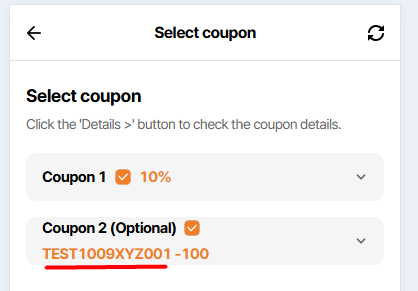
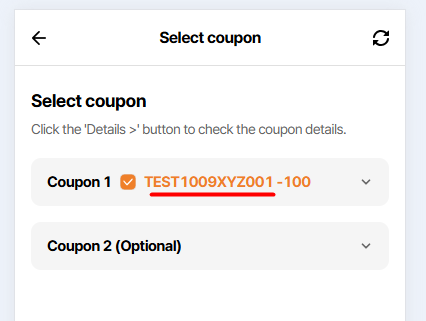
New issue 20:
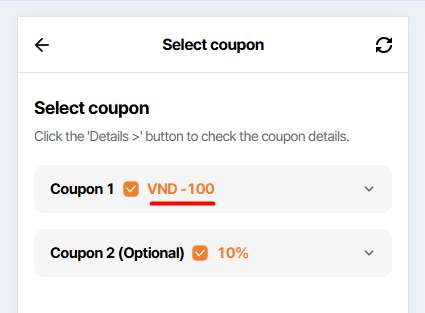
Actual: Coupon 1 and Coupon 2 items display the coupon code
Expect: Remove the coupon code and only display the applied percentage or amount
Updated by Holden Dang 27 days ago
- File picture153-15.png picture153-15.png added
- File picture153-17.png picture153-17.png added
- File picture153-20.png picture153-20.png added
- File picture153-21.png picture153-21.png added
- Status changed from QA test to 완료(Done)
- Assignee changed from Holden Dang to Dante Le
Passed: 15, 17, 20