기능(Feature) #2752
closed기능(Feature) #2680: ** B2C Online Coupon
기능(Feature) #2806: 7. MO_Payment - Page
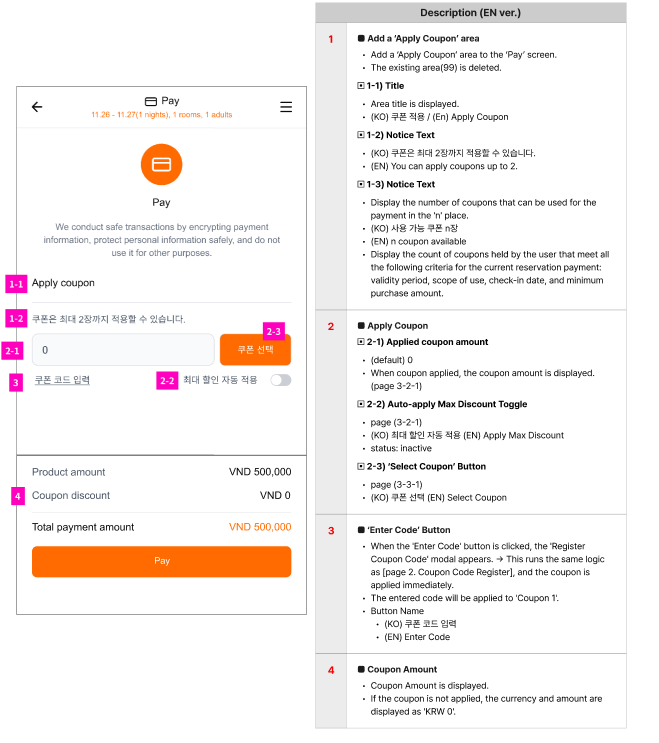
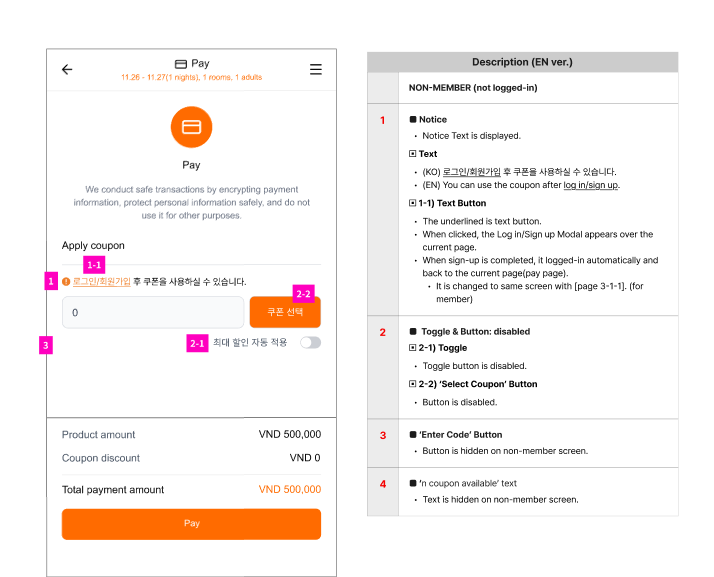
7. MO_Payment - Apply Coupon_3-1-1. default / 3-1-2. non-member
100%
Description
Files
Updated by ziniy Kang 3 months ago
- Assignee changed from ziniy Kang to Joseph Vo
Updated by harry harry 2 months ago
- Assignee changed from harry harry to Dante Le
Updated by Tom Dong about 2 months ago
- Status changed from 진행(Doing) to 완료(Done)
Updated by harry harry about 1 month ago
- Status changed from 완료(Done) to QA test
- Assignee changed from Tom Dong to Tracy Truong
Updated by Tracy Truong about 1 month ago
- Assignee changed from Tracy Truong to Holden Dang
Updated by Holden Dang about 1 month ago
- File picture593-1.png picture593-1.png added
- File picture593-2.png picture593-2.png added
- File picture593-3.png picture593-3.png added
- File picture593-4.png picture593-4.png added
- File picture593-5.png picture593-5.png added
- File picture593-6.png picture593-6.png added
- Status changed from QA test to 완료실패(Failed)
- Assignee changed from Holden Dang to harry harry
Logged in
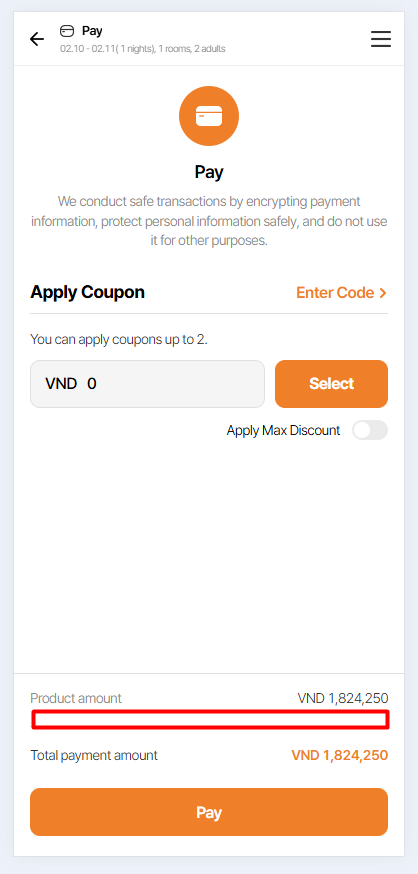
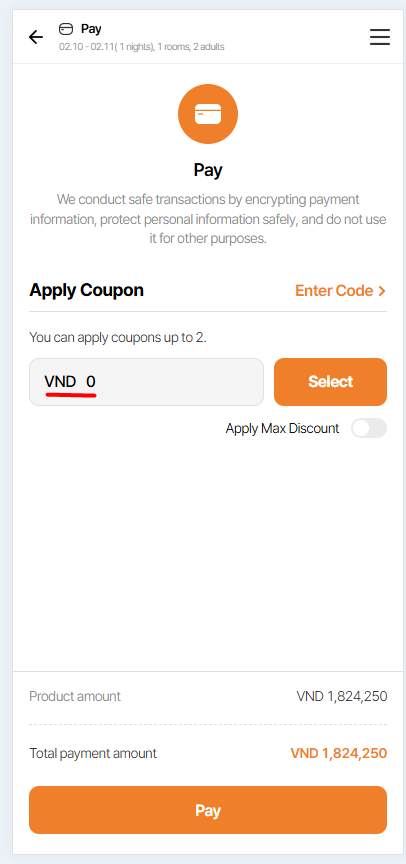
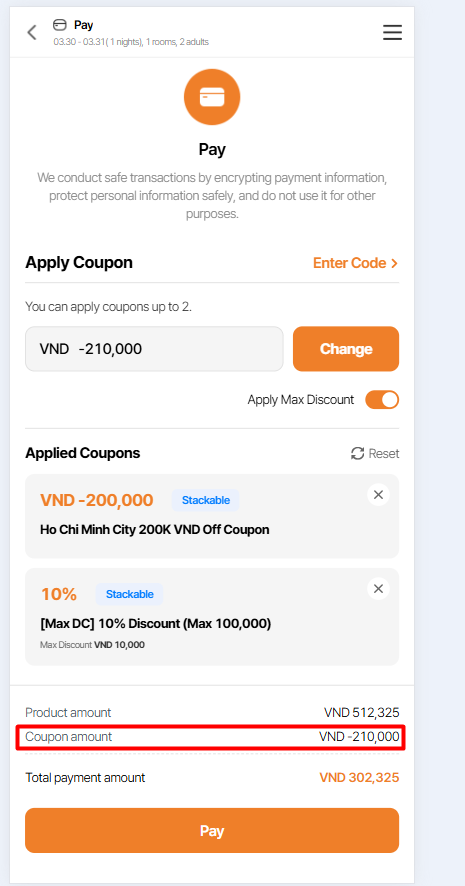
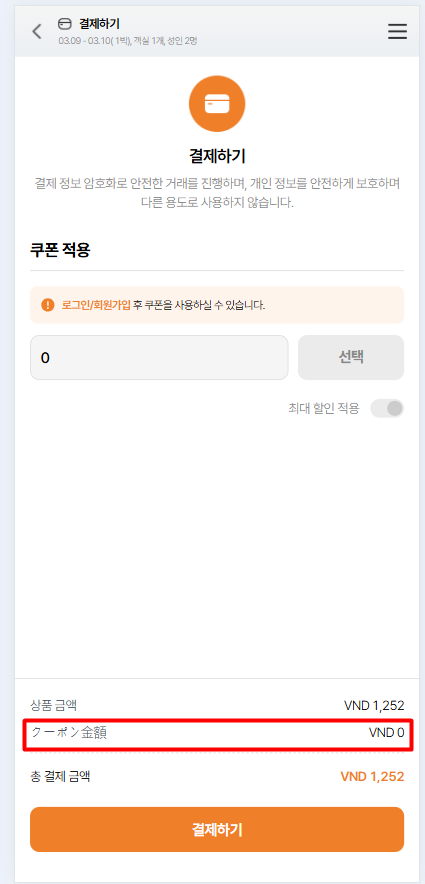
1. Missing field 'Coupon amount' VND 0 or VND by currency
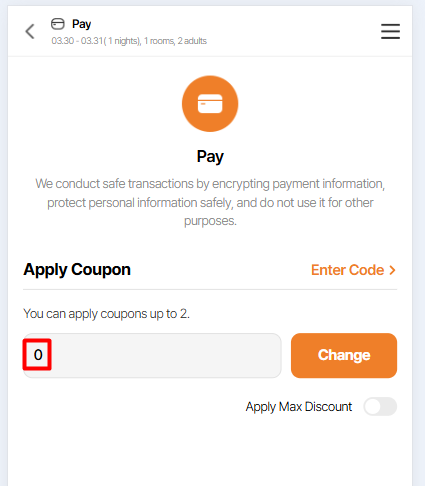
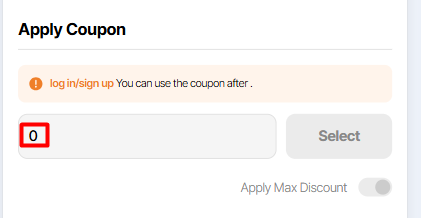
2. Remove currencies such as KRW, JPY, USD, VND in the "Apply coupon" field. Please ensure that VND is displayed when the user has money to pay
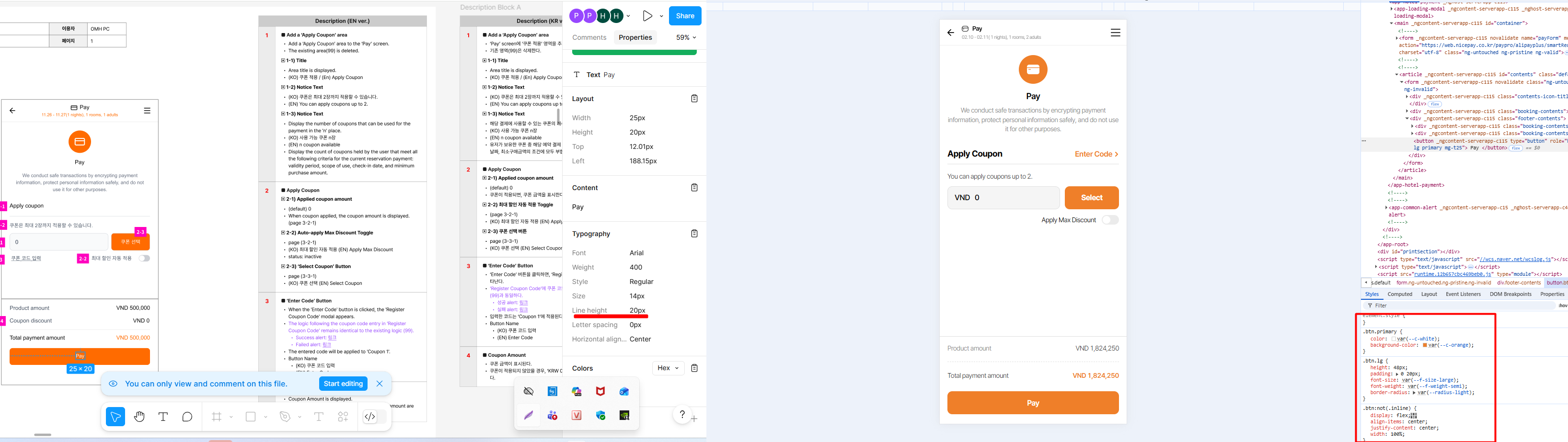
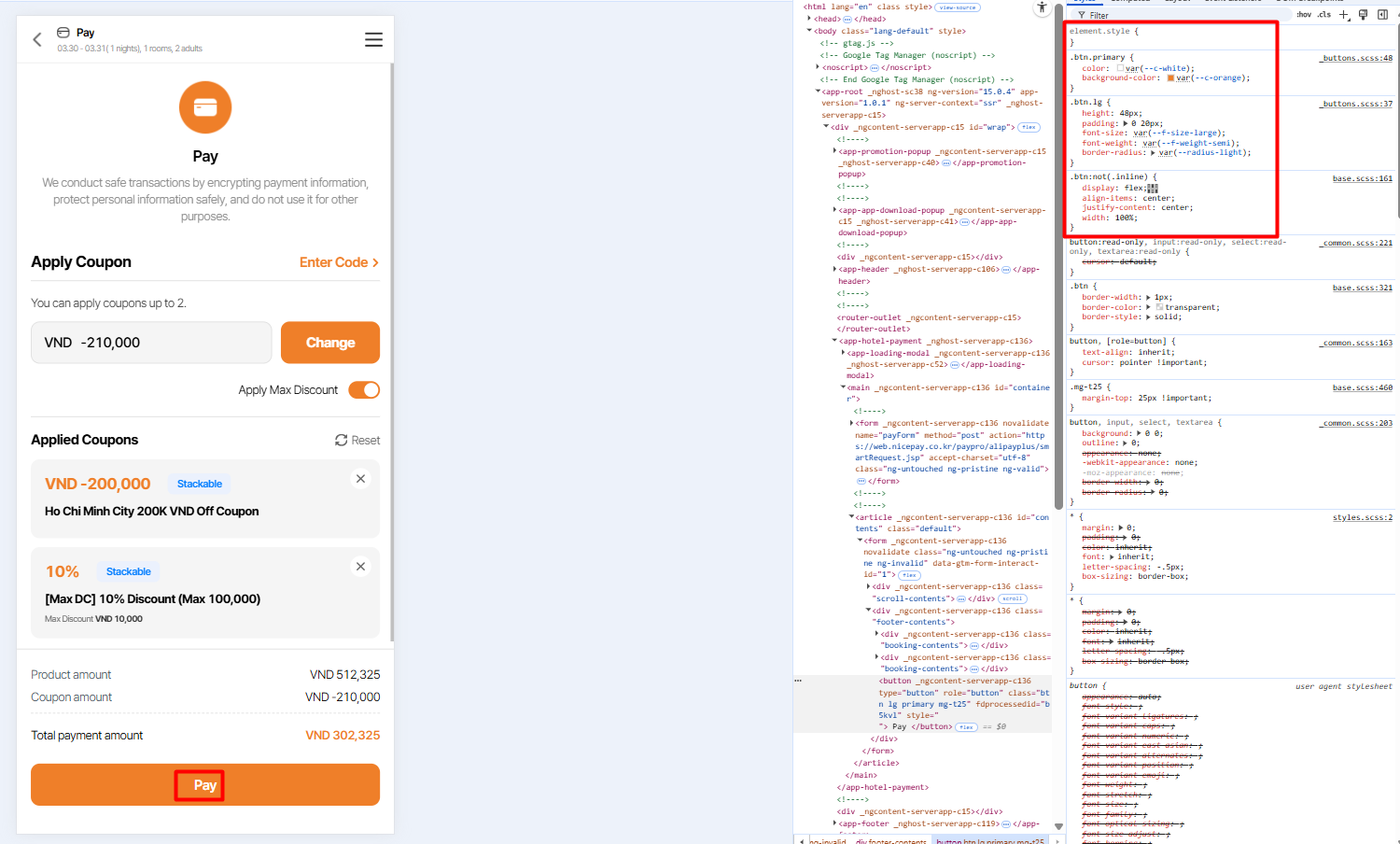
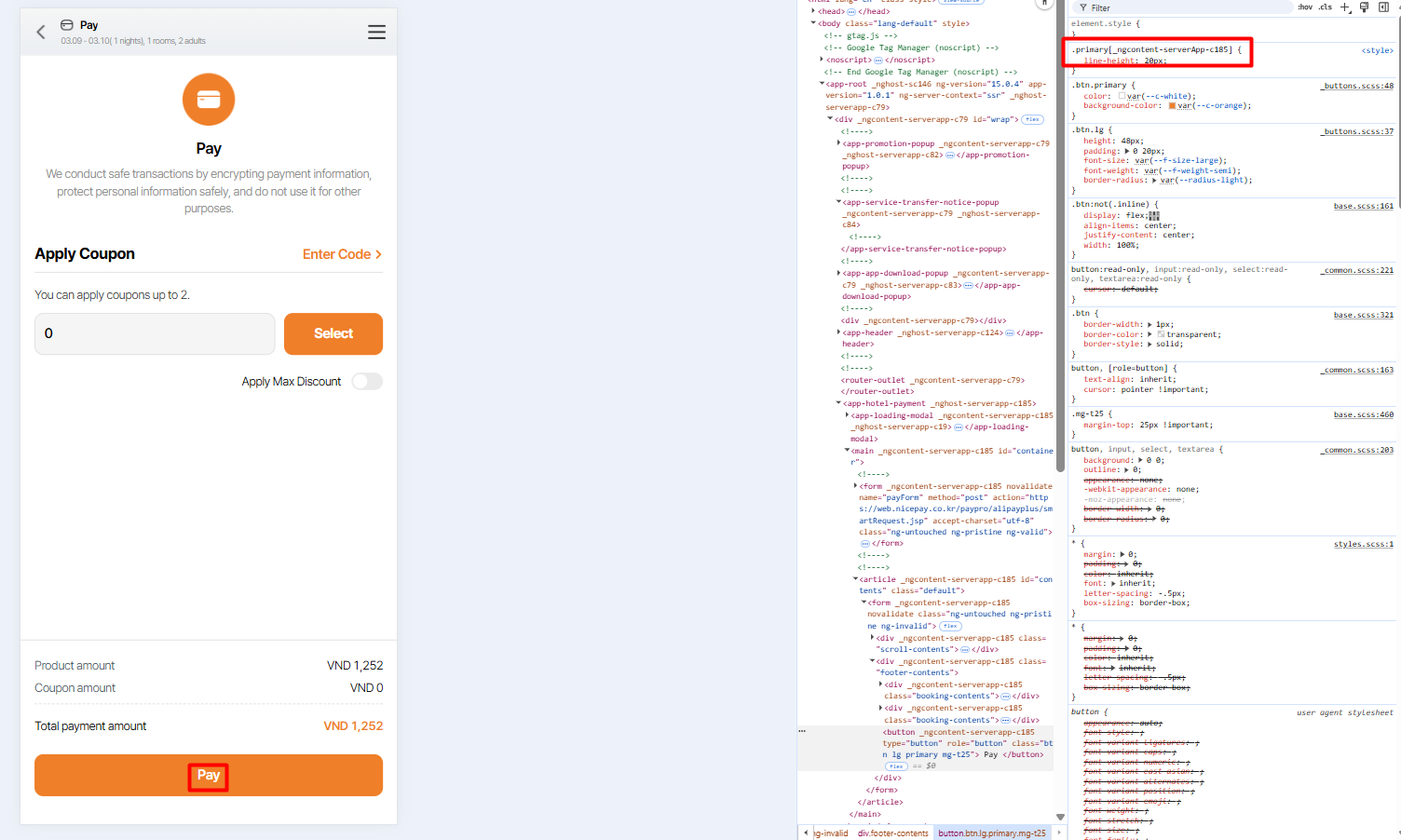
3. Pay button: Missing line-height: 20px
Not logged in
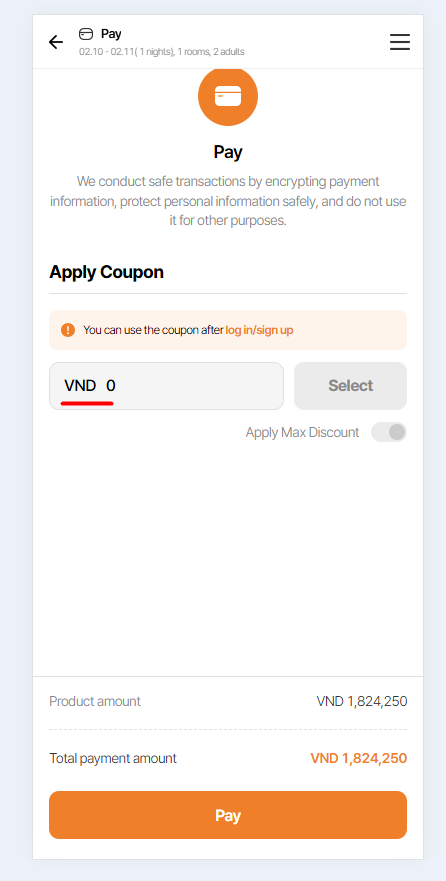
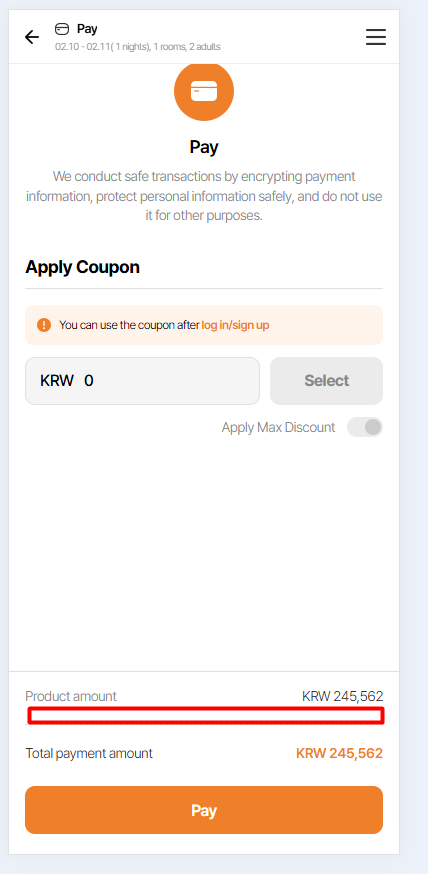
4. Remove KRW, JPY, USD, VND when displaying 0. Please refer issue number 2
5. Missing field 'Coupon amount' VND 0 or VND by currency
Logged in
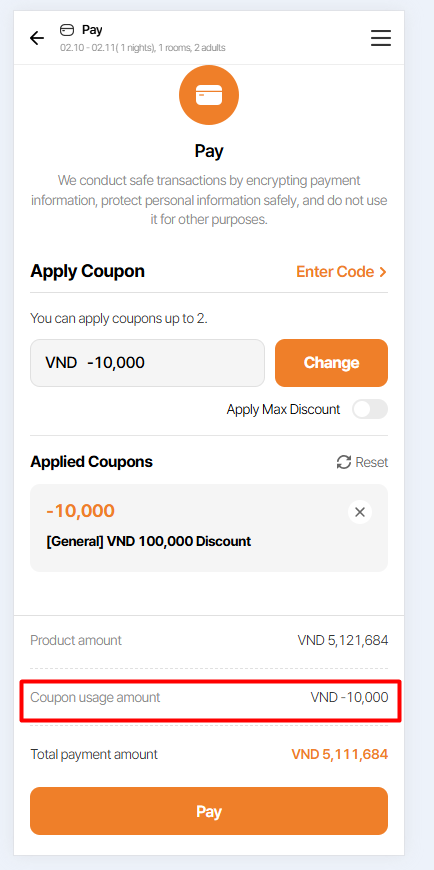
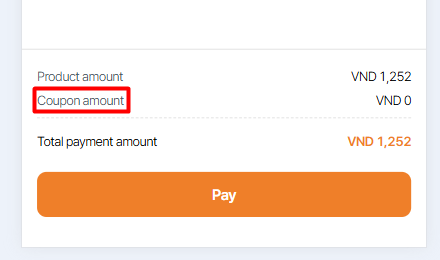
6. Should show 'Coupon amount' instead of 'Coupon usage amount' => Remove text 'usage'. This case overlaps with cases 1 and 5.
Updated by harry harry about 1 month ago
- Assignee changed from harry harry to Joo dev
Updated by Joo dev about 1 month ago
- Assignee changed from Joo dev to harry harry
Updated by Holden Dang about 1 month ago
- File picture705-7.png picture705-7.png added
- File picture705-8.png picture705-8.png added
- File picture705-9.png picture705-9.png added
Not logged in
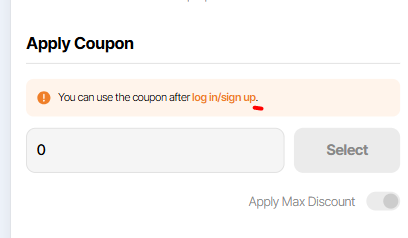
7. Missing period '.' at the end of the sentence
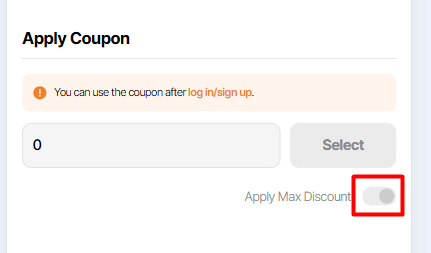
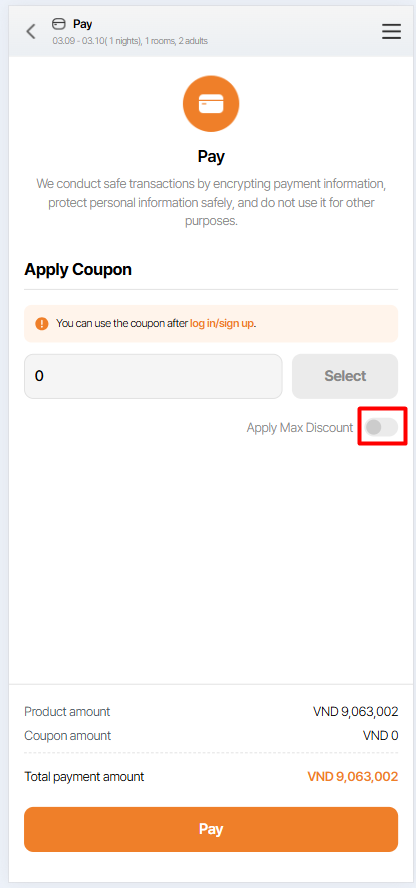
8. 'Apply Max Discount' toggle is disabled but appears ON
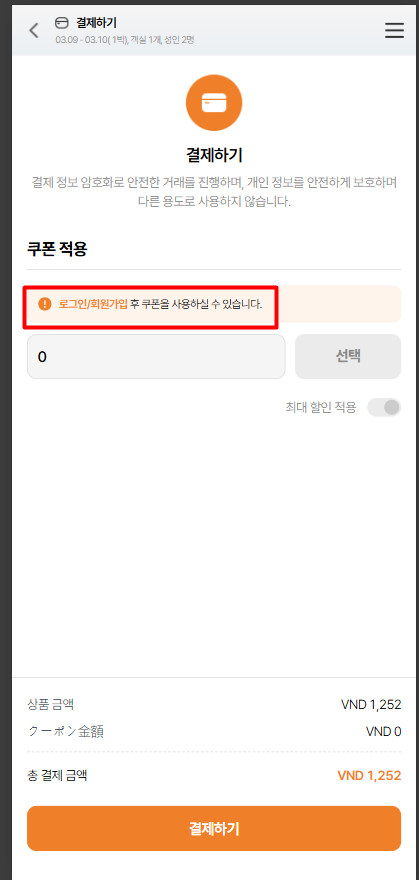
9. Language KO: Notice text displays as "로그인/회원가입 후 쿠폰을 사용하실 수 있습니다."
Updated by Holden Dang about 1 month ago
- File Ohmyhotel - Google Chrome 2026-02-06 08-25-38.mp4 Ohmyhotel - Google Chrome 2026-02-06 08-25-38.mp4 added
Logged in
Step to reproduce:
1. Logged in successfully and navigate to 'Check booking information' view
2. Enter all required fields
3. Click 'Enter payment information' button
4. Logout => Click Yes => Login again
5. Navigate to 'Check booking information' view again
6. Scroll down and look for the 'Enter payment information' button
Actual: The bottom navigation bar overlaps the button, causing it to be partially hidden and unclickable
Expected: The button should be fully visible and not overlapped by the bottom navigation bar
Updated by harry harry 14 days ago
- Assignee changed from harry harry to Mon Nguyen
Updated by Mon Nguyen 11 days ago
- Status changed from 완료실패(Failed) to QA test
- Assignee changed from Mon Nguyen to Holden Dang
- Build env. set to Dev
Dear Holden Dang
Please help me double check on dev env
Thank you
Updated by Holden Dang 8 days ago
- File ohmyhotel-google-chrome-2026-03-02-14-12-07_x6KXe1p5.mp4 ohmyhotel-google-chrome-2026-03-02-14-12-07_x6KXe1p5.mp4 added
- File picture342-1.png picture342-1.png added
- File picture342-2.png picture342-2.png added
- File picture342-3.png picture342-3.png added
- File picture342-4.png picture342-4.png added
- File picture342-5.png picture342-5.png added
- File picture342-6.png picture342-6.png added
- File picture342-7.png picture342-7.png added
- File picture342-8.png picture342-8.png added
- File picture342-9.png picture342-9.png added
- Status changed from QA test to 완료실패(Failed)
- Assignee changed from Holden Dang to Mon Nguyen
Passed: 1, 2, 4, 5, 6, 7, 9, 10
Failed:
Logged in
3. Pay button: Missing line-height: 20px
Not logged in
8. 'Apply Max Discount' toggle is disabled but appears ON
Updated by Mon Nguyen 8 days ago
- Status changed from 완료실패(Failed) to QA test
- Assignee changed from Mon Nguyen to Holden Dang
Dear Holden Dang
Tomorrow please help me double check again one more time for the feedback 3 and 8
Thank you
Updated by Holden Dang 7 days ago
- File picture184-3.png picture184-3.png added
- File picture184-8.png picture184-8.png added
- Status changed from QA test to 완료(Done)
- Assignee changed from Holden Dang to Mon Nguyen
Passed: 3, 8