Project

General

Profile

Actions

QA #2710

closed

QA #1843: [STAG] New Cancellation - QA Test cases

QA #1844: ADMIN

QA #1846: Hotel Plan Master

QA #2240: [Cancellation tab] Hotel, List, Summary, New/Modify/Add/Delete btn, Confirm popup

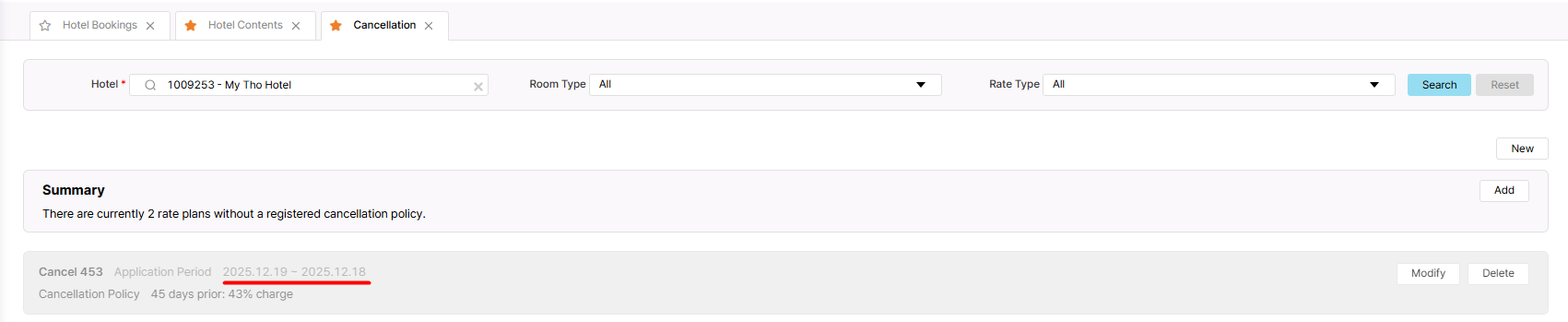
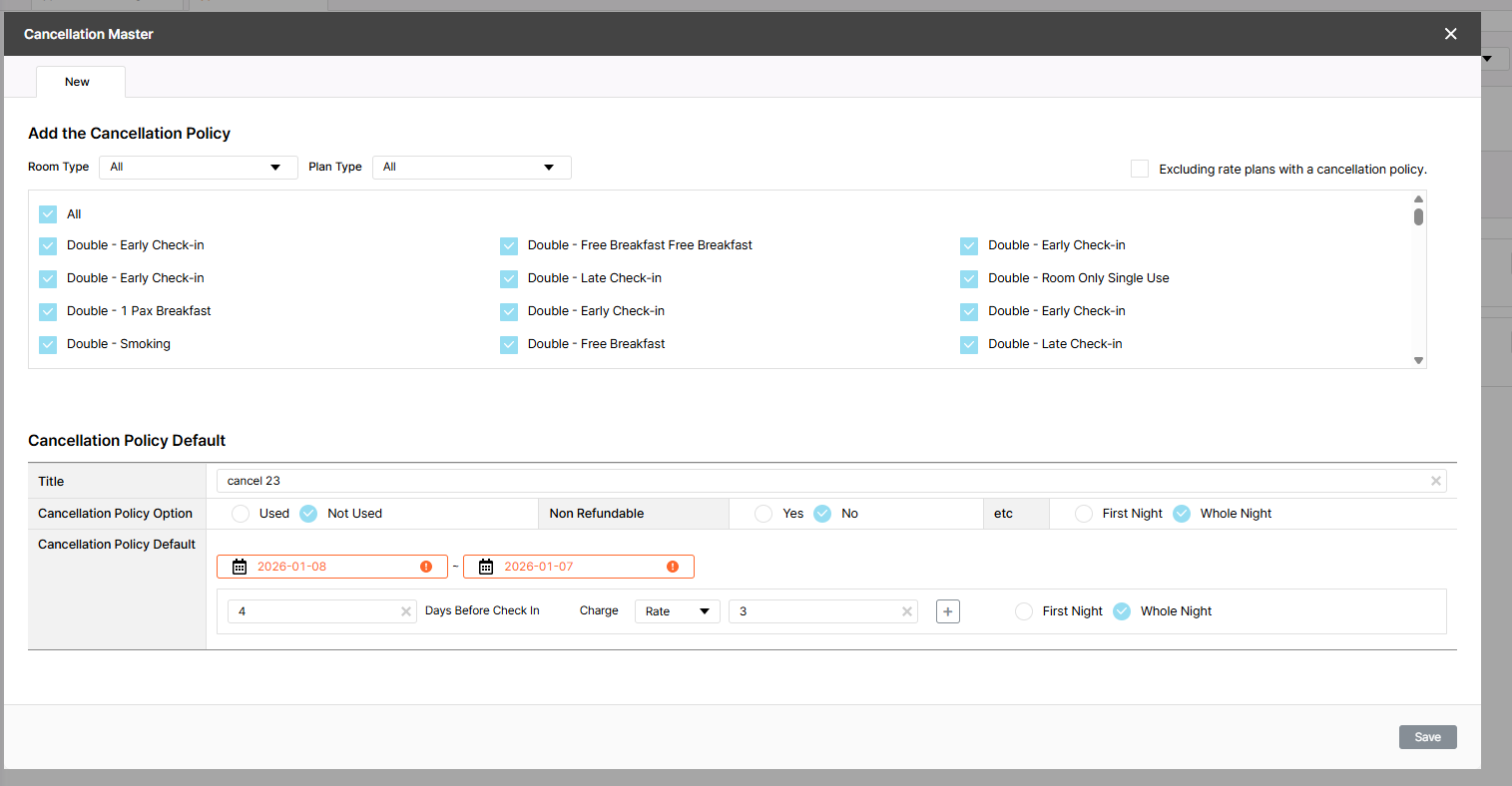
[Cancellation - New] The new policy was successfully created when an invalid date range is set

Added by Holden Dang 3 months ago. Updated 2 months ago.

Status:
확인(Confirmed)
Priority:
보통(Normal)
Assignee:
Start date:
01/08/2026
Due date:
01/08/2026
% Done:

100%

Estimated time:
0.00 h
Build env.:

Description

Pre-condition:
- Admin is logged in
- Hotel and Rate Type data exist in the system
- Navigate to the Cancellation tab
Steps:
1. Search for a hotel
2. Click New
3. Select Room/Plan type
4. Enter all required fields
5. Set invalid date range (end date < start date)
6. Click Save
Actual result: The new policy was successfully saved
Expected result: Display a red border in the end date field


Files

picture351-1.png (49.1 KB) picture351-1.png Holden Dang, 12/19/2025 06:32 AM
picture774-1.png (103 KB) picture774-1.png Holden Dang, 01/08/2026 06:44 AM
Actions #1

Updated by Joseph Vo 3 months ago

  • Assignee changed from Joseph Vo to Dan Hoang
Actions #2

Updated by Dan Hoang 2 months ago

  • Assignee changed from Dan Hoang to Daniel Do
Actions #3

Updated by Daniel Do 2 months ago

  • Due date set to 01/08/2026
  • Status changed from 신규(New) to QA test
  • Assignee changed from Daniel Do to Holden Dang
  • Start date set to 01/08/2026
  • Estimated time set to 0.00 h

Fixed

Actions #4

Updated by Holden Dang 2 months ago

Tested Dev env => Passed

Actions #5

Updated by ziniy Kang 2 months ago

  • % Done changed from 0 to 100
Actions #6

Updated by ziniy Kang 2 months ago

  • Status changed from 완료(Done) to 확인(Confirmed)
Actions

Also available in: Atom PDF

Add picture from clipboard (Maximum size: 50 MB)