기능(Feature) #2290
closed기능(Feature) #2400: '2512 Travlog' Coupon
기능(Feature) #2267: [Admin] '2512 Travlog' Coupon
[Admin] Update UI Coupon Statistics
100%
Description
Admin
- Coupon Statistics
Files
Related issues
Updated by harry harry 4 months ago
- Assignee changed from harry harry to John Lee
Updated by John Lee 4 months ago
- File picture876-2.png picture876-2.png added
- File picture876-3.png picture876-3.png added
Updated by Tracy Truong 4 months ago
- Assignee changed from Tracy Truong to ziniy Kang
Updated by Tracy Truong 4 months ago
- Assignee changed from ziniy Kang to Tracy Truong
Waiting Dev made hana site UI to test
Updated by ziniy Kang 4 months ago
- Due date set to 11/18/2025
- Start date set to 11/17/2025
Updated by Tracy Truong 4 months ago
- File picture679-1.png picture679-1.png added
- File picture679-2.png picture679-2.png added
- File picture679-3.png picture679-3.png added
- File picture679-4.png picture679-4.png added
- File picture679-5.png picture679-5.png added
- File picture679-6.png picture679-6.png added
- File picture679-7.png picture679-7.png added
- File picture679-8.png picture679-8.png added
- File picture679-9.png picture679-9.png added
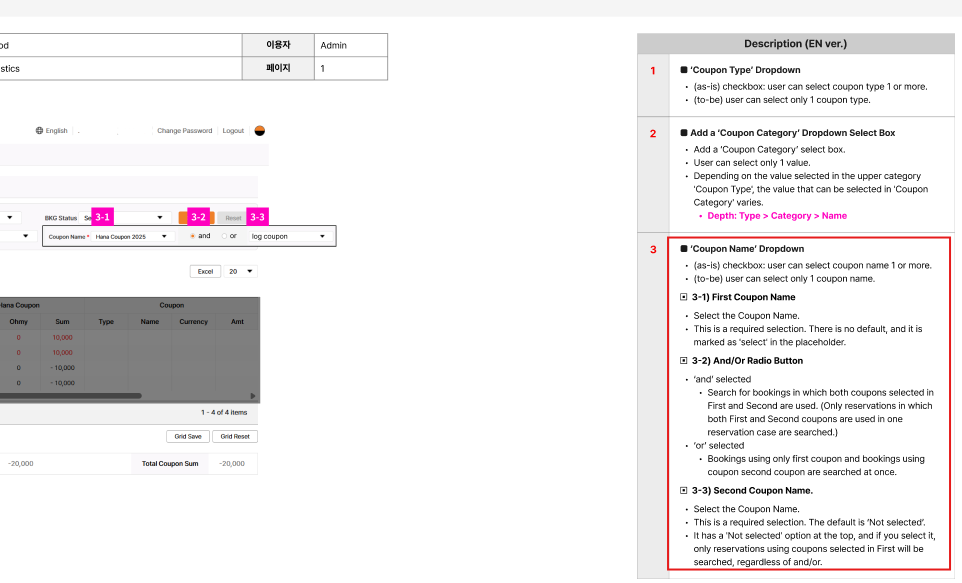
1: Requirement: https://www.figma.com/design/EvEViLdquwR50nAJWL0VoR/StoryBoard?node-id=2107-383&t=7W5qYNAwUzCFMxTY-1
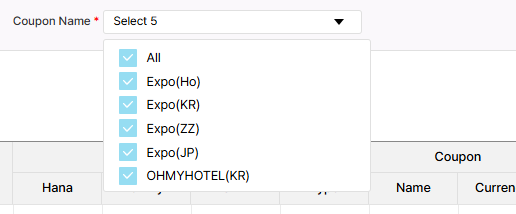
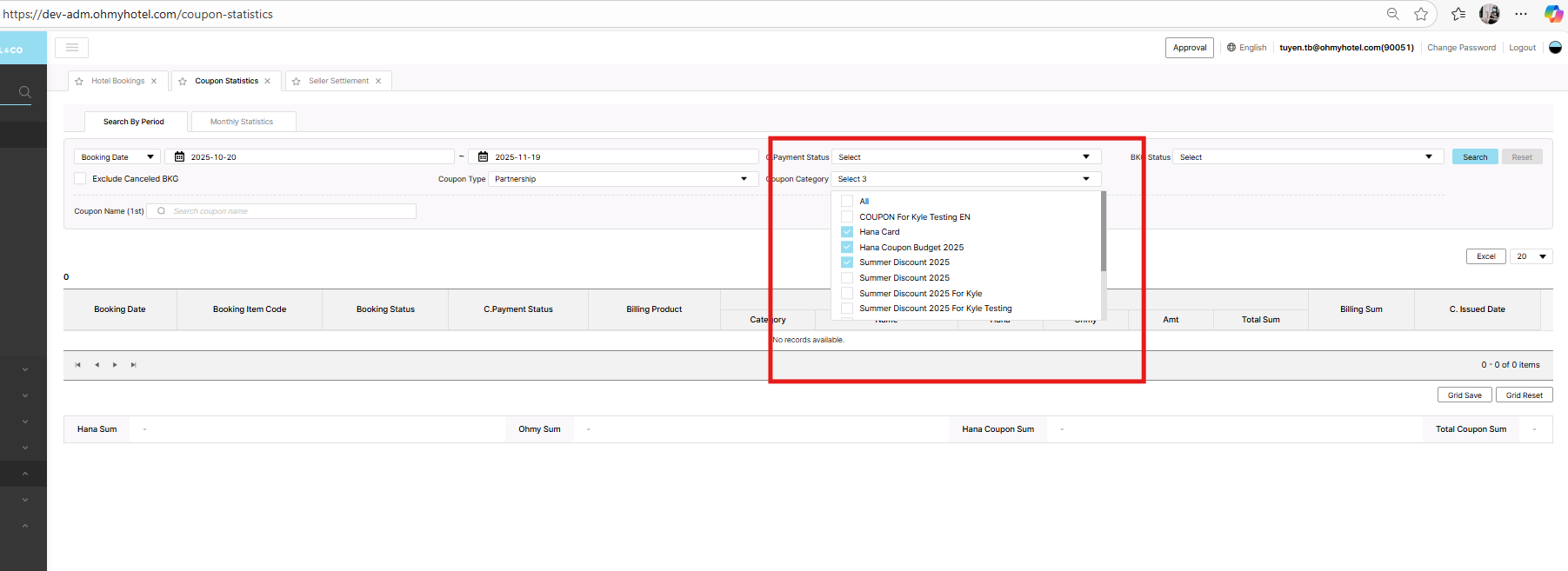
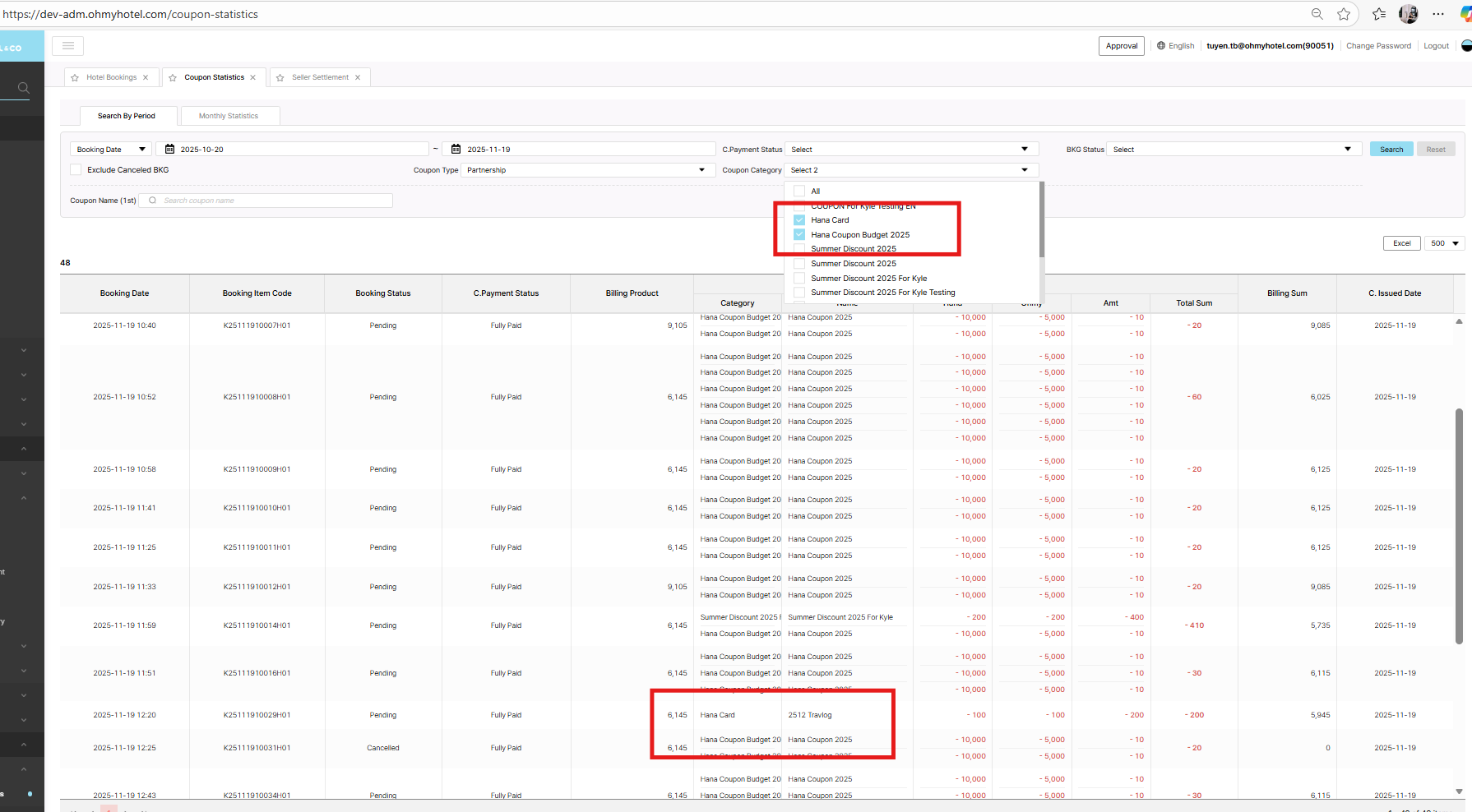
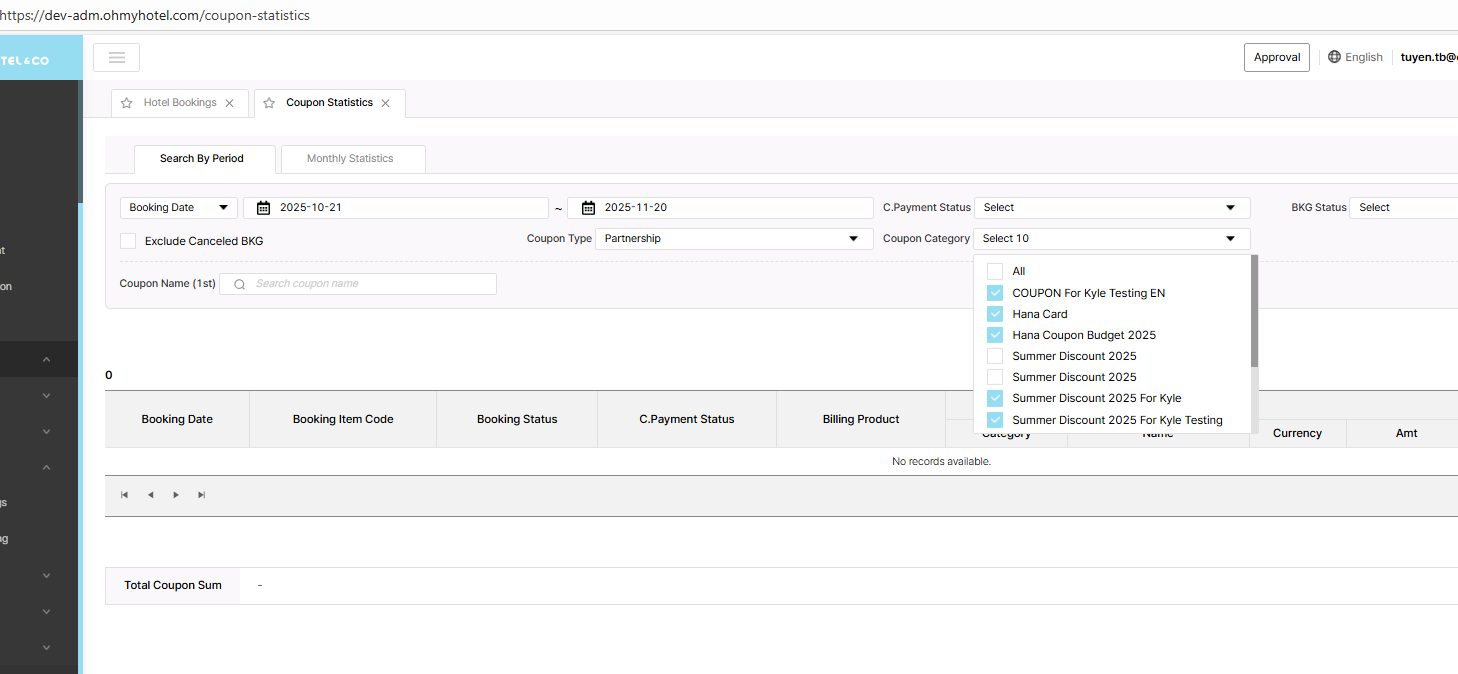
User can select categories upto 2. (min 1 ~ max 2)
If you select two, the other checkbox is disabled and you can't select more.
=> failed, still able to select 3 categories & other did not disable
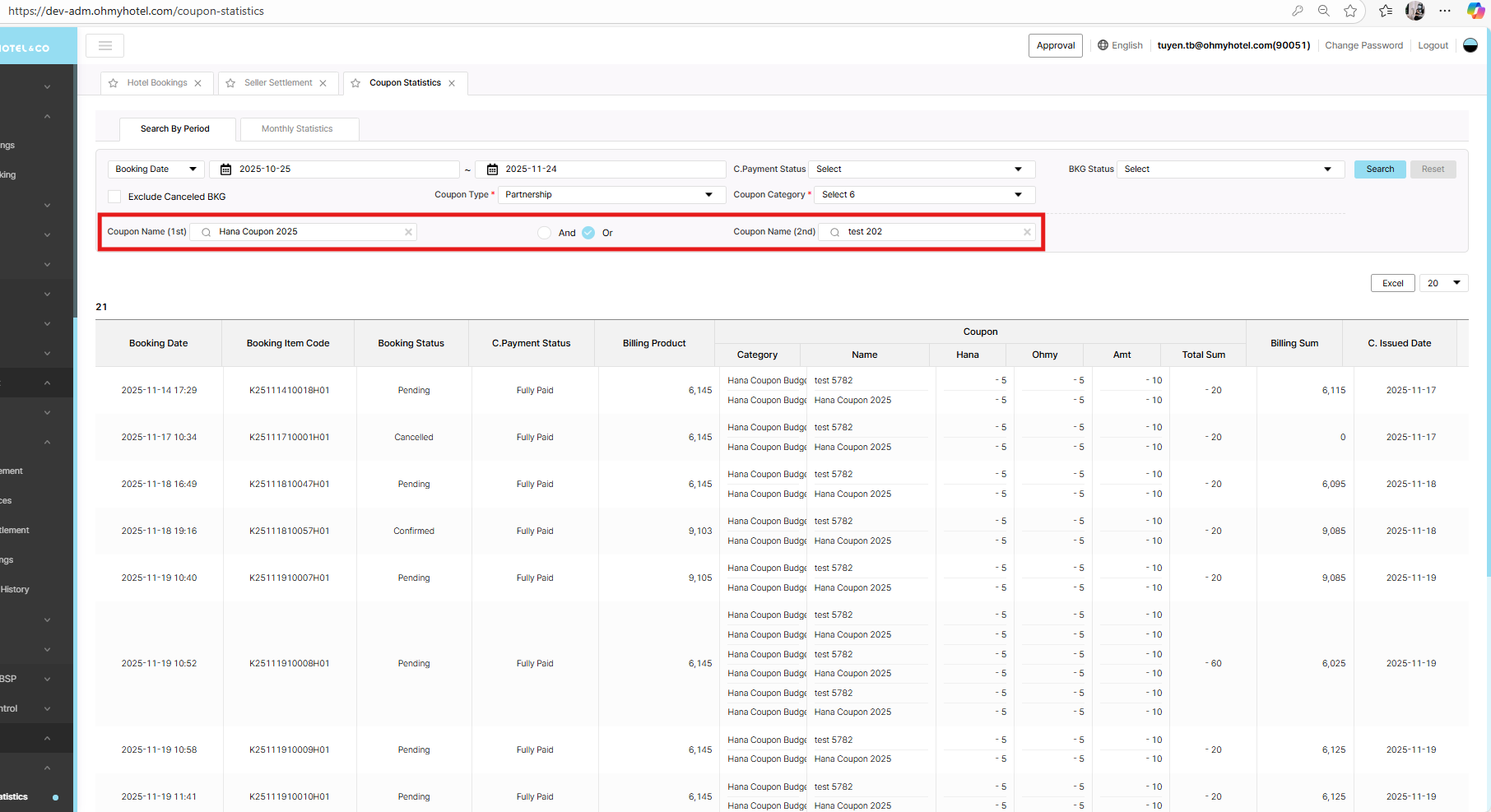
2: Bk K25111910014H01 use 2 coupon: Summer Discount 2025 For Kyle & Hana Coupon 2025
But when search, did not display
3: wrong color of amount
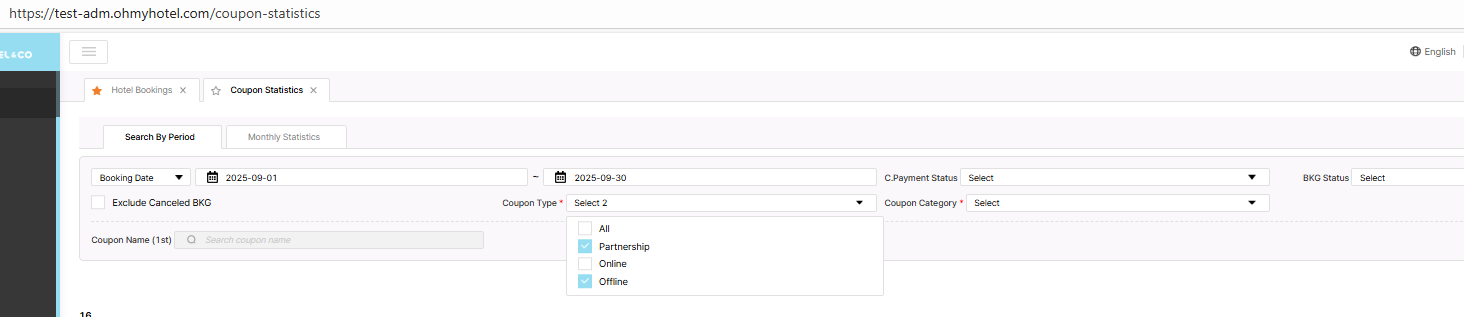
4: Coupon type: Offline or Online => wrong UI
requirement: https://www.figma.com/design/EvEViLdquwR50nAJWL0VoR/StoryBoard?node-id=2134-1129&t=7W5qYNAwUzCFMxTY-1
Updated by Tracy Truong 4 months ago
- File picture135-1.png picture135-1.png added
- File picture135-2.png picture135-2.png added
- File picture135-3.png picture135-3.png added
- Status changed from QA test to 완료실패(Failed)
- Assignee changed from Tracy Truong to John Lee
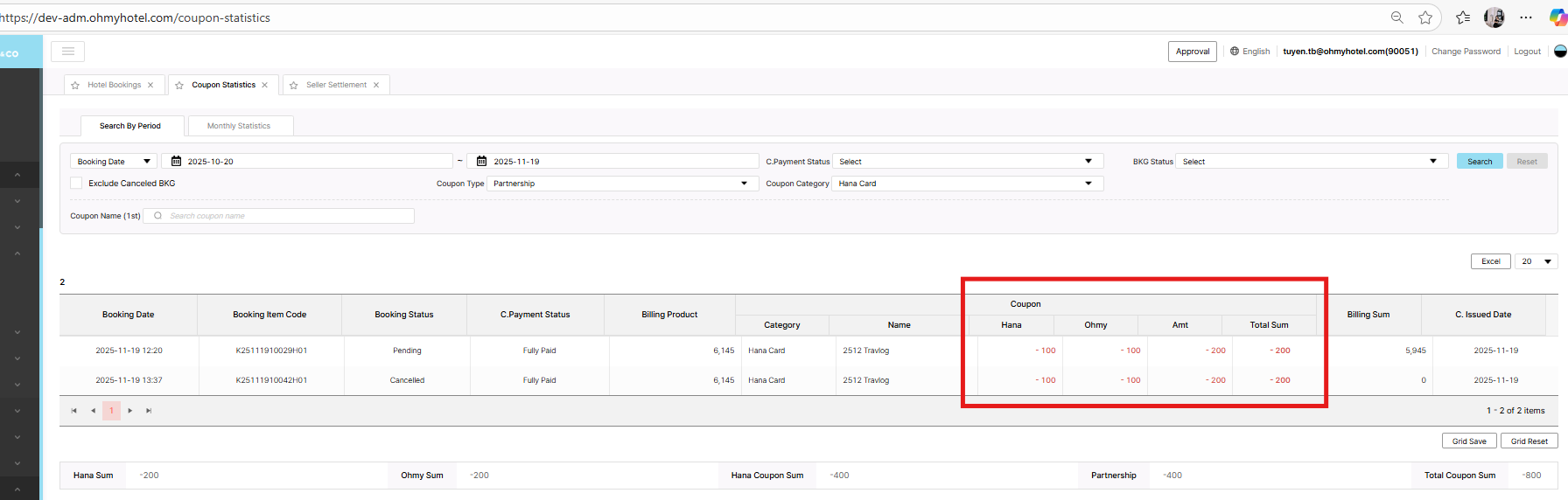
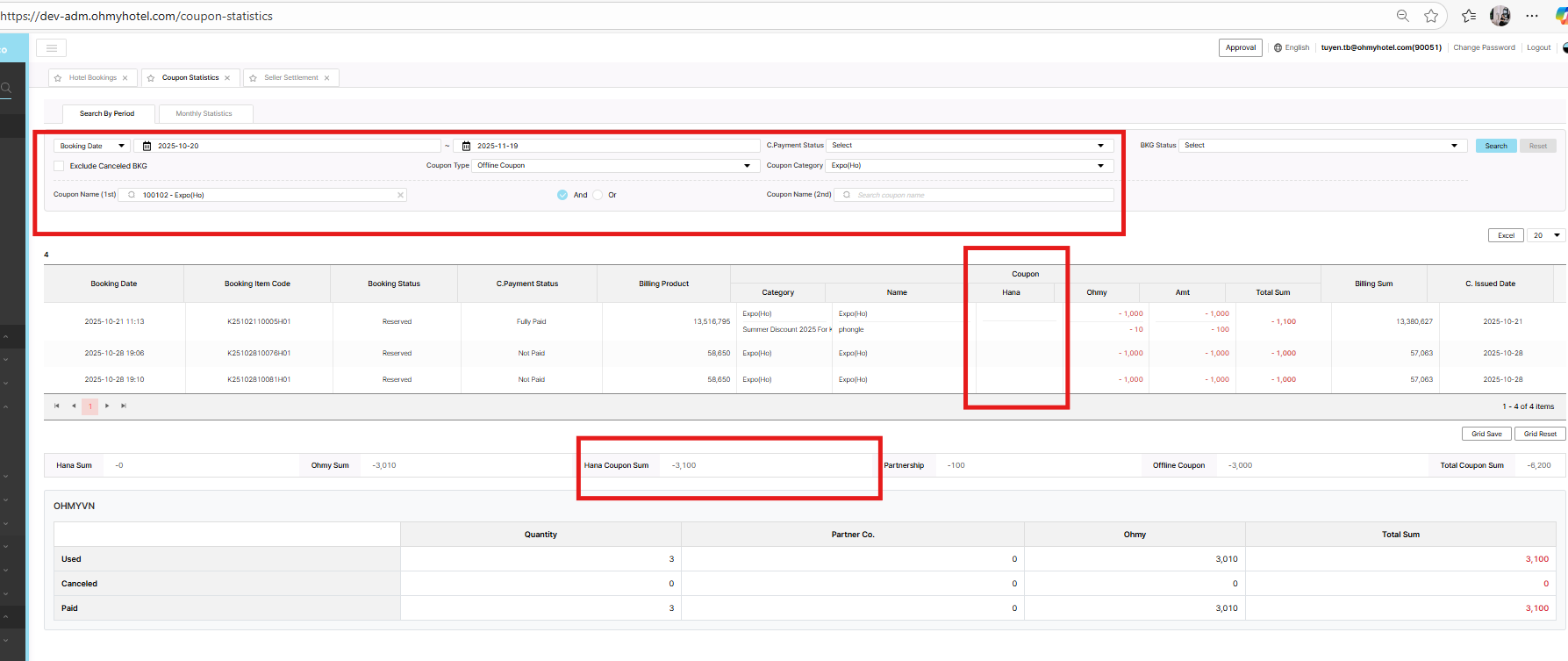
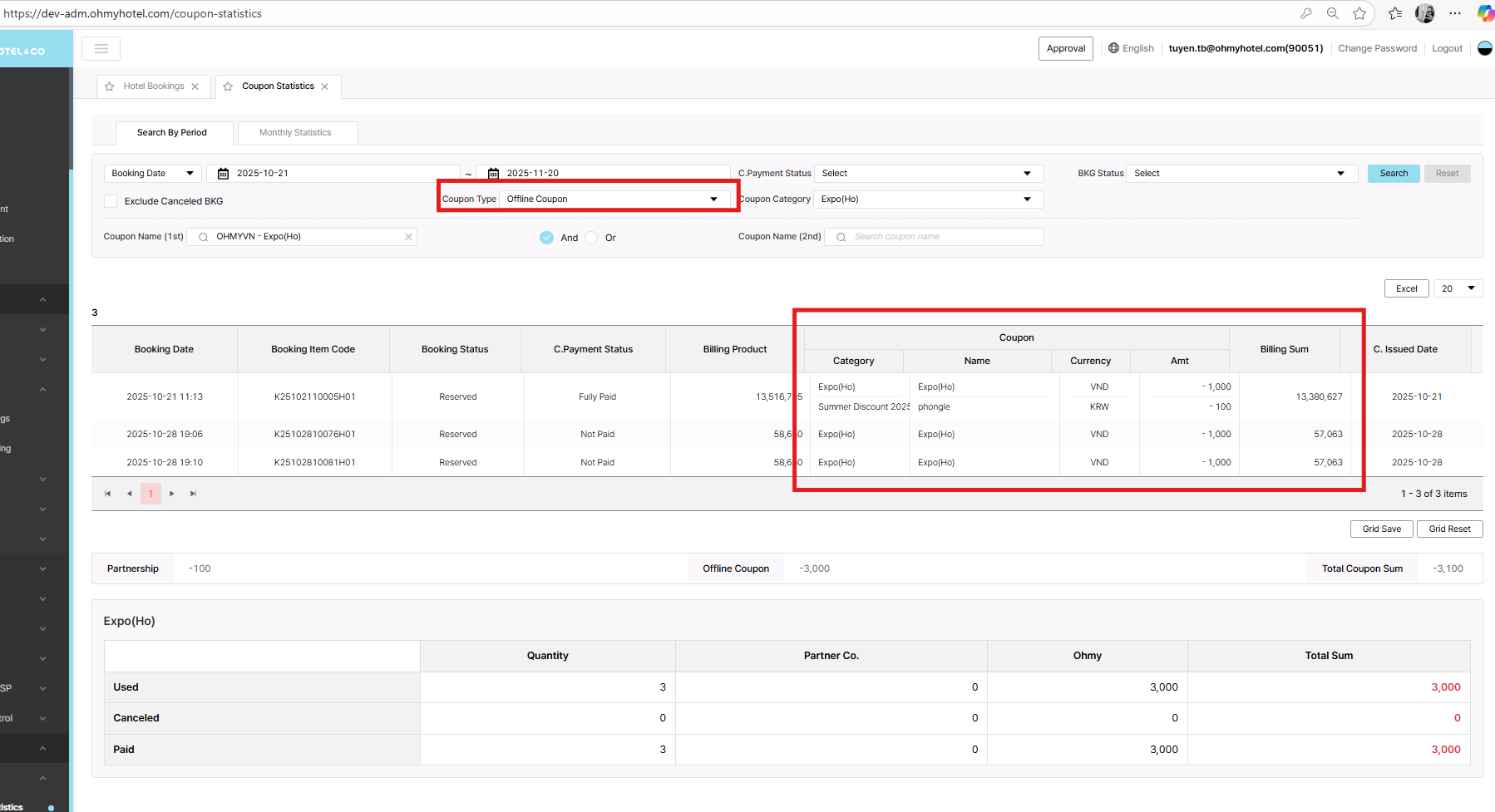
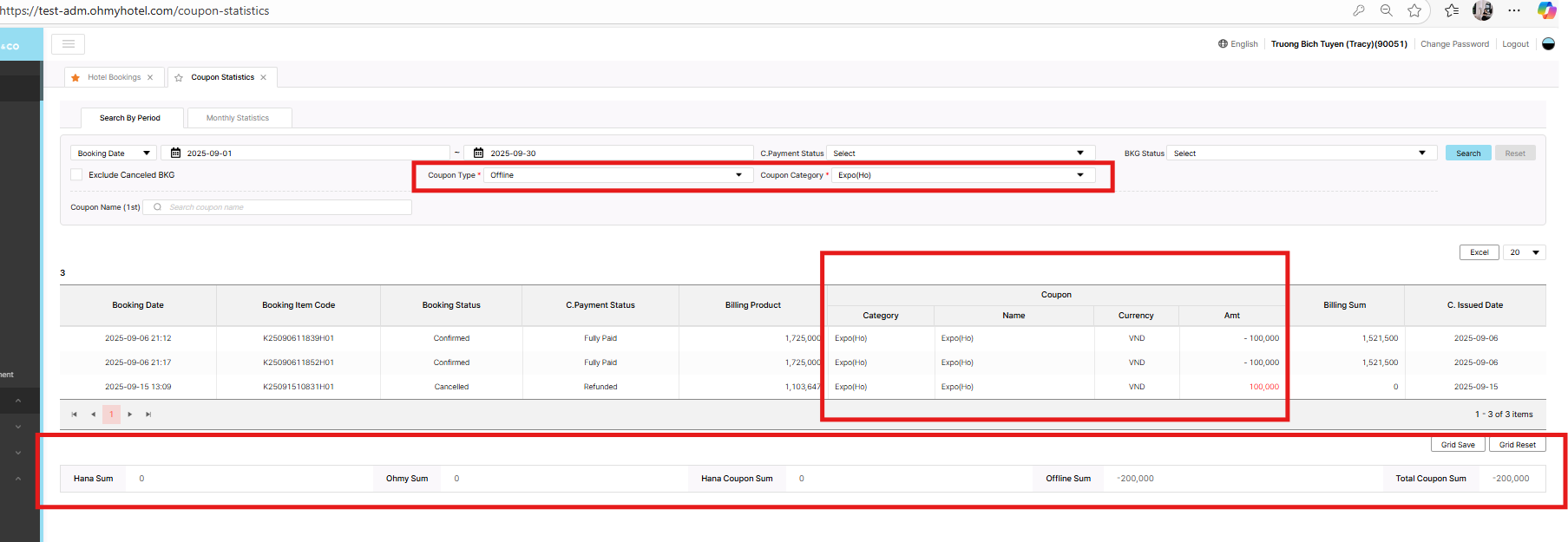
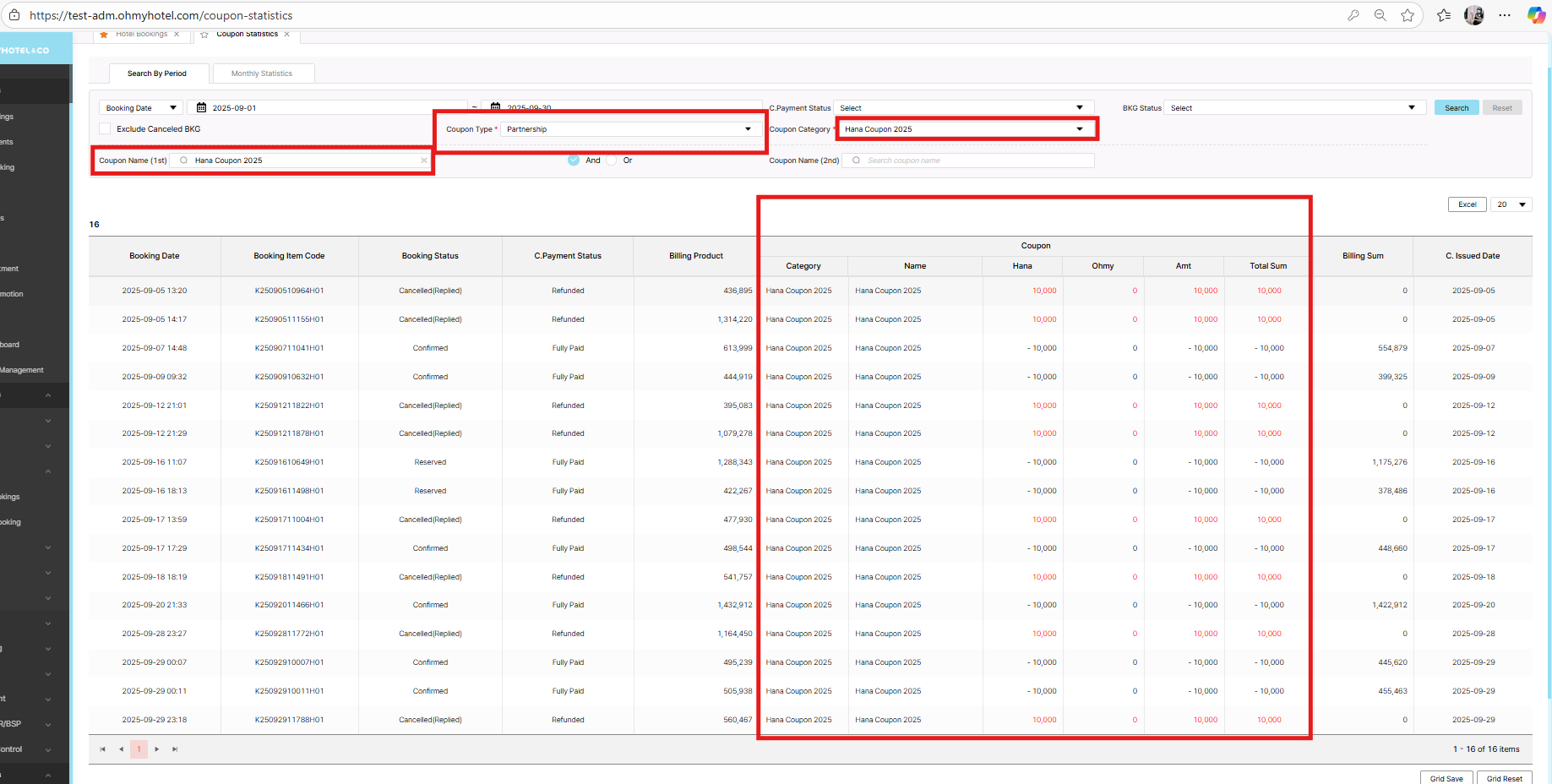
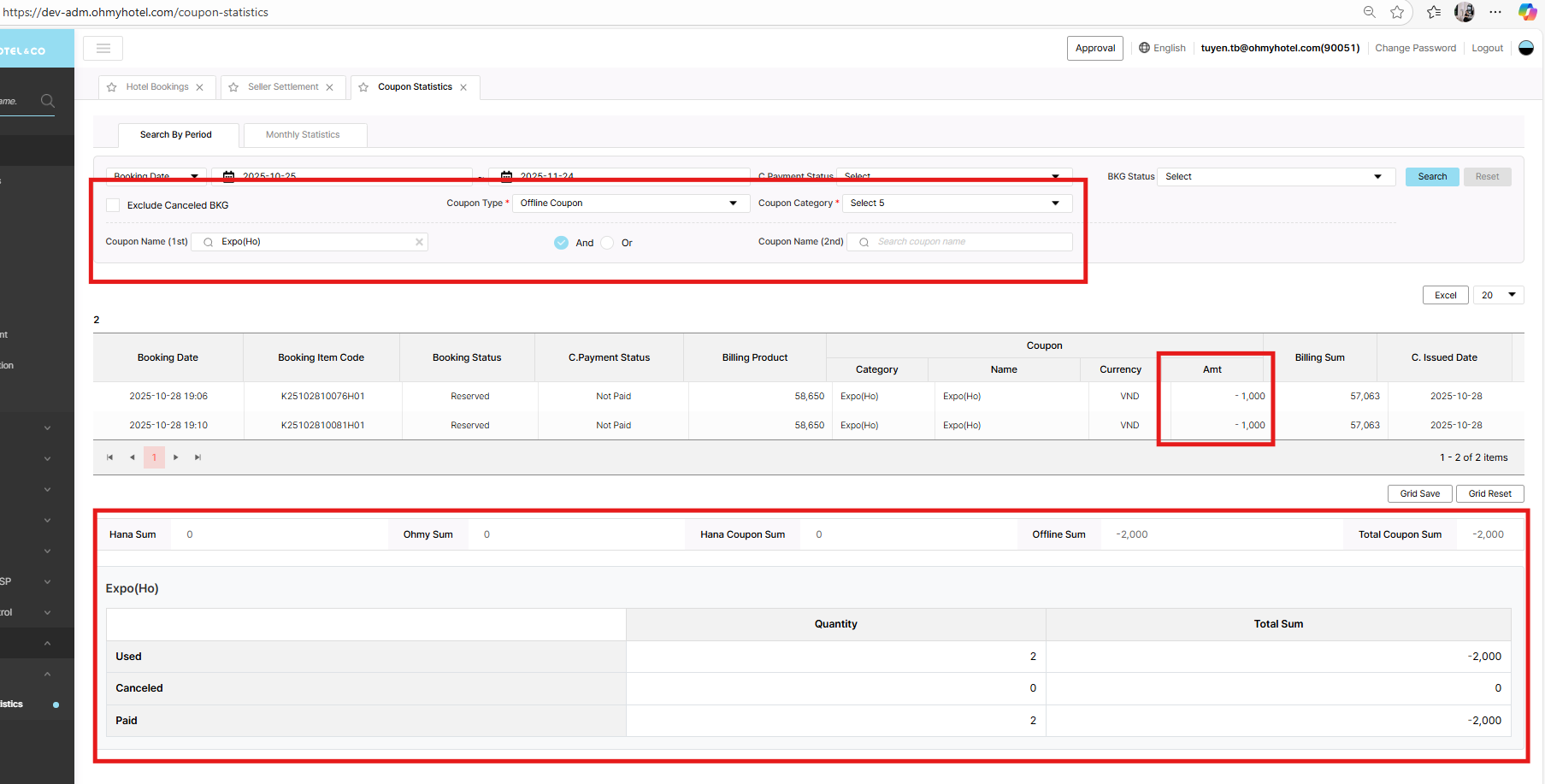
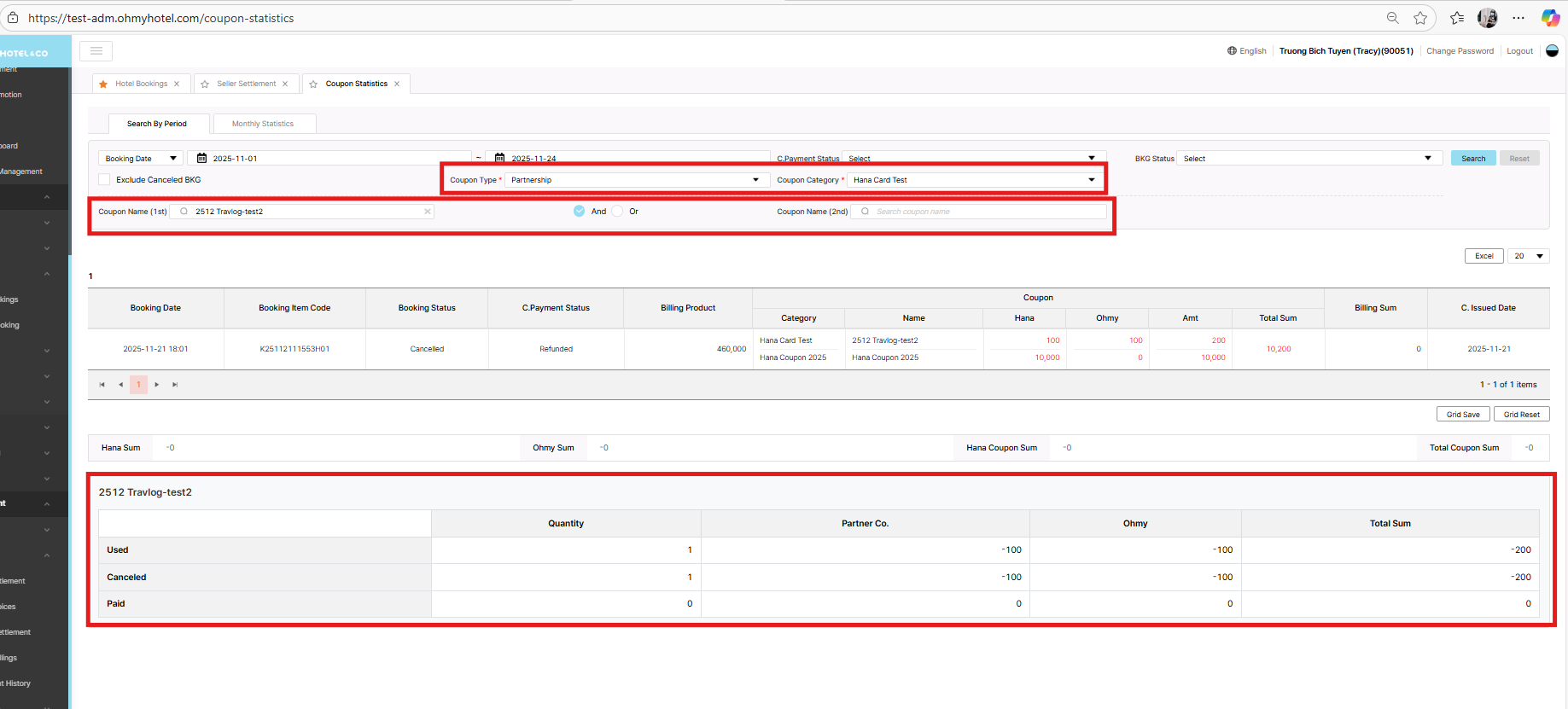
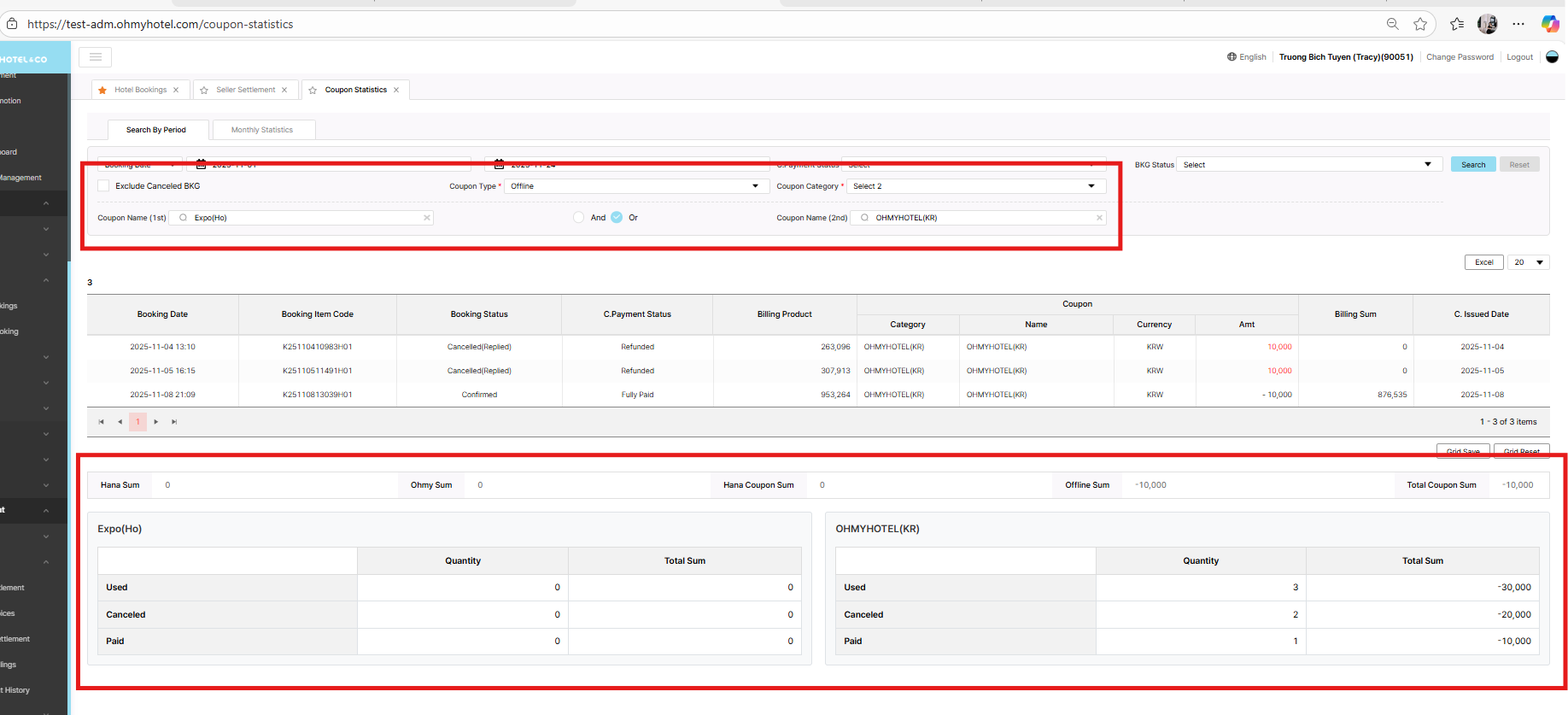
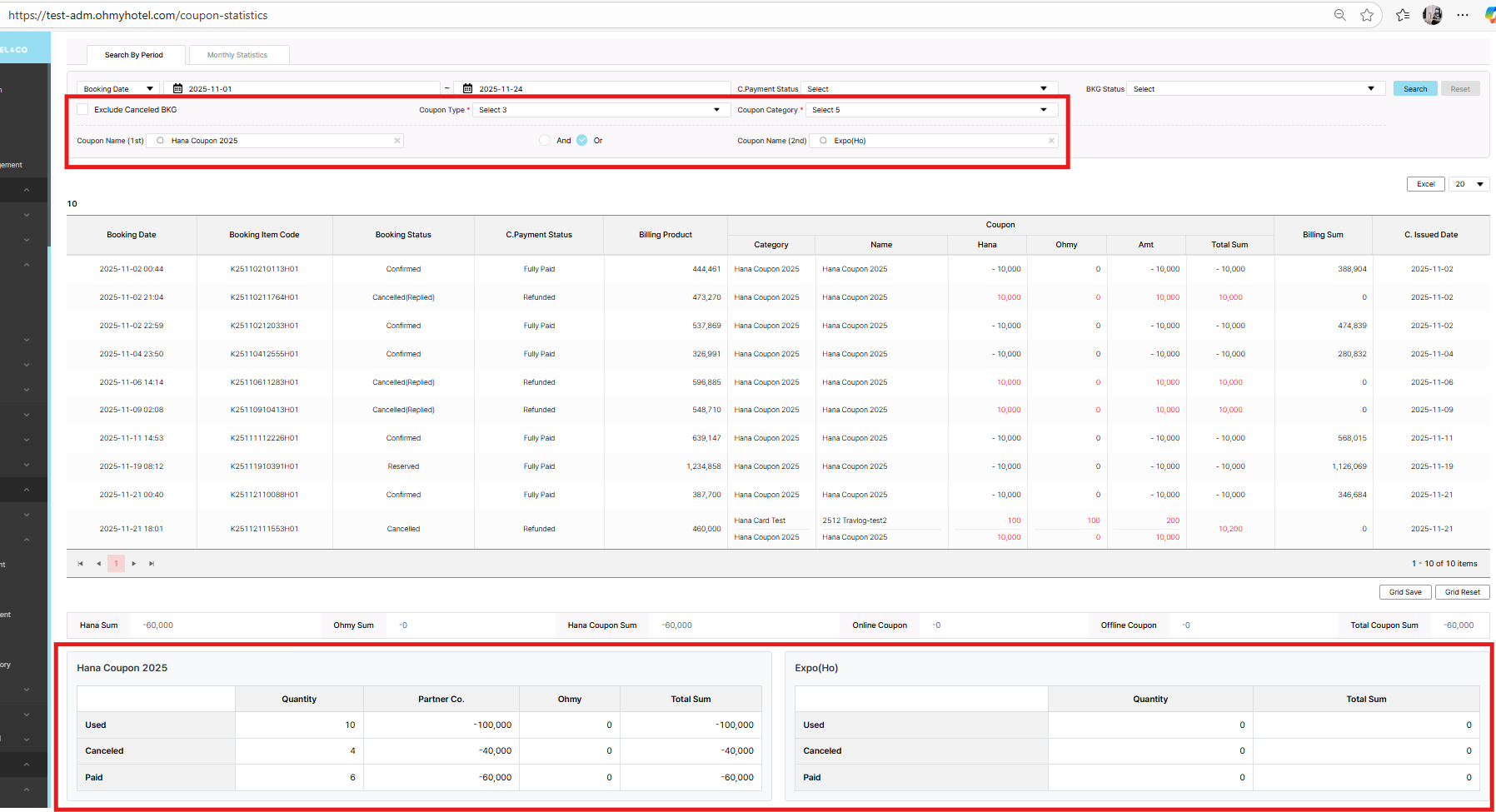
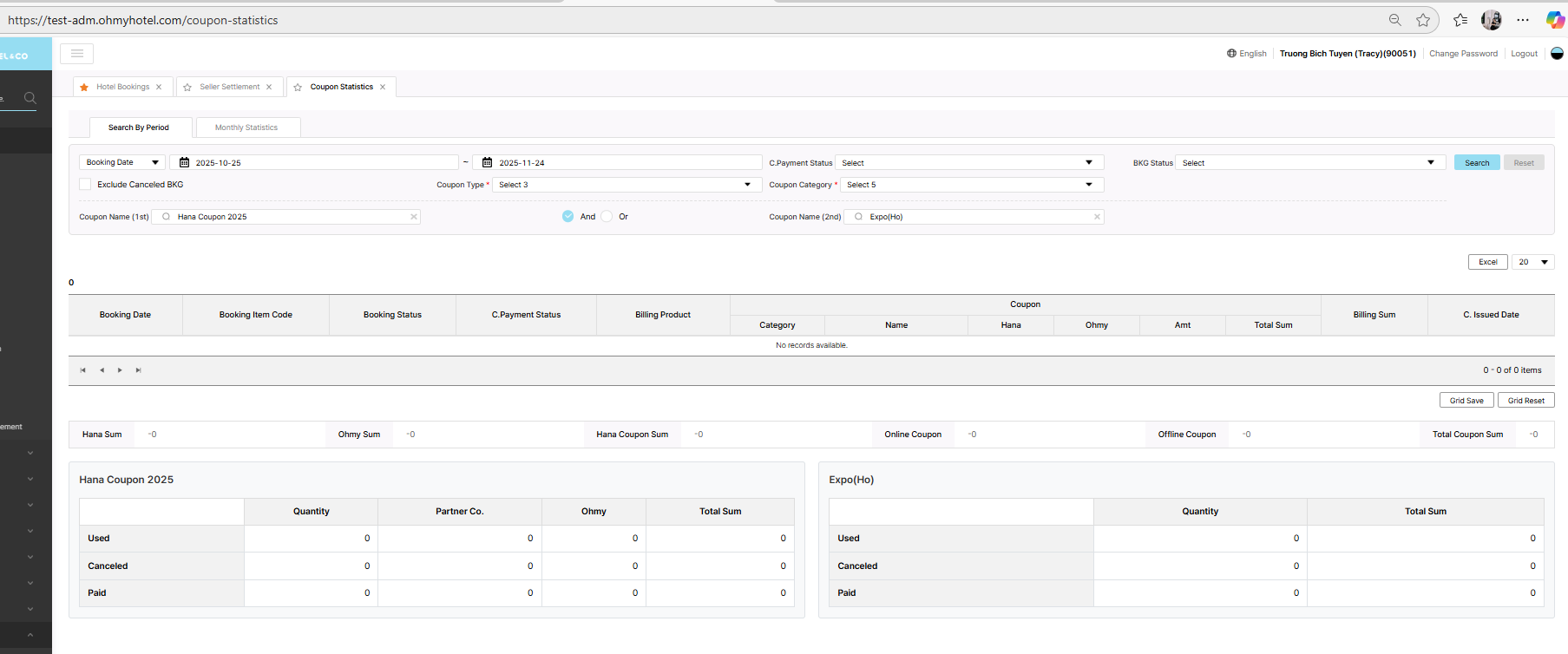
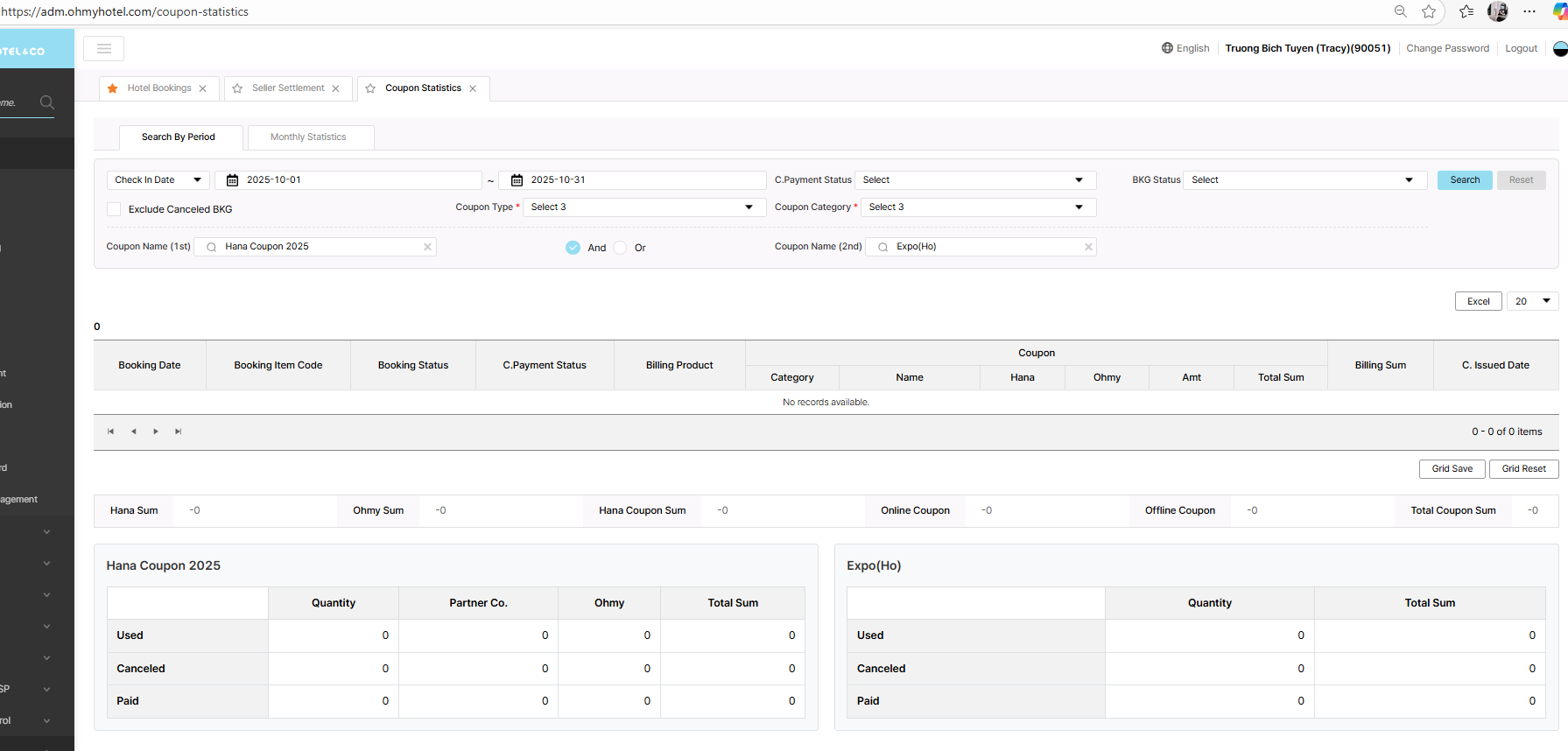
Coupon type: Offline
Coupon category: Expo(HO)
Coupon name: Expo(HO)
In coupon column, hana column is empty but hana coupon sum amount still count
Updated by Tracy Truong 4 months ago
- File picture967-1.png picture967-1.png added
- File picture967-2.png picture967-2.png added
- File picture967-3.png picture967-3.png added
- File picture967-4.png picture967-4.png added
- Status changed from QA test to 완료실패(Failed)
- Assignee changed from Tracy Truong to John Lee
case 1: as conversation of Lexi on team, requirement changed. We can select many category => ok
case 2: ok
Case 3: wrong color of amount => retest, ok
Case 4:Coupon type: Offline or Online => ok
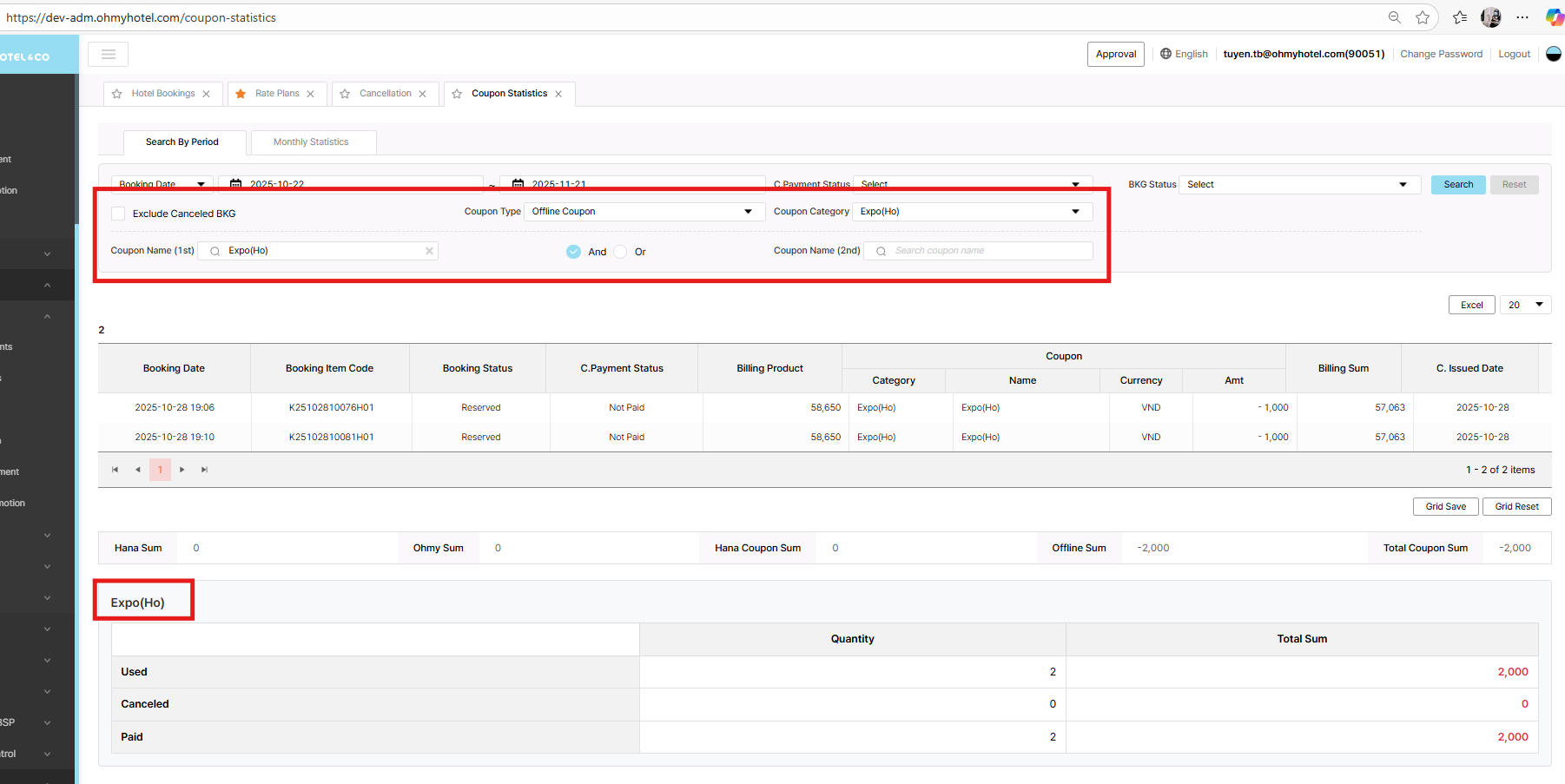
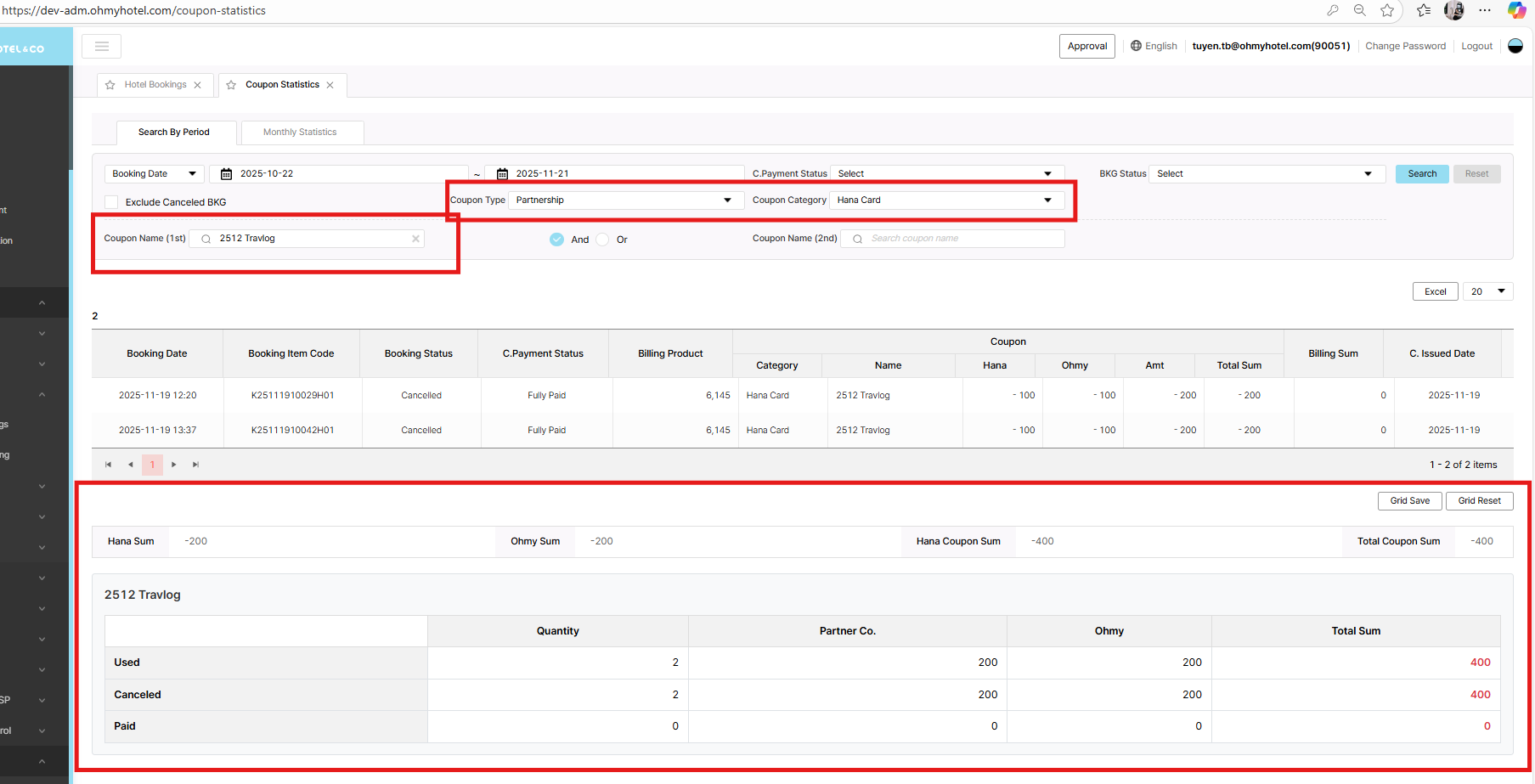
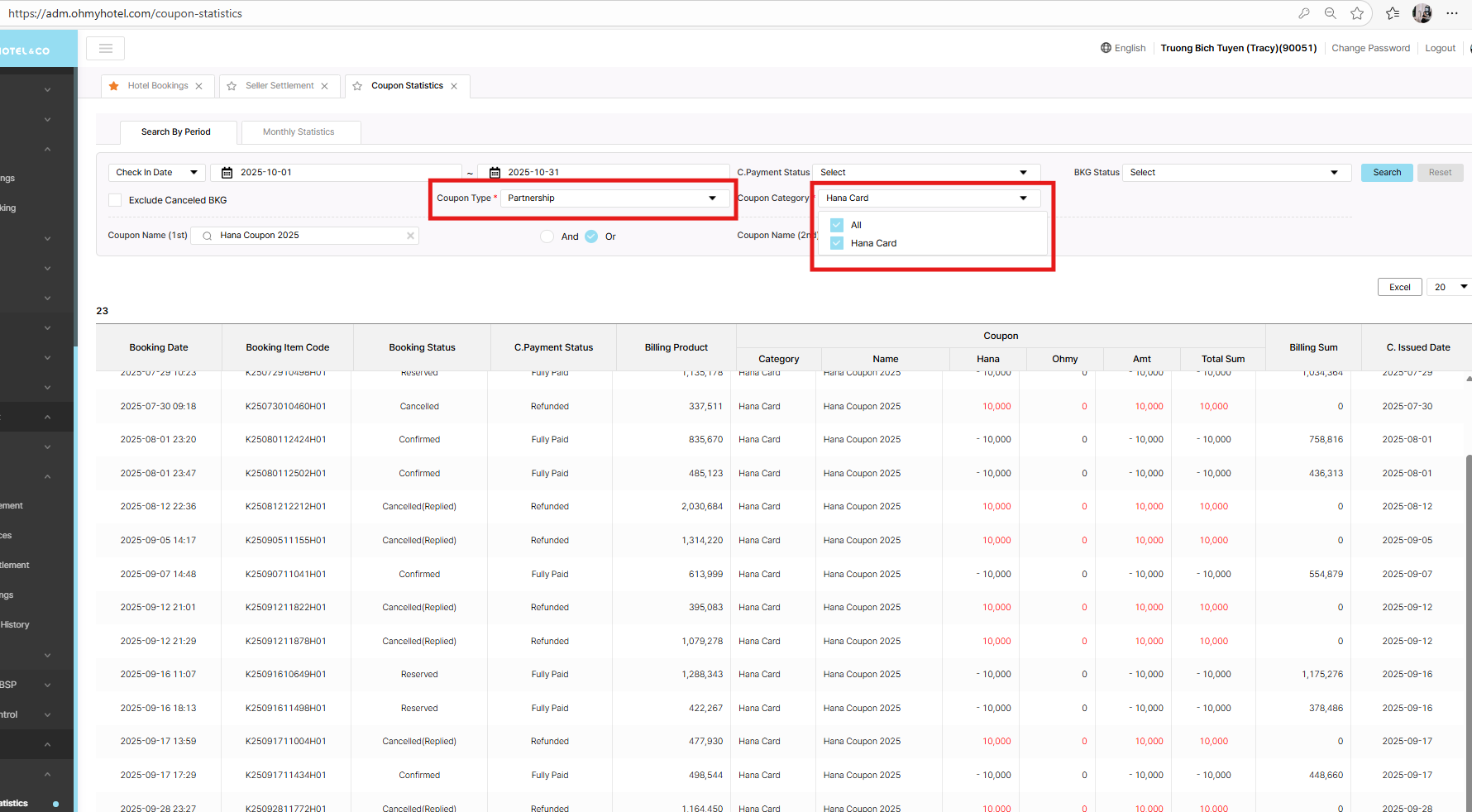
UI offline/partnership coupon : please adjust as discuss, current UI is wrong
Updated by Tracy Truong 4 months ago
- File picture482-1.png picture482-1.png added
- File picture482-2.png picture482-2.png added
- File picture482-3.png picture482-3.png added
- File picture482-4.png picture482-4.png added
- Status changed from QA test to 완료실패(Failed)
- Assignee changed from Tracy Truong to John Lee
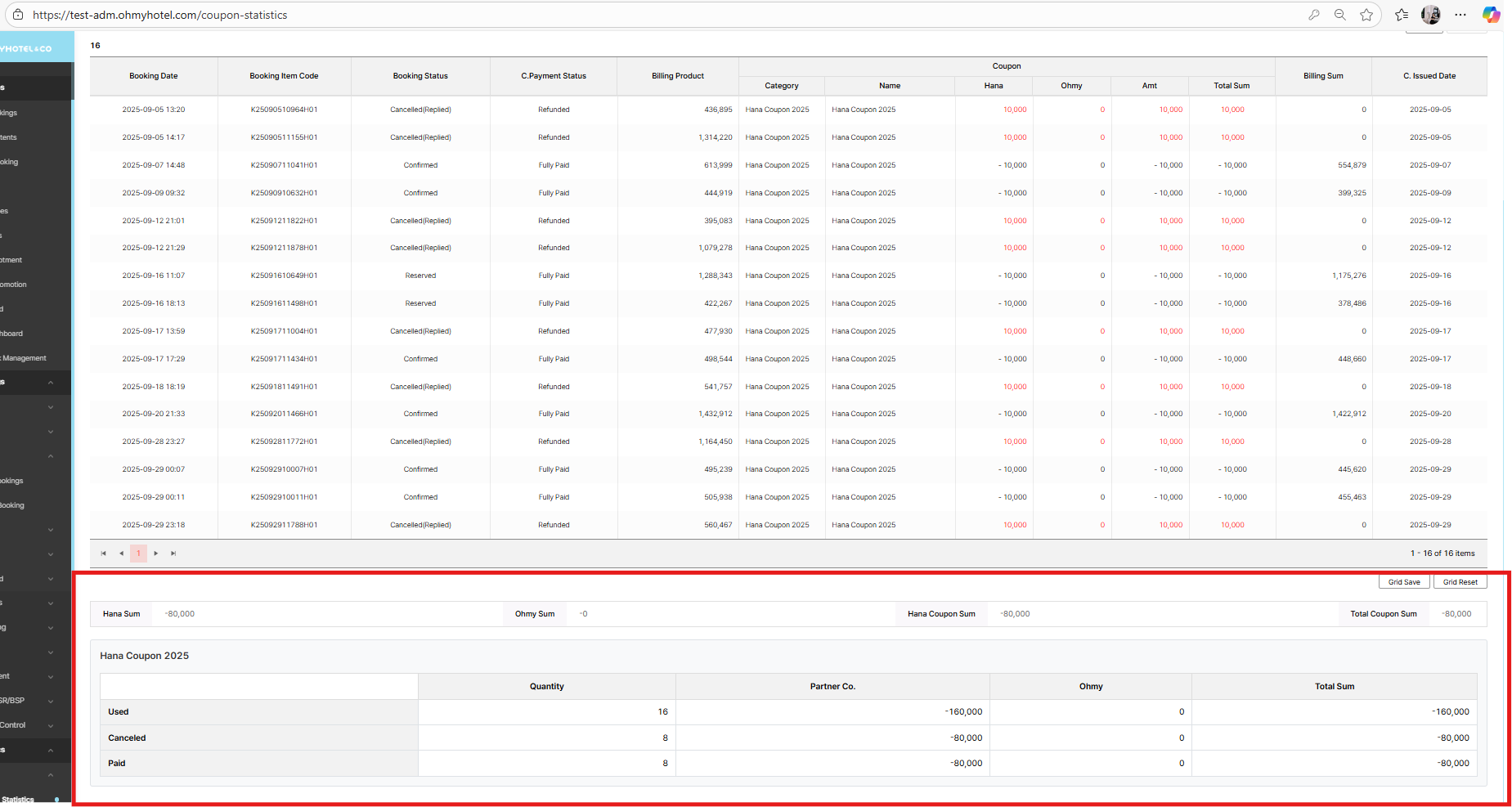
UI offline/partnership coupon : please adjust as discuss, current UI is wrong => changed
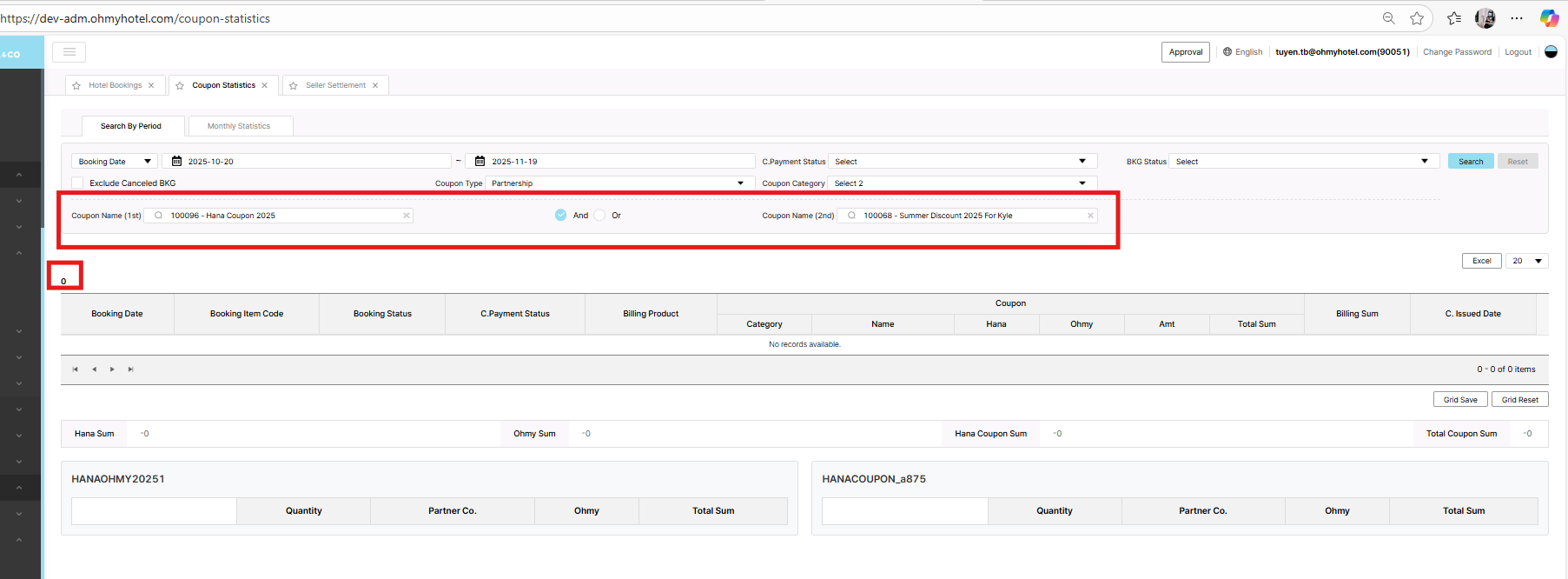
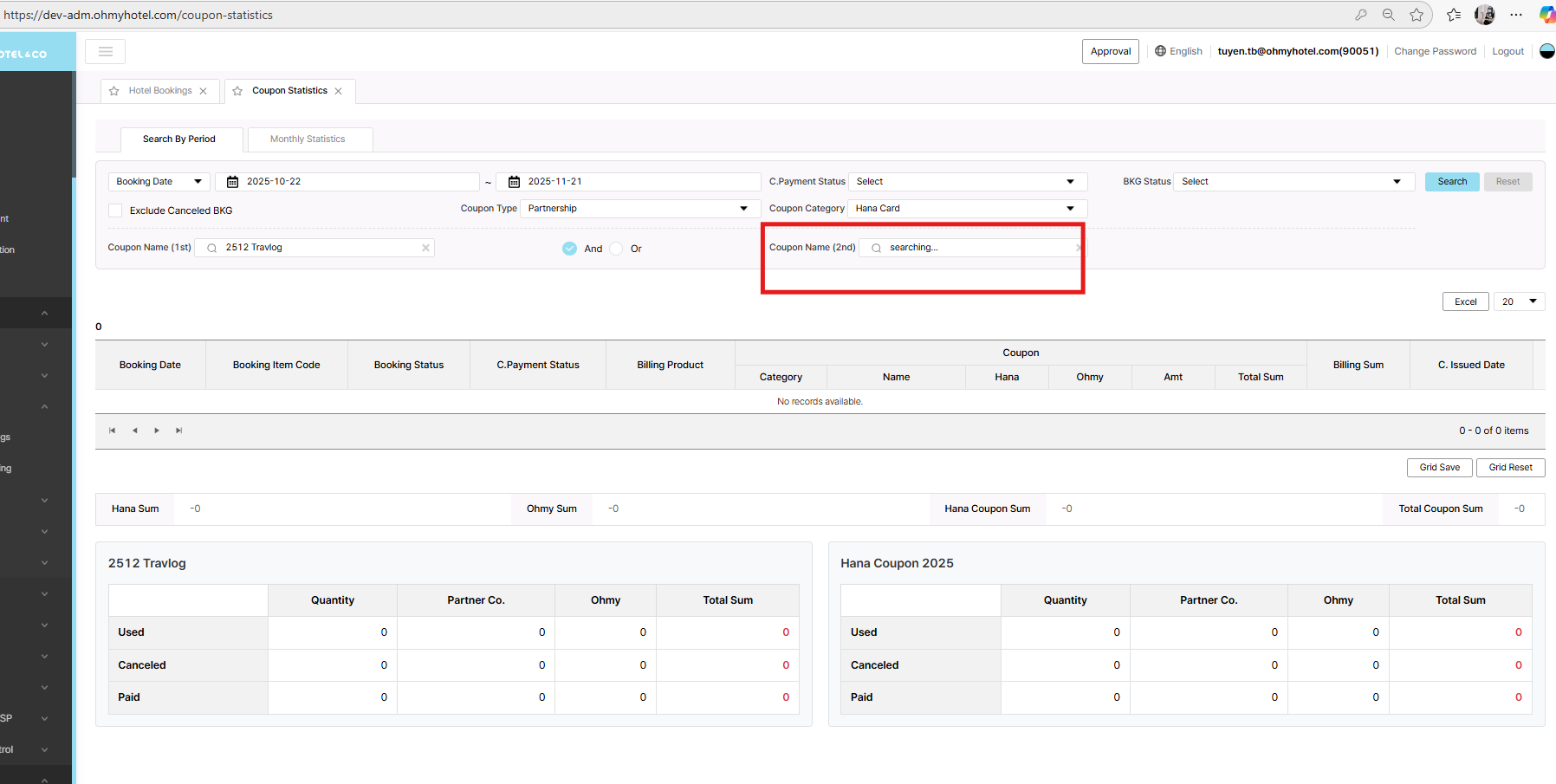
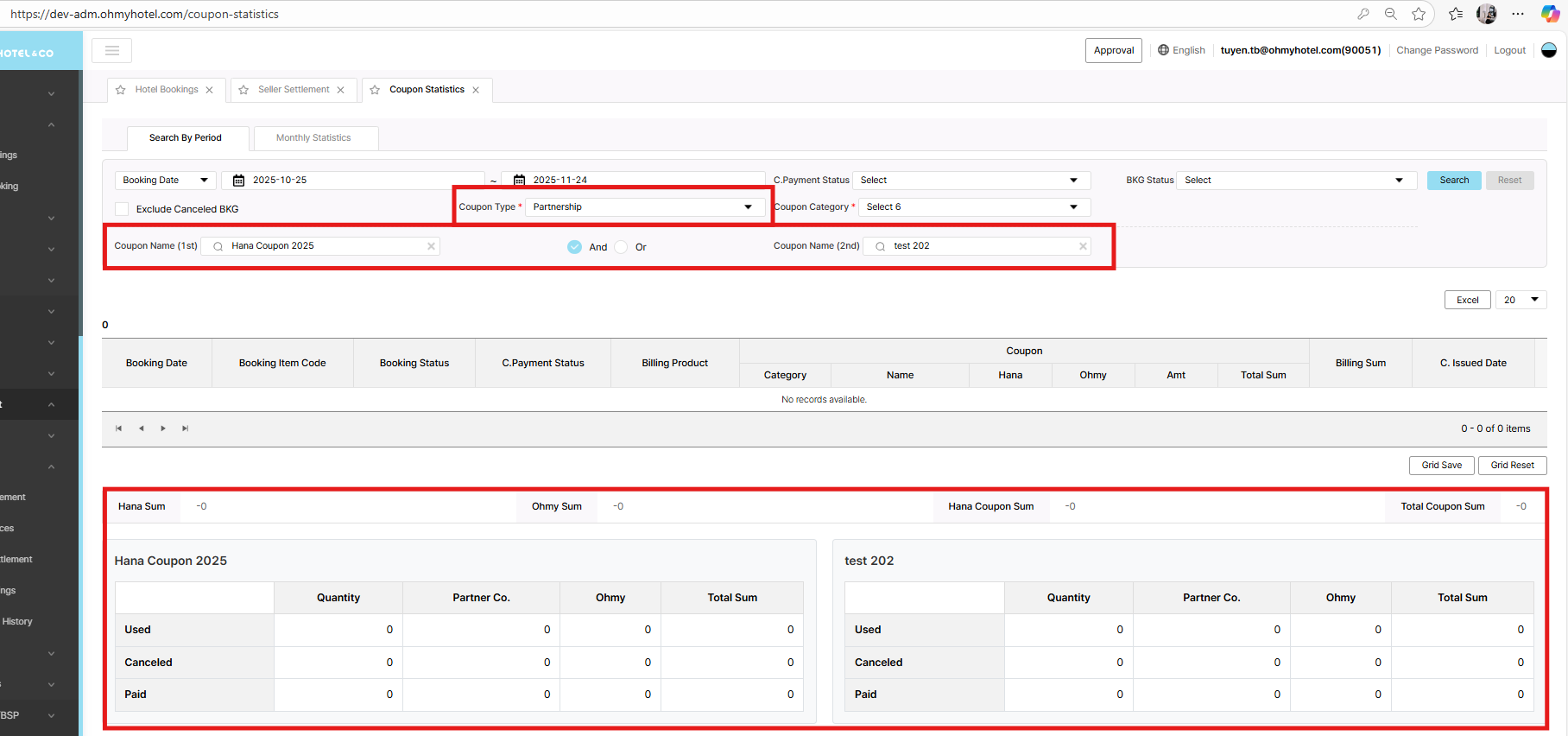
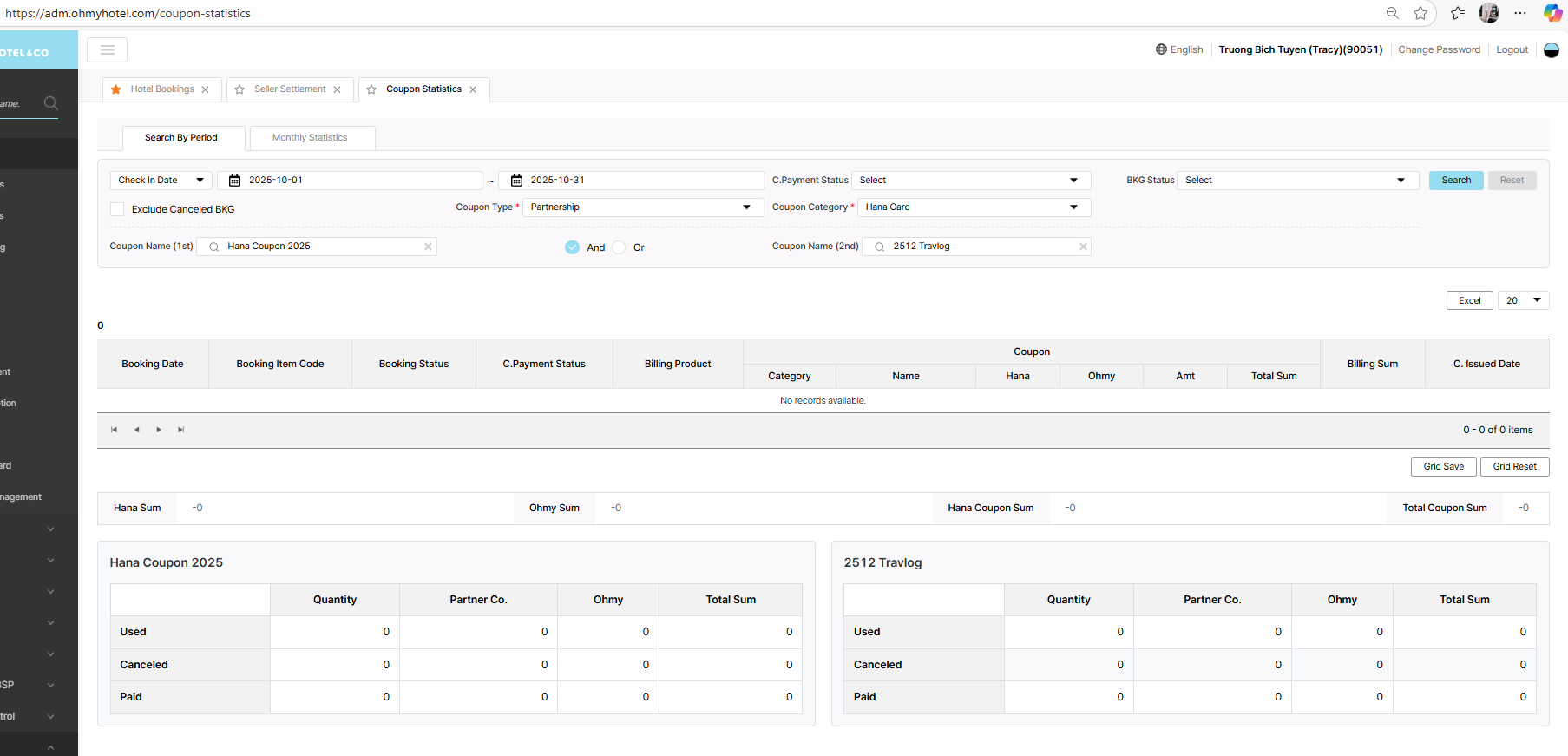
Searched but Coupon name 2 keep searching even though data already displayed below
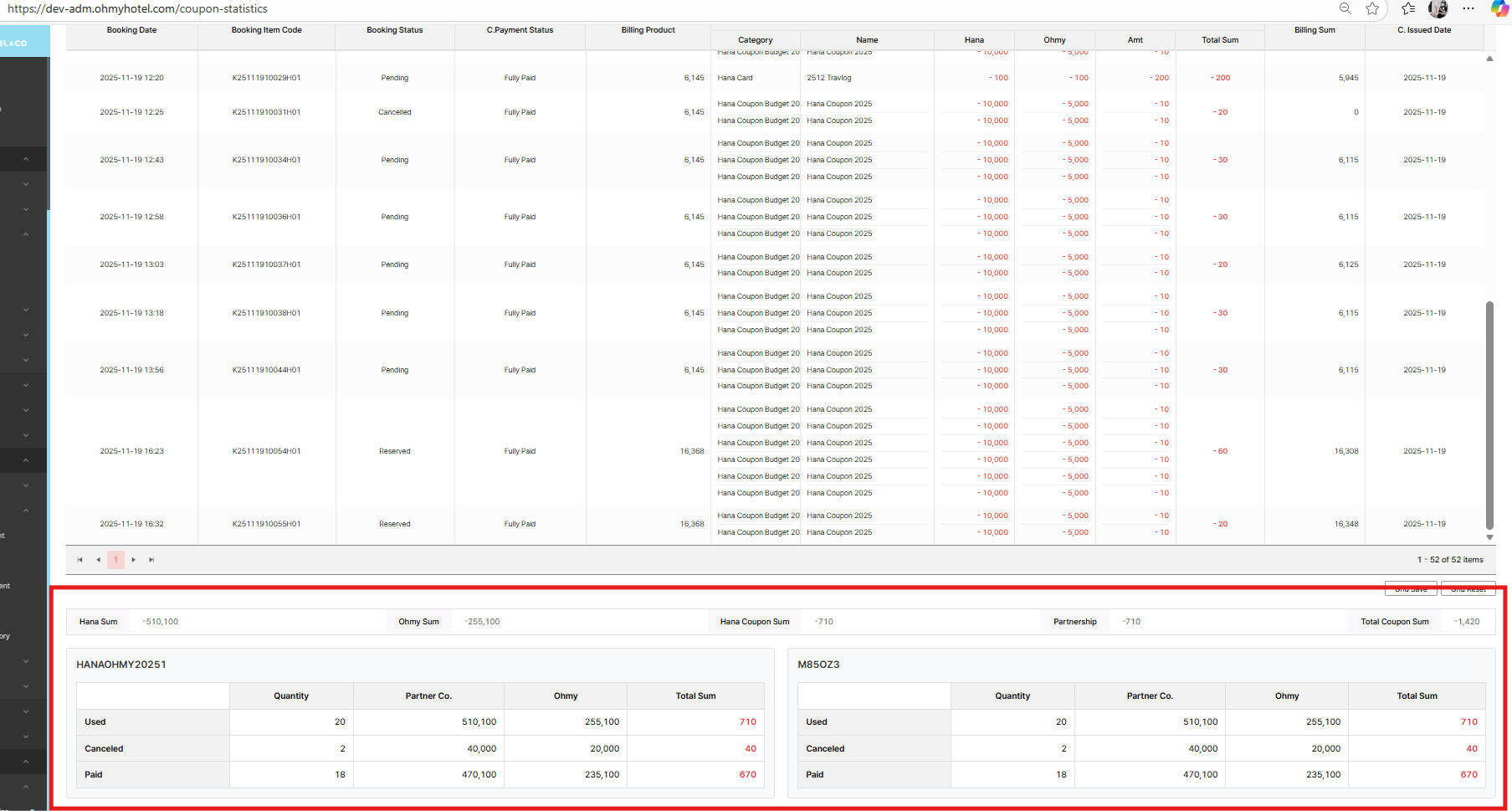
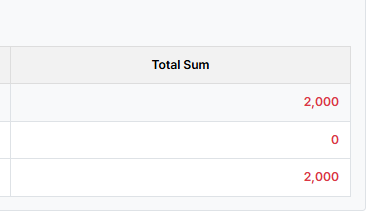
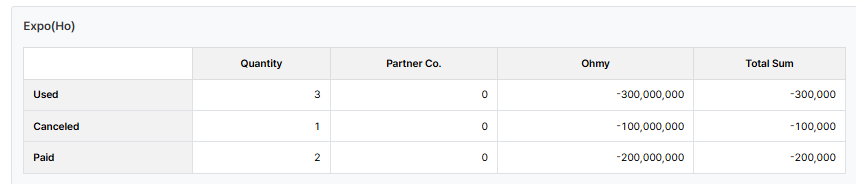
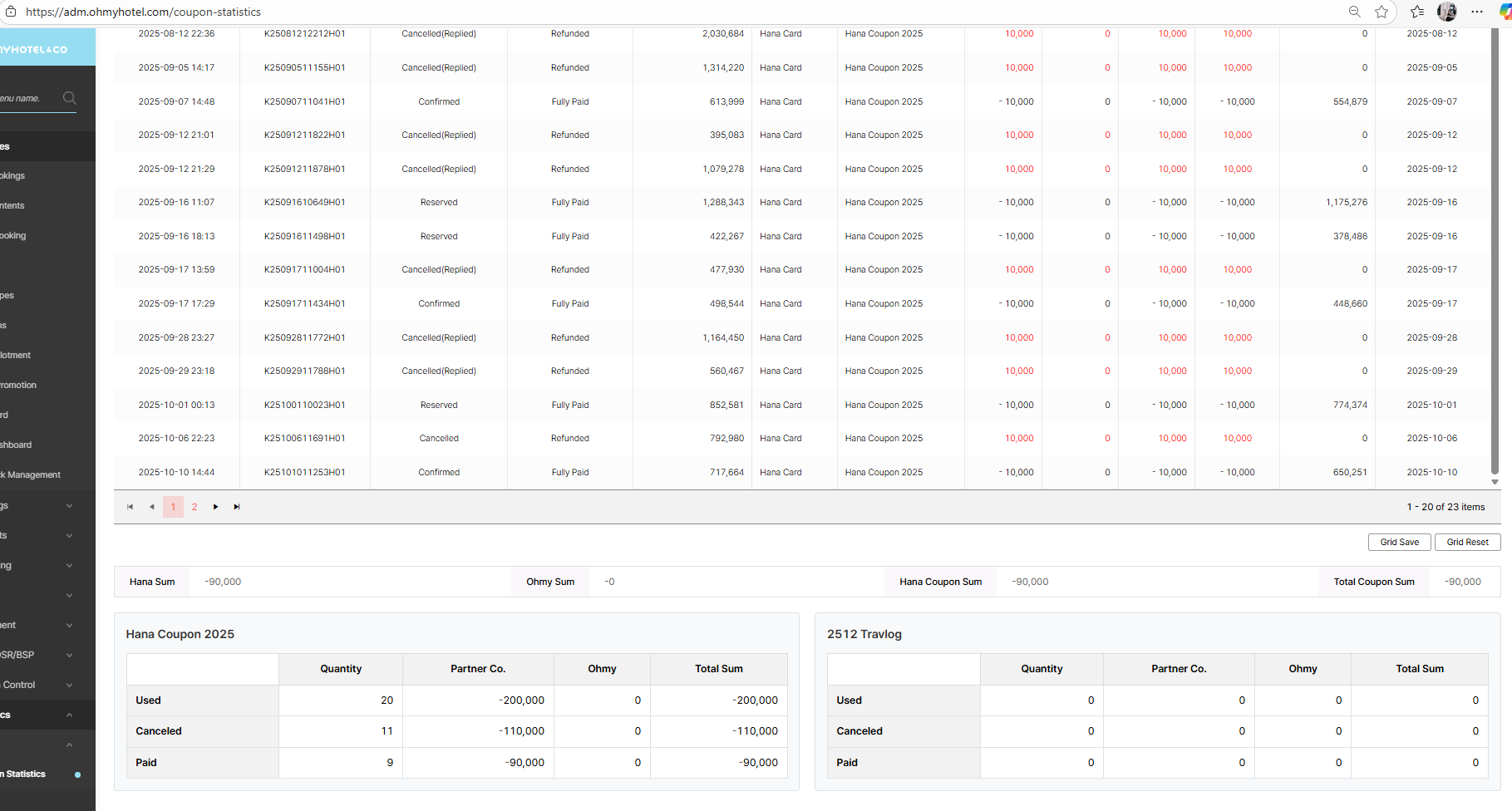
Amount as Total sum/ Ohmy/ partner Co. column need to be displayed by black color & sign "-" before amount
Updated by Tracy Truong 4 months ago
- File picture859-5.png picture859-5.png added
- Status changed from QA test to 완료실패(Failed)
- Assignee changed from Tracy Truong to John Lee
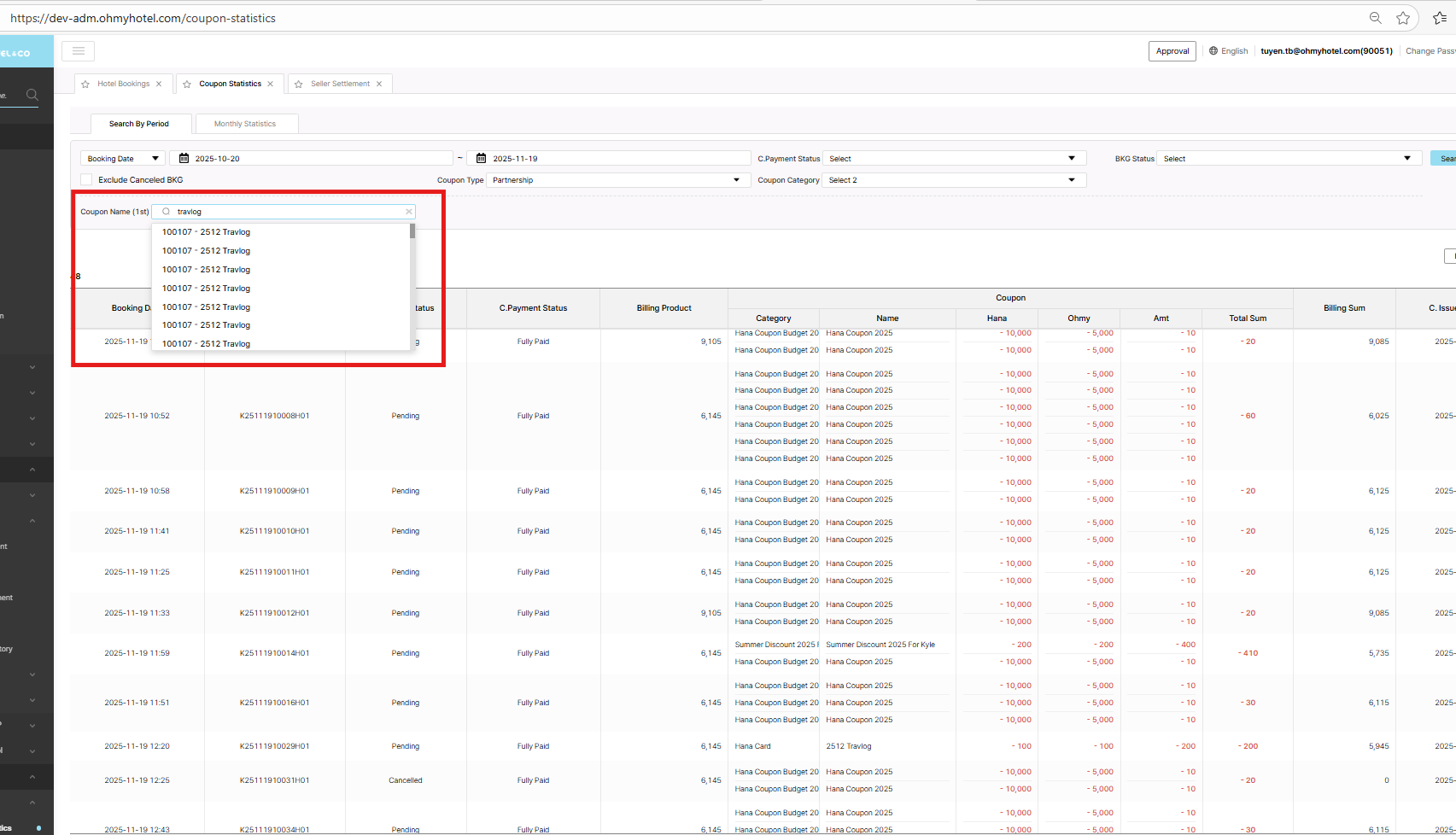
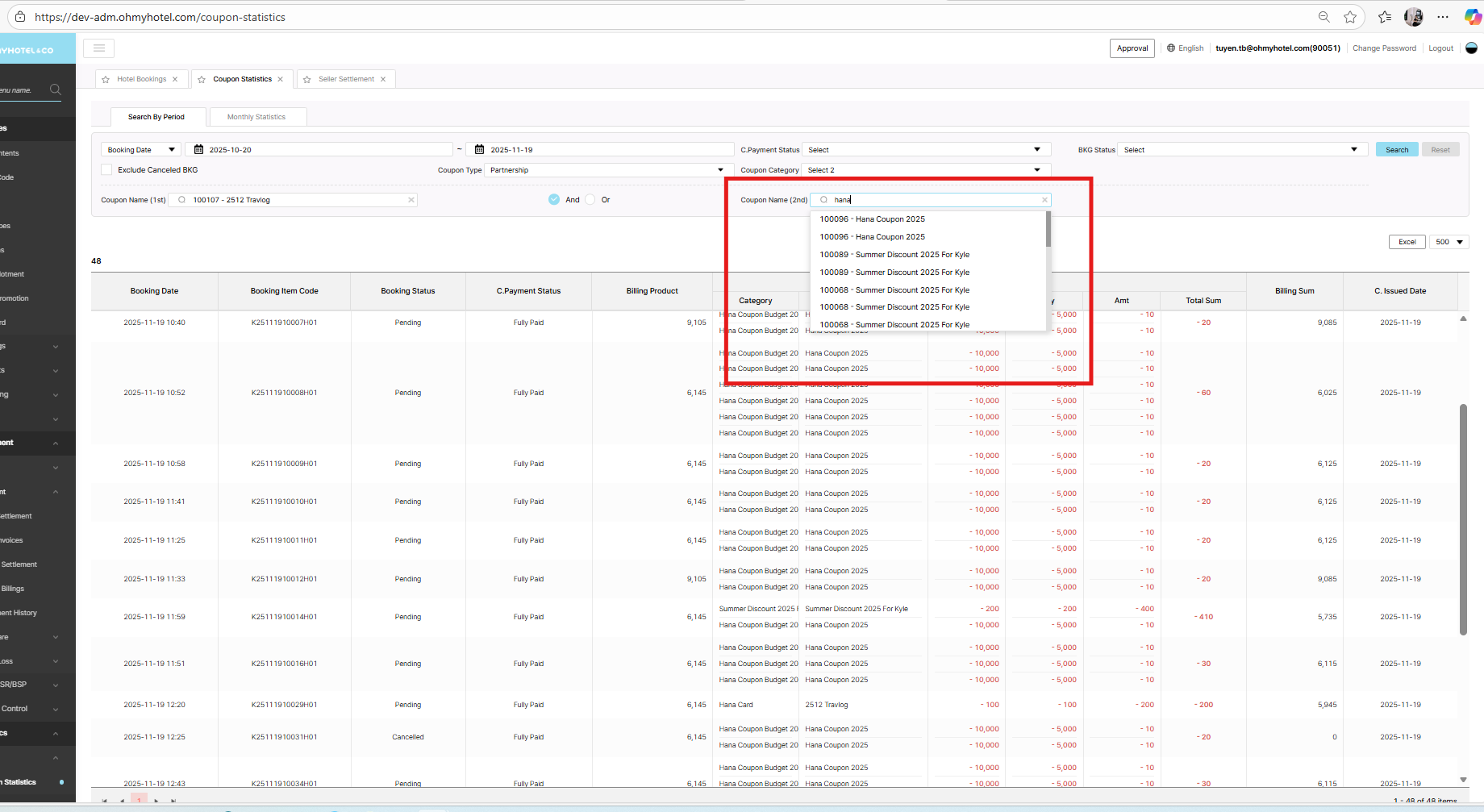
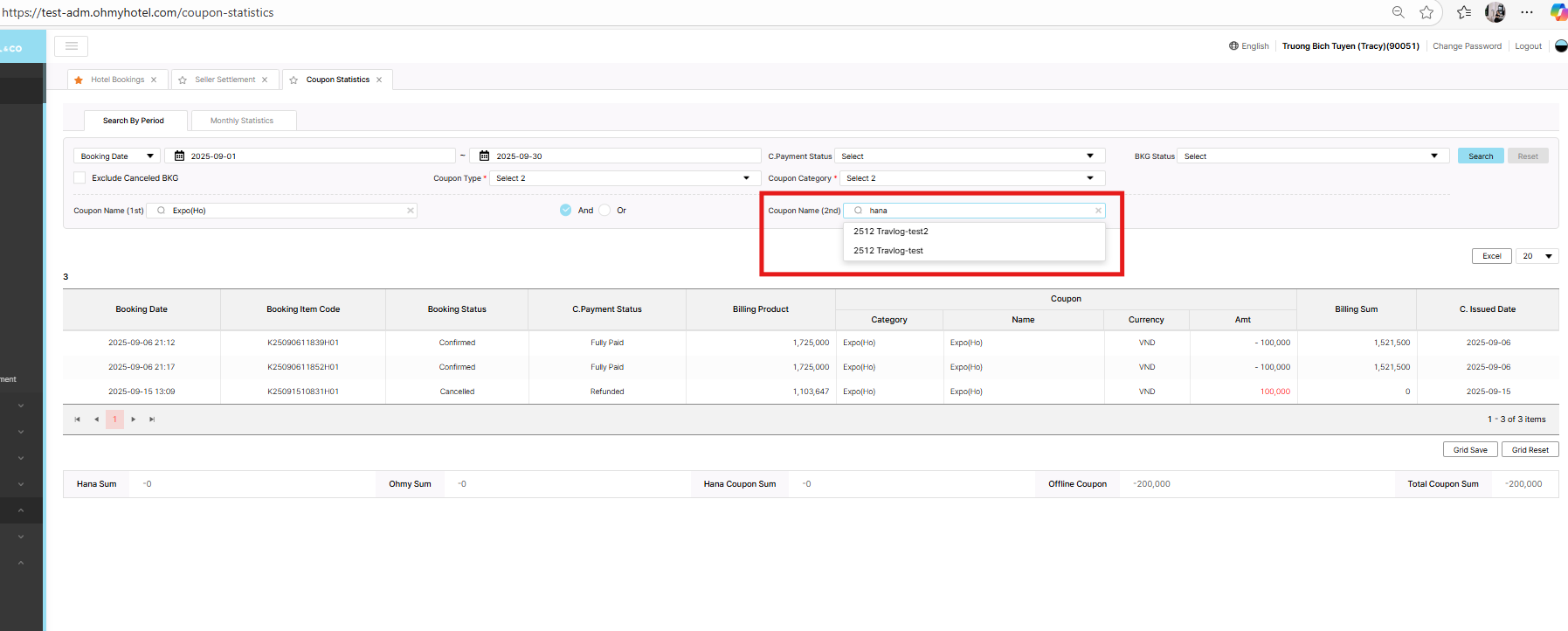
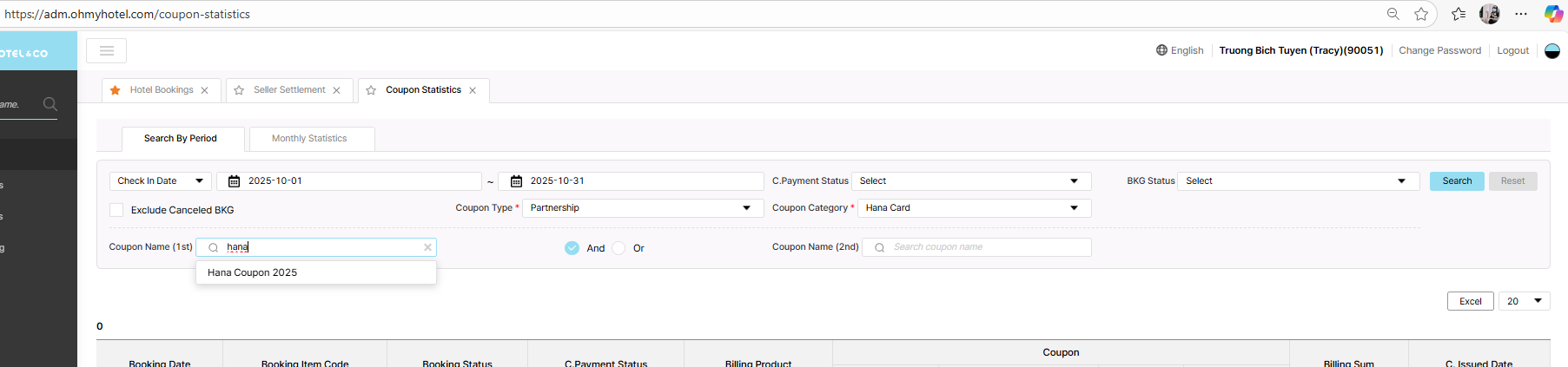
In coupon name search filter, search hana but option travlog still displayed.
It will make user confuse.
So please adjust logic in this field, only show coupon name match with key word that user inputed
Updated by Tracy Truong 4 months ago
- File image.png image.png added
- File picture447-6.png picture447-6.png added
- File picture447-7.png picture447-7.png added
- File picture447-8.png picture447-8.png added
- File picture447-9.png picture447-9.png added
- Status changed from QA test to 완료실패(Failed)
- Assignee changed from Tracy Truong to John Lee
Test on STG, other case ok but Please check UI of Offline coupon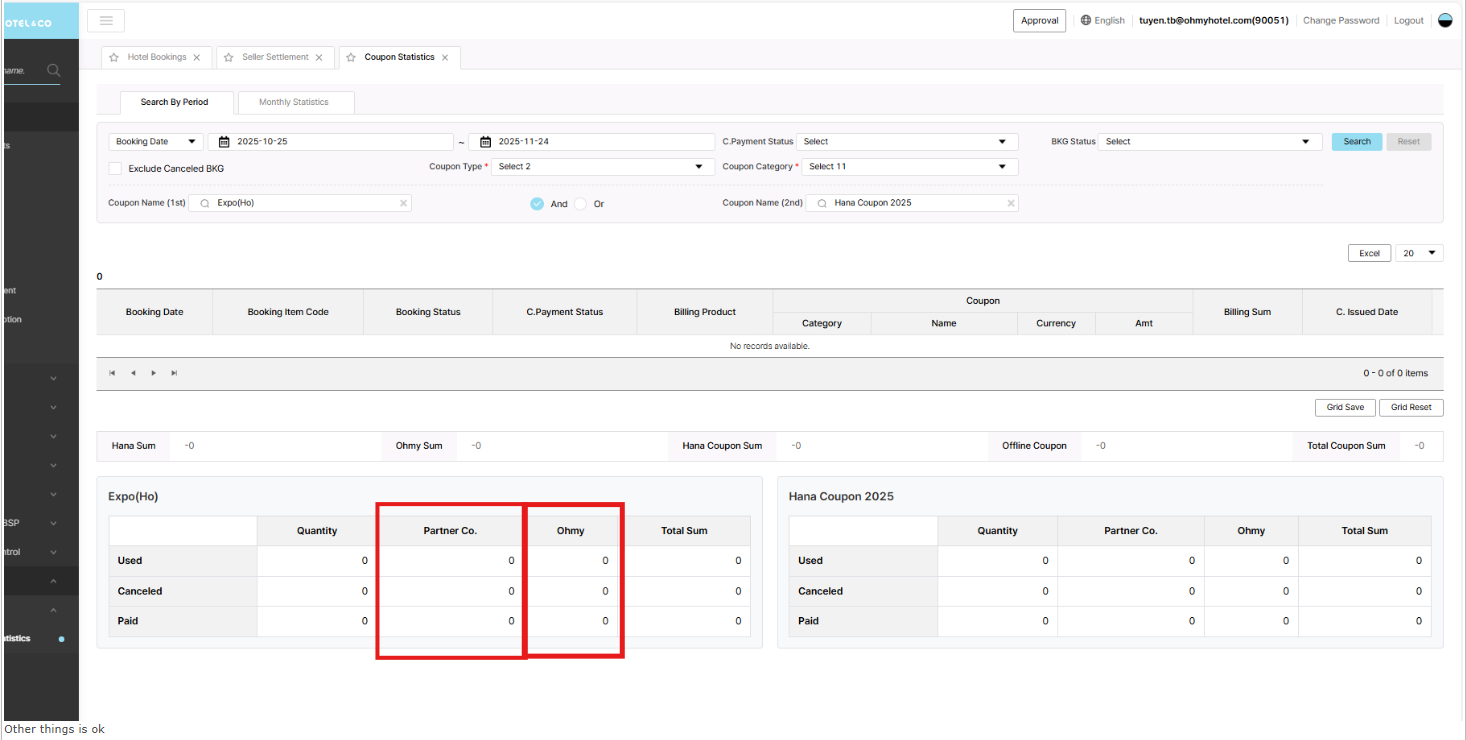
Updated by Tracy Truong 4 months ago
- File image.png image.png added
- File picture023-1.png picture023-1.png added
- File picture023-2.png picture023-2.png added
- File picture023-3.png picture023-3.png added
- File picture023-4.png picture023-4.png added
- File picture023-5.png picture023-5.png added
- Status changed from QA test to 완료실패(Failed)
- Assignee changed from Tracy Truong to John Lee
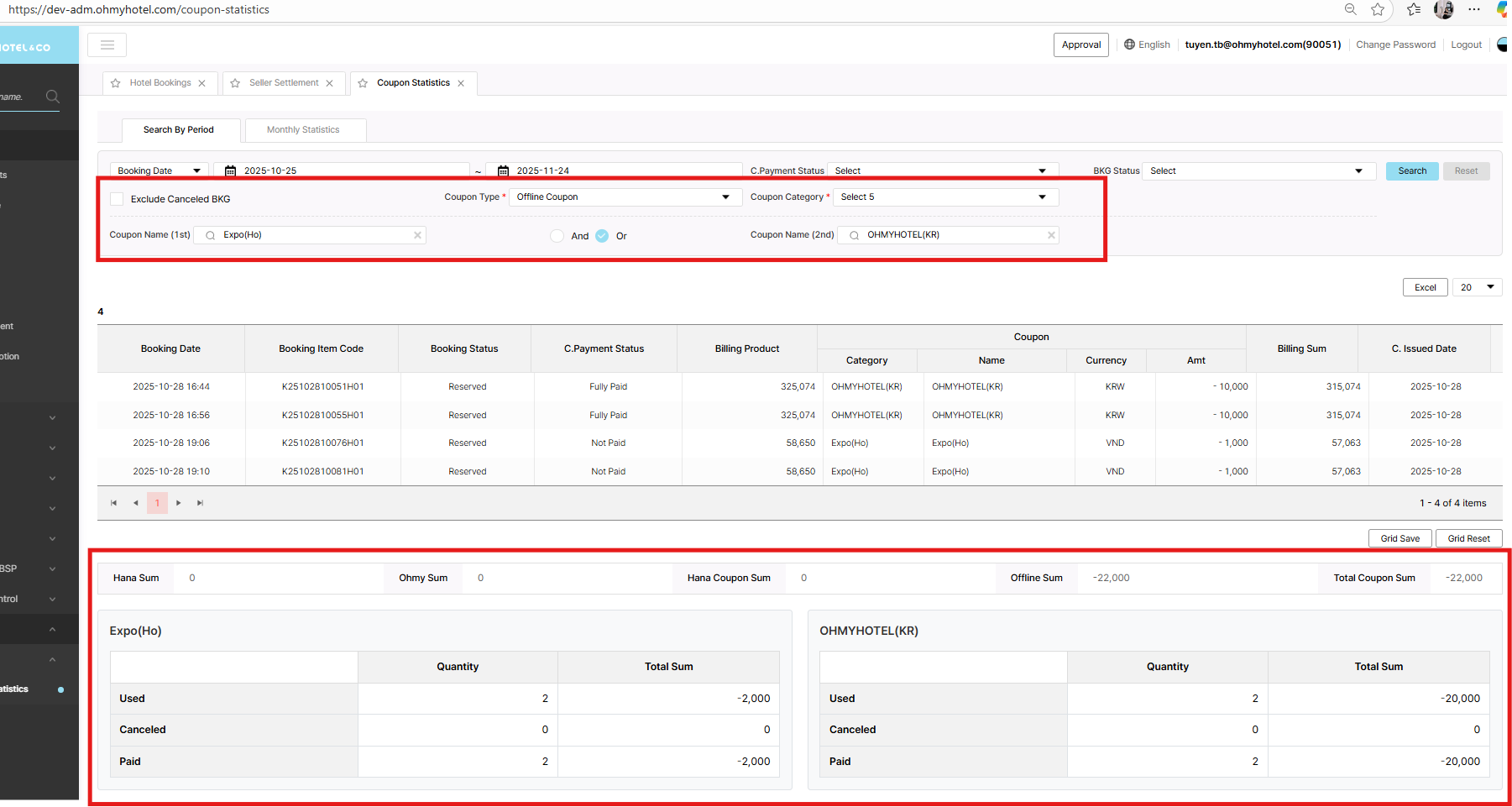
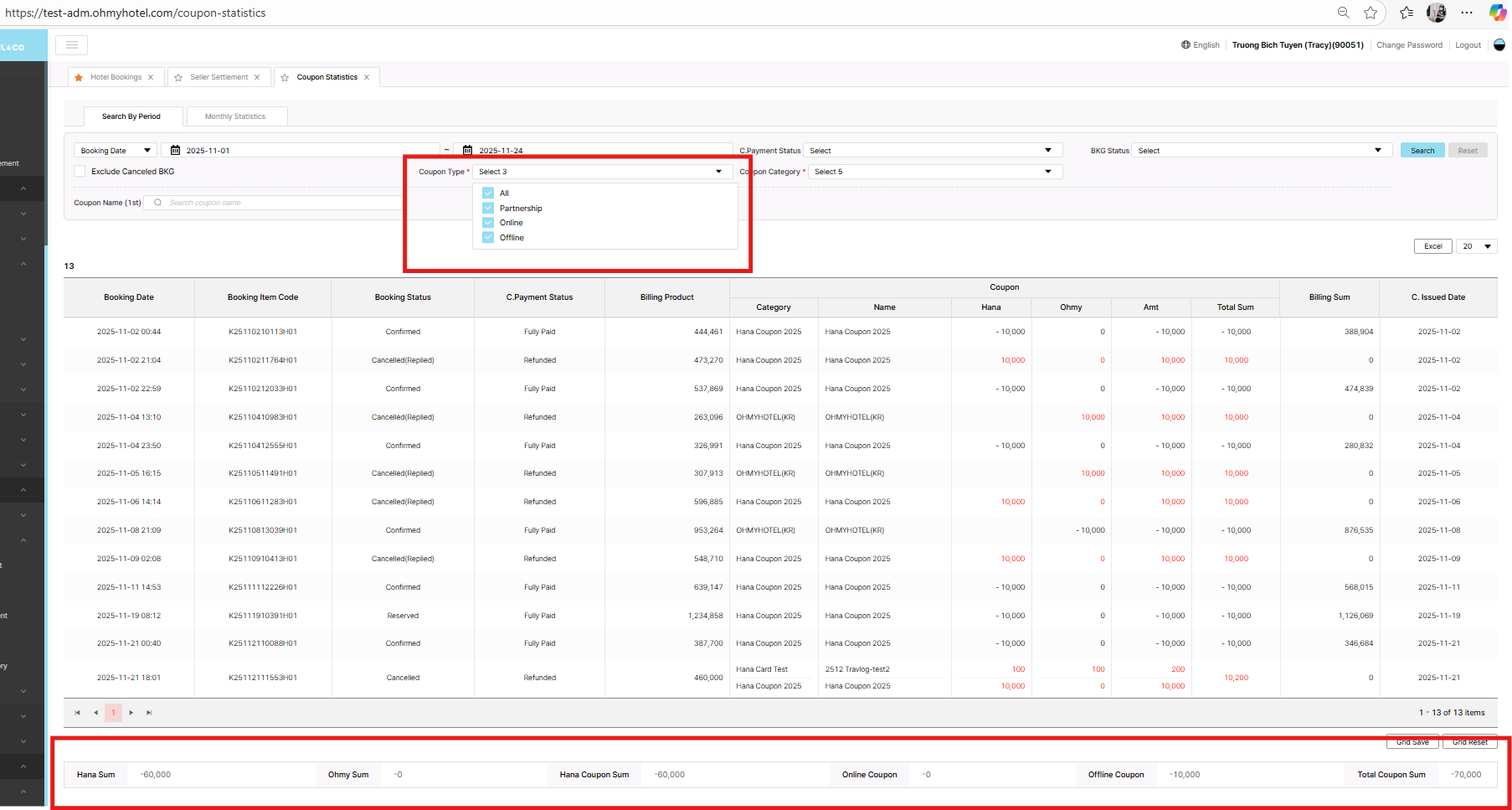
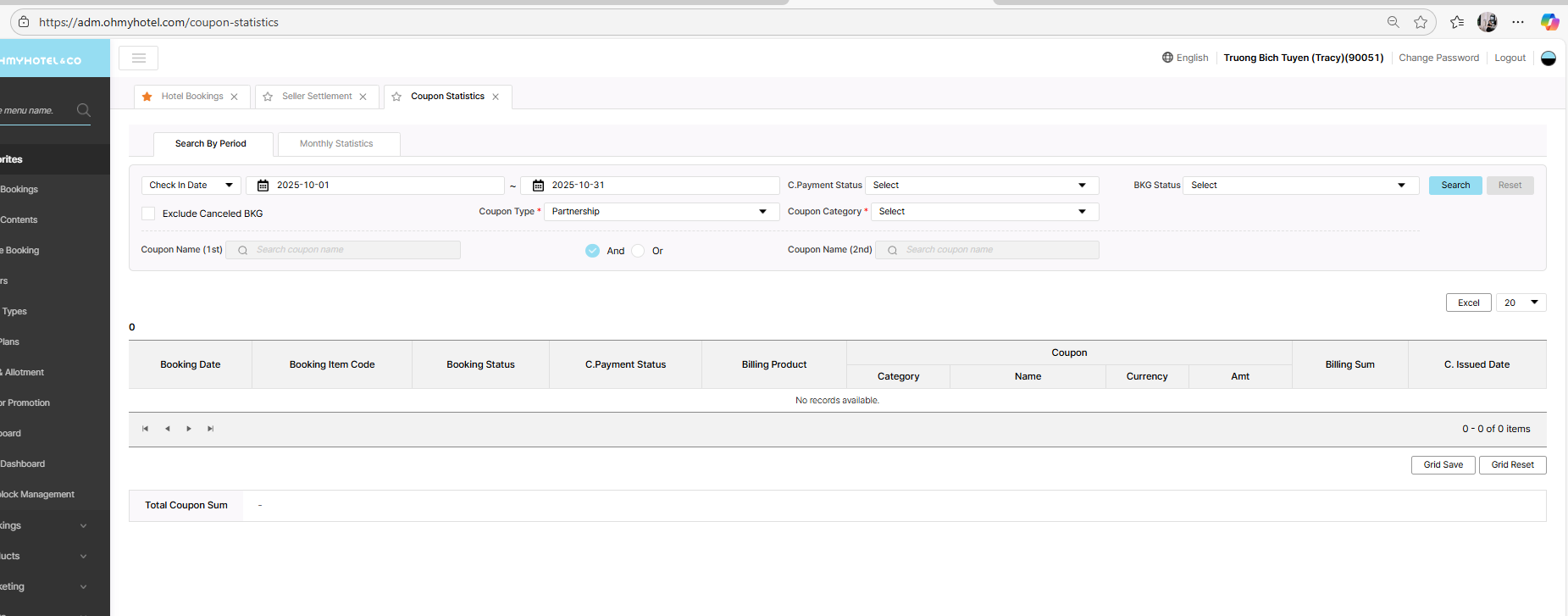
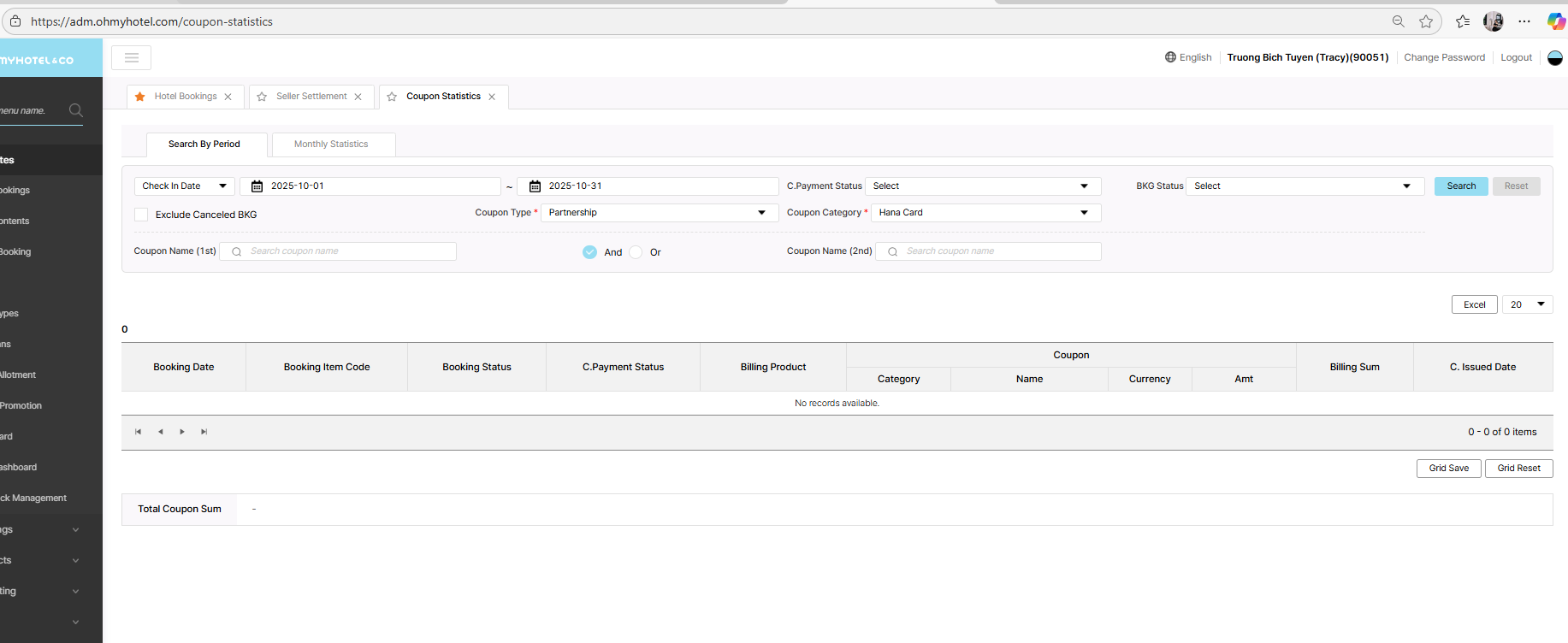
Offline coupon UI still wrong if I search coupon type is Offline & partnership. Please recheck it
Other things is ok
Updated by Tracy Truong 4 months ago
- File picture672-1.png picture672-1.png added
- File picture672-2.png picture672-2.png added
- File picture672-3.png picture672-3.png added
- File picture672-4.png picture672-4.png added
- File picture672-5.png picture672-5.png added
- File picture672-6.png picture672-6.png added
- File picture672-7.png picture672-7.png added
- File picture672-8.png picture672-8.png added
- Status changed from QA test to 완료실패(Failed)
- Assignee changed from Tracy Truong to John Lee
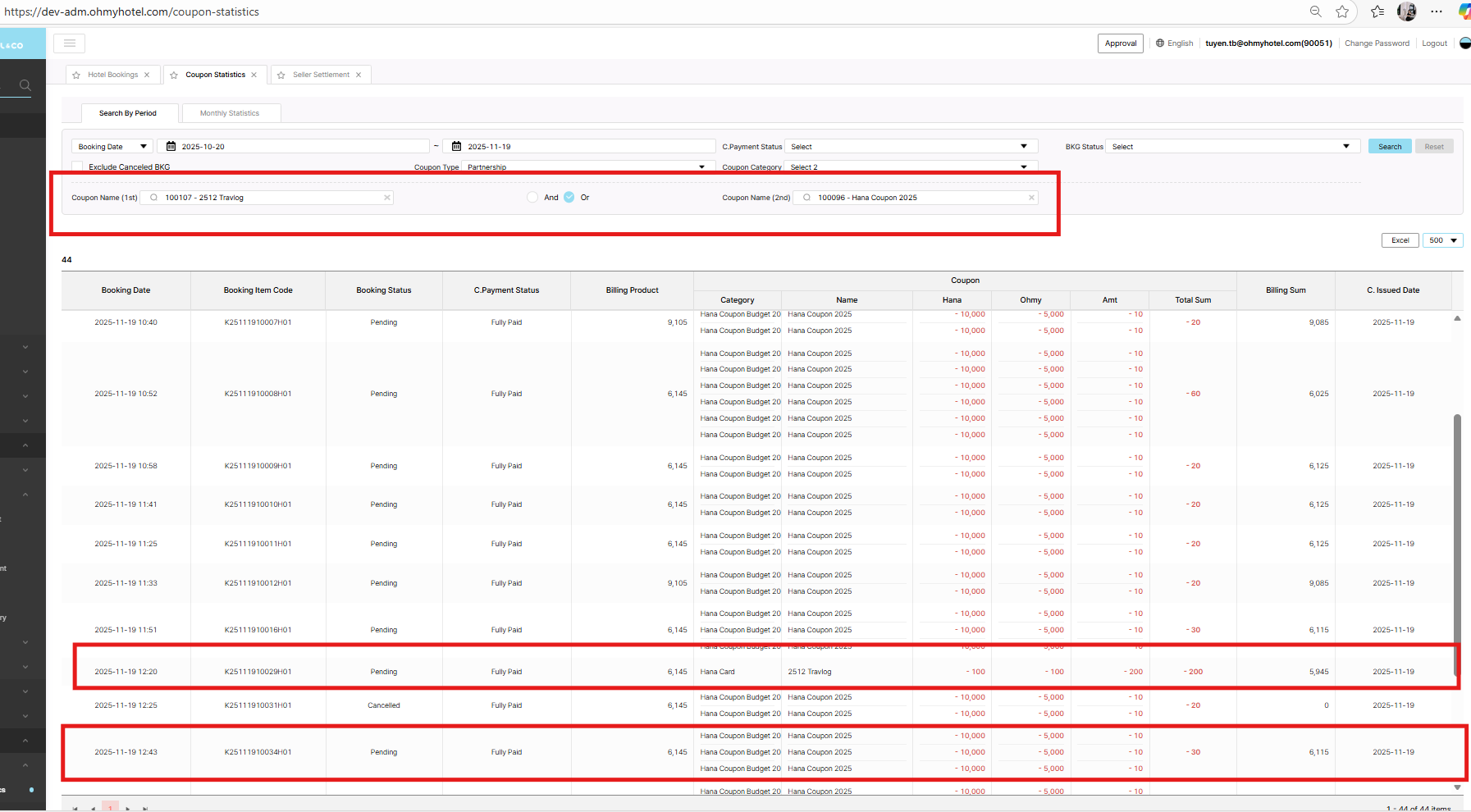
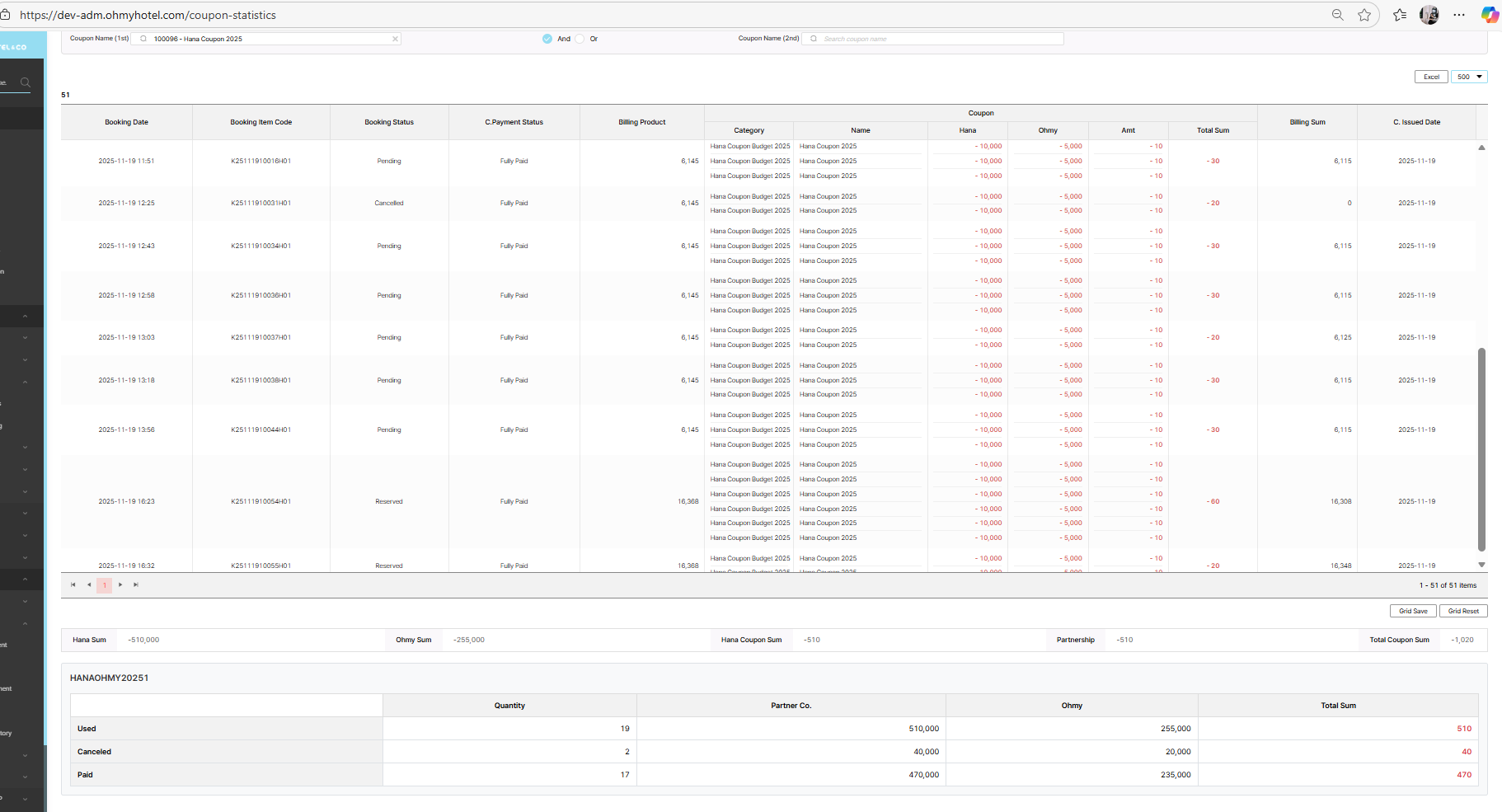
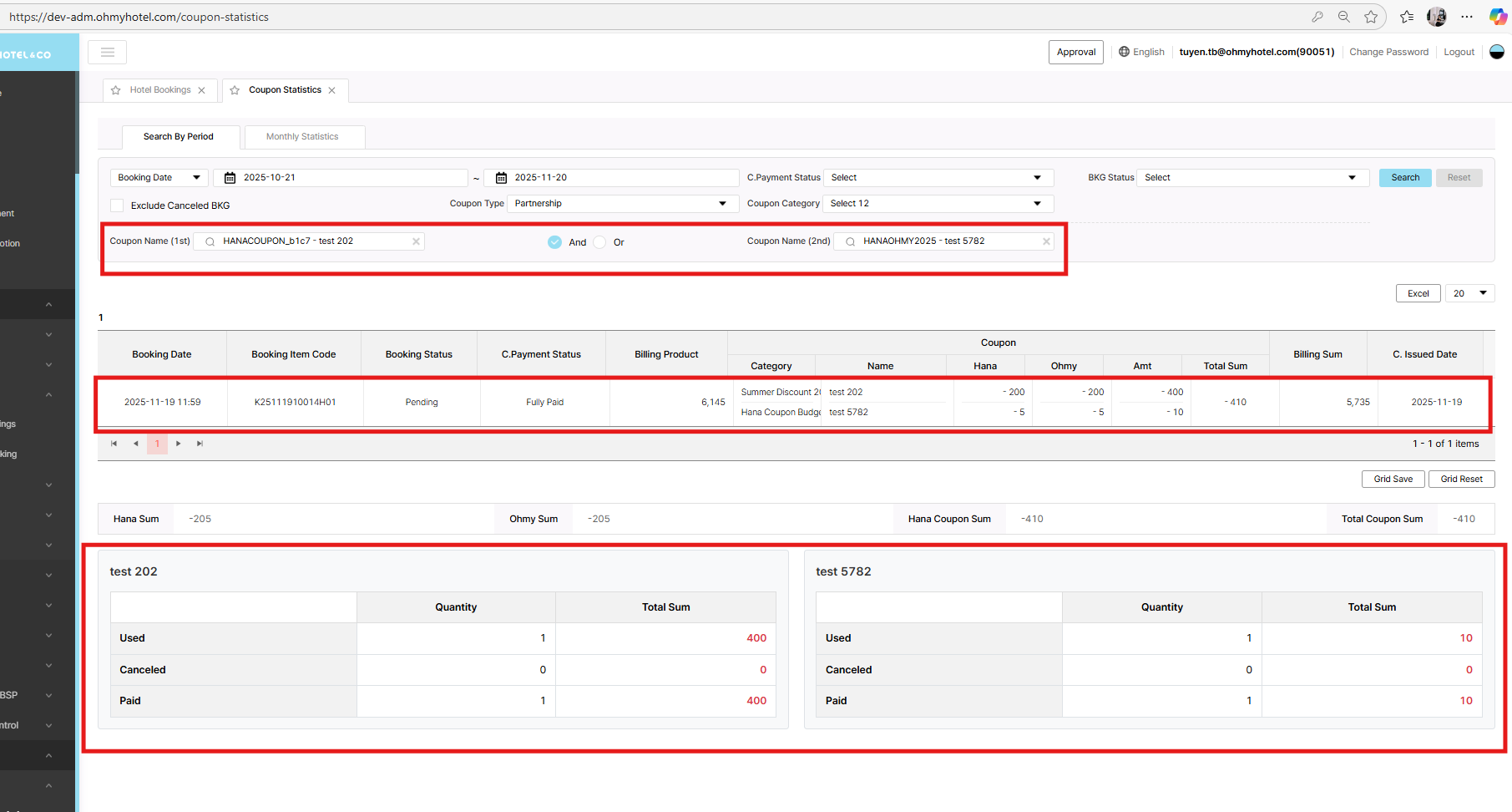
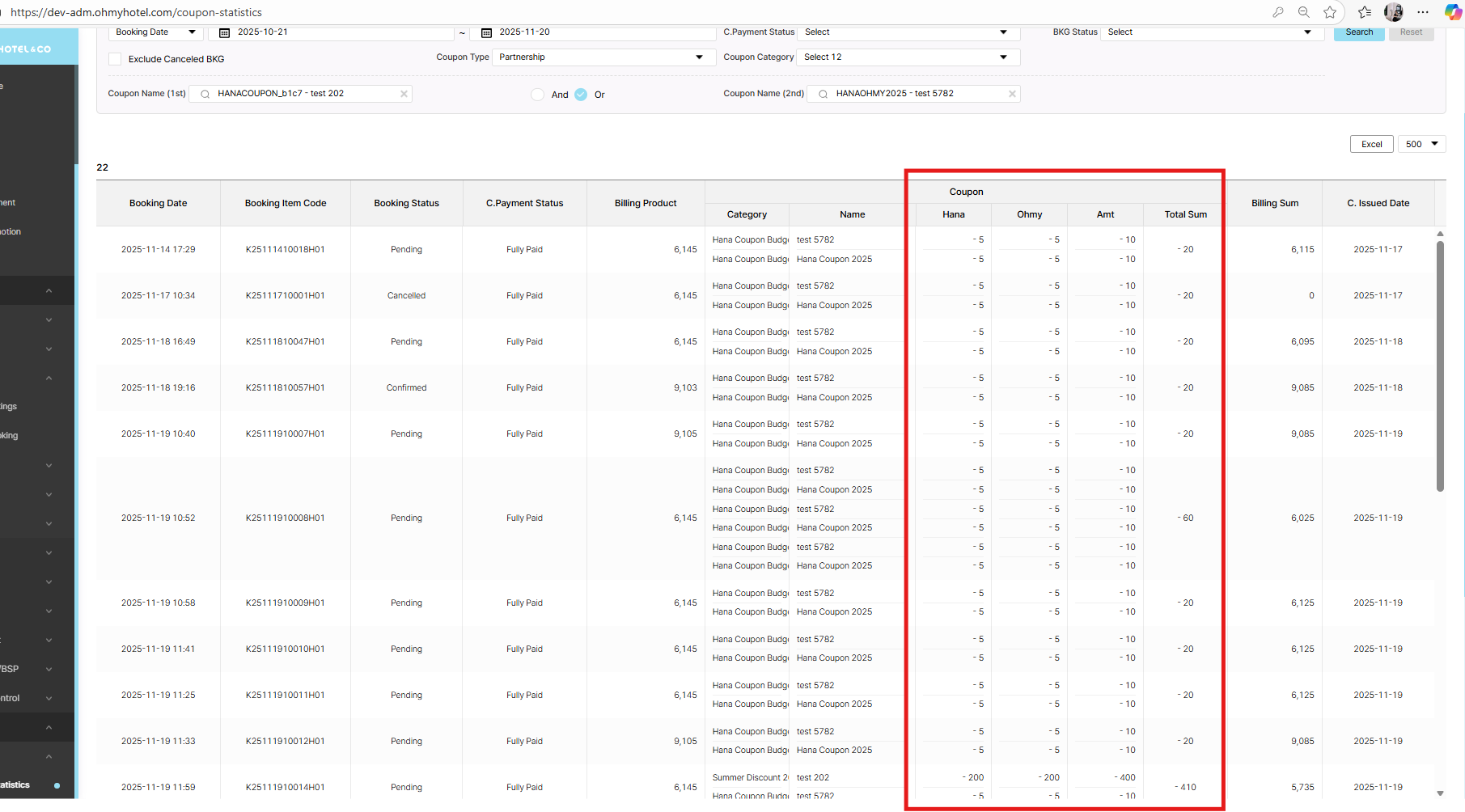
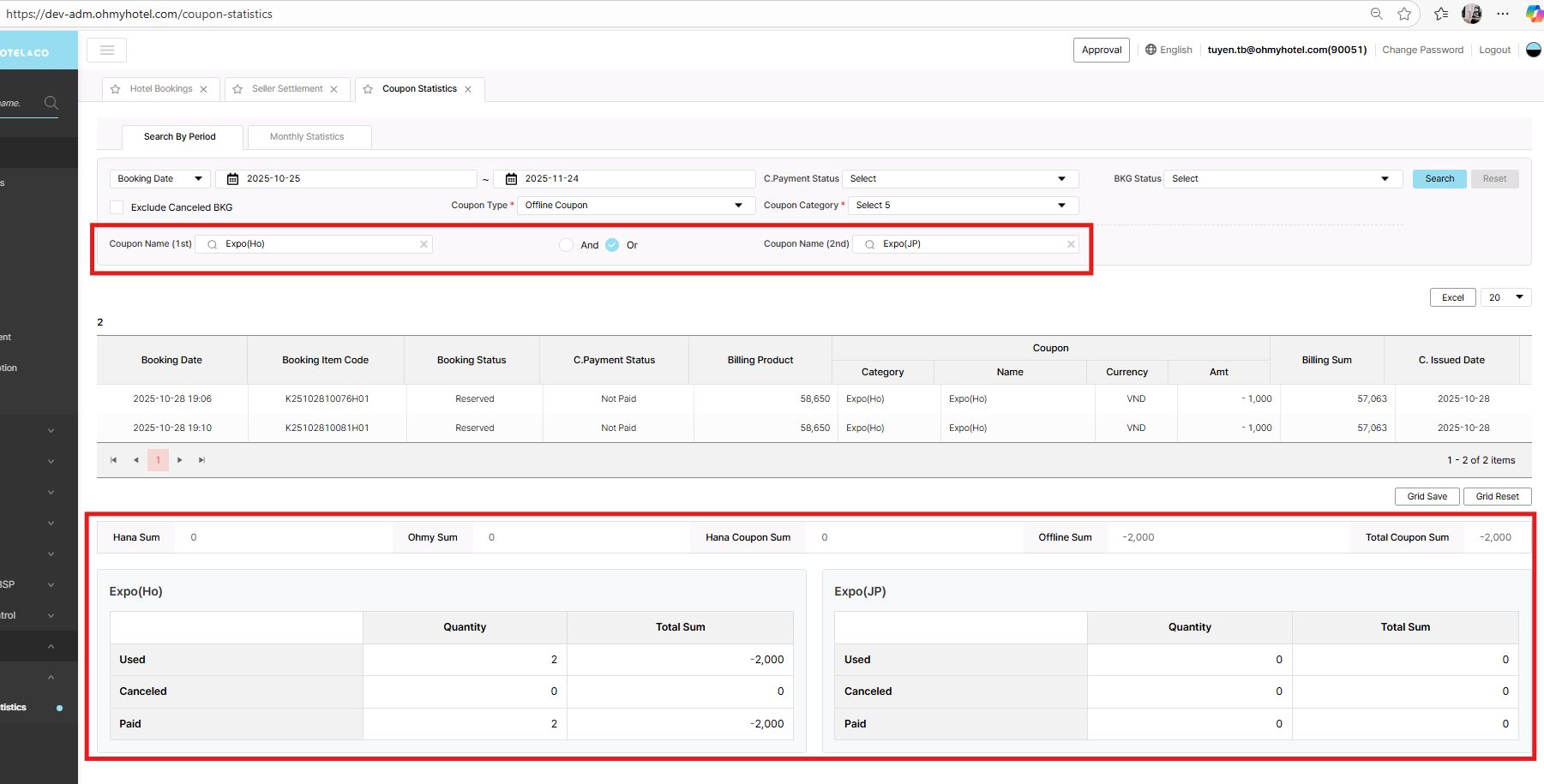
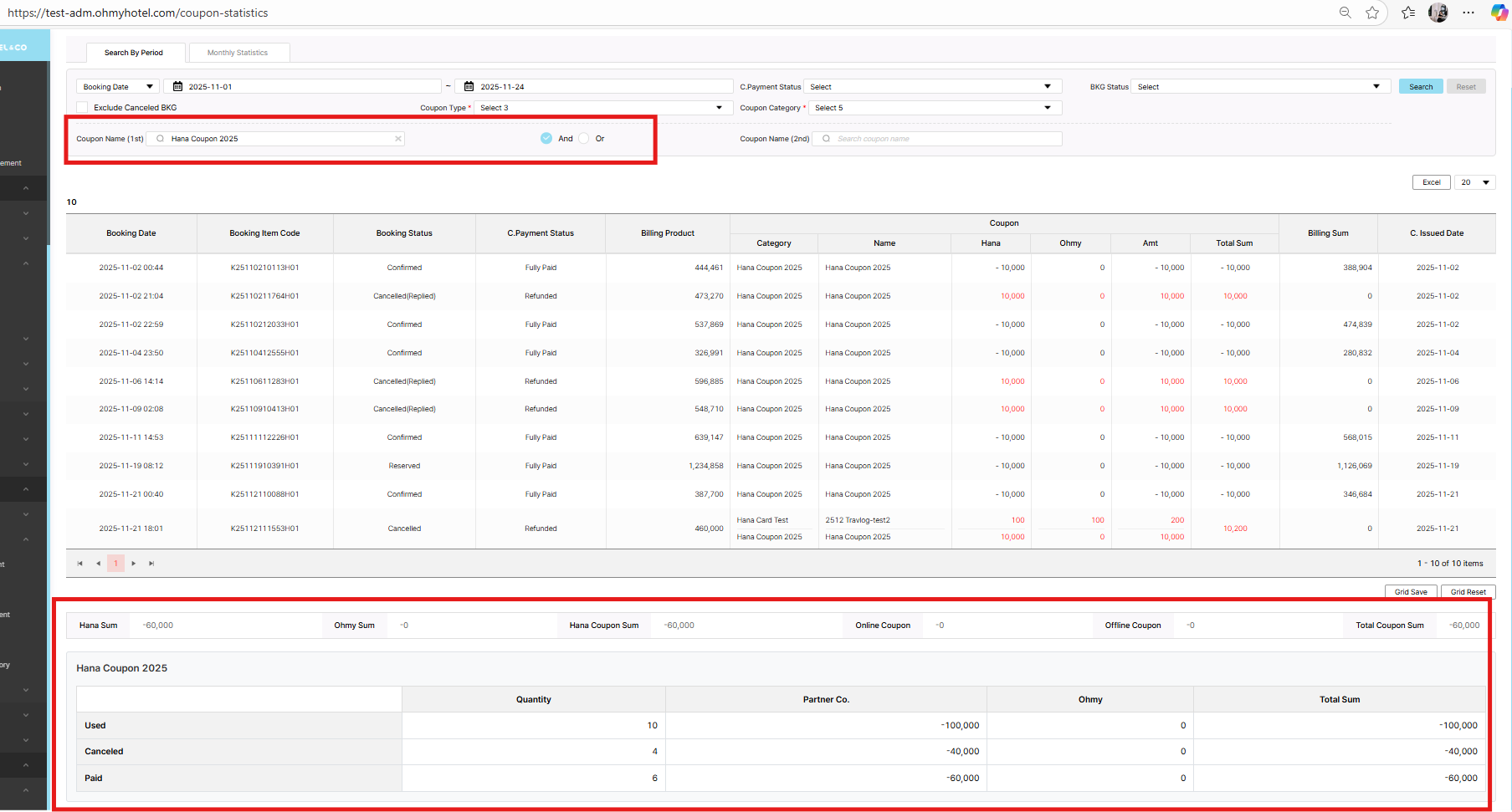
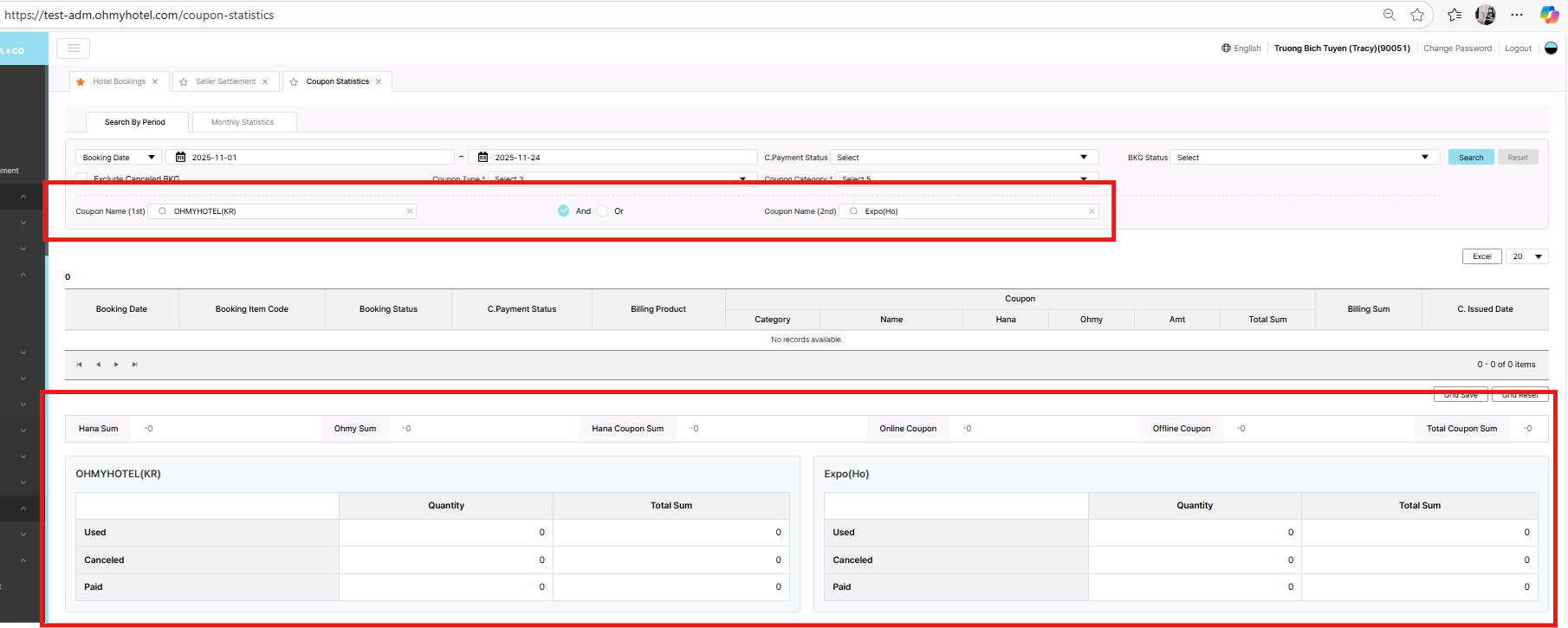
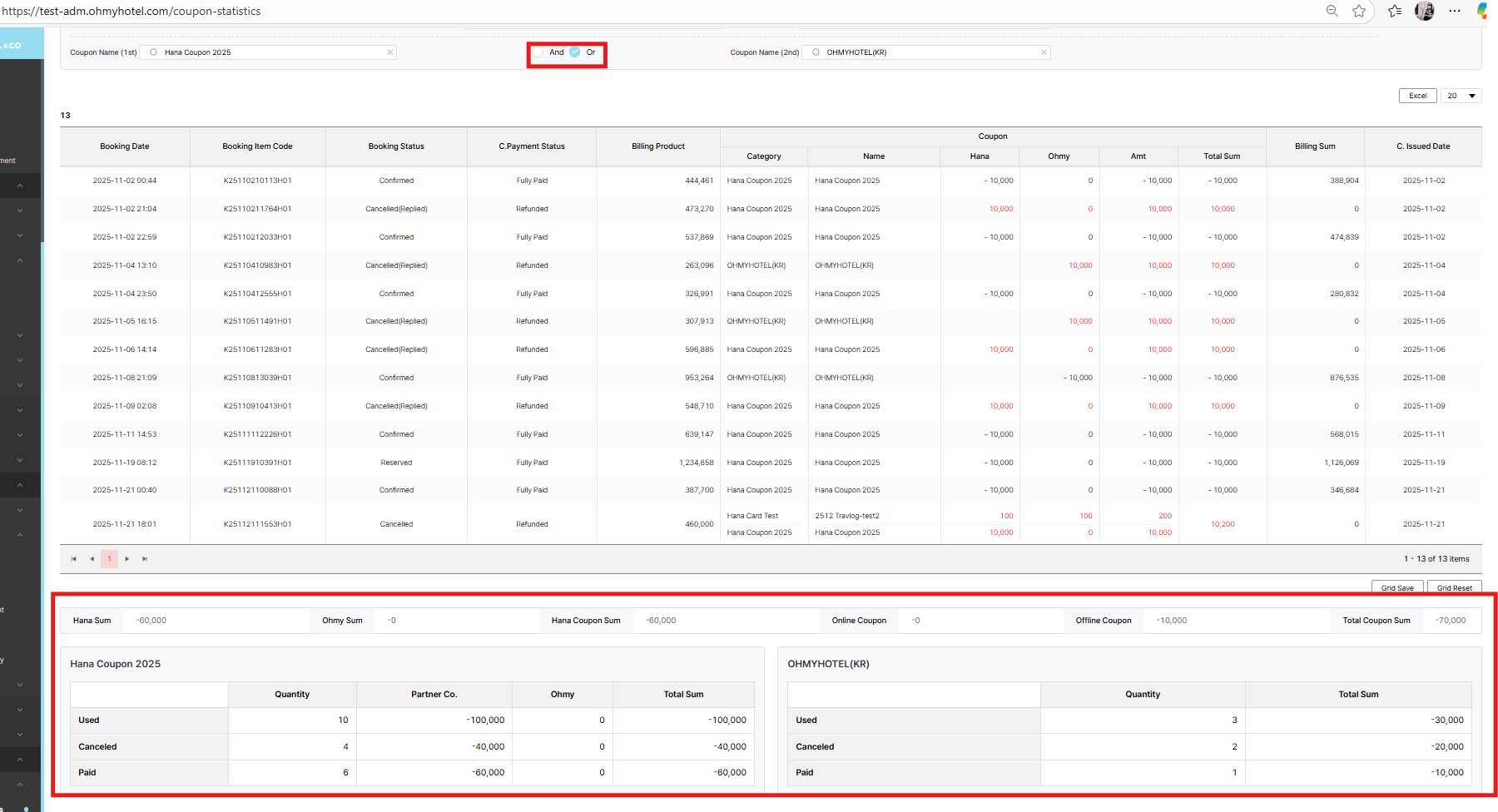
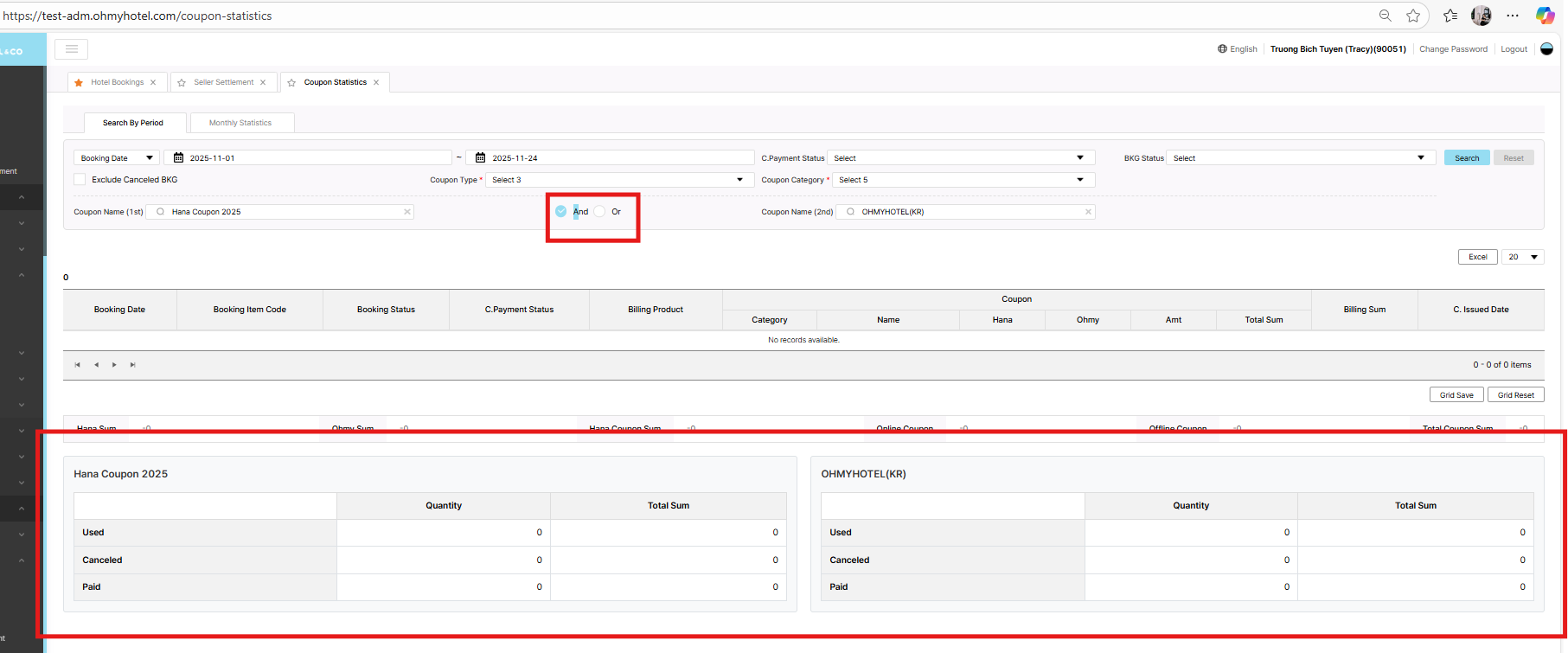
When select "Or" => UI displayed correct
But if select "And", UI wrong
Updated by Tracy Truong 4 months ago
- File picture459-1.png picture459-1.png added
- Status changed from QA test to 완료(Done)
- Assignee changed from Tracy Truong to John Lee
UI changed, ok
Updated by Tracy Truong 4 months ago
- File picture731-1.png picture731-1.png added
- File picture731-2.png picture731-2.png added
- File picture731-3.png picture731-3.png added
- File picture731-4.png picture731-4.png added
- File picture731-5.png picture731-5.png added
- File picture731-6.png picture731-6.png added
- File picture731-9.png picture731-9.png added
- Status changed from QA test to 완료성공(Resolve)
- Assignee changed from Tracy Truong to John Lee
Checked on Prod,
As yesterday meeting
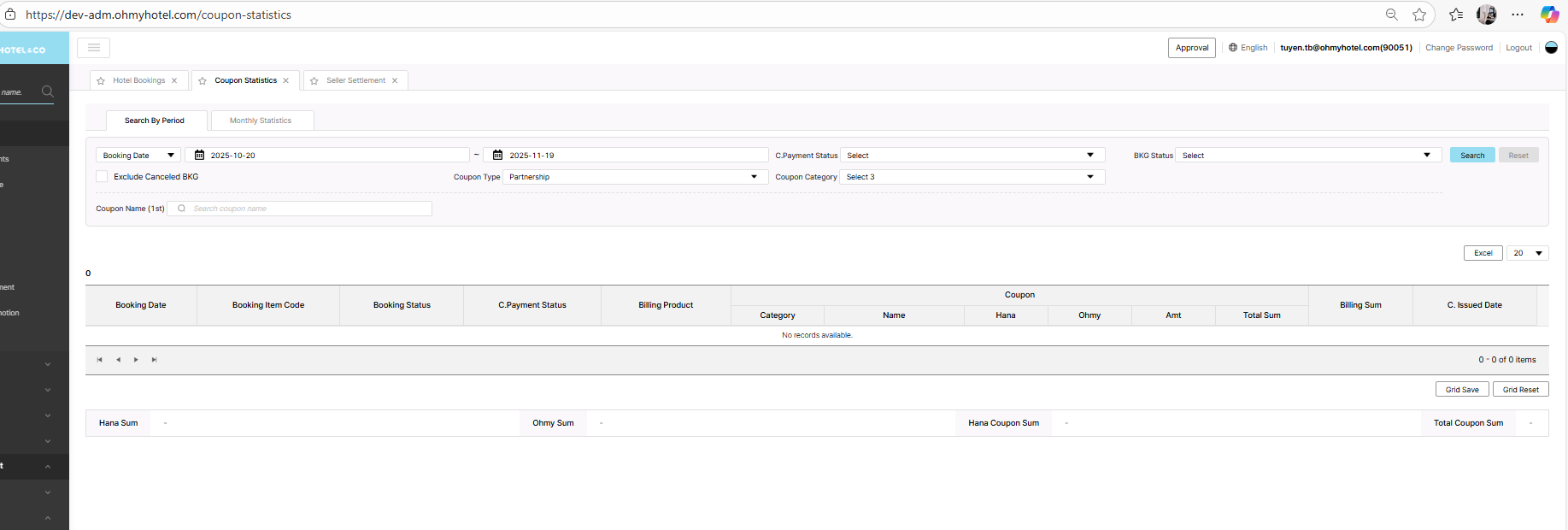
1) Search by Period – Hiển thị toàn bộ Category khi click vào input
Khi user click vào ô input lần đầu, tất cả tên trong Category phải hiện đầy đủ, đồng thời vẫn cho phép search.
=> need to discuss more because on Admin, we didn't have this control yet
2) Coupon Name 1 / Coupon Name 2
Hiện tại: Coupon Name 2 và And/Or chỉ xuất hiện khi đã chọn Coupon Name 1
Yêu cầu: Luôn hiển thị And/Or + Coupon Name 2, không phụ thuộc việc chọn Coupon Name 1.
=> fixed
3) Quantity hiển thị số lượng sai
Số lượng đang bị phụ thuộc vào số dòng đang hiển thị (20/40/60)
Yêu cầu: Luôn hiển thị tổng số lượng coupon dùng trong period, không phụ thuộc page size.
=> update later
4) Reset button bị loading vô hạn
Sau khi search → nhấn Reset → bị infinite loading.
Yêu cầu: Khi nhấn Reset → khôi phục về trạng thái mặc định ban đầu.
=> fixed
5) Category của Type: Partnership
Category chỉ có 1 giá trị: “Hana Card”
Tất cả coupon đã phát hành trước đây cũng phải được update vào category Hana Card.
(Storyboard page 0-3)
=> fixed
Updated by Tracy Truong 4 months ago
- Related to QA #2447: [Admin] New Update UI Coupon Statistics - Quantity added
Updated by ziniy Kang 3 months ago
- Related to 개선(improvement) #2470: Search by Period – Display All Categories on First Input Click added