개선(improvement) #1325
closed[Plan] Normalize display logic for Meal&Breakfast info
100%
Description
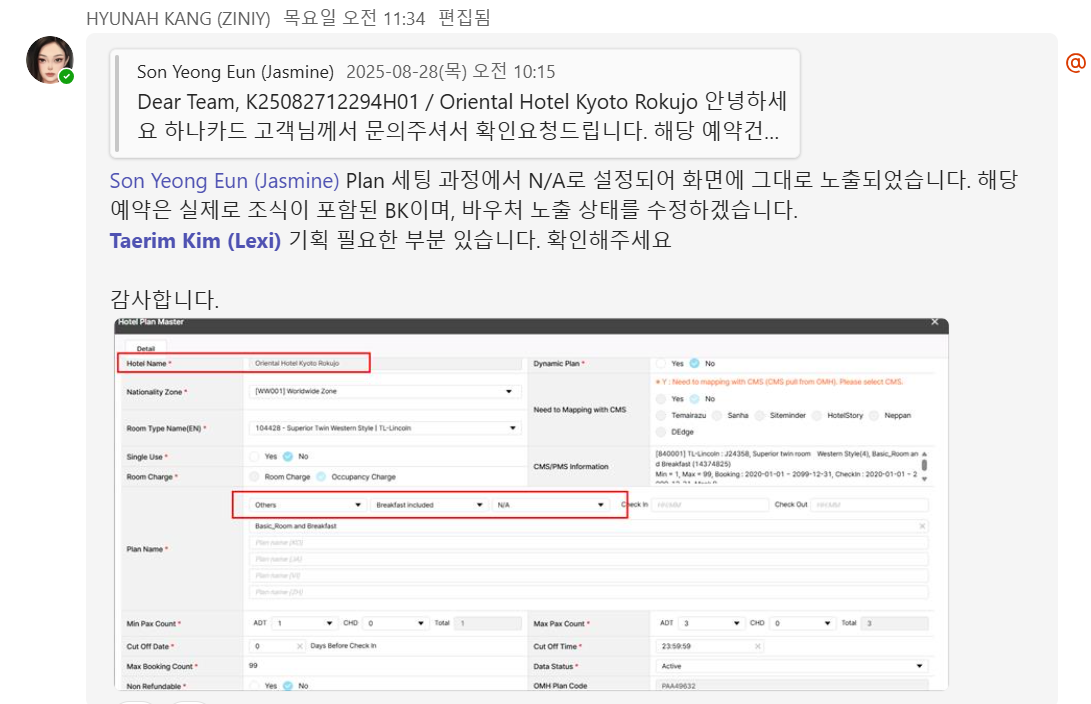
Files
| image.png (216 KB) image.png | |||
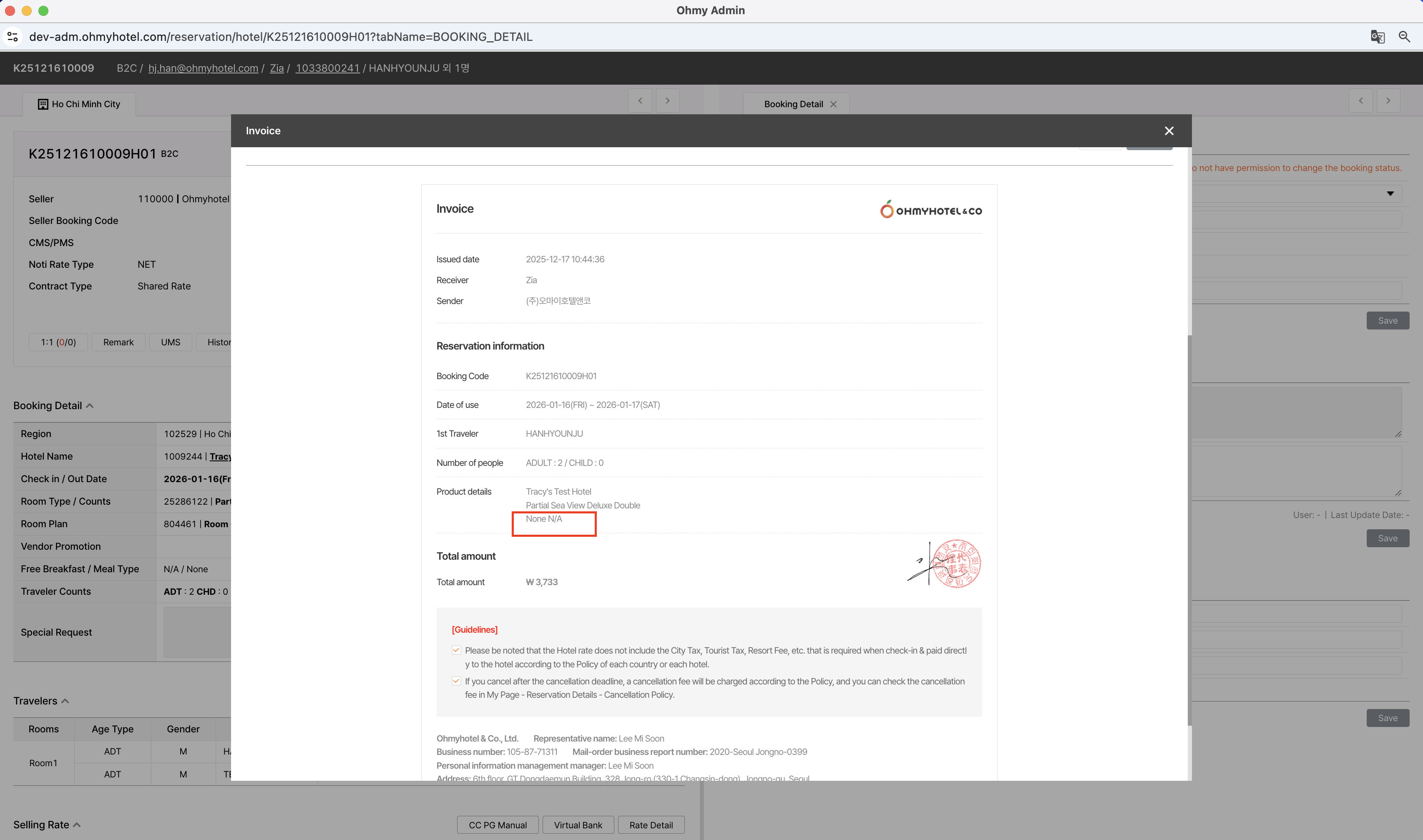
| Admin-Invoice.png (517 KB) Admin-Invoice.png | |||
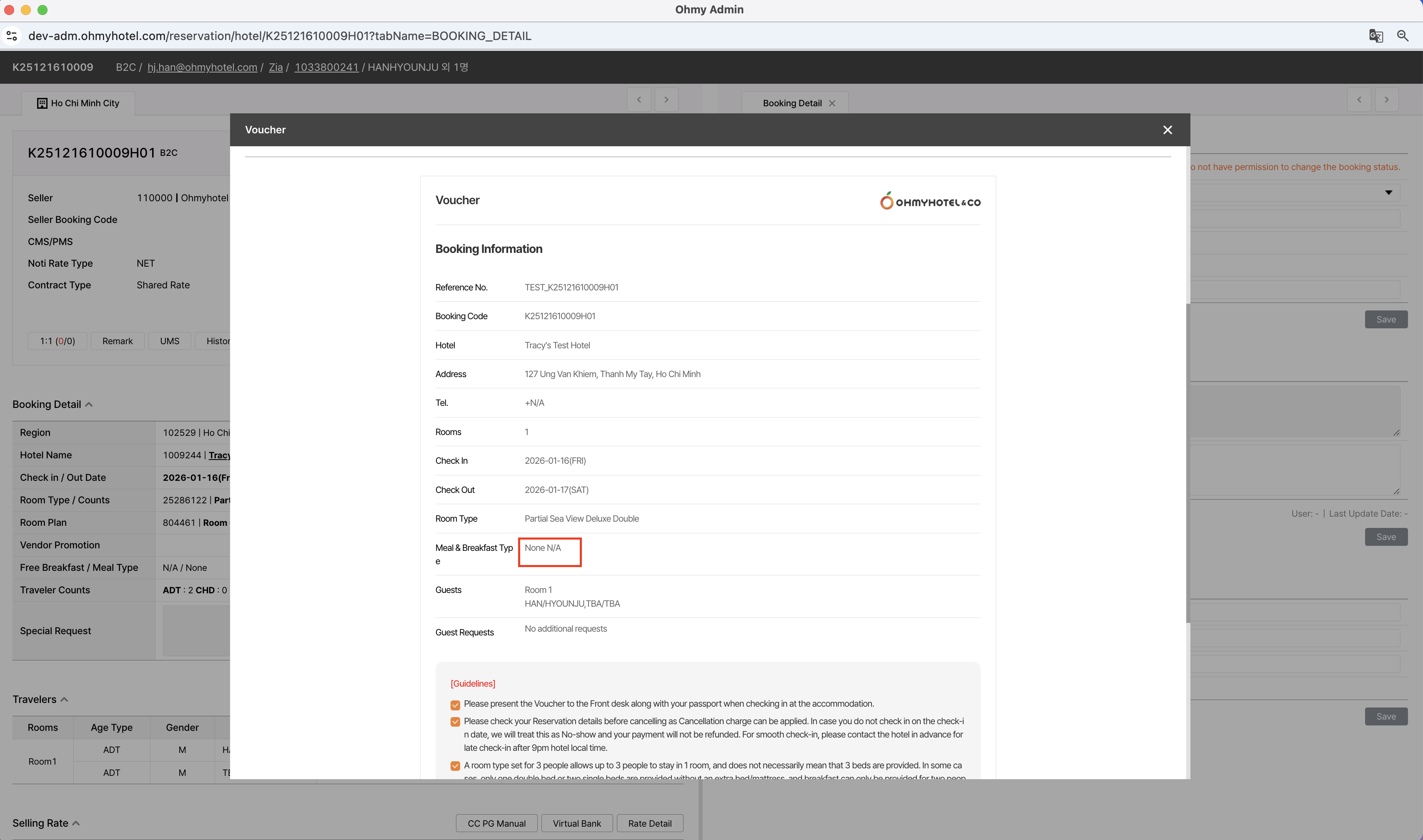
| Admin-Voucher.png (489 KB) Admin-Voucher.png | |||
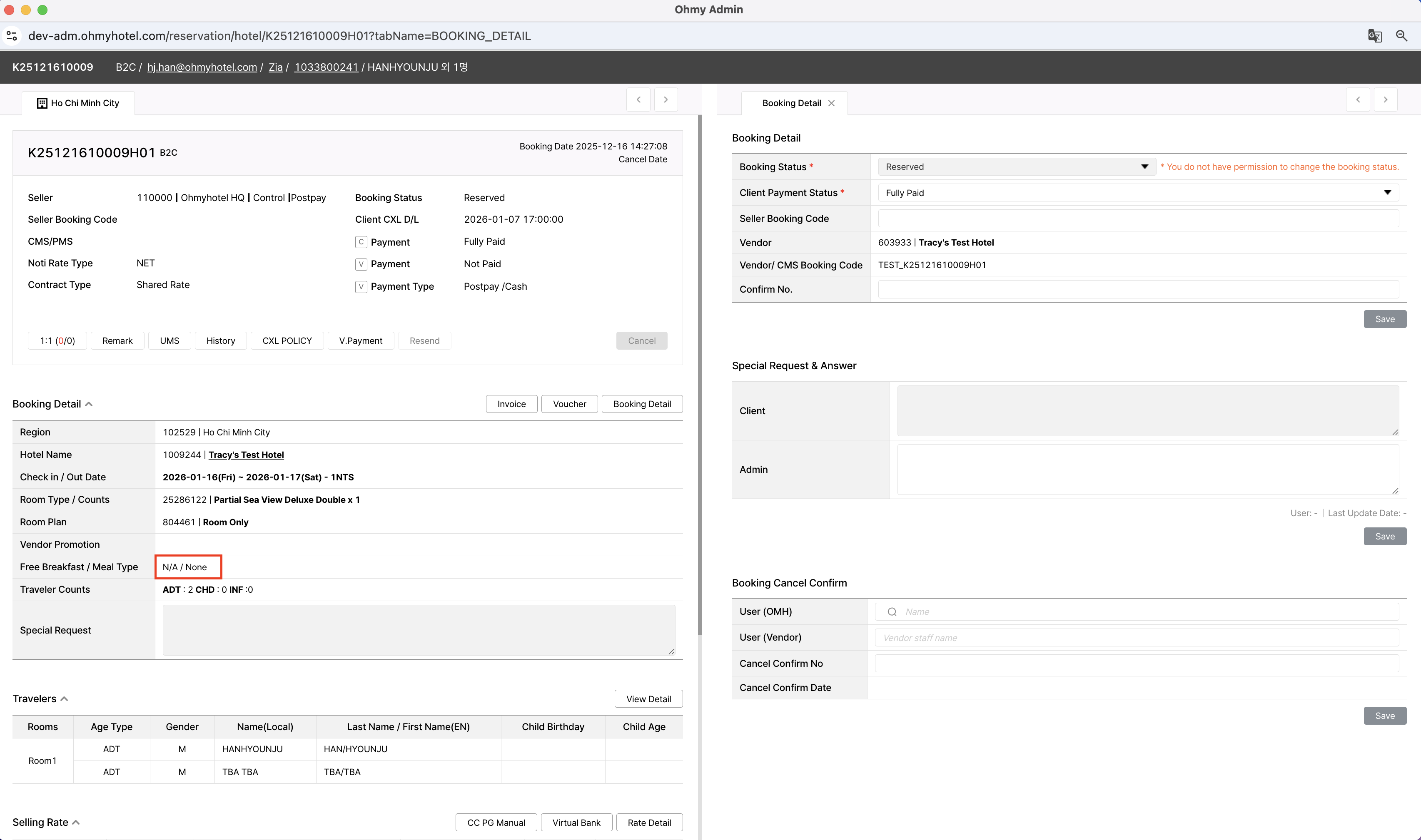
| Admin-Booking_Details.png (487 KB) Admin-Booking_Details.png |
Related issues
Updated by Zia Han 3 months ago
- File Admin-Voucher.png Admin-Voucher.png added
- File Admin-Invoice.png Admin-Invoice.png added
- File Admin-Booking_Details.png Admin-Booking_Details.png added
- Subject changed from [Plan] Rate Plans의 Meal&Breakfast Type 선택 to [Plan] Normalize display logic for Meal&Breakfast info
1. AS-IS / TO-BE Location
| Location | Field | AS-IS | TO-BE |
| Booking Detail | Free Breakfast / Meal Type | `N/A / None` | No change |
| Invoice | Product details | `None / N/A` | See display logic below |
| Voucher | Meal & Breakfast Type | `None / N/A` | See display logic below |
2. Display Logic (Core Logic)
Case 1: Both values are empty
1.Condition
- Meal = `None` or `N/A`
- Breakfast = `N/A`
2.Display
- Admin: `None`
Case 2: Only one value exists
1.Condition
- One of Meal or Breakfast has a valid value
2.Display
- Display only the valid value
- Do not display `None` or `N/A`
Case 3: Both values exist
1.Condition
- Meal has a valid value
- Breakfast has a valid value
2.Display
- Display both values
3. Notes / Constraints
1)Booking Detail (Admin) display remains unchanged
2)This ticket does not include:
- UI layout changes
- Hotel plan configuration changes
- Data migration
4. QA Checkpoints
1)Meal = None / Breakfast = N/A
→ Admin: `None`, B2C: `-`
2)Meal = Valid / Breakfast = N/A
→ Show Meal only
3)Meal = None / Breakfast = Valid
→ Show Breakfast only
4) Meal = Valid / Breakfast = Valid
→ Show both values
Additional note: If there are any other places where Meal & Breakfast Type is displayed, please let me know.
Updated by ziniy Kang 3 months ago
- Due date set to 12/17/2025
- Status changed from 완료(Done) to 완료성공(Resolve)
- % Done changed from 0 to 100
Updated by ziniy Kang 3 months ago
- Copied to 개선(improvement) #2656: [FE] Normalize display logic for Meal&Breakfast info added

