기능(Feature) #1210
closed기능(Feature) #983: * Home Management in ALICE + OMH
기능(Feature) #1003: 'Home Management' Menu to Admin
[Admin] Unable to set different display times by weekday – Temporary workarounds
100%
Description
Khi thiết lập lặp lại theo ngày trong tuần, thì thời gian hiển thị của từng ngày phải giống nhau.
Ví dụ: có thể set Thứ 6 từ 08:00 ~ 12:00
Nhưng trường hợp chỉ muốn hiển thị 18:00 ~ 23:59 vào Thứ 6 thì admin hiện tại không có.
Yêu cầu:
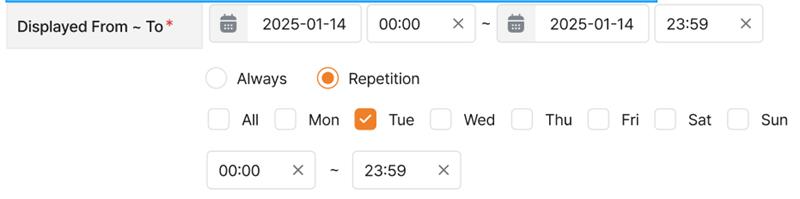
` Cài đặt lặp lại theo ngày: 00:00 ~ 23:59 cho cả ngày (vd: Thứ 6 từ 00:00 ~ 23:59)
` Đăng ký 2 banner cho cùng 1 ngày:
Banner 1: 18:00 ~ 23:59
Banner 2: 00:00 ~ 23:59
` Cài đặt Always:
Ví dụ: 22/8 18:00 ~ 24/8 23:59, sau đó mỗi tuần chỉnh sửa ngày manual.
Files
| picture880-1.png (62.1 KB) picture880-1.png | |||
| image.png (47.6 KB) image.png | |||
| image.png (29.3 KB) image.png | |||
| image.png (34.5 KB) image.png | |||
| image.png (38.1 KB) image.png | |||
| picture431-1.png (46.3 KB) picture431-1.png | |||
| picture533-1.png (16 KB) picture533-1.png | |||
| picture533-2.png (47.5 KB) picture533-2.png | |||
| picture533-3.png (30.8 KB) picture533-3.png | |||
| picture533-4.png (28.6 KB) picture533-4.png | |||
| picture533-5.png (30.6 KB) picture533-5.png |
Updated by Tracy Tran 6 months ago
- Assignee changed from Tracy Tran to Tracy Truong
Updated by Tracy Truong 6 months ago
- File image.png image.png added
- File image.png image.png added
- Status changed from QA test to 완료실패(Failed)
- Assignee changed from Tracy Truong to Tan Jang
When click repetition & click all, other item need to be activated. Currently, it still active (not match requirement on Figma)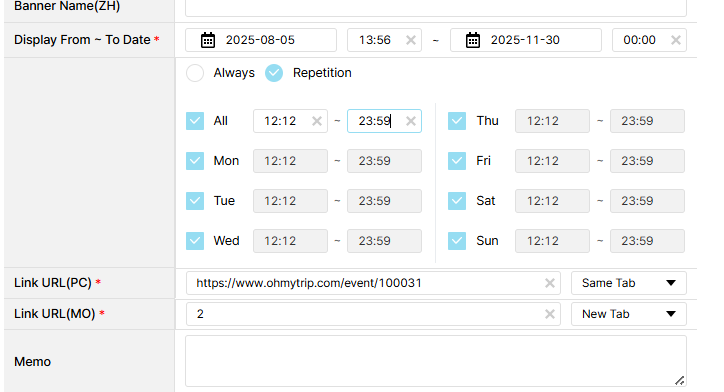
Updated by Tracy Truong 6 months ago
- File image.png image.png added
- File picture431-1.png picture431-1.png added
- Status changed from QA test to 완료(Done)
- Assignee changed from Tracy Truong to Tan Jang
Checked on Dev, ok
Updated by Tracy Tran 6 months ago
- Assignee changed from Tracy Tran to Tracy Truong
Updated by Tracy Truong 6 months ago
- File picture533-1.png picture533-1.png added
- File picture533-2.png picture533-2.png added
- File picture533-3.png picture533-3.png added
- File picture533-4.png picture533-4.png added
- File picture533-5.png picture533-5.png added
- Status changed from QA test to 완료실패(Failed)
- Assignee changed from Tracy Truong to Tom Dong
Checked on Prod,
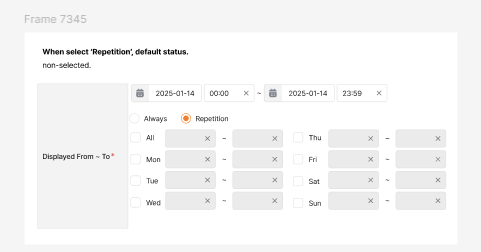
1. As requirement when select Repetition, default status is non selected
But currently,
If you create new banner & select Repetition, it's non selected => ok
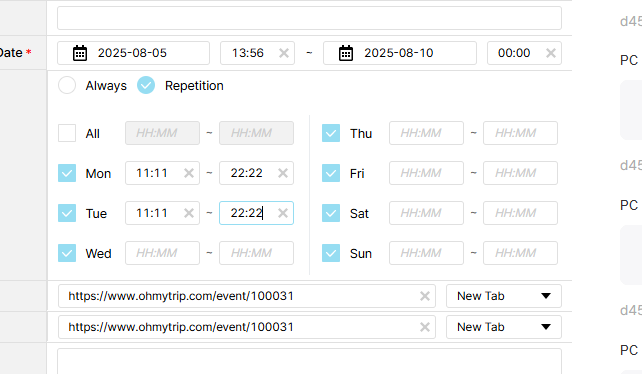
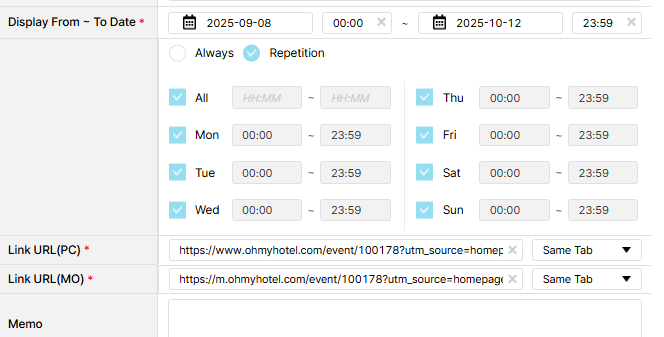
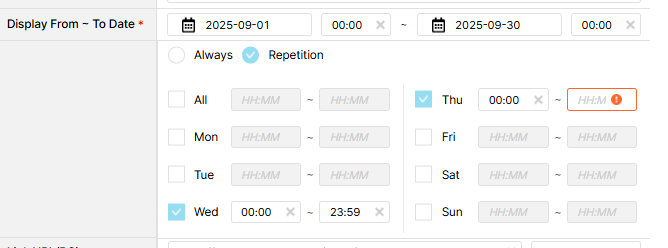
If you click current banner & change status from Always to Repetition, status display as capture below => please recheck
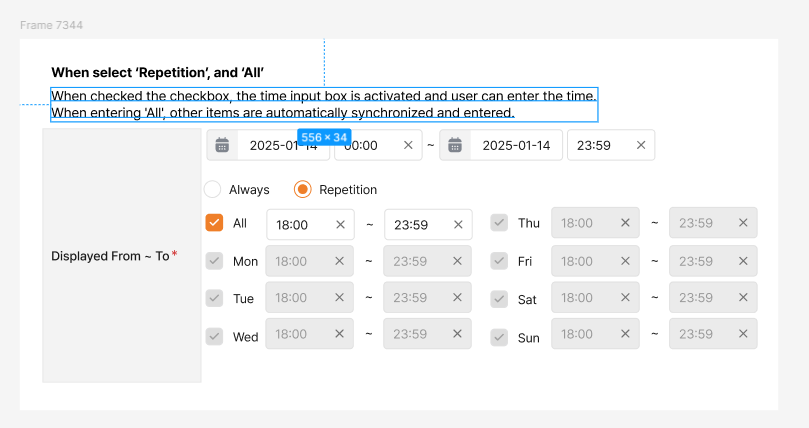
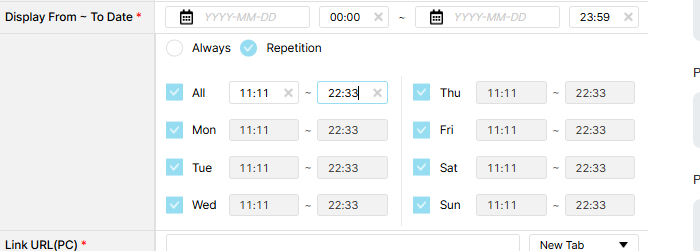
2. When select ‘Repetition’, and ‘All’
When checked the checkbox, the time input box is activated and user can enter the time.
When entering 'All', other items are automatically synchronized and entered.
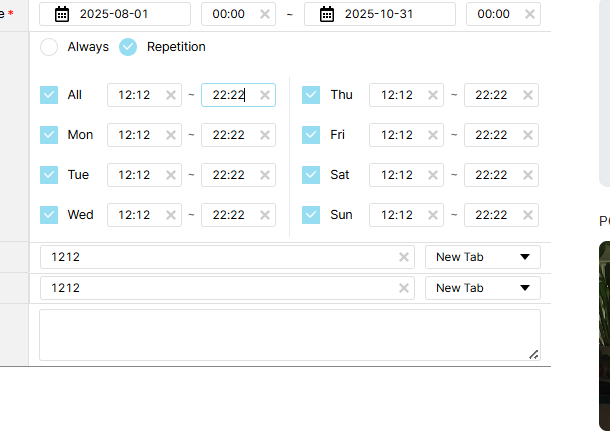
=> checked on Prod, ok
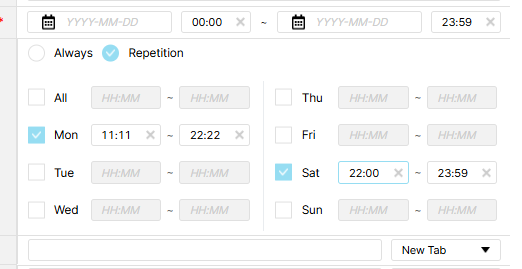
3.When select ‘Repetition’, and ‘Day’
When checked the checkbox, the time input box is activated and user can enter the time.
=> checked on Prod, ok
4. Check box
When you click the check box, 1-2 is active.
when unchecked, the input value is deleted and input box changed to disabled status.
=> checked on Prod, ok
5. Time input box
Set the time zone to expose the banner on the day of the week.
Only numbers can be entered (same as current admin)
Automatically changed 12:34 when entering 1234.
When the input box is activated, it can be saved only when a valid value is input at both the start time and the end time.
=> checked on Prod, ok
Updated by ziniy Kang 6 months ago
- Status changed from 완료실패(Failed) to 완료성공(Resolve)